











Popular Whistling Sound Effects Library

These ready-to-use whistles are designed for clear transients and predictable tails, so they cut through dialogue without harsh masking. Copy a prompt to regenerate the same idea with different pitch, distance, or room, then download the take that matches your scene timing.

How to Generate Your Own
Whistling Sound Effects

Cannot find the perfect whistling sound effect you need? Generate custom AI whistling audio effortlessly. Describe the style, such as short clean cue, cinematic hit, subtle background layer, branded UI alert, and Media.io AI builds tailored whistling sound effects instantly. No audio editing experience needed. Turn your concept into a royalty-free, high-quality downloadable WAV whistling clip in under 60 seconds.

1

Describe the whistle

Type or paste a prompt that explains the whistle style you need, such as sharp chirp, wolf whistle, breathy tone, or a distant call with echo.

2

Pick length and takes

Choose a duration (5s, 10s, or 20s) and set how many variations you want to generate so you can compare timing and tone.

3

Generate and preview

Click Generate, listen to each result, and keep the version with the right pitch movement, transient bite, and tail length for your scene.

4

Download WAV to use

Download the WAV file and drop it into videos, audio drama, apps, or commercial edits. Trim, fade, or loop where needed to match your cut.

What Can You Use These Whistling Sound Effects For?

Creators in every field are using our royalty-free audio to set the perfect mood.

Comedy edit timeline using a short whistle stinger

Comedic reaction cues

Use a quick whistle stinger to punctuate a visual gag, awkward silence, or a reveal without stepping on dialogue.

Street scene with a wolf whistle sound effect cue

Street catcall moments

Choose a wolf whistle with a clean slide and short tail to fit a sidewalk scene without sounding like a referee whistle.

Stage manager triggering an attention whistle cue

Stage and backstage

Add a strong attention whistle for rehearsal cues, performer entrances, or crowd direction with a dry, direct sound.

Dark hallway scene underscored by a tense whistling motif

Suspense character motif

A slow, uneasy whistle phrase can act as a character tell in thriller scenes, especially with controlled vibrato and room tone.

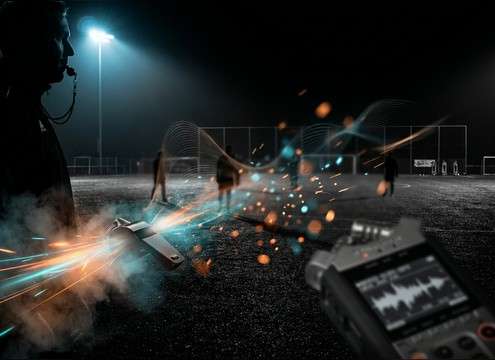
Coach signaling a drill change with a whistle cue

Sports practice signals

Drop in a clean, sharp whistle chirp for drill transitions or coaching signals when production audio is unusable.

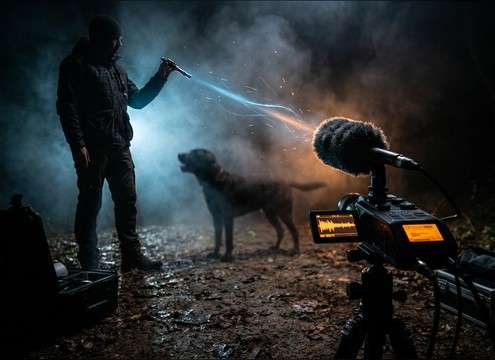
Dog training scene using a short attention whistle

Dog training attention

Use a short, high whistle call with minimal reverb so it reads as a command cue, not a musical phrase.

Animated character zoom with a pitch-bend whistle accent

Cartoon movement accents

Pair a pitch-bending whistle with fast action cuts, drops, or zooms to add playful motion without heavy sound layers.

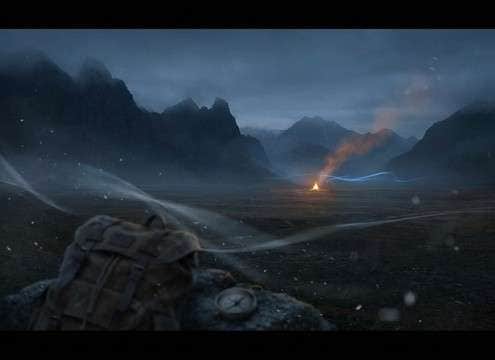
Wide outdoor shot using a distant locating whistle

Outdoor locating calls

A distant whistle with air and soft decay helps sell wide shots like hiking, camp, or search moments across open space.

Why Choose Media.io for Whistling Sound Generator?

See exactly why creators, developers and studios choose our AI audio generator over all others.

Prompt field showing a whistle type and style description

Whistling Sound Generator prompts

Control whistle type and intent in plain language, from a single chirp to a wolf whistle or a slow suspense phrase.

Waveform preview with pitch bend and vibrato characteristics

Pitch and vibrato control

Ask for steady pitch, quick slides, or gentle vibrato so the whistle matches character energy and comedic timing.

Icons representing close mic versus distant ambience

Distance and room options

Generate close, dry takes or add reflections for hallway, stairwell, or outdoor space without hunting multiple libraries.

Timeline cut with a tightly trimmed whistle transient

Clean transients for edits

Get tight attacks and predictable tails that are easy to trim, fade, and place on exact frames for cue-based editing.

Multiple generated whistle takes in a results list

Fast variation regeneration

Regenerate several versions to find the right intensity and articulation when one take is too shrill or too breathy.

Download button labeled WAV for a whistle sound effect

Download-ready WAV workflow

Preview in browser, then export WAV so the whistle keeps its clarity when you import into your editor or DAW.

How to Choose and Prompt Whistling SFX That Sound Human

Whistles read as human performance, so small prompt details matter: whether it is a single attention chirp or a two-part wolf whistle, how much breath noise you want, and whether the space should be dry, reflective, or outdoors. Use the tips below to get a whistle that lands on the cut, stays out of the dialogue band, and does not turn into an unintended melody.

Pick the whistle gesture first

Start by defining the gesture, not just the word whistle. A short chirp, a two-note wolf whistle, or a slow phrase will produce very different timing and pitch movement.

  • Single chirp: fast transient, short decay, attention cue
  • Wolf whistle: two-part call with a pitch slide and playful tail
  • Phrase: longer contour, smoother attack, controlled vibrato

Decide how clean or breathy it should be

Breath noise can help realism, but too much hiss can sound harsh or mask sibilants in dialogue. Prompt for the exact amount of air and brightness you want.

  • Ask for minimal breath noise when the whistle sits near speech
  • Request a warmer tone to avoid piercing highs on mobile speakers
  • If it sounds synthetic, prompt for slight mouth noise and natural stop

Match space: close, hallway, or outdoors

The same whistle can feel wrong if the space does not match the shot. Use distance and reflections to lock it into the scene perspective.

  • Close and dry: strong center image, minimal room tone
  • Hallway or stairwell: audible reflections with longer decay tail
  • Outdoor: softer reflections, a touch of air movement, gentle decay

Avoid prompts that cause unwanted musicality

If you want an SFX cue, keep the prompt focused on gesture and timing. Too much musical language can produce a tune that fights the score.

  • Avoid specifying keys, chords, or song-like phrasing for simple cues
  • Do not over-request reverb if you only need a quick stinger
  • If the pitch wobbles too much, reduce vibrato and shorten the tail

Frequently Asked Questions About
Whistling Sound Effects

Everything you need to know before downloading or generating your first sound.

Can I use these whistling sound effects in commercial projects?

Media.io provides royalty-free downloadable assets and AI-generated variations for typical commercial workflows. Always review the license notes shown on the download page for your specific use before publishing or distributing.

Do you offer WAV downloads for whistles?

Yes. After you preview a result, you can download it as a WAV file so the transient and high-frequency tone stay clean when you import it into an editor or DAW.

How do I get a whistle without harsh breath hiss?

In your prompt, specify minimal breath noise, clean tone, and a controlled high end. If the result is still too airy, regenerate with softer brightness and a shorter decay.

Should I choose 5 seconds, 10 seconds, or 20 seconds?

Use 5 seconds for single cues or stingers, 10 seconds for a short phrase with pauses, and 20 seconds when you need a longer sequence that can be trimmed to picture.

Are these whistling sound effects free to download?

Yes. You can preview and download the AI-generated whistling sound effects as WAV files and use them in personal or commercial projects.

Can I copy the prompt used for each sound?

Yes. Open any sound row to view the prompt, copy it, adjust the wording and generate a custom variation that better matches your scene.

Related Free Sound
Effect Categories

Explore other AI-generated sound libraries from Media.io

sound

Rain Sound Effects

10+ free sounds
sound

Thunder Sound Effects

10+ free sounds
sound

Farts Sound Effects

10+ free sounds
sound

Car Crash Sounds

10+ free sounds
sound

Explosion Sound Effects

10+ free sounds
sound

Gunshot Sound Effects

10+ free sounds
sound

Pistol Sound Effects

10+ free sounds
sound

AI Horror Sound Effects

10+ free sounds
sound

AI Forest Sound Effects

10+ free sounds
sound

AI Dog Whistle Sound

10+ free sounds
sound

AI Ding Sound

10+ free sounds
sound

Phone Ring Sound

10+ free sounds
media.io

AI Video Generator star

Easily generate videos from text or images

Generate
