














Popular Get-Out Sound Effects Library

These ready-to-use takes cover common storytelling needs: urgent shouts, hushed warnings, door-muffled lines, and radio commands. Copy a prompt to generate alternates with different distance, room tone, and tail length, then download the version that matches your scene pacing.

How to Generate Your Own
Get-Out Sound Effects

Cannot find the perfect get-out sound effect you need? Generate custom AI get-out audio effortlessly. Describe the style, such as short clean cue, cinematic hit, subtle background layer, branded UI alert, and Media.io AI builds tailored get-out sound effects instantly. No audio editing experience needed. Turn your concept into a royalty-free, high-quality downloadable WAV get-out clip in under 60 seconds.

1

Describe the delivery

Type or paste a prompt for how "get out" should sound, including emotion, distance, and space (close, muffled, hallway echo, radio).

2

Pick length and takes

Choose 5s, 10s, or 20s, then set how many variations you want so you can audition different intensities and pacing.

3

Generate and preview

Click Generate, listen to each result, and keep the version with the right transient, tail, and room tone for your cut.

4

Download WAV and place

Download the WAV file and drop it into videos, games, apps, podcasts, or commercial projects, then trim or fade as needed.

What Can You Use These Get-Out Sound Effects For?

Creators in every field are using our royalty-free audio to set the perfect mood.

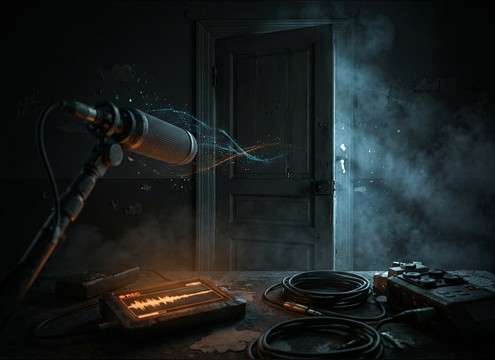
Whispered get out warning sound effect for a horror hallway scene

Horror warning beat

Use a whispered or breathy take to sell a secret warning before a door opens, keeping the tail short so it does not blur the next cue.

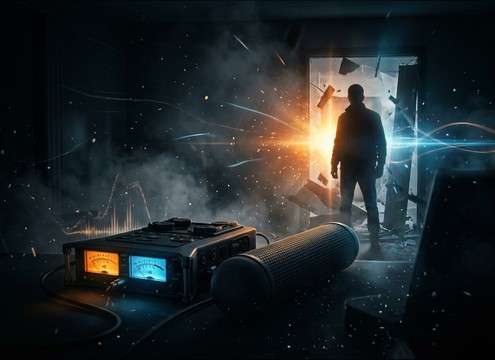
Close-mic get out shout sound effect for a confrontation scene

Home invasion confrontation

A close angry shout with a hard transient cuts through footsteps and rustle foley, making the command readable on small speakers.

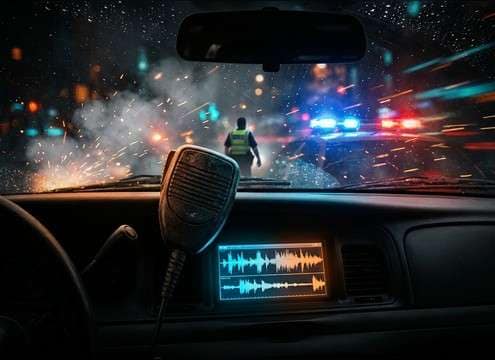
Radio get out command sound effect for police dispatch audio

Police radio urgency

Radio-filtered commands fit dispatch and bodycam edits; the band-limited tone helps it sit under sirens without harsh peaks.

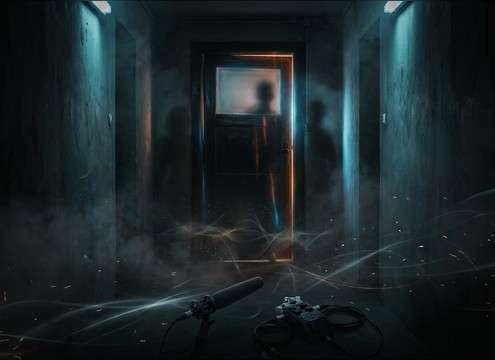
Hallway echo get out yell sound effect in a school corridor

School hallway drama

A medium-distance call with reflections matches corridor scenes, especially when you need a believable tail between dialogue lines.

Crowd chanting get out sound effect for rally atmosphere

Stadium or rally

Crowd chant versions add width and grit for protest or sports scenes, and can be cut as a single hit or repeated for rhythm.

Comedic get out voice line sound effect for reaction moments

Comedy reaction button

A dry, snappy delivery works like a punchline tag after an awkward moment, with minimal decay for tight comedic timing.

Muffled get out sound effect behind a door for offscreen dialogue

Door-separated argument

Muffled-behind-door takes imply distance and obstruction, useful when the camera stays in the hallway while the fight continues inside.

Get out shout sound effect used as a trailer stinger punctuation

Trailer stinger command

A punchy shout with a controlled tail can be used as a cut-to-black punctuation point right before a logo or impact hit.

Why Choose Media.io for Get-Out Sound Generator?

See exactly why creators, developers and studios choose our AI audio generator over all others.

Prompt controls for a get-out sound generator

Get-Out Sound Generator prompt control

Direct the exact delivery: angry, panicked, whispered, or deadpan, plus distance cues like close, hallway, or outside.

Download royalty-free get out WAV sound effects

Royalty-free downloads

Preview first, then export WAV files that are ready for real projects, from short reactions to longer scene beats.

Multiple get out voice command variations generated at once

Fast variation packs

Request multiple takes at once to compare attack, loudness, and tail length, then keep the best match for your cut.

Get out sound effect variants with different room tones

Scene-matched space options

Regenerate with different room tone and reflections so the command feels placed in a bathroom, hallway, car, or outdoors.

Preview list of get out command sound effects

Clean preview workflow

Audition clips quickly and avoid digging through unrelated voice packs when you only need a clear "get out" moment.

WAV export for get out sound effect in an editor timeline

Edit-friendly WAV output

WAV makes it easy to trim, fade, and align on the timeline without quality loss, especially for tight dialogue timing.

How to Choose the Right "Get Out" Take for Your Scene

This keyword is usually about a spoken command, so the best result depends on who is speaking, how far the camera feels, and whether the line is heard directly, through a door, or over comms. Use the library for quick pulls, or prompt the AI to regenerate with the exact emotion, pacing, and space you need.

Pick the emotion and intent first

A scared warning reads differently than an aggressive order. Decide if the line should feel protective, threatening, embarrassed, or comedic, then choose a take with matching intensity and vocal texture.

  • For danger: panicked yell with breaths and a slightly longer decay
  • For intimidation: close, hard shout with strong consonant attack
  • For comedy: dry, quick delivery with minimal tail

Match distance and obstruction

Distance changes the tone and clarity. If the character is offscreen or behind something, a clean close-mic shout will feel fake. Choose a take that already suggests space, or regenerate with distance cues in the prompt.

  • Close: crisp transient, low room tone, centered voice
  • Distant: rolled-off highs, more air, softer edges on consonants
  • Behind a door: muffled top end with boxy resonance and a short tail

Choose the right tail and room tone

The tail is what sells the location and also what can ruin an edit if it overlaps the next line. Short tails cut cleanly. Longer tails feel cinematic but need a gap in the dialogue.

  • Hallway or stairwell: audible early reflections and a longer decay
  • Small room: tight reflections with a compact tail
  • Cut-to-black: controlled tail that ends decisively without ringing

When to use radio or PA filtering

If the command is coming through comms, do not use a full-range vocal. A band-limited, slightly noisy texture signals radio realism and helps the line sit under loud action sounds.

  • Radio: bandpass tone, light static, compressed dynamics
  • Intercom: slightly metallic resonance with limited low end
  • Avoid: overly wide stereo or lush reverb that breaks the comms illusion

Frequently Asked Questions About
Get-Out Sound Effects

Everything you need to know before downloading or generating your first sound.

Are these get-out sound effects safe for commercial use?

Media.io provides royalty-free download options on this page. Before exporting, review the license notes shown in the download panel for your specific clip and project needs.

Can I download the clips as WAV files?

Yes. After previewing a sound, export it as a WAV so you can trim, fade, and place it precisely on your timeline without extra compression artifacts.

How do I make the voice sound like it is behind a door or wall?

Choose a muffled take, or regenerate with prompt details like "behind a closed door," "occluded highs," and "boxy room tone." Then lower the level slightly and add a short fade to blend with the scene.

Which duration should I choose: 5s, 10s, or 20s?

Use 5s for single-command hits or reaction beats, 10s for a call with space and a readable tail, and 20s when you need pauses, breaths, or a short argument moment around the line.

Are these get-out sound effects free to download?

Yes. You can preview and download the AI-generated get-out sound effects as WAV files and use them in personal or commercial projects.

Can I copy the prompt used for each sound?

Yes. Open any sound row to view the prompt, copy it, adjust the wording and generate a custom variation that better matches your scene.

Related Free Sound
Effect Categories

Explore other AI-generated sound libraries from Media.io

sound

Rain Sound Effects

10+ free sounds
sound

Thunder Sound Effects

10+ free sounds
sound

Farts Sound Effects

10+ free sounds
sound

Car Crash Sounds

10+ free sounds
sound

Explosion Sound Effects

10+ free sounds
sound

Gunshot Sound Effects

10+ free sounds
sound

Pistol Sound Effects

10+ free sounds
sound

AI Horror Sound Effects

10+ free sounds
sound

AI Forest Sound Effects

10+ free sounds
sound

AI Dog Whistle Sound

10+ free sounds
sound

AI Ding Sound

10+ free sounds
sound

Phone Ring Sound

10+ free sounds
media.io

AI Video Generator star

Easily generate videos from text or images

Generate
