











Popular Rifle Sound Effects Library

Browse gunfire variations by weapon feel, distance, reflection and intensity. Each item is written as a usable audio asset first, with a prompt you can copy when the scene needs a custom take.

How to Generate Your Own
Rifle Sound Effects

Cannot find the perfect rifle sound effect you need? Generate custom AI rifle audio effortlessly. Describe the style, such as short clean cue, cinematic hit, subtle background layer, branded UI alert, and Media.io AI builds tailored rifle sound effects instantly. No audio editing experience needed. Turn your concept into a royalty-free, high-quality downloadable WAV rifle clip in under 60 seconds.

1

Describe the rifle sound

Type a prompt for the exact moment you need, like close shot, distant crack, suppressed pop, or bolt and reload foley, plus the space (outdoor field, alley, indoor hall).

2

Choose duration and takes

Set 5s, 10s, or 20s, then choose how many variations to generate so you can audition different intensity levels and tails.

3

Generate and preview

Click Generate, listen to each result, and keep the take with the best transient, decay, and loudness for your cut.

4

Download WAV and use

Download the WAV file and drop it into your timeline or engine for videos, audio drama, apps, games, or commercial projects.

What Can You Use These Rifle Sound Effects For?

Creators in every field are using our royalty-free audio to set the perfect mood.

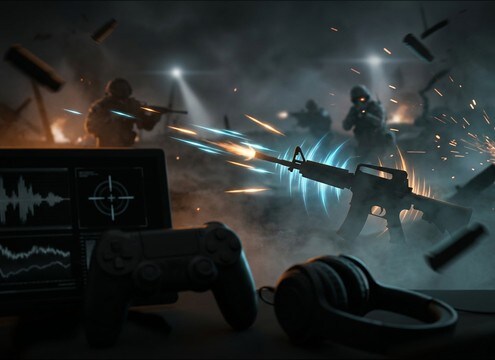
Gunshot SFX for game combat

Game Combat Audio

Build close, distant, indoor, rifle and suppressed shot layers for responsive weapon systems.

Gunshot sounds for action films

Action Film Scenes

Match gunfire to hallways, streets, open fields, vehicles and tactical sequences.

Gunshot trailer impacts

Trailer Impacts

Use clean shot transients as cut points, tension accents and hard rhythmic hits.

Gunshot foley and post production

Foley and Post

Layer mechanical action, echo tails and distance cues to replace or enhance production sound.

Gunshot sounds for audio drama

Audio Drama

Create controlled firearm cues for fiction podcasts, reenactments and narrative scenes.

Military gunfire sound effects

Military Scenes

Generate distant reports, battlefield layers and outdoor decay for large-scale sequences.

Tactical gunshot sound effects

Tactical Edits

Use suppressed shots, indoor reflections and tight close cracks for stealth or tactical visuals.

Gunshot sounds for YouTube gaming

YouTube Gaming

Add royalty-free gunfire cues to gaming videos, action recaps and cinematic breakdowns.

Why Choose Media.io for Rifle Sound Generator?

See exactly why creators, developers and studios choose our AI audio generator over all others.

Prompt settings for a Rifle Sound Generator

Rifle Sound Generator prompt control

Steer attack, tail length, and perceived distance with plain-language prompts like close crack, far report, or indoor reflections.

Previewing multiple rifle shot takes in a sound list

Fast preview before download

Audition shots and mechanical foley quickly so you can pick a take that matches the cut and does not mask dialogue.

Multiple generated rifle shot variations for continuity

Generate variations for continuity

Create multiple takes of the same weapon moment to avoid obvious repetition across a montage or firefight sequence.

Duration selector showing 5s 10s and 20s options

Scene-ready durations

Choose 5s, 10s, or 20s clips depending on whether you need a single shot, a short volley, or a longer bed of distant fire.

WAV download option for rifle sound effects

Mix-friendly, clean exports

Download WAV and start cutting immediately, with prompts that help you avoid overly washed-out reverb or uncontrolled low-end.

Mechanical rifle foley like bolt clack and magazine insert

Mechanical foley add-ons

Generate bolt cycles, safety clicks, and reload handling as separate assets to build convincing weapon performance beats.

How to Choose Gunshot SFX That Match a Scene

Gunfire changes with weapon type, distance and space. A close handgun crack, a rifle report and an indoor suppressed pop should not share the same transient, tail or reflection.

Start with weapon feel

Give the generator a clear sonic direction before adding scene details.

  • Handgun: short crack, controlled tail and strong transient
  • Rifle: brighter report, sharper air pressure and more distance
  • Suppressed: muted pop, mechanical detail and minimal tail

Define distance and room

Distance changes attack and decay, while the room determines reflections.

  • Close: aggressive transient and fast decay
  • Indoor: early reflections and concrete or metal slapback
  • Distant: softer report, air decay and lower detail

Layer foley when needed

Reloads, slide racks and casing drops make weapon audio feel physical.

  • Use mechanical layers under close shots
  • Keep foley dry when the visual is close-up
  • Avoid adding crowd noise unless the scene needs it

Keep it mix-ready

Clean prompts prevent unusable chaos and make the sound easier to place.

  • No music, voices or clipping
  • Ask for controlled peaks
  • Specify clean background or light ambience

Frequently Asked Questions About
Rifle Sound Effects

Everything you need to know before downloading or generating your first sound.

What makes a gunshot sound realistic?

A realistic gunshot usually combines a clear transient, a believable distance cue, the right room or outdoor tail, and sometimes mechanical foley such as slide movement or casing detail.

How do I make indoor gunshots different from outdoor shots?

Indoor gunshots need early reflections and room tone. Outdoor shots usually have less slapback, more air decay and a softer tail as the distance increases.

Can I create suppressed gunshot sounds?

Yes. Prompt for a muted pop, soft pressure, minimal reverb and mechanical action detail instead of a loud open crack.

How do I choose between close and distant rifle shots?

Listen for transient shape and decay. Close shots have a harder, brighter attack and a shorter tail with less ambience. Distant shots feel thinner, with more audible outdoor decay and less low-end punch. If the camera is far, avoid close-mic low-mid weight.

Are these rifle sound effects free to download?

Yes. You can preview and download the AI-generated rifle sound effects as WAV files and use them in personal or commercial projects.

Can I copy the prompt used for each sound?

Yes. Open any sound row to view the prompt, copy it, adjust the wording and generate a custom variation that better matches your scene.

Related Free Sound
Effect Categories

Explore other AI-generated sound libraries from Media.io

sound

Rain Sound Effects

10+ free sounds
sound

Thunder Sound Effects

10+ free sounds
sound

Farts Sound Effects

10+ free sounds
sound

Car Crash Sounds

10+ free sounds
sound

Explosion Sound Effects

10+ free sounds
sound

Gunshot Sound Effects

10+ free sounds
sound

Pistol Sound Effects

10+ free sounds
sound

AI Horror Sound Effects

10+ free sounds
sound

AI Forest Sound Effects

10+ free sounds
sound

AI Dog Whistle Sound

10+ free sounds
sound

AI Ding Sound

10+ free sounds
sound

Phone Ring Sound

10+ free sounds
media.io

AI Video Generator star

Easily generate videos from text or images

Generate
