











Popular Heavy-Snoring Sound Effects Library

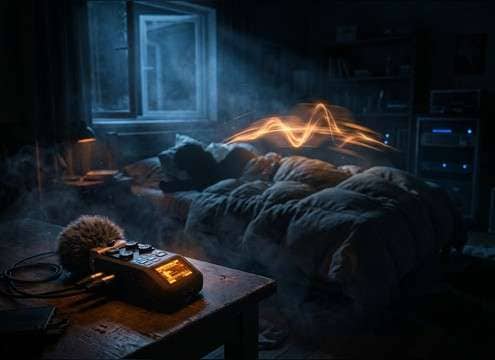
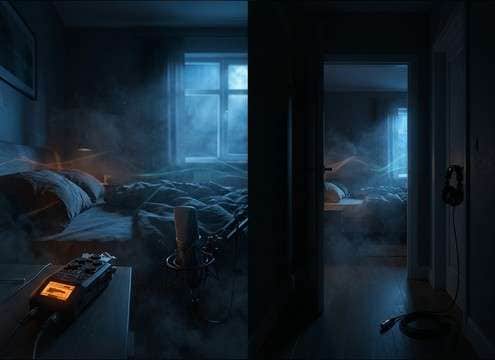
These are ready-to-use snore assets with different textures, distances, and tails. Preview first, then download or copy the prompt to generate a tighter rhythm, more room tone, or a softer high end.

How to Generate Your Own
Heavy-Snoring Sound Effects

Cannot find the perfect heavy-snoring sound effect you need? Generate custom AI heavy-snoring audio effortlessly. Describe the style, such as short clean cue, cinematic hit, subtle background layer, branded UI alert, and Media.io AI builds tailored heavy-snoring sound effects instantly. No audio editing experience needed. Turn your concept into a royalty-free, high-quality downloadable WAV heavy-snoring clip in under 60 seconds.

1

Describe the snore

Type a prompt for the exact snoring style you need, such as close-mic rumble, muffled pillow, or distant bedroom with room tone.

2

Pick duration and variants

Choose 5s, 10s, or 20s, then set how many variations you want so you can audition different rhythms and textures.

3

Generate and preview

Click Generate, listen to each result, and keep the take with the best cadence, loudness, and tail for your scene.

4

Download WAV and use

Download the WAV file and drop it into your timeline for films, shorts, games, apps, podcasts, or commercial projects.

What Can You Use These Heavy-Snoring Sound Effects For?

Creators in every field are using our royalty-free audio to set the perfect mood.

Comedy sketch timeline with a snoring sound effect under dialogue

Roommate comedy beats

Cut to exaggerated late-night snoring to sell annoyance, timing a loud burst exactly on a reaction shot.

Film edit showing close and distant snoring perspectives

Sleep scene continuity

Keep a consistent snore bed between angles, matching perspective changes from bedside to hallway.

Audio drama session with background snoring under narration

Audio drama sleeping

Introduce a character off-mic with a distant, narrow stereo snore that does not mask narration.

Game scene of a sleeping guard with snoring audio cue

Stealth mission sleeping

Use loopable snoring as a gameplay tell, then switch to stop-start breathing to signal the guard stirring.

Animated character sleeping with synced snore waveform

Animation timing gags

Sync snort bursts and inhale transients to mouth shapes and squash-and-stretch motion.

Voicemail style audio edit with muffled snoring layer

Phone call and

Add muffled pillow snoring to a recorded message, with a controlled noise floor for intelligibility.

Dialogue edit with replaced bedroom snoring background

Bedroom scene replacement

Replace unusable production audio with a clean snore take that has matching room reflections and decay.

Trailer timeline with a snoring stinger on the end beat

Trailer button punchline

Hit a quick 5-second heavy snore as a comedic stinger after a dramatic line, without adding extra ambience.

Why Choose Media.io for Heavy-Snoring Sound Generator?

See exactly why creators, developers and studios choose our AI audio generator over all others.

Prompt box controlling snoring texture and rhythm

Heavy Snoring Sound Generator prompt control

Dial in nasal vs throat texture, cadence, and intensity by editing a single text prompt, then regenerate until it fits your cut.

Distance slider concept for close and distant snoring

Scene-matched distance options

Make close, muffled, or distant takes that already include the right amount of room tone and reflections for your shot.

Audio preview player with waveform for snoring

Fast preview before download

Audition attack, tail, and loudness quickly so you do not waste time downloading clips that will not sit in the mix.

Multiple generated snoring variations listed for preview

Batch variations in one run

Generate multiple options at once to compare different rhythms, snort bursts, and noise-floor cleanliness.

WAV download button for a snoring clip

Clean WAV export workflow

Download a straightforward WAV you can trim, loop, or duck under dialogue without extra conversions.

License-friendly snoring sound effects for commercial edits

Royalty-free downloads for projects

Use the downloaded assets confidently across client work, monetized videos, and branded content without chasing separate recordings.

How to Choose or Prompt Heavy Snoring That Cuts Cleanly

Heavy snoring can easily overpower dialogue or feel fake if the rhythm and room do not match the scene. Use these checks to pick the right clip from the library, or write a prompt that targets the exact texture, distance, and cadence you need for comedy, realism, or tension.

Start with intensity and texture

Decide whether you need a chesty low-end rumble, a nasal rasp, or a gritty throat rattle. That choice affects how the snore reads on small speakers and how much it masks voice.

  • For realism, ask for controlled loudness and natural breath transitions
  • For comedy, request a punchy transient or a single snort burst
  • If dialogue is present, favor smoother mids and a shorter tail

Match perspective and room tone

Snoring that is too close for a wide shot feels disconnected. Pick a close-mic take for bedside framing, or a distant version with reflections for hallway or doorway angles.

  • Close: more detail, stronger low-end, less room tail
  • Distant: narrower stereo, more reflections, softer transients
  • Muffled: reduced highs, rounded attack, sits behind other beds

Choose timing that edits easily

Snoring cadence is the first thing editors notice when looping or cutting between angles. Use shorter clips for punchlines and longer clips for continuous sleep coverage.

  • 5 seconds: stingers, quick cutaways, reaction beats
  • 10 seconds: one or two full snore cycles for continuity
  • 20 seconds: loopable bed under long scenes with stable noise floor

Avoid the usual giveaways

Overly perfect repetition, sudden level jumps, or harsh digital fizz will expose the effect immediately. Pick clips with smooth starts and ends, and regenerate if artifacts appear.

  • Avoid clipping or breath pops that spike above the mix
  • Avoid cartoonish pitch swings unless the scene is intentionally stylized
  • Avoid excessive hiss; a small amount of room tone is fine, but it should be stable

Frequently Asked Questions About
Heavy-Snoring Sound Effects

Everything you need to know before downloading or generating your first sound.

Can I download these heavy snoring clips and use them commercially?

Yes. The page is built for previewing and downloading royalty-free audio you can use in client work, monetized videos, and other commercial projects.

Do you provide heavy snoring sound effects as WAV files?

After you generate or choose a clip, you can download it as a WAV so it is easy to edit, trim, and place precisely on a timeline.

How do I pick close vs distant snoring for my scene?

Use close takes for bedside shots where the sleeper is on screen, and choose distant takes when the character is off-camera or behind a door. Distant versions usually have softer transients and more room reflections so they feel placed in space.

What duration should I choose for a loopable snoring bed?

Start with 20 seconds for a steadier cadence and easier looping, then trim to your scene. Use 10 seconds for shorter coverage, and 5 seconds for punch-ins or quick cutaways.

Are these heavy-snoring sound effects free to download?

Yes. You can preview and download the AI-generated heavy-snoring sound effects as WAV files and use them in personal or commercial projects.

Can I copy the prompt used for each sound?

Yes. Open any sound row to view the prompt, copy it, adjust the wording and generate a custom variation that better matches your scene.

Related Free Sound
Effect Categories

Explore other AI-generated sound libraries from Media.io

sound

Rain Sound Effects

10+ free sounds
sound

Thunder Sound Effects

10+ free sounds
sound

Farts Sound Effects

10+ free sounds
sound

Car Crash Sounds

10+ free sounds
sound

Explosion Sound Effects

10+ free sounds
sound

Gunshot Sound Effects

10+ free sounds
sound

Pistol Sound Effects

10+ free sounds
sound

AI Horror Sound Effects

10+ free sounds
sound

AI Forest Sound Effects

10+ free sounds
sound

AI Dog Whistle Sound

10+ free sounds
sound

AI Ding Sound

10+ free sounds
sound

Phone Ring Sound

10+ free sounds
media.io

AI Video Generator star

Easily generate videos from text or images

Generate
