















Popular Peacock Sound Effects Library

Pick a ready-to-use peacock call, screech, or feather rattle, then duplicate it with AI prompts when you need a tighter transient, a longer tail, or a more distant perspective for your scene.

How to Generate Your Own
Peacock Sound Effects

Cannot find the perfect peacock sound effect you need? Generate custom AI peacock audio effortlessly. Describe the style, such as short clean cue, cinematic hit, subtle background layer, branded UI alert, and Media.io AI builds tailored peacock sound effects instantly. No audio editing experience needed. Turn your concept into a royalty-free, high-quality downloadable WAV peacock clip in under 60 seconds.

1

Describe the peacock sound

Type a prompt for the exact call you need, like a close sharp screech, a calm garden cry, or feather rattle foley.

2

Choose length and takes

Set 5s, 10s, or 20s and select how many variations you want so you can audition different intensities or distances.

3

Generate and preview

Click Generate, listen to the results, and keep the version with the best timing and tone for your cut.

4

Download WAV and use

Download the WAV file and drop it into videos, game scenes, apps, podcasts, or commercial projects as needed.

What Can You Use These Peacock Sound Effects For?

Creators in every field are using our royalty-free audio to set the perfect mood.

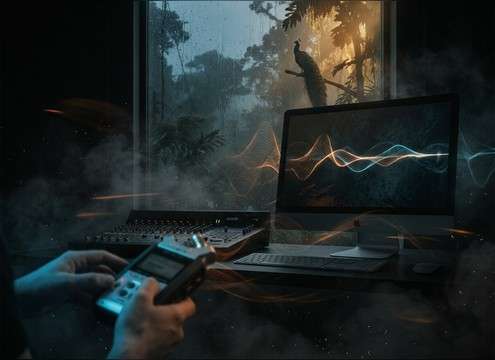
Editor adding peacock calls to wildlife cutaway footage

Wildlife documentary cutaways

Add a clean peacock call under B-roll, then swap to a more distant take to match a wide establishing shot.

Aviary walkway transition with peacock sound cue

Zoo or aviary

Use short 5-second cries as location cues between enclosures, with light crowd masking and outdoor room tone.

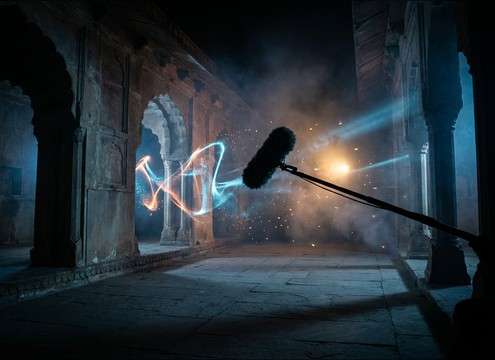
Palace courtyard scene using echoing peacock call

Indian palace courtyard

Pick an echoing courtyard call with longer reflections to sell stone architecture without adding extra reverb in post.

Comedy reveal timed to a peacock screech sound

Comedy reveals and

A sudden screech with a tight transient works as a punchline button when a character enters in an extravagant outfit.

Fantasy garden ambience layered with peacock coos

Fantasy garden atmospheres

Blend gentle coos and feather rattles into birdsong beds to create an exotic garden vibe without sounding too busy.

Nature app using peacock call as UI feedback sound

Mobile nature quiz

Use short, recognizable calls as feedback sounds, keeping tails short so they do not mask UI taps and voice prompts.

School theater playback of peacock call for a scene change

School theater jungle

Download a simple call or generate a softer version that fits small speakers and noisy auditoriums.

Animated character timed to peacock call syllables

Sound effects timing

Match mouth shapes and head bobs by regenerating the same style with different pacing and intensity.

Why Choose Media.io for Peacock Sound Generator?

See exactly why creators, developers and studios choose our AI audio generator over all others.

Prompt controls for peacock call distance and ambience

Scene-matched prompt control

Steer the Peacock Sound Generator by distance, intensity, and background ambience so the call fits close-ups or wide shots.

Multiple peacock sound variations previewed side by side

Instant variations per idea

Generate multiple takes quickly to compare harsher screeches, softer cries, or different spacing without re-recording.

Preview player for peacock sound effects with waveform

Preview-first workflow

Audition transients and tails before downloading, so you choose clips that do not fight dialog or music.

WAV export option for peacock SFX downloads

WAV download for editing

Export WAV for easy trimming, fades, and EQ in your editor or DAW, keeping clean starts and stable noise floors.

Loudness-consistent peacock call set for a scene

Consistent loudness options

Regenerate at similar perceived level to keep a sequence of calls consistent across cuts and camera angles.

Duration choices for generating peacock sounds

Fast fit for short durations

Choose 5s, 10s, or 20s outputs so you can grab a quick cue, a short pattern, or a longer ambience bed on demand.

How to Pick the Right Peacock Call for Your Scene

Peacock calls can read as comedic, eerie, or purely natural depending on distance, tail length, and how much environment you leave in. Use the library when you need something immediately, then use prompts to refine the same idea into a closer, cleaner take or a wider, more atmospheric version that matches your location audio.

Choose the call type and intensity

Start by deciding what the peacock is doing: a single contact call, a harsher screech for attention, or a calmer coo texture. Intensity changes perceived emotion and can shift a scene from peaceful to alarming in one cut.

  • For quick scene punctuation, pick a single call with a clear transient and short decay.
  • For heightened moments, use a screech with stronger midrange and minimal background detail.
  • For gentle presence, choose low-intensity coos that sit under dialog without spiking.

Match distance with tail and ambience

Distance is not only volume. A close take typically has sharper onsets and less air, while distant calls lose high-end and carry more environment bed. Pick the distance that matches the camera, then keep the tail length consistent across edits.

  • Close perspective: crisp attack, low room tone, easier to place with reverb later.
  • Distant perspective: softer transient, more air absorption, and a steady outdoor noise floor.
  • Courtyard or indoor scenes: prioritize early reflections and a longer reverb tail for realism.

Use feather rattle as foley, not a call

Tail-feather rattles and courtship textures work best as subtle foley layers rather than headline sounds. They can add life to a garden or palace scene without pulling attention like a full screech.

  • Keep rattles low in the mix and use gentle fades to avoid abrupt starts.
  • Look for mild stereo width to suggest movement without feeling artificial.
  • Avoid overly loud rattles that mask footsteps, fabric, or dialog consonants.

Avoid common realism killers

A good peacock sound fits the space and does not repeat in an obvious loop. Watch for tails that are too long for the environment, or backgrounds that clash with your scene location.

  • Do not loop the exact same call back-to-back; vary spacing or regenerate a second take.
  • Avoid heavy hiss or pumping artifacts if you plan to compress the mix for social platforms.
  • Do not mix a clean close call over a noisy distant bed without matching room tone.

Frequently Asked Questions About
Peacock Sound Effects

Everything you need to know before downloading or generating your first sound.

What does a peacock call usually sound like in video edits?

Most edits use a sharp, rising cry that cuts through ambience with a fast attack and a short tail. For wide shots, a more distant call with softened highs and added outdoor room tone feels more believable than simply turning the volume down.

Can I download peacock sound effects as WAV and edit them?

Yes. Download the clip as a WAV file, then trim the start transient, add a short fade on the tail, or EQ a little midrange if the screech is too forward against dialog.

How do I prompt an AI peacock sound effect generator for close vs distant?

Include perspective words like close, medium distance, or far away, and describe ambience such as quiet garden, windy field, or stone courtyard echo. Also specify the tail length (short decay vs longer reverb tail) so the space matches your shot.

Which duration should I pick: 5s, 10s, or 20s?

Use 5s for a single call or a quick reaction beat, 10s for a short pattern of calls with natural spacing, and 20s for an ambience bed with intermittent cries so you have room to cut around dialog and music.

Are these peacock sound effects free to download?

Yes. You can preview and download the AI-generated peacock sound effects as WAV files and use them in personal or commercial projects.

Can I copy the prompt used for each sound?

Yes. Open any sound row to view the prompt, copy it, adjust the wording and generate a custom variation that better matches your scene.

Related Free Sound
Effect Categories

Explore other AI-generated sound libraries from Media.io

sound

Rain Sound Effects

10+ free sounds
sound

Thunder Sound Effects

10+ free sounds
sound

Farts Sound Effects

10+ free sounds
sound

Car Crash Sounds

10+ free sounds
sound

Explosion Sound Effects

10+ free sounds
sound

Gunshot Sound Effects

10+ free sounds
sound

Pistol Sound Effects

10+ free sounds
sound

AI Horror Sound Effects

10+ free sounds
sound

AI Forest Sound Effects

10+ free sounds
sound

AI Dog Whistle Sound

10+ free sounds
sound

AI Ding Sound

10+ free sounds
sound

Phone Ring Sound

10+ free sounds
media.io

AI Video Generator star

Easily generate videos from text or images

Generate
