











Popular Whisper Sound Effects Library

These ready-to-use whisper clips focus on real editing needs: breath attack, sibilance control, room tone amount, and whether the tail is loop-friendly. Copy a prompt to generate a matching variation when you need a different distance or vibe.

How to Generate Your Own
Whisper Sound Effects

Cannot find the perfect whisper sound effect you need? Generate custom AI whisper audio effortlessly. Describe the style, such as short clean cue, cinematic hit, subtle background layer, branded UI alert, and Media.io AI builds tailored whisper sound effects instantly. No audio editing experience needed. Turn your concept into a royalty-free, high-quality downloadable WAV whisper clip in under 60 seconds.

1

Describe the whisper

Type a prompt for the whisper you need, such as close-mic breathy hush, distant hallway whisper, or a loopable crowd-whisper bed.

2

Pick duration and takes

Choose 5s, 10s, or 20s, then set how many variations you want so you can compare different textures and room tones.

3

Generate and preview

Click Generate, listen to each result, and keep the version with the best sibilance, decay, and loudness for your scene.

4

Download WAV and place

Download the WAV file and drop it into your timeline for videos, games, apps, podcasts, or commercial projects.

What Can You Use These Whisper Sound Effects For?

Creators in every field are using our royalty-free audio to set the perfect mood.

Close whisper sound effect under a secret reveal scene

Secret reveal cutaways

Add a tight, close-mic whisper hit under a character glance to sell secrecy without intelligible dialog.

Distant hallway whisper SFX for stealth gameplay moment

Stealth game detection

Use distant whispers with room tone to imply guards talking off-screen while the player hides around a corner.

ASMR whisper sound with wide stereo and gentle breath noise

ASMR segment transitions

Drop in breathy stereo whispers to bridge between triggers while keeping mouth texture soft and non-clicky.

Eerie horror whisper SFX with lingering airy decay

Horror presence cues

Place an eerie whisper behind a jump cut, using darker tone and a longer air tail to create unease.

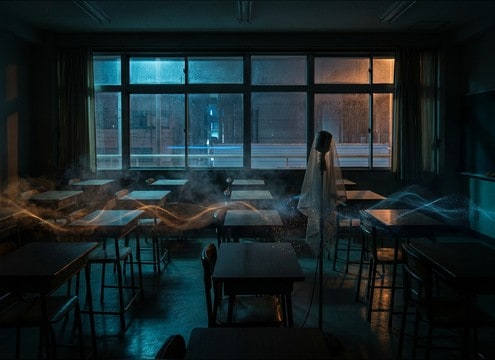
Crowd whisper bed under a classroom hush scene

Classroom hush moments

Layer low-level group whispers to suggest cheating or gossip without pulling focus from on-screen action.

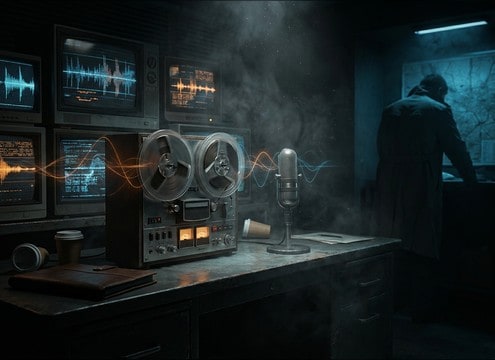
Dry urgent whisper effect for spy briefing montage

Spy briefing voice

Support covert briefings with dry, controlled whispers that sit under music without harsh sibilance.

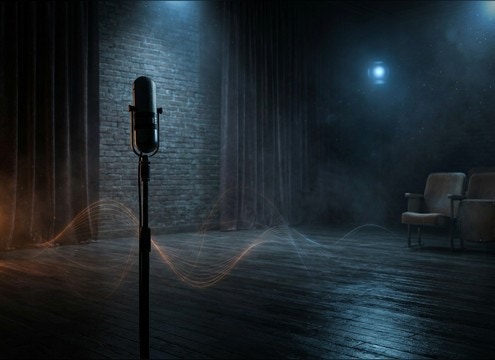
Roomy whisper with reflections for stage whisper scene

Stage whisper realism

Use slightly roomy whispers with reflections to match theater blocking and the sense of distance from the audience.

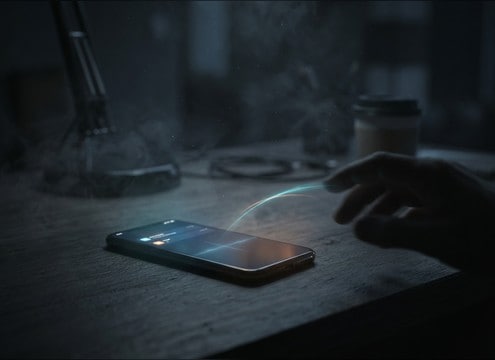
Short close whisper burst for secret text message scene

Text message secrecy

Accent phone-on-table scenes with a short whisper burst synced to a glance, avoiding obvious spoken words.

Why Choose Media.io for Whisper Sound Generator?

See exactly why creators, developers and studios choose our AI audio generator over all others.

Prompt controls for breath texture and sibilance in whisper sounds

Prompt precision for breath and sibilance

Steer mouth texture, breath attack, and sibilant sharpness so the whisper reads as intimate, clean, or unsettling on demand.

Multiple generated whisper variations with different room tones

Whisper Sound Generator variations

Regenerate multiple takes quickly to find the right cadence and noise floor, from dry studio hush to roomier reflections.

Whisper distance options from close mic to distant room

Scene-matched distance and space

Choose close, mid, or distant perspective and get the tail length you need for hallways, bedrooms, or open rooms.

Preview and WAV download flow for whisper sound effects

Download-ready WAV workflow

Preview in-browser, then export WAV for immediate placement in your edit, with consistent level and clean starts.

Duration options for whisper SFX: 5s 10s 20s

Short durations for tight edits

Work in 5s, 10s, and 20s so whispers can be used as quick hits, phrase beds, or loopable ambience layers.

Whisper sound library with prompt-based customization

Library-first, generator-second

Start with curated whisper assets that already fit common cuts, then customize with AI prompts when you need a specific tone.

How to Choose or Prompt Whisper Sounds That Cut Cleanly

Whispers fail in edits for two reasons: the perspective does not match the shot, or the breath and sibilance fight your music and dialog. Use this checklist to pick a download that fits immediately, or to write a prompt that generates a whisper with the right distance, texture, and tail for your scene.

Match perspective: close, mid, or across the room

Decide how near the listener is. Close whispers have stronger breath attack and mouth detail, while distant whispers soften consonants and pick up room tone. If your shot is wide, a close-mic whisper will feel pasted on even if the level is correct.

  • Close: audible breath, higher detail, minimal reflections
  • Mid: light room tone, moderate stereo, smoother transients
  • Distant: rolled-off highs, more ambience, longer perceived tail

Choose intelligible vs indistinct whisper texture

Many edits need the feeling of whispering without readable words. Indistinct whispers sit under dialog better and avoid distracting the viewer. For story beats where the line matters, keep the whisper cleaner and reduce mouth clicks so captions and ADR remain believable.

  • Indistinct beds: great for classrooms, crowds, and stealth scenes
  • Clean single whisper: better for warnings and secret reveals
  • Avoid obvious phrases if you only need atmosphere

Control tail, room tone, and masking in the mix

Whispers can mask midrange dialog and music. Pick a clip with a short tail for tight cuts, or a steadier noise floor for beds that need continuity. If the room tone changes between shots, choose a whisper with similar ambience so transitions do not pump.

  • Short tail: easier to cut on frames and beats
  • Stable room tone: better for longer holds and dialog cover
  • Narrow stereo: can sit under narration without widening the scene

Prompt examples that generate usable takes

When generating, specify distance, environment, and what to avoid. The goal is not more detail, but the right detail: breath texture without harsh sibilance, and ambience that matches the space. Ask for clean starts so you can sync quickly.

  • Include: close-mic or distant, room type, stereo width, tail length
  • Exclude: harsh s sounds, mouth clicks, exaggerated whisper acting
  • State timing needs: tight start, gentle fade, or loopable ending

Frequently Asked Questions About
Whisper Sound Effects

Everything you need to know before downloading or generating your first sound.

Can I use these whisper sound effects in commercial projects?

Yes, you can use downloaded whisper clips in commercial work as long as your use follows the license shown on the download page. If you are unsure about a specific asset, check the license details before publishing.

Do you offer WAV downloads for whisper clips?

Yes. After previewing a whisper you like, download it as a WAV file so it stays clean when you EQ, compress, or layer it under dialog and music.

How do I generate a whisper that sounds close-mic but not harsh?

In your prompt, ask for close-mic breath texture, minimal room tone, and controlled sibilance. If it still feels sharp, regenerate a few variations and pick the take with softer s sounds and a shorter, cleaner decay.

What duration should I choose: 5s, 10s, or 20s?

Use 5s for quick hush hits or single whisper bursts, 10s for a sustained line or phrase bed, and 20s for a loopable whisper ambience layer that can sit under a full beat or camera move.

Are these whisper sound effects free to download?

Yes. You can preview and download the AI-generated whisper sound effects as WAV files and use them in personal or commercial projects.

Can I copy the prompt used for each sound?

Yes. Open any sound row to view the prompt, copy it, adjust the wording and generate a custom variation that better matches your scene.

Related Free Sound
Effect Categories

Explore other AI-generated sound libraries from Media.io

sound

Rain Sound Effects

10+ free sounds
sound

Thunder Sound Effects

10+ free sounds
sound

Farts Sound Effects

10+ free sounds
sound

Car Crash Sounds

10+ free sounds
sound

Explosion Sound Effects

10+ free sounds
sound

Gunshot Sound Effects

10+ free sounds
sound

Pistol Sound Effects

10+ free sounds
sound

AI Horror Sound Effects

10+ free sounds
sound

AI Forest Sound Effects

10+ free sounds
sound

AI Dog Whistle Sound

10+ free sounds
sound

AI Ding Sound

10+ free sounds
sound

Phone Ring Sound

10+ free sounds
media.io

AI Video Generator star

Easily generate videos from text or images

Generate
