













Popular Sigh Sound Effects Library

Pick a ready-to-use sigh for a specific beat in your edit, then copy the prompt to regenerate variations with different intensity, pacing, and room tone. Each option below is tuned for reaction timing, clean breath texture, and mix-friendly tails.

How to Generate Your Own
Sigh Sound Effects

Cannot find the perfect sigh sound effect you need? Generate custom AI sigh audio effortlessly. Describe the style, such as short clean cue, cinematic hit, subtle background layer, branded UI alert, and Media.io AI builds tailored sigh sound effects instantly. No audio editing experience needed. Turn your concept into a royalty-free, high-quality downloadable WAV sigh clip in under 60 seconds.

1

Describe the sigh

Type a prompt for the emotion and delivery you need, such as relieved, annoyed, breathy, close-mic, or with light room tone.

2

Pick length and takes

Choose 5s, 10s, or 20s, then set how many variations you want so you can audition multiple performances quickly.

3

Generate and preview

Click Generate, listen to each result, and keep the sigh that best matches your timing, intensity, and space.

4

Download WAV and use

Download the WAV file and drop it into videos, apps, games, podcasts, or commercial projects as a ready-to-place reaction sound.

What Can You Use These Sigh Sound Effects For?

Creators in every field are using our royalty-free audio to set the perfect mood.

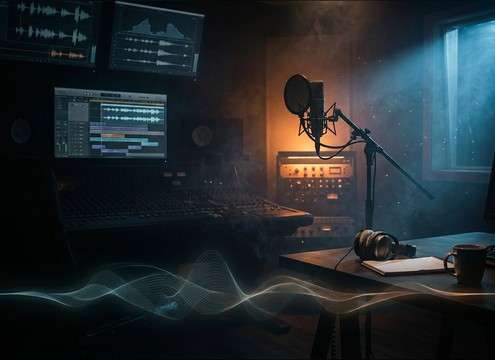
Editor placing a sigh after dialogue on a timeline

Dialogue reaction beats

Add a believable sigh right after a line read to sell exhaustion, relief, or frustration without re-recording voice.

Comedic edit with an awkward pause and a sigh cue

Awkward silence punchlines

Use a short, dry exhale to punctuate an awkward pause in skits, interviews, or meme edits.

Phone texting scene with a subtle sigh sound

Text message scenes

Pair a disappointed sigh with typing sounds to communicate mood when the character is off screen.

Visual novel UI with character reaction sigh SFX

Visual novel reactions

Trigger different sigh intensities for character portraits: soft relief vs. sharp exasperation.

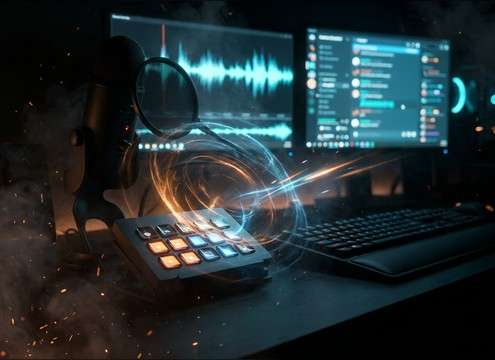
Streamer soundboard button labeled sigh

Livestream soundboard

Keep a comedic exaggerated sigh on hand for chat moments, fails, or sarcastic responses.

Animated character exhaling with a synced sigh effect

Animation lip-sync fills

Fill a breath move or shoulder drop with a close-mic sigh that matches the character motion.

ASMR narration waveform with a soft sigh between sentences

ASMR style storytelling

Use gentle, low-noise sighs to add intimacy between whispered lines, keeping tails smooth and non-hissy.

Game NPC idle state using a subtle sigh loop

Game NPC idle

Loop-friendly sigh beds help NPCs feel alive while keeping masking low under music and ambience.

Why Choose Media.io for Sigh Sound Generator?

See exactly why creators, developers and studios choose our AI audio generator over all others.

Prompt editor showing emotion words for a sigh

Sigh Sound Generator with emotion control

Dial in relief, annoyance, disappointment, or fatigue by changing just a few prompt words, then regenerate until the performance feels right.

Audio waveform of a clean breathy sigh

Clean takes with low noise floor

Generate mix-ready sighs that avoid harsh hiss and keep breath texture natural, helping the sound sit under dialogue and music.

Comparison of close vs room tone sigh recordings

Distance and room tone options

Choose close-mic dryness for tight cuts or add light room reflections for a more natural on-set feel, all via prompt.

Preview player with multiple sigh variations

Fast preview before download

Audition multiple sigh styles quickly, then save only the one that matches your scene timing and pacing.

WAV export icon next to a sigh clip

WAV exports for easy editing

Download WAV so you can trim starts, fade tails, or place the exhale precisely on a reaction frame.

Saved prompt list for character sigh presets

Prompt reuse for consistent characters

Keep character reactions consistent across episodes by reusing a prompt and only adjusting intensity, speed, or space when needed.

How to Choose and Prompt Sighs That Cut Cleanly

A sigh can read as relief, annoyance, or sadness depending on timing, intensity, and space. Use the guide below to pick the right library clip fast, or write prompts that regenerate the same idea with cleaner transients, shorter tails, or a more distant room feel for the shot.

Start with intent and intensity

Describe what the sigh means in the story, not just how it sounds. Intent helps you avoid mismatched reactions, like a relaxed exhale when you need exasperation.

  • Use intent words: relieved, fed up, disappointed, heartbroken, resigned
  • Specify intensity: subtle, medium, exaggerated, barely audible
  • Name the delivery: slow exhale, quick huff, shaky breath release

Match perspective to the shot

A close face shot usually wants dry, intimate breath detail, while a wider frame can tolerate more room tone and a softer transient.

  • Close shot: close-mic, dry, minimal reflections, short decay
  • Wide shot: slight room tone, softer attack, a touch of distance
  • Avoid extreme reverb unless the scene is clearly in a large space

Prompt for edit timing

Sighs often need a clean start and a tail that does not step on the next line. Prompt for pacing so you spend less time trimming and fading.

  • For quick cuts: short tail, fast release, tight timing
  • For pauses: slow exhale, longer decay, gentle fade-out
  • Ask for no words and no extra breaths if you need a single hit

Reduce unwanted mouth noise

Clicks, lip smacks, and rough throat sounds can distract in quiet dialogue scenes. You can avoid them by being explicit in the prompt and choosing cleaner takes.

  • Add: clean breath, low mouth clicks, low saliva noise
  • If it feels harsh: request softer transient and less high-end hiss
  • If it feels muddy: request less room tone and a tighter decay

Frequently Asked Questions About
Sigh Sound Effects

Everything you need to know before downloading or generating your first sound.

Are these sigh sound effects OK for commercial projects?

Yes. The page provides royalty-free downloads and AI-generated options, but you should always review the license details shown in Media.io for your specific download before publishing.

Can I download the sighs as WAV files and trim them?

You can download in WAV, then trim the start to land the breath on a reaction frame, and fade the tail so it does not overlap the next line of dialogue.

How do I generate a sigh that sounds more annoyed vs. more relieved?

In your prompt, change the intent words and the attack. For annoyed, request a quick huff, sharper transient, and shorter tail. For relieved, request a softer onset, longer exhale, and smoother decay with minimal throat texture.

What duration should I choose: 5s, 10s, or 20s?

Use 5s for a single reaction hit, 10s when you want two takes or a longer pause, and 20s for breathing plus occasional sighs that can sit under a scene.

Are these sigh sound effects free to download?

Yes. You can preview and download the AI-generated sigh sound effects as WAV files and use them in personal or commercial projects.

Can I copy the prompt used for each sound?

Yes. Open any sound row to view the prompt, copy it, adjust the wording and generate a custom variation that better matches your scene.

Related Free Sound
Effect Categories

Explore other AI-generated sound libraries from Media.io

sound

Rain Sound Effects

10+ free sounds
sound

Thunder Sound Effects

10+ free sounds
sound

Farts Sound Effects

10+ free sounds
sound

Car Crash Sounds

10+ free sounds
sound

Explosion Sound Effects

10+ free sounds
sound

Gunshot Sound Effects

10+ free sounds
sound

Pistol Sound Effects

10+ free sounds
sound

AI Horror Sound Effects

10+ free sounds
sound

AI Forest Sound Effects

10+ free sounds
sound

AI Dog Whistle Sound

10+ free sounds
sound

AI Ding Sound

10+ free sounds
sound

Phone Ring Sound

10+ free sounds
media.io

AI Video Generator star

Easily generate videos from text or images

Generate
