











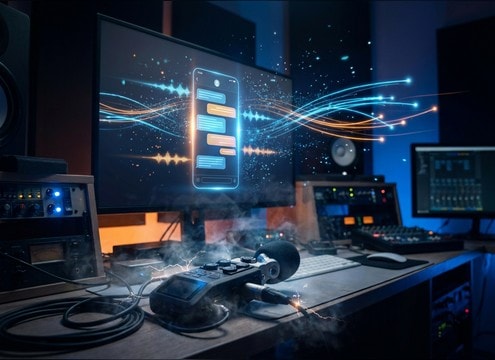
Popular Whatsapp Sound Effects Library

Grab clean chat UI cues that cut through dialog without being harsh. Each card is tuned for fast sync, with clear attack, controlled tail, and phone-like tone where it matters.

How to Generate Your Own
Whatsapp Sound Effects

Cannot find the perfect whatsapp sound effect you need? Generate custom AI whatsapp audio effortlessly. Describe the style, such as short clean cue, cinematic hit, subtle background layer, branded UI alert, and Media.io AI builds tailored whatsapp sound effects instantly. No audio editing experience needed. Turn your concept into a royalty-free, high-quality downloadable WAV whatsapp clip in under 60 seconds.

1

Describe the chat sound

Type or paste a prompt describing the WhatsApp-style event you need, like message ping, double tick, call ring, typing taps, or voice note start, plus tone and intensity.

2

Pick 5s, 10s, or 20s

Set the duration (5s, 10s, or 20s) and choose how many variations to generate so you can quickly test different pitches, tails, and UI textures.

3

Generate and preview

Click Generate, then audition each result in the browser. Keep the version with the best transient clarity and timing for your on-screen chat moment.

4

Download WAV and use

Download the WAV file and drop it into app prototypes, screen recordings, short-form skits, audio drama scenes, livestream alerts, or commercial projects.

What Can You Use These Whatsapp Sound Effects For?

Creators in every field are using our royalty-free audio to set the perfect mood.

Chat message overlay with synced notification ping sound

Texting scene reenactments

Sync pings, send whooshes, and read receipts to on-screen chat bubbles so the scene feels like a real phone capture.

Mobile app prototype video using UI sound effects

App UI prototype

Add lightweight UI cues to Figma-to-video walkthroughs to make taps, sends, and confirmations readable without overpowering narration.

Messaging tutorial screen recording with notification sounds

Screen recording tutorials

Use subtle message and call sounds to guide attention during messaging steps, especially when cursor highlights are not enough.

Streaming overlay with incoming message alert sound

Livestream chat alerts

Create short, mix-safe alerts that cut through voice audio with a clean transient and short tail, avoiding long ringing distractions.

Audio drama timeline with phone message sound cues

Audio drama texting

Build believable off-screen phone activity using spaced pings, typing taps, and quick confirm ticks as story beats.

Comedy skit edit with phone notification sound effect

Comedy skits and

Trigger recognizable chat-style cues at punchlines, then regenerate variations so the sound is familiar without being a direct copy.

Support chat simulation with message send sound

Customer support simulation

Recreate help-chat scenarios with message sends, read receipts, and call connect sounds that match the pacing of scripted dialogs.

Accessibility UI feedback sounds for messaging actions

Accessibility-first UI feedback

Test different pitches and decay lengths for confirmations and errors so feedback is distinct even at low speaker volume.

Why Choose Media.io for Whatsapp Sound Generator?

See exactly why creators, developers and studios choose our AI audio generator over all others.

Prompt box for generating WhatsApp-style UI sounds

WhatsApp Sound Generator prompts

Write what happens on screen (message arrives, send, read receipt, call ring) and control transient sharpness, tail length, and phone-speaker tone in one prompt.

Audio preview player for notification sound effects

Preview-first downloading

Audition each sound quickly before saving so you only download the variation that matches your edit timing and loudness target.

Multiple generated UI sound variations list

One prompt, multiple variations

Generate several takes at once to compare pitch, click texture, and stereo width, then keep the most mix-friendly option.

Duration selector for 5s 10s and 20s SFX

Durations that fit UI cuts

Choose 5s, 10s, or 20s to match quick UI triggers, short ring bursts, or longer chat sequences without extra trimming.

WAV download button for sound effects

Clean, edit-ready WAV

Export WAV so your pings and clicks stay crisp after editing, time-stretching, or volume automation in your NLE or DAW.

Regenerate button for AI sound effect results

Fast regeneration for scene match

If the sound feels too bright, too long, or too loud, regenerate with a small prompt tweak until it sits under dialog cleanly.

How to Prompt WhatsApp-Style Sound Effects That Sync

Messaging UI SFX live or die by timing. When you generate WhatsApp-style cues, prompt the exact event (arrive, send, read, call, typing) and specify the envelope: attack speed, tail length, and how band-limited the phone speaker should feel. Small changes like a tighter decay or a softer transient can make the sound sit under dialog and match the on-screen motion.

Start with the exact UI action

Define what the listener should understand instantly. A message-arrive ping is different from a send whoosh or a read receipt tick, and the ear expects distinct timing and pitch behavior for each.

  • Use verbs: arrive ping, send swoosh, double tick, call ring, call end, typing taps
  • Specify count and spacing: single ping vs double tick close together
  • Add context: subtle vs urgent, foreground vs under narration

Control envelope: transient and tail

UI sounds should be short and mix-safe. Prompts that describe the attack and decay help you avoid harsh clicks or ringing that fights speech and music.

  • For pings: fast attack, tight decay, no long resonance
  • For rings: stable tone, controlled decay, no washed reverb
  • For ticks: crisp transient, minimal sustain, low masking strength

Match the phone feel: tone and width

Most messaging cues are heard through small speakers. Ask for a phone-like EQ and conservative stereo width so the SFX feels like it belongs inside a handset capture or a screen recording.

  • Request band-limited phone speaker tone (less sub-bass, less airy top)
  • Keep stereo narrow for UI clicks; use only subtle width for playful pops
  • Choose dry room tone unless the scene shows a distant phone in a room

Avoid common mistakes in chat SFX

A few prompt pitfalls make messaging audio feel fake or legally risky. The goal is recognizable function, not an exact clone of any branded sound.

  • Avoid prompts that request an exact copy of a proprietary ringtone or app audio
  • Avoid long tails, heavy reverb, or loud low-end that overwhelms dialog
  • Avoid stacking too many different cues at once unless you need a 20-second sequence

Frequently Asked Questions About
Whatsapp Sound Effects

Everything you need to know before downloading or generating your first sound.

Can I download these WhatsApp sound effects for commercial use?

Media.io lets you preview and download royalty-free audio from this page, and you can also generate fresh variations with prompts. If your project has strict legal requirements, use original WhatsApp-style prompts instead of requesting an exact replica of any branded sound.

Do you provide WAV files, and will they stay crisp after editing?

Yes. Download as WAV so short transients like pings and ticks do not smear after trimming, fades, or light time-stretching in your editor.

How do I make a WhatsApp-style ping that is not too sharp?

In your prompt, ask for a softer transient, slightly lower pitch, and a shorter decay. You can also request reduced high-end and a phone-speaker bandlimit to tame the edge.

Which duration should I choose: 5s, 10s, or 20s?

Use 5s for single UI events (ping, tick, whoosh), 10s for a short ring burst or two-step alert, and 20s when you need a timed chat sequence with multiple cues and pauses.

Are these whatsapp sound effects free to download?

Yes. You can preview and download the AI-generated whatsapp sound effects as WAV files and use them in personal or commercial projects.

Can I copy the prompt used for each sound?

Yes. Open any sound row to view the prompt, copy it, adjust the wording and generate a custom variation that better matches your scene.

Related Free Sound
Effect Categories

Explore other AI-generated sound libraries from Media.io

sound

Rain Sound Effects

10+ free sounds
sound

Thunder Sound Effects

10+ free sounds
sound

Farts Sound Effects

10+ free sounds
sound

Car Crash Sounds

10+ free sounds
sound

Explosion Sound Effects

10+ free sounds
sound

Gunshot Sound Effects

10+ free sounds
sound

Pistol Sound Effects

10+ free sounds
sound

AI Horror Sound Effects

10+ free sounds
sound

AI Forest Sound Effects

10+ free sounds
sound

AI Dog Whistle Sound

10+ free sounds
sound

AI Ding Sound

10+ free sounds
sound

Phone Ring Sound

10+ free sounds
media.io

AI Video Generator star

Easily generate videos from text or images

Generate

