













Popular Poof Sound Effects Library

Choose a ready-made poof for cartoons, magic tricks, or UI feedback, then tweak the same idea with prompts to change attack, tail length, brightness, and stereo width.

How to Generate Your Own
Poof Sound Effects

Cannot find the perfect poof sound effect you need? Generate custom AI poof audio effortlessly. Describe the style, such as short clean cue, cinematic hit, subtle background layer, branded UI alert, and Media.io AI builds tailored poof sound effects instantly. No audio editing experience needed. Turn your concept into a royalty-free, high-quality downloadable WAV poof clip in under 60 seconds.

1

Describe your poof

Type a prompt for the exact poof you need, like cartoon pop, magic vanish, smoke puff, or a tiny UI poof, and mention details such as tight mono vs wide stereo or short vs long tail.

2

Pick length and variants

Choose a duration of 5s, 10s, or 20s, then set how many variations you want so you can compare different attacks, brightness, and decay shapes.

3

Generate and preview

Click Generate, listen to each result, and keep the version that best matches your timing, transient strength, and tail length.

4

Download WAV and use

Export the selected sound as a WAV file and drop it into your timeline for videos, game events, app UI feedback, audio drama, or other commercial projects.

What Can You Use These Poof Sound Effects For?

Creators in every field are using our royalty-free audio to set the perfect mood.

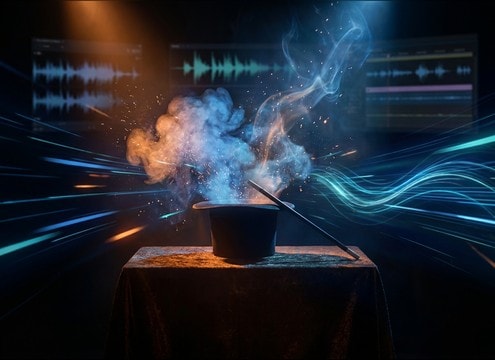
Poof sound timed to a magician vanish on stage

Magic trick reveals

Match a vanish or appearance cue with a poof that has the right tail length to cover the cut without stepping on dialog.

Cartoon dust cloud poof sound effect for slapstick action

Cartoon dust clouds

Use dusty, gritty poofs for punchy slapstick moments like crash landings, scuffles, and sudden exits.

Teleport pop poof sound with wide stereo whoomp

Character teleport pops

Pick a wide stereo whoomp for power, or a tight mono poof for quick teleports in fast-paced edits.

Small UI poof sound for dismiss button feedback

UI dismiss and

Add a tiny, dry poof to confirm dismiss, clear, or remove actions without masking notification tones.

Smoke bomb poof sound effect for a quick escape gag

Smoke bomb gags

Choose a thicker air burst with hiss texture to sell smoke puffs, pocket dust, or stage fog reveals.

Fabric puff poof sound for toy and plush foley

Toy or plush

Fabric-like poofs work for plush impacts, prop handling, and soft comedic hits where a punch is too sharp.

Cartoon pop poof sound for sticker animation

Sticker and emoji

Use short, clean pop-poofs for on-screen stickers, text bubbles, and reaction overlays.

Multiple poof bursts for a spell crafting montage

Spell crafting montages

Build a chain of poofs for rapid item crafting, potion brewing beats, or magical wardrobe changes.

Why Choose Media.io for Poof Sound Generator?

See exactly why creators, developers and studios choose our AI audio generator over all others.

Prompt control for poof attack and tail length

Prompt control for timing

Media.io Poof Sound Generator lets you ask for a tighter transient or a longer decay so the poof lands exactly on the frame cut.

Multiple poof variations generated side by side

Scene-ready variations

Generate multiple takes at once to compare clean UI poofs, dusty cartoon bursts, or wide magic whoomps without hunting across libraries.

Duration selector for 5s 10s and 20s poof sounds

Duration choices that fit edits

Pick 5s for quick hits, 10s for a swell into a burst, or 20s for multi-poof sequences and transformation beats.

WAV download icon for poof sound effects

Mix-friendly WAV export

Download WAV so you can trim, fade, or EQ the poof cleanly for dialog-first scenes or punchy comedic moments.

Stereo width options for poof sound design

Stereo or mono on demand

Prompt for narrow mono compatibility for UI and mobile playback, or wider stereo width for magic reveals and big transitions.

Regenerate button for refining poof sound outputs

Fast regeneration workflow

If the poof feels too sharp, too bright, or too long, regenerate instantly with small prompt tweaks instead of re-editing from scratch.

How to Choose and Prompt the Right Poof

A good poof is mostly about the transient and the tail. For cartoon pops, you want a crisp attack and quick decay. For smoke puffs, you want a thicker air burst with a little hiss texture. For magic reveals, a wider image and a slightly longer tail can help cover a cut. Use these prompts and selection checks to land the right feel on the first pass.

Start with the action: pop, puff, or whoomp

Choose the core motion first. A pop reads like a comic impact, a puff reads like air release, and a whoomp reads like bigger energy or transformation.

  • Pop: sharp transient, bright presence, very short decay
  • Puff: rounded attack, airy noise texture, short tail
  • Whoomp: slightly slower attack, gentle low-end, wider stereo

Set tail length to match the cut

Tail length is what makes a poof feel glued to the edit. Too long and it muddies the next beat. Too short and it feels like a click.

  • For UI: ask for almost no tail and low bass removed
  • For magic reveals: ask for a smooth tail that fades cleanly
  • For smoke: ask for a medium tail with soft hiss, not harsh

Pick perspective: dry close vs roomy distant

Even for a stylized poof, the sense of space matters. Dry close poofs sit under dialog. Roomy poofs can sell a stage or big on-screen motion.

  • Dry close: minimal room tone, narrow stereo, clean noise floor
  • Roomy: subtle reflections, longer decay, wider image
  • Distant: reduced transient bite, softer top end, lighter presence

Avoid common poof problems

The wrong poof is usually too sharp, too noisy, or too bass-heavy. Fix it by changing a few words in your prompt and regenerating.

  • If it clicks: request a rounded attack or softer transient
  • If it hisses: request cleaner noise floor and less top grit
  • If it booms: request reduced low-end and tighter decay

Frequently Asked Questions About
Poof Sound Effects

Everything you need to know before downloading or generating your first sound.

Can I use these poof sounds as a free download for commercial use?

You can preview and download the poof sounds as WAV and use them in monetized projects like ads, apps, and client videos. If you have a specific licensing requirement, check the license info shown at download in your workspace before publishing.

What is the best poof type for a magic vanish vs a cartoon pop?

For a magic vanish, pick a smoother poof with a slightly longer tail and optional sparkle texture to help cover the transition. For a cartoon pop, use a brighter transient with a very fast decay so it reads as a punchy gag without lingering.

How do I generate a tiny UI poof that does not sound boomy on phones?

In your prompt, ask for mono compatibility, reduced low-end, and an almost tail-less decay. Then generate a few 5-second variations and choose the one with the cleanest transient and least bass buildup.

Are the downloads WAV, and can I trim or fade them easily?

Yes, download as WAV so edits stay clean. For most poofs, a short fade-out removes any residual tail, and a tiny fade-in can soften overly sharp transients.

Are these poof sound effects free to download?

Yes. You can preview and download the AI-generated poof sound effects as WAV files and use them in personal or commercial projects.

Can I copy the prompt used for each sound?

Yes. Open any sound row to view the prompt, copy it, adjust the wording and generate a custom variation that better matches your scene.

Related Free Sound
Effect Categories

Explore other AI-generated sound libraries from Media.io

sound

Rain Sound Effects

10+ free sounds
sound

Thunder Sound Effects

10+ free sounds
sound

Farts Sound Effects

10+ free sounds
sound

Car Crash Sounds

10+ free sounds
sound

Explosion Sound Effects

10+ free sounds
sound

Gunshot Sound Effects

10+ free sounds
sound

Pistol Sound Effects

10+ free sounds
sound

AI Horror Sound Effects

10+ free sounds
sound

AI Forest Sound Effects

10+ free sounds
sound

AI Dog Whistle Sound

10+ free sounds
sound

AI Ding Sound

10+ free sounds
sound

Phone Ring Sound

10+ free sounds
media.io

AI Video Generator star

Easily generate videos from text or images

Generate
