












Popular Right-Buzzer Sound Effects Library

These right-buzzer cues are built for instant recognition: quick attack, controlled tail, and enough brightness to cut through dialogue or crowd noise. Download a ready-made clip or copy a prompt to generate a new version that matches your UI style, quiz pacing, or show vibe.

How to Generate Your Own
Right-Buzzer Sound Effects

Cannot find the perfect right-buzzer sound effect you need? Generate custom AI right-buzzer audio effortlessly. Describe the style, such as short clean cue, cinematic hit, subtle background layer, branded UI alert, and Media.io AI builds tailored right-buzzer sound effects instantly. No audio editing experience needed. Turn your concept into a royalty-free, high-quality downloadable WAV right-buzzer clip in under 60 seconds.

1

Describe the right buzzer

Type or paste a prompt describing your correct-answer cue, such as a bright ding, retro 8-bit beep, or a two-hit confirm with a short tail.

2

Pick length and quantity

Choose a duration (5s, 10s, or 20s) and set how many variations you want so you can audition different tones quickly.

3

Generate and preview

Click Generate, then listen to each result. Keep the version with the best transient, pitch, and decay for your timing.

4

Download WAV and use

Export the selected clip as a WAV file and drop it into quiz videos, game UI, live streams, apps, podcasts, or commercial projects.

What Can You Use These Right-Buzzer Sound Effects For?

Creators in every field are using our royalty-free audio to set the perfect mood.

Right-buzzer cue on a quiz show scoreboard overlay

Quiz show overlays

Hit the exact frame where the answer locks in, with a chime that cuts through applause and host dialogue.

Correct-answer buzzer in a mobile trivia app interface

Mobile trivia apps

Keep confirmation sounds short and clean so they feel responsive on small speakers and do not mask voice prompts.

Right-buzzer sound used during a classroom quiz activity

Classroom review games

Use friendly, non-harsh right buzzers for group activities so the cue is clear without being fatiguing.

Arcade cabinet UI using a right answer buzzer sound

Arcade cabinet mods

Pair an arcade-style confirm tone with button and relay clicks for authentic cabinet feedback.

Streamer triggering a right-buzzer alert during a live quiz

Live stream alerts

Trigger a correct-ding when chat guesses correctly, with a tight tail that does not step on commentary.

Game UI showing a correct answer confirmation sound cue

Game UI correctness

Differentiate correct from incorrect with brighter pitch and faster decay so players learn the cue instantly.

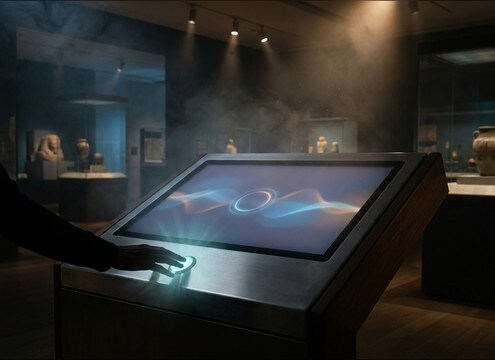
Museum touchscreen kiosk using a subtle right-buzzer confirm sound

Interactive museum kiosks

Choose softer transients and lower loudness for public spaces while keeping the tone recognizable.

App onboarding screen using a minimal right-buzzer confirmation sound

Survey and onboarding

Add a micro-confirm blip for correct inputs, matching the product tone while staying out of the way.

Why Choose Media.io for Right-Buzzer Sound Generator?

See exactly why creators, developers and studios choose our AI audio generator over all others.

Library of right-buzzer sound effects with preview controls

Download-ready buzzer library

Preview right-answer cues that are already trimmed for quick placement, with clean starts and controlled decay.

Text prompt box generating a right-buzzer sound variation

Prompt control for tone

Ask for a bright ding, soft confirm blip, or retro beep and regenerate until the pitch and texture match your interface.

Duration selection for generating a right-buzzer sound effect

Timing that fits the cut

Create 5s, 10s, or 20s outputs so your success cue lands perfectly on the reveal, stinger, or scoreboard update.

WAV download option for a right-buzzer audio clip

Clean WAV exports

Download WAV files that drop into editing timelines and app builds without extra conversion steps.

Loudness-consistent right-buzzer clips in a results list

Consistent loudness options

Generate versions that feel balanced next to voice and music, avoiding harsh spikes or weak, buried cues.

Previewing multiple right-buzzer results before choosing one

Fast audition and replace

Preview several generated takes, swap the best one into your project, and regenerate again when the UI or pacing changes.

How to Pick or Prompt a Right-Buzzer That Reads as Correct

A right-buzzer works when it is instantly recognizable, short enough to stay out of narration, and bright enough to cut through small speakers. Use the library when you need a quick correct cue, or generate a custom version by describing the tone (ding vs beep), the envelope (snappy attack, short decay), and any style references (game show, arcade, minimalist UI).

Choose the cue type: ding, beep, or chime

Start by deciding whether the moment should feel like a show reveal, a product confirmation, or a retro game event. The cue type sets listener expectations and helps separate correct from incorrect feedback.

  • For game shows: request a sparkling chime or a short fanfare with a tidy finish
  • For apps: request a minimal confirm blip with low masking and no room tone
  • For retro games: request an 8-bit square-wave beep with fast decay

Dial in attack and tail for readability

Right buzzers should speak quickly and get out of the way. A sharp transient improves clarity, while a controlled tail avoids clutter during the next line of dialogue or the next question.

  • Ask for a crisp transient if the cue competes with speech or crowd noise
  • Keep decay short when answers come rapidly or the host speaks immediately after
  • Avoid long reverbs unless you are matching a deliberate stage-show vibe

Match pitch and brightness to your platform

What sounds exciting on studio monitors can be harsh on phones. Adjust pitch, brightness, and stereo width so the cue stays pleasant yet unmistakable across devices.

  • Request a slightly lower pitch for kid-friendly or classroom use
  • Ask for controlled highs to avoid piercing tones on earbuds
  • Use moderate stereo width for video; keep it tighter for in-app UI

Avoid common right-buzzer mistakes

Correct cues fail when they are too long, too loud, or too similar to wrong-answer buzzers. Keep the sound simple and consistent so users learn it immediately.

  • Do not add heavy noise or ambience that makes the cue feel messy
  • Avoid overly complex melodies that distract from the next prompt
  • Do not overcompress; leave a clean peak without a crunchy click

Frequently Asked Questions About
Right-Buzzer Sound Effects

Everything you need to know before downloading or generating your first sound.

Is a right-buzzer the same as a correct-answer buzzer?

Yes. In most quiz and UI contexts, a right-buzzer is the positive confirmation cue, often brighter in pitch with a cleaner, shorter tail than an incorrect buzzer.

Can I download and use these right-buzzer sound effects in commercial projects?

You can preview, generate, and download these clips for use in videos, apps, and other commercial work. Always review the license details shown at download to confirm your intended use.

Do you offer WAV downloads for right-buzzer clips?

Yes. After you pick a version you like, you can download a WAV file so it stays clean and uncompressed when you place it in an edit timeline or an app build.

How do I keep the right buzzer from sounding too harsh on phones?

Choose a cue with a tight transient but controlled high-end, then reduce 3 kHz to 6 kHz slightly if it feels piercing. Shorten the decay so the tail does not smear over speech.

Are these right-buzzer sound effects free to download?

Yes. You can preview and download the AI-generated right-buzzer sound effects as WAV files and use them in personal or commercial projects.

Can I copy the prompt used for each sound?

Yes. Open any sound row to view the prompt, copy it, adjust the wording and generate a custom variation that better matches your scene.

Related Free Sound
Effect Categories

Explore other AI-generated sound libraries from Media.io

sound

Rain Sound Effects

10+ free sounds
sound

Thunder Sound Effects

10+ free sounds
sound

Farts Sound Effects

10+ free sounds
sound

Car Crash Sounds

10+ free sounds
sound

Explosion Sound Effects

10+ free sounds
sound

Gunshot Sound Effects

10+ free sounds
sound

Pistol Sound Effects

10+ free sounds
sound

AI Horror Sound Effects

10+ free sounds
sound

AI Forest Sound Effects

10+ free sounds
sound

AI Dog Whistle Sound

10+ free sounds
sound

AI Ding Sound

10+ free sounds
sound

Phone Ring Sound

10+ free sounds
media.io

AI Video Generator star

Easily generate videos from text or images

Generate
