














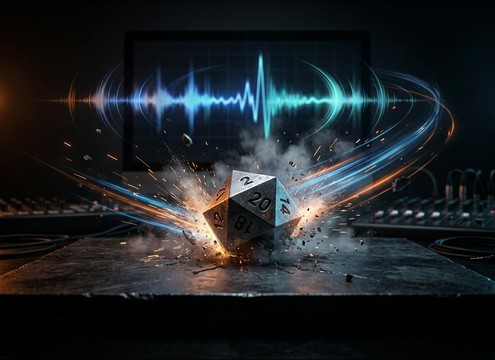
Popular Dice-Roll Sound Effects Library

Ten ready-to-use dice rolls with different surfaces, intensity, and mic distance. Preview each clip, download as WAV, or copy the prompt to regenerate cleaner transients, longer decay, or a different number of dice.

How to Generate Your Own
Dice-Roll Sound Effects

Cannot find the perfect dice-roll sound effect you need? Generate custom AI dice-roll audio effortlessly. Describe the style, such as short clean cue, cinematic hit, subtle background layer, branded UI alert, and Media.io AI builds tailored dice-roll sound effects instantly. No audio editing experience needed. Turn your concept into a royalty-free, high-quality downloadable WAV dice-roll clip in under 60 seconds.

1

Describe the dice roll

Type a prompt describing the dice type (d6, d20), how many dice, the surface (wood, felt), and the mic distance or room tone you want.

2

Pick length and variations

Choose 5s, 10s, or 20s, then set how many versions to generate so you can compare different clatter density and tails.

3

Generate and preview

Click Generate, listen to each result, and keep the take with the best transient, decay, and timing for your scene.

4

Download WAV and place

Download the WAV file and drop it into tabletop videos, RPG streams, mobile game RNG UI, podcasts, or commercial projects.

What Can You Use These Dice-Roll Sound Effects For?

Creators in every field are using our royalty-free audio to set the perfect mood.

Dice roll SFX synced to tabletop RPG video edit

Tabletop RPG actual-play

Replace weak on-camera rolls with clean dice hits that match the cut, from single d20 checks to loud damage rolls.

Dice roll sound in a board game tutorial video

Board game rules

Add short, clear rolls on wood or felt so viewers hear each action without overpowering narration.

Dice roll clicky SFX for mobile RNG interface

Mobile RNG and

Use tight, minimal-tail rerolls as feedback for randomization, pulls, or gacha-style reveals.

Dice roll audio for a virtual tabletop interface

Virtual tabletop apps

Trigger consistent dice audio for remote sessions, with adjustable room tone so it does not mask voice chat.

Dice rolling sound in a fantasy tavern audio scene

Audio drama tavern

Spot dice clatter on a table in gambling moments, choosing distant or close perspectives to fit the room.

Dice roll sequence SFX for a casino mini game

Casino-themed mini games

Create fast sequences of rolls for score multipliers, bonus rounds, and rapid re-roll mechanics.

Dice roll alert sound for a tabletop streaming overlay

Stream alerts for

Make recognizable dice stingers that sound like the creators table setup, from felt mats to dice cups.

Cinematic dice roll hit used as a trailer accent

Trailer and teaser

Drop a dramatic tower roll or heavy dice impact to punctuate a reveal, then cut on the settling tail.

Why Choose Media.io for Dice-Roll Sound Generator?

See exactly why creators, developers and studios choose our AI audio generator over all others.

Prompt controls for a dice-roll sound generator

Dice-roll Sound Generator prompts

Control dice count, surface, cup or tower action, and mic distance using plain language prompts you can reuse and tweak.

Multiple dice-roll variations ready to preview

Dice-roll Sound Generator variations

Generate multiple takes at once to find the right clatter density, transient sharpness, and decay speed for your edit.

Duration options for dice roll sound generation

Dice-roll Sound Generator timing fit

Choose 5s, 10s, or 20s so the roll lands on the beat, the cut, or the on-screen hand motion without extra trimming.

Preview player for dice roll sound effects

Dice-roll Sound Generator preview

Audition results quickly and compare close vs distant rolls, bright wood vs muted felt, and clean tails vs lively room tone.

WAV export for dice roll sound effects

Dice-roll Sound Generator mix-ready WAV

Download WAV for clean import into your editor, DAW, or app project, with consistent quality across variations.

Regenerate dice roll sounds with prompt tweaks

Dice-roll Sound Generator regeneration

Regenerate with small prompt edits like less bounce, tighter tail, lower stereo width, or more room reflections until it matches the scene.

How to prompt dice-roll SFX that cut through dialogue

Dice rolls can be too clicky, too roomy, or too long for your edit. When choosing a download or writing a prompt, focus on three knobs: material and surface (brightness), number of dice (density), and distance (room tone and tail). Use the notes below to get a roll that reads clearly in the moment without masking speech or music.

Pick the surface and material first

Surface and dice material determine the high-end bite and how quickly the roll settles. Wood tends to sound brighter and more percussive, while felt reduces sharp transients and keeps the roll from feeling harsh.

  • For crisp on-camera rolls: specify wooden table, close mic, sharp transient
  • For quieter tabletop sessions: specify felt mat, softened highs, short decay
  • For dramatic hits: specify heavy dice, stronger low-mid thud, slower settle

Decide how many dice and how busy it should feel

A single d20 reads as a clear action point, while multiple dice create a wash of clacks that can feel chaotic. Match density to the on-screen hand motion and the emotional beat.

  • Single check roll: one die, clean attack, minimal bounce
  • Damage roll: 4 to 10 dice, dense clatter, controlled tail
  • Edit-friendly sequences: multiple rolls spaced with small pauses

Control distance, room tone, and tail length

Perspective is what makes a dice roll feel like it belongs in a room, not pasted on top. Close rolls cut through narration; distant rolls blend into ambience but need careful tail control.

  • For UI or overlays: minimal room tone, tight stop, low reflections
  • For scene realism: light room reflections, natural decay, moderate tail
  • For tavern or hall scenes: slightly distant mic, wider stereo, audible room bed

Avoid common dice-roll mistakes

A great dice roll is short, readable, and not distracting. Overly long rattles, exaggerated bounce, or overly bright clicks can sound fake and pull attention away from the content.

  • Avoid tails that ring longer than the visual roll settles
  • Avoid extreme high-end that masks consonants in dialogue
  • Avoid random extra foley like hand slaps unless you explicitly need it

Frequently Asked Questions About
Dice-Roll Sound Effects

Everything you need to know before downloading or generating your first sound.

Can I download dice-roll sound effects for commercial use?

Yes. You can preview and download the clips for royalty-free use in commercial projects like tabletop shows, games, apps, and ads. If you need a specific compliance fit, check the license terms shown at download.

Do these dice roll sounds download as WAV?

Downloads are provided as WAV so you can edit cleanly, apply EQ, and keep the transient detail without compression artifacts.

How do I get a d20 roll instead of a d6 sound?

In your prompt, specify the dice type (d20) and the behavior (single roll, a few bounces, quick settle). Also specify surface and distance so the clacks match your scene.

How do I make multiple dice sound less messy?

Ask for fewer dice or a tighter tail, and reduce bounce. Prompts like "6 dice, controlled clatter, quick settle, minimal room tone" help keep density while staying readable in the mix.

Are these dice-roll sound effects free to download?

Yes. You can preview and download the AI-generated dice-roll sound effects as WAV files and use them in personal or commercial projects.

Can I copy the prompt used for each sound?

Yes. Open any sound row to view the prompt, copy it, adjust the wording and generate a custom variation that better matches your scene.

Related Free Sound
Effect Categories

Explore other AI-generated sound libraries from Media.io

sound

Rain Sound Effects

10+ free sounds
sound

Thunder Sound Effects

10+ free sounds
sound

Farts Sound Effects

10+ free sounds
sound

Car Crash Sounds

10+ free sounds
sound

Explosion Sound Effects

10+ free sounds
sound

Gunshot Sound Effects

10+ free sounds
sound

Pistol Sound Effects

10+ free sounds
sound

AI Horror Sound Effects

10+ free sounds
sound

AI Forest Sound Effects

10+ free sounds
sound

AI Dog Whistle Sound

10+ free sounds
sound

AI Ding Sound

10+ free sounds
sound

Phone Ring Sound

10+ free sounds
media.io

AI Video Generator star

Easily generate videos from text or images

Generate

