












Popular Dial-Up-Internet Sound Effects Library

Pick a ready-to-use modem moment or copy a prompt to generate your own. Each clip is shaped for recognizable handshake character, controlled hiss, and an edit-friendly ending.

How to Generate Your Own
Dial-Up-Internet Sound Effects

Cannot find the perfect dial-up-internet sound effect you need? Generate custom AI dial-up-internet audio effortlessly. Describe the style, such as short clean cue, cinematic hit, subtle background layer, branded UI alert, and Media.io AI builds tailored dial-up-internet sound effects instantly. No audio editing experience needed. Turn your concept into a royalty-free, high-quality downloadable WAV dial-up-internet clip in under 60 seconds.

1

Describe the modem moment

Type a prompt for the exact dial-up feel you need, like a harsh 56k handshake, a clean connect cue, or an off-screen modem with room tone.

2

Pick duration and variants

Choose 5s, 10s, or 20s, then set how many variations you want so you can audition multiple timing and texture options.

3

Generate and preview

Click Generate, listen to each result, and keep the one with the right attack, hiss level, and ending for your cut.

4

Download WAV and use

Download the WAV file and drop it into your video timeline, game scene, app UI, podcast episode, or commercial project.

What Can You Use These Dial-Up-Internet Sound Effects For?

Creators in every field are using our royalty-free audio to set the perfect mood.

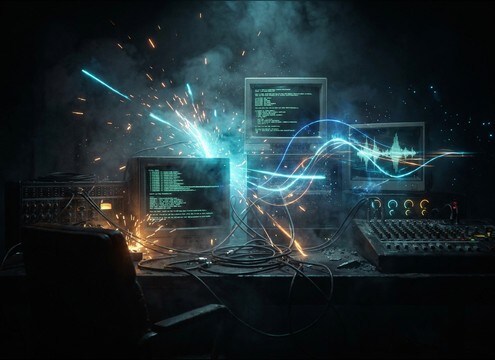
Dial-up modem sound used in a 90s computer boot scene

90s computer boot

Sell the moment a character dials in from a beige desktop, matching a short handshake to the on-screen modem lights.

Dial-up handshake sound under a BBS terminal montage

BBS or terminal

Cut quick 5-second chirps between command lines for a recognizable connect cue without masking dialogue.

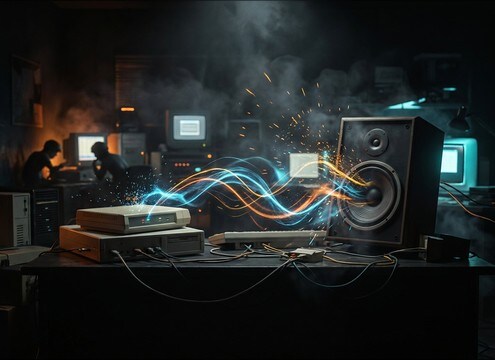
Dial-up internet sound effect used in a parody commercial

Comedy retro ad

Use exaggerated squeals and busy tones as punchlines, with controlled tails that end exactly on the gag.

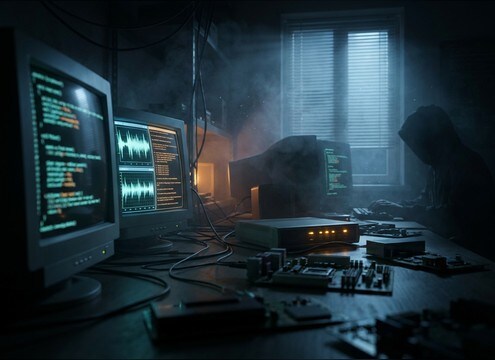
Distant dial-up modem ambience in a hacker room scene

Hacker room ambience

Place a distant, muffled modem in the background as a techy prop sound with gentle room reflections.

Dial-up style connect sound used for a game connection UI

Game UI connection

Swap generic beeps for a stylized dial-up connect that reads instantly as retro network activity.

Dial-up connect stinger at the start of a podcast

Podcast cold open

Start an episode with a short handshake burst that fades into voice, keeping hiss low for clean speech.

Dial-up internet audio used in an educational exhibit

Museum or classroom

Demonstrate early internet history with loopable dialing and handshake snippets that do not fatigue listeners.

Dial-up modem cue used in a live theater sound design

Theater or live

Trigger a 10-second handshake cue for an on-stage computer moment with a reliable, fast ending.

Why Choose Media.io for Dial-Up-Internet Sound Generator?

See exactly why creators, developers and studios choose our AI audio generator over all others.

Prompt controls for a dial-up-internet sound generator

Dial-Up-internet Sound Generator prompts

Steer handshake intensity, hiss amount, and phone-line bandwidth with plain English prompts, then regenerate until it matches your scene.

Previewing dial-up modem sound effect variations

Preview before you commit

Audition multiple variations and keep the take with the cleanest transient and the most edit-friendly tail.

Selecting dial-up sound duration for a tight edit

Fixed lengths for tight edits

Choose 5s, 10s, or 20s to land a connect moment exactly on a cut, title card, or on-screen pop-up.

Downloading a dial-up sound effect as WAV

Download-ready WAV output

Export WAV for easy placement in your timeline and consistent quality when you need that crunchy phone-line texture.

Different styles of dial-up internet sound effects

Style range from authentic to clean

Generate everything from harsh, noisy 56k squeals to a cleaner retro-inspired connect cue for modern UI moments.

Royalty-free dial-up sound effects library workflow

Royalty-free library workflow

Start from ready-made dial-up clips, then customize with AI for unique variations you can use across content and releases.

How to Prompt Dial-Up Modem Sounds That Feel Real

Dial-up is recognizable because of its sequence and texture: dialing, handshake squeals, negotiation chirps, then a settle or drop. When you prompt or choose a clip, focus on (1) where you are in the connection timeline, (2) how dirty the line should sound, and (3) how the ending should cut or decay for your edit.

Choose the exact connection moment

Most scenes do not need the entire process. A quick handshake burst can read instantly, while a longer sequence works for montages or on-screen connection progress.

  • For instant recognition, ask for a brief handshake squeal and chirp sequence.
  • For story beats, specify dialing, then handshake, then a short settle.
  • For failure states, prompt busy tone, failed negotiation, or a hard disconnect click.

Control grit, hiss, and phone-line character

Dial-up lives in telephone bandwidth, and the noise floor is part of the nostalgia. Prompt how clean or crusty you want it so it sits with dialogue and music.

  • Use words like phone-line EQ, band-limited, and light hiss or heavy hiss.
  • If the sound is too sharp, prompt softer highs or reduced harshness.
  • For authenticity, add subtle line flutter or jitter instead of random distortion.

Match perspective and ending behavior

A close modem feels direct and bright, while a distant one becomes filtered with room reflections. The tail matters because editors often need a clean stop for timing.

  • Prompt close mic, dry, minimal room tone for foreground cues.
  • Prompt heard through a wall, distant, room reflections for background prop sound.
  • Specify clean cut, short fade, or gentle decay so the clip ends where you need it.

Avoid the common dial-up mistakes

A few details can make a dial-up effect feel fake: wrong cadence, overly wide stereo, or an endless hiss that never resolves. Fix these in the prompt before generating again.

  • Avoid super-wide stereo unless your scene is stylized UI, not realism.
  • Avoid constant random squeals with no stages; ask for stepped negotiation tones.
  • Avoid long noisy tails if you need to land a line of dialogue right after.

Frequently Asked Questions About
Dial-Up-Internet Sound Effects

Everything you need to know before downloading or generating your first sound.

Can I download these dial-up sounds for commercial use?

Yes. The page is built for royalty-free downloading and reuse, including commercial projects. Preview first, then download the version that fits your scene best.

Do you provide dial-up-internet sound effects as WAV files?

Yes. After you generate or pick a clip, you can download it as a WAV so it stays clean when you cut, loop, or place it under dialogue.

How do I make the handshake sound more authentic, like real 56k?

In your prompt, specify phone-line bandwidth, moderate hiss, and a multi-stage handshake with chirps and stepped tones. If it feels too smooth, add subtle line flutter and a slightly harsher attack.

Which duration should I choose: 5s, 10s, or 20s?

Use 5 seconds for a quick recognition cue, 10 seconds for a clearer handshake progression, and 20 seconds when you need a dial-to-connect montage that covers multiple stages.

Are these dial-up-internet sound effects free to download?

Yes. You can preview and download the AI-generated dial-up-internet sound effects as WAV files and use them in personal or commercial projects.

Can I copy the prompt used for each sound?

Yes. Open any sound row to view the prompt, copy it, adjust the wording and generate a custom variation that better matches your scene.

Related Free Sound
Effect Categories

Explore other AI-generated sound libraries from Media.io

sound

Rain Sound Effects

10+ free sounds
sound

Thunder Sound Effects

10+ free sounds
sound

Farts Sound Effects

10+ free sounds
sound

Car Crash Sounds

10+ free sounds
sound

Explosion Sound Effects

10+ free sounds
sound

Gunshot Sound Effects

10+ free sounds
sound

Pistol Sound Effects

10+ free sounds
sound

AI Horror Sound Effects

10+ free sounds
sound

AI Forest Sound Effects

10+ free sounds
sound

AI Dog Whistle Sound

10+ free sounds
sound

AI Ding Sound

10+ free sounds
sound

Phone Ring Sound

10+ free sounds
media.io

AI Video Generator star

Easily generate videos from text or images

Generate
