












Popular Success Sound Effects Library

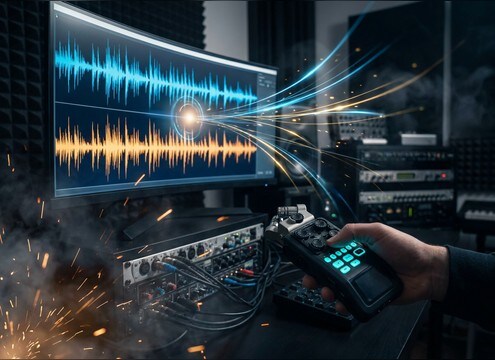
These ready-to-use wins cover common reward moments like button confirms, level-ups, and achievement unlocks. Preview the tone and decay you need, then download a WAV or copy the prompt to generate a tighter, brighter, longer, or more cinematic version.

How to Generate Your Own
Success Sound Effects

Cannot find the perfect success sound effect you need? Generate custom AI success audio effortlessly. Describe the style, such as short clean cue, cinematic hit, subtle background layer, branded UI alert, and Media.io AI builds tailored success sound effects instantly. No audio editing experience needed. Turn your concept into a royalty-free, high-quality downloadable WAV success clip in under 60 seconds.

1

Describe the win sound

Type or paste a prompt for the success moment you need, like a short UI confirm ping, an achievement unlock chime, or a big victory fanfare.

2

Pick duration and variations

Choose 5s, 10s, or 20s, then select how many variations to generate so you can audition different tones and tails quickly.

3

Generate and preview

Click Generate, listen to each result, and keep the version with the right transient, brightness, and decay for your scene timing.

4

Download the WAV

Export the chosen sound as a WAV file and drop it into videos, games, apps, podcasts, or commercial projects.

What Can You Use These Success Sound Effects For?

Creators in every field are using our royalty-free audio to set the perfect mood.

Success ping sound for app confirmation UI

App UI confirmations

Add a clean success ping for save, submit, or payment approved screens without masking voice or notifications.

Achievement unlock success sound effect for overlay

Achievement unlock overlays

Sync a badge pop or chime to an on-screen unlock animation, matching the tail to the length of the overlay.

Level up success sound effect for gameplay

Level-up moments in

Use a rising arpeggio or sparkle sweep to signal progression, with a fast attack that reads on small speakers.

Positive success chime for quiz correct answer

Quiz and classroom

Choose friendly, non-harsh chimes that cut through room tone and still feel positive for correct answers.

Checkout success sound for POS and payments

Checkout and POS

Use coin jingles or confirm tones that feel secure and modern, avoiding long tails that clutter busy store audio.

Scoreboard success sting for sports highlight graphic

Sports score graphics

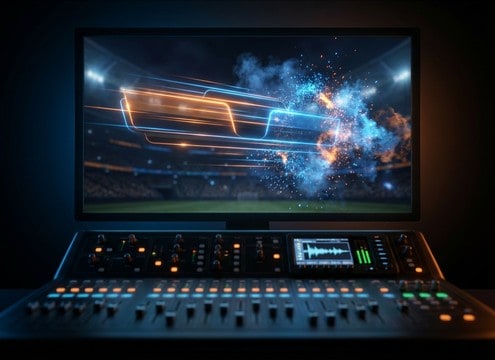
Hit a punchy fanfare stab right as the score bug animates, with controlled low-end to stay broadcast-safe.

Milestone montage success stinger between clips

Milestone montage beats

Drop short celebratory hits between clips to punctuate goals, awards, or before-and-after reveals.

Product demo success sound effect for feature completion

Product demo callouts

Accent feature completions like setup finished or export complete using dry pings that sit above music beds.

Why Choose Media.io for Success Sound Generator?

See exactly why creators, developers and studios choose our AI audio generator over all others.

Prompt controls for a success sound generator

Success Sound Generator prompts

Steer tone and emotion with simple text, from soft reassuring confirms to bold victory stings.

Previewing multiple success sound variations

Fast preview, fast picks

Audition multiple options quickly and choose the transient and tail that land best on your animation or cut.

Duration options for success sound effects

Duration that fits the moment

Generate short 5s UI pings, 10s celebration rises, or 20s epic wins without stretching artifacts.

Regenerating success sound effect variations

Regenerate clean variations

Make a brighter, drier, wider, or more cinematic version without rebuilding your whole sound idea.

Downloading WAV success sound effects

Download-ready WAV exports

Export WAV files that are easy to trim, fade, and place precisely on a frame-accurate timeline.

Royalty-free success sound effects library

Royalty-free resource library

Start with practical, ready-to-use success cues, then customize them with AI to match your brand tone.

How to Pick and Prompt Success Sounds That Actually Fit

Success cues are easy to overdo: too long, too bright, or too similar to other app and game sounds. Use the library to find the right feel fast, then prompt the AI to match timing, tone, and space. Focus on three choices: what the win means (small confirm vs big achievement), how sharp the transient should be, and how long the tail can ring before it gets in the way.

Choose the win size first

A tiny form submit should not sound like a boss defeat. Decide whether you need a micro-confirmation, a reward pickup, or a headline victory sting, then pick a sound that communicates that scale in the first 200 ms.

  • Small win: single ping, very short decay, minimal stereo width
  • Medium win: two or three-note chime, light shimmer tail
  • Big win: fanfare hit or rise-and-hit with a longer, controlled tail

Match transient and masking

Success sounds often compete with voice, music, and UI clicks. If the transient is too soft it disappears, but if it is too spiky it becomes annoying. Aim for clarity without harshness in the 2 kHz to 6 kHz zone.

  • Need clarity: prompt for a crisp transient and dry room
  • Need gentle tone: prompt for softer attack and less high-end
  • Busy mix: choose non-masking pings and keep the tail short

Control tail and space by context

Tail length is the difference between satisfying and cluttered. UI moments usually want dry, short decays, while celebratory overlays can handle a bit of bloom and reflections. Prompt for space as a deliberate choice, not a default.

  • UI: near-mono, no reverb, clean cut-friendly decay
  • Overlay animation: moderate stereo width and a short reverb tail
  • Cinematic win: wider stereo, audible reflections, smooth long decay

Avoid common success sound mistakes

Overused tones and uncontrolled peaks make success cues feel cheap. Keep it simple, avoid overly long jingles, and make sure the sound does not clip when stacked with other UI audio.

  • Avoid harsh piercing highs, especially on phone speakers
  • Avoid long ringy tails on repeatable actions like button taps
  • Avoid clipping: prompt for controlled loudness and clean peaks

Frequently Asked Questions About
Success Sound Effects

Everything you need to know before downloading or generating your first sound.

What types of success sounds are included here?

You will find short UI confirm pings, achievement unlock pops, coin and reward jingles, level-up rises, and bigger fanfare-style victory stings. Each option is meant to be easy to preview and then customize with a prompt if you need a different brightness, tail length, or stereo width.

Can I download these success sound effects as WAV files and use them commercially?

Yes. You can preview and download WAV exports for use in commercial projects. If you need a version that better fits your brand or scene timing, regenerate a new variation from the prompt and download that WAV instead.

How do I choose between a short ping and a longer fanfare?

Use a short ping for frequent actions like save, submit, or toggle, where a long tail would get repetitive. Choose a fanfare or rise when the moment is rare and visually emphasized, like an achievement banner, end-of-level screen, or milestone animation.

My success cue sounds harsh on phones. What should I change?

Pick a sound with a smoother transient and less sharp high-end, or prompt for reduced brightness and a softer attack. Keeping the tail shorter also helps reduce perceived harshness when the sound repeats in quick UI flows.

Are these success sound effects free to download?

Yes. You can preview and download the AI-generated success sound effects as WAV files and use them in personal or commercial projects.

Can I copy the prompt used for each sound?

Yes. Open any sound row to view the prompt, copy it, adjust the wording and generate a custom variation that better matches your scene.

Related Free Sound
Effect Categories

Explore other AI-generated sound libraries from Media.io

sound

Rain Sound Effects

10+ free sounds
sound

Thunder Sound Effects

10+ free sounds
sound

Farts Sound Effects

10+ free sounds
sound

Car Crash Sounds

10+ free sounds
sound

Explosion Sound Effects

10+ free sounds
sound

Gunshot Sound Effects

10+ free sounds
sound

Pistol Sound Effects

10+ free sounds
sound

AI Horror Sound Effects

10+ free sounds
sound

AI Forest Sound Effects

10+ free sounds
sound

AI Dog Whistle Sound

10+ free sounds
sound

AI Ding Sound

10+ free sounds
sound

Phone Ring Sound

10+ free sounds
media.io

AI Video Generator star

Easily generate videos from text or images

Generate
