











Popular Police-Radio-Chatter Sound Effects Library

Pick a ready-to-use dispatch moment, then regenerate variations with new unit IDs, urgency, and static density to match your scene timing.

How to Generate Your Own
Police-Radio-Chatter Sound Effects

Cannot find the perfect police-radio-chatter sound effect you need? Generate custom AI police-radio-chatter audio effortlessly. Describe the style, such as distant patrol siren, fast pass-by, city echo, urgent alarm loop, and Media.io AI builds tailored police-radio-chatter sound effects instantly. No audio editing experience needed. Turn your concept into a royalty-free, high-quality downloadable WAV police-radio-chatter clip in under 60 seconds.

1

Write the radio prompt

Type a description of the chatter you need, like dispatch vs unit reply, urgency, static amount, and whether you want a tone or squelch clicks.

2

Choose length and takes

Set 5s, 10s, or 20s, then pick how many variations you want generated so you can audition different cadences quickly.

3

Generate and preview

Click Generate, listen to each result, and keep the version with the best intelligibility, noise texture, and timing for your edit.

4

Download WAV and place

Download the WAV file and drop it into your video timeline, audio drama session, game scene, app alert, or commercial project.

What Can You Use These Police-Radio-Chatter Sound Effects For?

Creators in every field are using our royalty-free audio to set the perfect mood.

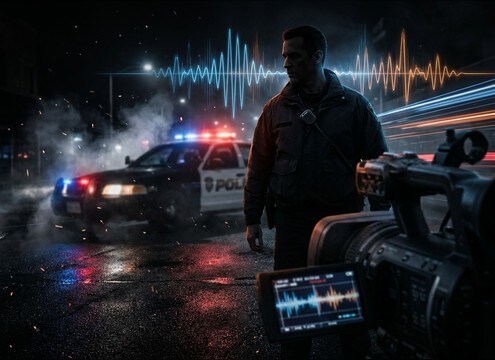
Police procedural intro with dispatch chatter bed

Police procedural cold

Add quick dispatch bursts under exterior shots to establish jurisdiction and pace without competing with main dialogue.

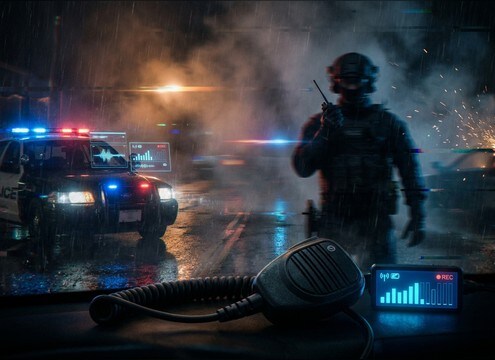
Dashcam scene with radio squelch and unit callouts

Bodycam or dashcam

Use tight, band-limited comms with squelch clicks to sell the POV and cover hard cuts between angles.

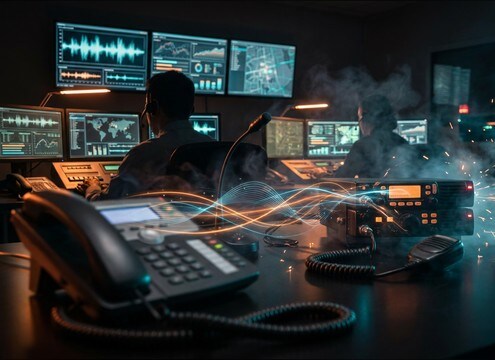
Call center scene transitioning into police radio traffic

911 call center

Bridge from phone dialogue into radio handoff using an attention tone and short acknowledgement lines.

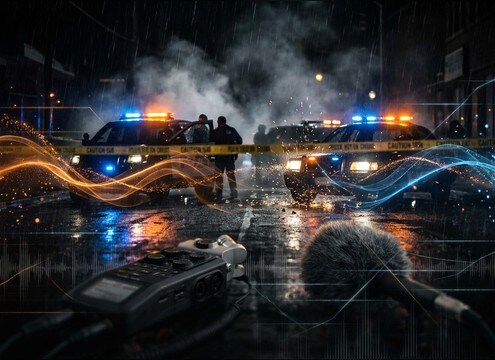
Crime scene perimeter ambience with distant scanner chatter

Crime scene perimeter

Loop a low-intelligibility scanner bed with occasional pops to suggest a busy perimeter without pulling focus.

Getaway sequence with urgent police radio updates

Heist or getaway

Cut in urgent coded callouts with heavier static to raise stakes and imply pursuit escalation.

True crime narration with subtle police radio inserts

True crime narration

Place short unit check-ins between narration beats to add authenticity, then duck quickly with short tails.

News B-roll with police dispatch audio bed

News package B-roll

Lay a clean dispatch snippet under siren or street footage to give context without needing on-camera audio.

Emergency response training simulation with radio cues

Training and simulation

Generate repeatable comms cues for timed drills, with consistent squelch timing and selectable urgency levels.

Why Choose Media.io for Police-Radio-Chatter Sound Generator?

See exactly why creators, developers and studios choose our AI audio generator over all others.

Prompt controls for police radio chatter sound generator

Police Radio Chatter Sound Generator prompts

Control dispatch tone, unit cadence, intelligibility, and static density with plain-language prompts you can reuse across episodes or levels.

Multiple generated variations for matching an edit

Scene-matched variations fast

Regenerate multiple takes to match a new cut, swapping urgency, phrasing length, and squelch timing without rebuilding your timeline.

Preview player for radio chatter clips

Preview before you download

Audition the transient, tail, and noise bed quickly, so you pick the clip that masks well under sirens or dialogue.

WAV download for editing radio chatter

WAV files for clean edits

Download WAV for precise trimming, looping, and level automation, especially when you need short tails and predictable fades.

Consistent radio texture across multiple scenes

Consistent texture across scenes

Keep the same band-limited character and stereo width across a sequence by reusing prompts and only changing unit IDs or location cues.

Radio prop playback audio matched to distance

Useful for on-screen props

Generate believable comms that fit a handheld, cruiser console, or dispatch speaker sound, then adjust grit to match the prop distance.

How to Prompt Police Radio Chatter That Fits the Cut

Police comms can feel fake when the squelch timing, noise bed, or voice bandwidth does not match the scene. Use the tips below to choose the right clip from the library or write a prompt that produces the cadence, urgency, and clarity you need, whether it is a clean dispatch read, a garbled scanner hit, or a tense pursuit update.

Decide what the listener should understand

Start by choosing intelligible vs low-intelligibility chatter. If the story needs specific info, request clearer words and less masking hiss. If it is just atmosphere, ask for vague callouts and let the noise bed carry it.

  • For plot: ask for clear unit ID plus one location cue
  • For ambience: ask for indistinct voices and minimal readable words
  • For continuity: keep a consistent noise bed across cuts

Call out the radio mechanics in your prompt

The most believable clips include a quick squelch open, a gated voice, and a squelch close. You can also request an attention tone before speech. These micro-events help the clip read as a transmission, not a phone line.

  • Specify squelch at start and end, or intermittent pops for busy traffic
  • Ask for band-limited voice, mid-forward, with light compression
  • Add an attention tone when you want a dispatch moment to stand out

Match perspective: handheld, cruiser, or scanner-in-room

Perspective changes the transient and tail. A handheld feels tight and direct. A cruiser speaker can feel slightly wider or harsher. A scanner heard across a room should be quieter with a softer attack and more smeared static.

  • Handheld: tight gating, narrow width, crisp squelch release
  • Cruiser console: slightly louder midrange, more aggressive texture
  • Across-room scanner: softer transients, lower clarity, wider noise

Avoid common fake-sounding choices

Overly clean voice, no squelch, or constant full-volume static often breaks realism. Keep peaks controlled and leave headroom so you can duck under dialogue. If the chatter fights your mix, reduce intelligibility or shorten the tail.

  • Do not use hi-fi full-range voice for a radio transmission
  • Avoid nonstop loud static that masks everything in the scene
  • Skip long reverb tails unless the radio is clearly in a reflective room

Frequently Asked Questions About
Police-Radio-Chatter Sound Effects

Everything you need to know before downloading or generating your first sound.

How do I pick the right police radio chatter for background vs story-critical lines?

For background, choose clips with lower intelligibility, heavier hiss, and fewer readable words so they sit under dialogue. For story-critical moments, use a cleaner noise bed and a shorter static tail, and prompt for a clear unit ID plus one key detail.

Can I download these as WAV and trim them to fit my scene?

Yes. Download the WAV, then trim on squelch edges for natural starts and stops. A short fade-in after the squelch open and a quick fade-out before the squelch close helps avoid clicks when you place it under music or sirens.

What should I include in an AI prompt to get realistic squelch timing?

Mention squelch open at the start, gated voice, and squelch close at the end. If you want busier traffic, ask for intermittent squelch pops mid-clip. Also specify the voice bandwidth as band-limited or VHF-style so it does not sound like a phone call.

Are the police radio chatter clips royalty-free for commercial use?

The downloads on this page are provided as royalty-free audio so you can use them in commercial projects. If you have a specific licensing or compliance requirement for a platform or client deliverable, review the product licensing terms in Media.io before publishing.

Are these police-radio-chatter sound effects free to download?

Yes. You can preview and download the AI-generated police-radio-chatter sound effects as WAV files and use them in personal or commercial projects.

Can I copy the prompt used for each sound?

Yes. Open any sound row to view the prompt, copy it, adjust the wording and generate a custom variation that better matches your scene.

Related Free Sound
Effect Categories

Explore other AI-generated sound libraries from Media.io

sound

Rain Sound Effects

10+ free sounds
sound

Thunder Sound Effects

10+ free sounds
sound

Farts Sound Effects

10+ free sounds
sound

Car Crash Sounds

10+ free sounds
sound

Explosion Sound Effects

10+ free sounds
sound

Gunshot Sound Effects

10+ free sounds
sound

Pistol Sound Effects

10+ free sounds
sound

AI Horror Sound Effects

10+ free sounds
sound

AI Forest Sound Effects

10+ free sounds
sound

AI Dog Whistle Sound

10+ free sounds
sound

AI Ding Sound

10+ free sounds
sound

Phone Ring Sound

10+ free sounds
media.io

AI Video Generator star

Easily generate videos from text or images

Generate
