











Popular Buzzer Sound Effects Library

Pick a ready-to-use buzzer for wrong answers, timeouts, menu errors, or warning panels. Each clip below is described by transient, decay, tone, and space so you can choose a version that reads clearly on phones, TVs, and small speakers.

How to Generate Your Own
Buzzer Sound Effects

Cannot find the perfect buzzer sound effect you need? Generate custom AI buzzer audio effortlessly. Describe the style, such as short clean cue, cinematic hit, subtle background layer, branded UI alert, and Media.io AI builds tailored buzzer sound effects instantly. No audio editing experience needed. Turn your concept into a royalty-free, high-quality downloadable WAV buzzer clip in under 60 seconds.

1

Describe your buzzer

Type or paste a prompt that names the buzzer style (game show, arcade, UI error, industrial), plus traits like pitch, grit, and tail length.

2

Pick length and takes

Choose a duration of 5s, 10s, or 20s, then set how many variations you want to generate in one go.

3

Generate and preview

Click Generate, listen to each result, and keep the version with the clearest transient, tone, and decay for your scene.

4

Download WAV and use

Export the selected clip as a WAV file and drop it into videos, games, apps, podcasts, or commercial projects.

What Can You Use These Buzzer Sound Effects For?

Creators in every field are using our royalty-free audio to set the perfect mood.

Wrong answer buzzer sound effect for quiz video

Wrong-answer moments

Hit a crisp fail cue for quizzes, trivia rounds, and on-screen prompts without muddying dialogue.

Short UI error buzzer sound for app validation

App form errors

Use a short, low-masking buzzer to signal invalid input while keeping UX friendly on mobile speakers.

Countdown end buzzer sound for timer screen

Timer and countdown

Choose a longer sustain buzzer for kitchen timers, classroom activities, and speedrun splits.

Game show buzzer sound effect for intro

Game show intros

Add a bright TV-style buzzer with a clean transient that reads instantly under music stings.

Arcade failure buzzer sound effect

Arcade fail states

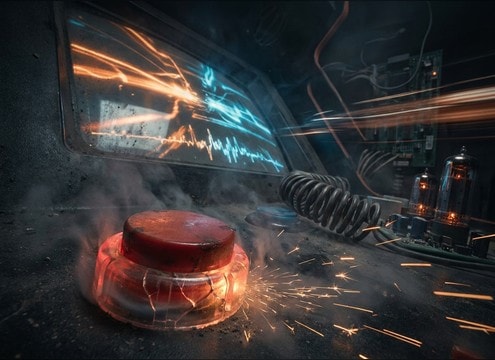
Trigger a gritty buzzer on player death, wrong path, or locked doors for retro cabinet energy.

Industrial warning buzzer sound for control panel

Safety and warning

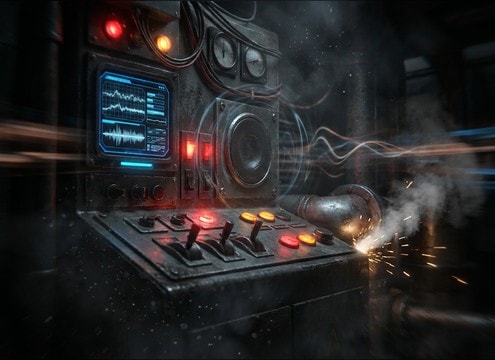
Pick a harsher, attention-grabbing buzzer with a controlled tail for industrial UI and alert dashboards.

Stream deck buzzer sound effect for overlays

Live stream overlays

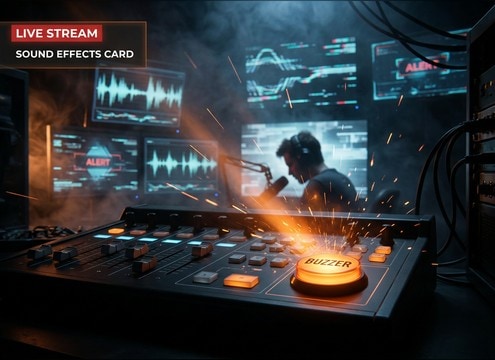
Assign buzzer hits to chat games, punishments, or poll results so viewers clearly hear outcomes.

Classroom quiz buzzer sound effect

Classroom quiz games

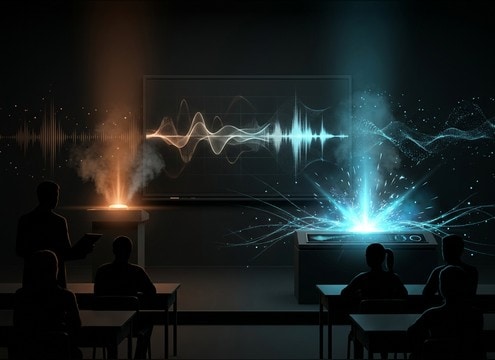
Use softer buzzers for mistakes and stronger ones for timeouts to keep the room comfortable.

Why Choose Media.io for Buzzer Sound Generator?

See exactly why creators, developers and studios choose our AI audio generator over all others.

Text prompt controls for buzzer sound generation

Prompt control that matters

Dial in buzzer pitch, distortion amount, transient sharpness, and tail length so the cue fits your UI or scene cut.

Previewing multiple buzzer sound variations

Fast preview, faster picking

Audition multiple versions back to back and keep the take with the cleanest attack and the least annoying resonance.

Selecting buzzer duration options

5s, 10s, and 20s options

Match the exact timing you need, from quick error pips to longer countdown buzzers and loopable alarm beds.

Clean buzzer sound effect ready for mix

Mix-ready clarity

Generate buzzers with controlled room tone and stereo width so they stay readable under voice and background music.

Buzzer Sound Generator regenerating new takes

Buzzer Sound Generator variations

Regenerate until the tone sits right, making small changes like brighter presence, softer edges, or less grit.

Downloading buzzer sound effect as WAV

Downloadable WAV workflow

Export WAV files that drop into editing timelines, app prototypes, and game engines without format juggling.

How to Pick and Prompt the Right Buzzer

A buzzer can read as playful, harsh, or quietly corrective depending on tone and timing. Use the tips below to choose a ready clip or write a prompt that targets the exact transient, pitch, and decay your alert needs, whether it is a quiz wrong-answer hit, a timer lockout, or an arcade fail screen.

Choose the buzzer personality

Start by naming the role of the sound: wrong answer, warning, busy signal, or comedic fail. This helps you avoid a buzzer that feels too aggressive for a friendly UI or too soft for an emergency cue.

  • For quizzes: ask for a bright, clean transient and short decay
  • For warnings: ask for harsher tone and a slightly longer tail
  • For comedy: request a pitch dip or wobble so it feels intentional

Control pitch and texture for clarity

Buzzers compete with speech and music in the same midrange. A small prompt change can reduce masking and make the cue readable on phones without being painful.

  • Specify pitch range: high, mid, or low buzzer tone
  • Ask for less distortion if the buzz sounds fuzzy or fatiguing
  • Request narrow stereo for UI, or mild width for showy moments

Match the edit with duration and tail

Timing is the difference between a helpful cue and an annoying one. Use short hits for button errors, and longer sustains only when the scene needs a lockout or countdown ending.

  • 5 seconds: quick feedback and wrong-answer hits
  • 10 seconds: timer endings and longer fail moments
  • 20 seconds: loopable alarm beds for sustained alerts

Avoid common buzzer mistakes

A buzzer that clips, rings too long, or contains extra noise will feel cheap and can trigger listener fatigue. Use prompts that keep it clean and predictable.

  • Avoid heavy reverb unless the buzzer is meant to be in a room on-screen
  • Avoid random pitch drift for UI cues that must be consistent
  • Avoid excessive low-end that makes the buzz feel boomy

Frequently Asked Questions About
Buzzer Sound Effects

Everything you need to know before downloading or generating your first sound.

Can I download buzzer sound effects for commercial use?

You can preview and download the buzzer clips from this page and use them in commercial projects as royalty-free assets. If you have a specific licensing requirement (for example, broadcast, apps, or client work), review the license details shown at download to confirm it fits your use.

Are these buzzer sounds available as WAV files?

Yes. After generating or selecting a clip, you can download it as a WAV file, which is ideal for editing, trimming, and syncing to UI animations or on-screen actions.

How do I choose a buzzer for a wrong answer vs a timeout?

For a wrong answer, pick a short, punchy buzzer with a hard attack and quick decay so it reads instantly and gets out of the way. For a timeout, use a longer sustain or repeated buzz with a controlled tail to communicate a stronger stop state.

How can I make a game show style buzzer without sounding distorted?

In your prompt, ask for a clean transient, bright midrange, low noise floor, and minimal distortion. If a result feels harsh, regenerate with softer attack or less grit, and keep the tail short to avoid ringing.

Are these buzzer sound effects free to download?

Yes. You can preview and download the AI-generated buzzer sound effects as WAV files and use them in personal or commercial projects.

Can I copy the prompt used for each sound?

Yes. Open any sound row to view the prompt, copy it, adjust the wording and generate a custom variation that better matches your scene.

Related Free Sound
Effect Categories

Explore other AI-generated sound libraries from Media.io

sound

Rain Sound Effects

10+ free sounds
sound

Thunder Sound Effects

10+ free sounds
sound

Farts Sound Effects

10+ free sounds
sound

Car Crash Sounds

10+ free sounds
sound

Explosion Sound Effects

10+ free sounds
sound

Gunshot Sound Effects

10+ free sounds
sound

Pistol Sound Effects

10+ free sounds
sound

AI Horror Sound Effects

10+ free sounds
sound

AI Forest Sound Effects

10+ free sounds
sound

AI Dog Whistle Sound

10+ free sounds
sound

AI Ding Sound

10+ free sounds
sound

Phone Ring Sound

10+ free sounds
media.io

AI Video Generator star

Easily generate videos from text or images

Generate
