














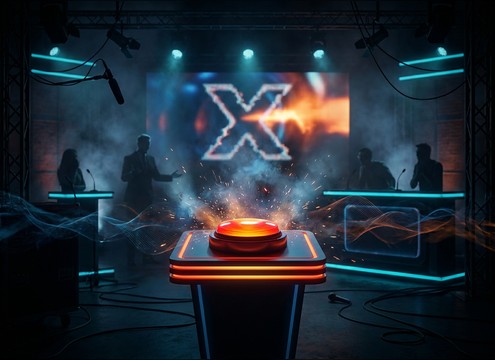



A wrong buzzer can sound playful, harsh, vintage, or polished, and tiny changes in pitch, distortion, and decay can shift the whole tone of your scene. Use the library to start fast, then prompt the AI to match your exact timing and context, like a quick tap for a UI error, a stagey game-show sting with room tail, or an arcade fail with gritty midrange that still reads on small speakers.
Choose the attitude: playful vs punitive
Decide whether the sound should tease or correct. A playful wrong buzzer is usually shorter and less harsh; a punitive one can be lower, louder, and more sustained. Write that intent into your prompt so the generator does not default to an overly aggressive buzz.
- For friendly quizzes, ask for rounded attack and gentle decay
- For competitive shows, ask for sharper transient and stronger midrange bite
- For kid content, avoid piercing highs and heavy distortion
Control pitch and brightness for readability
Pitch and brightness determine how well the buzzer reads under speech and music. Higher buzzers cut through but can fatigue listeners; lower buzzers feel heavier but can collide with bass and crowd beds. Prompt for a specific range and ask for controlled brightness.
- If voices are busy, request a midrange-focused buzzer with limited low-end
- If music is bright, request a warmer tone with less upper bite
- If it must be obvious, request a short pitch drop or wobble without extra noise
Set tail length to match the edit
The tail is what makes a wrong buzzer feel snappy or dramatic. Too long and it smears into the next line; too short and it can feel like a click. When generating, call out the desired decay and whether you want a hard stop or a natural release.
- For UI errors, prompt for fast decay and a firm stop
- For reveal moments, prompt for a brief sustain with clean release
- For looping beds, prompt for consistent level and loop-friendly phrasing
Avoid common wrong-buzzer problems
Many wrong buzzers fail because they are painfully bright, noisy, or overly roomy. If you hear hiss, harsh peaks, or a tail that sounds like a different space than your scene, regenerate with clearer constraints and a simpler tonal goal.
- If it sounds shrill, request reduced brightness and smoother transient
- If it masks dialogue, request shorter decay and lower overall loudness
- If it feels distant, request dry close-mic sound with minimal room tone




