25+ Gemini AI Bag Prompt Ideas for Scroll-Stopping Product Shots
Create glossy hardware highlights, crisp leather texture, and boutique-level styling in seconds. This Gemini AI bag prompt collection gives you 25+ copy-paste ideas for luxury handbags, tote mockups, streetwear backpacks, and minimal flat lays. Upload a product photo or start from scratch, paste a prompt, and generate social-ready visuals that look expensive, instantly.
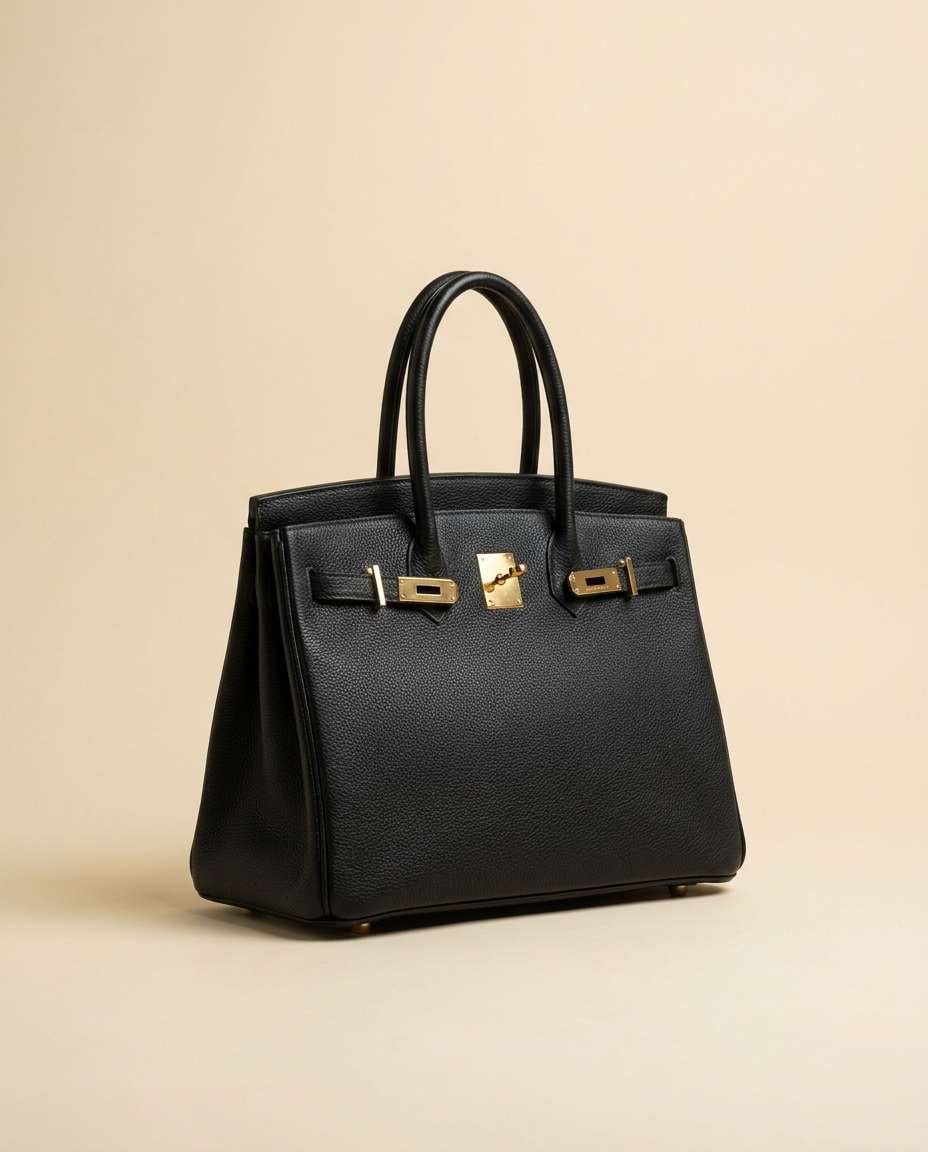
Stunning AI bag generated with Media.io - powered by
Nano Banana Pro.
How to Use Gemini AI Bag Prompt in 3 Steps
Use Media.io to turn a simple idea into a pro-looking bag image fast. Follow these three steps, then remix prompts until the vibe matches your brand.
1
Open Media.io AI Generator
Go to Media.io and open the AI Image Generator. Pick an image mode that fits your goal: product photography, lifestyle, or studio. This keeps lighting, backgrounds, and detail levels consistent across your bag concepts.
2
Upload and Paste Prompt
Upload a reference photo of your bag if you have one, or leave it blank to generate from text. Copy a Gemini AI bag prompt from the cards below, then tweak color, material, and setting to match your brand.
3
Generate and Download
Click Generate and review variations for texture realism, logo placement, and hardware reflections. Adjust the prompt for cleaner backgrounds or sharper close-ups, then download your favorite version for Shopify, ads, Instagram, or Pinterest.
Best Gemini AI Bag Prompt Ideas & Examples
Luxury Handbag Hero
A premium black pebbled leather handbag centered on a seamless matte cream backdrop, gold hardware with subtle specular highlights, soft shadow under the base, ultra-clean studio product photography, shot on Canon EOS R5, 85mm lens, f/8, crisp edges, realistic leather grain and stitching, high-end editorial lighting, minimal composition, high resolution --ar 4:5
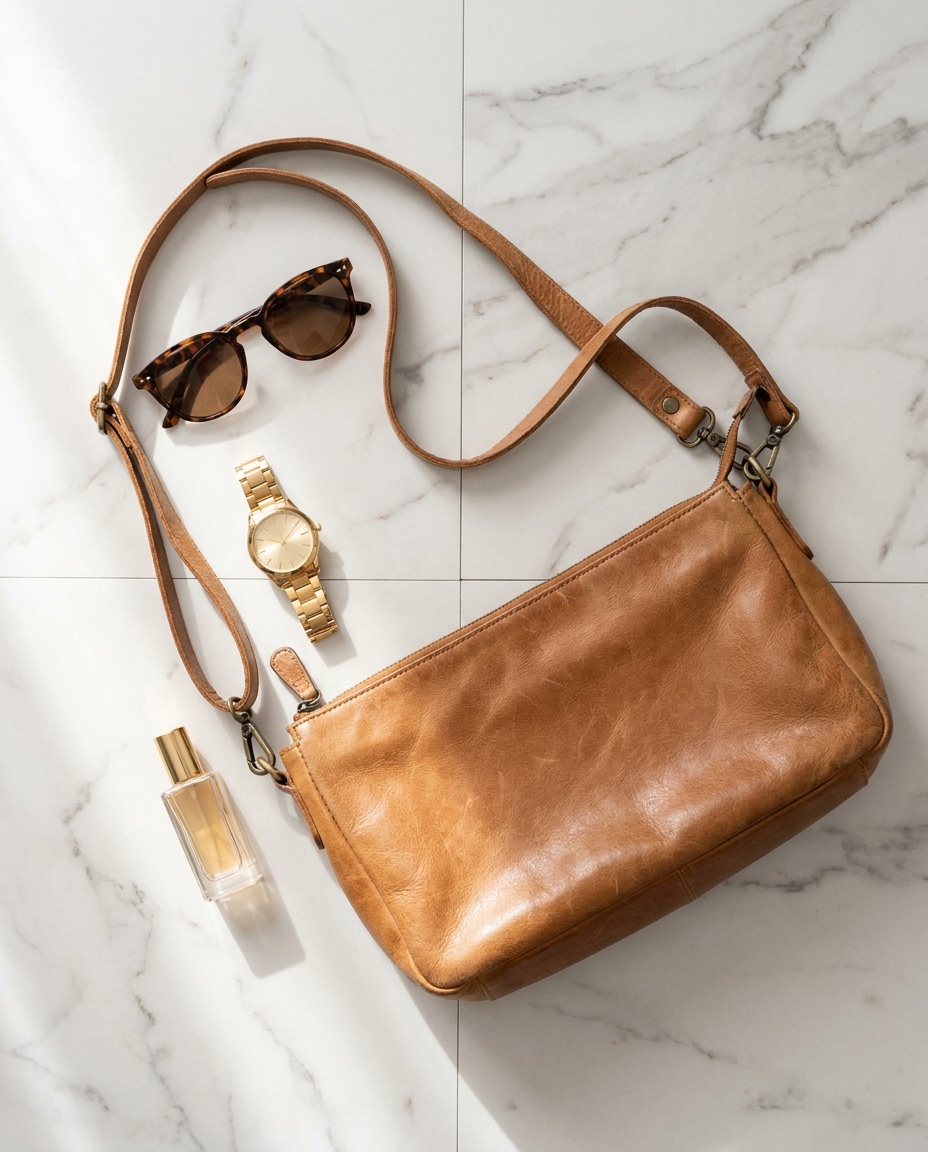
Marble Flat Lay
Top-down flat lay of a tan leather crossbody bag on white marble, arranged with sunglasses, a gold watch, and a small perfume bottle, natural window light from the left, gentle shadows, shot on Sony A7IV, 50mm, f/5.6, realistic materials and reflections, luxury ecommerce style, clean color grading --ar 4:5
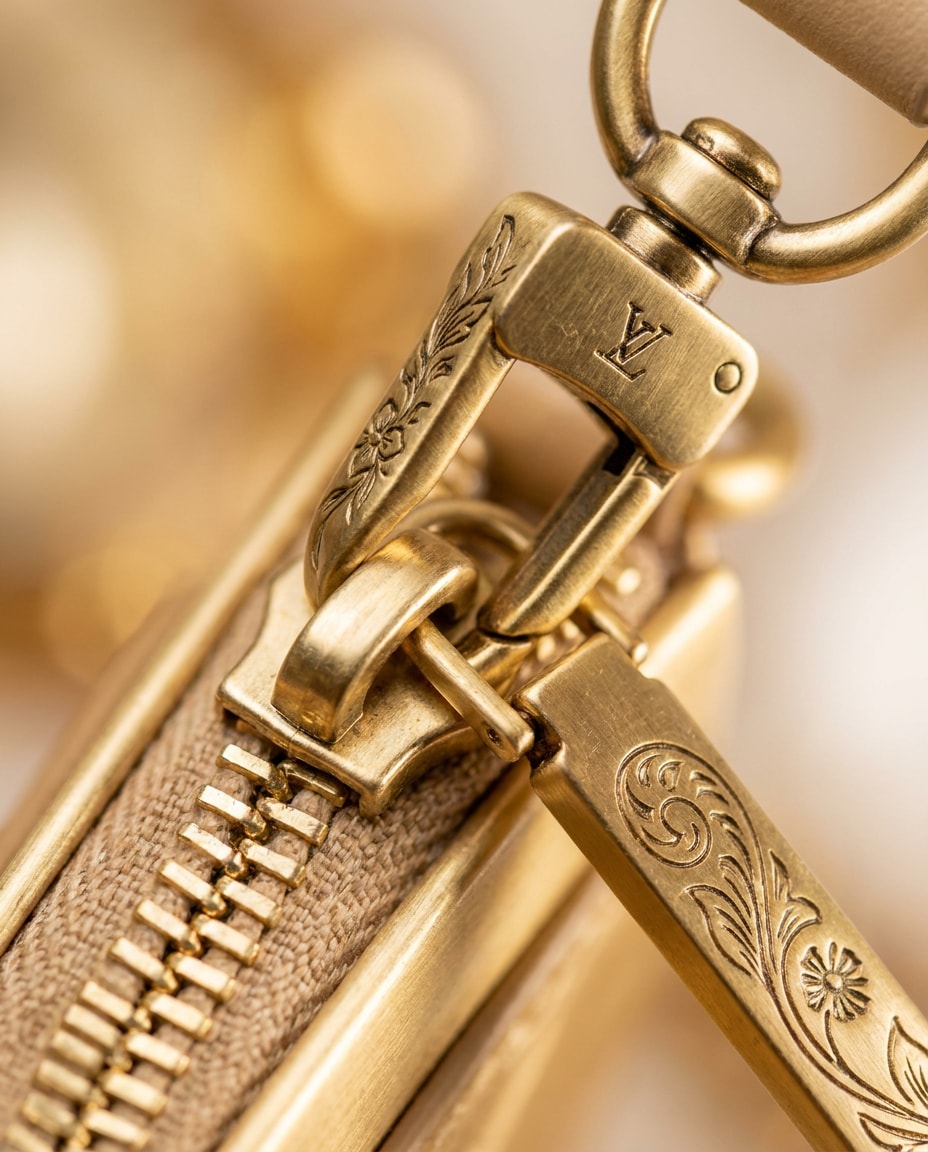
Hardware Macro Close-Up
Extreme macro product shot of a handbag clasp and zipper pull, brushed gold metal with engraved details, shallow depth of field, creamy bokeh, studio strip light reflection, shot on Nikon Z8, 105mm macro, f/3.2, hyper-detailed texture, photorealistic, premium catalog quality --ar 4:5
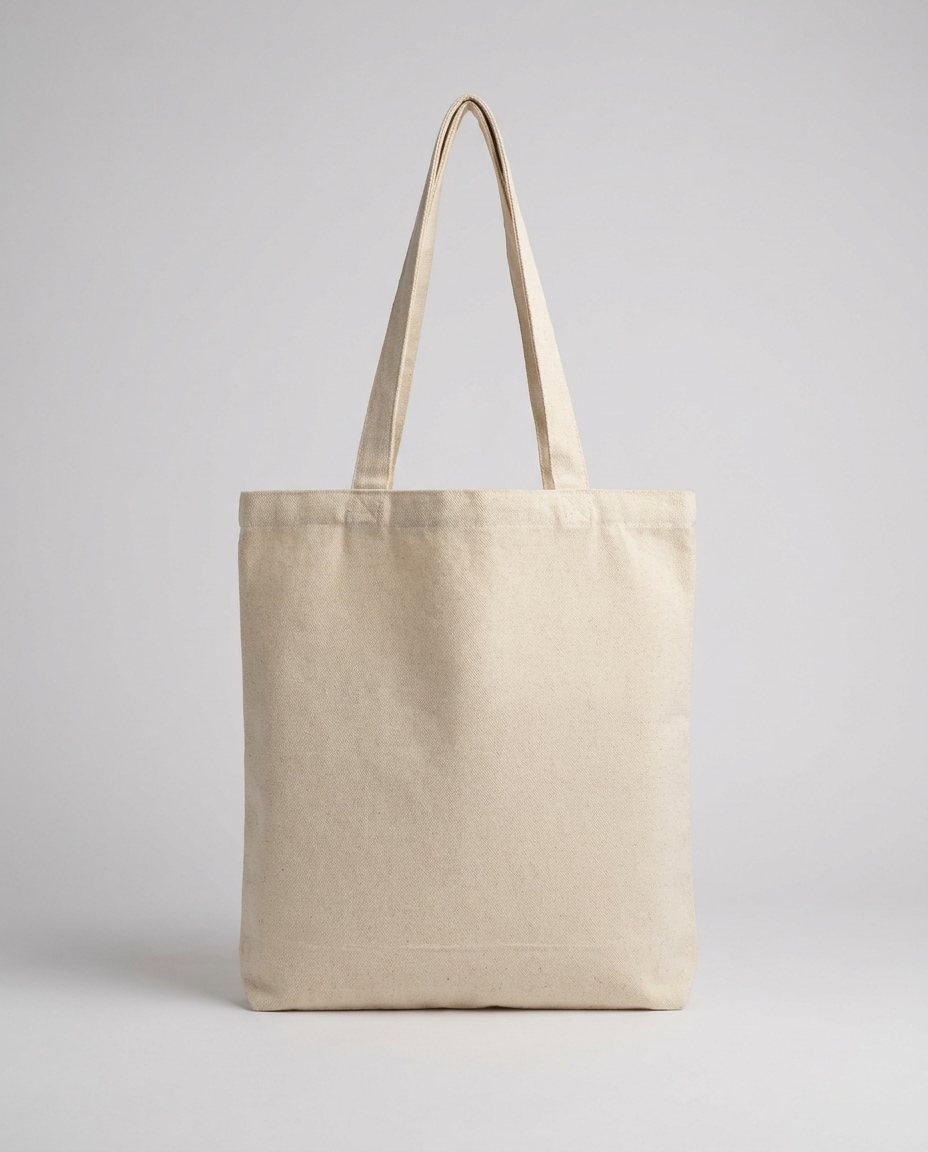
Tote Mockup Clean
Minimal blank canvas tote bag mockup standing upright, subtle fabric weave visible, soft studio lighting, faint shadow, seamless light gray background, shot on Fujifilm GFX 100, 80mm, f/11, photorealistic, perfect for logo placement, crisp edges and true-to-life texture --ar 4:5
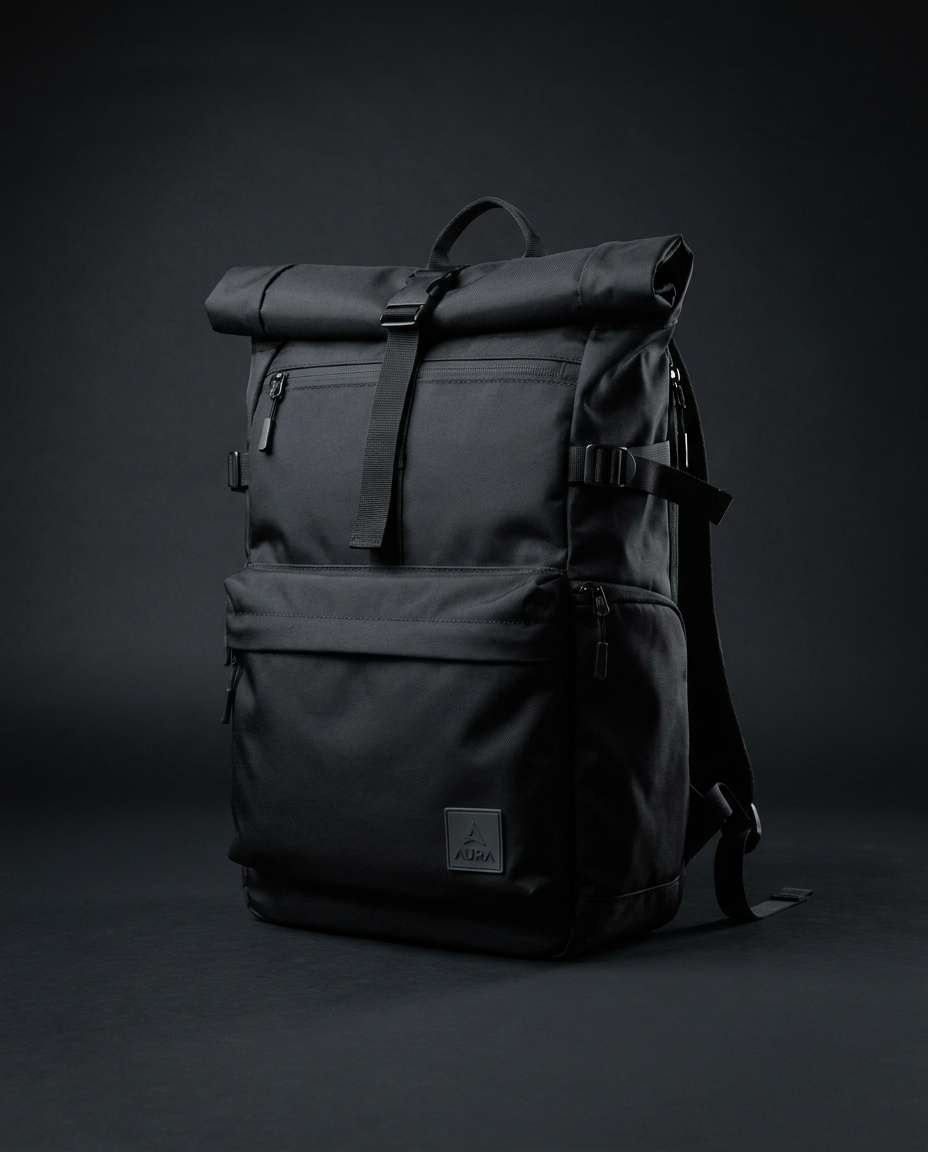
Streetwear Backpack Studio
Modern streetwear backpack in matte black nylon with subtle logo patch, centered on a dark charcoal seamless background, dramatic softbox lighting with rim light, shot on Sony A1, 70mm, f/8, sharp focus, realistic fabric texture, premium product photography, moody color grade --ar 4:5
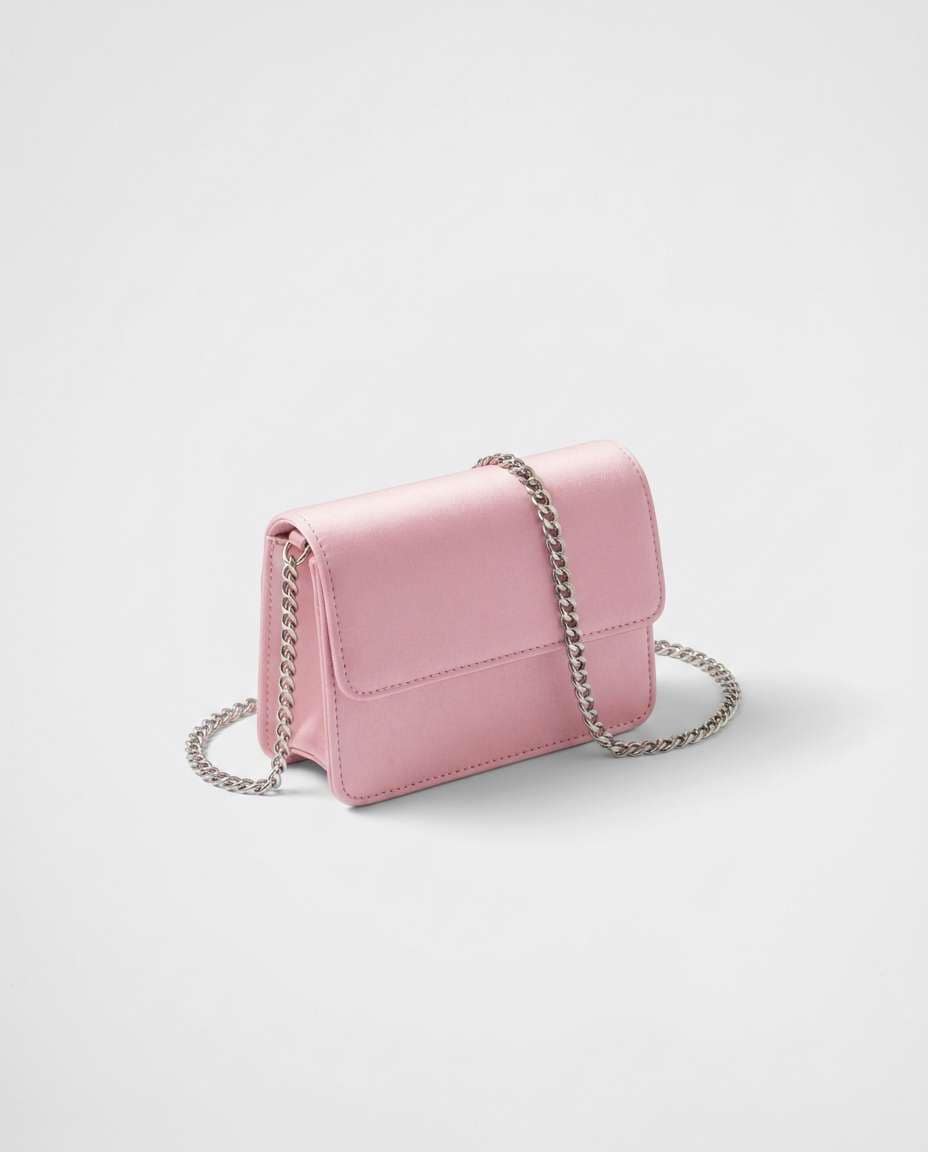
Pastel Mini Bag
Small pastel pink mini bag with silver chain strap on a clean white studio set, soft diffused lighting, gentle shadow, high-end fashion product shot, shot on Canon EOS R6, 85mm, f/7.1, realistic satin finish and chain reflections, crisp stitching detail --ar 4:5
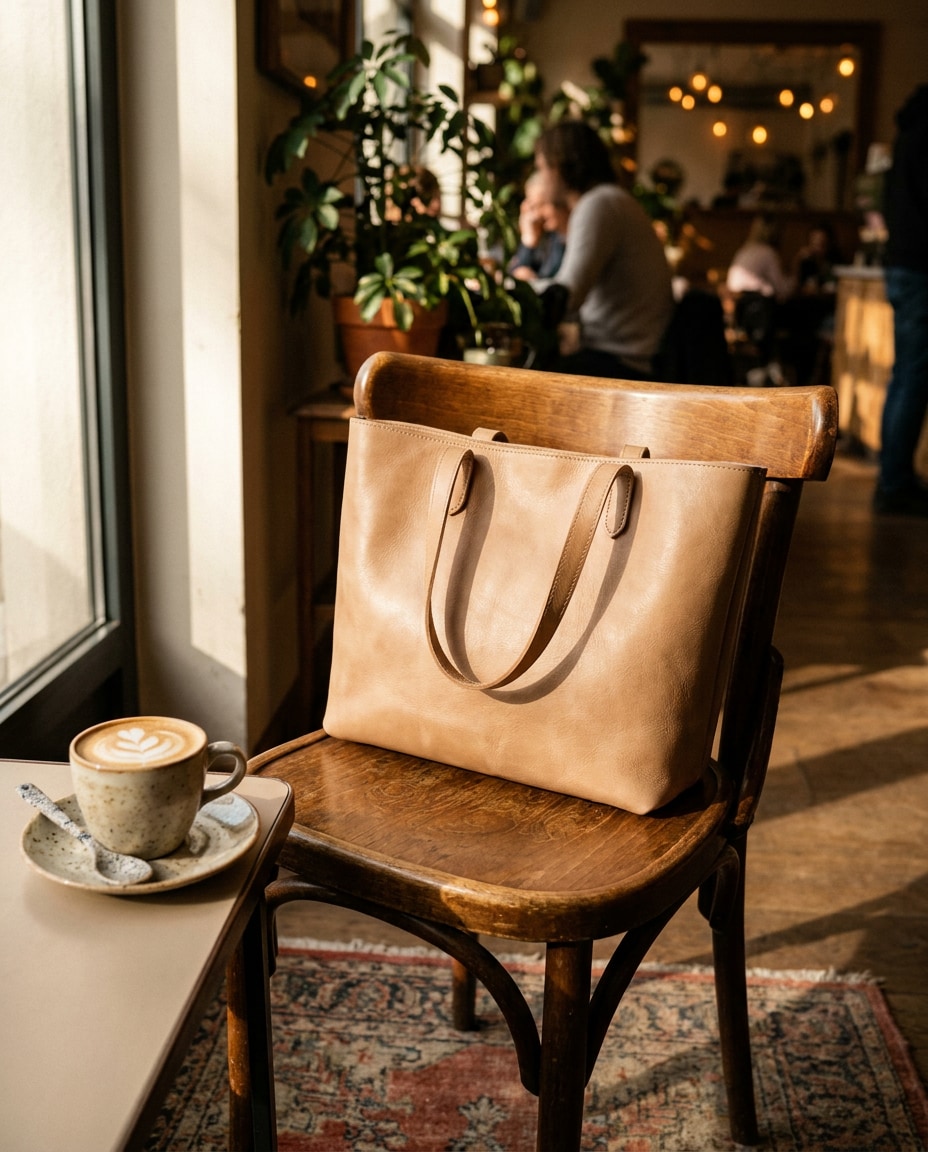
Coffee Shop Lifestyle
Lifestyle product photo of a beige leather tote bag placed on a wooden cafe chair beside a cappuccino, warm morning window light, subtle background blur with cozy bokeh, shot on Sony A7IV, 35mm, f/2.8, photorealistic leather texture, natural shadows, Instagram-ready composition --ar 4:5
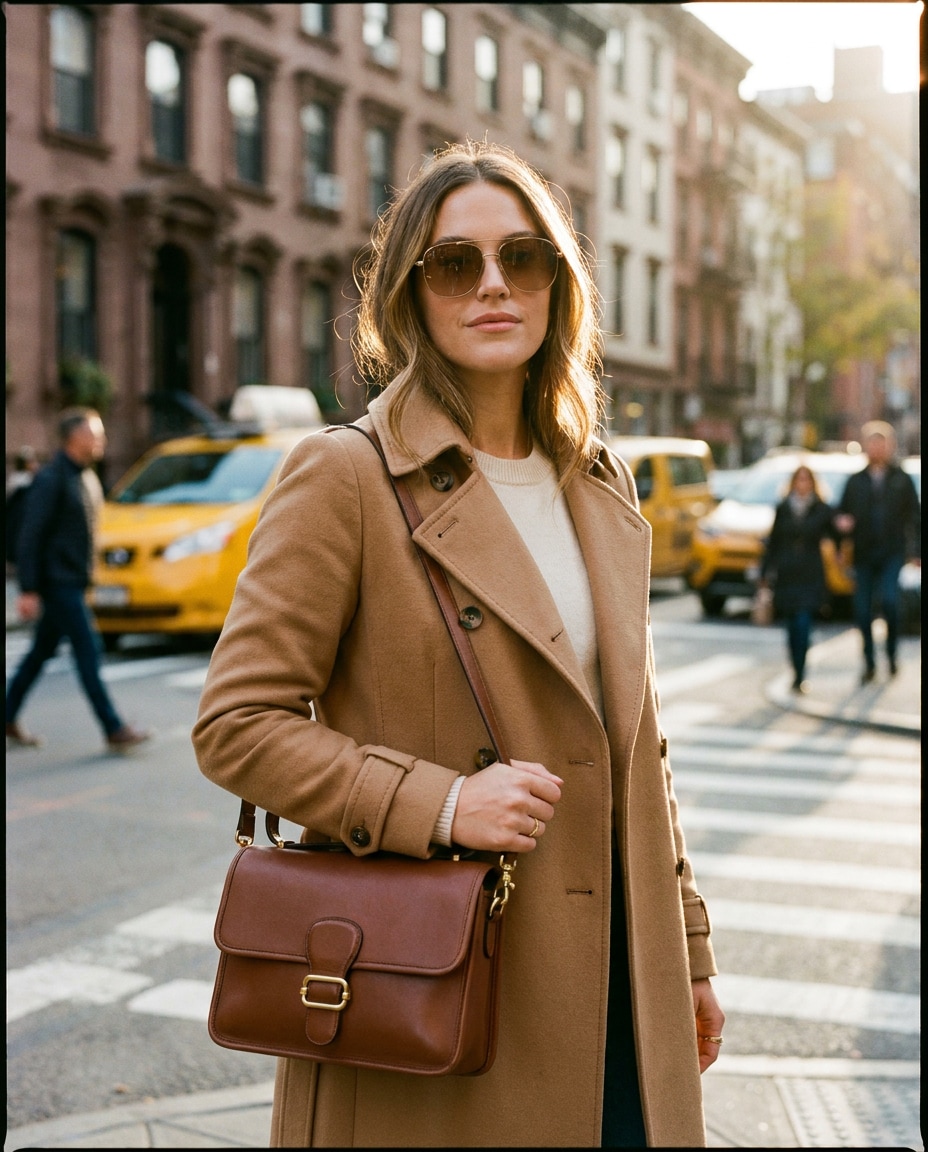
On-Shoulder Fashion Shot
Stylish woman in her mid-20s wearing a camel trench coat, holding a structured brown leather shoulder bag with gold hardware, city street background softly blurred, golden hour rim light, shot on Canon EOS R5, 85mm, f/1.8, half-body framing, photorealistic skin and fabric detail, editorial fashion mood --ar 4:5
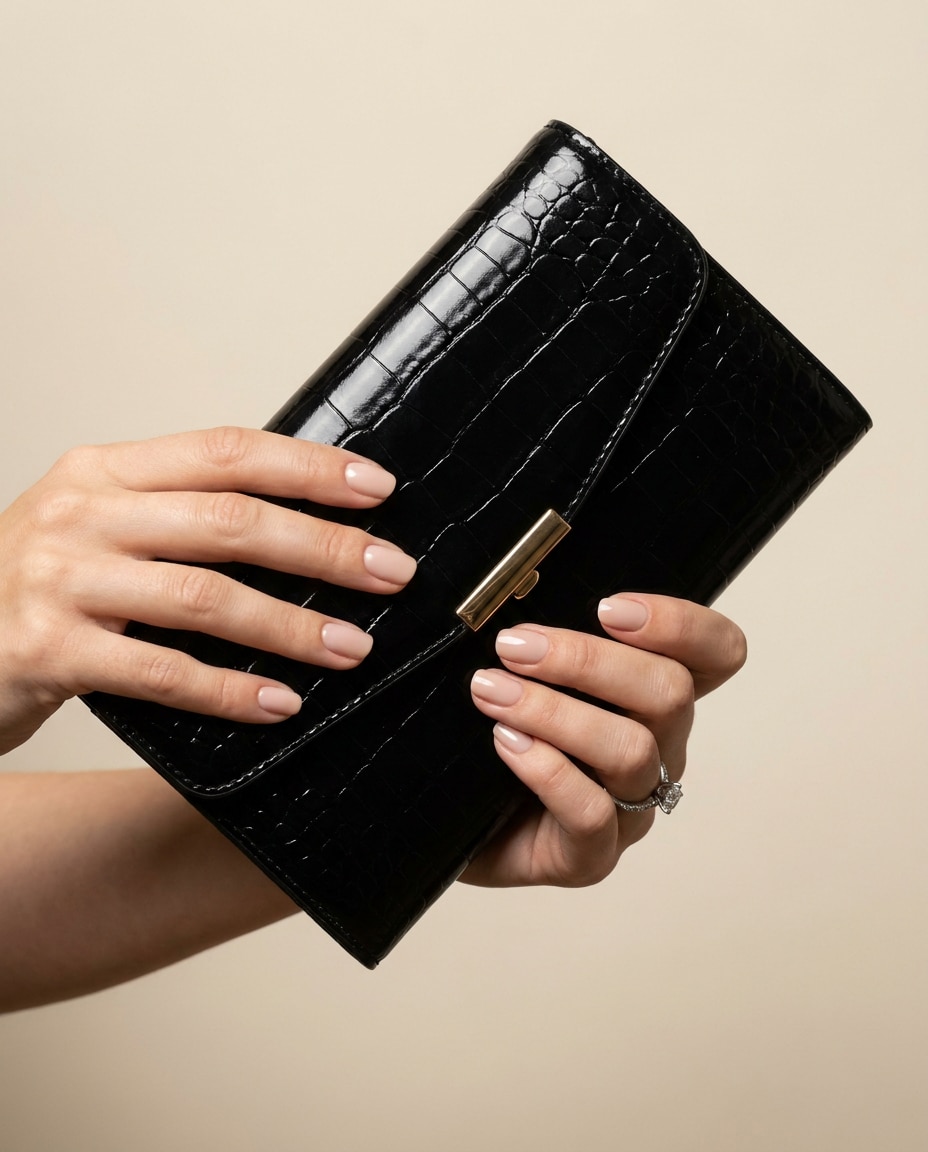
Hands Holding Clutch
Close-up of manicured hands holding a glossy black clutch with subtle embossed pattern, soft studio lighting with clean highlights, neutral background, shot on Nikon Z6 II, 50mm, f/2.2, sharp focus on texture, photorealistic, luxury evening vibe --ar 4:5
Beach Straw Bag
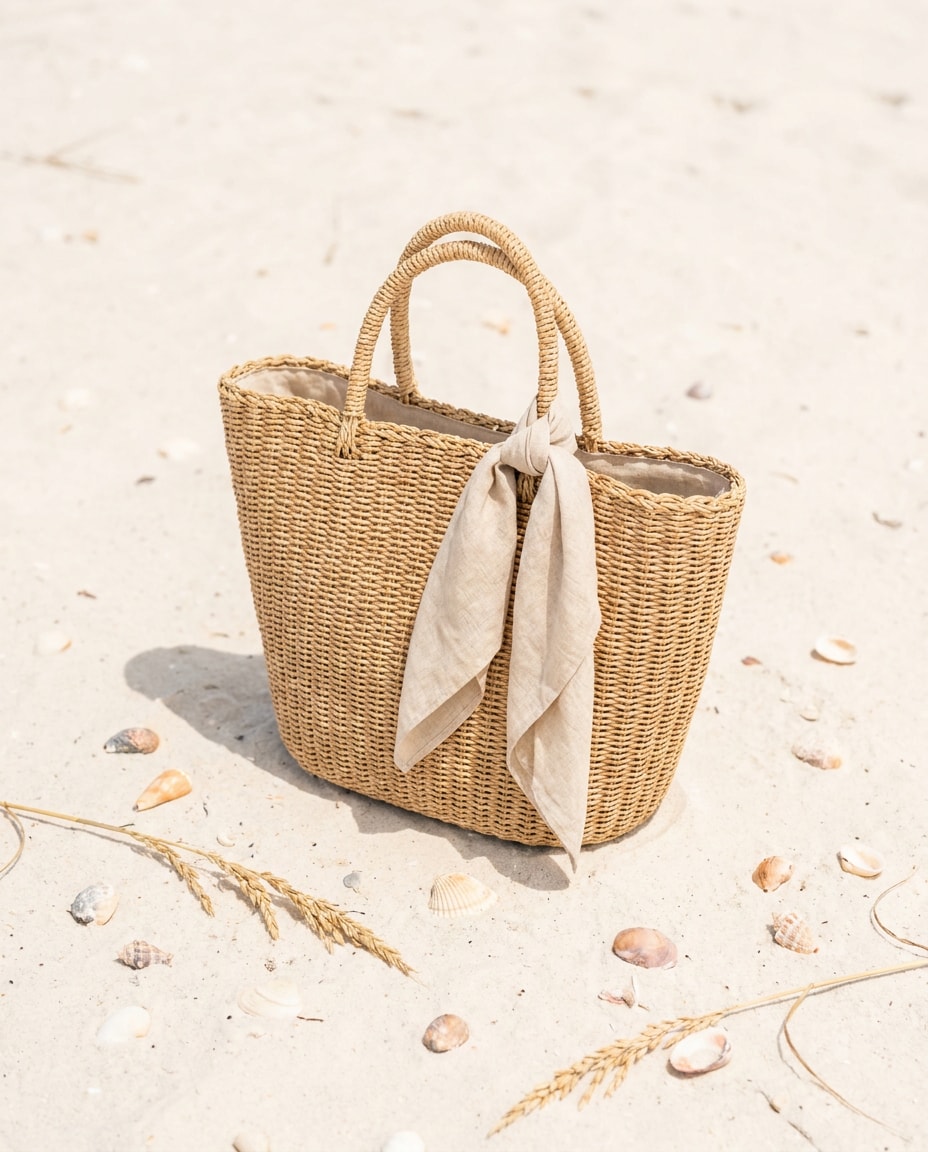
Natural woven straw beach bag with linen scarf tied to the handle, placed on pale sand with seashell accents, bright airy daylight, soft shadow, shot on Sony A7R V, 50mm, f/5.6, crisp woven texture, fresh summer color grading, photorealistic --ar 4:5
Rainy Day Waterproof
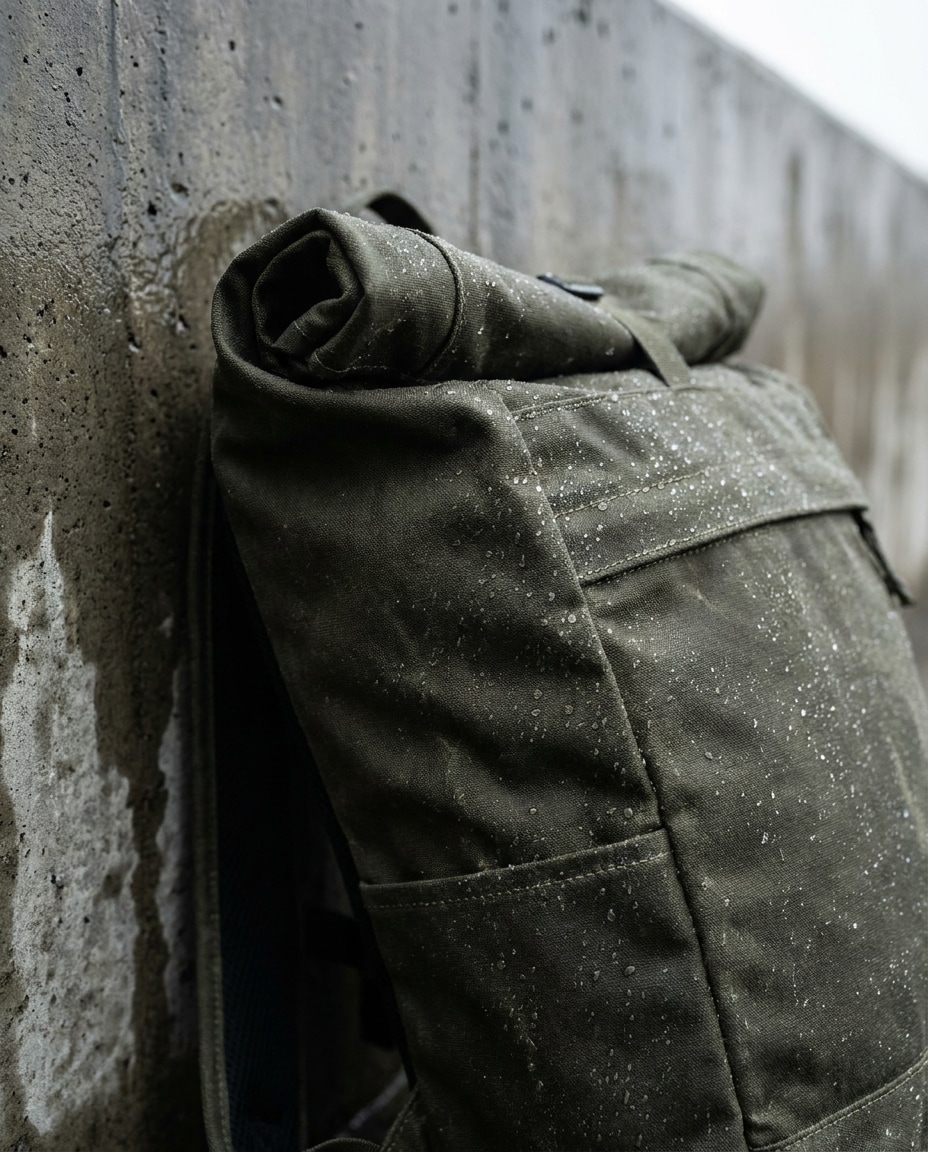
Waterproof roll-top backpack in dark olive, tiny water droplets on the fabric, placed against a wet concrete background, cinematic overcast lighting, shot on Canon EOS R3, 70mm, f/4, sharp detail on droplets and seams, realistic matte texture, rugged outdoor product photo --ar 4:5
Neon Night Crossbody
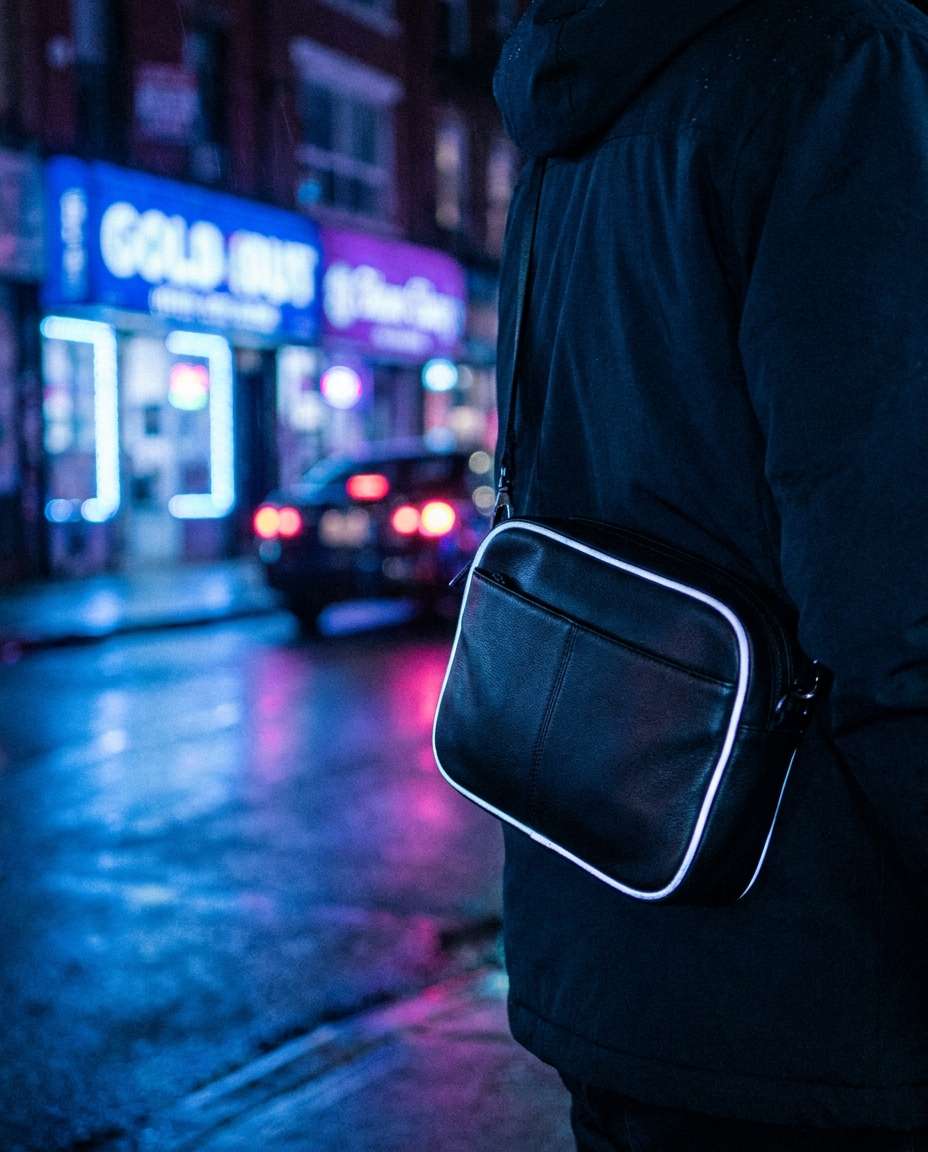
Sleek crossbody bag in black leather with reflective piping, photographed at night with neon signage bokeh behind, cool blue and magenta lighting, shot on Sony A7S III, 50mm, f/1.8, shallow depth of field, photorealistic reflections and grain, modern urban vibe --ar 4:5
Eco Recycled Material
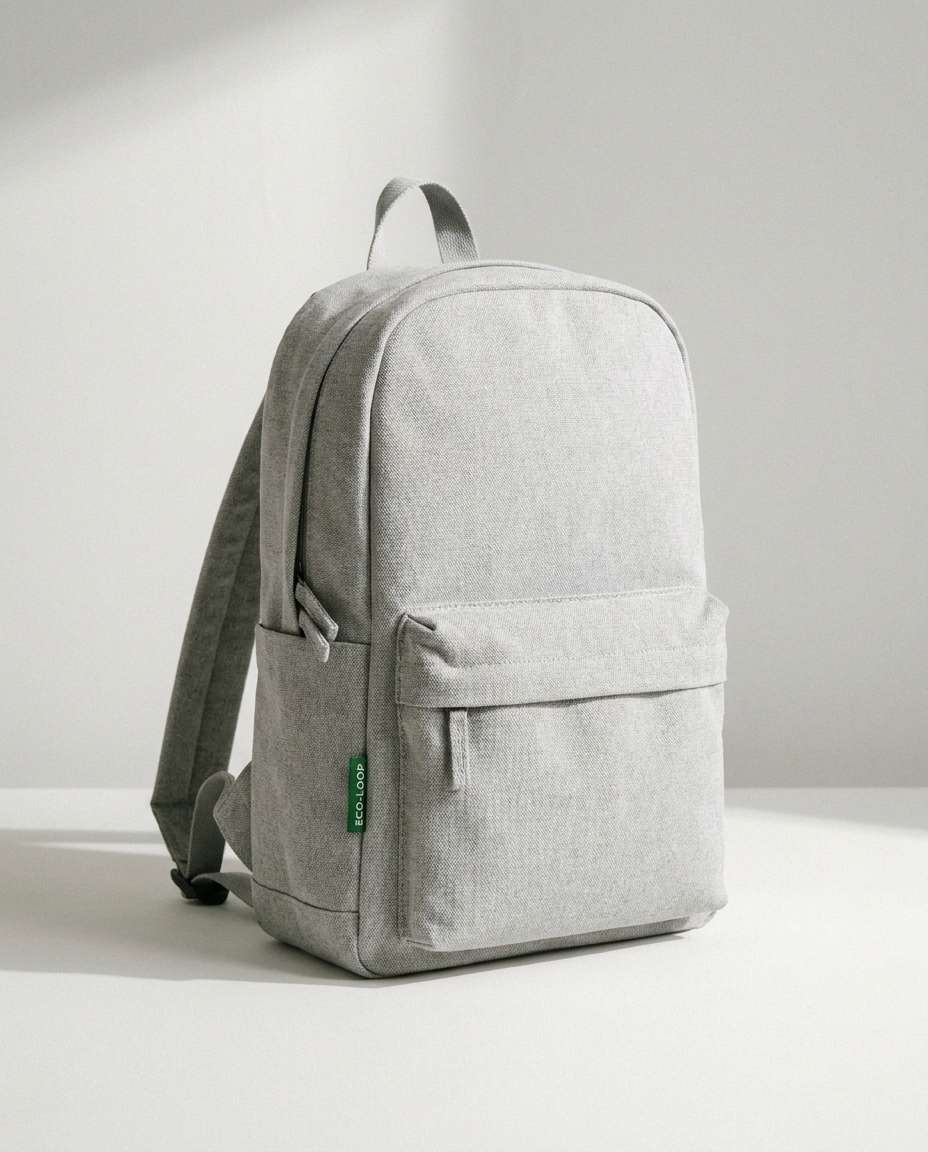
Minimal backpack made from recycled fabric in light gray, small green tag, placed on a clean studio set with soft natural shadows, shot on Fujifilm X-T5, 56mm, f/8, photorealistic textile texture, sustainable brand aesthetic, airy color grading --ar 4:5
Vintage Leather Satchel
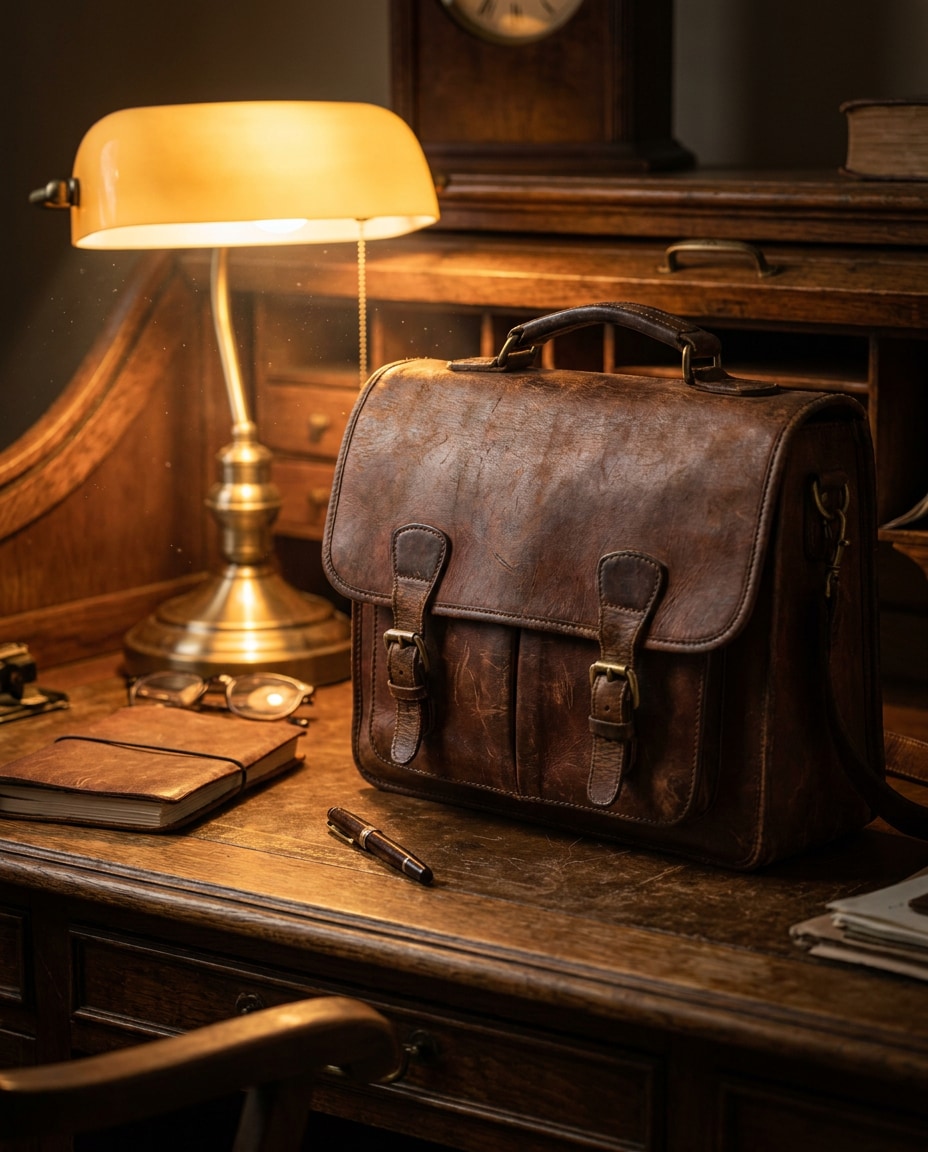
Vintage brown leather satchel with visible patina and brass buckles on an old wooden desk, warm tungsten lamp light, subtle dust particles, shot on Nikon Z8, 50mm, f/2.8, rich contrast, photorealistic wear marks, nostalgic editorial product photography --ar 4:5
Transparent PVC Bag
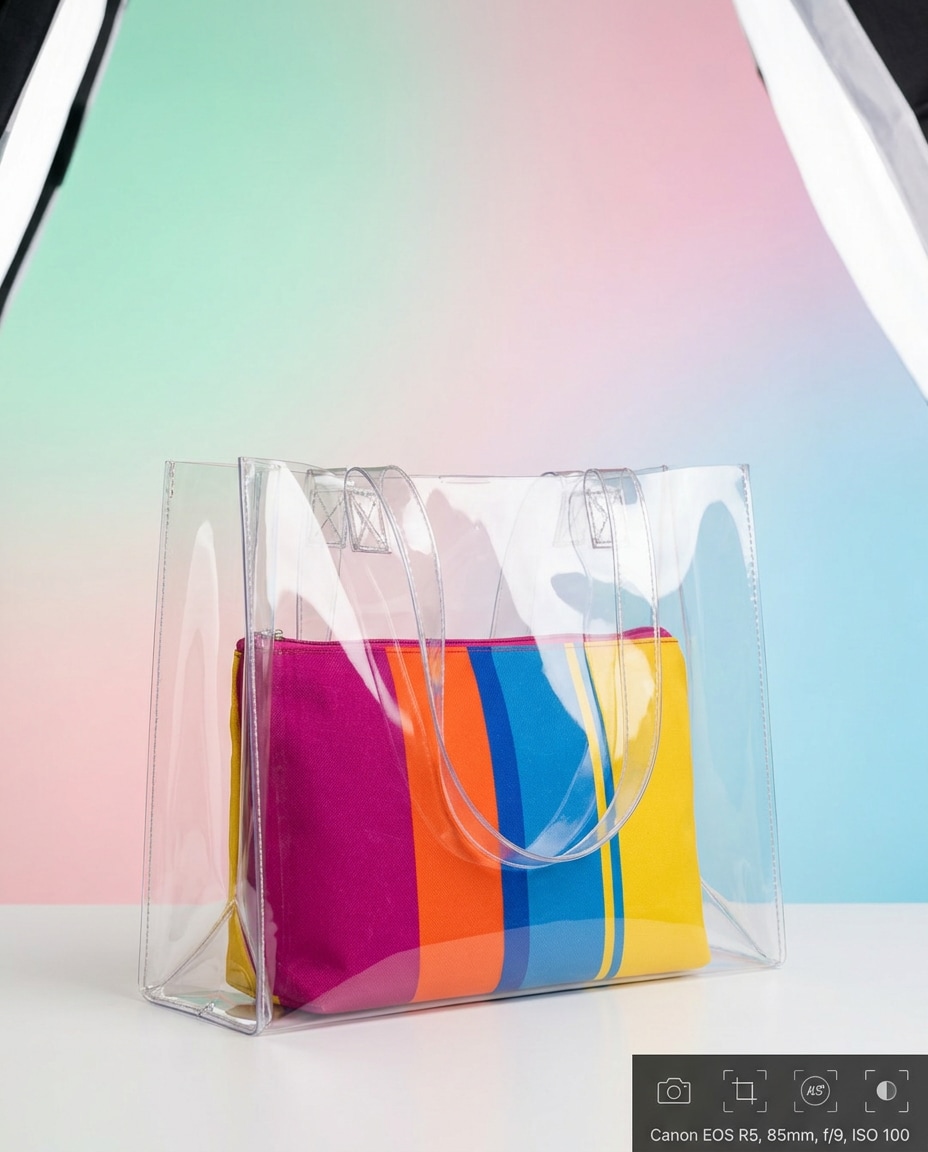
Transparent PVC bag with a colorful inner pouch, clean studio background in soft pastel gradient, controlled reflections, softbox lighting, shot on Canon EOS R5, 85mm, f/9, crisp edges and realistic plastic highlights, modern fashion product shot --ar 4:5
Gym Duffel Action
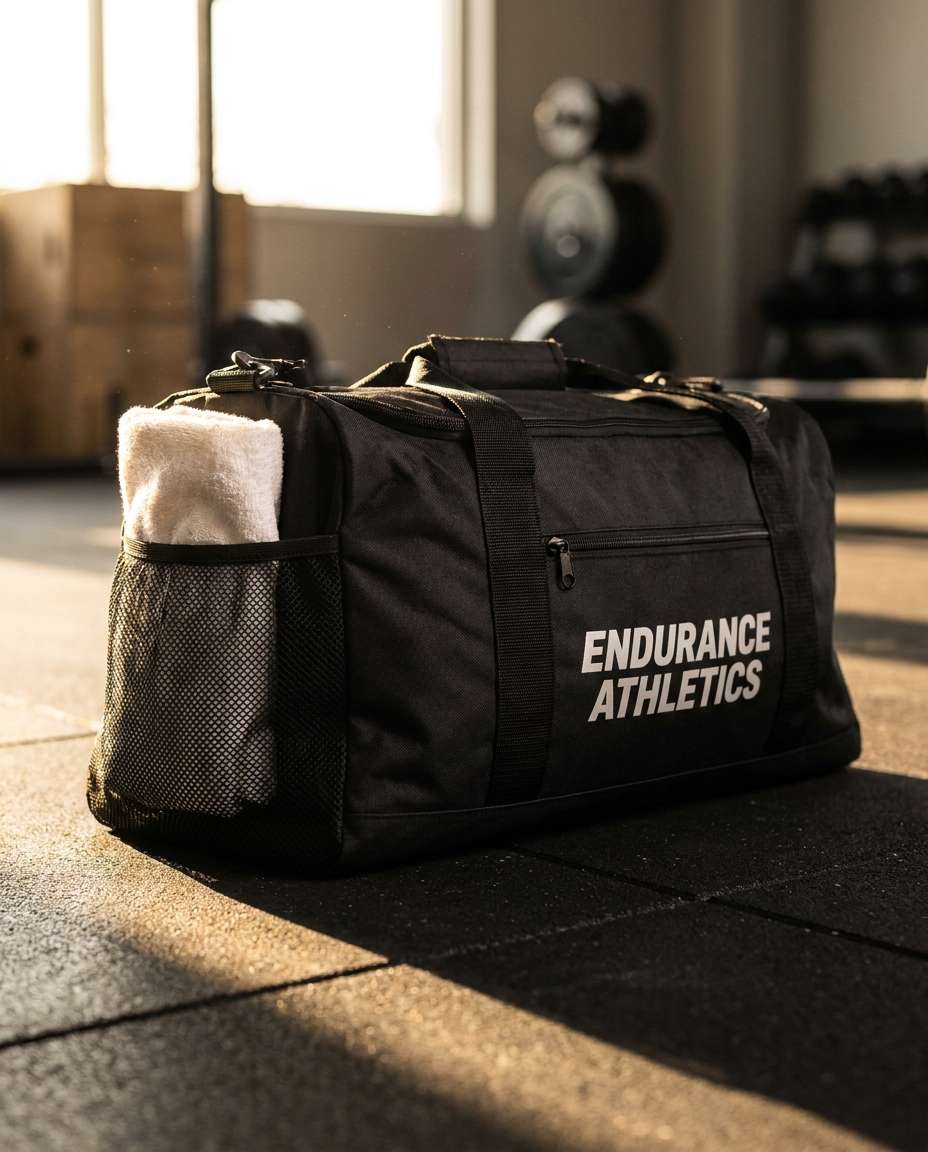
Sporty black gym duffel bag with mesh pocket and towel peeking out, placed on a rubber gym floor, dramatic side lighting, shot on Sony A1, 35mm, f/3.5, realistic materials, energetic commercial vibe, sharp branding area for print-ready ads --ar 4:5
Luxury Boutique Shelf
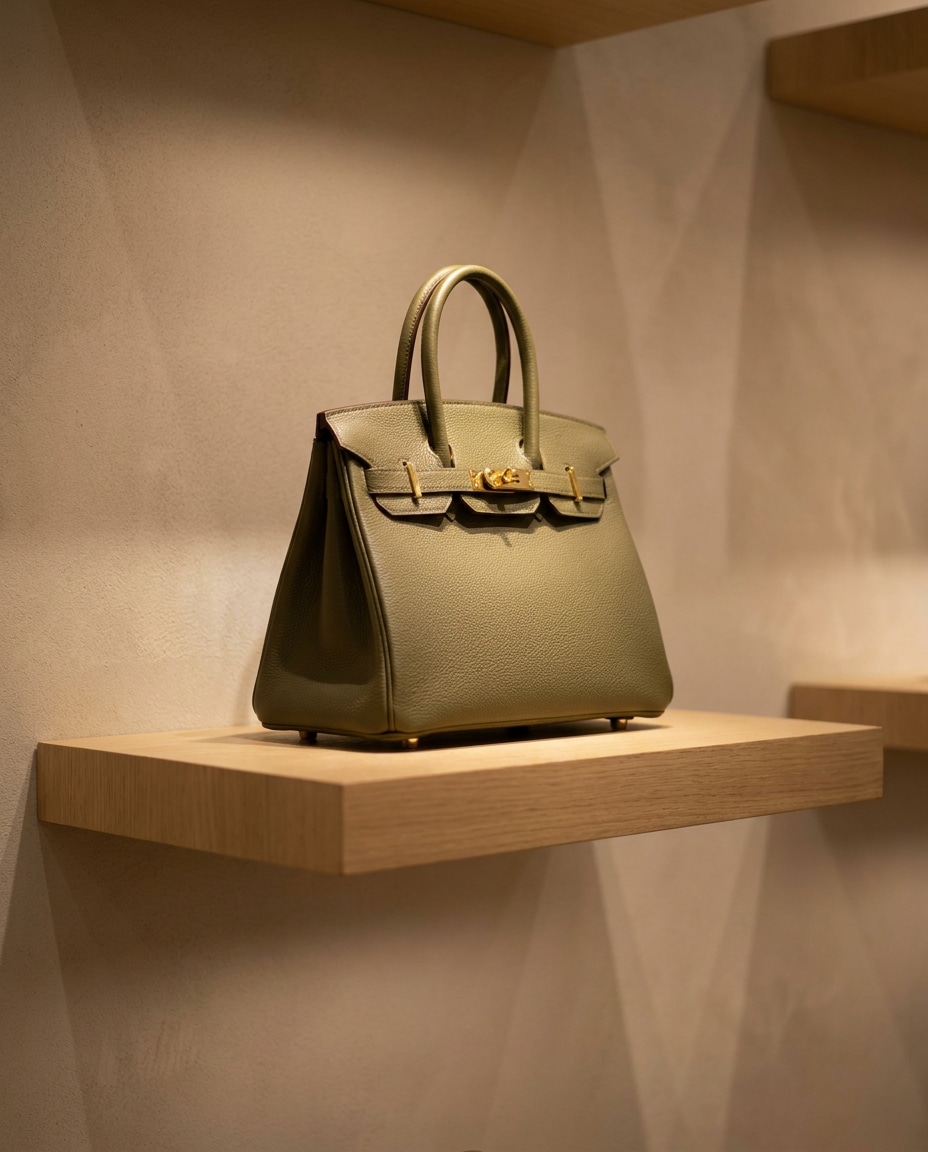
Designer-style handbag on a minimalist boutique shelf, soft spotlighting, subtle reflections on polished hardware, neutral wall background, shot on Canon EOS R6, 50mm, f/2.8, shallow depth of field, photorealistic leather texture, premium retail mood --ar 4:5
Colorway Lineup Grid
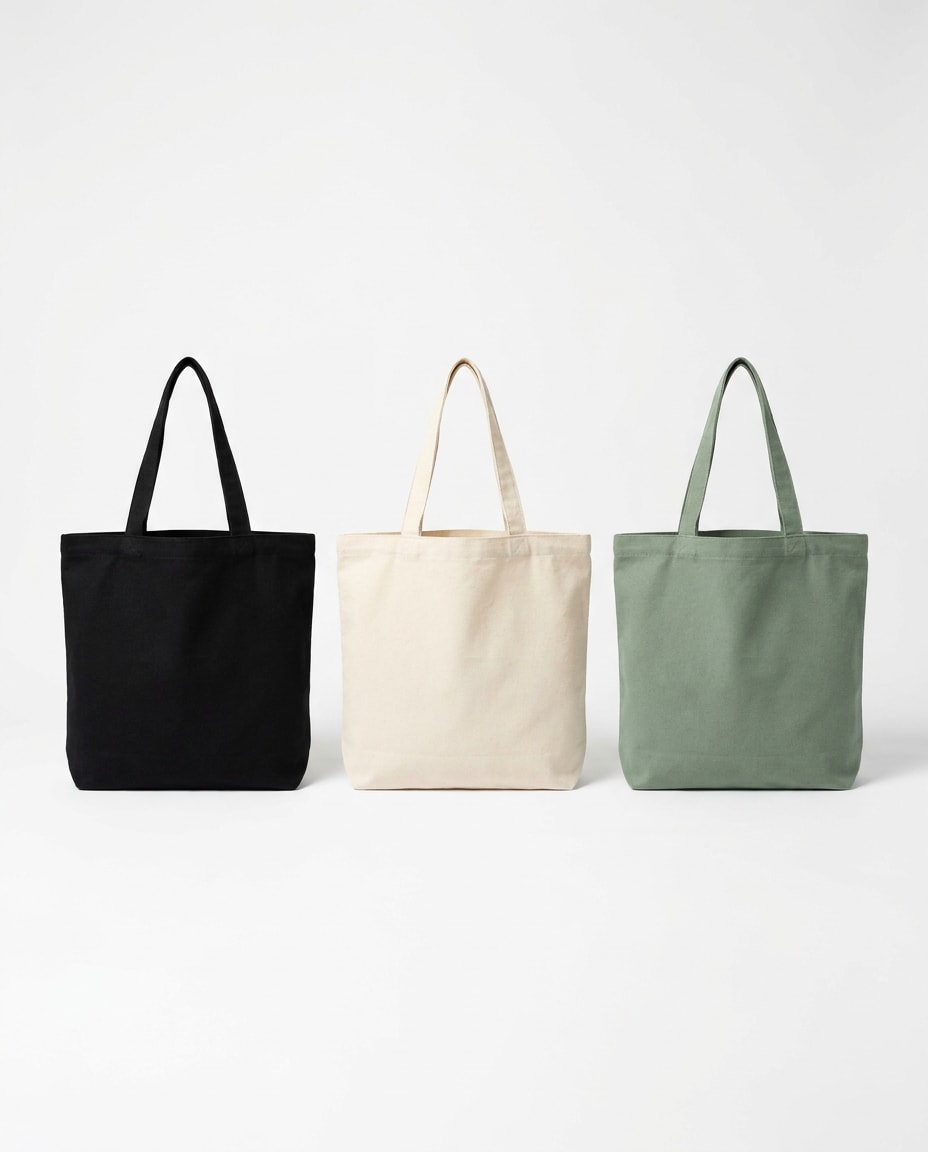
Three identical tote bags in different colorways (black, cream, sage) arranged evenly on a seamless white background, consistent studio lighting, clean shadows, shot on Sony A7IV, 70mm, f/10, photorealistic fabric weave, ecommerce comparison layout, crisp and tidy --ar 4:5
Travel Carry-On Scene
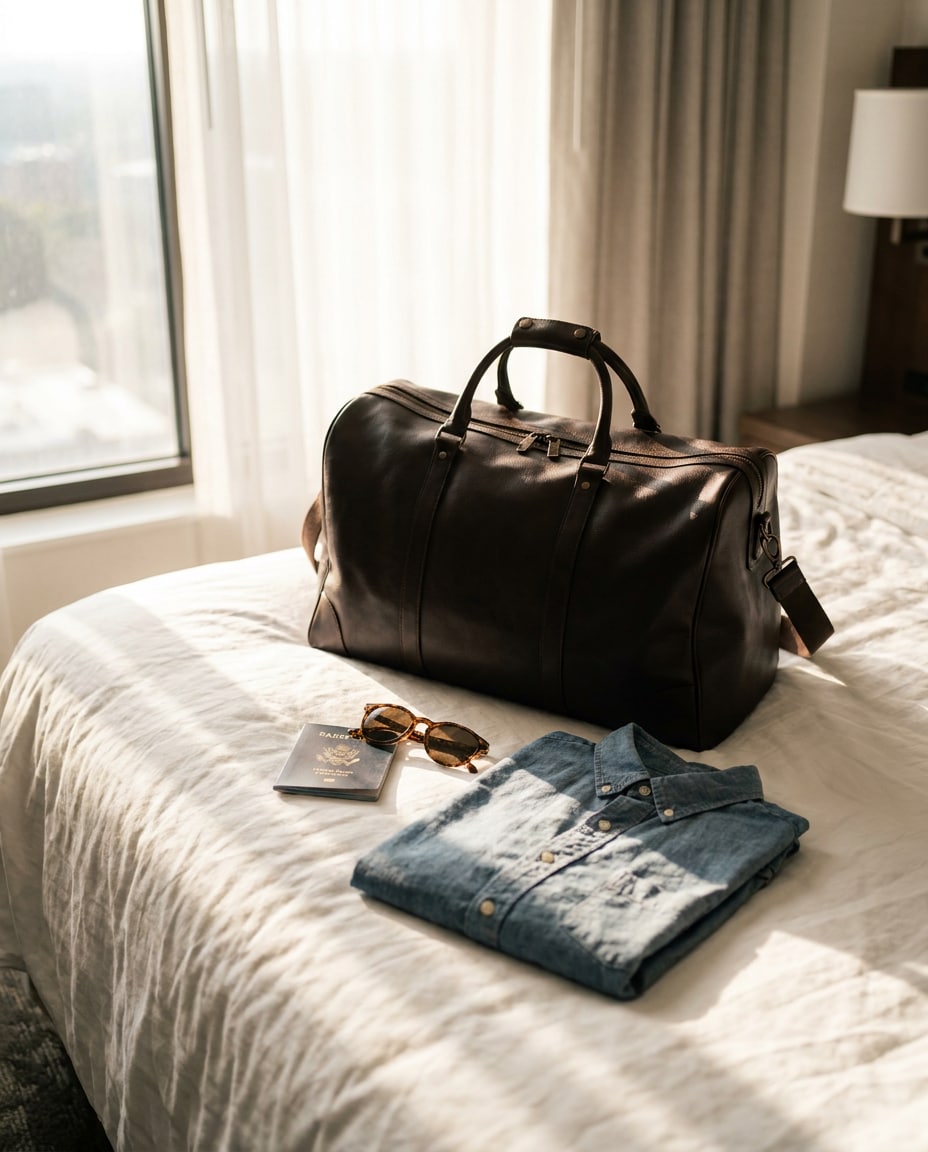
Premium travel weekender bag in dark brown leather placed on a hotel bed with a passport, sunglasses, and a folded shirt, soft morning window light, airy highlights, shot on Canon EOS R5, 35mm, f/2.8, photorealistic texture, aspirational travel aesthetic --ar 4:5
Minimal Shadow Study
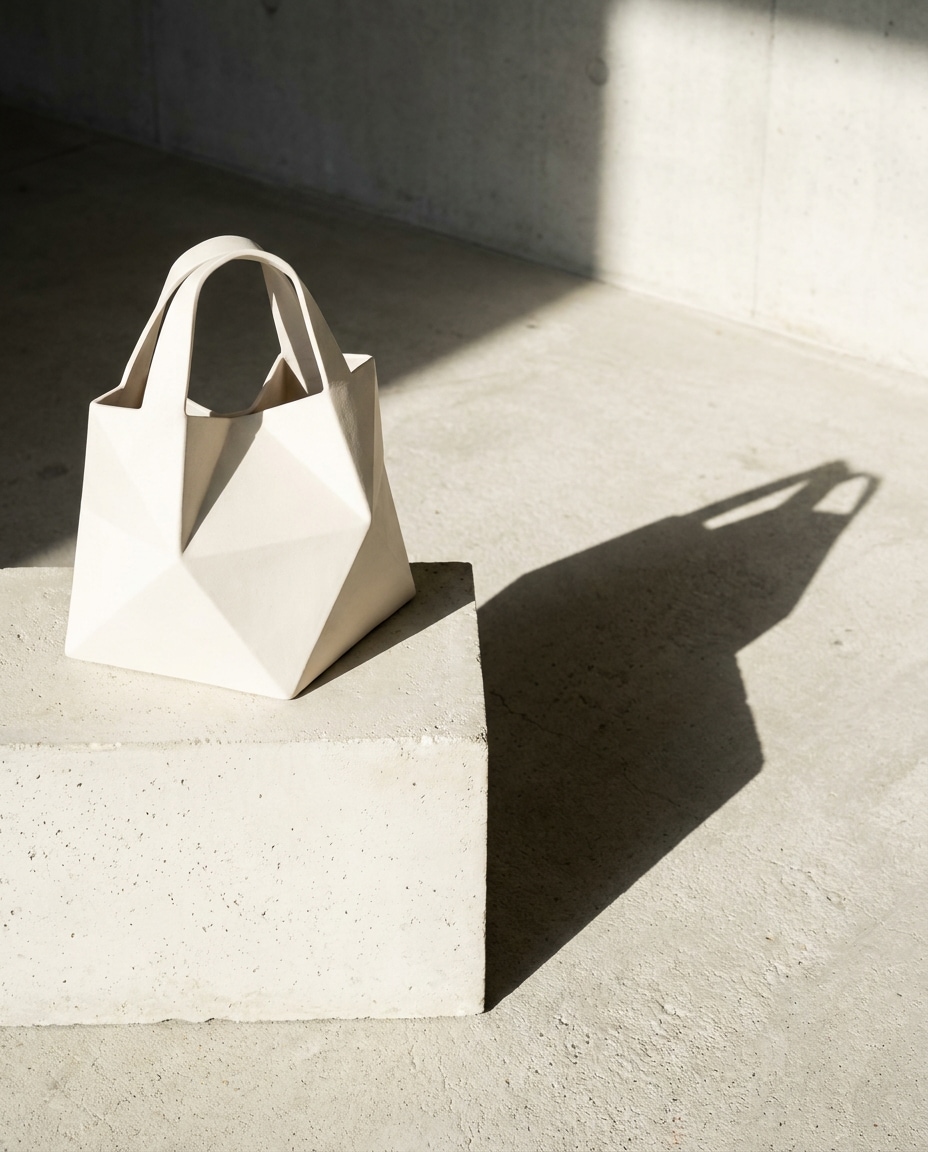
Sculptural white bag with clean geometric silhouette, placed on a pale concrete background with strong directional sunlight casting a sharp shadow, shot on Nikon Z8, 85mm, f/8, high-contrast minimalism, photorealistic matte material, gallery-like composition --ar 4:5
Leather Bag Flat Lay
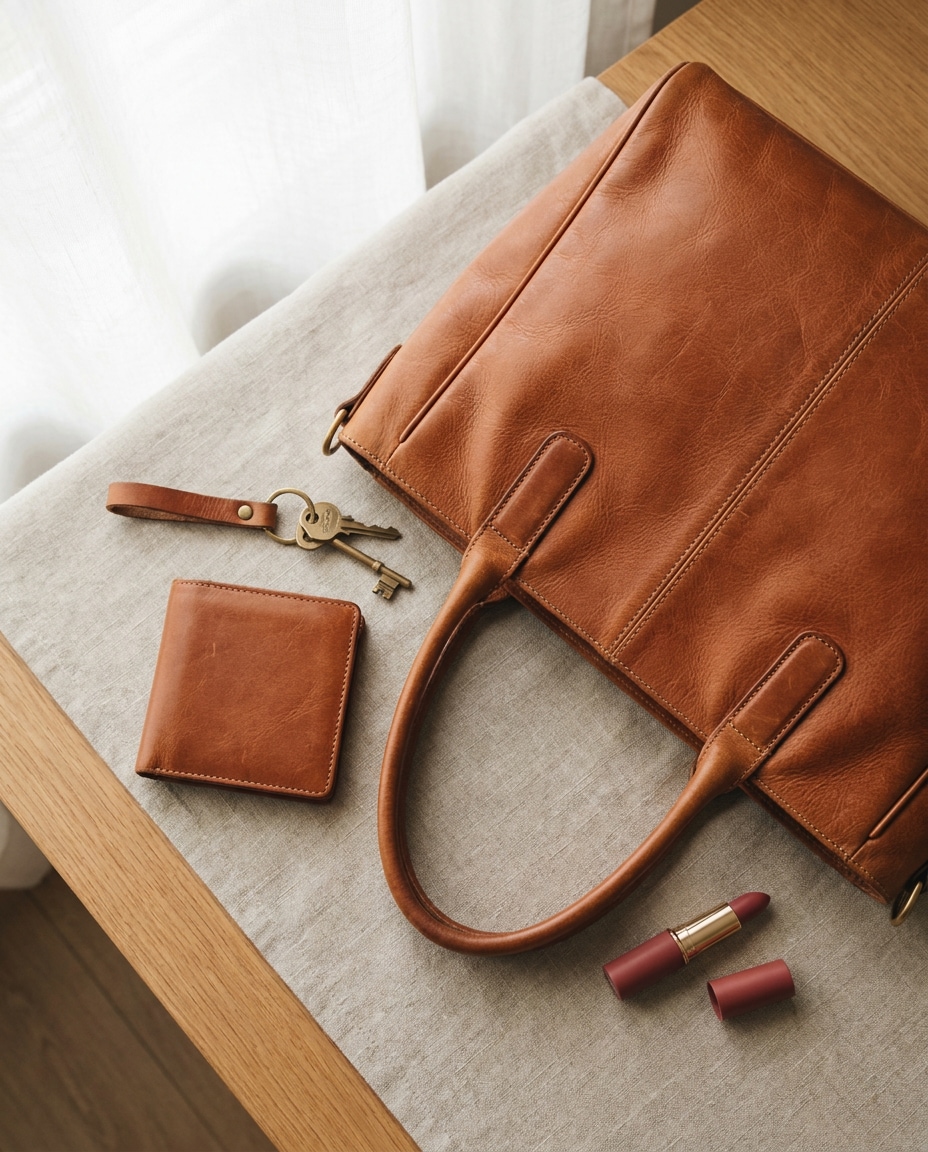
Top-down flat lay of a cognac leather handbag with wallet, keys, and lipstick neatly arranged beside it, soft natural window light, subtle warm color grade, shot on Sony A7R V, 50mm, f/5.6, realistic leather grain and stitching, clean lifestyle product photo --ar 4:5
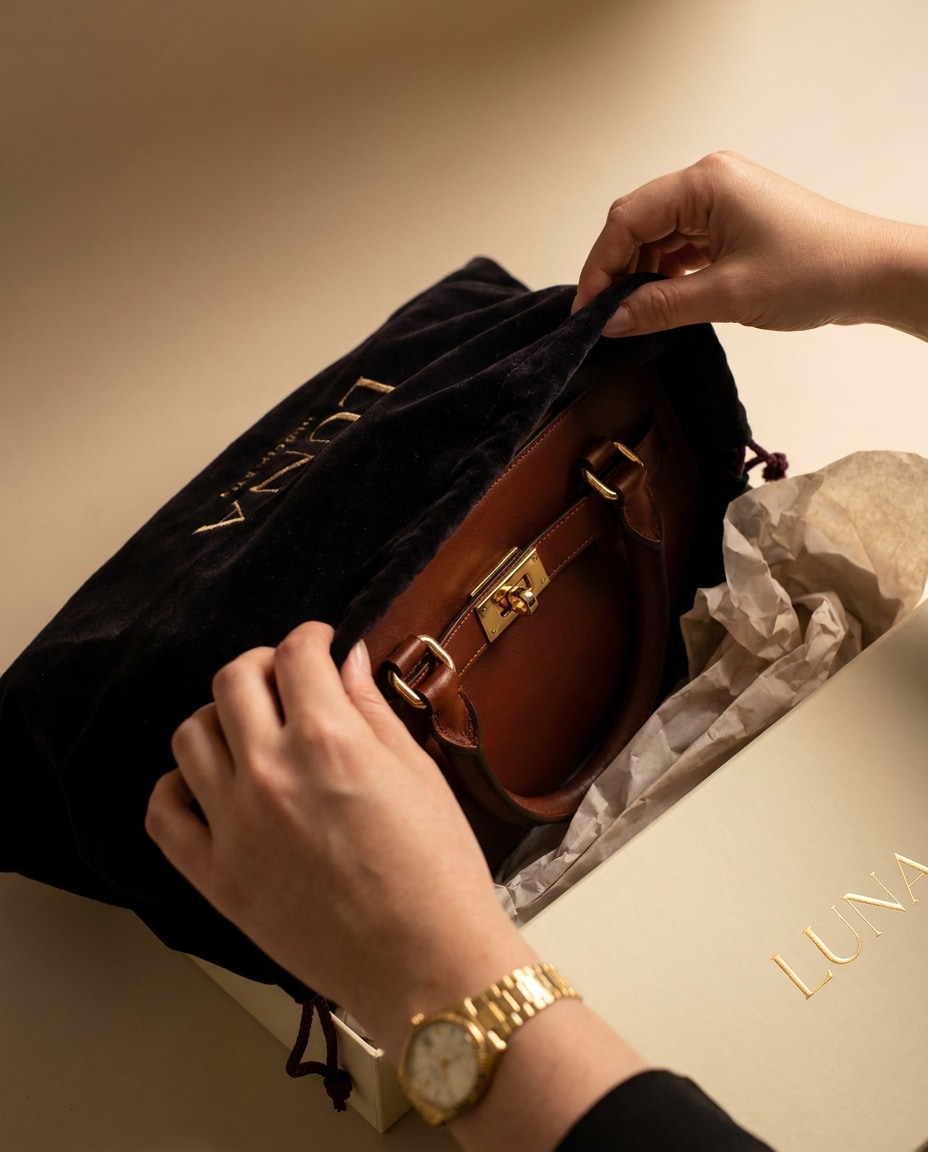
Unboxing Hands Shot
Hands opening a premium dust bag to reveal a new handbag, tissue paper and branded box visible, soft studio lighting, warm highlights on hardware, shot on Canon EOS R6, 35mm, f/2.2, photorealistic textures, satisfying unboxing composition for ads --ar 4:5
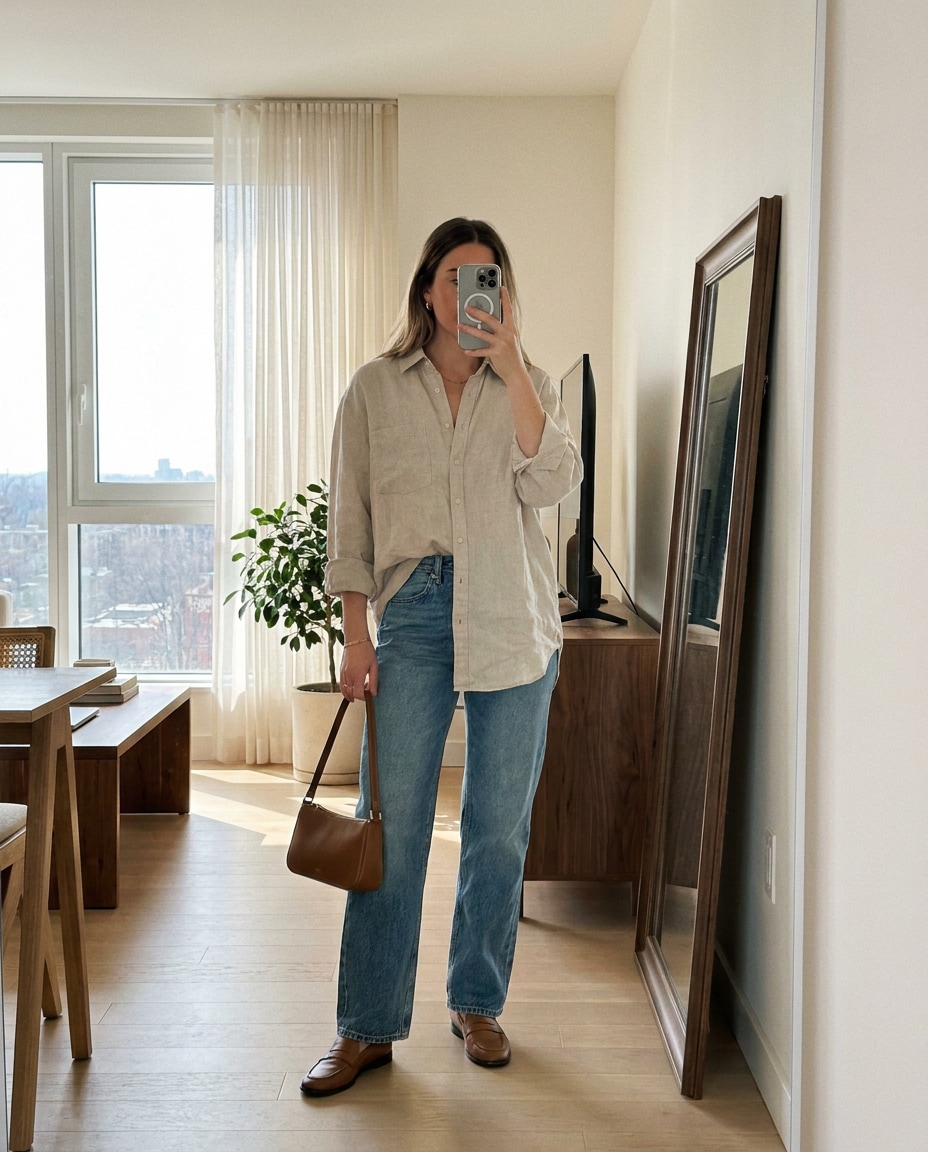
Mirror Outfit Check
Full-body mirror photo vibe: fashionable woman in a minimalist apartment holding a small shoulder bag, natural window light, clean interior, slight film grain, shot on iPhone 15 Pro style, 26mm equivalent, realistic skin and fabric, casual influencer aesthetic --ar 4:5
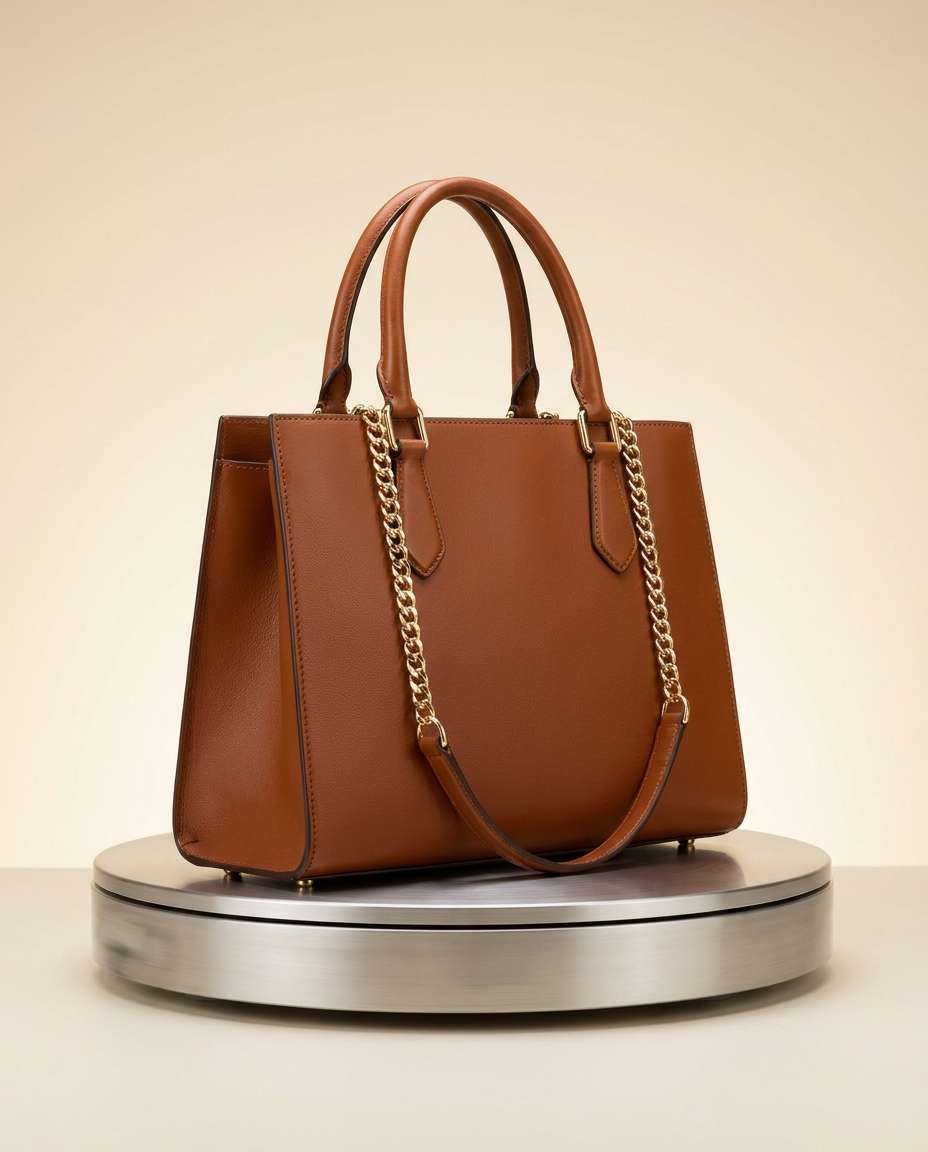
Studio Turntable Angle
Product photo of a handbag on a subtle turntable platform, soft gradient background, balanced key and fill lights, crisp silhouette, shot on Sony A7IV, 85mm, f/11, photorealistic leather texture and hardware reflections, professional ecommerce consistency --ar 4:5
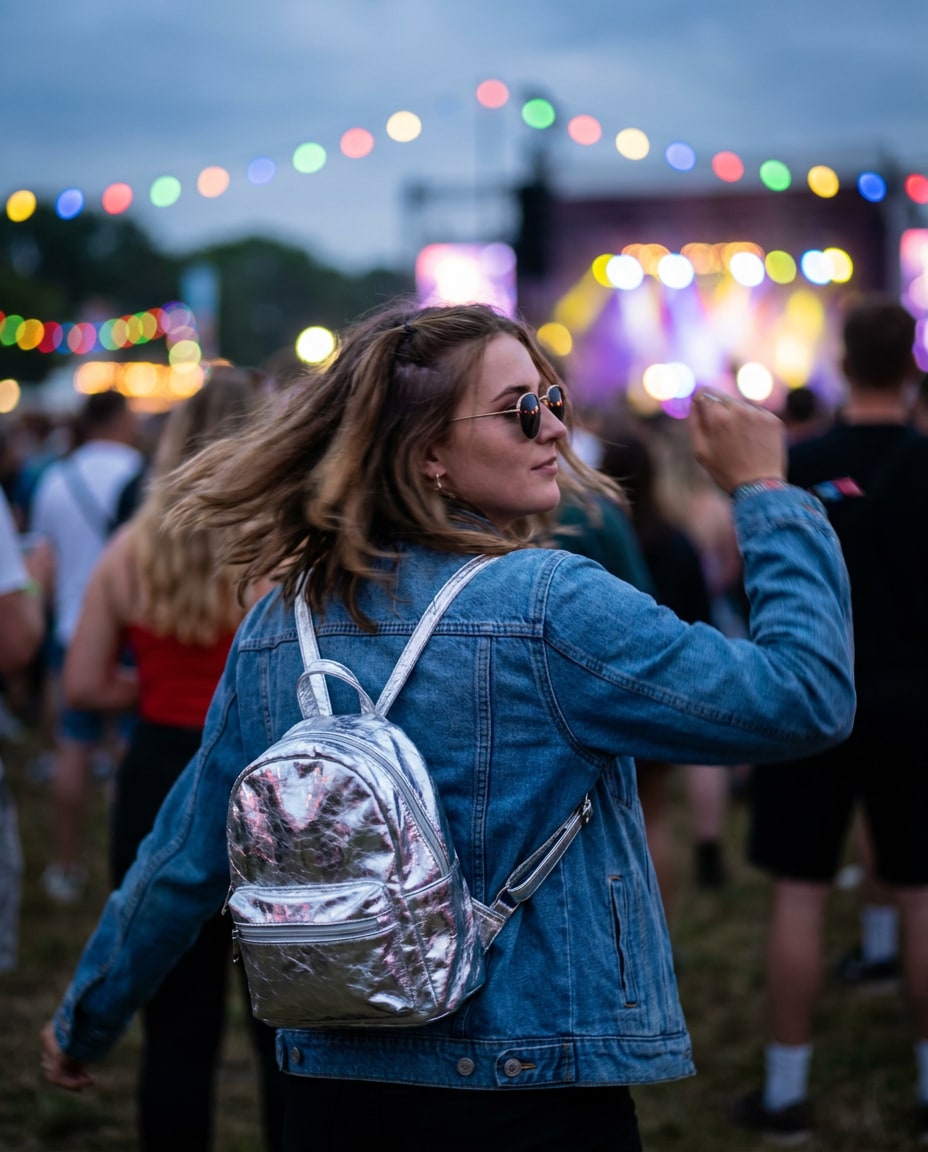
Festival Mini Backpack
Trendy mini backpack in metallic silver worn by a young woman at an outdoor music festival, colorful string lights bokeh, energetic motion blur in the background, shot on Sony A7S III, 50mm, f/1.8, candid framing, photorealistic material highlights, vibrant color grade --ar 4:5
Better bag images come from tighter details, not longer prompts. Use one of these structures, then swap materials, colors, and lighting to match your product. For quick ecommerce assets, try how to generate tote bag mockups with Gemini AI by keeping backgrounds simple and repeatable.
Recommended Prompt Formula
Subject lock: bag type, size, key features (handles, strap, pockets)
Material and finish: leather grain, nylon sheen, canvas weave, metal tone
Realism cues: camera model, lens, aperture, sharp focus, natural shadows
Prompt Tweaks That Sell
Add a single hero purpose: ecommerce listing, ad creative, or Pinterest pin.
Call out texture explicitly (pebbled leather, stitched seams, brushed metal) to avoid plastic-looking results.
Use consistent backgrounds for a full catalog: seamless white, light gray, or warm cream.
Ask for clean logo space if you plan to overlay branding later.
Control reflections on hardware with phrases like softbox highlight, subtle specular, no blown-out glare.
For lifestyle shots, describe one prop only (coffee, passport, sunglasses) to keep the bag as the star.
Why Choose Media.io for Gemini AI Bag Prompt
Create stylish Gemini AI bag visuals with luxury fashion aesthetics, premium material textures, elegant product styling, and flexible prompt control for ecommerce campaigns, designer branding, and trend-driven social media content.
Copy-Paste Prompts
Start fast with ready-to-use prompts built for bag product visuals. Each one is structured for clean lighting, realistic materials, and scroll-stopping composition, so you spend less time tweaking and more time generating variations that match your brand look.
Photo or Text Inputs
Upload a reference image to keep shape and details consistent, or generate from text when you are exploring new concepts. This flexibility is ideal for Gemini AI bag design prompt ideas, from first sketches to polished listing-ready shots.
Ecommerce-Ready Style
Get crisp edges, true-to-life textures, and consistent backgrounds that fit storefronts and marketplaces. Generate hero angles, flat lays, and macro hardware shots that look like professional catalog photography without booking a studio.
Fast Iteration Loop
Change one variable at a time: colorway, backdrop, or lighting. Media.io makes it easy to iterate until the image matches your brief, whether you are testing a new collection or creating ad creatives for a drop.
FAQs About
Gemini AI Bag Prompt
1. How do I use a Gemini AI bag prompt to create product photos?
Pick a prompt that matches your goal (studio, flat lay, or lifestyle), then paste it into your generator and specify bag type, material, and lighting. In Media.io, you can also upload a reference photo to keep the same silhouette and details while changing backgrounds and styling.
2. What makes a bag prompt look realistic instead of AI-made?
Realism comes from texture and lighting control. Call out leather grain, stitching, and hardware reflections, then specify softbox or window light plus a clean shadow under the bag. Adding camera details (85mm, f/8) also helps keep proportions and sharpness believable.
3. Can I create a luxury handbag listing image with Gemini AI?
Yes. Use a Gemini AI prompt for luxury handbag product photo that asks for a seamless background, balanced studio lighting, and crisp focus on stitching and hardware. If you have a real product shot, upload it as a reference so the generated image stays closer to the exact design.
4. How can I generate tote bag mockups for branding and logos?
For how to generate tote bag mockups with Gemini AI, keep the prompt minimal: blank canvas tote, clean studio lighting, and space on the front panel for print. Request a straight-on angle and even shadows so your logo overlay looks natural and consistent across multiple colorways.
5. Do I need to upload a photo for a Gemini AI bag prompt to work?
No. Text-only prompts can generate new bag concepts and scene ideas from scratch. Uploading a photo is helpful when you need consistency for a real product, like the exact handle shape or pocket placement, especially for ecommerce catalogs and repeatable ad variations.
Why Creators Love Media.io's Gemini AI Bag Prompt?
Alex M.
Photographer
Ultra Realistic Results.
I used these bag prompts to create visuals that looked like real photography. The lighting, textures, and colors felt incredibly natural.
Maya J.
Designer
Perfect Lighting & Detail.
The prompts produced cinematic compositions and soft lighting, making every image feel like a professional shoot.
Jordan P.
Creator
Perfect for Social Media.
I used these prompts to create viral content. It's fast, easy, and consistently produces stunning visuals.