














Popular Whoosh Sound Effects Library

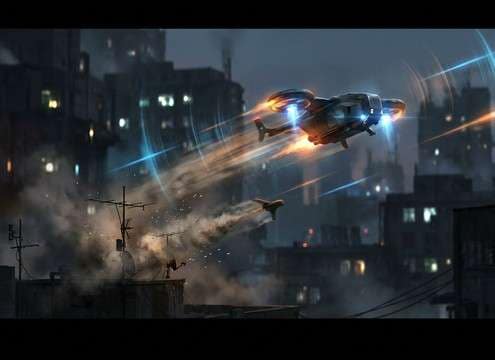
These whooshes are designed for real cuts: quick attacks for swipes, smoother decays for transitions, and stereo motion for fly-bys. Download as-is or copy the prompt to generate alternate speed, tone, and width.

How to Generate Your Own
Whoosh Sound Effects

Cannot find the perfect whoosh sound effect you need? Generate custom AI whoosh audio effortlessly. Describe the style, such as short clean cue, cinematic hit, subtle background layer, branded UI alert, and Media.io AI builds tailored whoosh sound effects instantly. No audio editing experience needed. Turn your concept into a royalty-free, high-quality downloadable WAV whoosh clip in under 60 seconds.

1

Describe the whoosh

Type or paste a prompt for the motion you want, like fast swipe, sword pass, reverse pull-in, or wide stereo flyby, plus tone and tail.

2

Pick duration and variations

Choose 5s, 10s, or 20s, then set how many options you want generated so you can compare different speeds and textures.

3

Generate and preview

Click Generate, listen to each result, and keep the whoosh with the best transient, decay, and stereo movement for your cut.

4

Download WAV and use

Download the WAV file and drop it into your timeline, game engine, app UI, podcast edit, or commercial project.

What Can You Use These Whoosh Sound Effects For?

Creators in every field are using our royalty-free audio to set the perfect mood.

Whoosh swipe sound for a video transition cut

Video transition swipes

Sell hard cuts, whip pans, and slide transitions with short attacks and controlled tails that do not smear the next shot.

Whoosh sound for sword swing and weapon pass

Sword and weapon

Create fast passes with sharper transients and brighter midrange to match blade motion without sounding like wind noise.

Whoosh sound synced to a fast camera whip pan

Camera whip moves

Match speed ramps and motion blur with wide stereo whooshes that peak exactly on the frame change.

UI swipe whoosh sound for app interface

UI swipe interactions

Add subtle swishes for menus, cards, and page turns using low masking whooshes that sit under taps and clicks.

Magic projectile whoosh sound passing by

Magic spell fly-bys

Generate airy, shimmering passes or darker low-end rushes to sell projectile travel and energy movement.

Whoosh sound for a fast ball flyby in sports

Sports ball fly-bys

Accent fast throws, kicks, and near-miss moments with short, clean whooshes that do not overpower crowd audio.

Cinematic whoosh for product reveal sweep

Product reveal sweeps

Support logo wipes and pack shots with cinematic passes that have smooth decay and mix-ready levels.

Distant flyby whoosh sound for drone pass

Drone and object

Build believable movement cues with distance-aware whooshes, from close flyovers to far pass-bys with lighter transients.

Why Choose Media.io for Whoosh Sound Generator?

See exactly why creators, developers and studios choose our AI audio generator over all others.

Prompt controls for a whoosh sound generator

Prompt control for speed and tone

Dial in fast swipes, heavy rushes, reverse pulls, or soft UI swishes by describing attack, pitch, and tail in plain text.

Multiple whoosh variations generated for one transition

Variations for the same cut

Generate multiple options at once so you can pick the whoosh with the best transient shape and decay for your exact edit timing.

Stereo panning whoosh for flyby motion

Stereo motion that reads

Ask for centered, wide, or left-to-right movement so fly-bys feel directional without distracting from dialogue or music.

Preview and regenerate whoosh sounds for a timeline

Preview-first resource workflow

Audition ready-made whooshes quickly, then reuse the prompt to regenerate a tighter or longer version when the cut changes.

Clean tail whoosh sound for mix-ready transitions

Mix-friendly, clean tails

Get whooshes with controlled decay and minimal noise so they sit under VO, impacts, and UI clicks with less cleanup.

Fast WAV export from a whoosh sound generator

Whoosh Sound Generator for quick exports

Move from prompt to downloadable WAV fast, making it easy to iterate when you need a different length or intensity.

How to Choose and Prompt Whooshes That Feel On-Screen

A good whoosh is not just wind. It is a motion cue with a specific attack, pitch path, and tail length that matches what the viewer sees. Use these tips to pick the right library clip or write a prompt that nails UI swipes, sword passes, camera whip transitions, and fly-bys without harsh hiss or muddy low-end.

Start with the motion and timing

Describe what is moving and how fast it travels across frame. Faster motion needs a sharper transient and shorter decay, while slower wipes need a smoother rise and longer tail.

  • Use words like snap, whip, glide, or sweep to shape the attack
  • Call out the timing target: hit on cut, lead-in, or trail-out
  • Ask for a tight ending if the next shot starts with dialogue

Pick the texture: air, cloth, or sci-fi

Whooshes can be airy, cloth-like, metallic, or synthetic. The texture should match the object and the visual style of the scene.

  • Airy whooshes work for UI swipes and clean motion graphics
  • Cloth or body swishes fit character moves and close passes
  • Synthetic shimmer fits magic or energy fly-bys without sounding like wind

Control space, distance, and stereo width

Perspective sells realism. Close whooshes are brighter and more detailed; distant passes are softer with less bite. Stereo width should match the camera move and the mix.

  • Request narrow stereo for subtle edits and wide stereo for whip pans
  • Ask for distant perspective when the object is far from camera
  • Keep tails short in small scenes to avoid fake room buildup

Avoid common whoosh problems

A bad whoosh distracts. Prevent harsh sibilance, clicks, or overpowering low-end by stating what you do not want in the prompt and by choosing the right duration.

  • Avoid hiss and digital fizz by asking for clean highs, no distortion
  • Avoid boomy low-end by requesting controlled bass and no rumble
  • Avoid abrupt clicks by asking for smooth fade and no hard cut

Frequently Asked Questions About
Whoosh Sound Effects

Everything you need to know before downloading or generating your first sound.

Can I download whooshes as WAV files?

Yes. After you preview a result you like, you can download it as a WAV file and drop it straight into your editor or audio tool.

Are these whoosh sound effects royalty-free for commercial use?

Media.io provides royalty-free downloads for many assets and generations, but the exact usage terms can vary by plan and page. Check the license note shown at download time for your project needs.

Which length should I choose: 5s, 10s, or 20s?

Use 5s for quick swipes, sword passes, and tight cuts. Use 10s for bigger transitions or layered sweeps. Use 20s for longer risers and montage-style motion beds.

How do I make a whoosh feel like a sword swing instead of a UI swipe?

Prompt for a sharper transient, more midrange bite, and a tighter tail, and avoid words like soft or whispery. For UI, ask for softer attack, lower masking, and minimal low-end.

Are these whoosh sound effects free to download?

Yes. You can preview and download the AI-generated whoosh sound effects as WAV files and use them in personal or commercial projects.

Can I copy the prompt used for each sound?

Yes. Open any sound row to view the prompt, copy it, adjust the wording and generate a custom variation that better matches your scene.

Related Free Sound
Effect Categories

Explore other AI-generated sound libraries from Media.io

sound

Rain Sound Effects

10+ free sounds
sound

Thunder Sound Effects

10+ free sounds
sound

Farts Sound Effects

10+ free sounds
sound

Car Crash Sounds

10+ free sounds
sound

Explosion Sound Effects

10+ free sounds
sound

Gunshot Sound Effects

10+ free sounds
sound

Pistol Sound Effects

10+ free sounds
sound

AI Horror Sound Effects

10+ free sounds
sound

AI Forest Sound Effects

10+ free sounds
sound

AI Dog Whistle Sound

10+ free sounds
sound

AI Ding Sound

10+ free sounds
sound

Phone Ring Sound

10+ free sounds
media.io

AI Video Generator star

Easily generate videos from text or images

Generate
