












Popular Zap Sound Effects Library

Start with these scene-ready zaps, then tweak pitch, intensity, stereo width, and tail length by regenerating with your own prompt. Each card is tuned for a different edit moment, from a single-frame hit to a longer electrical sustain.

How to Generate Your Own
Zap Sound Effects

Cannot find the perfect zap sound effect you need? Generate custom AI zap audio effortlessly. Describe the style, such as short clean cue, cinematic hit, subtle background layer, branded UI alert, and Media.io AI builds tailored zap sound effects instantly. No audio editing experience needed. Turn your concept into a royalty-free, high-quality downloadable WAV zap clip in under 60 seconds.

1

Write your zap prompt

Type what you need, like laser zing, electric arc, UI click-zap, or a distant spark with a soft tail. Add details like sharp transient, noisy crackle, or wide stereo.

2

Choose length and variants

Select a duration of 5s, 10s, or 20s, then set how many variations to generate so you can compare intensity, pitch, and decay.

3

Generate and preview

Click Generate to hear multiple options. Preview each result and keep the version that matches your timing and the brightness or grit you want.

4

Download WAV and use

Download your chosen zap as a WAV file and drop it into edits, apps, games, trailers, podcasts, or commercial projects.

What Can You Use These Zap Sound Effects For?

Creators in every field are using our royalty-free audio to set the perfect mood.

Laser blaster zap sound effect for sci-fi shots

Laser blaster hits

Cut a center-panned zing for single shots, or widen stereo for a charged blast. Short tails keep rapid fire from smearing the rhythm.

UI zap sound effect for button press feedback

UI and app

Use a clean transient with restrained highs so the zap reads at low volume. Great for toggles, unlocks, confirmations, and error taps.

Magic spell zap sound effect for fantasy impact

Magic spell impact

Add a pitch sweep and a sparkly tail for wand hits, curses, or shields. Regenerate variations to match the visual color and timing.

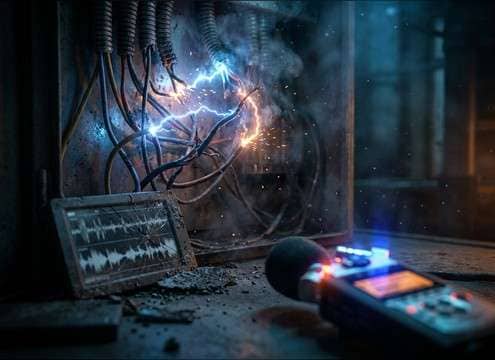
Electric arc zap sound effect for hazard warning

Electric hazard moments

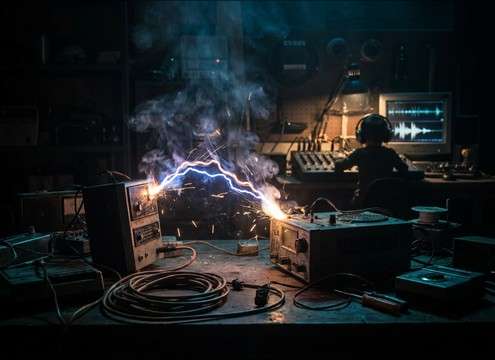
Arc shocks and crackle beds sell exposed wiring, short circuits, or electrified fences. Choose harsher attacks for danger beats.

Cartoon zap sound effect for comedic gag

Comedic zap gags

Cartoon zaps with exaggerated bends land well on pranks, stun moments, or slapstick transitions. Keep the decay short for punchlines.

Teleport portal zap sound effect for scene transition

Teleport or portal

A rising energy surge followed by a tight snap can mark vanish and reappear edits. Use a longer tail only when the shot holds.

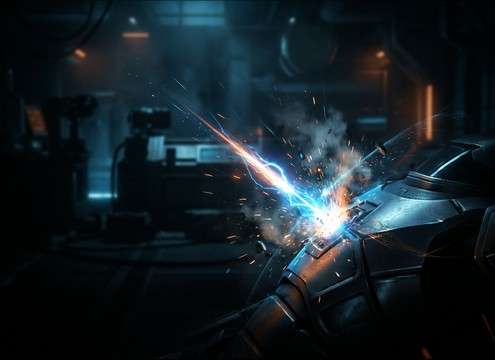
Robot repair spark zap sound effect in workshop

Robot repair sparks

Light crackles with small pop debris fit soldering, servos, and damaged panels. Softer transients work under dialogue without masking.

Arcade pickup zap sound effect for power-up reward

Arcade pickup stingers

Short, bright zaps help coins, power-ups, and combo rewards feel responsive. Generate multiple pitches to map different item tiers.

Why Choose Media.io for Zap Sound Generator?

See exactly why creators, developers and studios choose our AI audio generator over all others.

Prompt control for zap sound generator

Zap Sound Generator with prompt control

Describe laser, electricity, plasma, or comic zaps in plain language and steer pitch, brightness, grit, and tail length without manual synthesis.

Preview variations of zap sound effects

Fast A B preview before download

Preview multiple takes side by side to choose the tightest transient, the cleanest decay, or the widest stereo version for your edit point.

Regenerate zap sound variations with AI

Regenerate variations on demand

Keep the same idea but change intensity or texture: softer sparks, harsher arc bite, or a smoother laser tone for different scenes.

Select duration for generated zap sounds

Choose 5s, 10s, or 20s timing

Match your cut with short hit zaps, medium sustains, or longer power surges. No need to stretch audio that introduces artifacts.

Clean transient zap sound for mixing

Mix-friendly, low-mess transients

Generate options with cleaner starts and controlled high end so your zap reads clearly without harsh clipping or unwanted clicks.

Download WAV from zap sound generator

Download-ready WAV for workflows

Export WAV files that drop into NLEs, DAWs, and app pipelines, making it easy to implement zaps for UI, scenes, and transitions.

A Practical Guide to Choosing and Prompting Zap SFX

Zaps can read as lasers, electricity, UI feedback, or comedy depending on transient shape, pitch motion, and tail texture. Use the library to find a close match, then prompt for controlled changes like sharper attack, reduced hiss, wider stereo, or a longer crackle sustain. The goal is to hit the exact frame while keeping the high end listenable.

Pick the action: hit, burst, or sustain

Start by matching the on-screen motion. A single-frame impact wants a tight snap. A weapon shot wants a zing plus a tiny tail. A damaged cable wants a continuous crackle that stays consistent until it ends.

  • For quick cuts, prompt: sharp transient, short decay, no pre-roll
  • For charged shots, prompt: fast attack plus a brief fizz tail
  • For arcing power, prompt: sustained crackle texture with a tapering end

Shape pitch and tone to fit the world

Pitch direction and harmonic content sell the category. Lasers often feel cleaner with a focused tone. Electricity can be noisier with sizzling highs. Comic zaps lean into obvious pitch bends.

  • Laser: bright, smooth, narrowband zing, minimal noise
  • Electric: gritty crackle, sizzling top, irregular micro pops
  • Comedy: exaggerated pitch sweep and a playful short ring-out

Control tail, space, and stereo width

Tail length decides how much the zap smears into the next beat. Space decides whether it feels close or off-screen. Stereo width helps big moments feel larger, but can fight center dialogue if overdone.

  • Close-up hit: dry, minimal room tone, tight tail
  • Off-screen or hallway: subtle reflections and softer transient
  • Big power moment: wider stereo bloom, then controlled decay

Avoid the common zap mistakes

The fastest way to ruin a zap is making it painfully bright or too long for the edit. If it masks speech or music, regenerate with less hiss, less top end, or a shorter tail rather than pushing heavy EQ.

  • If it sounds piercing, prompt: smoother highs, less hiss, less distortion
  • If timing feels late, prompt: faster attack, no fade-in, tighter start
  • If it muddies the mix, prompt: shorter decay and less noise bed

Frequently Asked Questions About
Zap Sound Effects

Everything you need to know before downloading or generating your first sound.

Can I download zap sound effects as WAV and use them commercially?

Yes, you can download export-ready WAV files from this page and use them in commercial projects when the selected asset license fits your needs. Always review the license details shown at download time for your specific use case.

How do I make a zap sound like a laser instead of electricity?

In your prompt, describe a clean tonal zing with a focused frequency, minimal crackle, and a short synthetic decay. For electricity, ask for noisy crackle texture, irregular micro pops, and a sizzling tail.

Which duration should I choose for UI zaps vs weapon shots?

For UI feedback, 5 seconds is usually enough because you want a tight transient and quick decay. For charged weapons or portal cues, try 10 seconds so you have room for a rise and a clear tail. Use 20 seconds for power surge sequences or sustained arcing moments.

My zap is too harsh in the high end. What should I change?

Regenerate with prompt phrases like smoother highs, less hiss, less distortion, or softer transient. If you are editing, a gentle high-shelf cut or a de-esser can tame sharp peaks while keeping the attack readable.

Are these zap sound effects free to download?

Yes. You can preview and download the AI-generated zap sound effects as WAV files and use them in personal or commercial projects.

Can I copy the prompt used for each sound?

Yes. Open any sound row to view the prompt, copy it, adjust the wording and generate a custom variation that better matches your scene.

Related Free Sound
Effect Categories

Explore other AI-generated sound libraries from Media.io

sound

Rain Sound Effects

10+ free sounds
sound

Thunder Sound Effects

10+ free sounds
sound

Farts Sound Effects

10+ free sounds
sound

Car Crash Sounds

10+ free sounds
sound

Explosion Sound Effects

10+ free sounds
sound

Gunshot Sound Effects

10+ free sounds
sound

Pistol Sound Effects

10+ free sounds
sound

AI Horror Sound Effects

10+ free sounds
sound

AI Forest Sound Effects

10+ free sounds
sound

AI Dog Whistle Sound

10+ free sounds
sound

AI Ding Sound

10+ free sounds
sound

Phone Ring Sound

10+ free sounds
media.io

AI Video Generator star

Easily generate videos from text or images

Generate
