












Popular Speed Sound Effects Library

These speed-focused clips are tuned for quick edits: crisp transients, believable doppler movement, and tails that do not smear the next cut. Use them as-is, or copy a prompt to generate a tighter, wider, or more aggressive version for your scene timing.

How to Generate Your Own
Speed Sound Effects

Cannot find the perfect speed sound effect you need? Generate custom AI speed audio effortlessly. Describe the style, such as short clean cue, cinematic hit, subtle background layer, branded UI alert, and Media.io AI builds tailored speed sound effects instantly. No audio editing experience needed. Turn your concept into a royalty-free, high-quality downloadable WAV speed clip in under 60 seconds.

1

Describe the speed moment

Type or paste a prompt describing the motion, source, and feel, such as a close whoosh, a doppler flyby, or a sci-fi zip with a short tail.

2

Pick length and variations

Choose 5s, 10s, or 20s, then set how many variations you want so you can audition multiple intensities and textures quickly.

3

Generate and preview

Click Generate, listen to each result, and keep the take with the cleanest transient, the right pitch movement, and the best decay for your cut.

4

Download WAV and use

Download the WAV file and drop it into videos, games, apps, podcasts, or commercial projects, then trim or fade to fit the exact edit point.

What Can You Use These Speed Sound Effects For?

Creators in every field are using our royalty-free audio to set the perfect mood.

Editor placing a speed whoosh on a speed ramp transition

Speed ramps and

Accent whip-pans, zooms, and jump cuts with short swishes that land exactly on the edit without a long reverb tail.

Racing montage timeline with doppler pass-by sound effects

Racing montage pass-bys

Add believable approach-and-exit movement using doppler flybys that keep engine-like midrange from masking dialogue.

POV parkour scene with air rush speed bed under footsteps

Parkour and sprint

Support first-person running shots with close air rush layers that feel fast but remain smooth and loop-friendly under footsteps.

Game HUD speed boost icon with a short punchy boost sound

Speed boost UI

Make power-ups feel instant with a rise-and-hit boost sound that has a crisp attack and short decay for repeated triggers.

Sci-fi character dash with warp zip sound effect

Sci-fi warp movement

Sell teleport or dash abilities using bright zips with controlled stereo width and minimal low-end rumble.

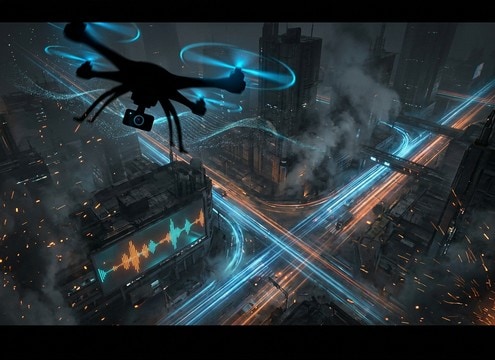
Drone flyover of a city with a long flyby sound placed on the shot

Drone flyover shots

Enhance fast aerial reveals with longer flybys that have stable stereo imaging and a natural pitch glide.

Product spin ad with a short turbo whoosh accent

Product ads with

Add premium energy to quick product spins using clean, glossy whooshes that do not smear the next frame change.

Sports replay cut with a sharp camera swish whoosh

Sports highlight punch-ins

Support fast camera push-ins and replay cuts with sharp transients that cut through crowd noise without harshness.

Why Choose Media.io for Speed Sound Generator?

See exactly why creators, developers and studios choose our AI audio generator over all others.

Prompt field controlling approach and exit timing for speed sounds

Prompt control for motion

The Speed Sound Generator lets you specify approach, peak, and exit so the whoosh timing matches your edit point instead of fighting it.

Multiple doppler variation waveforms for a speed pass-by

Doppler-ready variations

Generate multiple takes with different pitch glide strength, from subtle pass-by movement to aggressive doppler drops for close flybys.

Waveform showing a clean transient and short decay

Clean transients for cuts

Get punchy attacks that read on impact frames, with tails you can keep short so they do not blur the next transition.

Stereo width control concept for speed whoosh effects

Stereo width you can steer

Create narrow swishes for center-focused UI or wider pass-bys for screen travel, avoiding phasey smear in mono playback.

Preview player and WAV download button for speed SFX

Preview, then download WAV

Audition clips in-browser and export WAV when the texture and decay feel right, ready to drop into your timeline.

Sequence of consistent whoosh sounds across multiple cuts

Fast iteration, consistent tone

Regenerate quickly to keep a consistent sonic palette across a sequence of swishes, boosts, and flybys in the same scene.

How to Choose and Prompt Speed Sounds That Feel Fast

Speed SFX usually fail for two reasons: the motion does not match the picture timing, or the tone masks other elements. Use this guide to pick the right clip from the library or write prompts that control transient sharpness, doppler movement, stereo width, and tail length. The goal is simple: the sound should communicate direction and velocity without leaving a messy decay on the next cut.

Name the mover and the path

Start by stating what is moving and how it moves across the frame. A camera swish, a vehicle pass-by, and a sci-fi dash can all be fast, but their textures and resonances are different.

  • Mention the source: camera swish, car pass-by, projectile zip, energy dash
  • Add direction: left-to-right, towards camera, overhead, straight past
  • Call out texture: airy, metallic, gritty, glossy, clean

Control doppler and perspective

Doppler sells speed, but too much pitch swing can sound cartoonish. Decide whether you want a subtle pitch glide or a strong drop, and whether the sound is close, medium, or distant.

  • Use words like subtle doppler, pronounced doppler drop, or minimal pitch change
  • Specify distance cues: close and dry vs distant with light ambience
  • Ask for stable stereo vs wide pass-by to match screen travel

Match transient and tail to the cut

Editors often need the start to hit hard and the end to get out of the way. A sharp transient helps the moment read, while a short, controlled decay keeps the mix clean.

  • Request a crisp attack or soft attack depending on whether it is an accent or a bed
  • Set tail length: very short tail for transitions, medium tail for flybys
  • Avoid long reverb unless the scene clearly calls for a big space

Avoid common speed SFX mistakes

Speed sounds can feel cheap when they are overly bright, clipped, or full of unnecessary rumble. Keep them mix-ready and believable, then adjust with simple trims and fades in your editor.

  • Avoid harsh hissy highs that fatigue the ear in fast-cut sequences
  • Avoid boomy low-end that masks hits, dialogue, or engine layers
  • Avoid tails that overlap the next shot unless you intend a continuous bed

Frequently Asked Questions About
Speed Sound Effects

Everything you need to know before downloading or generating your first sound.

What is the difference between a whoosh and a doppler pass-by?

A whoosh is usually an abstract air movement accent with less obvious pitch motion, great for transitions and camera moves. A doppler pass-by emphasizes approach and exit with a pitch rise then drop, which reads as an object traveling past the listener.

Can I download these speed sound effects for commercial use?

Yes. You can preview and download royalty-free speed clips and use them in commercial projects. Always review the license details shown at download to confirm it fits your use case.

Do downloads include WAV, and how do I keep the whoosh clean in my mix?

Downloads are available as WAV. For cleaner results, trim the head to keep the transient tight, add a short fade-out to control the tail, and reduce low-end rumble if it competes with impacts or music.

How do I pick 5s vs 10s vs 20s for speed sounds?

Use 5s for single swishes, boosts, and quick pass-bys that land on a cut. Choose 10s for longer approach-and-exit flybys. Pick 20s for continuous chase beds or sustained air rush layers under action.

Are these speed sound effects free to download?

Yes. You can preview and download the AI-generated speed sound effects as WAV files and use them in personal or commercial projects.

Can I copy the prompt used for each sound?

Yes. Open any sound row to view the prompt, copy it, adjust the wording and generate a custom variation that better matches your scene.

Related Free Sound
Effect Categories

Explore other AI-generated sound libraries from Media.io

sound

Rain Sound Effects

10+ free sounds
sound

Thunder Sound Effects

10+ free sounds
sound

Farts Sound Effects

10+ free sounds
sound

Car Crash Sounds

10+ free sounds
sound

Explosion Sound Effects

10+ free sounds
sound

Gunshot Sound Effects

10+ free sounds
sound

Pistol Sound Effects

10+ free sounds
sound

AI Horror Sound Effects

10+ free sounds
sound

AI Forest Sound Effects

10+ free sounds
sound

AI Dog Whistle Sound

10+ free sounds
sound

AI Ding Sound

10+ free sounds
sound

Phone Ring Sound

10+ free sounds
media.io

AI Video Generator star

Easily generate videos from text or images

Generate

