Google Veo 3 AI Video Generator

Google's Veo 3 is an advanced AI video generation model unveiled at Google I/O 2025, developed by DeepMind and representing a significant leap in AI video creation technology. It is designed to transform text or image prompts into high-definition, up to 4K resolution videos, with synchronized native audio including dialogue, ambient sounds, and background music.
Now, Media.io has officially partnered with Google Veo 3 — try Veo 3 for free today at Media.io!

How to Transform Your Image into a Minecraft-Style Video

Yes! Media.io offers many tools for free. Some advanced features or export options may require an upgrade. Free users may encounter watermarks or limited downloads depending on the tool.

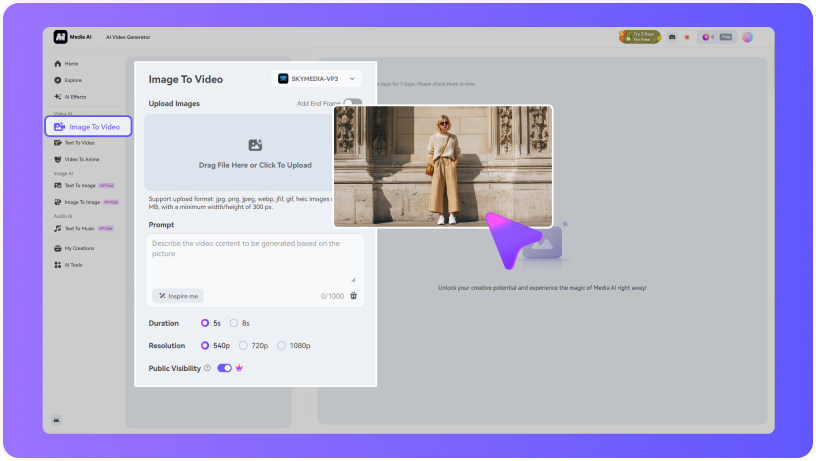
Upload Image
upload
Prompt
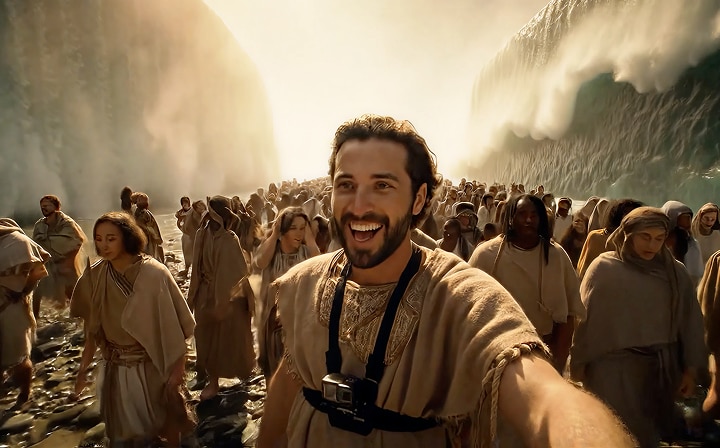
The subject cautiously looks ahead and lifts the camera to take a photo.The subject cautiously looks ahead and lifts the camera to take a The subject cautiously looks ahead and lifts the camera ahead and lifts the camera to take a photo.photo.
Sample Video
Upload Image
upload
Prompt
The subject cautiously looks ahead and lifts the camera to take a photo.The subject cautiously looks ahead and lifts the camera to take a The subject cautiously looks ahead and lifts the camera ahead and lifts the camera to take a photo.photo.
Sample Video

How to Transform Your Image into a Minecraft-Style Video

Turn Photos into Minecraft-Style Animationss

For: Gamers, Creators, Kids, and FansEver wondered what you’d look like in the Minecraft universe? With Media.io, you can upload any face, full-body photo, or even a pet picture—and our Minecraft AI video generator will instantly convert it into a blocky animated video that looks like it was made straight in-game. No prompts to write, no sliders to tweak—we’ve fine-tuned our Minecraft-style filter to deliver authentic pixel art animations every time. Perfect for gaming intros, profile pictures, screenlock animations, or just for fun.

Start Creating

Turn Photos into Minecraft-Style Animationss

For: Gamers, Creators, Kids, and FansEver wondered what you’d look like in the Minecraft universe? With Media.io, you can upload any face, full-body photo, or even a pet picture—and our Minecraft AI video generator will instantly convert it into a blocky animated video that looks like it was made straight in-game. No prompts to write, no sliders to tweak—we’ve fine-tuned our Minecraft-style filter to deliver authentic pixel art animations every time. Perfect for gaming intros, profile pictures, screenlock animations, or just for fun.

Start Creating
Turn Photos into Minecraft-Style Animationss

Turn Photos into Minecraft-Style Animationss

For: Gamers, Creators, Kids, and FansEver wondered what you’d look like in the Minecraft universe? With Media.io, you can upload any face, full-body photo, or even a pet picture—and our Minecraft AI video generator will instantly convert it into a blocky animated video that looks like it was made straight in-game. No prompts to write, no sliders to tweak—we’ve fine-tuned our Minecraft-style filter to deliver authentic pixel art animations every time. Perfect for gaming intros, profile pictures, screenlock animations, or just for fun.

Start Creating
Turn Photos into Minecraft-Style Animationss

Bring Your Cyberpunk Character to Life in Seconds

Whether you’re seeking a cyberpunk PFP, building a futuristic story character, or just exploring the neon-lit aesthetic, Media.io delivers everything you need—fast, easy, and online.

Transform Any Photo into a Cyberpunk Avatar

Transform Any Photo into a Cyberpunk Avatar

Upload your selfie or portrait and instantly see yourself reborn in a neon-lit world. Our AI keeps your facial features intact while adding futuristic cyberpunk effects—glowing circuits, neon lights, and gritty city vibes. Perfect for creating a standout PFP on Discord, Twitter, or gaming profiles.

Generate Unique Characters from Text Prompts

Generate Unique Characters from Text Prompts

Want a brand-new cyberpunk hero, hacker, or street samurai? Just describe your vision in words. Media.io’s advanced AI transforms your ideas into high-quality cyberpunk characters with unmatched detail and style. From glowing armor to robotic implants, every prompt opens a new creative universe.

High-Resolution, Fully Customizable Results

High-Resolution, Fully Customizable Results

Forget low-quality filters. Media.io creates sharp, high-res cyberpunk images you can download, edit, or use right away. Adjust colors, styles, and effects until your avatar or character matches your exact vision. The result? A professional-grade look ready for social media, design projects, or storytelling.

Fast, Online, and Ready to Share

Fast, Online, and Ready to Share

No software, no waiting. Media.io runs entirely in your browser, delivering cyberpunk creations in seconds. Once your image is ready, you can instantly download it or share it with friends and communities. Create, customize, and showcase your cyberpunk world with zero hassle.

How to Transform Your Image into a Minecraft-Style Video

1
2
3
1
Step 1: Upload Your Photos

Go to Media.io’s AI Dance Generator and choose the Image-to-Video tool. Upload a clear full-body photo—you can use selfies, portraits, or even character images.

2
Step 2: Type a Dance Prompt

In the prompt box, type a specific dance style like “hip hop choreography,” “twerking,” “sexy dance,” or “k-pop group choreography.” You can also try fun variations like “anime girl dancing” or “model walking & dancing.”

3
Step 3: Generate Dance from Image

Click “Generate,” and let the AI generate a dance video from your photo. Within seconds, you’ll have a fully animated dance video to download in HD and share on TikTok, Reels, or Shorts—no editing skills needed.

step
step
step

How to Transform Your Image into a Minecraft-Style Video

01

Step 1 Upload Your Photos

Go to Media.io’s AI Dance Generator and choose the Image-to-Video tool. Upload a clear full-body photo—you can use selfies, portraits, or even character images.

02

Step 1 Upload Your Photos

Go to Media.io’s AI Dance Generator and choose the Image-to-Video tool. Upload a clear full-body photo—you can use selfies, portraits, or even character images.

03

Step 1 Upload Your Photos

Go to Media.io’s AI Dance Generator and choose the Image-to-Video tool. Upload a clear full-body photo—you can use selfies, portraits, or even character images.

AI Figure Generator

Fast, consistent, share-ready prompts with a polished, responsive table.

Style Prompt Inspiration Copy
Realistic Workstation Showcase
Workstation Realism Showcase

Create a commercial 1/7 scale figurine of the character in the picture, in a realistic style. The figurine is placed on a computer desk with a round transparent acrylic base. The computer screen next to it shows the ZBrush modeling process of this figurine. Next to the computer, place a toy box with the original character art printed on it. Ensure the facial details of the figure character, no blur or confusion, as realistic as possible.

Creator Desk / Workflow
Workstation ZBrush Packaging

Use our model to create a 1/7 scale commercialized figure of the character in the illustration, in a realistic style and environment. Place the figure on a computer desk, using a circular transparent acrylic base without any text. On the computer screen, display the ZBrush modeling process of the figure. Next to the computer screen, place a BANDAI‑style toy packaging box printed with the original artwork.

Artist Studio / Process
Artistic Drafting Concept

Use our model to create a highly detailed 1/7 scale commercialized figure of the character from the illustration, rendered in a realistic style. The character is captured dynamically riding a bicycle. The figure is placed on a weathered artist's drafting table, surrounded by scattered pencils, pots of brushes, and concept sketches. It stands on a circular transparent acrylic base without any text. A large Cintiq drawing tablet on the table displays the ZBrush modeling process in meticulous detail. The BANDAI‑style toy packaging box, printed with the original artwork, is leaning against a stack of art books, as if waiting to be assembled.

Streamer Setup / Lifestyle
Streaming Gaming Merch

Use our model to create a highly detailed 1/7 scale commercialized figure of the character from the illustration, rendered in a realistic style. The character is posed dynamically riding a bicycle. The figure is placed on the broad desk of a modern gaming/streaming setup, next to a large microphone and mechanical keyboard. It uses a circular transparent acrylic base without any text. On the main ultrawide monitor, a live ZBrush session is visible, showing the 3D model of the very same figure. The BANDAI‑style toy packaging box is positioned on the desk like a piece of branded merch, perfectly framed in the stream's webcam view.

Use Cases

Show how your feature fits real workflows. These are examples you can rename or expand.

Script to Storyboard

Turn a text script into visual beats with consistent framing and prompts.

Style Exploration

Preview multiple art directions at once to speed up look-dev.

Social Cutdowns

Create vertical teasers and shorts from one master concept.

Influencer Presets

One-click looks tailored to specific creators or channels.

Use Cases

Show how your feature fits real workflows. These are examples you can rename or expand.

Script to Storyboard

Turn a text script into visual beats with consistent framing and prompts.

Style Exploration

Preview multiple art directions at once to speed up look-dev.

Social Cutdowns

Create vertical teasers and shorts from one master concept.

Influencer Presets

One-click looks tailored to specific creators or channels.

Product Showcases

Generate clean, repeatable hero angles for ecommerce pages.

Fan Art & Memes

Spin up share-ready variations that stay on-brand with the trend.

bg

Millions of people like Media.io

user
Kriti Agarwal

Content and Film Programmer

star star star star star

Unlike most video editing softwares, it also doesn't lag often which makes it a superb choice for everyday use. Most of the editing techniques like zoom, duration, etc that take minutes and even hours to figure out in similar softwares, can be taken care of by a mere click of a on Media IO.

user
Kriti Agarwal

Content and Film Programmer

star star star star star

Unlike most video editing softwares, it also doesn't lag often which makes it a superb choice for everyday use. Most of the editing techniques like zoom, duration, etc that take minutes and even hours to figure out in similar softwares, can be taken care of by a mere click of a on Media IO.

user
Kriti Agarwal

Content and Film Programmer

star star star star star

Unlike most video editing softwares, it also doesn't lag often which makes it a superb choice for everyday use. Most of the editing techniques like zoom, duration, etc that take minutes and even hours to figure out in similar softwares, can be taken care of by a mere click of a on Media IO.

Explore the Hottest AI Video & Image Effects

AI Minecraft Filter
AI Twerking Effect
case
AI Age Filter
AI Kissing Effects
Gender Swap
AI Smiling Filter
case
AI Fat Filter

Create with AI, Connect with Creators

user SassyPancake
heart 4,501
case
user PizzaWizard
heart 4,815
user FrostByte
heart 3,092
case
user SwiftEdge
heart 5,483
user VirtualCore
heart 2,764
case
user PuppyPaws
heart 6,109
user CrystalShade
heart 7,225
case
user LunaSky
heart 8,641
bg bg

FAQs on Video Templates

Yes, we do offer free services in Media.io; but when it comes to exporting the results, you might need a proper subscription plan for watermark-free and high-quality results.
The major problems involving Photoshop include its heavy pricing, steep learning curve, and offline system requirements. In contrast, Media.io emerges as a tool with minimum pricing structure, easy-to-use system, and effective online environment for high-quality content generation.
No, Media.io provides a complete suite of image editing as well as video and audio editing. The platform keeps no stone unturned, allowing users to innovate at their best while staying online.
Our free plan restricts users, thus it adds a watermark in the final content. However, users with a paid plan do not have any watermark in their exported content.
When it comes to learning about Media.io, it is a complete suite of editing tools which helps edit image, video, and audio as well. Whatever your query is, Media.io is here to assist you with its AI-powered functions.
Media.io Online Tools Quality Rating:
vote 4.7 (162,357 Votes)
media.io

AI Video Generator star

Easily generate videos from text or images

Generate