Watermark Remover
Remove watermarks from videos or images easily with smart AI. Elevate your visual content while preserving excellent quality.











How to Enlarge Image Online Easily?
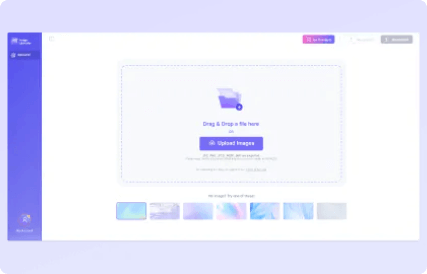


Upload your podcast files
Please click "upload" to import your podcast audio or video file.
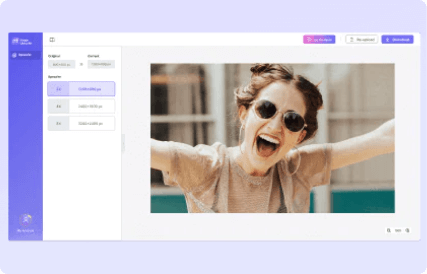
Remove noise and enhance vocal
Media.io supports removing many types of noise. Just select specific types for precise noise reduction. Remember to enhance your vocals.
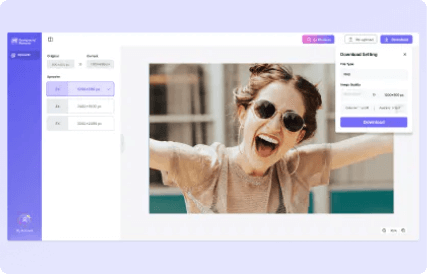
Export your clean audio file
You can preview the result after background noise reduction and speech enhancement are finished
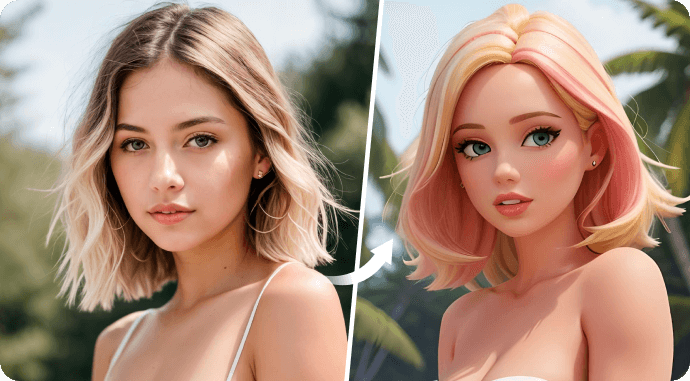
Create Your Free Personalized Cartoon Avatar with Ease
With our free AI-powered Cartoon Generator, effortlessly create your unique cartoon avatar inspired by styles like Barbie, Disney, Hollywood, or others. Make a memorable and eye-catching statement with a wide range of options. Craft the perfect cartoon avatar that truly suits you and transform your photo into captivating digital art.
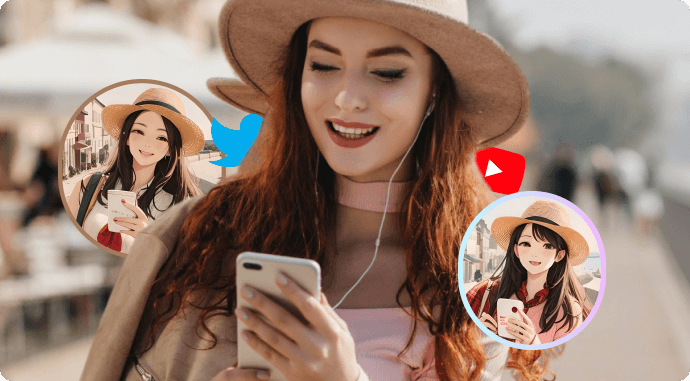
Professional Social Media Cartoon Profile Photo Generator
Media.io's AI Cartoonizer lets you craft a striking, personalized cartoon avatar for your social media profile, whether for your YouTube channel, Facebook, or Twitter. Upload your picture, and Media.io will seamlessly transform it into a cartoon. Choose from various cartoon styles to create the perfect profile photo to suit your preferences.
How does Media.io Video Compressor
Compare with Veed Video Compressor?
| Performance | Media.io Video Compressor | Veed Video Compressor |
|---|---|---|
| Upload Speed | 8% Faster | Normal |
| Compression Speed | 65% Faster | Normal |
| Compresse File Size | 13% Smaller | Normal |
| Output Format | Original Format | MP4 |
Note: The results are obtained from multiple tests conducted under the same conditions. (Test Date: Aug 1, 2024)
Make Your Videos & Images Pure and Professional
Leverage the power of AI to remove anything that may hamper your artistic expression.
Create videos and images free of unwanted watermarks, logos, backgrounds, texts, emojis, and objects.
Enhance the visual presence of your content for business purposes or individual uses.
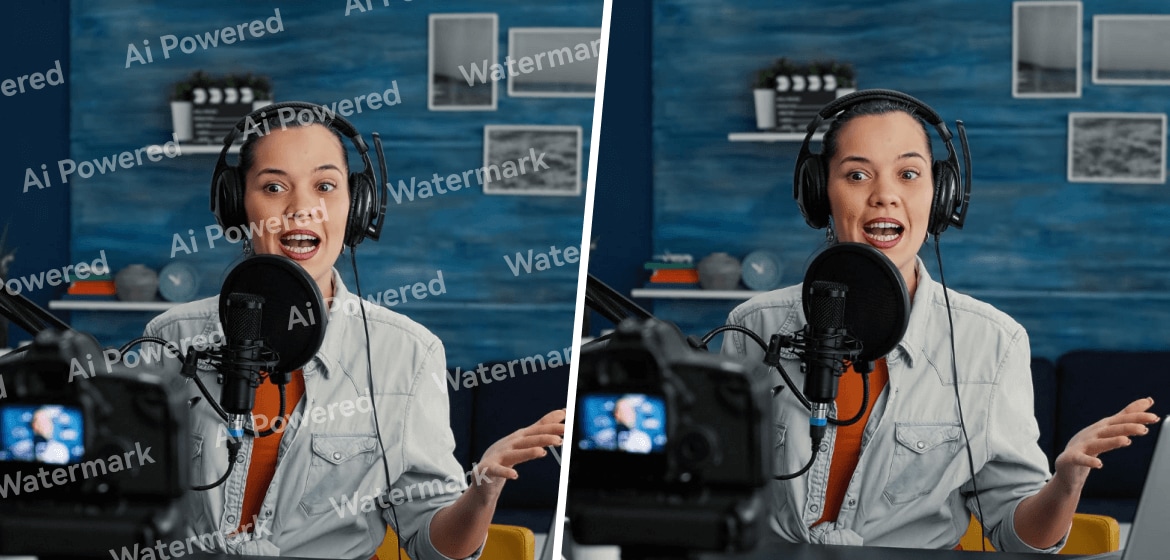

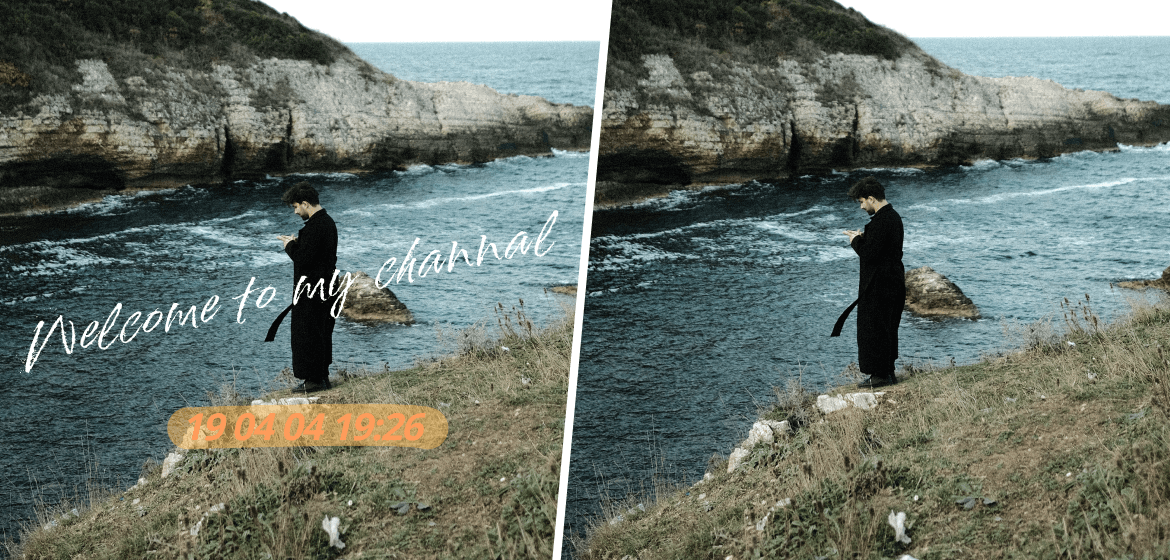

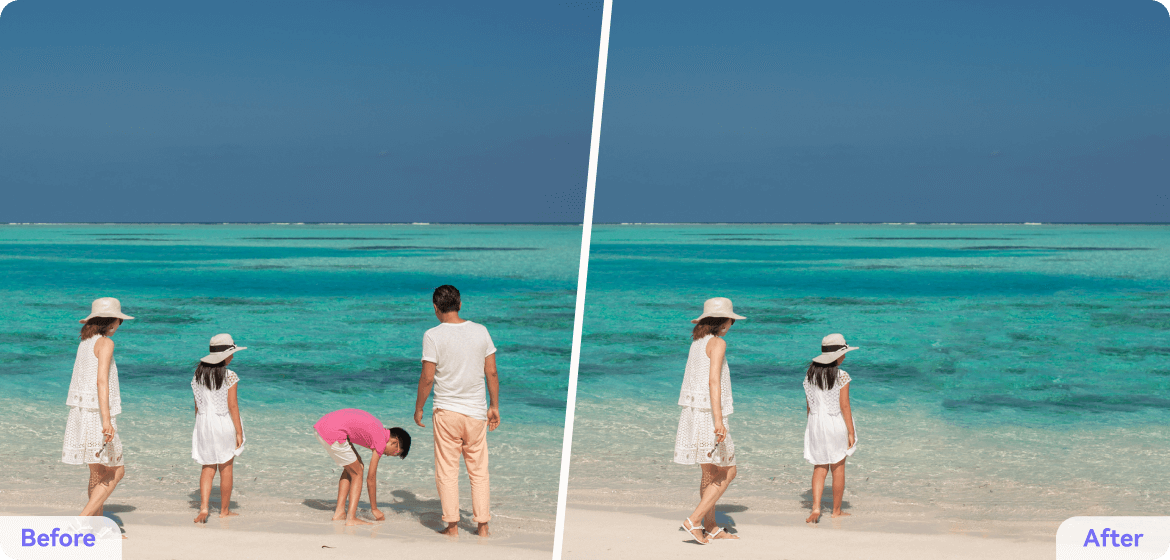
Remove Watermark or Logo
Imagine how upset you will be when you find an excellent video or image perfect for your creation, but it has an annoying watermark on it. Your audiences may have a less engaging viewing experience because watermarks can distract them from your actual content. Elevate your brand image or social media presence by removing watermarks from your content with our product.
Remove Background
Remove the background of your favorite video or picture and replace it with another one that’s even more charming. Make something new by remixing the main characters in your original videos or photos with countless stunning backgrounds. Now it doesn’t matter where you shoot a video or take a photo, because Media.io can help you remove the original background to make more fun!
Remove Text
Maybe you’re trying to create something new from a bunch of video materials, but you find there are unrelated or unwanted texts on them. Or when you want to share your favorite videos online, their confidential or personal information in text form stops you from doing that due to legal concerns. Clean up all these unnecessary texts with our AI-powered text remover to make your videos neat and pure.
Remove Emoji
Adding emojis and stickers to videos and photos is an amusing way to express your personality and enrich your content. But as time goes by, the once-popular emojis and stickers may go out of fashion. When it happens, they become nothing but a distraction preventing you from appreciating the real content. Now restore your videos and photos to their original state with Media.io!
Remove Object
If you’re a photographer, you must know how difficult it is to find a perfect angle to achieve a good composition. Usually, there are too many extra objects in your frame. Now you can get clean videos and pictures easily with Media.io. Remove all unwanted and distracting objects from your videos and pictures to make every frame into a masterpiece.
Make Your Videos & Images Pure and Professional
Leverage the power of AI to remove anything that may hamper your artistic expression.
Create videos and images free of unwanted watermarks, logos, backgrounds, texts, emojis, and objects.
Enhance the visual presence of your content for business purposes or individual uses.
Advertising
Research shows that video and audio are the most powerful advertising tools in the ever-evolving digital marketing world. With that said, creating a selling advert video or audio can be time-consuming and costly. But not anymore with our free AI voice cloner online. We can help you scale up your advertising campaign with realistic and consistent voice clones. Our AI voices don't age with time.
Explainer Video
Research shows that video and audio are the most powerful advertising tools in the ever-evolving digital marketing world. With that said, creating a selling advert video or audio can be time-consuming and costly. But not anymore with our free AI voice cloner online. We can help you scale up your advertising campaign with realistic and consistent voice clones. Our AI voices don't age with time.
Entertainment
Research shows that video and audio are the most powerful advertising tools in the ever-evolving digital marketing world. With that said, creating a selling advert video or audio can be time-consuming and costly. But not anymore with our free AI voice cloner online. We can help you scale up your advertising campaign with realistic and consistent voice clones. Our AI voices don't age with time.
Corporate Training
Research shows that video and audio are the most powerful advertising tools in the ever-evolving digital marketing world. With that said, creating a selling advert video or audio can be time-consuming and costly. But not anymore with our free AI voice cloner online. We can help you scale up your advertising campaign with realistic and consistent voice clones. Our AI voices don't age with time.
Education
Research shows that video and audio are the most powerful advertising tools in the ever-evolving digital marketing world. With that said, creating a selling advert video or audio can be time-consuming and costly. But not anymore with our free AI voice cloner online. We can help you scale up your advertising campaign with realistic and consistent voice clones. Our AI voices don't age with time.

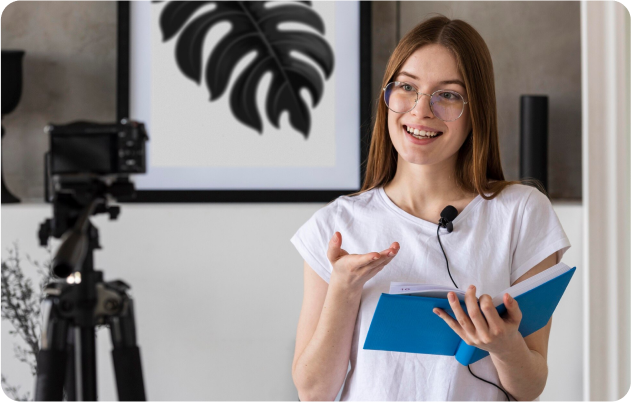


Unlock Your Creativity with Our Light yet Versatile Video Editor
Media.io is a distinguishing one-stop video editor that can satisfy nearly all your video editing needs. It can do more than just remove watermarks from videos and images. Generate subtitles, images, music, and sound effects with our powerful AI to make your content more accessible and diversified. Compress, convert, enhance, and edit your videos and images effortlessly with our easy-to-use online tools that you can reach directly through your web browsers. With Media.io, you don’t have to master any superb skills to become a pro in video editing.
What Makes Media.io Image Colorizer Stand Out?

Be mindful of your breathing
Try to breathe quietly during the recording, as heavy breathing can be recorded by the microphone and distract from the podcast content. Take deep breaths before you start speaking, and exhale slowly while speaking.

Avoid noisy clothing or accessories
Be mindful of any clothing or accessories that might make noise during the recording. For example, avoid wearing jangly jewelry or rustling clothing that could be picked up by the microphone.

Use a pop filter
A pop filter is a screen or mesh that is placed in front of the microphone to help filter out unwanted noise. It can help reduce plosives and other harsh sounds that can occur when speaking into a microphone.

A quiet recording environment
Find a quiet location to record your podcast, away from traffic and other noise sources. If possible, record in a room with sound-absorbing materials such as curtains or carpets to help reduce echoes.

Privacy Guaranteed
We prioritize your privacy. Our advanced algorithms safeguard your privacy against any infringement. Your privacy is kept strictly confidential throughout the whole removal process. All uploaded files and generated content are deleted within 7 days to keep your data private and secure.

Use noise-canceling headphones
Wearing noise-canceling headphones can help you monitor your recording and hear any background noise that might be picked up by the microphone.
FAQs about watermark remover
What is an Image Enhancer?
Media.io image enhancer is a versatile online tool that can be used to improve the quality of an image and add color to black-and-white photos. The Image Enhancer can fix common issues such as blurriness, low contrast, and poor lighting and can be particularly useful in old photo restoration.
What file formats are supported in Media.io AI Image Upscaler?
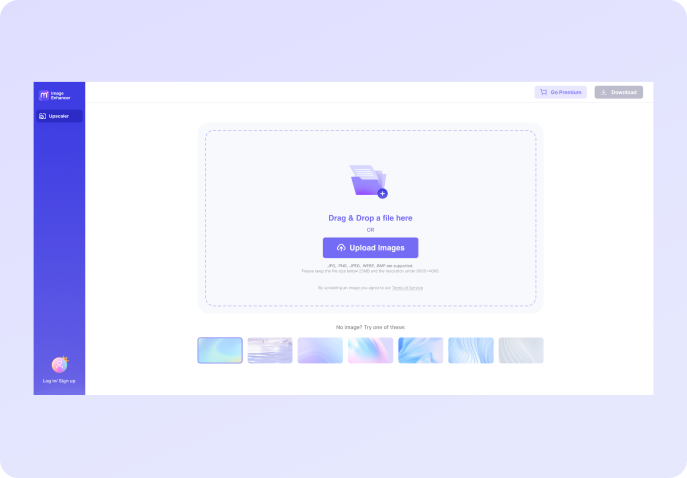
JPG, BMP, JPEG, and PNG file formats are supported. However, we recommend you keep the file size below 10MB and the resolution below 4000*4000 when using the Image Upscaler. For other enhancement tools, the maximum supported image size is 25MB with a resolution below 6000*6000. The file format of the downloaded file after processing will be the same as the uploaded file.
How to restore old photos?
You can upload your old, damaged photos to Media.io's image enhancer, which uses automatic photo restoration and colorization algorithms to enhance your images. It can make your photos look more precise and vivid by repairing any damage and adjusting colors and contrast.
Will enhancing the image alter its size?
Yes, it'll enlarge the dimensions of the photo. It'll also increase the file size. This is because AI Image Enhancer will add more pixels and information to the original photos for denoising. This means the resulting photo may get bigger.
How to unblur an image?
There are several ways to remove blur from an image, and one of the easiest ways is using Media.io Image Upscaler. After uploading the Image, you can then upscale the Image 2x, 4x, or 8x to preview the result. It will turn a blurred image into a crisp and clear picture.
What's the difference between Media.io Image Upscaler and Photoshop?
Photoshop is a powerful desktop graphics editor for professionals. It provides advanced features for photographers and many design tools. Upscaling Image is one of the features in PS but the processing time may be long. There are a variety of online picture enhancers in the market which can be great alternatives to Photoshop, so you don't have to spend time trying to master Photoshop abilities. Media.io Image Enlarger features intuitive interface, making it a simple and affordable image upscaler you won't want to miss.
More from Media.io
Tips & Tricks for Removing Watermark from Video



Online UniConverter Watermark Remover has been a lifesaver for me. It also offers enough tools to create videos at no cost at all. Highly recommended!
Online UniConverter Watermark Remover has been a lifesaver for me. It also offers enough tools to create videos at no cost at all. Highly recommended!
Online UniConverter Watermark Remover has been a lifesaver for me. It also offers enough tools to create videos at no cost at all. Highly recommended!
Online UniConverter Watermark Remover has been a lifesaver for me. It also offers enough tools to create videos at no cost at all. Highly recommended!
More Than Just XXX
Media.io is a distinguishing one-stop video editor that can satisfy nearly all your video editing needs. It can do more than just remove watermarks from videos and images. Generate subtitles, images, music, and sound effects with our powerful AI to make your content more accessible and diversified. Compress, convert, enhance, and edit your videos and images effortlessly with our easy-to-use online tools that you can reach directly through your web browsers. With Media.io, you don’t have to master any superb skills to become a pro in video editing.
Edit Video NowInstantly Edit Videos
for YouTube Like Pros.
Anytime. Anywhere. Anyone.
Edit Videos Now