











Popular Wake-Up Sound Effects Library

Pick a ready-to-use alarm cue, then tweak it with prompts for pitch, harshness, pulse rate, and tail length. Each option is designed to cut through dialogue without sounding randomly loud.

How to Generate Your Own
Wake-Up Sound Effects

Cannot find the perfect wake-up sound effect you need? Generate custom AI wake-up audio effortlessly. Describe the style, such as short clean cue, cinematic hit, subtle background layer, branded UI alert, and Media.io AI builds tailored wake-up sound effects instantly. No audio editing experience needed. Turn your concept into a royalty-free, high-quality downloadable WAV wake-up clip in under 60 seconds.

1

Write your wake cue

Type or paste a prompt describing the alarm style you need, like phone beeps, soft chimes, retro clock ring, or a snooze click.

2

Pick length and takes

Choose 5s, 10s, or 20s, then select how many variations you want so you can audition different rhythms and tones.

3

Generate and preview

Click Generate, listen to each result, and keep the version with the right punch, tail, and timing for your cut.

4

Download WAV and use

Export the WAV file and drop it into videos, apps, podcasts, games, or commercial projects as a ready-to-place wake-up moment.

What Can You Use These Wake-Up Sound Effects For?

Creators in every field are using our royalty-free audio to set the perfect mood.

Wake-up alarm beep for a mobile app interface

Alarm app UX

Audition beeps and chimes with clean transients that stay intelligible on small speakers and do not smear into the next tap.

Phone alarm wake-up sound for a morning vlog scene

Morning routine vlogs

Cut in a believable phone alarm or bedside clock ring that matches bedroom distance and avoids harsh sibilant highs.

Loud repeating wake-up alarm sound for a comedy skit

Comedy oversleep beats

Use an obnoxious repeating alarm or a sudden bright beep to punctuate the gag, then swap in gentler takes for the button press.

Gentle wake-up chime for a meditation app

Sleep and meditation

Generate soft rising cues and calm chimes with smooth decay so the wake moment feels gradual, not startling.

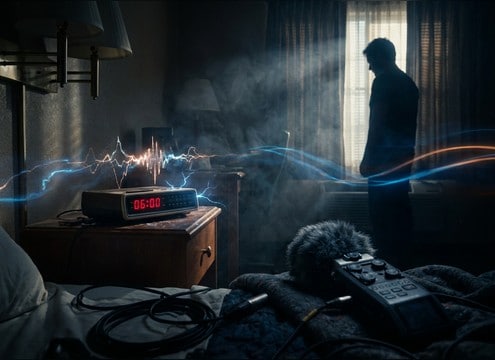
Clock radio wake-up buzz in a hotel room scene

Hotel room film

Add a clock radio buzz or a dated bedside ringer with light room tone so it feels like a real prop in the space.

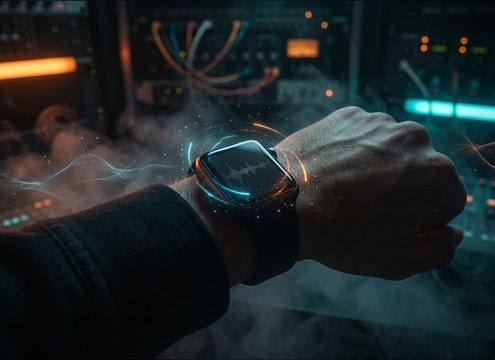
Smartwatch pulse wake-up sound effect

Smartwatch notifications

Create short pulse alarms with a subtle vibration texture and tight tails for wrist-based wake-ups.

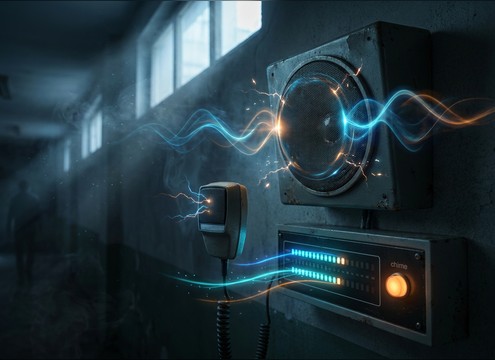
Morning chime cue before a school PA announcement

School morning announcements

Use a simple beep or chime lead-in before a PA voiceover, keeping the tone clear without masking speech.

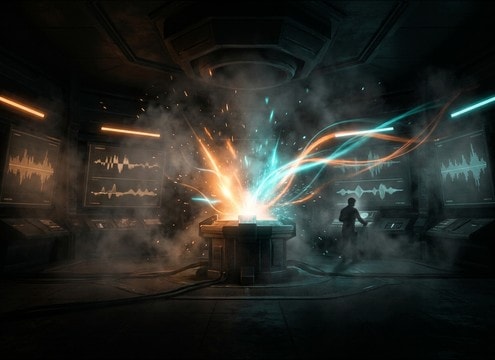
Wake-up sound cue for a game respawn moment

Game wake or

Design a wake-up cue that fits the scene tone, from calm spawn chimes to urgent alarm pulses with strong attack.

Why Choose Media.io for Wake-Up Sound Generator?

See exactly why creators, developers and studios choose our AI audio generator over all others.

Prompt controls for wake-up alarm pulse timing

Prompted timing control

Tell the Wake-up Sound Generator whether you need single hits, repeating pulses, or a two-stage pattern that reads clearly in a short cut.

Adjusting pitch and brightness for a wake-up alarm sound

Tone and harshness shaping

Dial in bright digital beeps, warm bedside clocks, or gentle chimes by describing pitch, brightness, and how sharp the transient should be.

Room tone and decay options for wake-up sounds

Tail and room options

Ask for dry, close-mic alarms with minimal reflections or add subtle room tone so the alarm feels like it is inside a bedroom.

Multiple wake-up alarm variations ready to preview

Fast variations for auditioning

Generate multiple takes in one go to compare rhythm, stereo width, and perceived loudness before you commit to a cue.

Downloading a wake-up sound effect as a WAV file

Download-ready WAV output

Export a WAV that is easy to trim, fade, and place under dialog, with clean starts that avoid clicks at edit points.

Wake-up sound library with AI customization

Library plus custom builds

Start from popular wake cues, then regenerate with a new prompt for different devices, moods, or intensity without hunting across packs.

How to Choose and Prompt Wake-up Alarms That Fit the Scene

Wake-up alarms fail when they are too harsh, too long, or too roomy for the shot. Use prompts that specify device type, rhythm, and how the sound ends. Then pick a clip whose transient reads instantly, whose tail does not smear into dialogue, and whose tone matches the character and setting, from a calm sunrise cue to a panic-inducing oversleep alarm.

Decide the alarm source first

A phone alarm reads different from a clock radio or a mechanical bell. Naming the source helps the generator pick the right texture, frequency focus, and attack shape.

  • Phone alarm: clean beeps, tight transients, minimal reflections
  • Clock radio: midrange buzz, slight static, modest room tone
  • Mechanical clock: metallic ring, gritty texture, short clang tail

Match rhythm to the edit

For comedy or urgency, repetition matters more than realism. For gentle wake-ups, use fewer hits and smoother fades. Keep timing predictable so it cuts cleanly with snooze actions.

  • Single cue: one chime with a controlled decay for quick cuts
  • Pulse pattern: evenly spaced beeps that loop without drift
  • Two-stage: soft lead-in then louder hits for escalation

Control attack, tail, and stereo width

The first 100 ms decides whether the alarm reads on a phone speaker. The tail decides whether it fights the next line of dialogue. Stereo width decides whether it feels like UI or a room prop.

  • Ask for fast attack when the alarm must punch through ambience
  • Ask for short tail if speech starts immediately after the alarm
  • Ask for narrow stereo for UI, wider stereo for bedroom ambience

Avoid common wake-up SFX mistakes

Many stock alarms are too abrasive, clip easily, or include extra noise that sounds fake. A clean, controlled alarm is easier to mix and less distracting.

  • Avoid constant hiss unless you specifically want radio static
  • Avoid overly long ring tails that blur the next cut
  • Avoid extreme high-end that becomes painful on earbuds

Frequently Asked Questions About
Wake-Up Sound Effects

Everything you need to know before downloading or generating your first sound.

Can I download these wake-up sounds as WAV files?

Yes. Preview the clip, then export a WAV so you can trim it, fade the tail, and place it precisely on the frame where the alarm starts.

How do I make a wake-up alarm sound less harsh but still noticeable?

Prompt for a softer attack, reduced brightness, and a shorter decay. If it still feels sharp, choose a chime-based cue instead of a pure beep and keep the tail tight.

What is the best duration to choose: 5s, 10s, or 20s?

Use 5s for quick cut-ins or a single alarm moment, 10s for repeating patterns that sell the gag or urgency, and 20s for gentle morning sequences or longer wake montages.

How do I generate a snooze button sound that matches the alarm?

Generate the alarm first, then prompt a second clip with the same device type and tone plus a short button click and confirmation beep. Keep it dry, close, and with a minimal tail.

Are these wake-up sound effects free to download?

Yes. You can preview and download the AI-generated wake-up sound effects as WAV files and use them in personal or commercial projects.

Can I copy the prompt used for each sound?

Yes. Open any sound row to view the prompt, copy it, adjust the wording and generate a custom variation that better matches your scene.

Related Free Sound
Effect Categories

Explore other AI-generated sound libraries from Media.io

sound

Rain Sound Effects

10+ free sounds
sound

Thunder Sound Effects

10+ free sounds
sound

Farts Sound Effects

10+ free sounds
sound

Car Crash Sounds

10+ free sounds
sound

Explosion Sound Effects

10+ free sounds
sound

Gunshot Sound Effects

10+ free sounds
sound

Pistol Sound Effects

10+ free sounds
sound

AI Horror Sound Effects

10+ free sounds
sound

AI Forest Sound Effects

10+ free sounds
sound

AI Dog Whistle Sound

10+ free sounds
sound

AI Ding Sound

10+ free sounds
sound

Phone Ring Sound

10+ free sounds
media.io

AI Video Generator star

Easily generate videos from text or images

Generate
