Home>AI Generator>Tokyo Drift AI Video Generator

Create Viral Tokyo Drift AI Videos with Han Car Swap & Character Edits

Transform the iconic "Han lean" scene with the hottest Tokyo Drift AI trend of 2026. Whether you want to replace the RX-7 with a banana boat or swap Han for Batman, Media.io makes it easy. Generate high-quality Kling AI style Tokyo Drift videos, car swaps, and cartoon editions instantly for TikTok and Instagram.

Generate Tokyo Drift AI Video Now

Free credits on signup/login.

✓ Swap any car or vehicle ✓ Replace characters with AI ✓ Fast & Furious iconic scene ✓ Perfect for Reels & TikTok

How to Make Tokyo Drift AI Car Swap (Image → Video)

Upload the iconic Han scene → swap any car (or character!) with Nano Banana Pro → apply to video with AI Video Edit → go viral on TikTok & Reels.

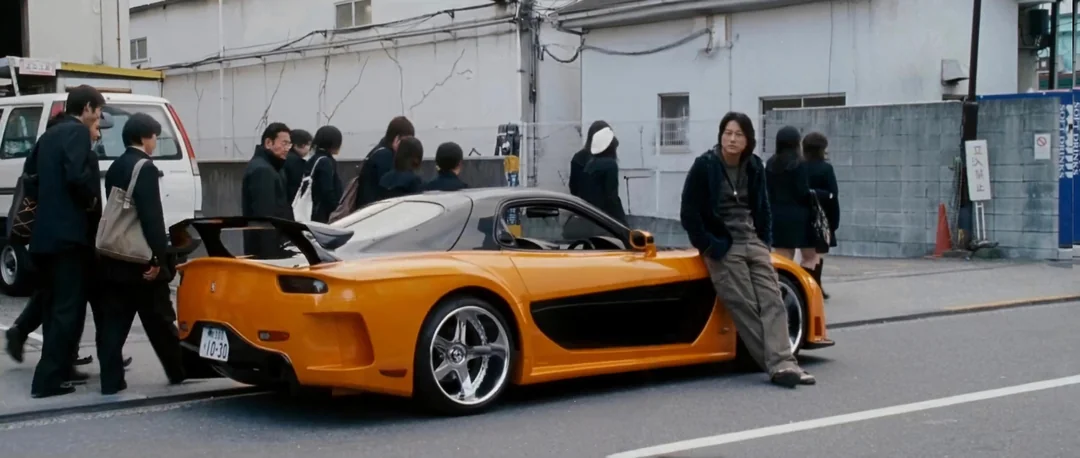
Original Tokyo Drift scene with Han leaning on orange RX-7

Original Scene

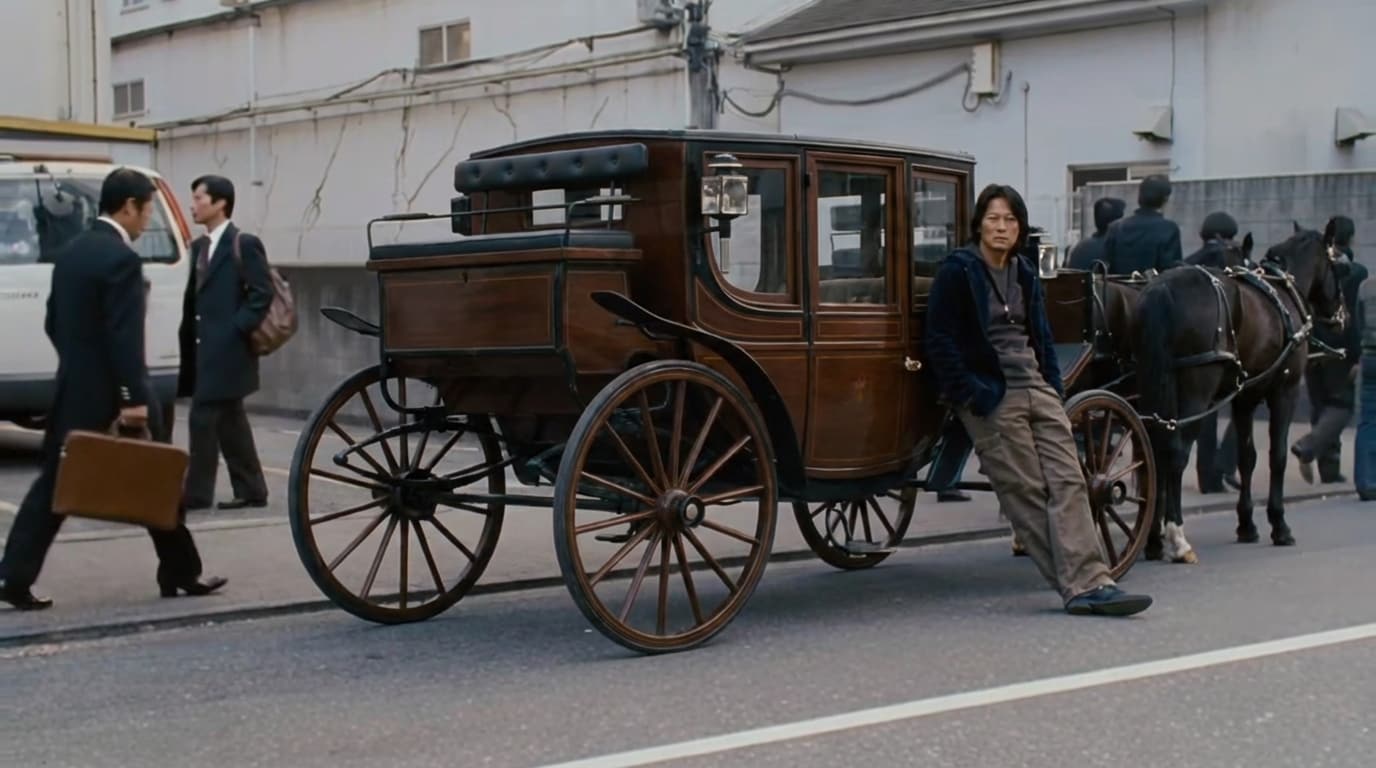
AI-generated car swap result with replaced vehicle

AI Car Swap Result

Step 1

Generate AI Car Swap Image

  1. Open Media.io Image to Image and choose Nano Banana Pro.
  2. Upload the original Tokyo Drift scene (Han leaning on the orange RX-7).
  3. Swap the car with anything you want — supercars, motorcycles, horse-drawn carriages, or even absurd objects for comedy!
    Pro tip: You can also swap Han himself with Trump, anime characters, or viral meme figures.
  4. Copy the prompt below → Generate → Download your swapped image.
Car Swap Prompt
Replace the car in photo 1 with a "horse-drawn carriage". Be sure to keep the following: angle, lighting, scene style, proportions of the car as in photo. Maintain Han's pose and position unchanged. Ensure photorealistic integration with matching perspective and Tokyo drift cinematic color grading.
Character Swap Prompt (Optional)
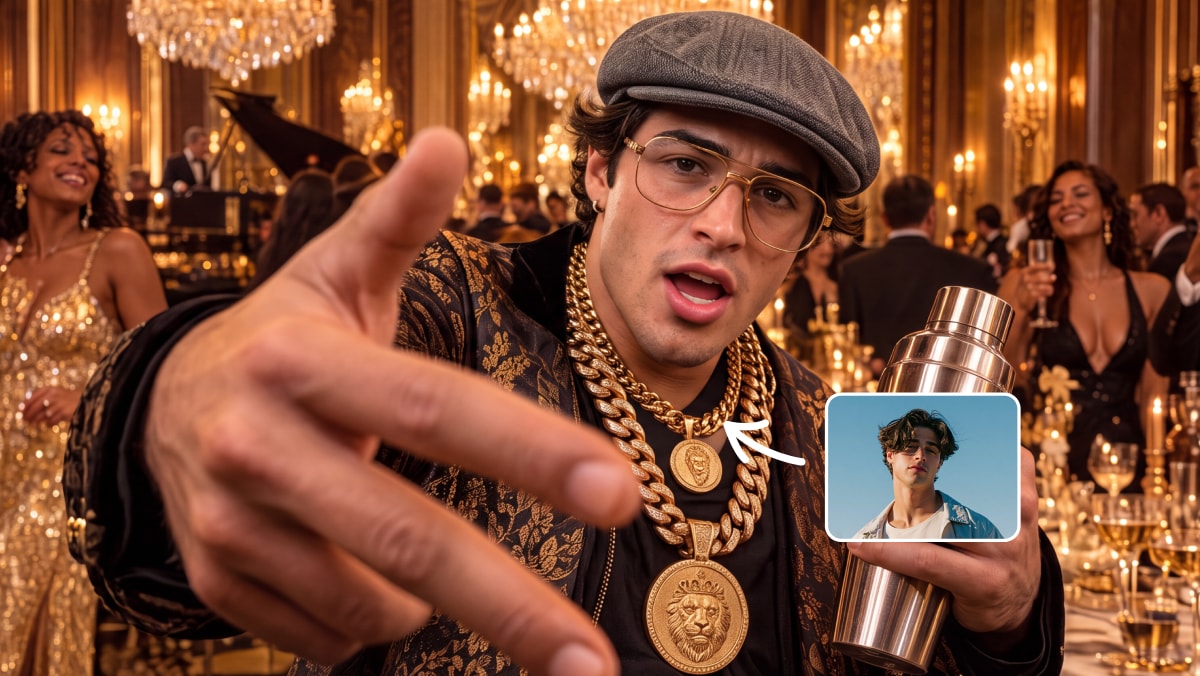
Replace Han in photo 1 with [CHARACTER NAME - e.g., Trump / anime character / meme figure]. Character should maintain the same cool leaning pose against the car. Match lighting, shadows, and cinematic color grading. Keep the Mazda RX-7 and Tokyo environment identical. Photorealistic integration required.
Generate Car Swap Now 💡 Tip: The weirder, the funnier — try swapping with unexpected objects for maximum virality!
Step 2

Apply Swap to Video with AI Video Edit

  1. Open Media.io AI Video Edit and select Video Object Replacement mode.
  2. Upload the original Tokyo Drift footage (4-5 second clip).
  3. Upload your AI-generated car swap image from Step 1.
  4. Paste the video prompt below → Generate → Download your viral-ready video.
Video Edit Prompt
Replace the car in the video with the car in the photo. Be sure to preserve the angle, lighting, scene style, car proportions. Maintain consistent motion blur, reflections, and shadows throughout the scene. Keep Han and the Tokyo background unchanged. Cinematic Fast & Furious color grading with neon reflections.
Create Tokyo Drift Video Now ⚡ Pro tip: Use Kling 3.0 Omni Edit or Kling O1 Video Edit for best results.
Step 3

Download & Go Viral

  1. Download your final Tokyo Drift AI car swap video from Media.io
  2. Post it to TikTok / Instagram Reels / YouTube Shorts.
  3. Add trending audio (Teriyaki Boyz - "Tokyo Drift") + hashtags like #tokyodriftai, #hancarswap, #fastandfuriousai, #carswaptrend, #aivideo.
  4. Bonus: Create a before/after comparison or multiple swap versions for extra engagement!
Start Creating & Go Viral 🔥 Join millions recreating this #1 trending AI effect!

Social Media Showcase

Watch real examples on Instagram: Sky Fall Trend, Walk Transition, and Minecraft Background.

Why Choose Media.io for Tokyo Drift AI Trends

Infinite Car Swap Creativity

Replace Han's RX-7 with absolutely anything. From supercars and tanks to absurd items like shopping carts or banana boats, our AI maintains the correct lighting and perspective.

Iconic Character Swaps

Swap Han with anime protagonists, Batman, or Breaking Bad characters. The AI perfectly preserves the iconic "lean" pose and attitude while transferring the new character's personality.

Viral TikTok & Reels Potential

Designed for the 2026 Tokyo Drift AI trend. Create catchy loops optimized for social algorithms that drive millions of views with nostalgic yet fresh content.

Easy AI Prompt Editing

No video editing skills needed. Just type a Tokyo Drift AI prompt or upload an image, and our tools generate professional results comparable to Kling AI instantly.


bg bg

Frequently Asked Questions About Tokyo Drift AI Trend

The Tokyo Drift AI trend is a viral video editing phenomenon where creators use AI to transform the iconic scene from Fast & Furious: Tokyo Drift where Han leans against his orange Mazda RX-7. Creators swap the car with anything—supercars, motorcycles, tanks, or even hilarious objects like shopping carts and bananas—while keeping Han's cool pose intact. It's trending massively on TikTok and Instagram Reels.
Creating a Tokyo Drift car swap is simple with Media.io: First, use Image to Image (Nano Banana Pro) to generate an AI-swapped version of the scene with your chosen vehicle. Then, use AI Video Edit to apply that swap to the original video footage. The entire process takes just 3-5 minutes, and you get a viral-ready clip with smooth motion and lighting consistency.
The best prompts clearly describe the replacement while maintaining scene consistency. For car swaps: "Replace the car in photo 1 with [vehicle name]. Keep angle, lighting, scene style, and proportions identical." Popular creative prompts include swapping with horse-drawn carriages, motorcycles, tanks, or absurd objects. For character swaps, specify: "Replace Han with [character name], maintaining the same cool leaning pose and Tokyo drift atmosphere."
Yes! You can create advanced edits by replacing both Han and the vehicle. First generate a character swap (e.g., Batman, anime characters, or yourself), then swap the car, or do both simultaneously with a detailed prompt. This creates unique crossover content like "Batman leaning on the Batmobile in Tokyo" or "Your face + your actual car." Advanced swaps take slightly longer but deliver maximum creativity and engagement.
For image generation, Nano Banana Pro delivers the best results for car and character swaps with excellent lighting consistency and photorealistic integration. For video editing, use Kling 3.0 Omni Edit or Kling O1 Video Edit for smooth motion preservation and realistic reflections. These models handle the cinematic Fast & Furious color grading and maintain motion blur throughout the scene.
The complete process takes approximately 3-5 minutes: about 30-60 seconds for AI image generation, 2-4 minutes for video processing, and minimal time for downloading and sharing. Generation time may vary based on model choice and server load. For best results, prepare your source images beforehand and use our ready-made prompts to streamline the workflow.
Absolutely! Upload a photo of your actual car to create personalized content, perfect for car enthusiasts and owners. For comedy gold, try absurd swaps like shopping carts, bicycles, office chairs, banana boats, or even flying carpets. The weirder the swap, the funnier and more viral your video becomes. Many creators get millions of views with unexpected, hilarious object replacements that contrast with Han's serious pose.
Media.io Online Tools Quality Rating:
vote 4.7 (162,357 Votes)
media.io

AI Video Generator star

Easily generate videos from text or images

Generate