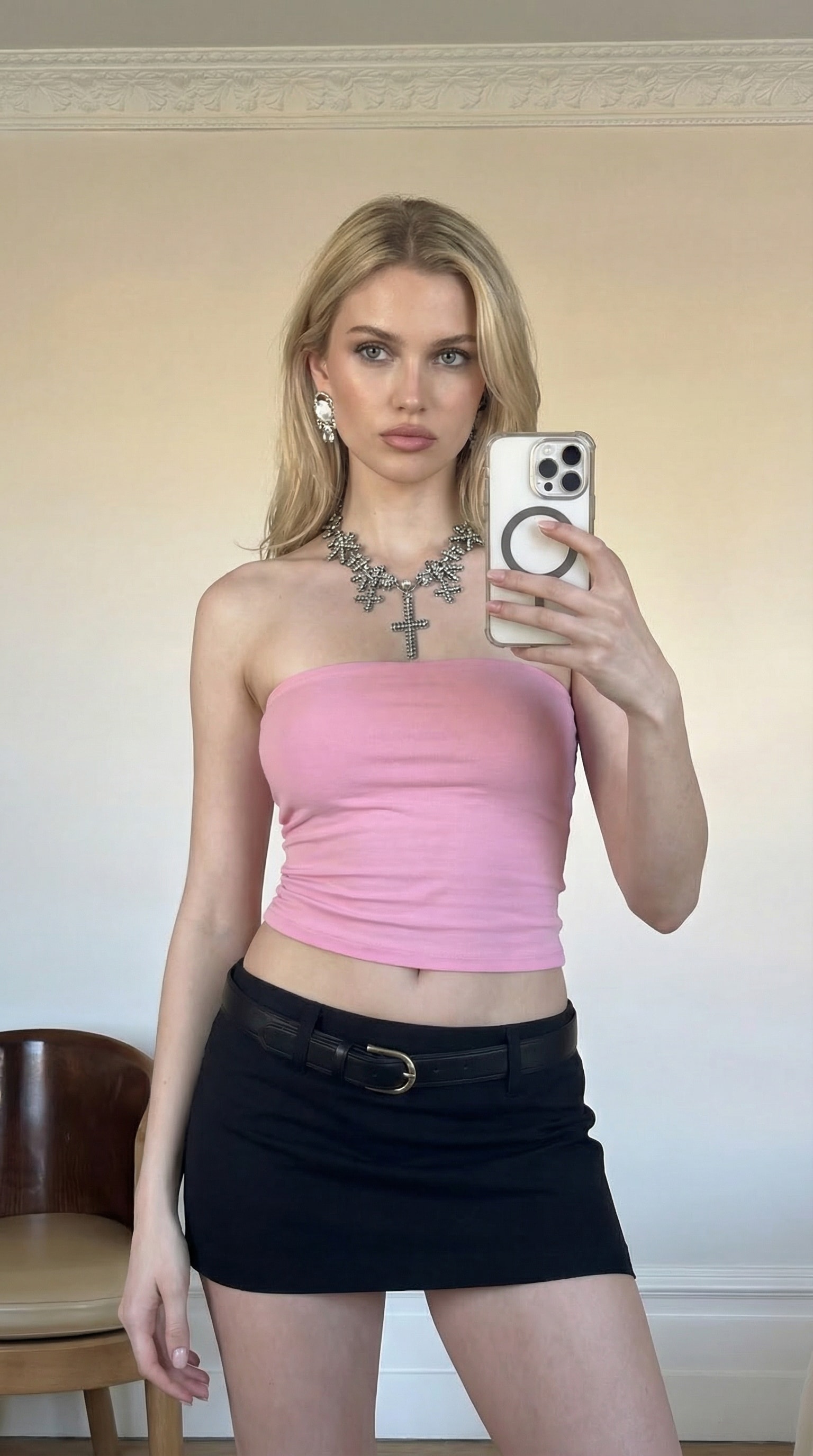
Home>AI Generator>AI Sky Fall Video Generator

Sky Falling AI: Create the Viral AI Sky Fall Video Effect

Join the viral Sky Falling AI trend from Instagram Reels and TikTok! Upload a photo and generate a cinematic AI falling video where you free-fall through dreamy pink or golden clouds, then freeze mid-air for dramatic slow-motion shots. Perfect for outfit reveals, couple edits, funny versions, or brand flex videos — all online, easy to generate, and ready to share with Media.io.

Create Sky Falling AI Video Free

Free credits on signup/login.

✓ Viral sky fall effect ✓ Falling + floating freeze ✓ Outfit & accessory close-ups ✓ Perfect for Reels & TikTok

Fast & Furious: Tokyo Drift AI Trend

Create viral Tokyo Drift AI car swap videos in minutes. Replace Han's RX-7 with any vehicle using AI. Free prompts, templates & tutorial. Start now!

Try Tokyo Drift AI →
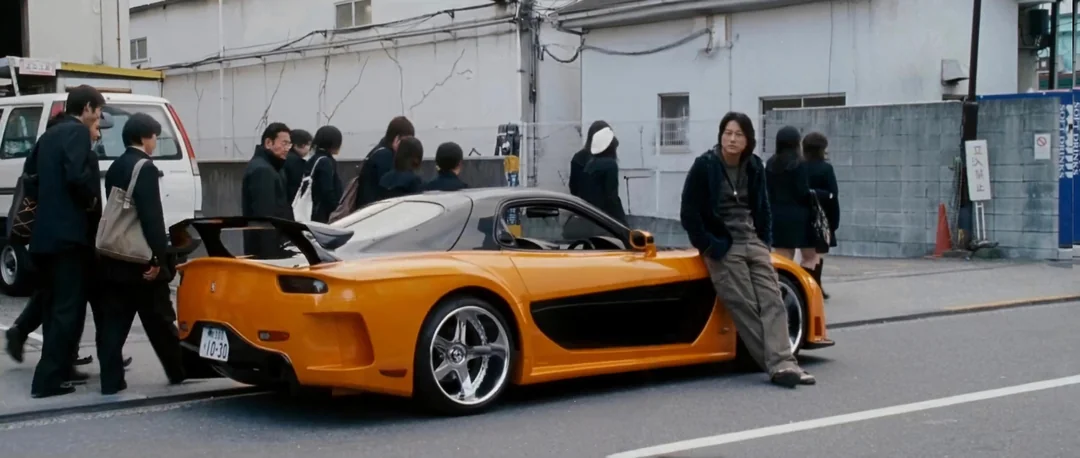
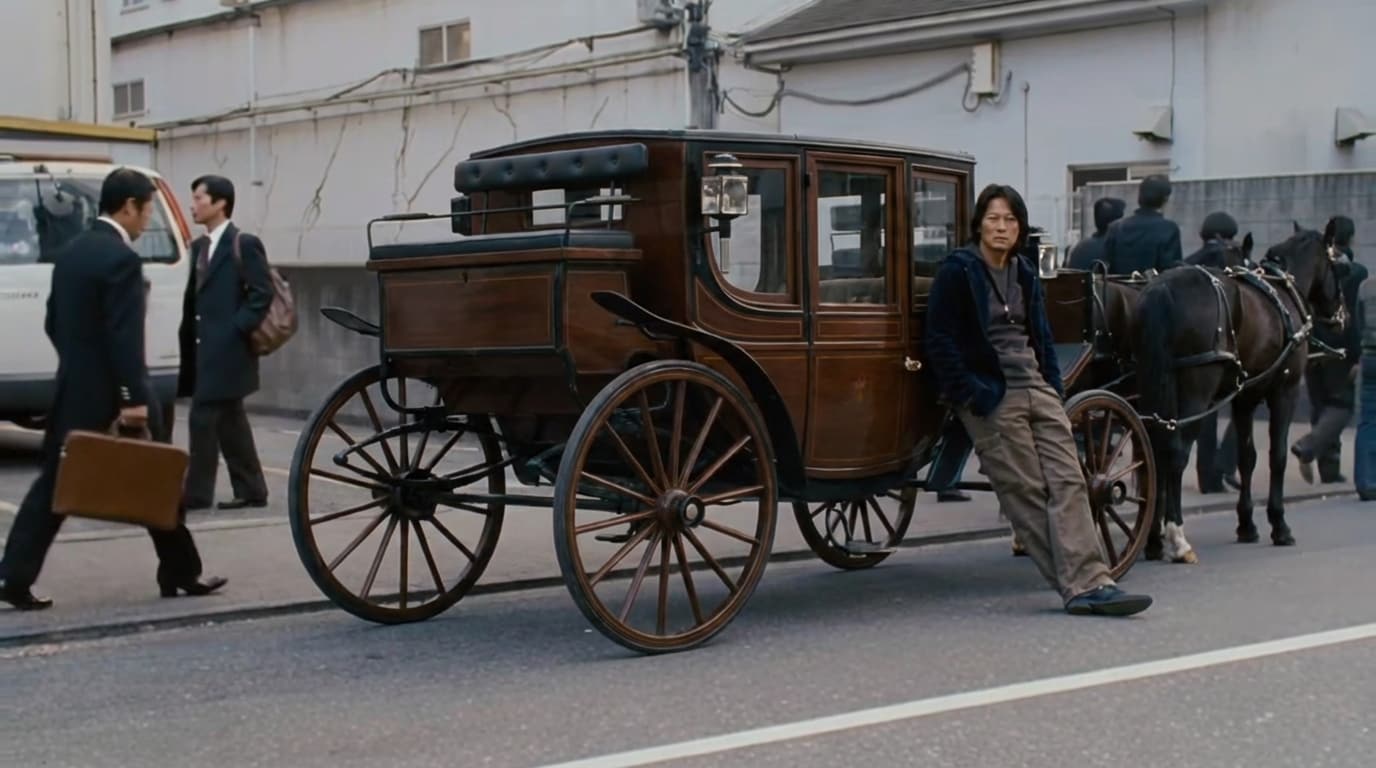
Tokyo Drift AI original photo Tokyo Drift AI car swap result

How to Make the Sky Falling AI Trend (2 Images → Video)

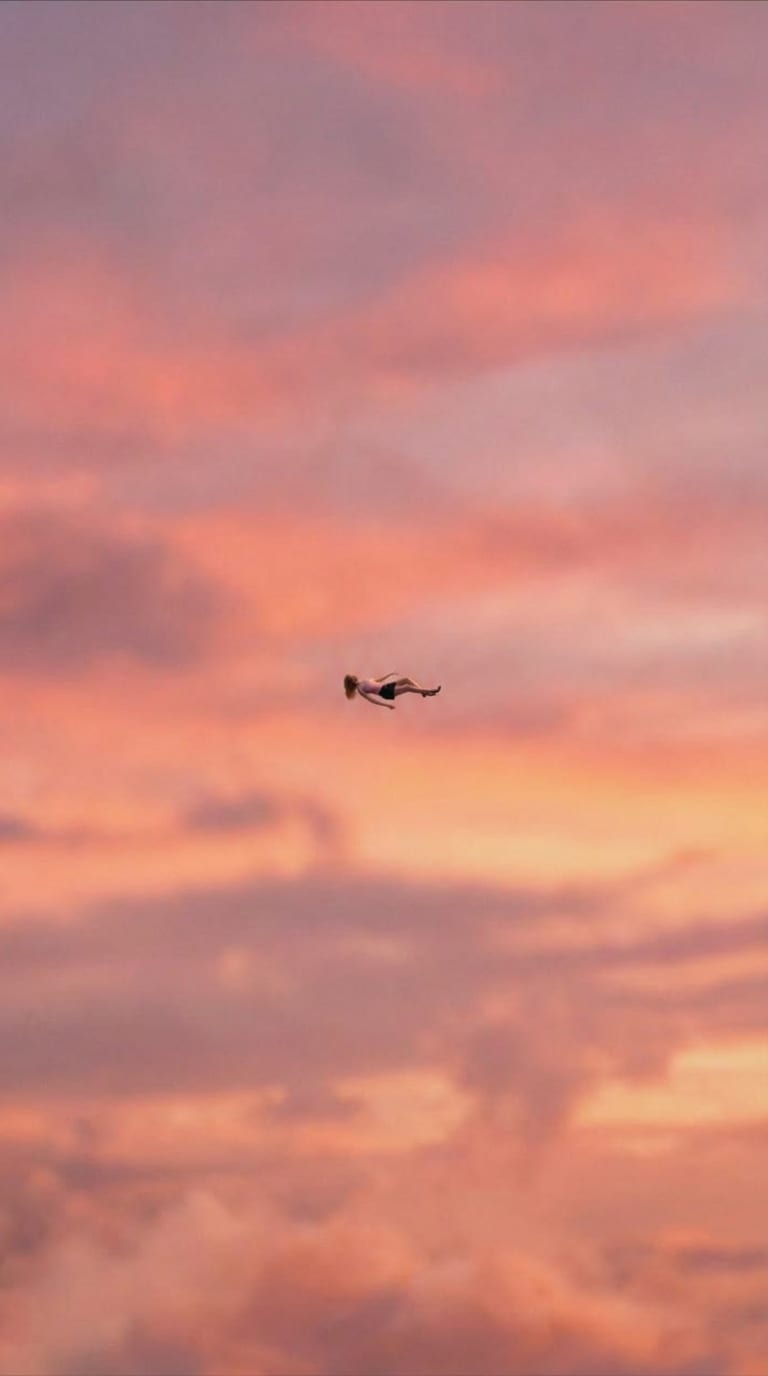
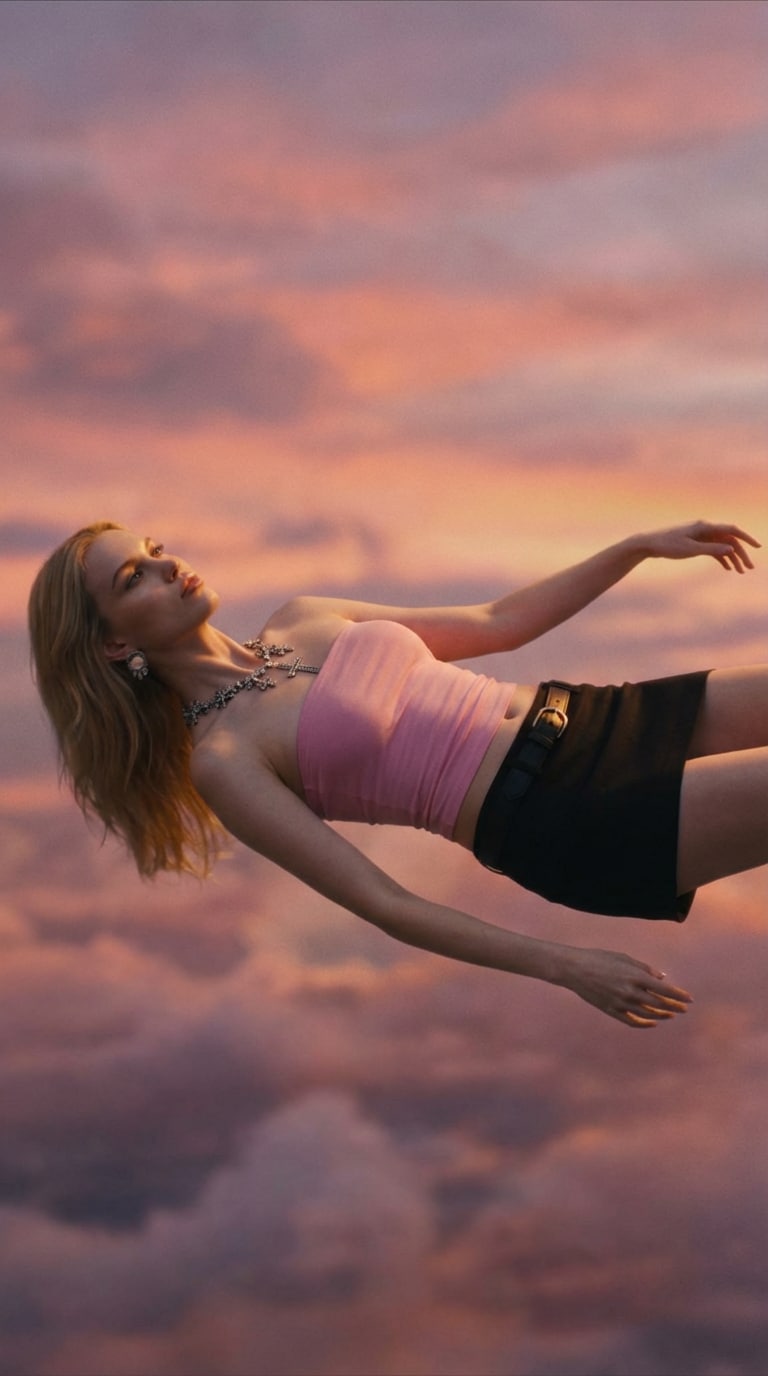
Upload your photo → generate a wide “tiny-in-the-sky” shot + a close-up floating shot with Nano Banana Pro → animate with Image-to-Video using start & end frames.

Wide shot result: tiny person high in the sky with pink sunset clouds

Wide Shot (Start Frame)

Close-up result: cinematic floating shot above soft golden clouds

Close-Up (End Frame)

Step 1

Generate 2 Sky Images (Wide + Close-Up)

  1. Open Media.io Image to Image and choose Nano Banana Pro.
  2. Upload your original photo.
  3. Generate two images: a wide long shot (tiny subject high in the sky) and a close-up floating shot. Copy a prompt below → Generate → Download each result.
Wide Shot Prompt
Take a picture from below, as this man is very high in the sky, very small, lying flat on her back, and slightly visible because she is very small. The camera is looking up, the sky is the same color, and the angle is from bottom to top. The person has his back to us, we look up at the sky as in the photo.
Close-Up Prompt
Use the uploaded image as the main reference. Create a cinematic shot of the person floating horizontally (lying flat on their back) high in the sky above soft pink/golden sunset clouds. Zero gravity, calm face, hair and clothes gently drifting. The person is not standing — no upright pose, no feet on ground. Camera angle: slight top-down tracking or human-level wide shot. Slightly blurred background, film lighting, beautiful color grading.
Generate Sky Images Now Tip: Keep the wide shot subject tiny for a more dramatic zoom.
Step 2

Animate with Start & End Frames (Kling O1)

  1. Open Media.io Image to Video and choose Kling O1.
  2. Upload the wide shot as the Start Frame and the close-up as the End Frame.
  3. Paste the video prompt below → Generate → Download.
Video Prompt
Use the uploaded image as the main reference.
Wide long shot from below: the person is very high in the sky, tiny in the frame, floating horizontally / falling backwards (not standing).
Soft pink, orange, and golden sunset clouds.
Cinematic movie shot, slight atmospheric haze, beautiful color grading.
Camera looking up, strong sense of height and distance.
Make Sky Falling Video Now Optional: Try Veo 3.1 too for different motion + camera feel.
Step 3

Download & Go Viral

  1. Download your final Sky Falling AI video from Media.io
  2. Post it to TikTok / Reels / Short.
  3. Add trending audio + hashtags like #skyfalling, #aivideo, #skyfalltrend, #fallingfromsky.

Social Media Showcase

Watch real examples on Instagram: Sky Fall Trend, Walk Transition, and Minecraft Background.

Why Use Media.io for Sky Falling AI Video Effect

Viral Sky-Fall Cinematic Motion

Recreate the trending Sky Falling AI vibe: fast free-fall through dreamy clouds, then a dramatic zoom-in that transitions into slow motion for a cinematic “floating” moment.

Keep Outfit & Accessory Details

Generate a “tiny-in-the-sky” falling scene while keeping your character, outfit, and accessories consistent — perfect for outfit showcases, couple versions, or branded placements.

Two-Step Workflow: Image → Video

Start with Nano Banana Pro for the cloud falling image, then animate it with Image-to-Video. Recommended models like Kling 2.6 and Veo 3.1 help create smoother motion and more dramatic camera movement.

Perfect for Reels, TikTok & Brand Edits

Make share-ready clips for outfit reveals, couple falls, funny “sky drop” edits, or product flex videos. Generate multiple versions fast and pick the one that looks most viral.


bg bg

Frequently Asked Questions About AI Sky Falling Trend

The Sky Falling AI trend is a viral short-video effect where a person appears to fall through dreamy pink/orange sunset clouds, then transitions into a cinematic slow-motion “floating” moment. It’s popular for outfit reveals, couple edits, funny versions, and aesthetic Reels/TikTok posts.
You can create it in two steps: first generate a falling-through-the-sky scene with Image to Image (recommended: Nano Banana Pro), then animate it using Image to Video to create the fast fall + slow-motion transition.
The best prompts describe: a tiny subject high in the sky, pink/golden sunset clouds, a horizontal floating/falling posture, and a cinematic camera move like zoom-in + slow motion. Adding “wide long shot,” “atmospheric haze,” and “beautiful color grading” often improves results.
A wide shot makes the subject look extremely high in the sky (more dramatic), while a close-up creates the “floating freeze” detail moment. Together, they help the video feel more cinematic and make the zoom-in transition look more realistic.
For smoother motion and better camera movement, models like Kling (start & end frame support) or Veo 3.1 often create stronger free-fall motion and more cinematic zoom transitions. You can regenerate to explore different motion styles.
Generation time depends on the video model you choose, your video length, and server load. Most results take seconds to a few minutes. If the first version isn’t perfect, regenerate with a clearer wide shot + close-up pair for better motion.
Media.io Online Tools Quality Rating:
vote 4.7 (162,357 Votes)
media.io

AI Video Generator star

Easily generate videos from text or images

Generate