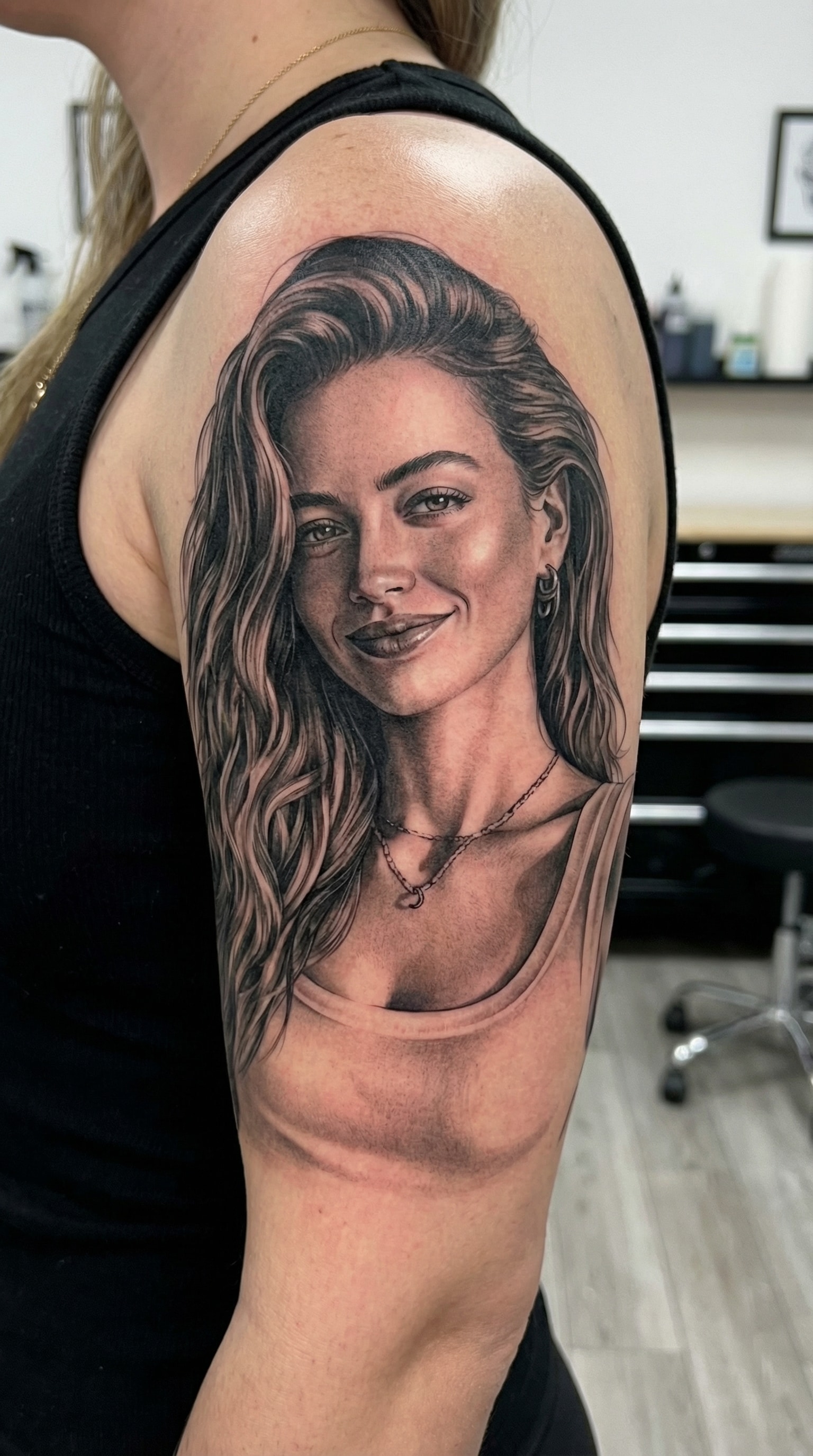
Gemini AI Photo Edit Tattoo Gemini AI Tattoo Prompt for Photorealistic Portrait Tattoos from Photos
Turn any photo into a photorealistic tattoo design using Gemini AI tattoo prompts.
Upload a portrait and instantly preview how a realistic portrait tattoo would look on your body—perfect for memorial tattoos, loved ones, or detailed reference designs before getting inked.
Copy ready-to-use Gemini AI tattoo prompts and create results that look like they came straight from a tattoo studio.
Create a Gemini AI Edit Tattoo Photo Now →
How to Create a Photorealistic Tattoo with Gemini AI
Create a realistic portrait tattoo design in minutes using Gemini AI tattoo prompts.
Just upload a photo, choose a prompt, and preview how your tattoo would look before getting inked.
1
Open the Gemini AI Tattoo Generator
Start by opening the Gemini AI tattoo generator on Media.io.
This tool is designed to create photorealistic tattoo designs from real photos.
No design skills are needed—everything runs directly in your browser.
2
Upload a Photo and Choose a Tattoo Prompt
Upload a clear portrait photo and describe the tattoo style you want.
For best results, select a Gemini AI tattoo prompt from the prompt library below.
You can customize placement, realism, shading, and background details in seconds.
3
Generate, Preview, and Save Your Tattoo Design
Click generate to see a realistic tattoo preview on your body.
Review the details and adjust the prompt if needed for better realism.
Once you’re satisfied, save the image or download it as a reference for your tattoo artist.
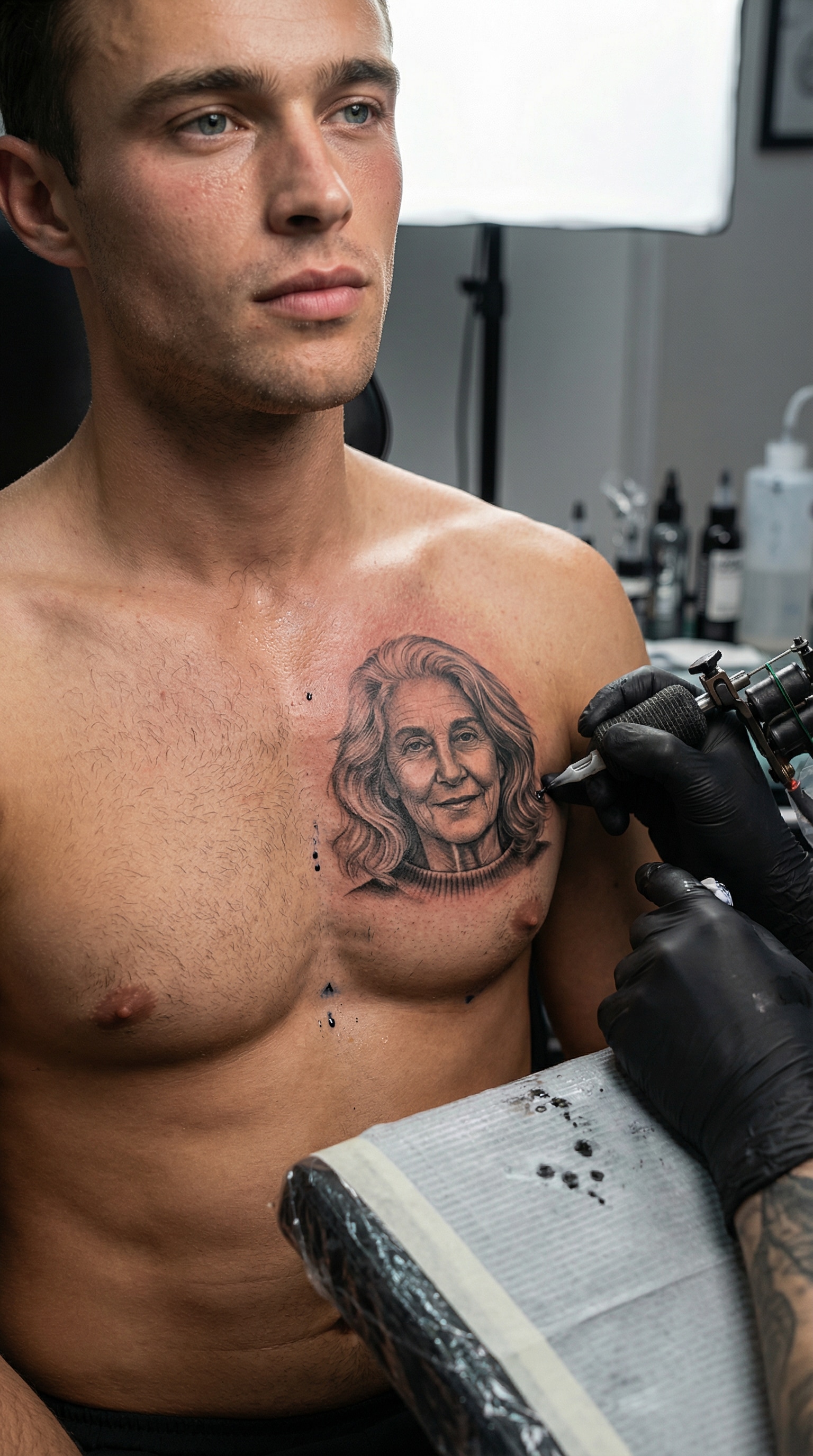
Photorealistic Portrait Tattoo in Progress (Memorial / Mom)
Create an ultra-photorealistic scene of a tattoo in progress.
A man is sitting in a professional tattoo studio while a tattoo artist is actively tattooing a realistic female portrait (mother) onto his chest.
The tattoo machine is clearly visible, touching the skin, with natural ink saturation and subtle redness around the tattoo area.
The portrait tattoo is highly detailed, emotionally respectful, and looks like a real memorial tattoo created from a photograph.
Realistic human skin texture, visible pores, natural shadows, accurate anatomy, and correct proportions.
Cinematic studio lighting, shallow depth of field, documentary-style tattoo photography.
No illustration, no painting, no AI art style, no filter — looks like a real tattoo session photo.
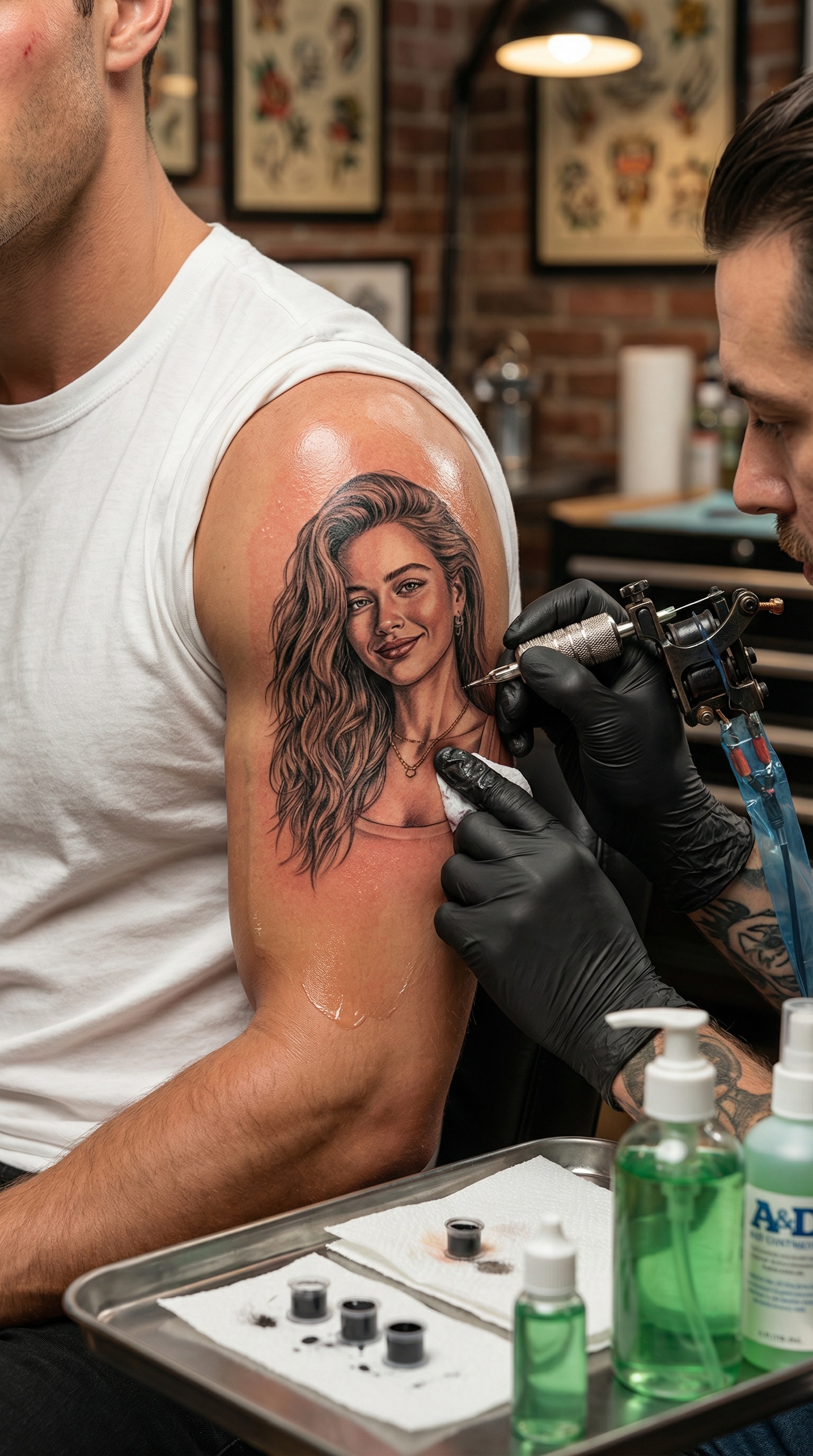
Realistic Tattoo in Progress (Tattoo Machine Scene)
Create a photorealistic scene of a tattoo being applied on human skin.
A realistic tattoo machine is visible, actively tattooing a detailed portrait from the uploaded photo.
Skin shows natural redness, ink saturation, and subtle shine.
Highly realistic tattoo studio environment, professional lighting.
The tattoo looks real, detailed, and permanent, not a digital overlay or filter.
Ultra high realism, cinematic depth, authentic tattoo process.
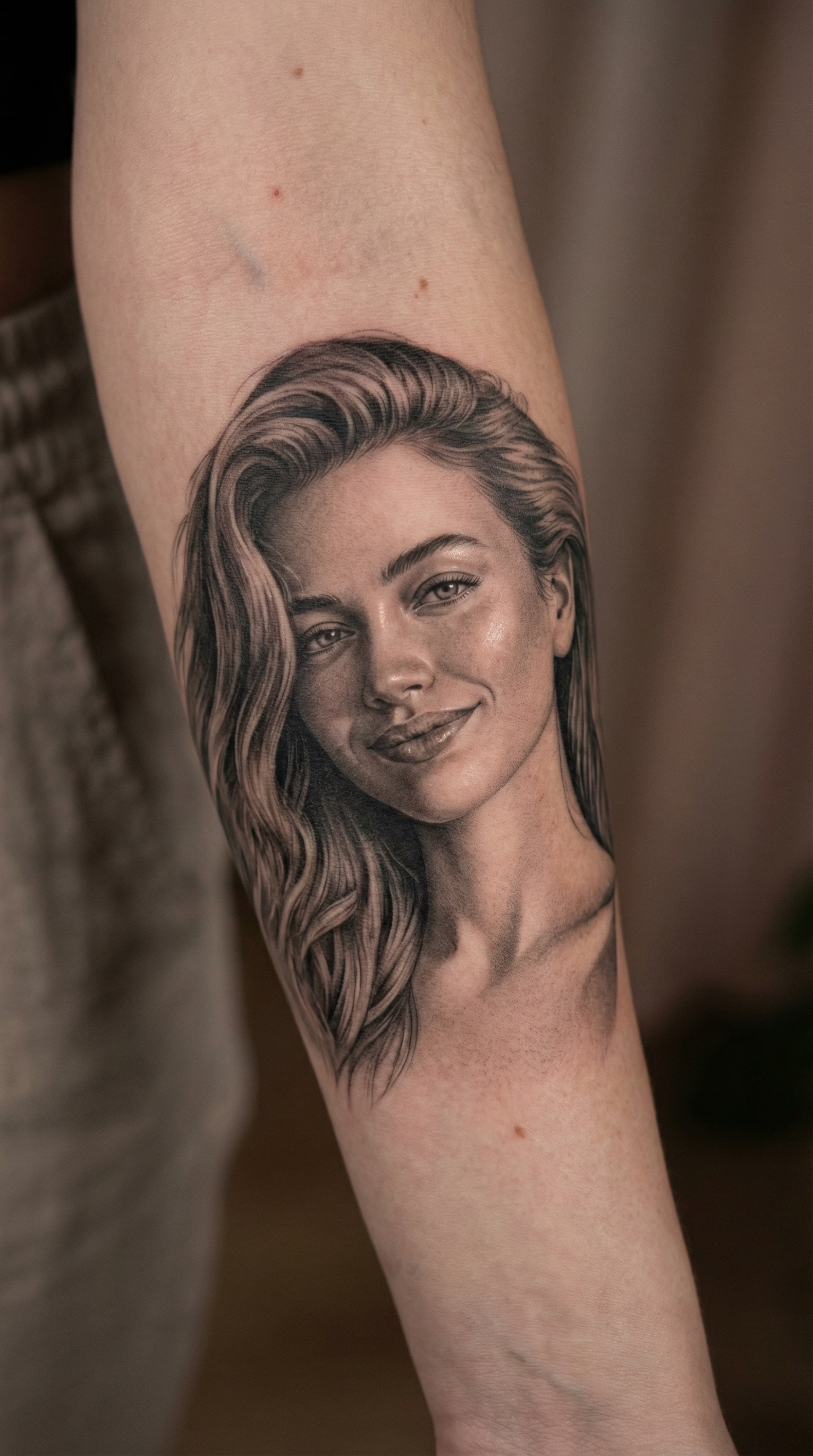
Healed Realistic Portrait Tattoo (Finished Look)
Turn the uploaded portrait into a finished, healed photorealistic tattoo on skin.
The tattoo looks naturally healed, with smooth ink integration and realistic fading.
Skin texture is visible, with natural pores and subtle imperfections.
The portrait tattoo appears professionally done, balanced contrast and realistic shading.
No illustration style, no painting effect, pure realistic tattoo photography.
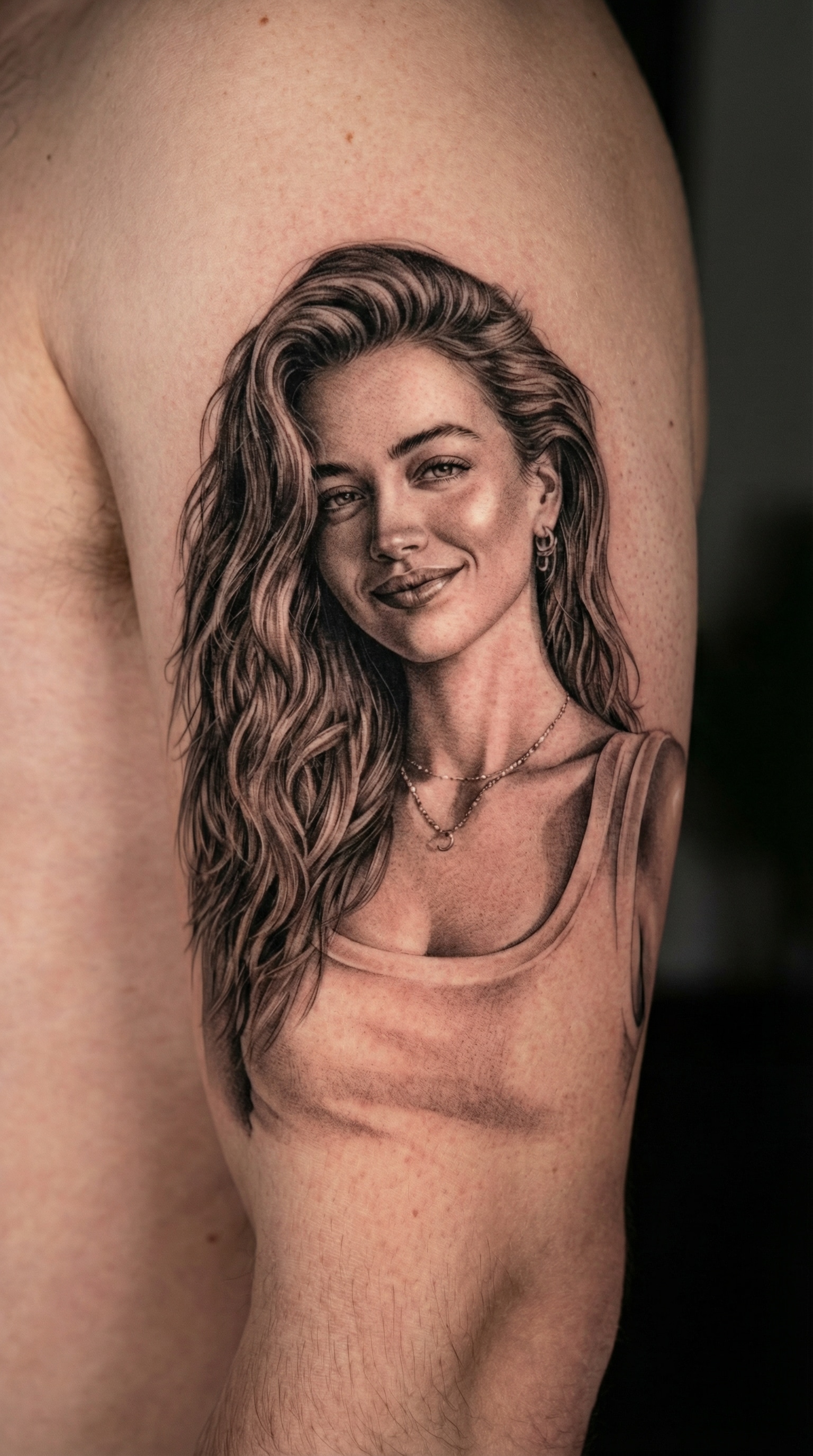
Tattoo Placement Preview (Arm / Leg / Shoulder)
Transform the uploaded portrait photo into a photorealistic tattoo design on human skin.
The tattoo is a highly detailed realistic portrait tattoo, honoring a loved one (mother).
Natural skin texture, realistic ink depth, soft shading, smooth gradients, fine line tattoo details.
The portrait is seamlessly integrated into the skin, with correct proportions and natural curvature.
Tattoo placement looks authentic, as if created by a professional tattoo artist.
Studio lighting, ultra-realistic, no illustration style, no cartoon, no flat filter.
Highly Detailed Black & Grey Portrait Tattoo
Create a black and grey photorealistic portrait tattoo from the uploaded photo.
High contrast shading, smooth gradients, detailed facial features.
Realistic skin interaction with tattoo ink, natural depth and texture.
Professional tattoo artist style, no digital illustration or AI art look.
Ultra realistic tattoo photography, clean background.
From meaningful portrait tattoos to full-sleeve previews, Gemini AI tattoo prompts help you visualize realistic tattoo designs before making a permanent decision.
See Your Tattoo Before It Becomes Permanent
Getting a tattoo is a lifelong decision—and guessing is risky.
With Gemini AI tattoo generation, you can preview exactly how a tattoo would look on your body before ever touching a tattoo machine.
This allows you to explore placement, size, and realism with confidence, turning uncertainty into clarity.
Turn Photos into Photorealistic Portrait Tattoos
Whether it’s a loved one, a family member, or a meaningful memory, Gemini AI tattoo prompts transform photos into detailed, photorealistic portrait tattoo designs.
The results focus on skin texture, shading, and depth—creating images that resemble real tattoo work, not flat digital art.
Design with Confidence—No Artistic Skills Needed
You don’t need to be a tattoo artist or designer to create something realistic.
By using carefully crafted Gemini AI tattoo prompts, anyone can generate professional-looking tattoo concepts in minutes.
Simply upload a photo, copy a prompt, and let Gemini handle the complexity behind the scenes.
Perfect for Planning, Sharing, and Artist Reference
A realistic AI tattoo design isn’t just for fun—it’s a powerful planning tool.
Many users create designs to share with friends, get feedback, or bring as visual references to their tattoo artist.
This makes communication easier and helps ensure the final tattoo matches your vision as closely as possible.
FAQs About
Gemini AI Tattoo Prompts
1. Is it safe to upload my photos to Media.io?
Yes. Your privacy is taken seriously on Media.io.
All uploaded images and generated content are processed securely and automatically deleted within seven days, so you can explore Gemini AI tattoo prompts without worrying about long-term data storage or misuse.
2. Can I try Gemini AI tattoo prompts for free?
Absolutely. Media.io allows you to try Gemini AI tattoo generation for free, so you can preview realistic tattoo designs before deciding whether to continue.
This makes it easy to test different styles, placements, and prompts without any upfront commitment.
3. How realistic are the tattoo results generated by Gemini AI?
When using well-written Gemini AI tattoo prompts, the results can be highly realistic.
The system focuses on details like shading, skin texture, and depth, making the designs suitable for visualization, inspiration, and early-stage planning.
4. Do I need any design or tattoo experience to use this tool?
Not at all. Media.io is built for beginners and non-designers.
Simply upload a photo, copy a Gemini AI tattoo prompt from the prompt library, and generate results in just a few clicks—no artistic background required.
5. Can I use AI-generated tattoo designs as references or inspiration?
Many users create AI tattoo designs to explore ideas, gather feedback, or communicate their vision more clearly.
As with any creative work, it’s a good idea to review how and where the design will be used and ensure it aligns with personal, professional, or artistic expectations.
Why Creators Love Media.io’s Gemini AI Tattoo?
Alex M.
Long-Distance Lover
Seeing my tattoo idea come to life felt unreal.
I used a Gemini AI tattoo prompt to turn a photo of my mom into a realistic portrait tattoo design. The shading, skin texture, and depth looked incredibly lifelike—nothing like a flat filter. It gave me real confidence before committing to anything permanent.
Maya J.
Graphy Designer
I expected a rough concept, but the result looked like real tattoo work.
The photorealistic tattoo preview surprised me with how natural it felt on the body. The lighting and placement looked authentic, and the design translated perfectly from photo to skin. It was exactly what I needed for planning.
Jordan P.
Casual User
I shared my AI tattoo preview on TikTok—and people thought it was real.
Using a Gemini AI tattoo prompt, I generated a portrait tattoo design and posted it online. Friends kept asking where I got it done. The realism made it look like an actual tattoo session, and the reactions were insane.