Add Lightning to Photo
Make Any Photo Dramatic with Realistic AI Lightning Strikes — Free Online
Want a jaw-dropping storm photo without chasing lightning? Use Media.io's AI Lightning Effect to instantly add realistic lightning bolts and electric storm atmosphere to any photo — no app, no editing skills needed.
Whether you're electrifying a landscape, creating a cinematic portrait, or adding dramatic storm clouds to a plain sky, our AI places lightning naturally into your scene, following depth, light, and atmosphere.
Try the AI Lightning Effect Now →
How to Add Lightning to Any Photo in Seconds
— Use Media.io AI & Prompts
Turn any landscape or portrait into a dramatic storm scene with just a few clicks. Follow these steps using Media.io's AI Image-to-Image tool, and use our curated prompts below to get anything from a single bolt strike to a full multi-lightning storm sky — perfect for landscapes, portraits, social media, and creative projects.
Open the AI Lightning Generator
Go to Media.io's AI Image-to-Image tool and get ready to add lightning to your photo. No sign-up or download required — it runs entirely in your browser, optimized for sky and storm lightning effects.
Upload & Describe Your Lightning Style
Upload any photo (JPG or PNG — landscapes, portraits, or cityscapes all work great). Then type a prompt like "add dramatic forked lightning bolts striking from dark storm clouds" or "bright single lightning bolt behind person in the sky". Not sure what to write? Try one of our ready-made prompts below — tested for realistic depth, light integration, and atmospheric consistency.
Generate & Download Your Lightning Photo
Click Generate, and in seconds your photo will be transformed with dramatic lightning that follows the natural depth and light of your scene. Use the before/after slider to compare, then download your image — ready for Instagram, creative portfolios, album covers, or professional use.
Lightning Over Storm Landscape
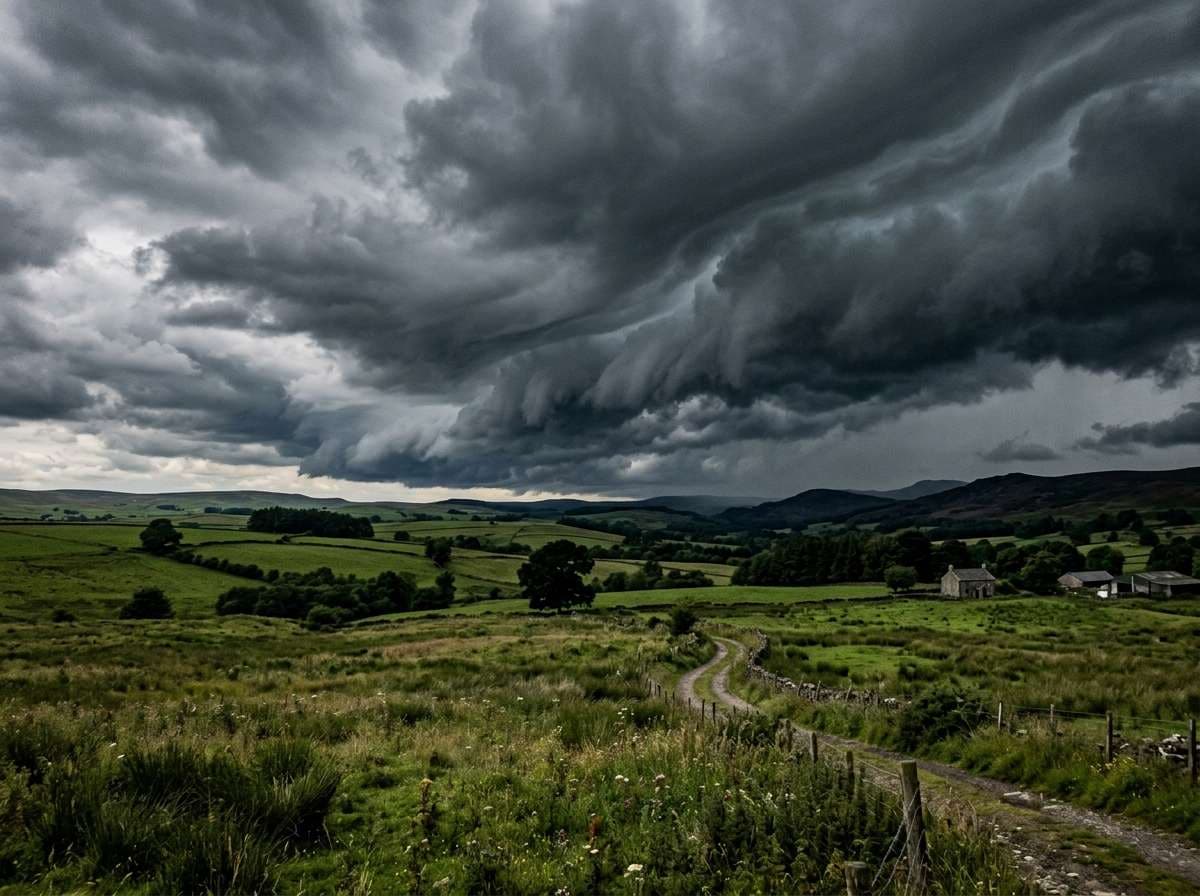
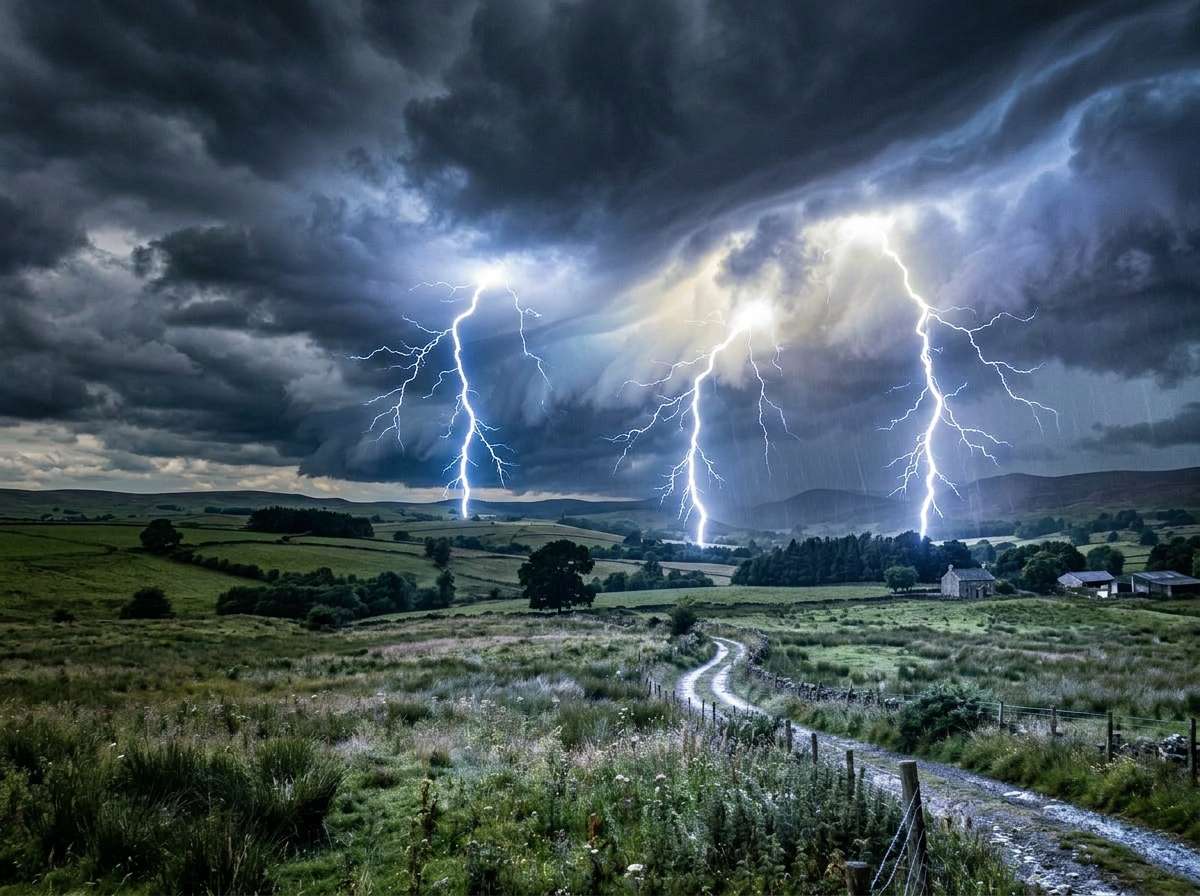
Add dramatic realistic lightning bolts to this stormy landscape, multiple bright white-blue forked lightning strikes from dark storm clouds to the ground, lightning illuminates the clouds from within with electric glow, intense dramatic storm atmosphere, same composition and scene unchanged, ultra-realistic lightning photography
Lightning Behind Outdoor Portrait
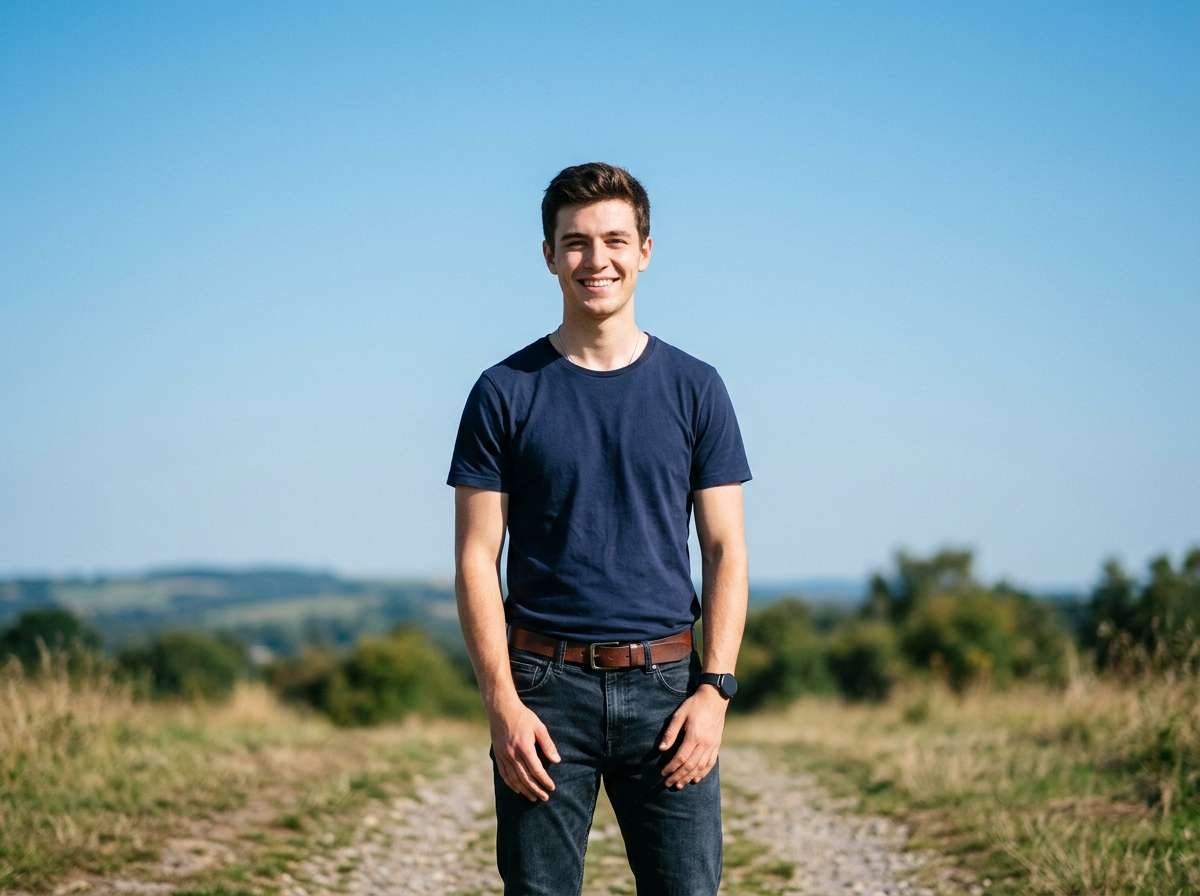
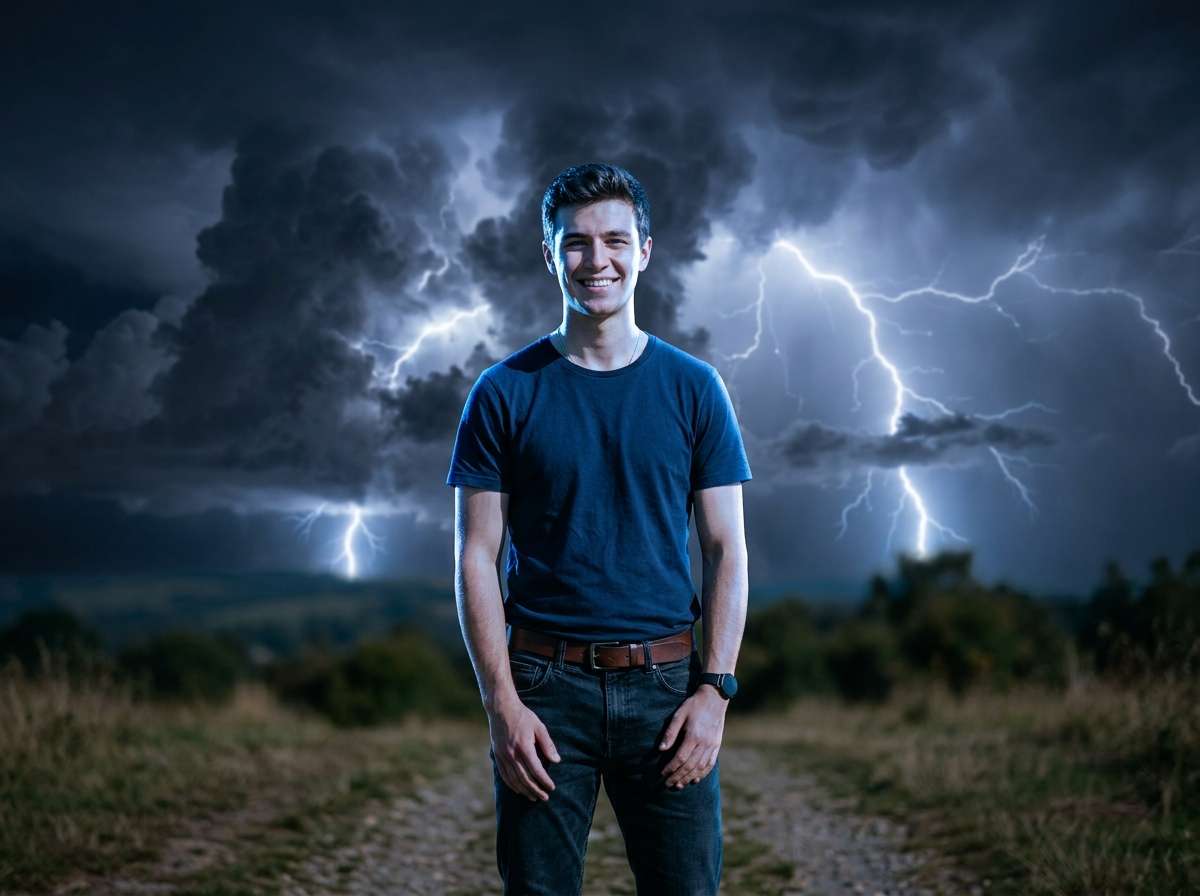
Add vivid lightning bolts to the background sky behind this person, keep the person unchanged and face sharp, lightning illuminates the subject with a dramatic cinematic electric glow, dark storm clouds filling the sky, same portrait composition unchanged, ultra-realistic storm photography








Why Use Media.io for AI Lightning Effects
Whether you're shooting landscapes, portraits, or cityscapes — your lightning should look like it was always part of the scene. With Media.io's AI Image-to-Image tool, you get sky-aware lightning generation that blends naturally with your photo's depth and lighting — all in seconds, online, and free to start.

Sky-Aware Lightning Placement
Our AI reads your photo's sky, horizon line, and natural lighting to place lightning exactly where it looks real — bolt paths follow cloud depth, ground reflections match the flash. No flat overlays — just natural, photorealistic lightning strikes.

100% Online, Works in Browser
No app installs. No watermarks. Just upload, prompt, and generate — on phone or desktop. Media.io's AI runs securely in the cloud for instant, high-quality lightning output with no sign-up required.

Any Style, Any Intensity
Single dramatic bolt, multiple forked strikes, cloud-to-ground lightning, or a full electric storm sky — describe any style in your prompt and the AI delivers exactly what real lightning looks like in nature.

Portraits, Landscapes & More
Perfect for outdoor portraits, storm landscapes, cityscapes, album covers, Halloween edits, and cinematic creative photography. Any photo with a visible sky becomes a striking lightning masterpiece.
FAQs About
AI Lightning Effect
1. Does the lightning look realistic or like a flat overlay?


Completely realistic. Media.io's AI understands your photo's sky, depth, and light direction to generate lightning that blends naturally with the scene. The electric glow reflects off clouds, ground, and faces the way real lightning does — not a flat texture layer pasted on top.
2. What types of photos work best for adding lightning?
Photos with open sky areas work best — landscapes, outdoor portraits, cityscapes, and beach or mountain scenes. The AI automatically identifies the sky region and places lightning naturally. Even plain blue-sky photos can be transformed into dramatic storm scenes with the right prompt.
3. Can I choose the lightning style — forked, single bolt, or cloud glow?
Yes — just describe it in your prompt. Try "dramatic forked lightning bolt", "single bright bolt striking the ground", "lightning illuminating clouds from within", or "multiple lightning strikes across the stormy sky". The AI follows your description accurately for any natural lightning style.
4. Will lightning cover faces in portrait photos?
Not by default. The AI places lightning in the sky and background. For portrait photos, add to your prompt: "lightning in sky behind person, face stays sharp and clear, electric glow lighting the subject dramatically". This creates a striking cinematic look where lightning illuminates the subject naturally without obscuring them.
5. How is this different from a Photoshop lightning brush?
Photoshop brushes require manual placement, blending modes, and glow effects — which takes time and skill. Media.io AI lightning is fully automatic: it generates the entire storm atmosphere including cloud illumination, ground reflections, and color grading, all in one click based on your text description. No Photoshop knowledge needed.



