No Makeup Filter
Remove Makeup from Any Photo — See Your Real Skin, Free Online
Curious what you look like without makeup? Use Nano Banana Pro's AI No Makeup Filter to instantly remove makeup from any photo — preserving your real skin texture, pores, and natural features, no app or editing skills needed.
Whether you want to see your bare face, create an authentic profile photo, explore the viral no-makeup makeup look, or just strip away heavy filters, our AI handles every cosmetic layer naturally.
Try Your No Makeup Look Now →
How to Remove Makeup from a Photo in Seconds
— Use Nano Banana Pro & AI Prompts
Reveal your natural skin or craft the perfect no-makeup makeup look with just a few clicks. Follow these steps using Nano Banana Pro's AI Image-to-Image tool, and use our curated prompts below to go from full glam to bare-faced authentic beauty — or achieve that viral "I woke up like this" glow.
Open the AI No Makeup Filter
Go to Nano Banana Pro's AI Image-to-Image tool and get ready to reveal your natural face. No sign-up or download required — it runs entirely in your browser, optimized for facial feature detection and realistic skin rendering.
Upload & Describe Your Natural Look
Upload a clear face photo (JPG or PNG) — a selfie, portrait, or even a celebrity photo. Then type a prompt like "remove all makeup, show natural bare skin" or "no-makeup makeup look, dewy glowing skin." Not sure what to write? Try one of our ready-made prompts below — tested for realistic skin texture preservation, even tone, and authentic results.
Generate & Download Your Natural Photo
Click Generate, and in seconds your photo will reveal a clean, natural-looking face with preserved skin texture and true-to-life features. Use the before/after slider to compare, then download your image — ready for profiles, social posts, or personal comparison.
Remove Makeup — Full Glam to Bare Face
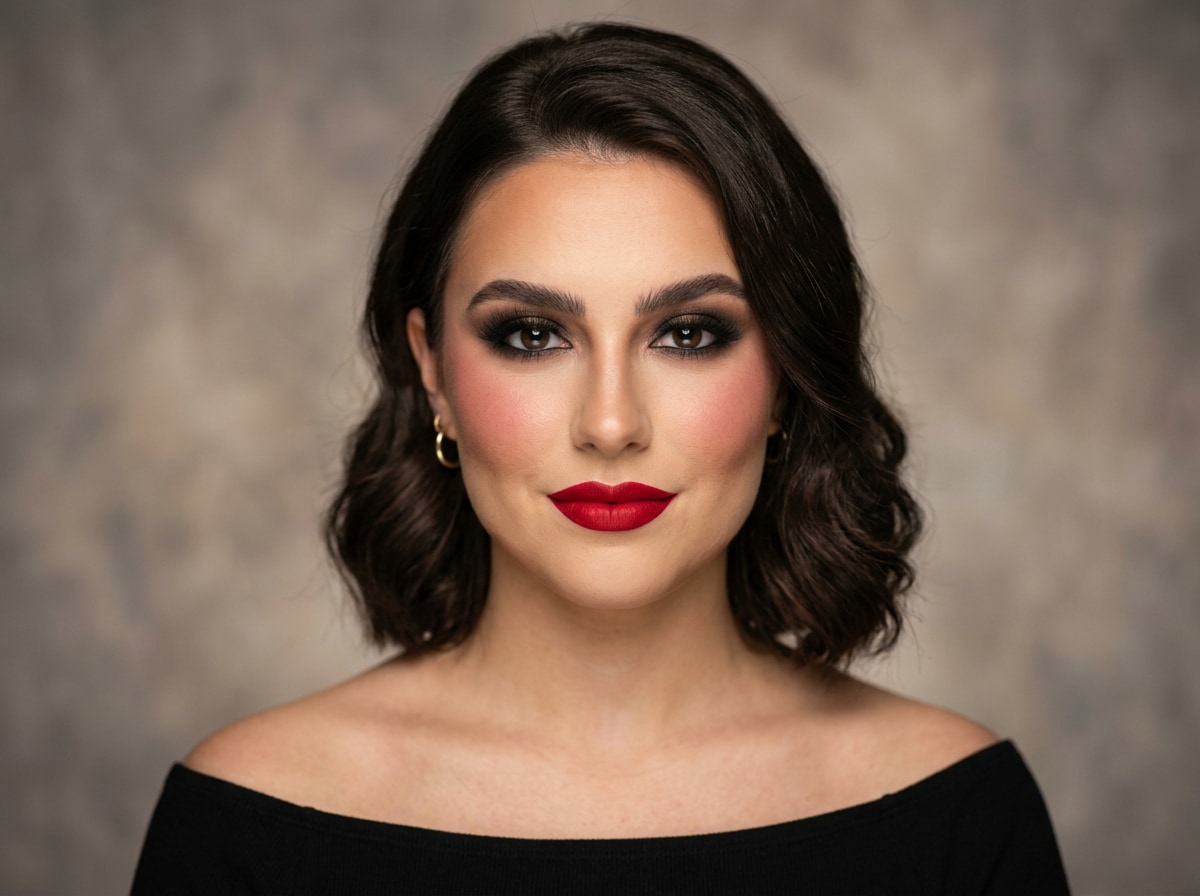
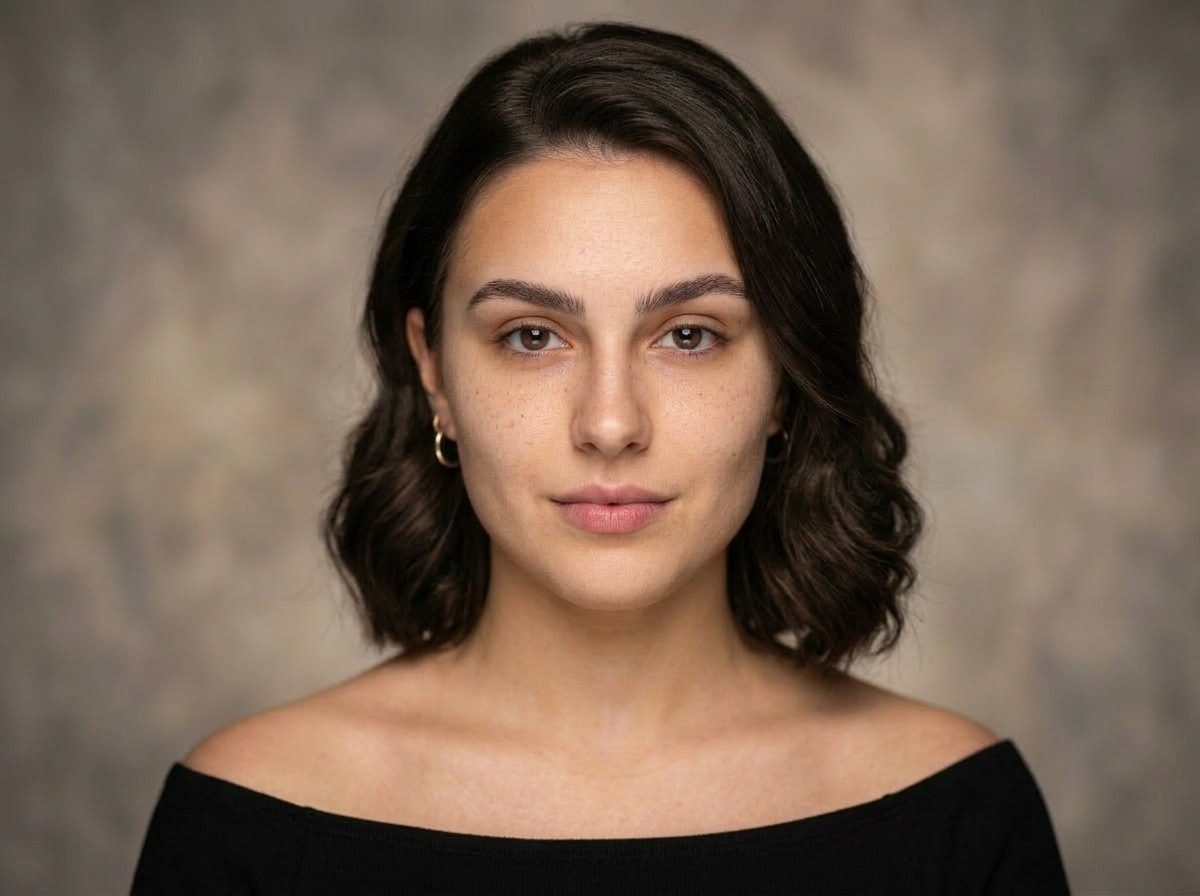
Remove all makeup from this face: remove lipstick, eyeshadow, mascara, foundation, blush, and contouring. Reveal clean natural bare skin with visible pores and natural texture, even skin tone, natural eyebrows, no artificial smoothing or blurring, realistic and authentic makeup-free result, same facial structure and lighting
Remove Stage Makeup — Works on Men Too
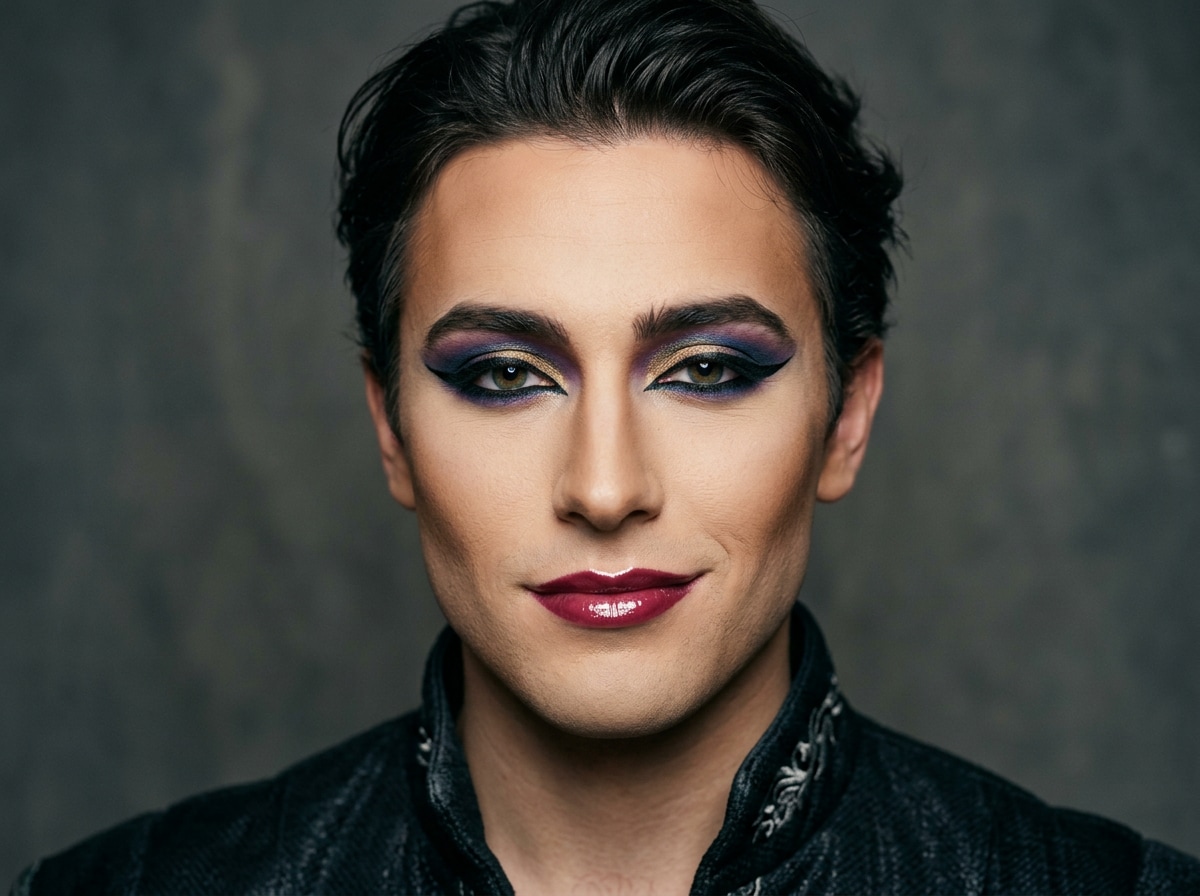
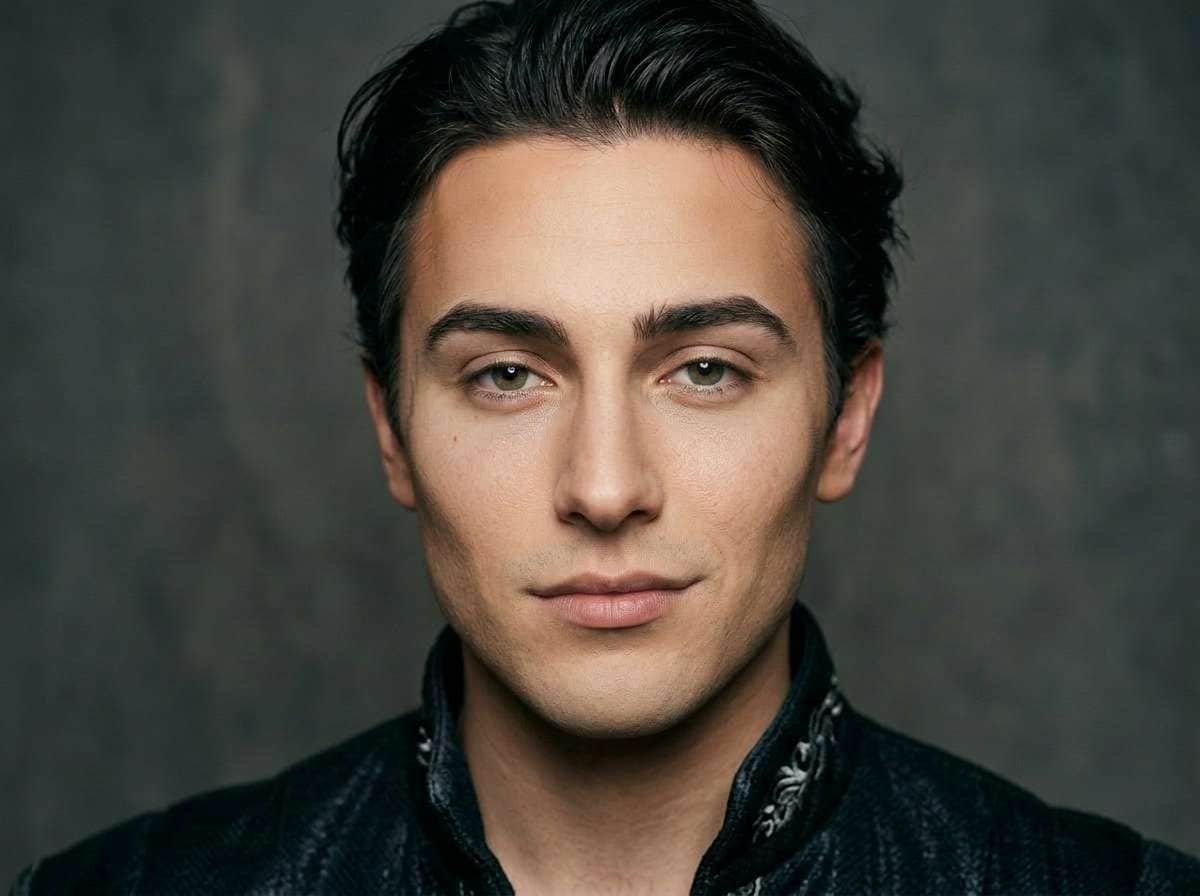
Remove all makeup from this man's face: remove eyeliner, eyeshadow, lipstick, foundation, contouring, and any theatrical or stage makeup effects. Reveal clean natural bare skin with visible pores and natural masculine texture, even skin tone, natural eyebrows, no artificial smoothing, realistic and authentic makeup-free result, same facial structure and lighting








Why Use Nano Banana Pro for the No Makeup Filter
Whether you want to see your true self, create an authentic profile photo, or nail the no-makeup makeup trend — the result should look genuinely real, not processed. With Nano Banana Pro's AI Image-to-Image tool, you get face-aware makeup removal that preserves your natural skin texture, pores, and features — not an over-smoothed blur — all in seconds, online, and free to start.

Preserves Real Skin Texture
Unlike beauty filters that blur everything smooth, our AI removes only the cosmetic layer — leaving your natural pores, skin tone, and facial details completely intact for a genuinely authentic result.

Works on All Makeup Styles
Light everyday makeup, heavy glam, bold stage looks, or beauty-app filtered photos — our AI accurately detects foundation, lipstick, eyeshadow, mascara, and blush to remove them all cleanly.

Two Looks: Bare or No-Makeup Makeup
Go completely bare-faced for a raw, authentic look — or try the trending no-makeup makeup style for that effortless dewy glow that looks natural but polished. Both are just one prompt away.

Perfect for Profiles, Posts & Curiosity
Use results for LinkedIn profile photos, authentic Instagram posts, or just to satisfy your curiosity about how you — or your favorite celebrity — actually looks without any makeup on.
FAQs About
AI No Makeup Filter
1. Does removing makeup look realistic and not blurry?


Yes! Nano Banana Pro's AI is designed to remove the cosmetic layer only — not flatten the skin. Your natural pores, skin tone variation, and facial details are preserved, so the result looks like a real photo taken without makeup, not an over-processed beauty render.
2. Can I remove makeup from a celebrity photo?
Yes — upload any portrait photo and use a prompt like "remove all makeup, reveal natural bare skin." The AI works on any face in the photo. It's a fun way to see what celebrities or influencers might look like without their signature glam.
3. What is the no-makeup makeup look?
The no-makeup makeup look is a beauty trend that makes you appear effortlessly natural while still looking polished — think dewy glowing skin, softly groomed brows, and barely-there lip color. Use our second prompt card to achieve this viral "I woke up like this" aesthetic instantly.
4. Can it remove beauty filters applied by other apps?
Yes! If a photo has been heavily processed by beauty apps like FaceApp, Meitu, or Snapchat filters, you can use a prompt like "remove all beauty filter effects, restore natural skin texture and pores." The AI will work to reverse the cosmetic enhancements and return the face to a more natural state.
5. How is this different from other makeup remover apps?
Most makeup remover apps either smooth the skin too much or simply strip color without understanding facial context. Nano Banana Pro uses true AI image-to-image transformation — meaning it understands your full face, lighting, and skin structure to deliver a result that looks genuinely natural, not digitally erased.



