How to Use Nano Banana Pro for Free?
Master the Nano Banana 2 Model for Stunning AI Creations
Discover how to use Nano Banana Pro and how to get access to Google’s latest AI image generation model. As the upgraded version of Nano Banana 2, this advanced tool brings photorealistic 4K rendering, multi-image blending, and precise text control to help you design visuals that look truly lifelike — from cinematic portraits to product photography.
In this quick guide, you’ll learn how to use Nano Banana Pro for free and explore creative ways to bring your ideas to life. Whether you want to try Nano Banana Pro for a 3D-style portrait, an editorial poster, or a polished commercial scene, you’ll see exactly how to access Nano Banana Pro and make it work for your imagination.

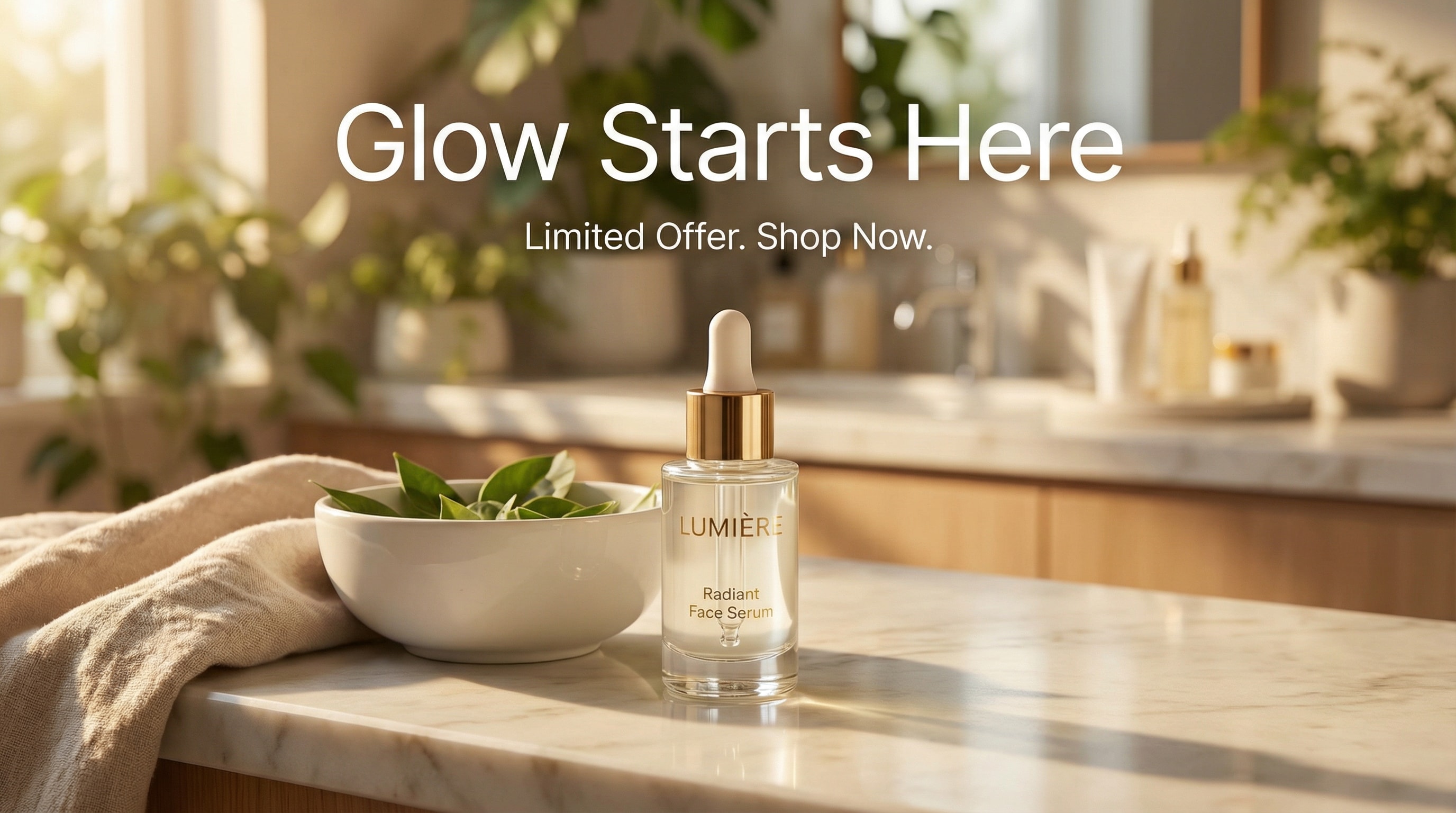
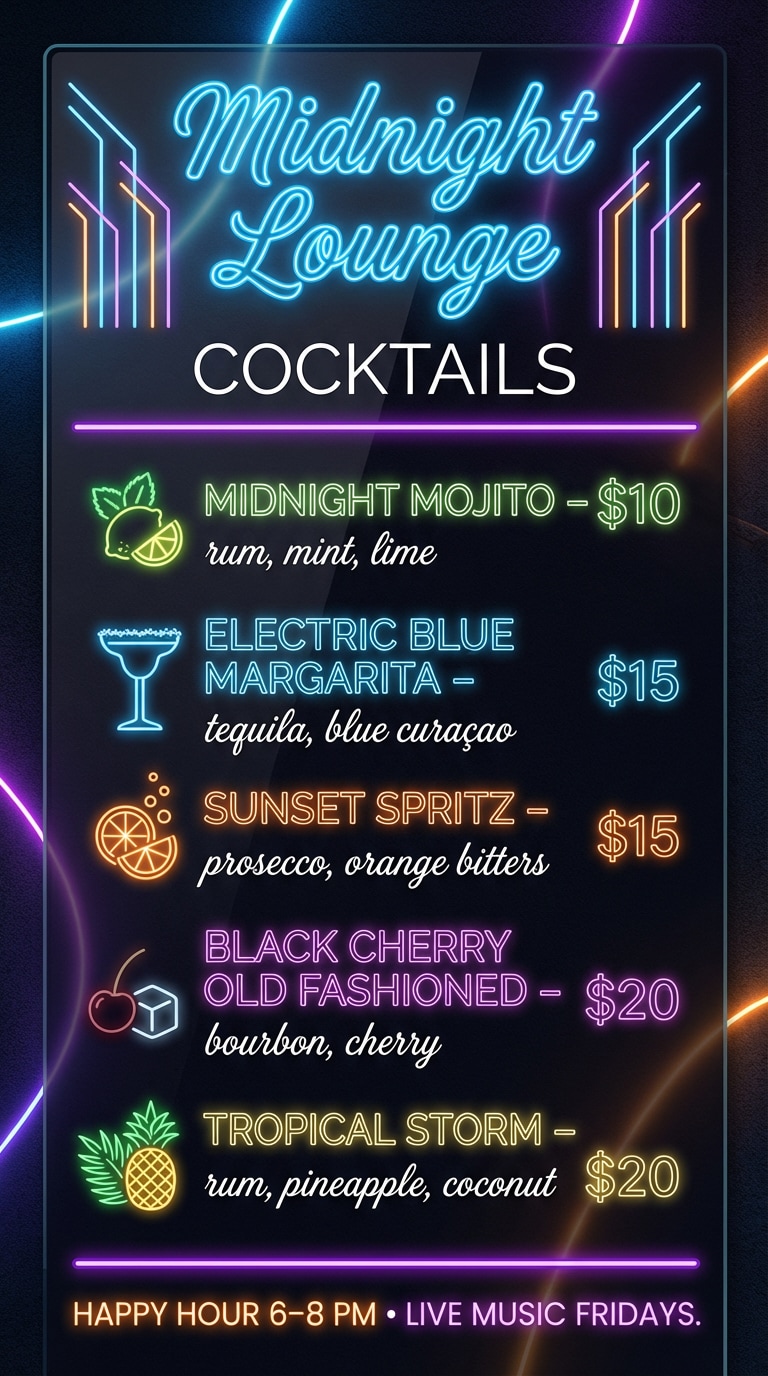

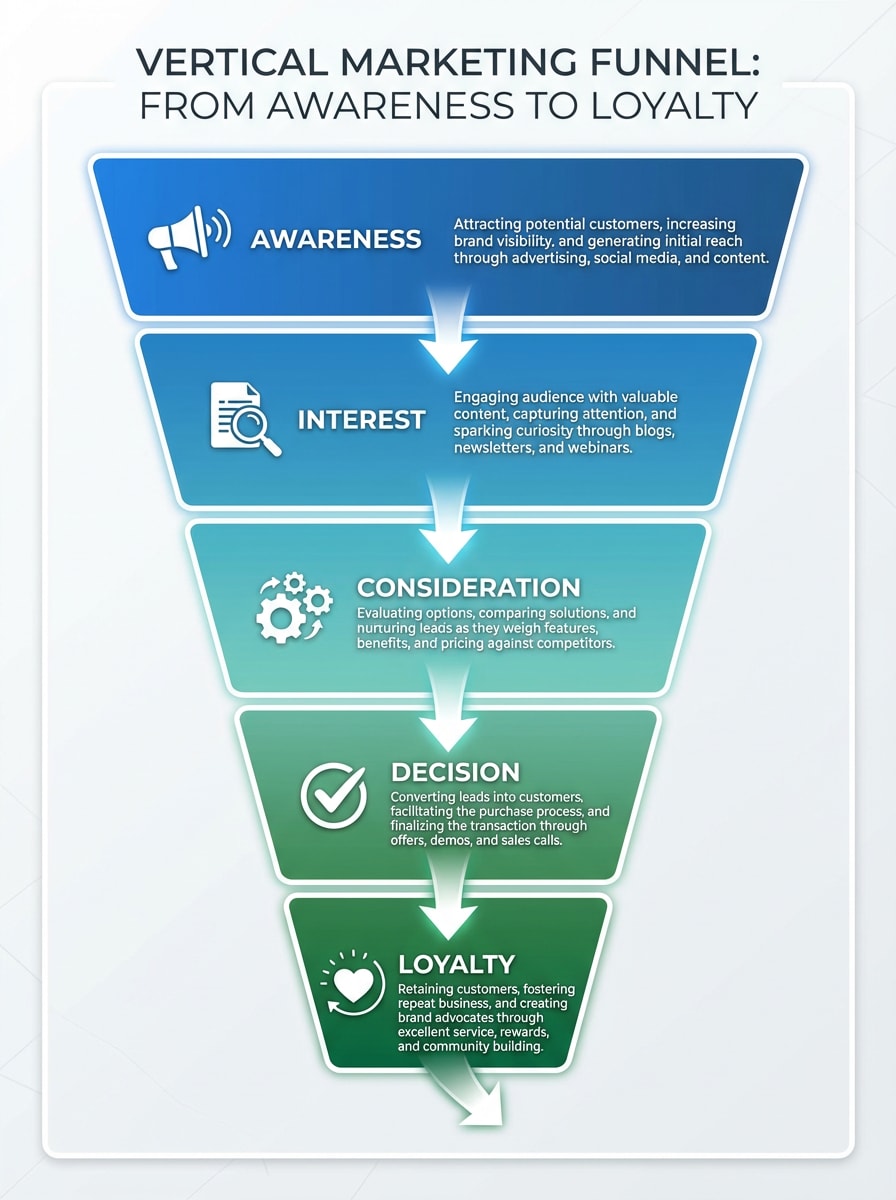
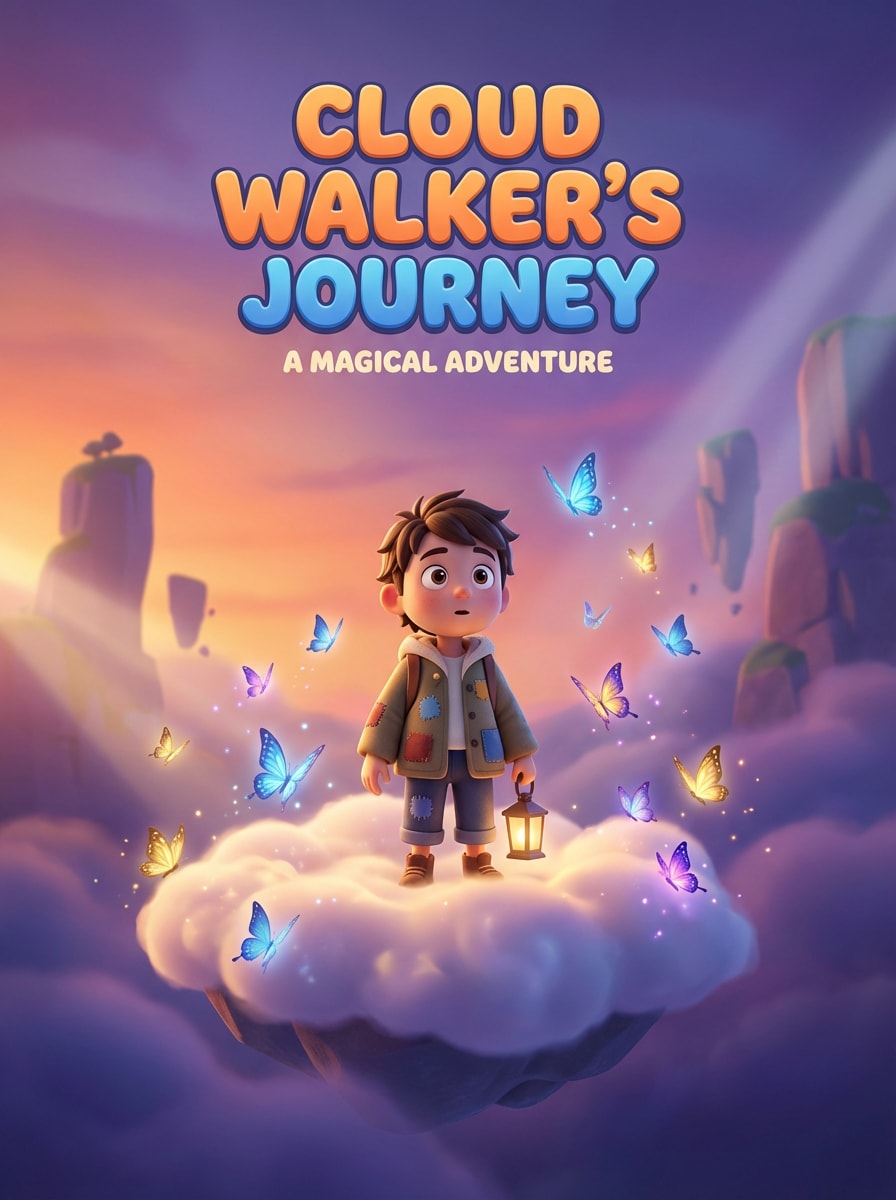

Stunning AI creations generated with Media.io - powered by Nano Banana Pro.
What Is Nano Banana Pro and Who Is It For?
Nano Banana Pro is Google’s most advanced Gemini-powered image generation model, built for professional-grade visuals that look and feel real. It evolves the original Nano Banana with a smarter “Thinking” engine that understands context, lighting, perspective, and composition with high precision.
Ultra-Realistic 4K/2K
Studio-level clarity and natural detail for product shots, portraits, and cinematic stills.
Accurate Text Embedding
Readable, high-fidelity typography inside images—ideal for ads, posters, and UI mockups.
Multi-Image Blending
Combine several references into one cohesive visual with consistent lighting and style.
Localized Editing
Refine or replace parts of a scene—no need to regenerate the whole frame. Learn how to make precise edits with masks and prompts in our Nano Banana Pro Inpaint guide.
Who Should Use Nano Banana Pro?
Nano Banana Pro is ideal for creators, designers, marketers, and anyone who needs more precise control over AI-generated visuals. For advanced workflows, you can also structure complex Nano Banana edits with JSON to define detailed instructions, visual elements, and editing requirements more clearly.
Content Creators & Social
Create viral AI photos, cinematic portraits, and collectible-style 3D figures that stand out on TikTok, Instagram, and X.
Transform my selfie into a stylized 3D figure on an acrylic base, soft studio lighting, realistic PVC texture, clean rim light, gentle shadows, balanced composition, editorial look, high-detail skin and hair, ultra-realistic, 4K render.
Designers & Marketers
Produce campaign-ready posters, product mock-ups, and brand visuals with crisp text and photorealistic lighting.
Generate a premium skincare ad: white backdrop, glossy bottle with accurate logo text, soft top-down key light, subtle reflection on acrylic surface, clean serif headline, modern layout grid, studio realism, 4K output, print-ready.
Businesses & Educators
Turn lessons and data into visual stories: infographics, concept art, and training illustrations for slides and courses.
Create an infographic that explains the water cycle: labeled diagram, readable typography inside the image, clean blue palette, arrows and icons, balanced spacing, classroom-ready visual, high resolution for presentation slides.
Tip: Access may include a free entry point or trial window with quota limits; availability can vary by time and region.
Method 1 — Use Nano Banana Pro in the Gemini App (Official Free Quota)
The Gemini App provides the most direct way to experience Nano Banana Pro, Google’s upgraded image generation model. You can try the model straight from Google’s own interface — no installation or third-party setup required.
Open Gemini and Sign In
Launch the Gemini App or open the official web version. Sign in with your Google account and ensure access to the newest features.
Switch to “Thinking” & Add Your Prompt
From the model selector, choose Thinking to activate the Nano Banana Pro engine. Enter a detailed prompt or upload a reference image, including lighting, perspective, and texture cues.
Generate & Download
Click Generate. Preview the output, refine your prompt if needed, then download the final image in high resolution.
Advantages
- ✅ Official Access: Powered by Google DeepMind’s latest model for the most authentic Nano Banana Pro experience.
- ✅ Full Prompt Control: Fine-tune composition, lighting, and styling with granular prompt edits.
- ✅ Smooth Integration: Works seamlessly across Google’s ecosystem for quick export to Drive or other services.
Limitations
- ⚠️ Limited Free Quota: Small number of free generations per reset. When it’s used up, it may temporarily fall back to the earlier Nano Banana model. (Quota varies; refer to in-app notice.)
- ⚠️ Regional Availability: Some features roll out gradually and may not be available to all accounts or regions.
- ⚠️ Text-to-Image Focus: The app currently centers on prompt-based image generation rather than full image-to-image editing.
Summary
Using Nano Banana Pro via the Gemini App is ideal if you want an official, hands-on way to explore high-fidelity rendering, text accuracy, and multi-image understanding directly from the source. Keep in mind that access is tied to limited free quotas and may vary by region and account status.
Method 2 — Use Nano Banana Pro via Media.io (Best Way)
For a faster and simpler way to experience Nano Banana Pro, you can use it directly on Media.io, one of the first creative platforms integrated with Google’s Gemini 3 image model.
This method requires no setup, no regional access, and gives you instant results through an intuitive, web-based interface — perfect for creators, marketers, or anyone new to AI image generation.
Open the Nano Banana Pro
Visit the official Media.io AI Image Generator page. The system is already connected to the Nano Banana Pro model, so you can start creating right away — no downloads or installations needed.
Upload Your Photo and Enter a Prompt
Choose a clear image for the best facial details. Then, write your creative prompt or pick one from the prompt library below to get inspiration. You can describe styles, lighting, moods, or visual effects (e.g., “cinematic portrait with golden rim light”).
Generate and Save Your Result
Hit Generate, and within seconds you’ll get your final Nano Banana Pro AI image. Preview it, download the file, or regenerate variations — all within a single browser tab.
| Style | Nano Banana Pro Photo Prompt | Preview | Copy |
|---|---|---|---|
|
💌 Invitation Prompts - Wedding Invitation
|
Create an elegant watercolor-style wedding invitation featuring soft blush, ivory, and pastel tones. Add delicate hand-painted floral arrangements around the border, with subtle gold accents and gentle shadows. Use clean serif and script typography with generous spacing. Keep a refined, romantic, timeless aesthetic similar to premium printed wedding cards. Include designated blank areas at the top for the couple’s names and at the bottom for the date and venue. High resolution, minimalist, balanced layout, premium wedding invitation design. |
|
|
|
📈 Infographic Prompts - Marketing Funnel Pyramid
|
Create a vertical marketing funnel infographic with 5 stages: Awareness, Interest, Consideration, Decision, Loyalty. Use an inverted pyramid shape with arrows. For each stage, include a short description and a relevant icon (e.g., megaphone, magnifying glass, gears, checkmark, heart). Color scheme: gradient from blue to green. Style: professional, business infographic, clean lines. |
|
|
|
🔥 Logo Prompts - Brand & Icon Design
|
Ultra-minimal marks, premium 3D icons, and neon cyberpunk logo vibes for Media.io and beyond. |
|
|
|
📚 Comic Prompts - Superhero Transformation Strip
|
A 4-panel comic strip showing a character's superhero transformation. Panel 1: Character in normal clothes looking at phone with text bubble "BREAKING NEWS", Panel 2: Lightning strikes with sound effect "BOOM!", Panel 3: Character glowing with energy, text "POWER AWAKENING", Panel 4: Character in superhero costume striking heroic pose. Comic book style, vibrant colors, dynamic action lines, speech bubbles with clear text. |
|
|
|
🧴 Product Prompts - Lifestyle Ad Scene
|
Create a modern advertising image featuring the uploaded product on a lifestyle background that fits its category (e.g. skincare on marble counter, drink on sunny table). Add realistic lighting, depth, and a readable headline such as “Glow Starts Here” or “Limited Offer”. Keep composition balanced, vibrant, and visually persuasive. Generated using Nano Banana Pro for perfect image-text harmony. |
|
|
|
📊 Chart Prompts - Product Revenue Bar Chart
|
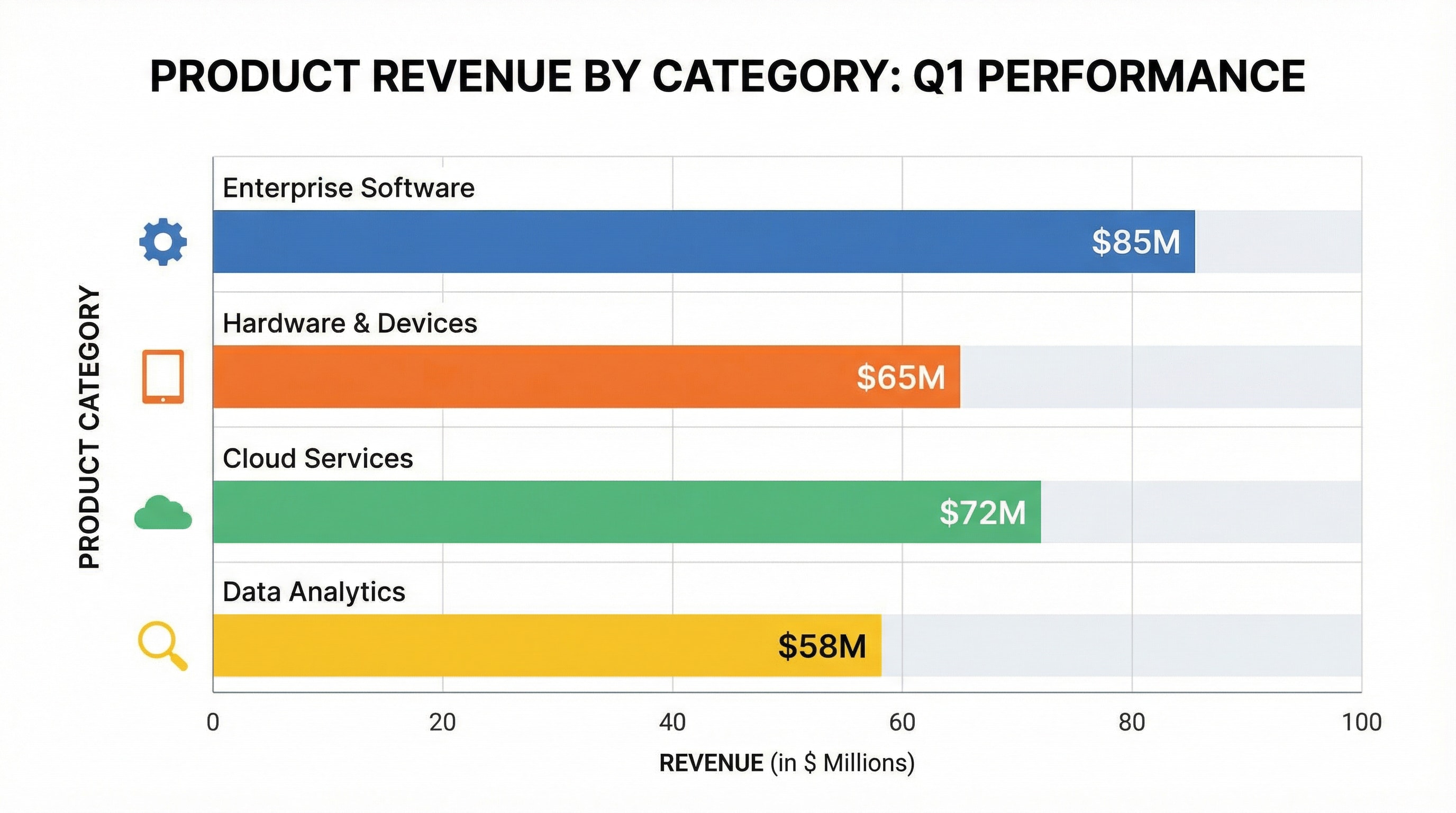
Create a professional infographic-style bar chart visualizing product revenue by category. Each bar is labeled with values and category names on a clean white background. Include a bold title, clear axis labels, color-coded bars (blue, orange, green, yellow), and subtle grid lines. Use flat corporate design, balanced spacing, and vector-style layout, similar to business dashboards. --no blur --no 3d realism --no people --style infographic --style flat --ar 16:9 --v 5; theme: "business infographic", color harmony: "corporate flat palette" |
|
|
|
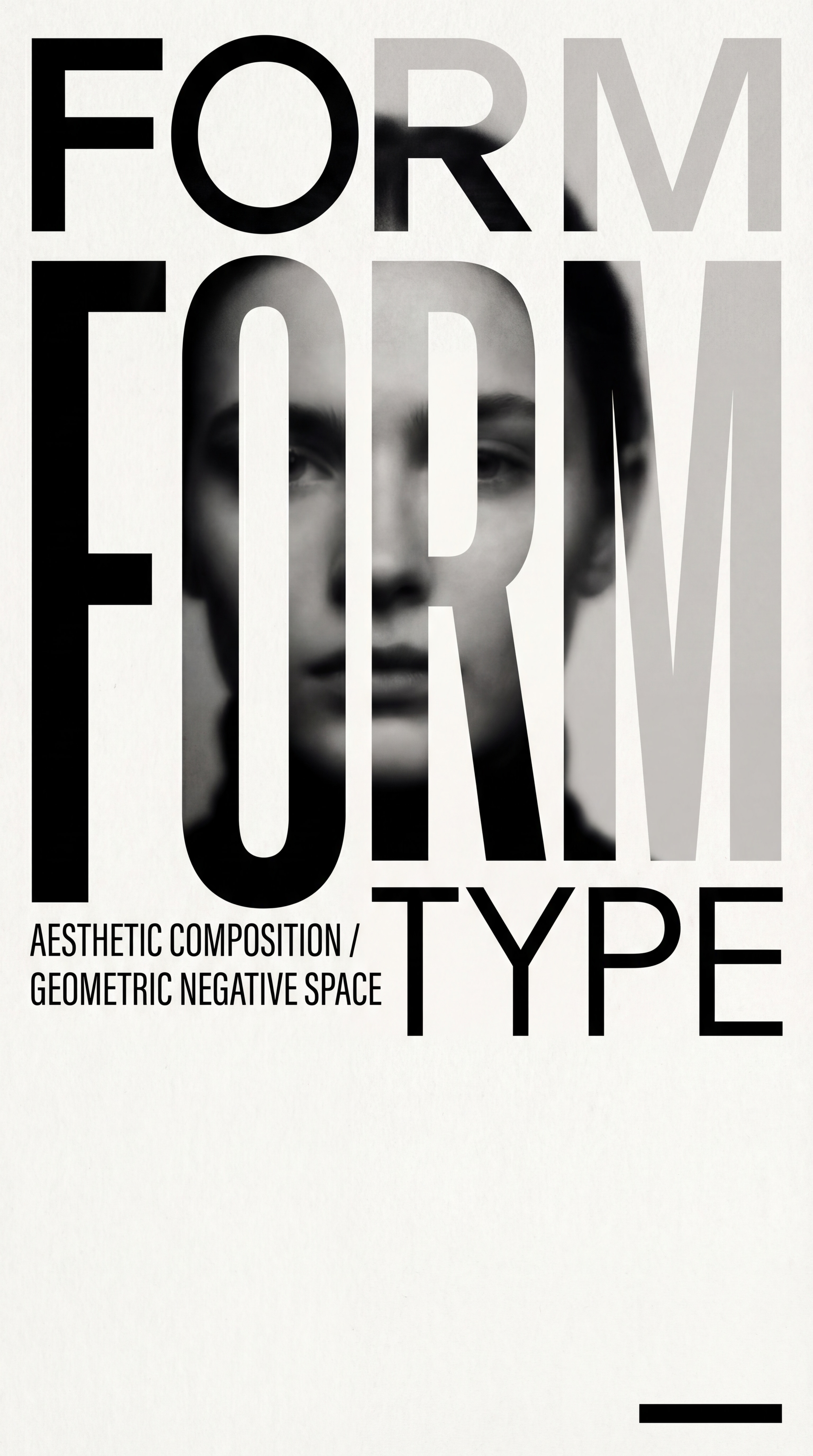
🖼 Poster Prompts -Travel-Themed Character Poster
|
Create a travel-themed artistic poster featuring the uploaded person. Blend the subject naturally into a painterly or graphic travel scene with soft sky, city skyline, or iconic landmarks. Use elegant sans-serif fonts for location and date, positioned cleanly in the lower half. Keep the colors vibrant but balanced-perfect for modern travel or lifestyle campaigns. |
|
|
|
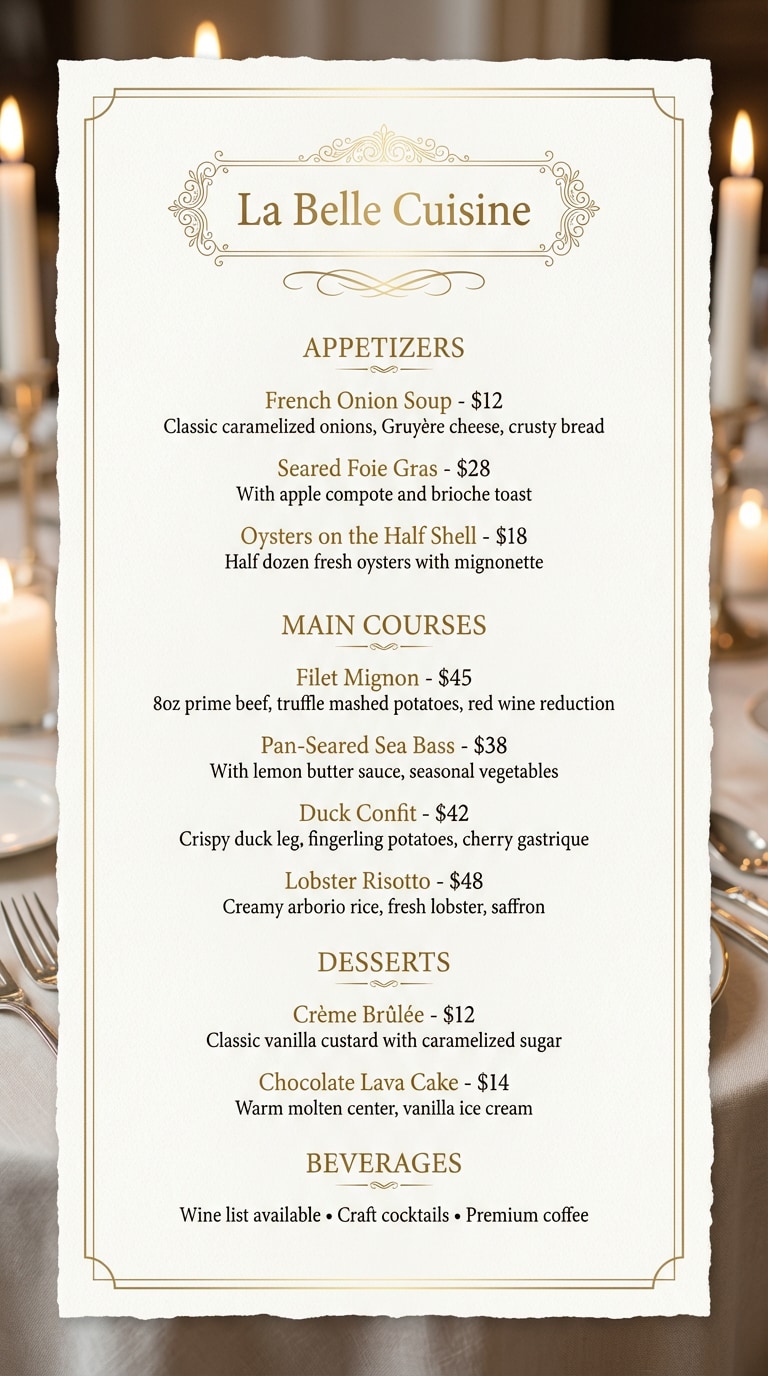
🍽 Menu Prompts - Fine Dining Menu
|
Create an elegant fine dining restaurant menu. RESTAURANT NAME: La Belle Cuisine APPETIZERS • French Onion Soup - $12 Classic caramelized onions, Gruyère cheese, crusty bread • Seared Foie Gras - $28 With apple compote and brioche toast • Oysters on the Half Shell - $18 Half dozen fresh oysters with mignonette MAIN COURSES • Filet Mignon - $45 8oz prime beef, truffle mashed potatoes, red wine reduction • Pan-Seared Sea Bass - $38 With lemon butter sauce, seasonal vegetables • Duck Confit - $42 Crispy duck leg, fingerling potatoes, cherry gastrique • Lobster Risotto - $48 Creamy arborio rice, fresh lobster, saffron DESSERTS • Crème Brûlée - $12 Classic vanilla custard with caramelized sugar • Chocolate Lava Cake - $14 Warm molten center, vanilla ice cream BEVERAGES Wine list available • Craft cocktails • Premium coffee Style: Elegant sophisticated menu design, cream/beige background with gold accents, classic serif fonts, minimal ornamental borders, fine dining aesthetic, luxury restaurant feel, clean layout with proper spacing, vertical single-page format. |
|
|
|
🎬 Movie Poster Prompts - 3D Animated Family Film Poster
|
Transform my uploaded photo into a cinematic 3D animated movie poster. Style: high-quality CGI character with oversized expressive eyes, soft volumetric lighting, vibrant gradient background (sunset orange to twilight purple). Character stands on a floating cloud island surrounded by magical glowing butterflies. Rounded bubbly typography for fictional title. Mood: heartwarming adventure, family-friendly wonder. Ultra-detailed textures, 8K resolution, professional animation studio aesthetic with gentle rim lighting, smooth cell-shaded rendering. Perfect for Instagram viral posts and TikTok trend content. |
|
|
|
📚 Book Cover Prompts - Modern Non-Fiction Author
|
Use the uploaded person as the author portrait for a clean, modern non-fiction book cover. Keep the original face exactly the same. Place the person against a minimalist soft gradient background (white, light blue, or beige). Add subtle shadows, crisp lighting, and a confident, professional expression. Include geometric shapes or thin-line design accents. Overall mood: expert, trustworthy, polished. Plenty of clean space for a large title and subtitle. High-resolution, bestselling non-fiction style. |
|
|
|
🗺 Map Prompts - Fantasy World Map
|
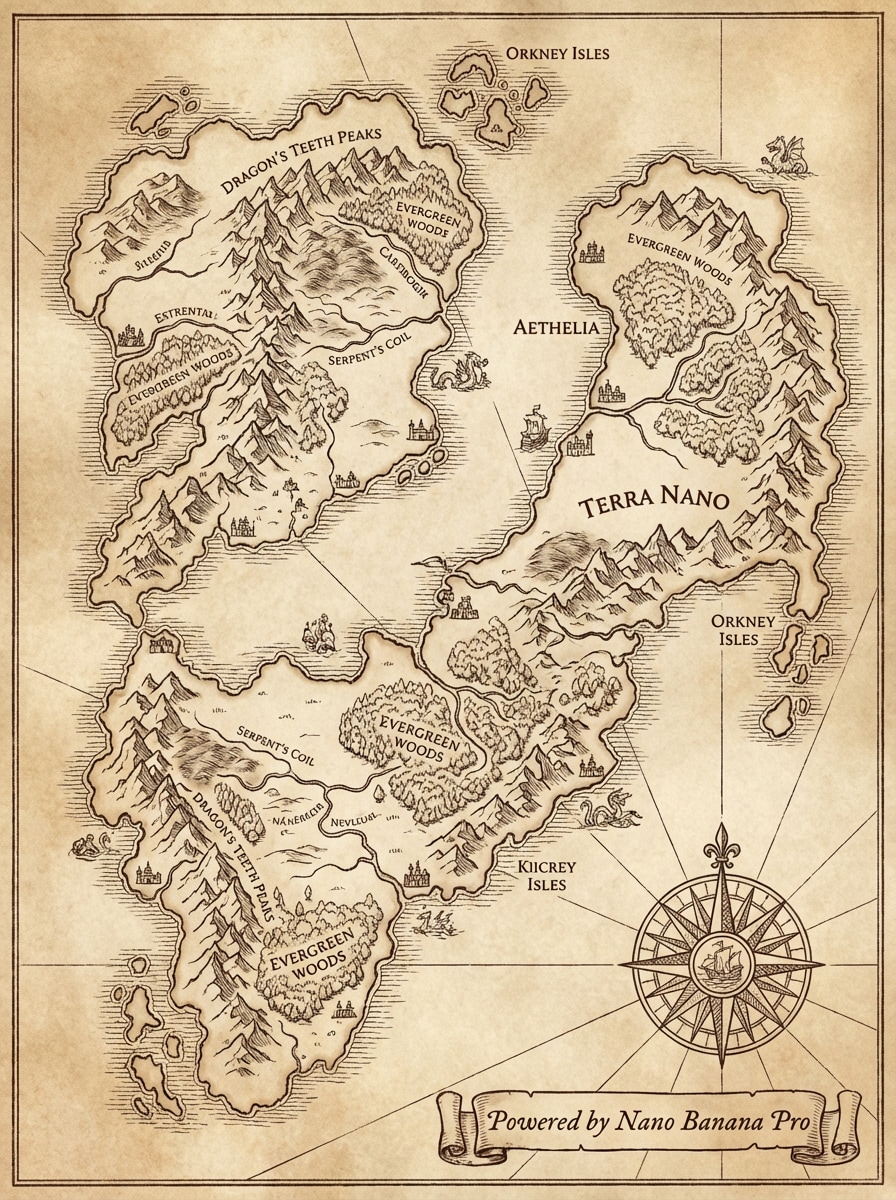
A detailed fantasy world map in ancient cartography style, featuring continents with towering mountain ranges, dense forests, winding rivers, and intricate coastlines. Parchment texture background with ornate compass rose in the corner. Medieval style calligraphy for place names. Topographic elevation indicators with shaded relief. High contrast, clean lines, warm sepia tones, top-down view, 4K resolution. Powered by Nano Banana Pro. |
|
|
|
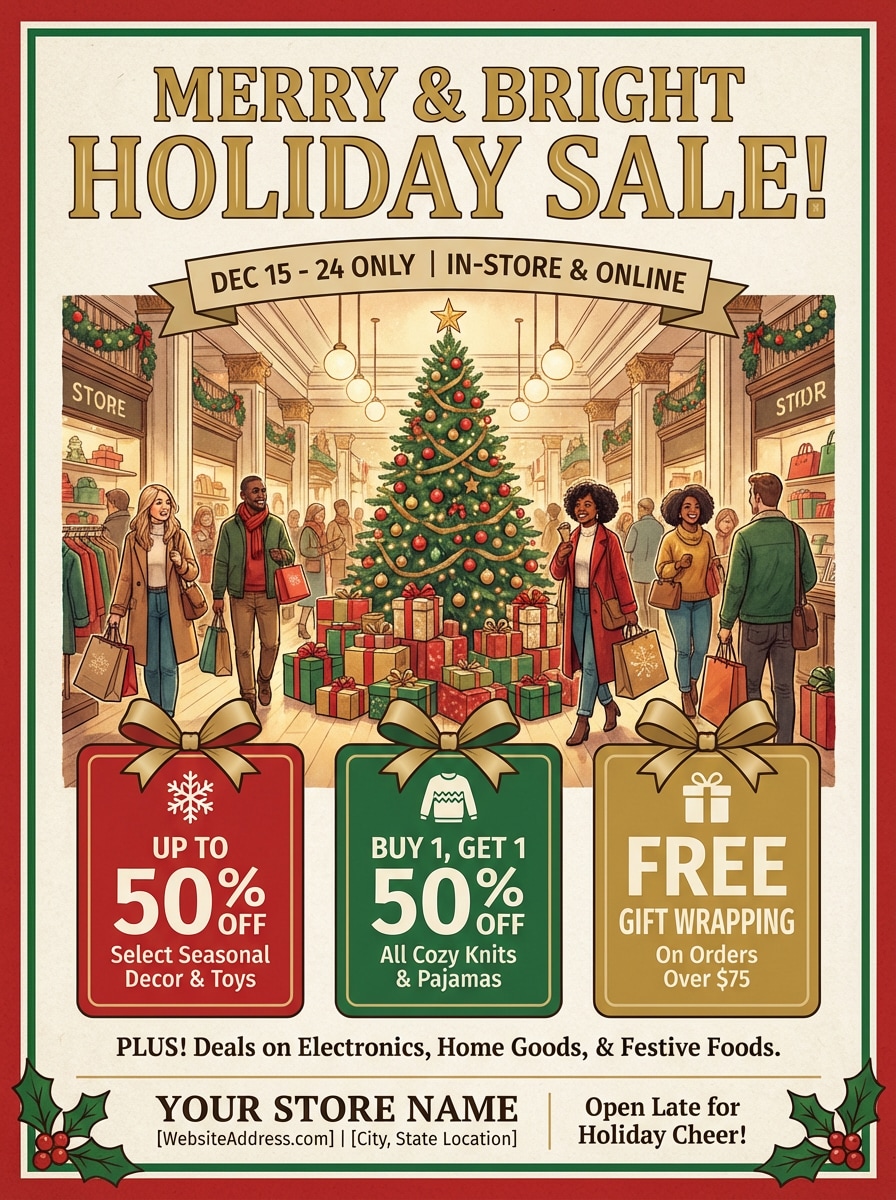
📣 Flyer Prompts - Vintage Christmas Sale Poster
|
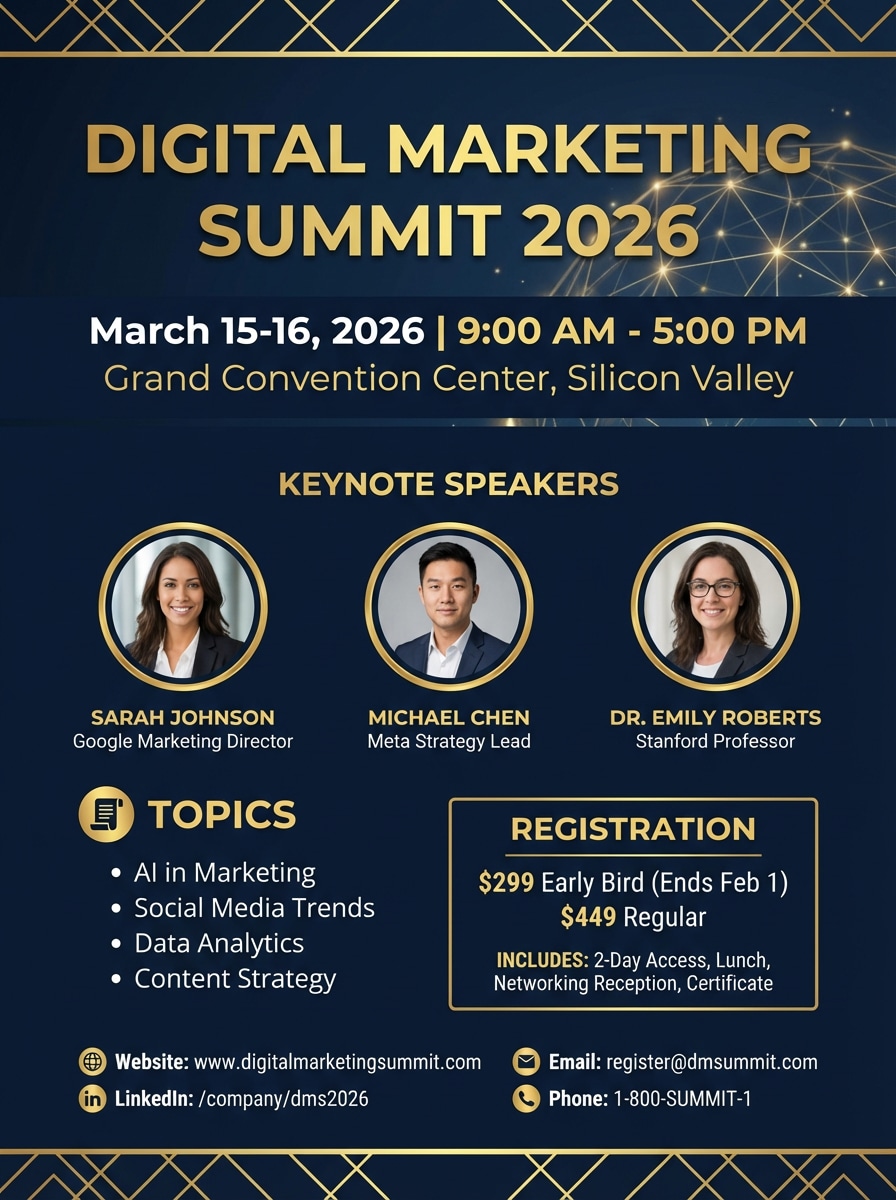
Create a vintage Christmas sale poster: MERRY & BRIGHT HOLIDAY SALE Dec 15-24 | In-Store & Online Deals: 🎄 Up to 50% OFF Décor & Toys 🎄 Buy 1 Get 1 50% OFF Cozy Knits 🎄 FREE Gift Wrapping over $75 Plus discounts on electronics, home goods & festive foods. YOUR STORE NAME www.yourstore.com | Main Street Location Open late for holiday cheer! Style: Vintage illustrated Christmas poster, retro storybook art, warm cream background, hand-drawn tree & shoppers, nostalgic cozy feel. Full canvas, no borders, no mockup. |
|
Summary
If you want the easiest, most creative way to use Nano Banana Pro, Media.io is the recommended option. It combines the power of Google’s Gemini 3 model with a clean, beginner-friendly interface — letting anyone create high-quality AI photos, posters, or cinematic visuals in just three simple steps.
If you’re looking for a wide variety of Nano Banana Pro prompts, we’ve got you covered —
explore our dedicated Nano Banana 2 prompt library, where you can find exactly the style and inspiration you need!








FAQs About
Nano Banana Pro?
1. How can I use Nano Banana Pro for free?


You can use Nano Banana Pro for free by signing in to your Media.io account. Every registered user receives free trial credits to explore the model’s full potential — no subscription required. Once logged in, simply upload your photo or enter a text prompt, and experience Nano Banana Pro’s 4K-quality AI generation instantly.
2. Is it safe to upload my photos to Media.io?
Yes — your privacy and security are fully protected. Media.io automatically deletes all uploaded and generated files within 7 days, ensuring that your personal data and images are never stored permanently or shared. All processing runs securely in the cloud under strict data encryption standards, so you can create confidently.
3.What’s the difference between Nano Banana Pro and earlier Nano Banana models?
Nano Banana Pro is built on a next-generation Gemini-based “Thinking” engine, offering more realistic lighting, natural depth, and better text rendering. Compared to older models, Pro understands context, motion, and composition at a higher level, producing visuals that look closer to real photography.
4. Do I need to download the Gemini App to use Nano Banana Pro?
No — while the Gemini App provides an official access route, the simplest way is to use Nano Banana Pro directly on Media.io. Media.io integrates the same model via a web interface — no installation, region restrictions, or setup required. You can start generating AI visuals instantly in your browser.
5. What kind of images can Nano Banana Pro create?
Nano Banana Pro supports a wide range of AI-generated visuals, including cinematic portraits, viral social media photos, 3D-style figures, and realistic product shots. Whether you’re a creator, marketer, or designer, the model adapts to your prompt style, blending detail, depth, and lighting into professional-grade results.
Why Creators Love Media.io’s Nano Banana Pro?

Long-Distance Lover


Made my AI photo look real. I used Nano Banana Pro to turn an ordinary selfie into a cinematic masterpiece. The lighting, depth, and texture looked so natural that my friends thought it was a real studio portrait.

Graphy Designer
Better than I expected. The new Nano Banana engine captured every detail — skin tone, reflections, and shadows — with near-photographic precision. It felt like working with a real professional photographer, not an AI tool.

Casual User
Perfect social media boost. I joined the viral trend using a Nano Banana Pro prompt and shared my result on TikTok. The reactions were wild — everyone asked which app I used and how the images looked so realistic.



