Bust Down Filter
Try the Viral AI Bust Down Effect Online (Free)
The Bust Down Filter-also known as the Bust Down AI Filter,
AI Bust Down Filter, or the trending
Bust Down Meme effect-has rapidly become one of the most explosive
visual trends across TikTok and Instagram. Rooted in hip-hop culture's
“bust down” concept, the effect transforms ordinary visuals with
diamond-covered, fully iced-out jewelry for a hyper-gloss, luxury aesthetic.
You can achieve the same look instantly with
Media.io's Bust Down Filter,
powered by Gemini AI Nano Banana Pro. Apply diamond grillz, iced rings,
heavy chains, and full bust-down watches to any face-photo-with
photoreal precision.
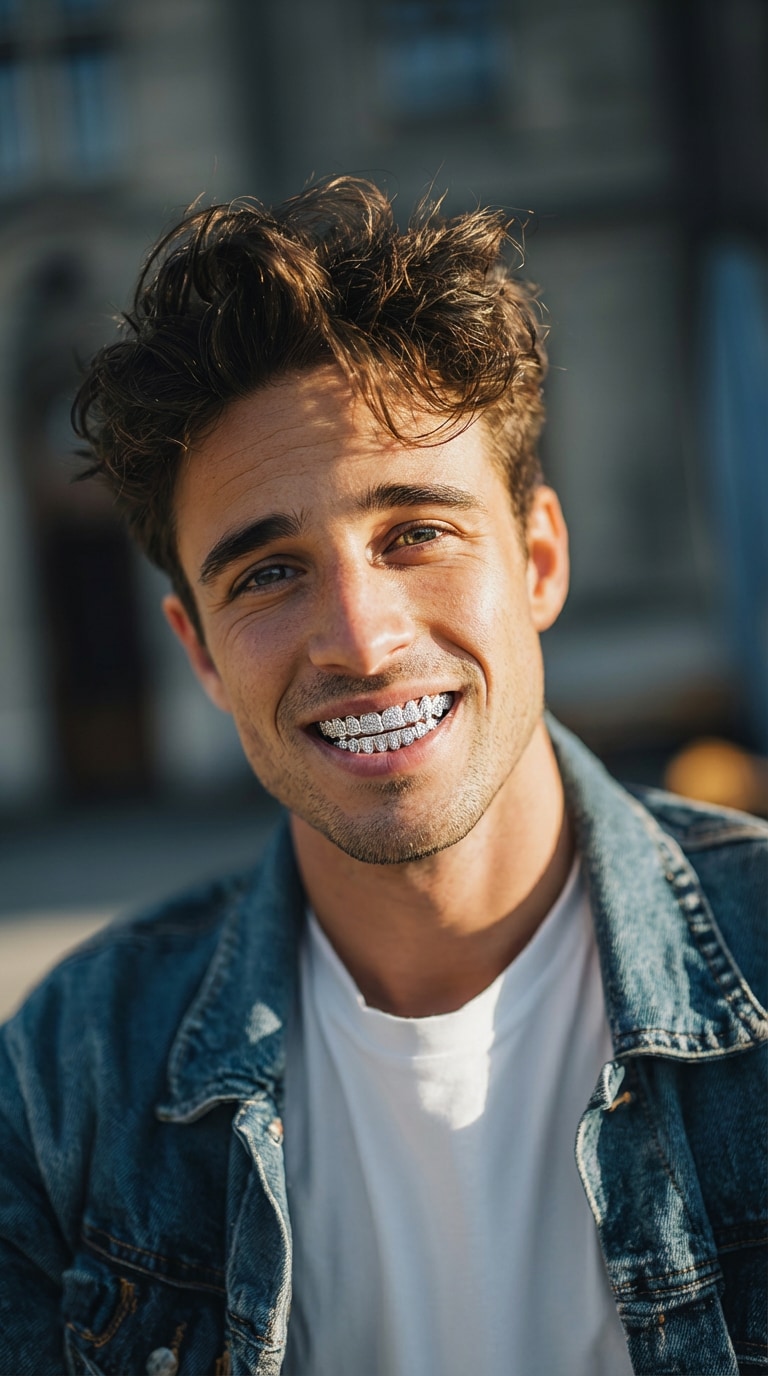
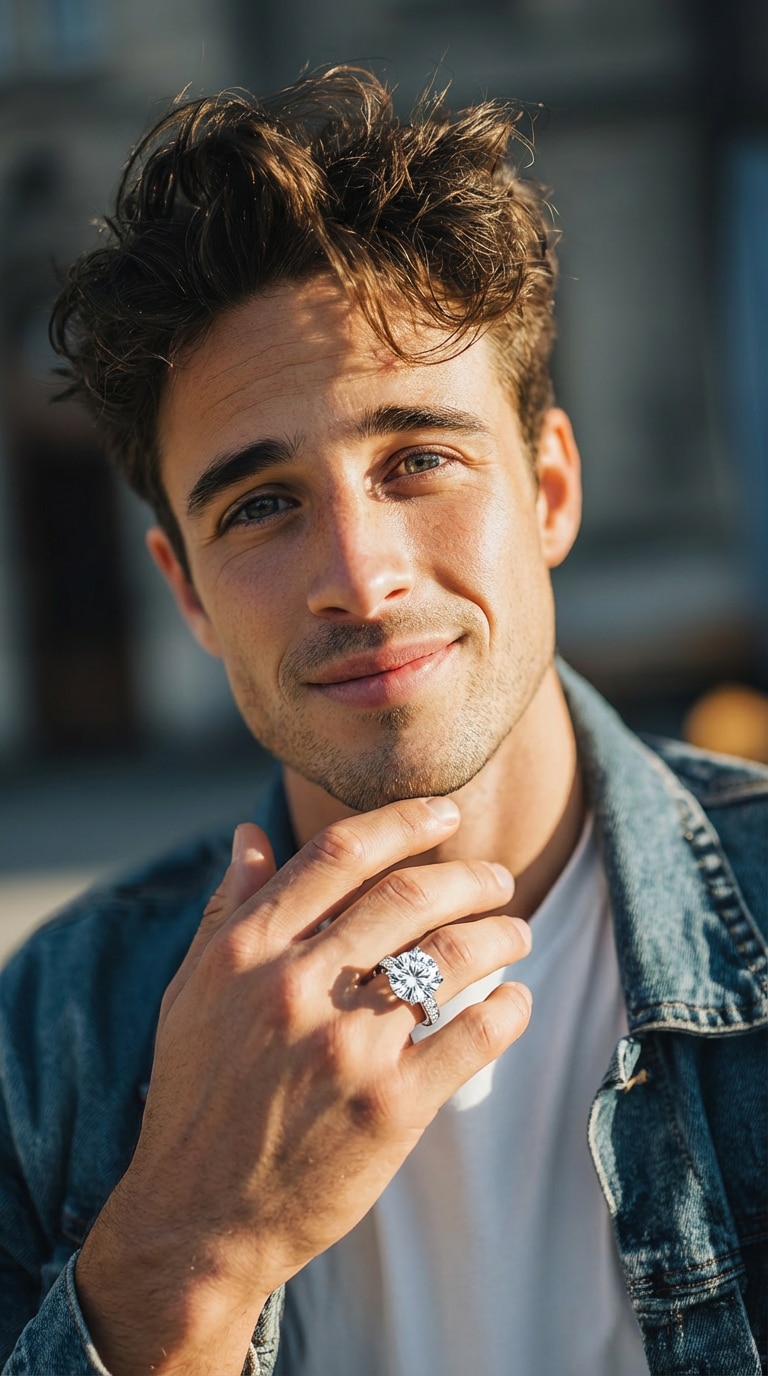

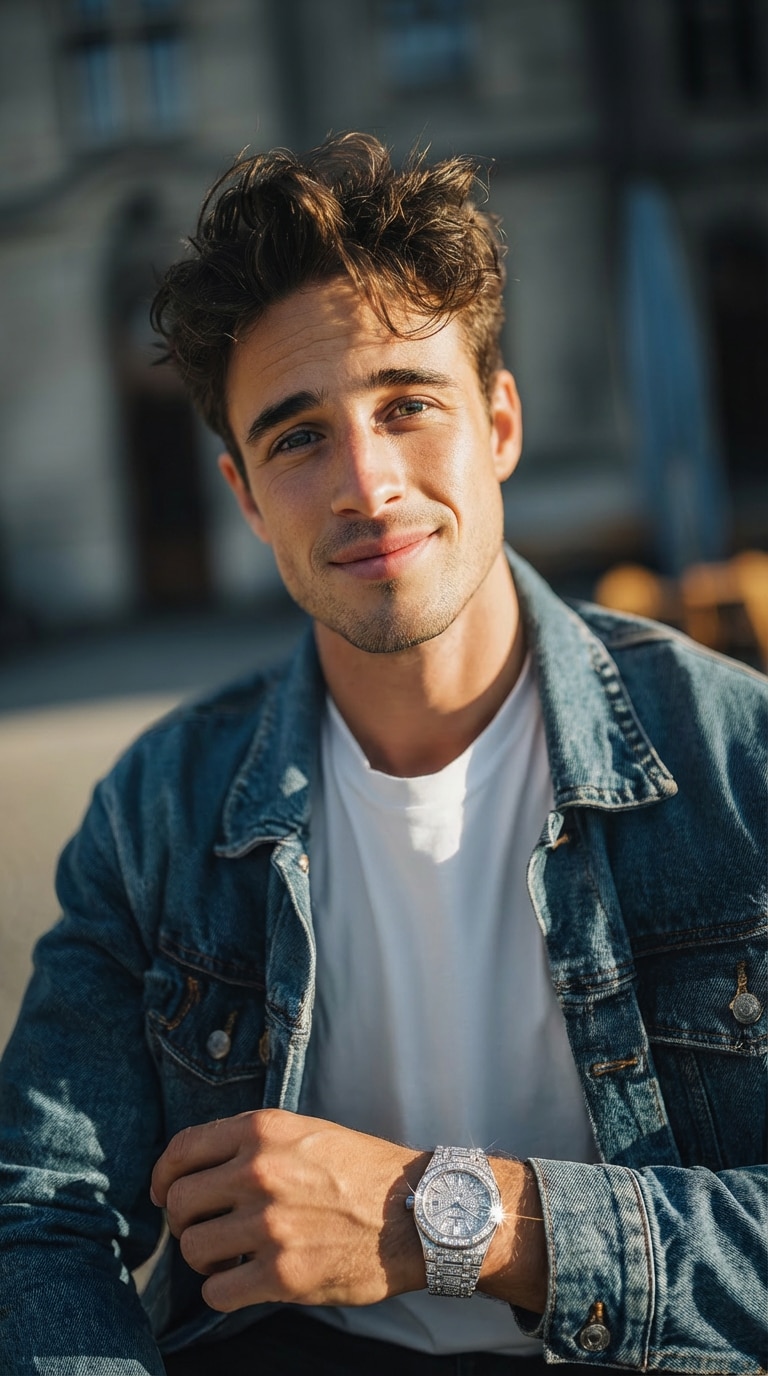
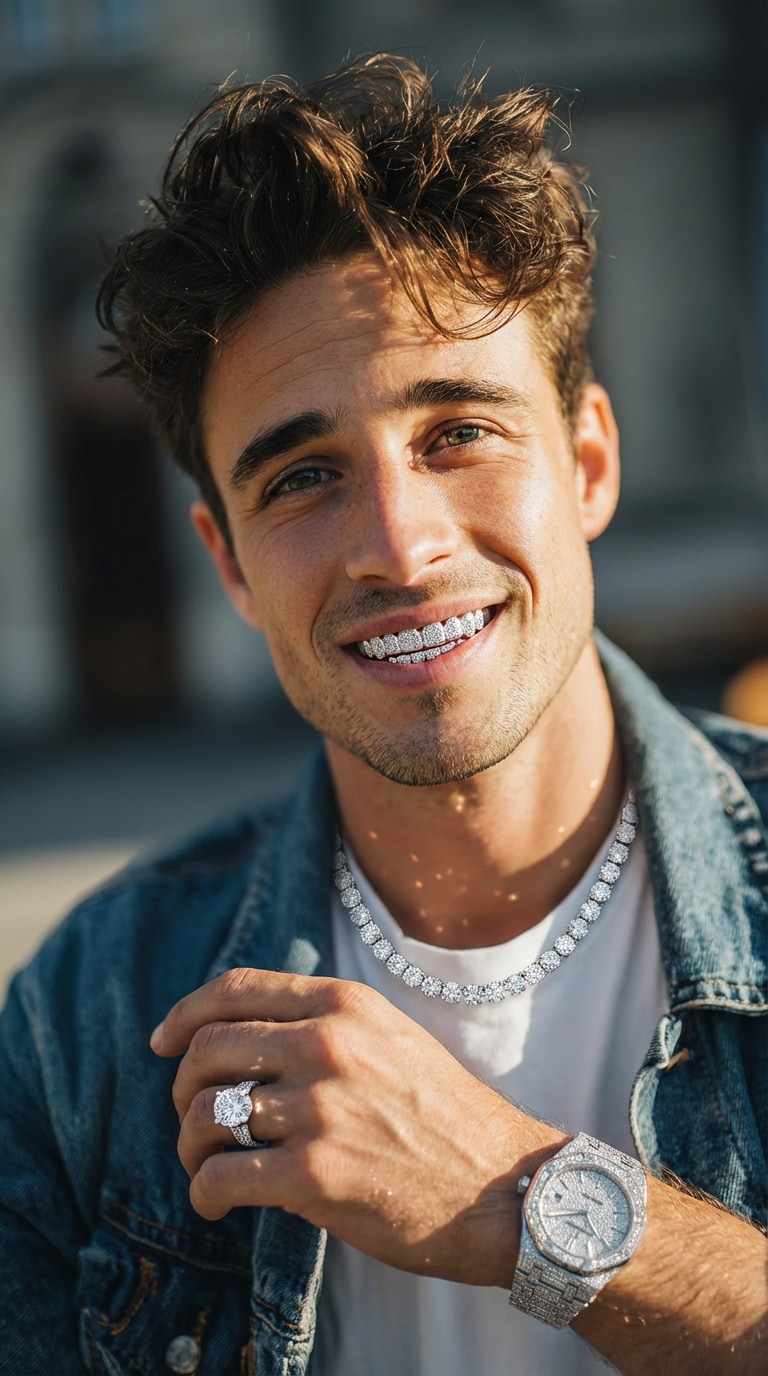
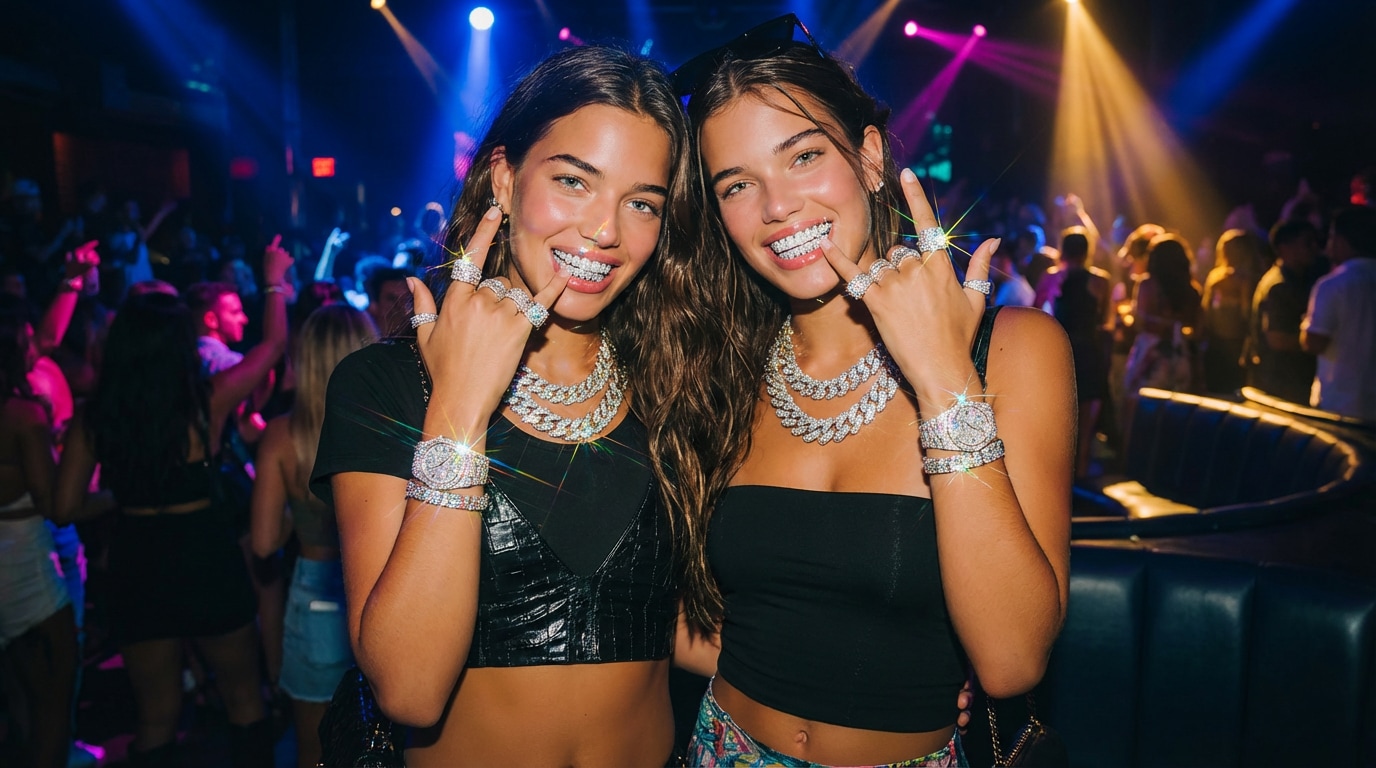
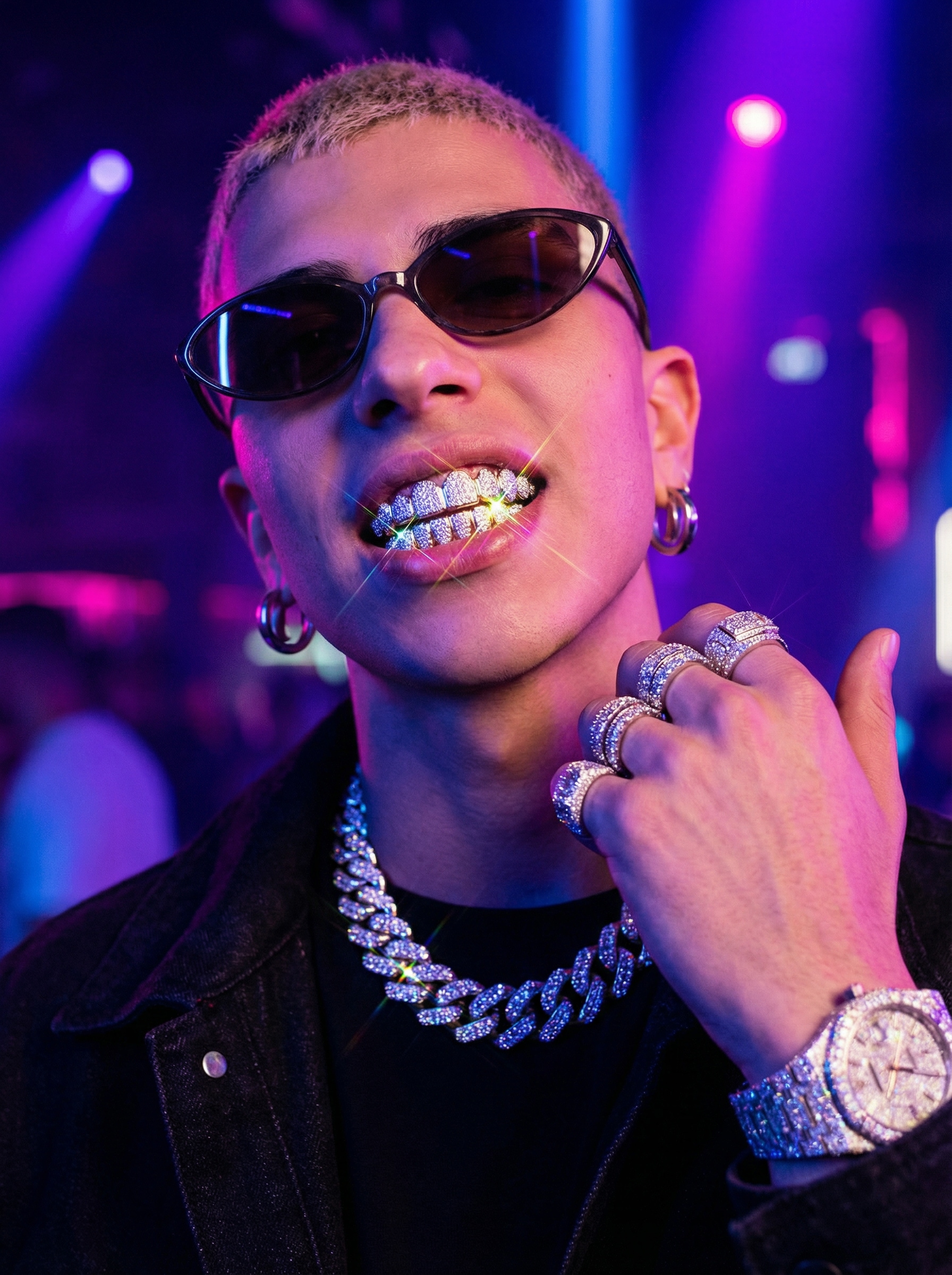
Stunning Bust Down Memes generated with Media.io - powered by Nano Banana Pro.
How to Use the Bust Down AI Filter (3 Simple Steps)
Follow these simple steps to create your own iced-out bust down effect using Media.io's Bust Down AI Filter . Turn any selfie, portrait, or group photo into a shiny, diamond-coated bust down meme in minutes - no editing skills required.
Upload Your Photo to the Bust Down Filter
Visit the Media.io Bust Down Filter page and upload a face photo you want to transform. The AI bust down filter supports selfies, portraits, group shots, and lifestyle photos, preparing your image for a clean, high-quality bust down effect.
Enter Your Bust Down Prompt
Type a detailed prompt describing your desired AI bust down style. You can mention diamond grillz, luxury rings, Cuban chains, iced-out watches, or a full-set bust down look. These prompts help the bust down ai filter understand the exact jewelry style, shine, and realism you want, so your result matches the viral bust down meme aesthetic.
Download Your Iced-Out Result
The bust down ai filter automatically blends the diamonds and metal with your lighting, skin tone, and expression for a seamless, photoreal AI bust down transformation. Preview the result, then download your HD image and share your iced-out look on TikTok, Instagram, or anywhere you post content.
| Style | Bust Down AI Filter Prompt | Preview | Copy |
|---|---|---|---|
|
Diamond Grillz
|
add luxurious diamond grillz on the person's teeth, high-end jewelry shine, realistic reflections, seamless integration with the original teeth, ultra-detailed diamond texture, natural lighting, maintaining original facial structure and expression |

|
|
|
Diamond Ring
|
add a luxury diamond ring to the person's finger, high-clarity gemstone, realistic metal shine, natural shadows fitting the hand, elegant jewelry design, seamless integration with hand pose and lighting |
|
|
|
Diamond Necklace
|
add an elegant diamond necklace around the person's neck, premium gemstone brilliance, high-end jewelry design, perfectly aligned with body contour, natural reflections, consistent lighting, photorealistic texture |
|
|
|
Diamond Watch
|
add a luxury diamond-encrusted watch on the person's wrist, premium stainless steel or gold base, detailed gemstone reflections, precise alignment with wrist pose, realistic shadow and lighting, photoreal luxury accessory |
|
|
|
Diamond Grillz + Ring + Necklace + Watch
|
add diamond grillz on the teeth, a luxury diamond ring on the finger, an elegant diamond necklace, and a diamond-encrusted watch on the wrist. ensure seamless integration with the original face and body, photorealistic jewelry shine, accurate natural lighting, realistic reflections and shadows, ultra-detailed gemstones, premium metal texture, maintaining the original identity and expression |
|
Try Bust Down Examples
Click to preview in large size, then jump to create the same style.
How to Generate Bust Down Video?
Turn your AI bust down photos into dynamic video content in just a few clicks. Start with the bust down filter, then upgrade your bust down meme into a short, animated clip using the same bust down ai filter workflow.
Generate Bust Down Photos
Use Media.io’s bust down filter to create your iced-out portraits. Upload a face photo, apply the ai bust down filter, and confirm the final bust down effect image you want to animate.
Click “Generate” Under the Bust Down Photo
After your bust down meme image is created, click the Generate Video button below the result. This sends your AI bust down image into the video pipeline so you can instantly transform your bust down filter artwork into motion.
Choose Pixverse V5 & Add Video Prompt
Select the Pixverse V5 video model, enable Add End Frame, then enter your video effect prompt to describe motion, camera moves, and vibe. The system uses your AI bust down image as the base and creates a smooth, animated bust down effect video.








Key Highlights of the Bust Down Filter
Experience hyper-realistic gemstone shine, luxury metal reflections, and seamless styling with the advanced bust down filter. This powerful bust down ai filter delivers studio-quality transformations for portraits, fashion edits, creative branding, and bust down meme content - all without manual adjustments.

Hyper-Realistic Diamond & Metal Rendering
The ai bust down engine recreates diamond clarity, metal reflections, and natural lighting with exceptional precision. Results look polished and high-end, making it ideal for luxury-style portraits and artistic edits using the bust down effect generator.

Full Bust Down Set in One Click
Apply grillz, rings, chains, and watches instantly with this all-in-one bust down effect. Perfect for glow-up transformations, fashion-driven visuals, and bold bust down meme aesthetics - all generated in seconds using the ai bust down filter.

Seamless Facial Integration
The filter adapts to facial structure, mouth shape, and teeth alignment for a natural, distortion-free look. Accessories blend smoothly into any portrait, outperforming typical low-quality generators and elevating every ai bust down transformation you create.

Adaptable to Any Aesthetic
Whether you want hip-hop luxury, Y2K glam, or high-fashion styling, the bust down filter adapts effortlessly. Ideal for digital portraits, creative branding, profile pictures, or fun bust down meme concepts - all made easy with our image-to-image model.
FAQs About
Bust Down Filter
1. What is the Bust Down Filter used for?


The bust down filter is used to add diamond accessories—grillz, rings, chains, and watches—to enhance any portrait with an iced-out, hip-hop–inspired aesthetic. It is widely used for creative edits, luxury-style images, and playful bust down meme content, all powered by advanced ai bust down styling. Try it here: Bust Down Generator .
2. Is the Bust Down AI Filter free to try?
Yes. You can try the bust down ai filter for free on Media.io. The free tier supports standard diamond effects, while optional upgrades provide HD output, batch creation, and more advanced bust down effect customization. It's an easy way to explore ai bust down edits before deciding on premium features.
3. Does the Bust Down Effect work on videos?
Yes. The bust down effect analyzes each frame individually to maintain consistent lighting, reflections, and diamond styling throughout the entire video. For photo-only transformations, you can instantly create iced-out portraits using our ai bust down filter .
4. Can I customize the style of diamonds?
Absolutely. You can choose between subtle, realistic shine or an extreme, high-flash iced-out look, depending on the mood you want. The ai bust down engine adapts to various creative styles— from hip-hop luxury to Y2K glamour—ensuring every bust down filter result matches your vision.
5. Will the filter change my facial features?
No. The ai bust down filter preserves your identity, expression, and proportions. It only adds jewelry—no unwanted distortion. Whether you're making artistic portraits or fun bust down meme content, your facial features will remain natural and true to the original image.
More than Bust Down Filter
 4.7 (162,357 Votes)


