Home>Comparison>Clipdrop AI

Clipdrop AI Photo Editor: Cleanup, Relight and Uncrop

A product photo can have good lighting and framing yet still contain an unwanted prop, an uneven background or a missing margin around the subject. Clipdrop AI is designed around these targeted repairs: Cleanup removes objects, Relight adjusts illumination and Uncrop expands the canvas. Its pricing also separates free daily allowances from Pro throughput. Media.io is worth comparing when image repair needs to lead into broader effect generation, video creation or campaign editing.

Key Features of Clipdrop AI Image Generator and Editor

Clipdrop is a browser-based AI image editing toolkit for background removal, Cleanup object erasing, Relight, Uncrop, image upscaling, text removal, background replacement and text-to-image generation.

Core Feature Overview

  • Cleanup and Object Removal: Brush over distracting objects and compare the repaired textures at the original image size.
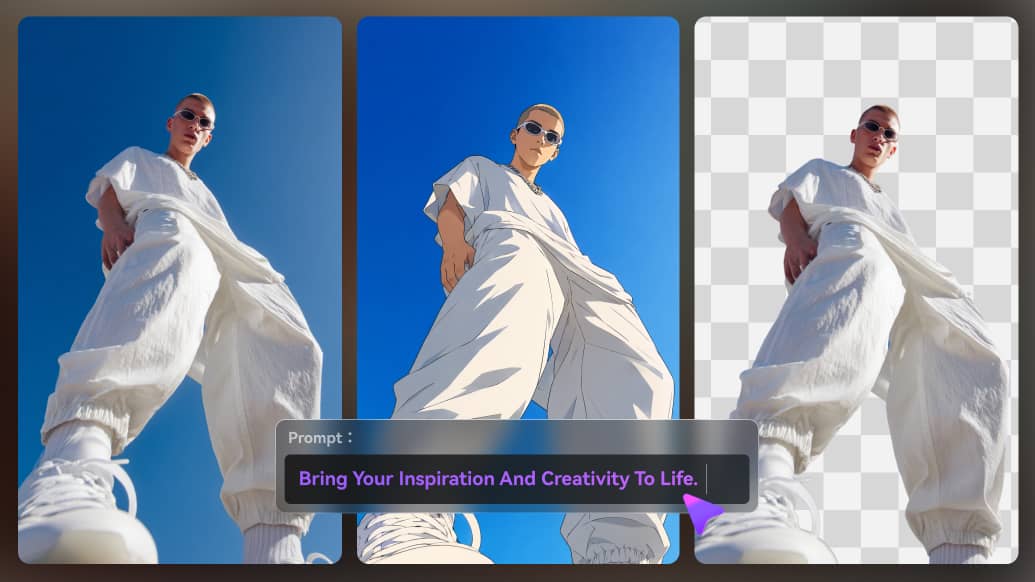
  • Background Removal: Create subject cutouts for e-commerce banners, product listings or social graphics.
  • Relight Image Lighting: Change the direction or feel of light for an existing photo while examining whether shadows still look plausible.
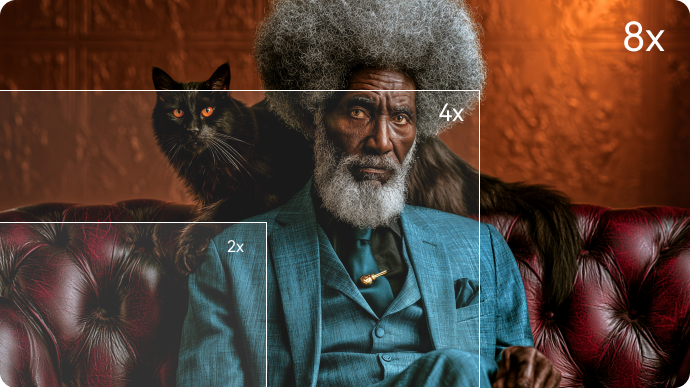
  • Uncrop and Image Expansion: Expand the canvas around a supplied subject to fit a wider placement or aspect ratio.
  • Image Upscale and Text Removal: Enhance resolution or erase unwanted text in eligible photos while checking for invented small details.
  • Text-to-Image and API: Use prompt-based image creation and supported APIs alongside editing tools when a workflow needs automation.
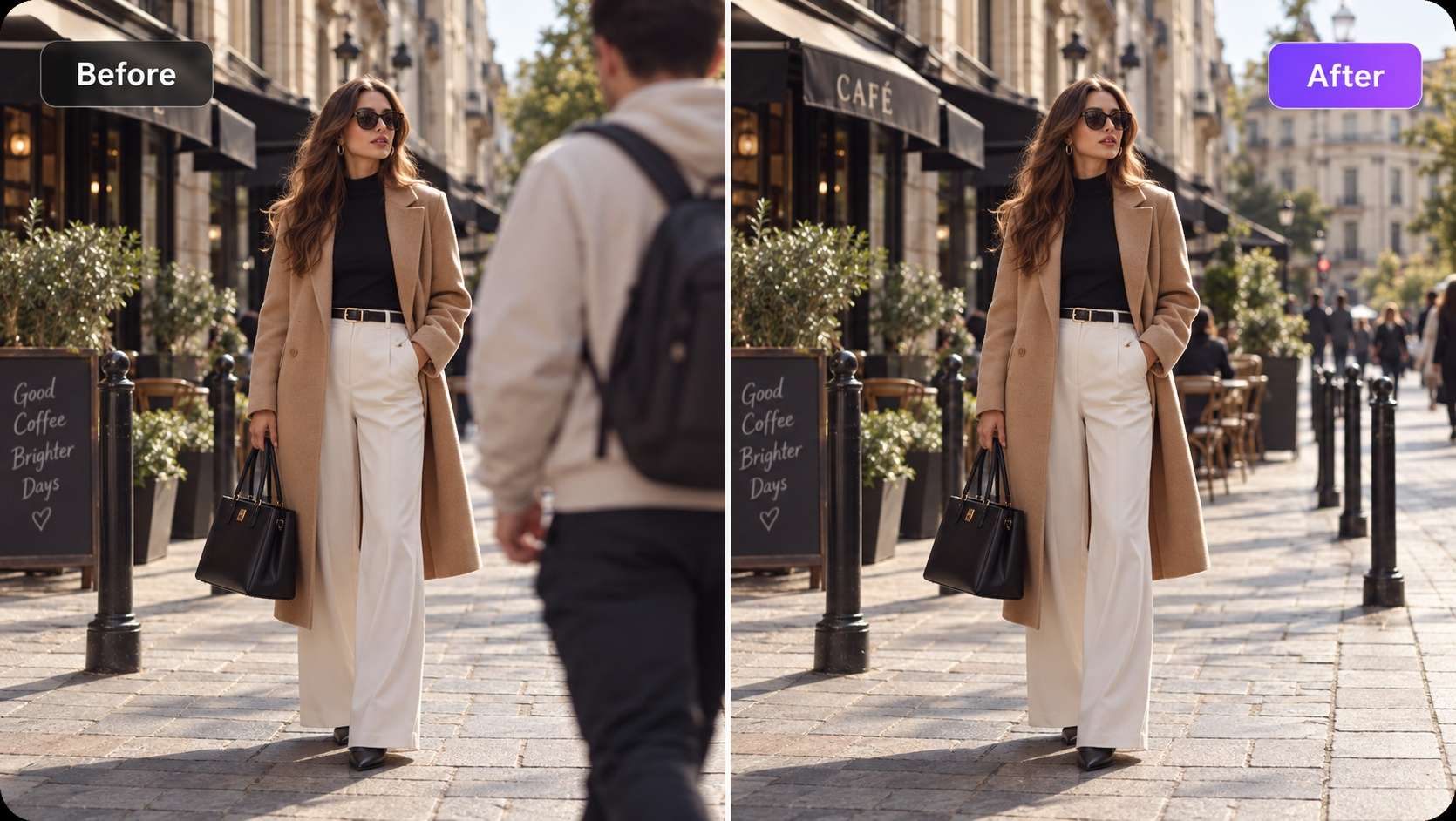

Cleanup and Object Removal

Brush over distracting objects and compare the repaired textures at the original image size. For e-commerce background fix, make a clean cutout from an otherwise usable product photo. For the e-commerce background fix brief, check details against the original before publication.

Illustrative Media.io workflow graphic, not a Clipdrop AI interface screenshot

Background Removal

Create subject cutouts for e-commerce banners, product listings or social graphics. For real estate scene cleanup, remove an unwanted movable object from a licensed listing image and disclose significant alterations where required. Decide in advance which details must remain faithful for real estate scene cleanup.

Illustrative Media.io workflow graphic, not a Clipdrop AI interface screenshot

Relight Image Lighting

Change the direction or feel of light for an existing photo while examining whether shadows still look plausible. For portrait relighting, experiment with softer illumination on a portrait before using it in a profile layout. For portrait relighting, the visual is a preview rather than proof of a physical outcome.

Illustrative Media.io workflow graphic, not a Clipdrop AI interface screenshot

Uncrop and Image Expansion

Expand the canvas around a supplied subject to fit a wider placement or aspect ratio. For wide banner adaptation, extend a narrow campaign image to fit a landscape ad slot. Compare controlled changes to the source before finalizing wide banner adaptation.

Illustrative Media.io workflow graphic, not a Clipdrop AI interface screenshot

Image Upscale and Text Removal

Enhance resolution or erase unwanted text in eligible photos while checking for invented small details. For scanned sign removal, erase an unwanted caption from an image you own without disturbing the subject. Confirm license and export permissions for scanned sign removal before delivery.

Illustrative Media.io workflow graphic, not a Clipdrop AI interface screenshot

Text-to-Image and API

Use prompt-based image creation and supported APIs alongside editing tools when a workflow needs automation. For low resolution asset rescue, upscale a small product illustration while evaluating whether any details were hallucinated. Test a representative sample of low resolution asset rescue outputs before scaling.
Illustrative Media.io workflow graphic, not a Clipdrop AI interface screenshot

How to Clean Up and Edit a Photo With AI

1
2
3
1
Upload Your Original Image

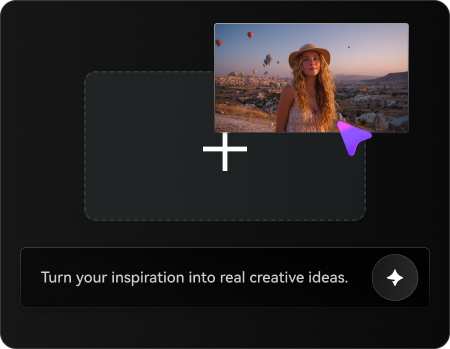
Upload a photo you own or have permission to edit, then describe the areas you want to clean up or improve.

2
Set Your Image Options

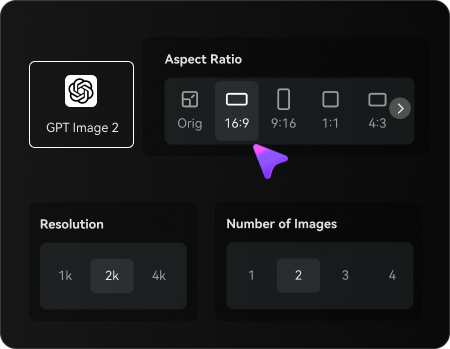
Choose an AI model, adjust the aspect ratio and resolution, and select the number of images to generate.

3
Generate and Refine Your Photo

Generate your edited photo, review the changes and preserved details, then refine or regenerate your preferred result before downloading.

Illustrative Media.io workflow graphic, not a Clipdrop AI interface screenshot

Best Use Cases for Clipdrop AI

Explore Clipdrop AI in real projects such as e-commerce background fix, portrait relighting and low resolution asset rescue. Each has a different input, output and quality check.

E-Commerce Background Fix

Make a clean cutout from an otherwise usable product photo.

Real Estate Scene Cleanup

Remove an unwanted movable object from a licensed listing image and disclose significant alterations where required. A related Media.io resource for this specific scenario is Remove Stickers From Photo; this explores real estate scene cleanup as a related image task, not the full Clipdrop AI product workflow.

Portrait Relighting

Experiment with softer illumination on a portrait before using it in a profile layout.

Wide Banner Adaptation

Extend a narrow campaign image to fit a landscape ad slot.

Scanned Sign Removal

Erase an unwanted caption from an image you own without disturbing the subject. A related Media.io resource for this specific scenario is Gemini AI Remove Object Prompts; this explores scanned sign removal as a related image task, not the full Clipdrop AI product workflow.

Low Resolution Asset Rescue

Upscale a small product illustration while evaluating whether any details were hallucinated.

Clipdrop AI Free Limits, Pro Plans and Editing Risks

Clipdrop AI has distinct tradeoffs for real estate scene cleanup: evaluate free tools have daily caps, high resolution is tiered and the current usage terms before investing.

Free Tools Have Daily Caps

The public price page lists usage limits over each 24-hour period for several free repair tools.

Pro Pricing Is Dynamic

The official price page may display unavailable or personalized totals; confirm your checkout rather than using an inferred monthly amount.

High Resolution Is Tiered

Free and Pro allowances can differ materially for upscale, cleanup and background tasks.

Generative Repairs May Invent Pixels

Cleanup and Uncrop can create plausible but inaccurate elements; inspect product details and authenticity requirements.

API Billing Is Separate

The official site advertises usage-based API pricing; do not assume web subscription tools are included in the API rate.

Not A Full Video Editor

Clipdrop mainly addresses image editing; users needing finished motion assets need a separate workflow.

Clipdrop AI vs Media.io: Features, Pricing and Audience

Choose Clipdrop for quick targeted photo cleanup, relighting or canvas expansion with a specialized image-tool interface. Choose Media.io when a source photo must be turned into a wider creative project including alternative image styles, video concepts or further asset finishing. The deciding factor for e-commerce background fix is whether you need cleanup and object removal or AI image creation and follow-on video or creative ad workflows.

Decision Factor Clipdrop AI Media.io
Primary job fast image cleanup, background removal, relighting and generative expansion AI image creation and follow-on video or creative ad workflows
Distinctive workflow Brush over distracting objects and compare the repaired textures at the original image size. Media.io supports image transformation for e-commerce background fix without claiming the same specialist workflow.
Reference inputs Create subject cutouts for e-commerce banners, product listings or social graphics. Use an uploaded image and an edit prompt for real estate scene cleanup; confirm fidelity manually.
Creative control Change the direction or feel of light for an existing photo while examining whether shadows still look plausible. Iterate image treatments for portrait relighting rather than assuming feature parity.
Editing depth Expand the canvas around a supplied subject to fit a wider placement or aspect ratio. Clipdrop AI includes uncrop and image expansion for wide banner adaptation; Media.io instead supports AI image creation and follow-on video or creative ad workflows.
Production workflow Enhance resolution or erase unwanted text in eligible photos while checking for invented small details. Media.io is useful for AI image creation and follow-on video or creative ad workflows where the specialized interface is unnecessary.
Pricing and quotasClipdrop offers limited free daily access to selected image tools and a paid Pro plan with higher quotas or resolution. Its official API billing is usage based; check the live checkout for exact current prices.Media.io budgets for e-commerce background fix should compare image creation attempts against the distinct Clipdrop AI plan or credit system.
Risk and rights Clipdrop mainly addresses image editing; users needing finished motion assets need a separate workflow. Media.io outputs for low resolution asset rescue also require licensed source images and human review.
Best-fit users Choose Clipdrop for quick targeted photo cleanup, relighting or canvas expansion with a specialized image-tool interface. Choose Media.io when a source photo must be turned into a wider creative project including alternative image styles, video concepts or further asset finishing.
Best for Clipdrop AI

Choose Clipdrop AI If You Need:

Choose Clipdrop for quick targeted photo cleanup, relighting or canvas expansion with a specialized image-tool interface. The leading e-commerce background fix tasks include:

  • E-Commerce Background Fix: Make a clean cutout from an otherwise usable product photo.
  • Real Estate Scene Cleanup: Remove an unwanted movable object from a licensed listing image and disclose significant alterations where required.
  • Portrait Relighting: Experiment with softer illumination on a portrait before using it in a profile layout.
  • Wide Banner Adaptation: Extend a narrow campaign image to fit a landscape ad slot.
  • Scanned Sign Removal: Erase an unwanted caption from an image you own without disturbing the subject.
Explore Image Enhancement
Media.io for Portrait Relighting

Choose Media.io for Portrait Relighting:

Choose Media.io when a source photo must be turned into a wider creative project including alternative image styles, video concepts or further asset finishing. For the portrait relighting brief, related image-creation tasks include:

  • Real Estate Scene Cleanup: Choose Media.io when a source photo must be turned into a wider creative project including alternative image styles, video concepts or further asset finishing. For e-commerce background fix, compare the practical outcome with cleanup and object removal rather than assuming identical capabilities.
  • Portrait Relighting: Choose Media.io when a source photo must be turned into a wider creative project including alternative image styles, video concepts or further asset finishing. For real estate scene cleanup, compare the practical outcome with background removal rather than assuming identical capabilities.
    • Scanned Sign Removal: Choose Media.io when a source photo must be turned into a wider creative project including alternative image styles, video concepts or further asset finishing.
  • Wide Banner Adaptation: Choose Media.io when a source photo must be turned into a wider creative project including alternative image styles, video concepts or further asset finishing. For portrait relighting, compare the practical outcome with relight image lighting rather than assuming identical capabilities.
  • Scanned Sign Removal: Choose Media.io when a source photo must be turned into a wider creative project including alternative image styles, video concepts or further asset finishing. For wide banner adaptation, compare the practical outcome with uncrop and image expansion rather than assuming identical capabilities.
Relight Portraits With Media.io

Is Clipdrop AI Worth It? Final Verdict

Our Take

Clipdrop AI is most relevant when fast image cleanup, background removal, relighting and generative expansion is the actual deliverable. Brush over distracting objects and compare the repaired textures at the original image size. For a team preparing e-commerce background fix, that specialist capability can justify a pilot.

Clipdrop offers limited free daily access to selected image tools and a paid Pro plan with higher quotas or resolution. Its official API billing is usage based; check the live checkout for exact current prices. Free and Pro allowances can differ materially for upscale, cleanup and background tasks. For low resolution asset rescue, record the cost of usable outputs before increasing volume.

Choose Clipdrop for quick targeted photo cleanup, relighting or canvas expansion with a specialized image-tool interface. Choose Media.io when a source photo must be turned into a wider creative project including alternative image styles, video concepts or further asset finishing. Validate a sample project, image rights and current plan details before scaling.

Clipdrop AI FAQ: Features, Pricing and Alternatives

What is Clipdrop AI mainly used for?
faq faq

Clipdrop is a browser-based AI image editing toolkit for background removal, Cleanup object erasing, Relight, Uncrop, image upscaling, text removal, background replacement and text-to-image generation.

Brush over distracting objects and compare the repaired textures at the original image size.

Create subject cutouts for e-commerce banners, product listings or social graphics. Remove an unwanted movable object from a licensed listing image and disclose significant alterations where required.

Change the direction or feel of light for an existing photo while examining whether shadows still look plausible. Expand the canvas around a supplied subject to fit a wider placement or aspect ratio.

Clipdrop offers limited free daily access to selected image tools and a paid Pro plan with higher quotas or resolution. Its official API billing is usage based; check the live checkout for exact current prices.

Clipdrop offers limited free daily access to selected image tools and a paid Pro plan with higher quotas or resolution. Its official API billing is usage based; check the live checkout for exact current prices. The public price page lists usage limits over each 24-hour period for several free repair tools.

The official price page may display unavailable or personalized totals; confirm your checkout rather than using an inferred monthly amount. Free and Pro allowances can differ materially for upscale, cleanup and background tasks.

Choose Clipdrop for quick targeted photo cleanup, relighting or canvas expansion with a specialized image-tool interface. Choose Media.io when a source photo must be turned into a wider creative project including alternative image styles, video concepts or further asset finishing.

Choose Clipdrop for quick targeted photo cleanup, relighting or canvas expansion with a specialized image-tool interface. Clipdrop mainly addresses image editing; users needing finished motion assets need a separate workflow.

What Media.io Creators Say About Their Workflow

Media.io AI video generator user
Sarah L.

Content Creator

star star star star half star

Media.io makes it much easier to test different AI video styles without jumping between several platforms. I can start with a text prompt or image, compare model results, and then resize or polish the clip for social media in the same workspace.

Media.io AI video creator
John D.

Social Media Marketer

star star star star half star

I use Media.io to create quick product clips, ad concepts, and short-form videos from images. The biggest advantage is that generation does not feel like the final step - I can continue with music, captions, enhancement, and format conversion before publishing.

Media.io AI video editing user
Emily T.

Freelance Designer

star star star star half star

The workflow is approachable even when I am experimenting with unfamiliar AI models. I can animate artwork, try different motion prompts, preview the output, and prepare a cleaner final version without needing advanced video-editing experience.

Media.io Online Tools Quality Rating:
vote 4.7 (162,357 Votes)
media.io

AI Video Generator star

Easily generate videos from text or images

Generate