




Short Sound Effects Prompts for One-Beat Edits

For quick cuts, a clear beginning is everything. Compare these pops, ticks, swooshes and micro-hits by how fast they start and how neatly they stop.

How to Generate Short Sound Effects with AI

The generator offers 5, 10, 20 and 40 seconds, so request a short isolated event and trim the useful part in your editor when you need a sub-second cue.

1

Open the AI Sound Effects Generator

Visit the Media.io AI Sound Effects Generator to create an original short audio cue from a text description.

2

Enter a Sound Effect Prompt

Describe the precise audible source and situation. Example prompt: A compact playful interface pop for a caption appearing on screen, crisp rounded attack, quick pitch rise and immediate dry stop, isolated audio, no music.

3

Choose Duration and Generate

Choose a duration of 5s, 10s, 20s or 40s, then select 1, 2, 3 or 4 sounds to generate. Click Generate to create the selected variations.

4

Preview and Download

Trim the generated clip to the useful transient; 5 seconds is the minimum generation option, not a requirement that every effect should occupy five seconds. Preview the generated sounds, then download and save the one that fits your project.

Tiny Cues for Fast-Moving Edits

Small sounds make on-screen actions easier to follow: a tap registers, a caption pops in and a joke gets a beat of emphasis.

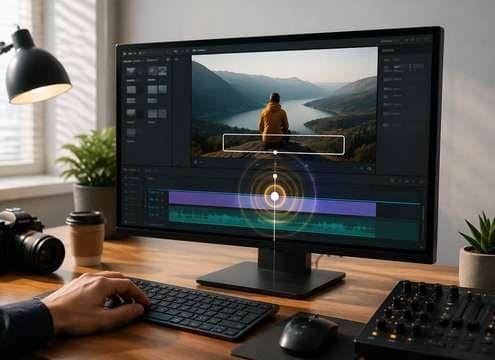
Caption pop-in sound scene

Caption pop-in

A round blip on the exact frame a subtitle lands gives motion graphics weight.

Quick reaction meme sound scene

Quick reaction meme

A fraction-of-a-second bonk emphasizes a surprise without delaying the joke.

App confirmation sound scene

App confirmation

One soft clean click confirms a user action without creating a musical melody.

Product feature reel sound scene

Product feature reel

An airy short whoosh can bridge two screen recordings smoothly.

Sports highlight cut sound scene

Sports highlight cut

A compact impact reinforces the contact frame and then gives way to crowd audio.

Tutorial step marker sound scene

Tutorial step marker

A restrained ping indicates the next step without sounding like an error alert.

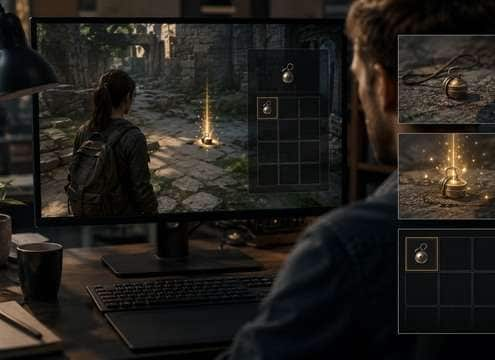
Game inventory pickup sound scene

Game inventory pickup

A dry tiny chime registers a collected item while remaining distinct from rewards.

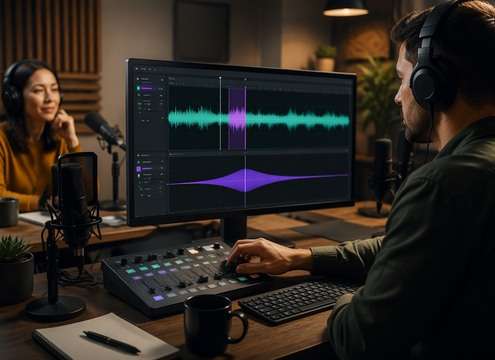
Podcast transition sound scene

Podcast transition

A simple audio sting creates separation between two speakers without an entire bumper.

A Good Short SFX Has a Beginning and an End

Clean attacks and short tails help these cues land on a single frame without colliding with the next cut or spoken word.

Keep the attack unmistakable concept icon

Keep the attack unmistakable

On a busy timeline, a clear initial transient communicates the event even at low level.

Avoid long tails on fast cuts concept icon

Avoid long tails on fast cuts

A resonant ring that spills into the next frame can make two unrelated edits feel connected.

Different functions need different timbres concept icon

Different functions need different timbres

A notification ping, button tap and error buzz should be distinguishable without looking at the screen.

Design for repeated playback concept icon

Design for repeated playback

Overly loud, bright cues become tiring when a user taps the same button many times.

Deliver micro-cues from a longer take concept icon

Deliver micro-cues from a longer take

Generate a 5-second file, isolate the best moment and add tiny fades to avoid clicks at the cut.

Make the sound support timing concept icon

Make the sound support timing

Position its sharpest point on the visual event, not several frames after it.

How to Edit a Five-Second Generation into a One-Second SFX

Short does not have to mean loud. A subtle button tick can be better for a product demo than an oversized impact. Start by choosing the action: tap, swipe, reveal, confirm, reject or bounce. Each calls for a different sound shape.

Select the meaningful instant

Generate an isolated source with a clear attack and minimal background. In your editing software, trim the lead-in and unwanted tail, and place the first audible transient on the exact frame of the visual event. Leave enough natural decay to avoid a chopped-off click.

  • Cavern Call - A single adult voice calling "Hello" into a huge limestone cavern; dry onset, one delayed low-volume return followed by irregular long natural reflections, no music.
  • Tiled Tunnel Footsteps - Three measured boot steps on tile; each step repeats quickly along a narrow underground passage, hard-wall reflections and quiet decay, no crowd.
  • Canyon Whistle - One clear human whistle projected over a rocky canyon, separated echo returning twice at decreasing levels, open-air background nearly silent.
  • Stairwell Key Clink - Small brass key falls on concrete, bright metal ping and three tight hard-wall stairwell repeats with natural decay, isolated.
  • Distant Voice Fade - Single wordless distant human call that grows more diffuse in an outdoor valley with gradual high-frequency loss and long delayed reflection.

Keep a small library of functions

Keep a small library of contrasting cues rather than using one pop everywhere. A rounded notification note, airy swipe and sharp confirmation tick give users more information. Preview repeated sequences at normal listening volume before publishing.

  • Cave dialogue - A lost explorer calls into a cavern and hears one delayed reply, establishing enormous distance.
  • Subway passage - Footsteps repeat along tile while the platform stays empty, making a quiet scene uncomfortable.
  • Mountain rescue - A faraway shout returns from a cliff face before the camera finds its source.
  • Stone stairwell - A dropped key produces hard short reflections that reveal narrow concrete walls.
  • Dream transition - An everyday phrase decays into a long airy echo as a character enters a memory.
  • Haunted corridor - A gentle metallic tap develops a hollow echo rather than an obvious monster cue.
  • Sci-fi hangar - A coded beep ricochets through a cavernous metal interior and anchors scale.
  • Podcast flashback - A short spoken line shifts into a spacious acoustic perspective between scenes.

Short Sound Effects: Questions Answered

Learn how to turn a generated source into a one-second cue, clean up a transient and choose the right short SFX for UI and video edits.

Can a short sound effect be shorter than five seconds?

Yes. Generate using an available duration such as 5 seconds, then trim the usable transient in your editing software.

What makes a good one-second transition sound?

A clear onset, one simple pitch or movement idea and a decay short enough not to overlap the next shot.

Which short effect is best for a button tap?

Use a soft compact click or pop with minimal bass and no extended melodic tail.

How do I avoid clicks when trimming?

Add a very short fade at the cut boundaries, particularly if you trim between waveform peaks.

Do short SFX always need reverb?

No. Dry sounds are often better for UI and rapid social edits; use room reflections only when the scene needs them.

How do I keep notification sounds from getting annoying?

Use gentle attack, limited high-frequency brightness and moderate playback level for repeated events.

Can I create a pack of multiple short sound cues?

Choose 1 to 4 generated versions for each prompt, save the best variations and organize them by action in your editor.

More Clicks, Pops and UI Stingers

Browse nearby clicks, notification tones, transitions and cartoon accents for other fast editing moments.

sound

Drop Sound Effects

Explore related sounds
sound

Alarm Sound Effects

Explore related sounds
sound

Eagle Sound Effects

Explore related sounds
sound

Ooh Sound Effects

Explore related sounds
sound

Typewriter Sound Effects

Explore related sounds
sound

Demonic Laugh Sound Effect

Explore related sounds
sound

Zombie Sound Effects

Explore related sounds
sound

Snare Drum Sound Effects

Explore related sounds
sound

Kids Yay Sound Effects

Explore related sounds
sound

Light Switch Sound Effects

Explore related sounds
sound

Wolf Howling Sound Effect

Explore related sounds
sound

Children Cheering Sound Effect

Explore related sounds
sound

Fanfare Sound Effects

Explore related sounds
sound

Girl Laughing Sound Effects

Explore related sounds
sound

Big Sound Effect

Explore related sounds
sound

All Sound Effects

Browse all sounds
media.io

AI Video Generator star

Easily generate videos from text or images

Generate