



Phone Notification Sound Prompts by App State

Compare friendly confirmation tones, soft reminder pairs and cautionary alerts. The goal is a related set of cues that helps people recognize different events.

How to Generate Phone Notification Sound Effects with AI

Name the kind of notification first, then describe whether it should be friendly, neutral or urgent. Keep the sound compact enough for a phone speaker.

1

Open the AI Sound Effects Generator

Visit the Media.io AI Sound Effects Generator to create an original phone notification audio cue from a text description.

2

Enter a Sound Effect Prompt

Describe the precise audible source and situation. Example prompt: A subtle original smartphone calendar reminder: two warm bell-like digital notes spaced evenly, comfortable volume, clean attack and short tail, no speech, no familiar brand melody.

3

Choose Duration and Generate

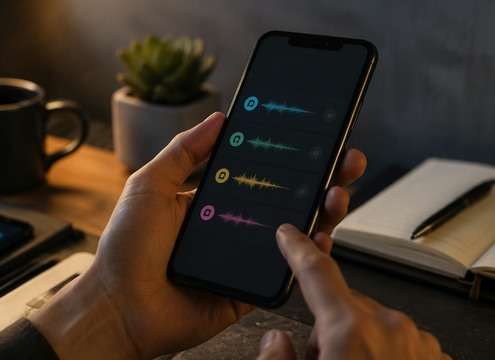
Choose a duration of 5s, 10s, 20s or 40s, then select 1, 2, 3 or 4 sounds to generate. Click Generate to create the selected variations.

4

Preview and Download

Audition repeated playback at normal phone volume. Keep alert sounds clear without making them piercing or masking on-screen speech. Preview the generated sounds, then download and save the one that fits your project.

A Phone Has More Than One Kind of Alert

Different app events deserve different sounds. A reminder, a completed order and a low-battery warning should not all use the same ping.

Product app walkthrough sound scene

Product app walkthrough

A soft push ping demonstrates a notification without confusing viewers with a real system alert.

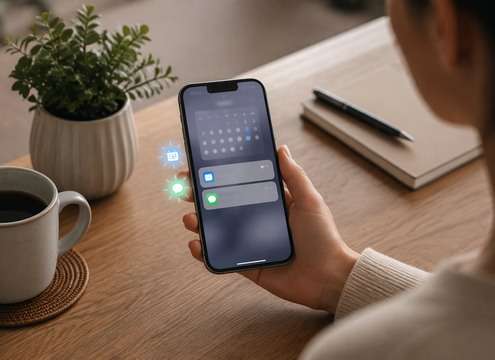
Calendar reminder animation sound scene

Calendar reminder animation

Two mellow notes distinguish a scheduled event from an incoming message.

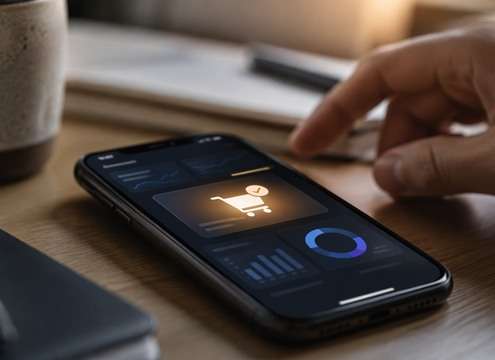
E-commerce sale notification sound scene

E-commerce sale notification

A bright but restrained positive chime confirms a new order in a dashboard.

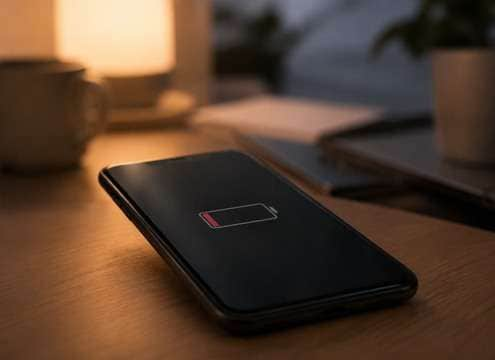
Low-battery tutorial sound scene

Low-battery tutorial

A small descending tone communicates limited power without a loud alarm.

Wellness app mockup sound scene

Wellness app mockup

An airy gentle reminder supports a calming product demonstration.

Live-stream screen overlay sound scene

Live-stream screen overlay

A compact original alert cues a popup without interrupting the host.

Mobile game reward sound scene

Mobile game reward

A more playful three-note chime can indicate a completed task rather than a chat message.

UX sound prototype sound scene

UX sound prototype

Several consistent alert families can be A/B tested across screen actions.

Create a Consistent Family of Phone Cues

Build a recognizable alert family by keeping the same general timbre while varying note direction, length and urgency.

Give every app event a function concept icon

Give every app event a function

An incoming item, a reminder and a warning should have different note direction or timbre.

Keep notification peaks comfortable concept icon

Keep notification peaks comfortable

Short bright tones can become tiring in repeated interface use; soften harsh attacks.

Avoid familiar branded ringtones concept icon

Avoid familiar branded ringtones

Create a new interval and instrument color instead of requesting the signature sound of a phone platform.

Design on actual speakers concept icon

Design on actual speakers

Test the cue at low volume on a real mobile speaker as well as headphones.

Leave silence between alert repeats concept icon

Leave silence between alert repeats

A short tail prevents overlapping pings from becoming a continuous bell noise.

Separate system alerts from messages concept icon

Separate system alerts from messages

A phone notification page covers the entire alert system; isolated SMS cues belong to a more specific message page.

A Useful Notification Library Is a Small Sound System

Start with the event. A success confirmation can end on a slightly higher note, a neutral update may use a single rounded ping, and a warning often benefits from a more deliberate repeated pattern. Use the same instrument-like sound across the set for consistency.

Design a family of alerts

Phone speakers are small, and some notes can become piercing at high volume. Favor clear midrange tones with a restrained tail. If the sound plays over dialogue or gameplay, make it recognizable without covering words.

  • Cavern Call - A single adult voice calling "Hello" into a huge limestone cavern; dry onset, one delayed low-volume return followed by irregular long natural reflections, no music.
  • Tiled Tunnel Footsteps - Three measured boot steps on tile; each step repeats quickly along a narrow underground passage, hard-wall reflections and quiet decay, no crowd.
  • Canyon Whistle - One clear human whistle projected over a rocky canyon, separated echo returning twice at decreasing levels, open-air background nearly silent.
  • Stairwell Key Clink - Small brass key falls on concrete, bright metal ping and three tight hard-wall stairwell repeats with natural decay, isolated.
  • Distant Voice Fade - Single wordless distant human call that grows more diffuse in an outdoor valley with gradual high-frequency loss and long delayed reflection.

Test repetition and attention

Test the cues in sequence. A notification that sounds pleasant once may become irritating after ten repeats. Soften any shrill peak and reserve the more insistent patterns for events that genuinely require attention.

  • Cave dialogue - A lost explorer calls into a cavern and hears one delayed reply, establishing enormous distance.
  • Subway passage - Footsteps repeat along tile while the platform stays empty, making a quiet scene uncomfortable.
  • Mountain rescue - A faraway shout returns from a cliff face before the camera finds its source.
  • Stone stairwell - A dropped key produces hard short reflections that reveal narrow concrete walls.
  • Dream transition - An everyday phrase decays into a long airy echo as a character enters a memory.
  • Haunted corridor - A gentle metallic tap develops a hollow echo rather than an obvious monster cue.
  • Sci-fi hangar - A coded beep ricochets through a cavernous metal interior and anchors scale.
  • Podcast flashback - A short spoken line shifts into a spacious acoustic perspective between scenes.

Phone Notification Sound Effects: Questions Answered

Find ways to create gentle app pings, distinguish reminders from warnings and keep alerts clear on mobile speakers.

What makes a phone notification different from a text message ping?

Phone notifications include many app events and reminders, while text message sounds focus on a new or sent conversation message.

Can I generate an original iPhone-style notification?

You can make a generic modern phone alert, but avoid copying a proprietary or recognizable device sound.

What works for a subtle push notification?

A single rounded soft ping with short decay and gentle high frequencies is usually easy to recognize without being harsh.

Should low-battery alerts have a different sound?

A short descending or lower-toned pattern can separate low power from positive or neutral notifications.

How many tones should a reminder use?

Often one to three notes are enough; the right length depends on how often the alert repeats.

How can I keep notification sounds consistent across an app?

Use a shared timbre, moderate loudness and a limited range of note patterns, then vary them by action.

Can notification SFX be used in app prototypes?

You can evaluate original generated effects in prototypes; check the current license before distributing a commercial app.

More Mobile App and Interface Sounds

Discover text-message pings, UI taps, vibration cues and other compact sounds that work in mobile experiences.

sound

Notification Sound Effects

Explore related sounds
sound

Phone Ringing Sound Effect

Explore related sounds
sound

Christmas Sound Effects

Explore related sounds
sound

Whale Sound Effects

Explore related sounds
sound

Canned Laughter Sound Effect

Explore related sounds
sound

Cough Sound Effects

Explore related sounds
sound

Door Opening Sound Effects

Explore related sounds
sound

Light Switch Sound Effects

Explore related sounds
sound

Train Sound Effects

Explore related sounds
sound

Duck Sound Effects

Explore related sounds
sound

Noise Sound Effects

Explore related sounds
sound

Win Sound Effects

Explore related sounds
sound

Cat Meow Sound Effect

Explore related sounds
sound

Writing Sound Effects

Explore related sounds
sound

Monster Roar Sound Effects

Explore related sounds
sound

All Sound Effects

Browse all sounds
media.io

AI Video Generator star

Easily generate videos from text or images

Generate