
















Popular Impact Sound Effects for Cuts, Reveals & Action

Compare fast, dry impacts with bass-heavy cinematic hits. The initial transient and the fading tail should tell you whether the cue fits an action cut or a large title reveal.

How to Create Impact
Sound Effects in Four Steps

Name the material, perceived weight, attack speed and decay. A low trailer boom and a sharp metal strike are different sound designs, even when both occur on the same cut.

1

Open the AI Sound Effects Generator

Visit the Media.io AI Sound Effects Generator to create an original sound from a text description.

2

Enter a Sound Effect Prompt

Describe the sound you want. Example prompt: One cinematic low-frequency impact at the start, heavy sub-bass body and four-second dark rumble fading smoothly, no melody. Adjust its source or acoustic detail to fit your scene.

3

Choose Duration and Generate

Select 5s, 10s, 20s or 40s, then choose 1, 2, 3 or 4 sounds to generate. Click Generate to create your variations.

4

Preview and Download

Check the very first transient against the edit point, then listen for bass masking and tail overlap with speech or music. Download the cue that gives the moment weight without a muddy mix. Preview the result, then download and save your chosen sound effect.

Land the Cut: Where to Use the Sounds

One sound may punctuate a product logo while another makes a falling beam feel heavy. The best impact reinforces the visual force and scale.

Movie title reveal scene for impact audio

Movie title reveal

A broad sub-bass boom sits exactly on the first frame of a title card.

Action punch scene for impact audio

Action punch

A dry body hit reinforces movement without turning every strike into an explosion.

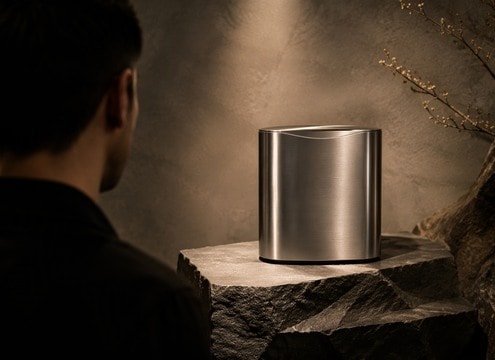
Product launch scene for impact audio

Product launch

One clean metallic accent adds polish when a gadget rotates into view.

Sports highlight scene for impact audio

Sports highlight

Sharp impact snaps onto a decisive jump or goal without masking the commentator.

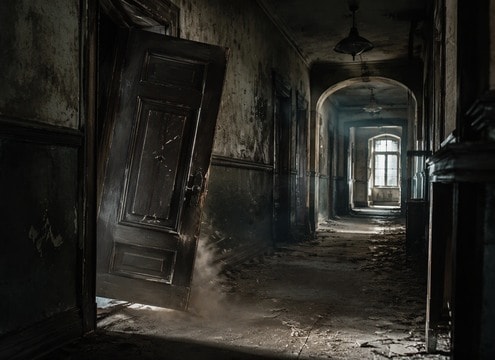
Horror door slam scene for impact audio

Horror door slam

Low wood and a short room tail make a sudden closing door feel heavy.

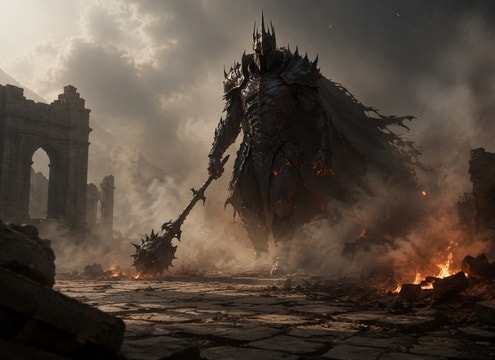
Game boss entrance scene for impact audio

Game boss entrance

A broad layered impact signals scale as a massive figure appears.

Transition edit scene for impact audio

Transition edit

A fast whoosh-to-hit moves the audience from one shot to the next.

Logo animation scene for impact audio

Logo animation

An understated resonant accent ends a short animation cleanly.

Make Every Hit Land with the Right Weight

Impact design balances the moment of contact with what follows. Compare body, material and decay instead of choosing the loudest file.

Compare Sub Bass Trailer Boom and Metal Door Slam

Place the Attack on the Cut

The first transient should hit when the title, punch or door reaches its visual peak. Even a strong boom feels weak when it arrives late.

Set the Space for Movie title reveal

Use Low Bass for Scale, Not Every Hit

A deep sub-bass layer can enlarge a trailer reveal. It is less appropriate for a small object striking glass or a close, dry fist movement.

Describe Dry Combat Punch Precisely

Metal Carries Brightness and Ring

A heavy door slam or panel strike benefits from a recognizable metallic onset. Preserve enough of the ring to identify material without filling the next shot.

Find the Beat in Action punch

Wood Needs a Different Body

A beam collision has a hollow knock and shorter upper frequencies than metal. Describe the structure rather than assigning the same cinematic boom to everything.

Balance Wooden Beam Impact

Separate Risers from Impacts

A riser builds anticipation before an event; the impact confirms the event. Use them together only when the pacing genuinely needs both phases.

Refine Title Reveal Braam

Trim the Tail for Rapid Montages

A long resonant decay can blur closely spaced cuts. Audition the impact in the full sequence and shorten its exit when the next scene must begin cleanly.

Attack, Body and Tail: The
Anatomy of a Cinematic Hit

An impact has three useful stages. The attack tells the viewer when the contact happens, the body implies size or material, and the decay connects the hit to the surrounding space. Sound selection is easier when you decide which of those stages matters most in the edit.

Choose Material Before Magnitude

For a product reveal, a compact polished bass-and-metal hit may sound more precise than a destructive explosion. In a rockfall scene, gravel and irregular collisions are more convincing than a perfectly tonal trailer boom.

  • Sub Bass Trailer Boom - One cinematic low-frequency impact at the start, heavy sub-bass body and four-second dark rumble fading smoothly, no melody.
  • Metal Door Slam - A massive steel door slams shut, sharp metallic transient with low vibrating panel resonance and short industrial tail.
  • Dry Combat Punch - Close punch onto padded leather, a sharp midrange thump and brief fabric movement, no bone crunch or dialogue.
  • Rockfall Collision - One enormous boulder strikes packed earth, gritty stone crack and dense low thud with rolling debris decay.
  • Wooden Beam Impact - Heavy timber beam crashes onto wood floor, resonant crack, creak and several small settling knocks; controlled reverb.

Protect Dialogue and Music Dynamics

Stacking sub-bass under an already loud soundtrack can create mud even when the impact is impressive alone. Compare the effect with the full mix and leave a clean space after the hit for the next visual or spoken line.

  • Movie title reveal - A broad sub-bass boom sits exactly on the first frame of a title card.
  • Action punch - A dry body hit reinforces movement without turning every strike into an explosion.
  • Product launch - One clean metallic accent adds polish when a gadget rotates into view.
  • Sports highlight - Sharp impact snaps onto a decisive jump or goal without masking the commentator.
  • Horror door slam - Low wood and a short room tail make a sudden closing door feel heavy.
  • Game boss entrance - A broad layered impact signals scale as a massive figure appears.
  • Transition edit - A fast whoosh-to-hit moves the audience from one shot to the next.
  • Logo animation - An understated resonant accent ends a short animation cleanly.

FAQs About Impact
Sound Effects

Answers on hit timing, material choice and the difference between impacts, booms and buildup effects.

Which impact sound works for a trailer title reveal?

A wide low boom with a crisp initial hit and controlled decay works when the title needs scale. Avoid letting the rumble obscure dialogue immediately afterward.

What is the difference between an impact and a riser?

A riser builds toward a moment; an impact marks the moment itself. Place the impact on the cut and let a separate riser approach it only if the sequence needs buildup.

How do I make a deep bass impact without muddy audio?

Ask for a short clear attack and a low-frequency body that decays instead of sustaining at full volume. Check the mix on small speakers and headphones.

Can AI generate a metal impact sound effect?

Yes. Name the material and object, such as a steel gate or heavy pipe, and whether the result should ring, rattle or end abruptly.

Are impact sounds the same as explosion sounds?

Not necessarily. A hammer, body hit or drum accent can make an impact without suggesting fire or blast debris. Choose the acoustic source that matches the picture.

Does every cinematic impact need deep bass?

No. A small metal snap or dry percussive hit can be more effective for a tight cut. Deep bass works when you want to imply scale or weight.

How can I prevent a trailer impact from hiding dialogue?

Shorten the low-frequency tail, reduce the impact level or time it between lines. Always judge it inside the full audio mix.

More Sound Effects for Movie
title reveal and Beyond

Combine a purposeful hit with a riser, whoosh or material-specific crash only when the edit requires multiple phases.

sound

Vine Boom Sound Effects

10+ free sounds
sound

Boom Boom Boom Sound Effects

10+ free sounds
sound

Bass Boost Sound Effects

10+ free sounds
sound

Boom Sound Effects

10+ free sounds
sound

Metal Clang Sound Effects

10+ free sounds
sound

Punch Sound Effects

10+ free sounds
sound

Heavy Breathing Sound Effects

10+ free sounds
sound

Drum Roll Sound Effect

10+ free sounds
sound

Car Crash Sound Effects

10+ free sounds
sound

Angry Cat Sound Effects

10+ free sounds
sound

Ding Sound Effect

10+ free sounds
sound

Tire Screech Sound Effect

10+ free sounds
sound

Opening Door Sound Effects

10+ free sounds
sound

Burp Sound Effect

10+ free sounds
sound

Cough Sound Effects

10+ free sounds
sound

All Sound Effects

Browse the full library
media.io

AI Video Generator star

Easily generate videos from text or images

Generate