Home>AI Prompts>Change a Photo Background with ChatGPT: 25 Copy-Ready Prompts
Change a Photo Background with ChatGPT: 25 Copy-Ready Prompts
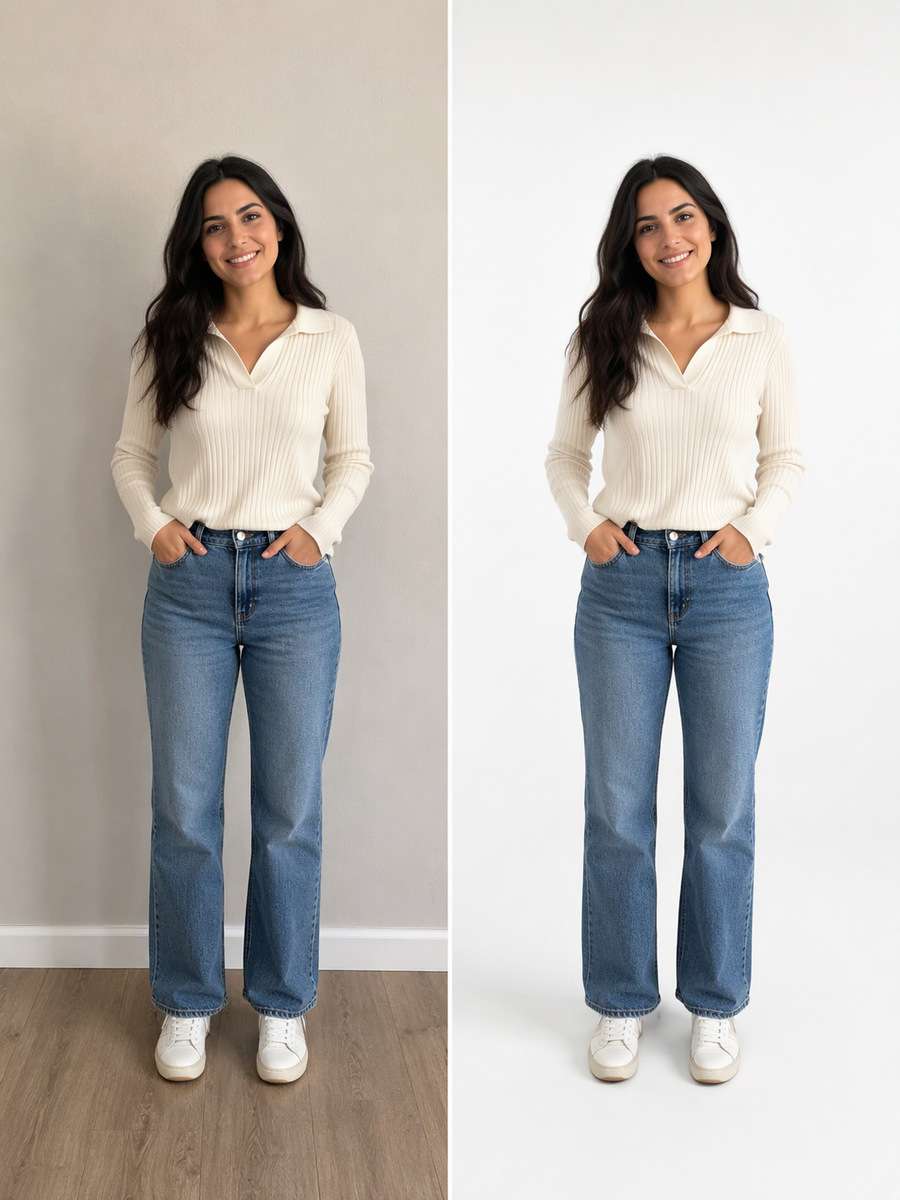
A new background should not make the person in your picture look pasted on. These ChatGPT Photo Background Change Prompts give you specific replacements for busy rooms, outdoor portraits, profile pictures and product photos while keeping the original subject recognizable. Each idea calls out the details that matter most: realistic hair edges, a matching light source, perspective, and ground contact.
See natural background replacements for portraits, offices, travel scenes and product photos made with Media.io - powered by ChatGPT.
How to Change a Photo Background Without Changing the Person
Keep the original subject as the non-negotiable part of the edit. The prompt should replace only the setting, then make the new environment agree with the source light.
1
Choose a clear source photo
Start with a photo where hair, clothes and the subject outline are visible. For a product, choose a picture that shows its shape and label clearly.
2
Describe one replacement setting
Paste a ChatGPT background change prompt that names the new location, camera angle, light direction and what must remain untouched.
3
Check edges, perspective and shadows
Generate the edit on Media.io and zoom in on hair, fingers, floor contact and the horizon. Refine only the element that looks pasted on.
25 ChatGPT Background Replacement Prompts for Real Photo Edits
Neutral White Studio
Edit my uploaded photo, not an invented person or object. Replace the room with a seamless soft-white sweep suitable for a clean profile photo. Keep the original subject, face if present, expression, pose, clothing, body proportions, and foreground details unchanged. Build the replacement environment with soft floor contact shadow, finely preserved hair flyaways, unchanged clothing. Retain the original camera height and framing, blend hair and object edges naturally, and make the new background agree with the subject light. Avoid gray cutout halos. This should look like a photographed background replacement, not a sticker cutout.
Charcoal Portrait Wall
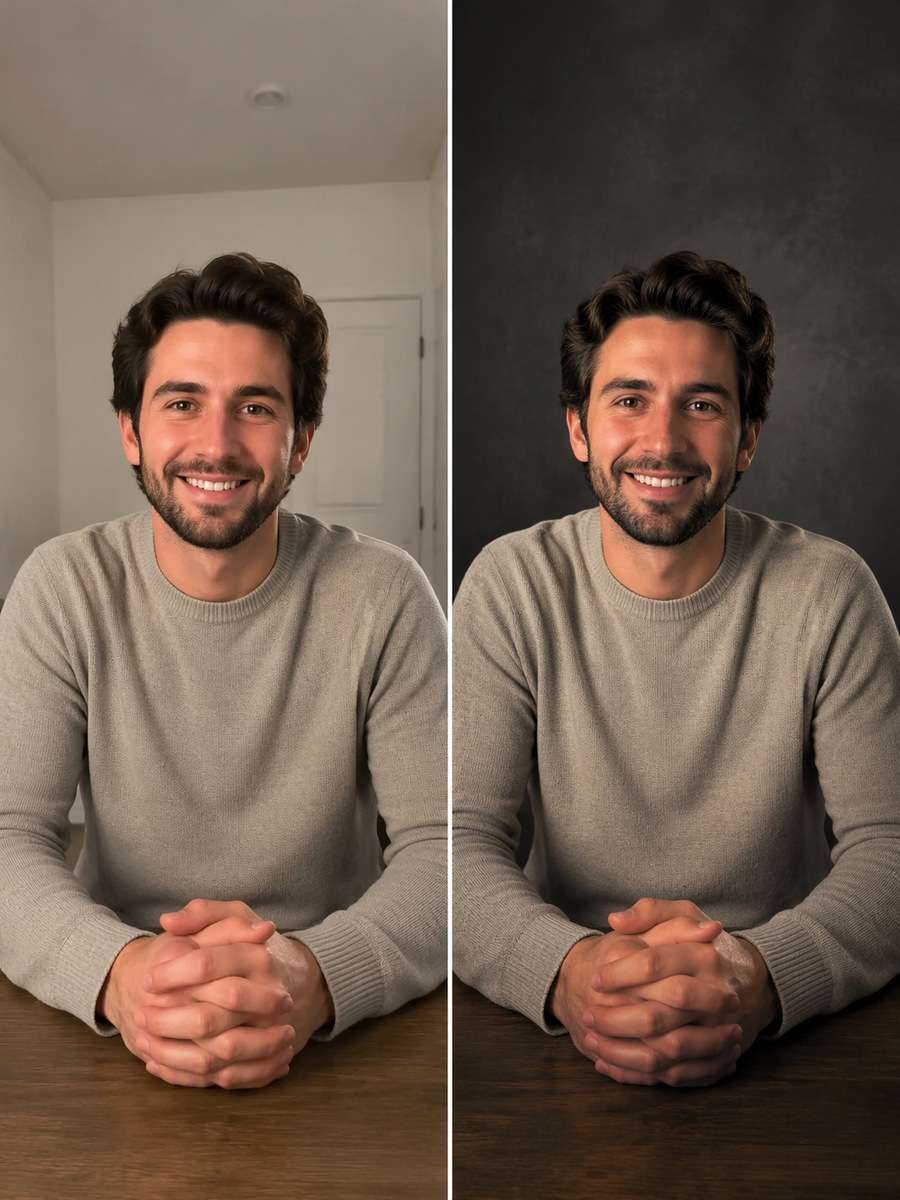
Edit my uploaded photo, not an invented person or object. Move the background to a matte charcoal photographic wall for a restrained headshot. Keep the original subject, face if present, expression, pose, clothing, body proportions, and foreground details unchanged. Build the replacement environment with subtle shoulder separation and directional key light from camera left. Retain the original camera height and framing, blend hair and object edges naturally, and make the new background agree with the subject light. Avoid crushed black hair edges. This should look like a photographed background replacement, not a sticker cutout.
Warm Beige Professional Backdrop
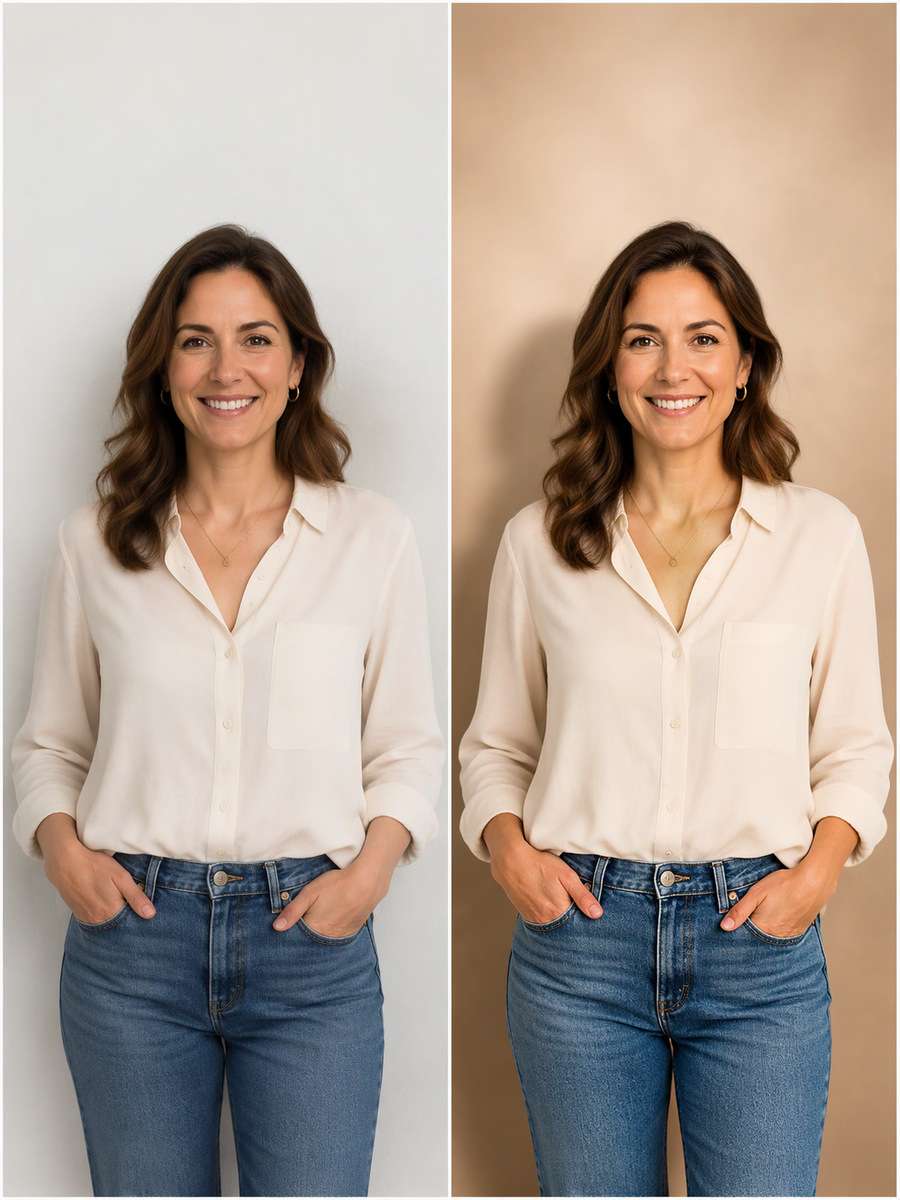
Edit my uploaded photo, not an invented person or object. Swap a messy indoor wall for a warm beige studio gradient. Keep the original subject, face if present, expression, pose, clothing, body proportions, and foreground details unchanged. Build the replacement environment with same eye line and natural skin tones, gentle shadow behind shoulders. Retain the original camera height and framing, blend hair and object edges naturally, and make the new background agree with the subject light. Avoid flat pasted-on lighting. This should look like a photographed background replacement, not a sticker cutout.
Modern Glass Office
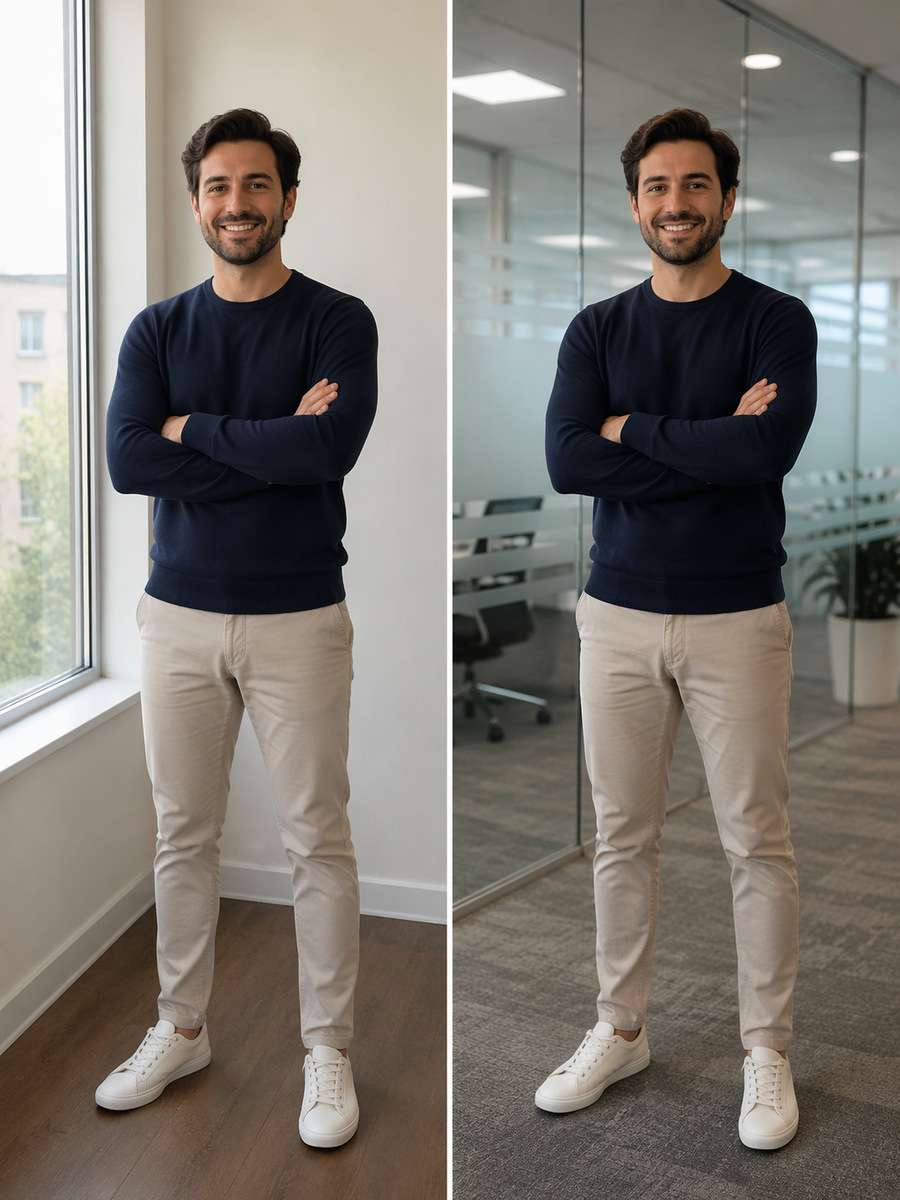
Edit my uploaded photo, not an invented person or object. Place the same person in a quiet modern office with frosted glass partitions. Keep the original subject, face if present, expression, pose, clothing, body proportions, and foreground details unchanged. Build the replacement environment with realistic window reflections and a chair-height perspective. Retain the original camera height and framing, blend hair and object edges naturally, and make the new background agree with the subject light. Avoid office objects intersecting arms. This should look like a photographed background replacement, not a sticker cutout.
Bookshelf Zoom Call
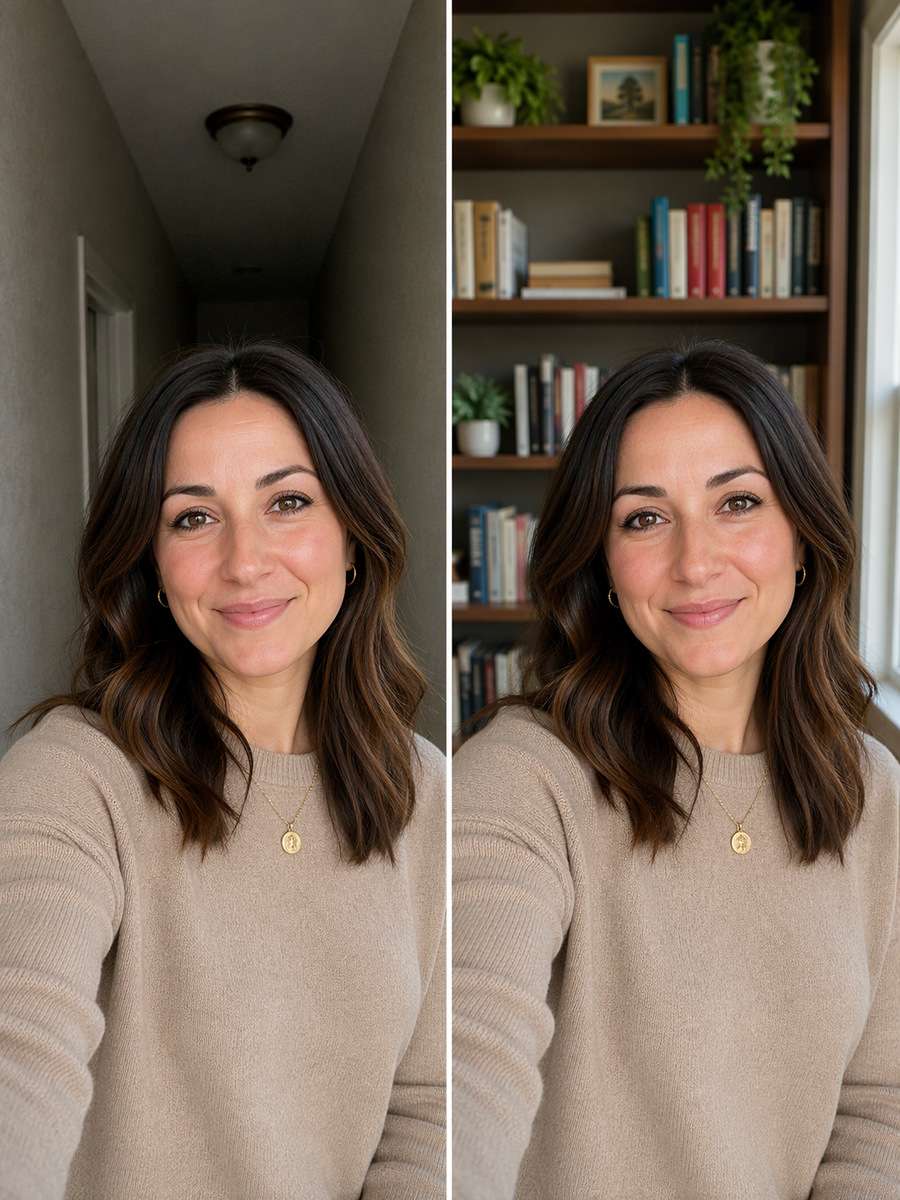
Edit my uploaded photo, not an invented person or object. Exchange the room for a tidy bookshelf with believable shelf depth. Keep the original subject, face if present, expression, pose, clothing, body proportions, and foreground details unchanged. Build the replacement environment with soft background focus and mixed daylight from a nearby window. Retain the original camera height and framing, blend hair and object edges naturally, and make the new background agree with the subject light. Avoid random fake book cover text. This should look like a photographed background replacement, not a sticker cutout.
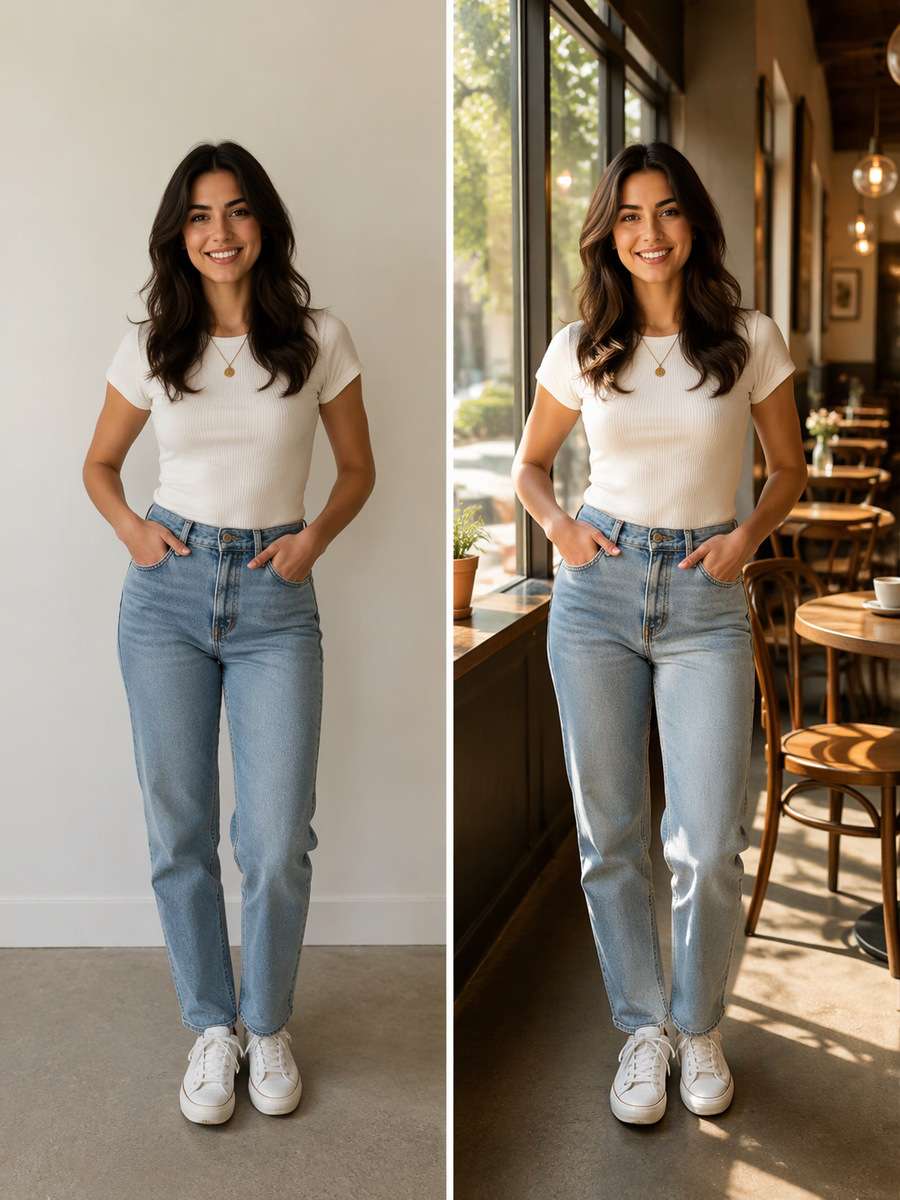
Sunlit Cafe Window
Edit my uploaded photo, not an invented person or object. Place the portrait beside a cafe window with tables receding into the distance. Keep the original subject, face if present, expression, pose, clothing, body proportions, and foreground details unchanged. Build the replacement environment with morning side light, believable chair scale and warm reflected bounce. Retain the original camera height and framing, blend hair and object edges naturally, and make the new background agree with the subject light. Avoid mismatched face shadows. This should look like a photographed background replacement, not a sticker cutout.
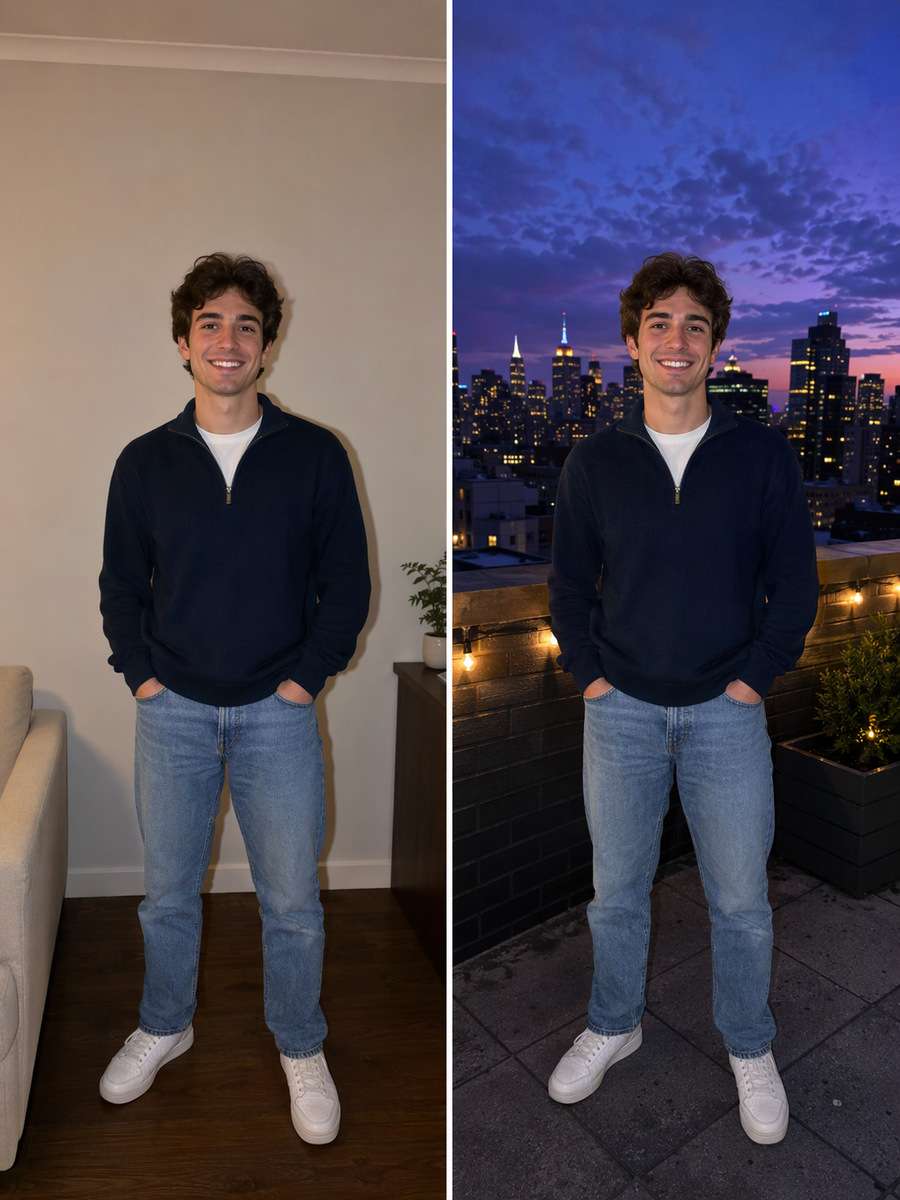
Rooftop Blue Hour
Edit my uploaded photo, not an invented person or object. Replace the background with a city rooftop under a violet-blue evening sky. Keep the original subject, face if present, expression, pose, clothing, body proportions, and foreground details unchanged. Build the replacement environment with cool ambient buildings and a subtle frontal phone flash on the person. Retain the original camera height and framing, blend hair and object edges naturally, and make the new background agree with the subject light. Avoid floating subject above roof. This should look like a photographed background replacement, not a sticker cutout.
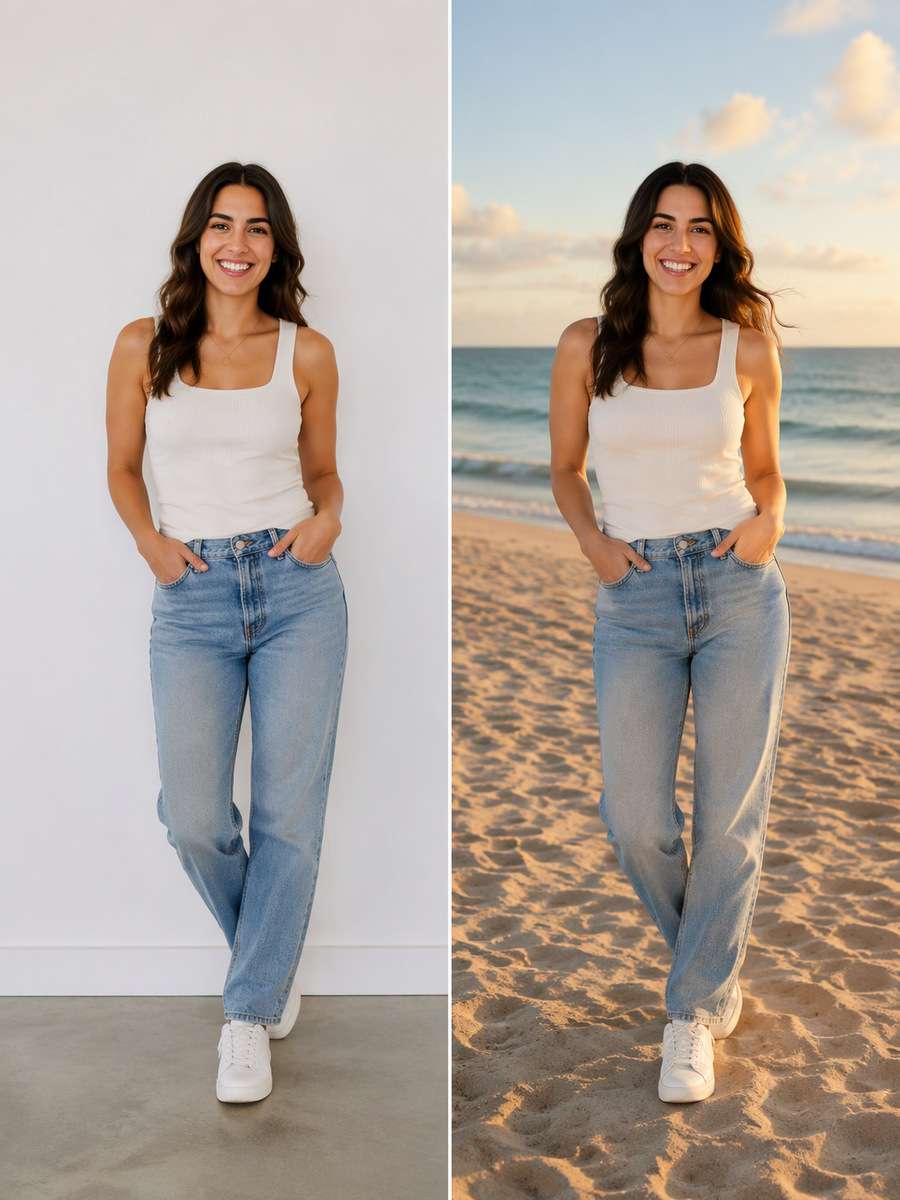
Realistic Beach Horizon
Edit my uploaded photo, not an invented person or object. Move the subject to a breezy beach with a level ocean horizon. Keep the original subject, face if present, expression, pose, clothing, body proportions, and foreground details unchanged. Build the replacement environment with late-afternoon warm sun, sand contact shadows and subtle distant haze. Retain the original camera height and framing, blend hair and object edges naturally, and make the new background agree with the subject light. Avoid ocean line cutting through shoulders. This should look like a photographed background replacement, not a sticker cutout.
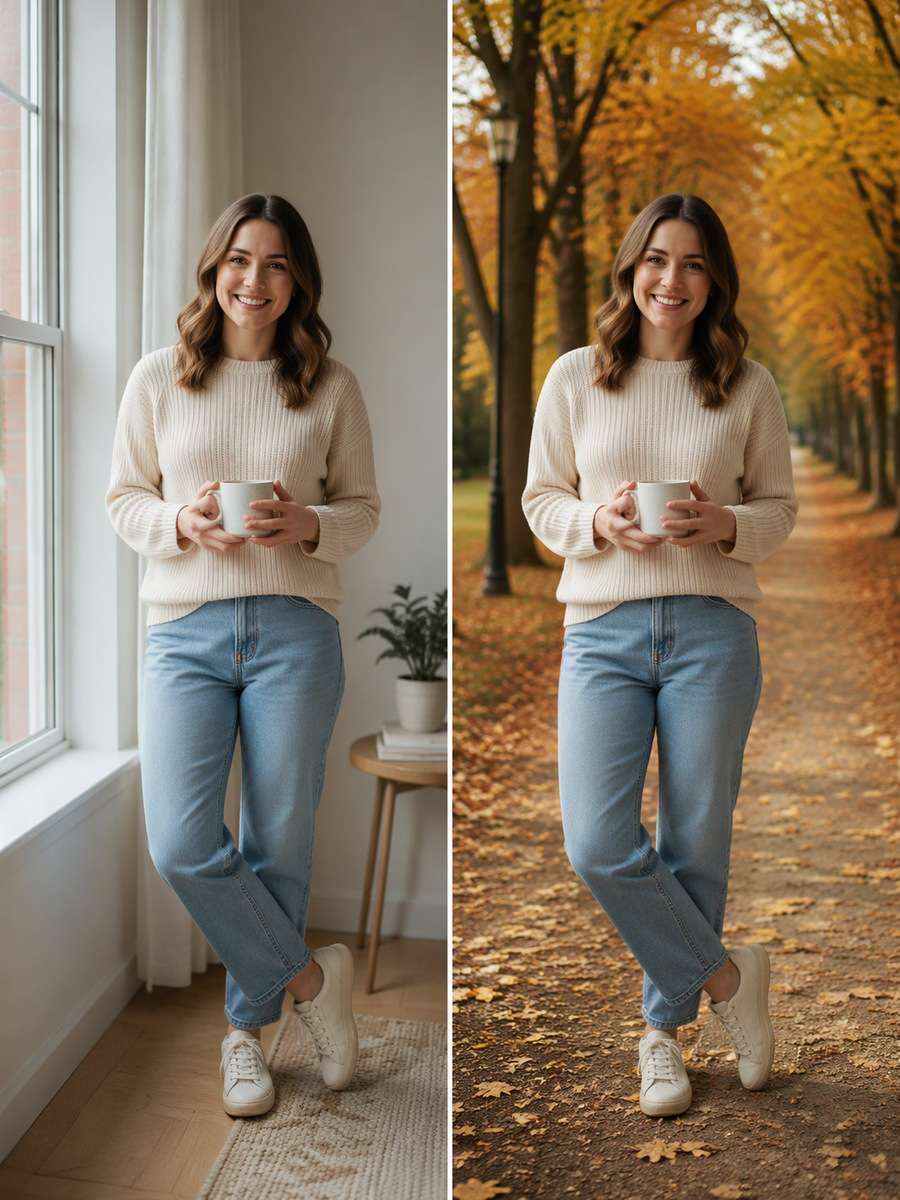
Autumn Park Path
Edit my uploaded photo, not an invented person or object. Change the background to an amber tree-lined walking path. Keep the original subject, face if present, expression, pose, clothing, body proportions, and foreground details unchanged. Build the replacement environment with soft cloudy daylight, natural ground shadows and distant leaf bokeh. Retain the original camera height and framing, blend hair and object edges naturally, and make the new background agree with the subject light. Avoid oversaturated plastic leaves. This should look like a photographed background replacement, not a sticker cutout.
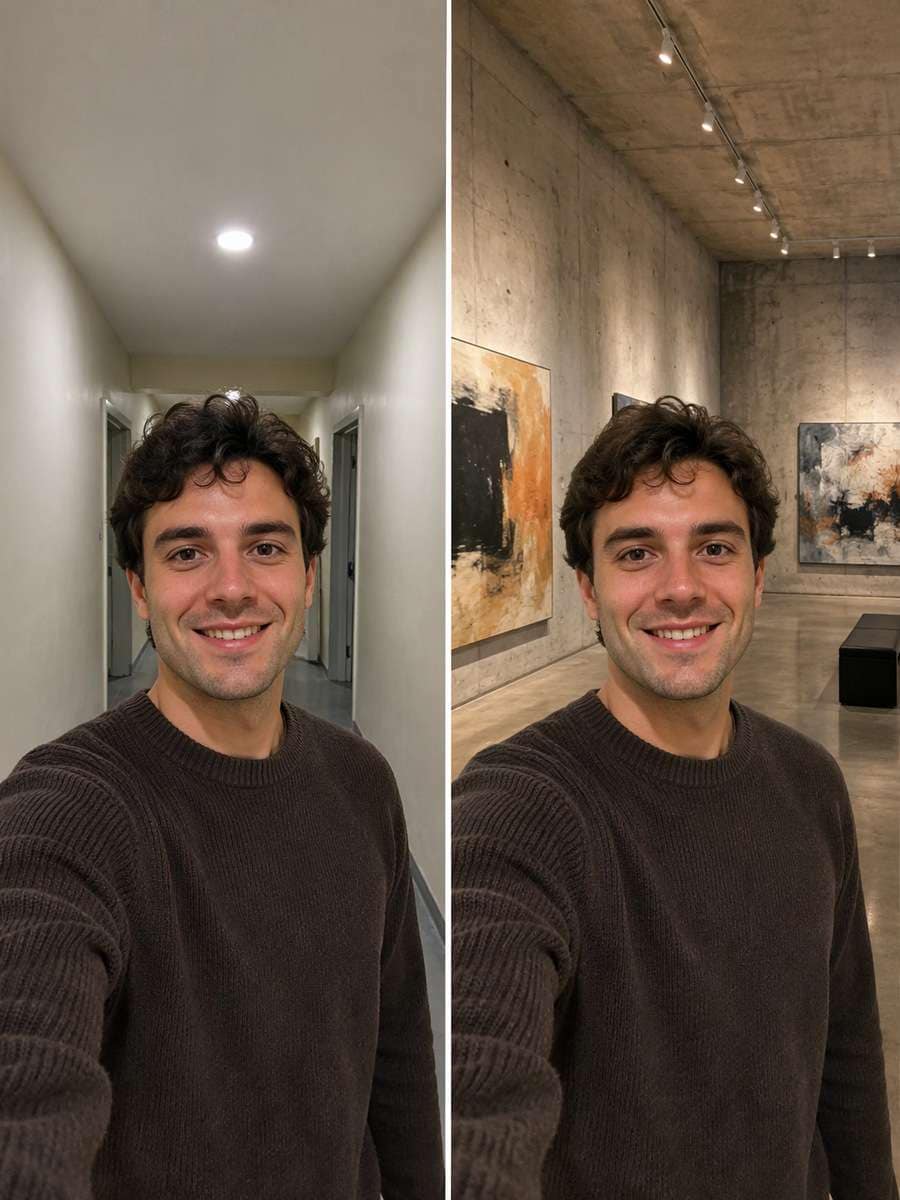
Minimalist Concrete Gallery
Edit my uploaded photo, not an invented person or object. Replace the original backdrop with a textured concrete art gallery. Keep the original subject, face if present, expression, pose, clothing, body proportions, and foreground details unchanged. Build the replacement environment with diffuse overhead ceiling light and consistent wall perspective. Retain the original camera height and framing, blend hair and object edges naturally, and make the new background agree with the subject light. Avoid face changing into a new person. This should look like a photographed background replacement, not a sticker cutout.
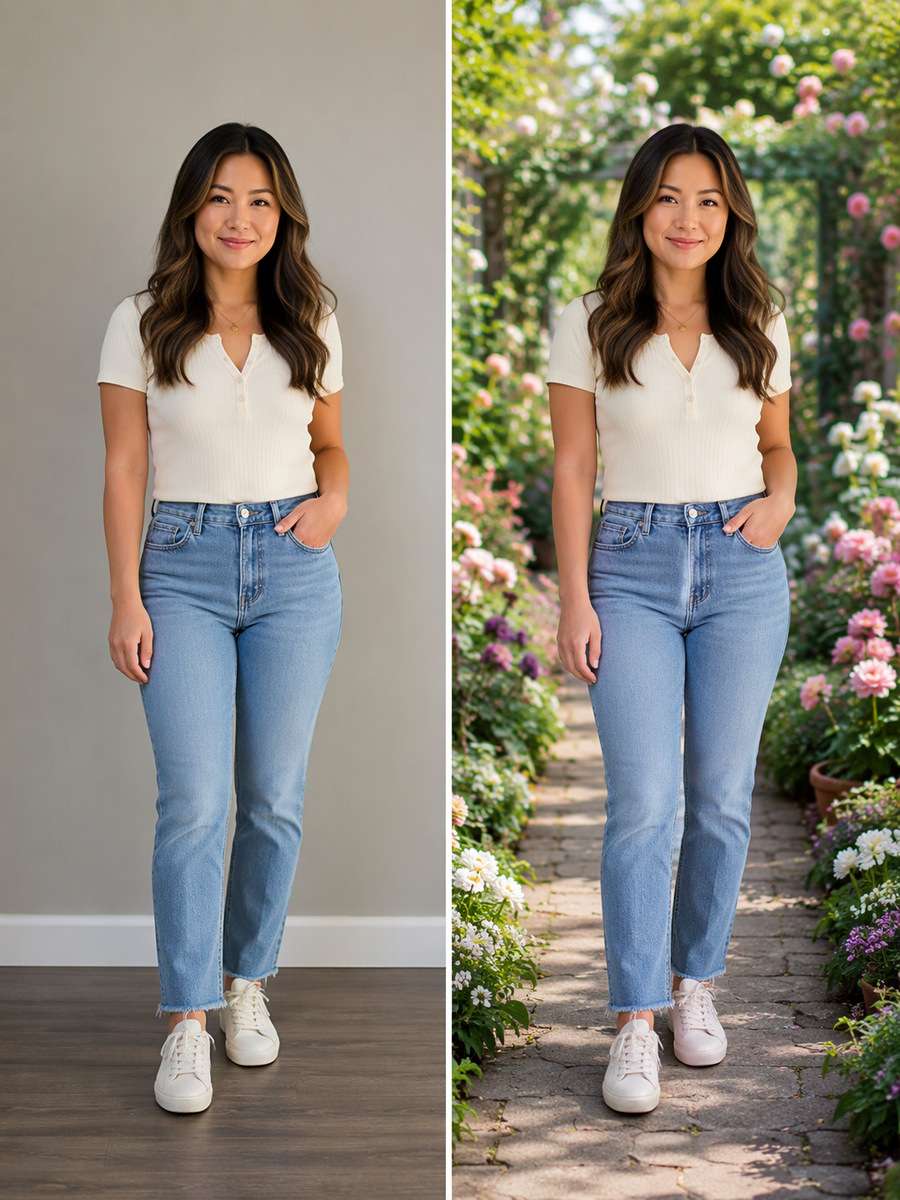
Flower Garden Walkway
Edit my uploaded photo, not an invented person or object. Put the same figure in a lush garden path edged with flowers. Keep the original subject, face if present, expression, pose, clothing, body proportions, and foreground details unchanged. Build the replacement environment with realistic foreground flower depth and reflected green fill light. Retain the original camera height and framing, blend hair and object edges naturally, and make the new background agree with the subject light. Avoid fake flowers growing through clothing. This should look like a photographed background replacement, not a sticker cutout.
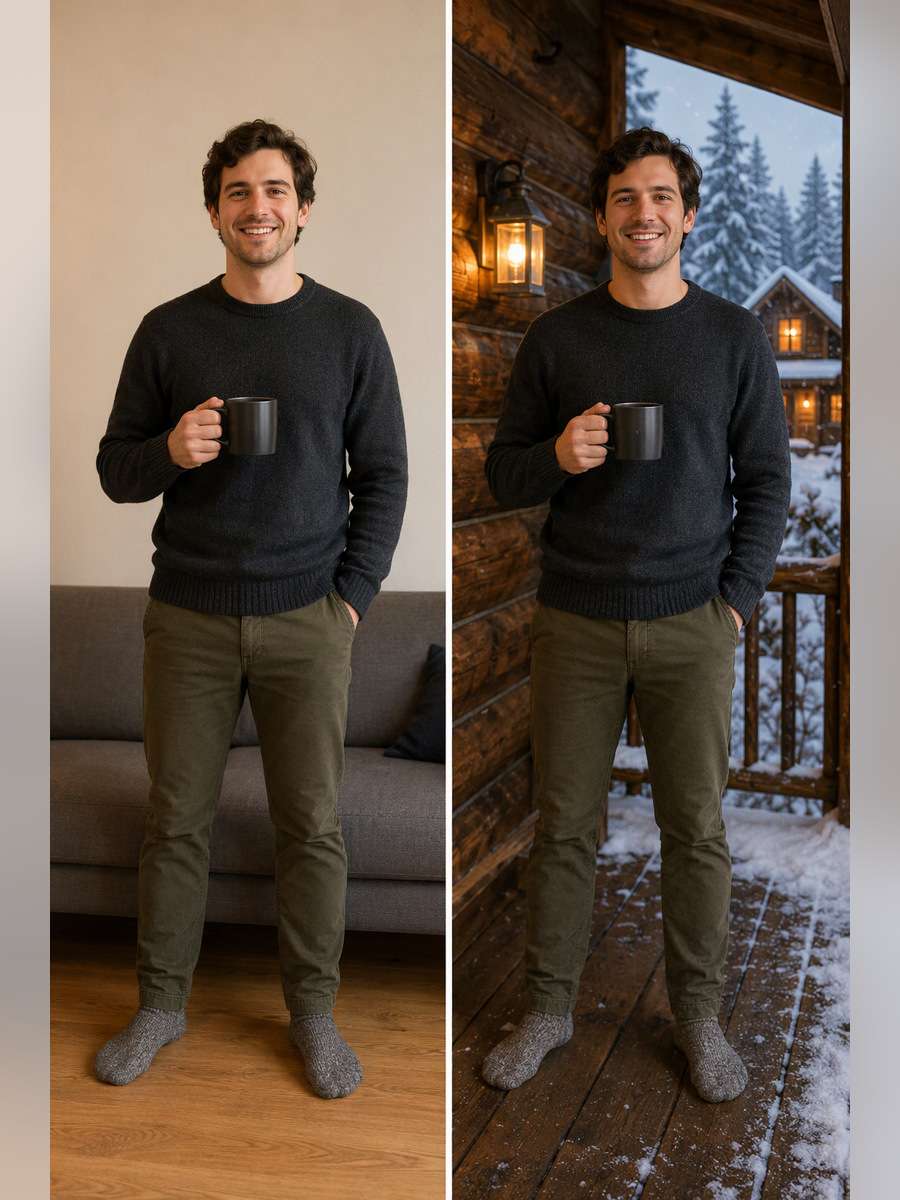
Snowy Cabin Window
Edit my uploaded photo, not an invented person or object. Swap the background for a snowy cabin exterior visible beyond a porch. Keep the original subject, face if present, expression, pose, clothing, body proportions, and foreground details unchanged. Build the replacement environment with soft cool snow bounce balanced with warm porch light. Retain the original camera height and framing, blend hair and object edges naturally, and make the new background agree with the subject light. Avoid snow pasted over facial skin. This should look like a photographed background replacement, not a sticker cutout.
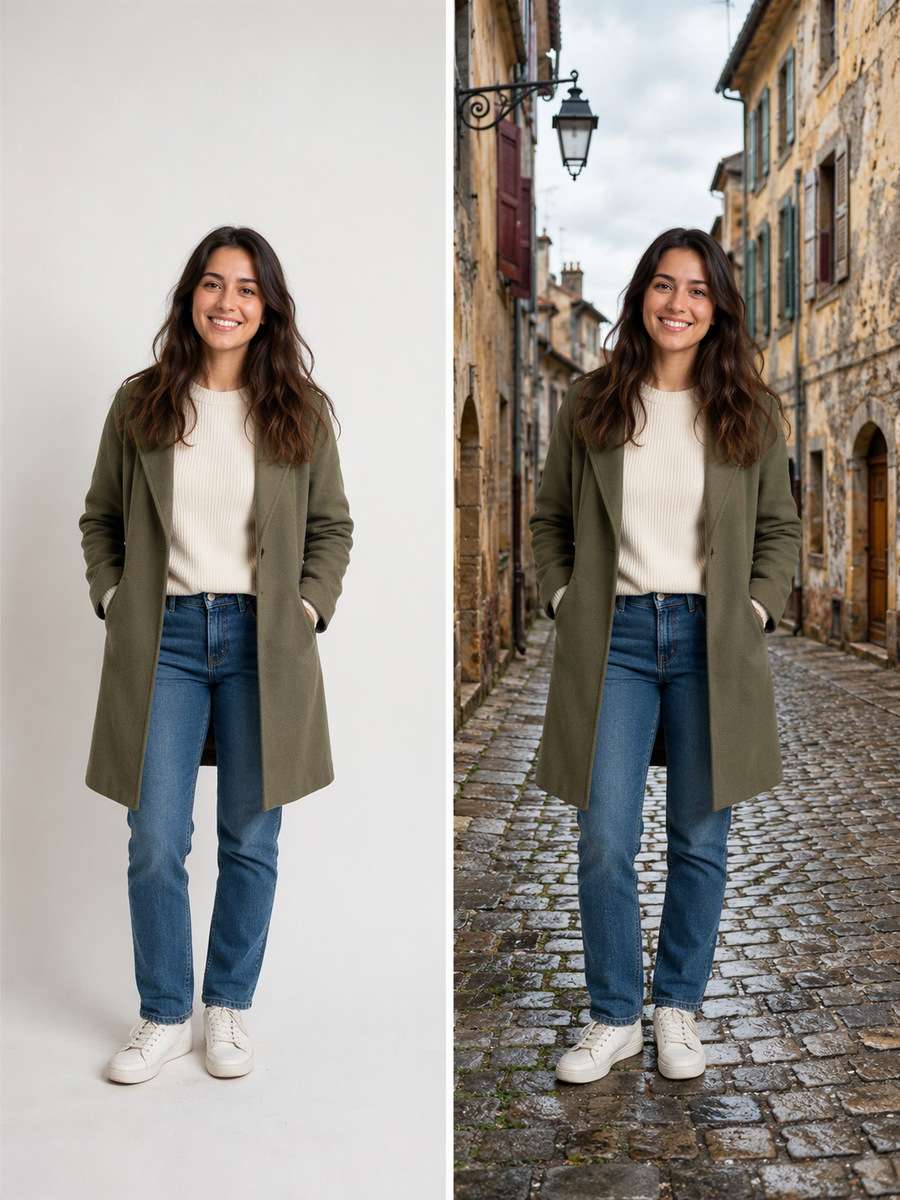
Old Town Side Street
Edit my uploaded photo, not an invented person or object. Set the portrait against weathered old-town buildings and cobbled pavement. Keep the original subject, face if present, expression, pose, clothing, body proportions, and foreground details unchanged. Build the replacement environment with credible vanishing lines and overcast street lighting. Retain the original camera height and framing, blend hair and object edges naturally, and make the new background agree with the subject light. Avoid impossible tiny doors. This should look like a photographed background replacement, not a sticker cutout.
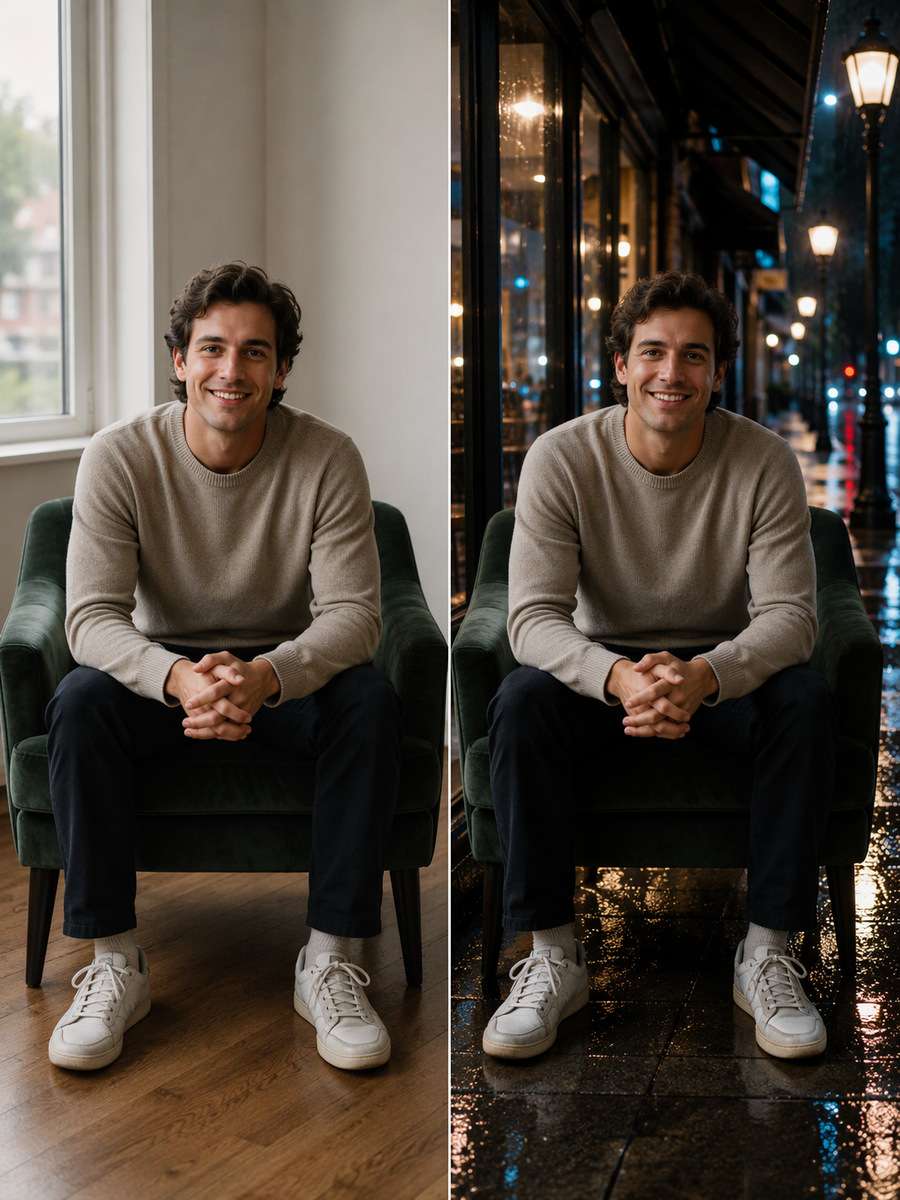
Rainy City Sidewalk
Edit my uploaded photo, not an invented person or object. Replace only the surroundings with a rainy sidewalk and storefront reflections. Keep the original subject, face if present, expression, pose, clothing, body proportions, and foreground details unchanged. Build the replacement environment with wet ground mirror reflections and restrained cool street lamps. Retain the original camera height and framing, blend hair and object edges naturally, and make the new background agree with the subject light. Avoid rain streaks crossing the face. This should look like a photographed background replacement, not a sticker cutout.
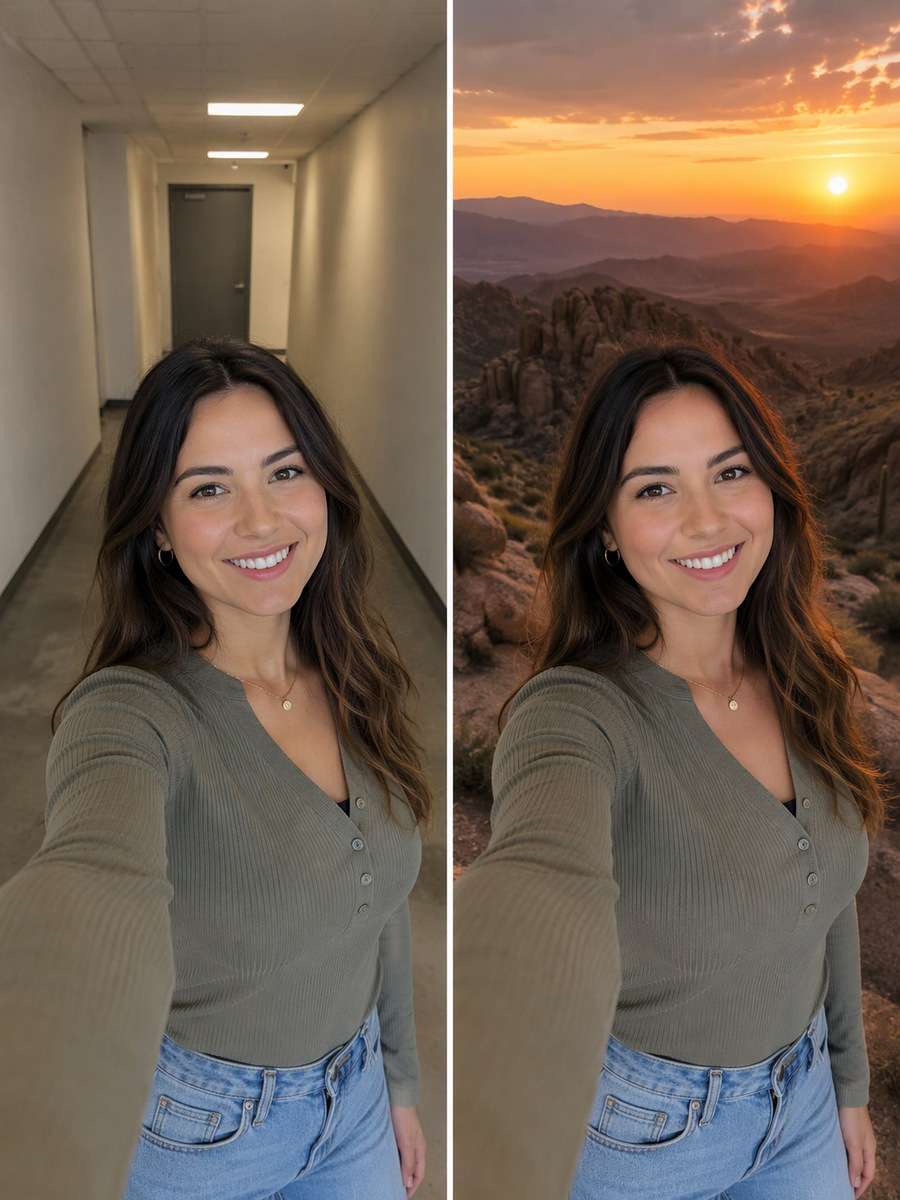
Sunset Desert Overlook
Edit my uploaded photo, not an invented person or object. Place the figure before layered desert mountains at dusk. Keep the original subject, face if present, expression, pose, clothing, body proportions, and foreground details unchanged. Build the replacement environment with low orange rim light, distant atmospheric depth and correct foreground rock scale. Retain the original camera height and framing, blend hair and object edges naturally, and make the new background agree with the subject light. Avoid orange skin recoloring. This should look like a photographed background replacement, not a sticker cutout.
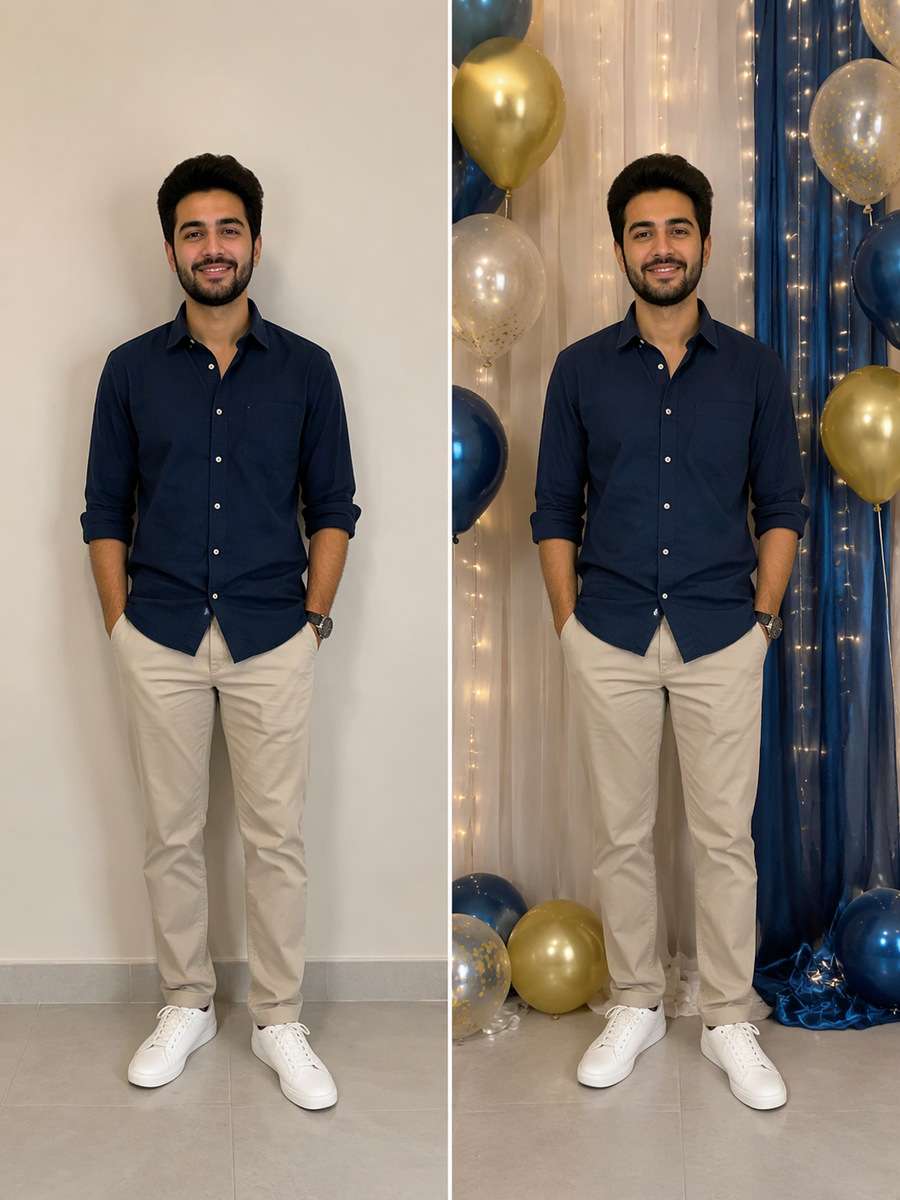
Birthday Photo Wall
Edit my uploaded photo, not an invented person or object. Turn a plain wall into tasteful birthday decor with fabric drapes and balloons. Keep the original subject, face if present, expression, pose, clothing, body proportions, and foreground details unchanged. Build the replacement environment with proper balloon distance and light matching from the original photo. Retain the original camera height and framing, blend hair and object edges naturally, and make the new background agree with the subject light. Avoid balloons overlapping the head. This should look like a photographed background replacement, not a sticker cutout.
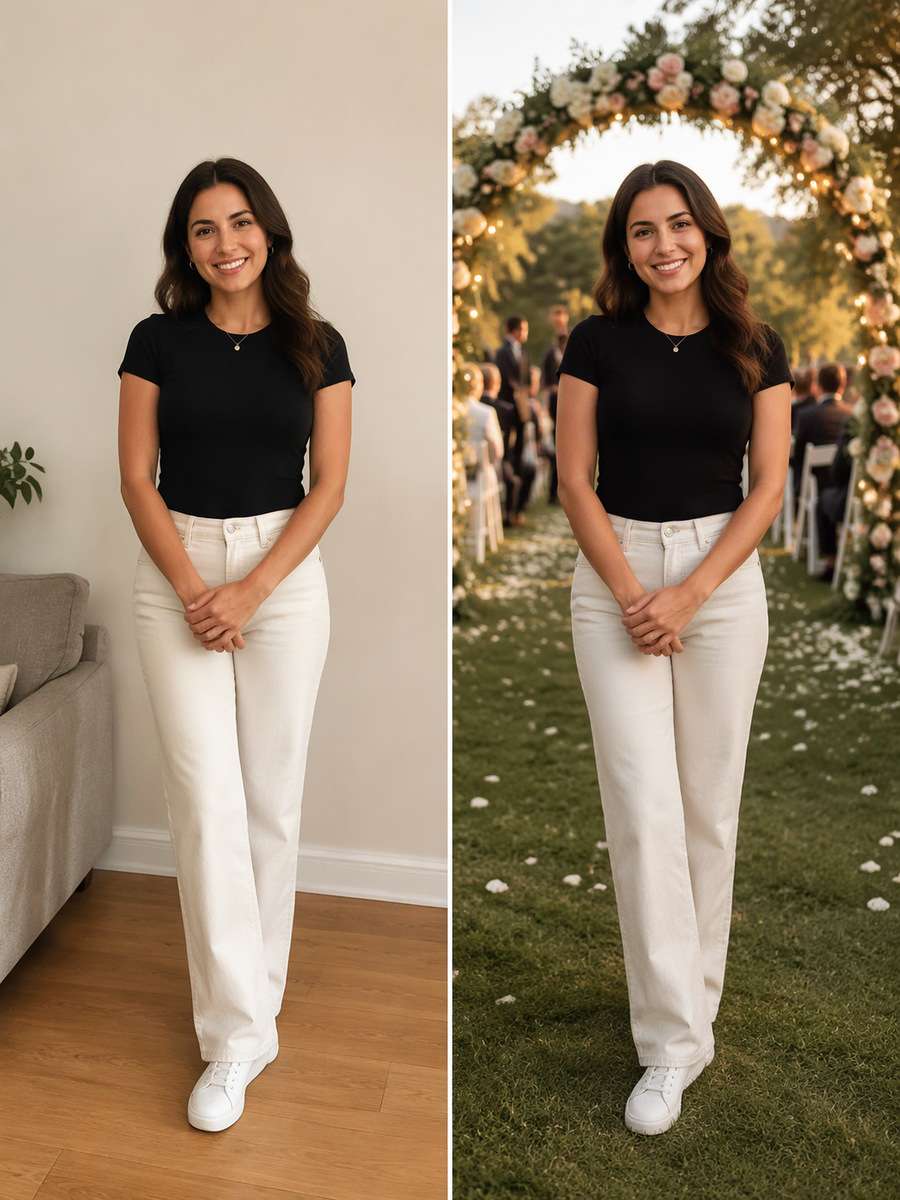
Wedding Garden Arch
Edit my uploaded photo, not an invented person or object. Swap the setting to a tasteful outdoor wedding arch with blurred guests. Keep the original subject, face if present, expression, pose, clothing, body proportions, and foreground details unchanged. Build the replacement environment with warm evening light, realistic floral arch spacing and clean subject edges. Retain the original camera height and framing, blend hair and object edges naturally, and make the new background agree with the subject light. Avoid inventing a bride or groom. This should look like a photographed background replacement, not a sticker cutout.
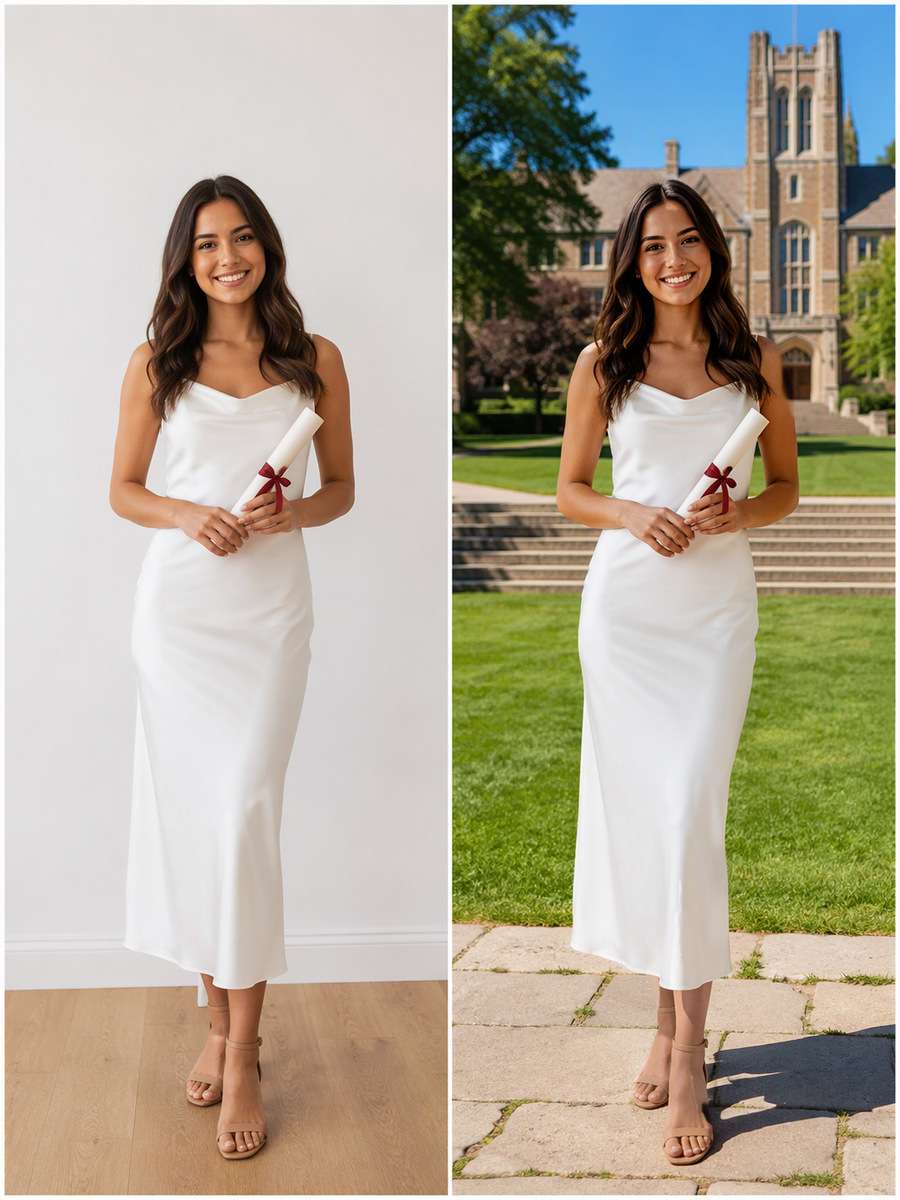
Graduation Campus Lawn
Edit my uploaded photo, not an invented person or object. Move the portrait to a sunny campus lawn with architecture in the distance. Keep the original subject, face if present, expression, pose, clothing, body proportions, and foreground details unchanged. Build the replacement environment with true-scale stone steps and midday shadows consistent with subject. Retain the original camera height and framing, blend hair and object edges naturally, and make the new background agree with the subject light. Avoid adding an unrequested cap. This should look like a photographed background replacement, not a sticker cutout.
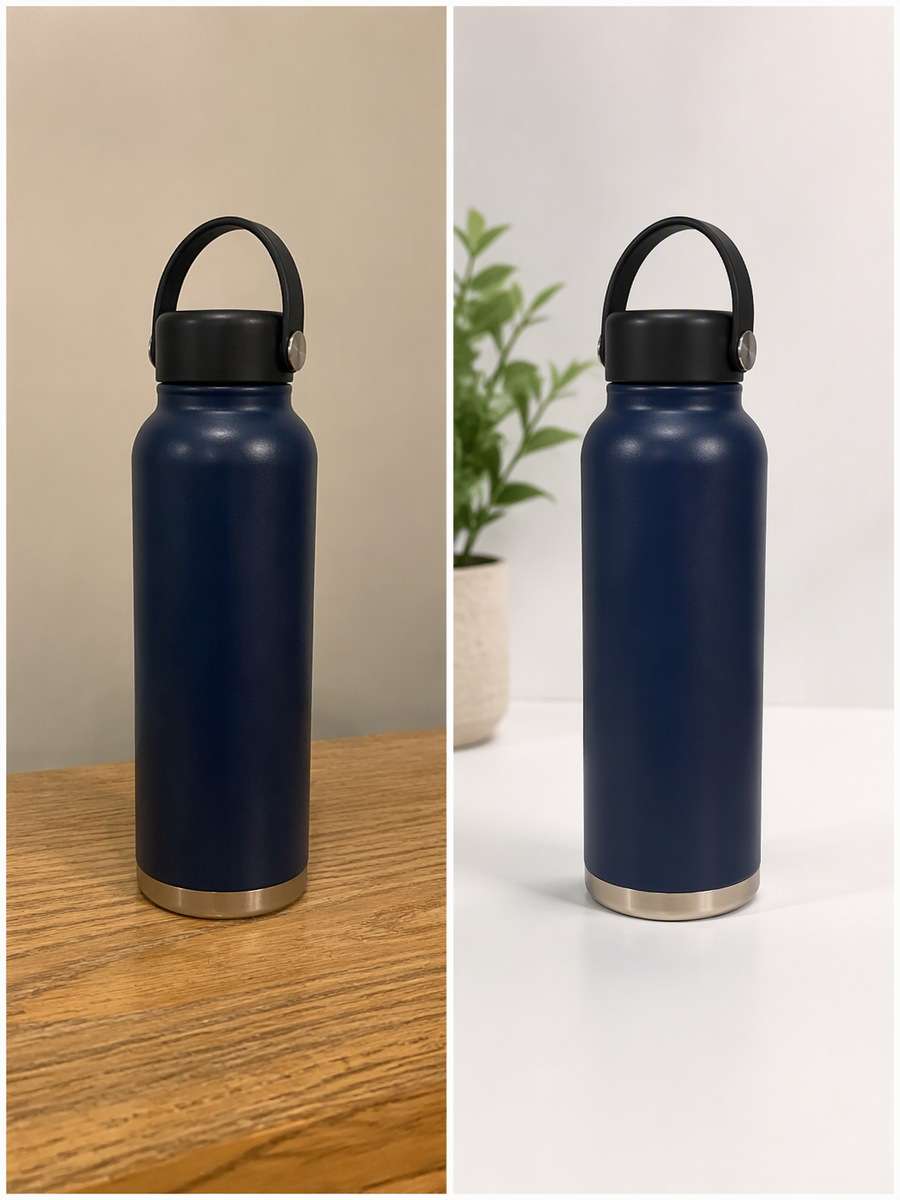
White Product Tabletop
Edit my uploaded photo, not an invented person or object. Replace a product photo background with a seamless white tabletop set. Keep the original subject, face if present, expression, pose, clothing, body proportions, and foreground details unchanged. Build the replacement environment with grounded product shadow and unchanged label geometry. Retain the original camera height and framing, blend hair and object edges naturally, and make the new background agree with the subject light. Avoid warped or invented label text. This should look like a photographed background replacement, not a sticker cutout.
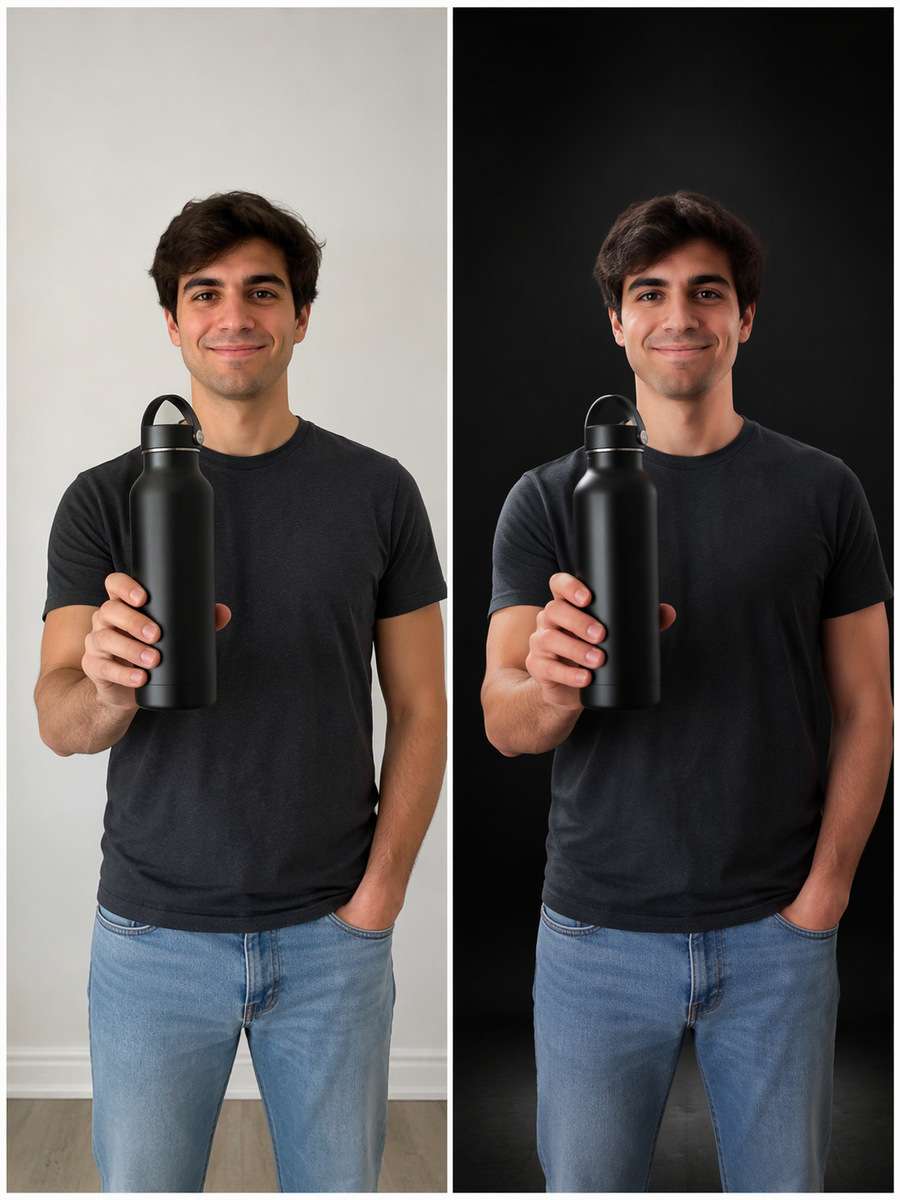
Midnight Black Product Display
Edit my uploaded photo, not an invented person or object. Give an uploaded product a deep black studio setting without changing the product. Keep the original subject, face if present, expression, pose, clothing, body proportions, and foreground details unchanged. Build the replacement environment with narrow softbox edge highlights and real surface contact. Retain the original camera height and framing, blend hair and object edges naturally, and make the new background agree with the subject light. Avoid floating packaging. This should look like a photographed background replacement, not a sticker cutout.
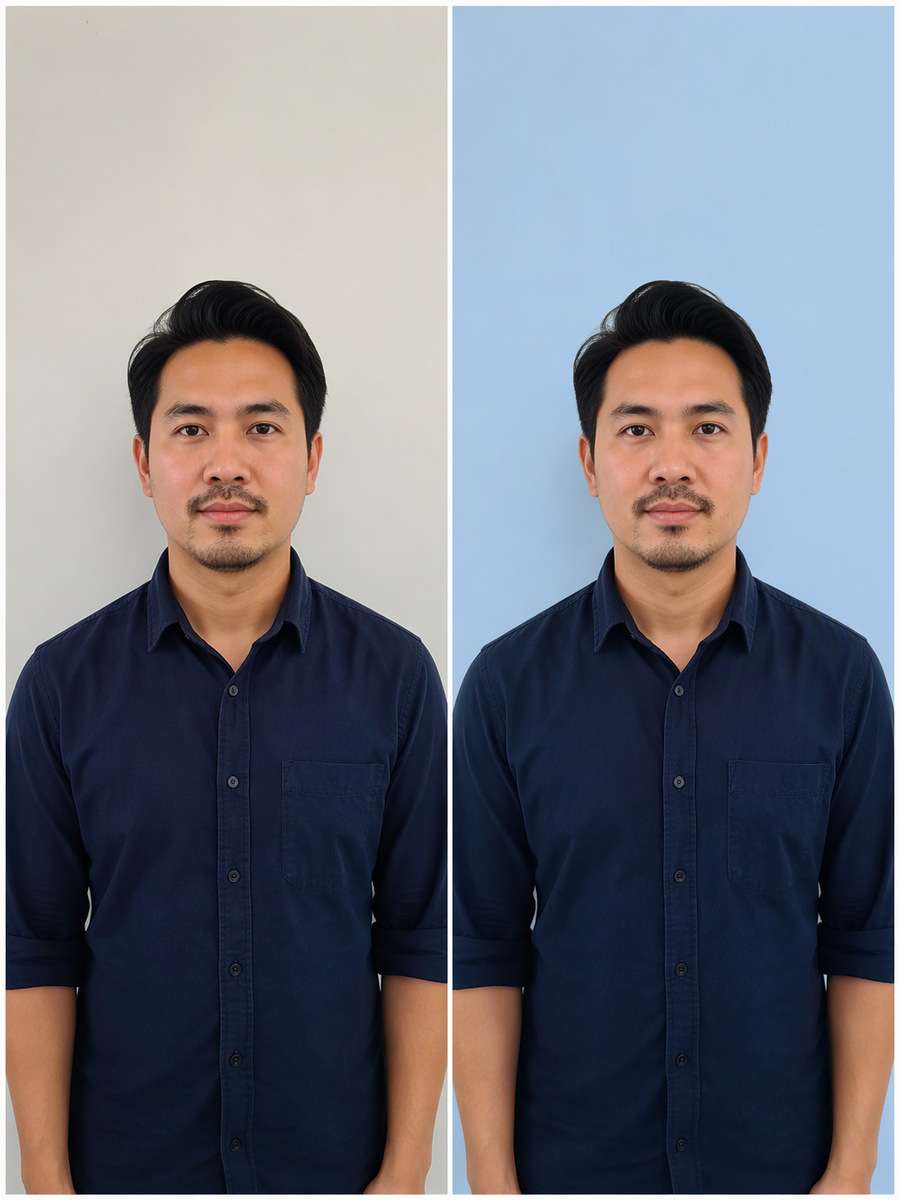
Soft Blue Passport Background
Edit my uploaded photo, not an invented person or object. Make a clean pale blue ID-style background while preserving the existing crop. Keep the original subject, face if present, expression, pose, clothing, body proportions, and foreground details unchanged. Build the replacement environment with even illumination and accurate shoulder contour. Retain the original camera height and framing, blend hair and object edges naturally, and make the new background agree with the subject light. Avoid beautified facial identity. This should look like a photographed background replacement, not a sticker cutout.
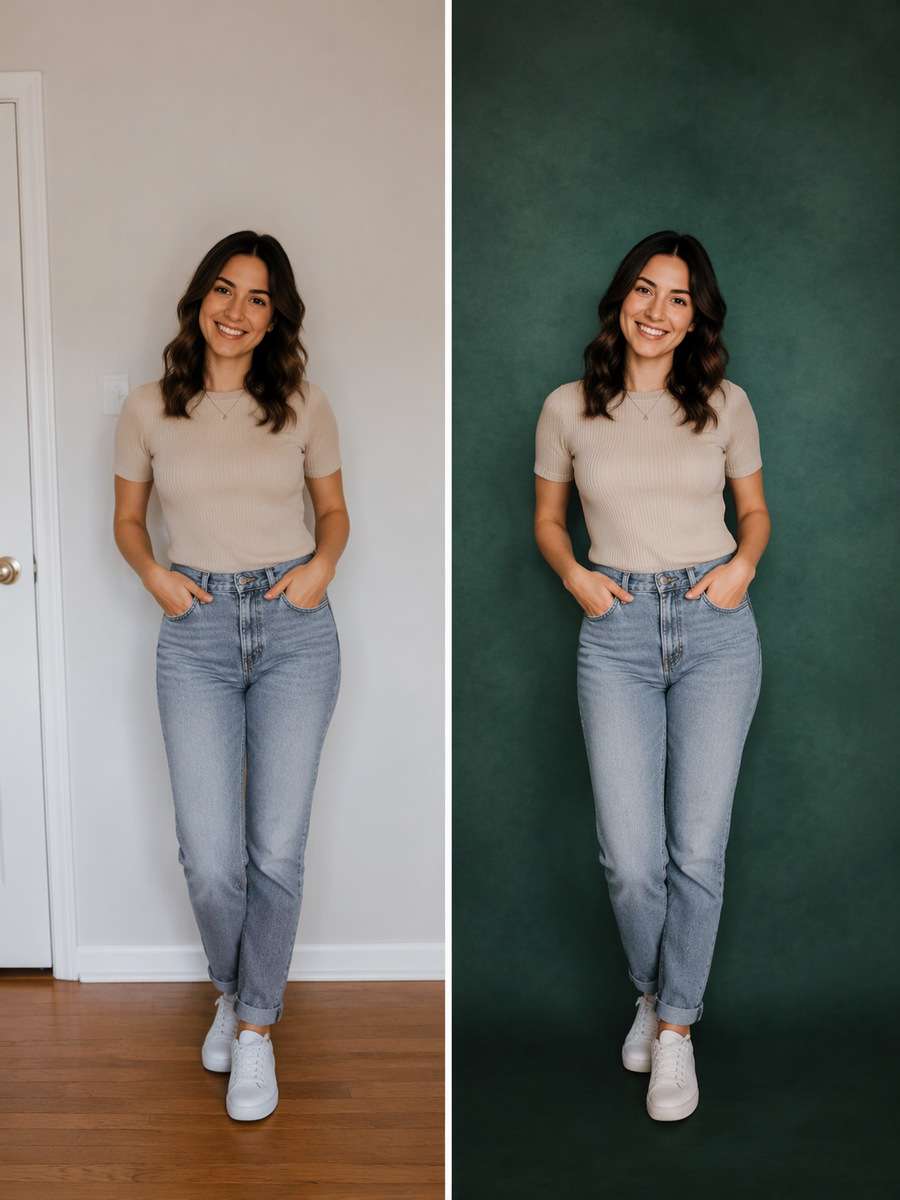
Emerald Editorial Wall
Edit my uploaded photo, not an invented person or object. Use a muted emerald green textured paper backdrop. Keep the original subject, face if present, expression, pose, clothing, body proportions, and foreground details unchanged. Build the replacement environment with subtle color bounce and consistent head-to-wall distance. Retain the original camera height and framing, blend hair and object edges naturally, and make the new background agree with the subject light. Avoid unnatural emerald-tinted teeth. This should look like a photographed background replacement, not a sticker cutout.
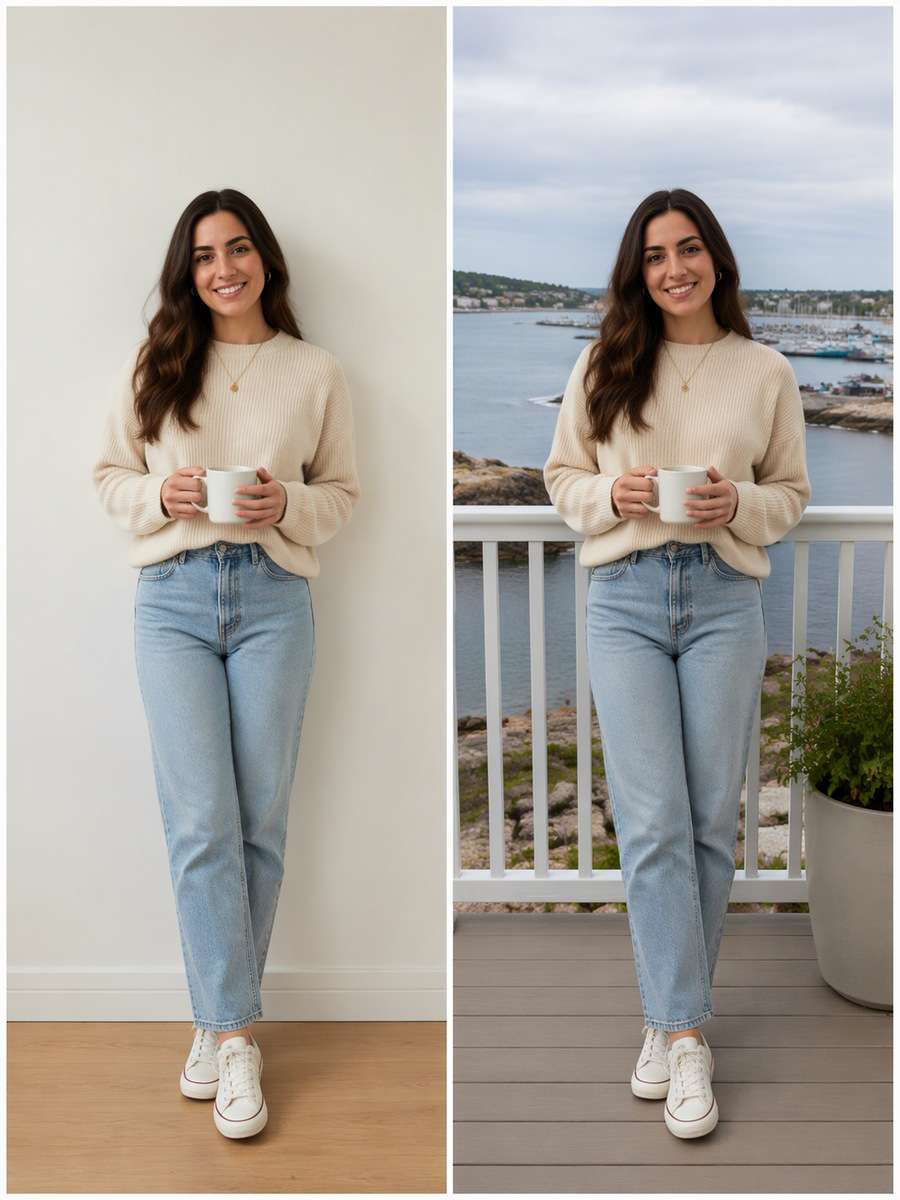
Coastal Balcony
Edit my uploaded photo, not an invented person or object. Replace the interior with a seaside balcony and distant harbor. Keep the original subject, face if present, expression, pose, clothing, body proportions, and foreground details unchanged. Build the replacement environment with true railing perspective and gentle overcast coast light. Retain the original camera height and framing, blend hair and object edges naturally, and make the new background agree with the subject light. Avoid railing passing through torso. This should look like a photographed background replacement, not a sticker cutout.
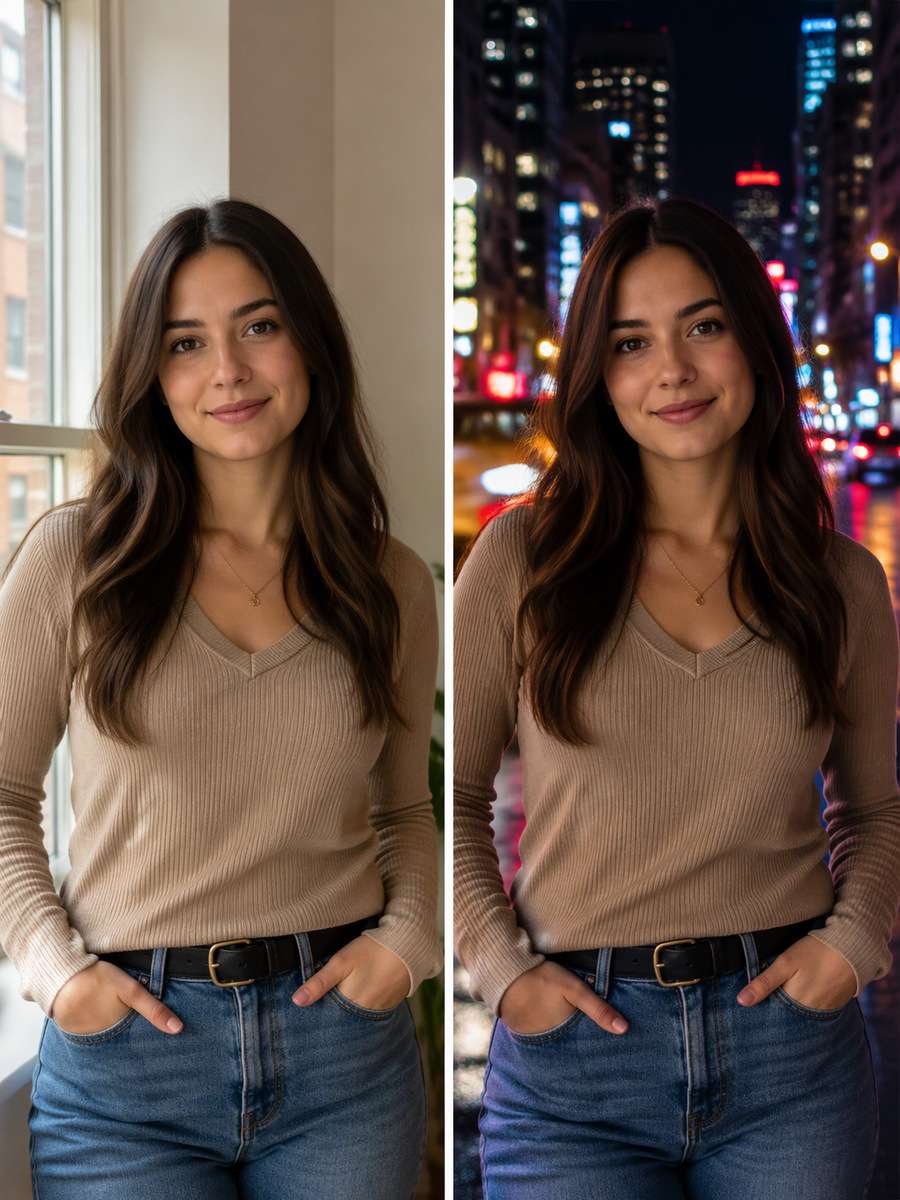
City Street Night Bokeh
Edit my uploaded photo, not an invented person or object. Place the person before defocused city lights after dark. Keep the original subject, face if present, expression, pose, clothing, body proportions, and foreground details unchanged. Build the replacement environment with clear catchlights and plausible neon spill, sharp original face. Retain the original camera height and framing, blend hair and object edges naturally, and make the new background agree with the subject light. Avoid fake circular bokeh on skin. This should look like a photographed background replacement, not a sticker cutout.
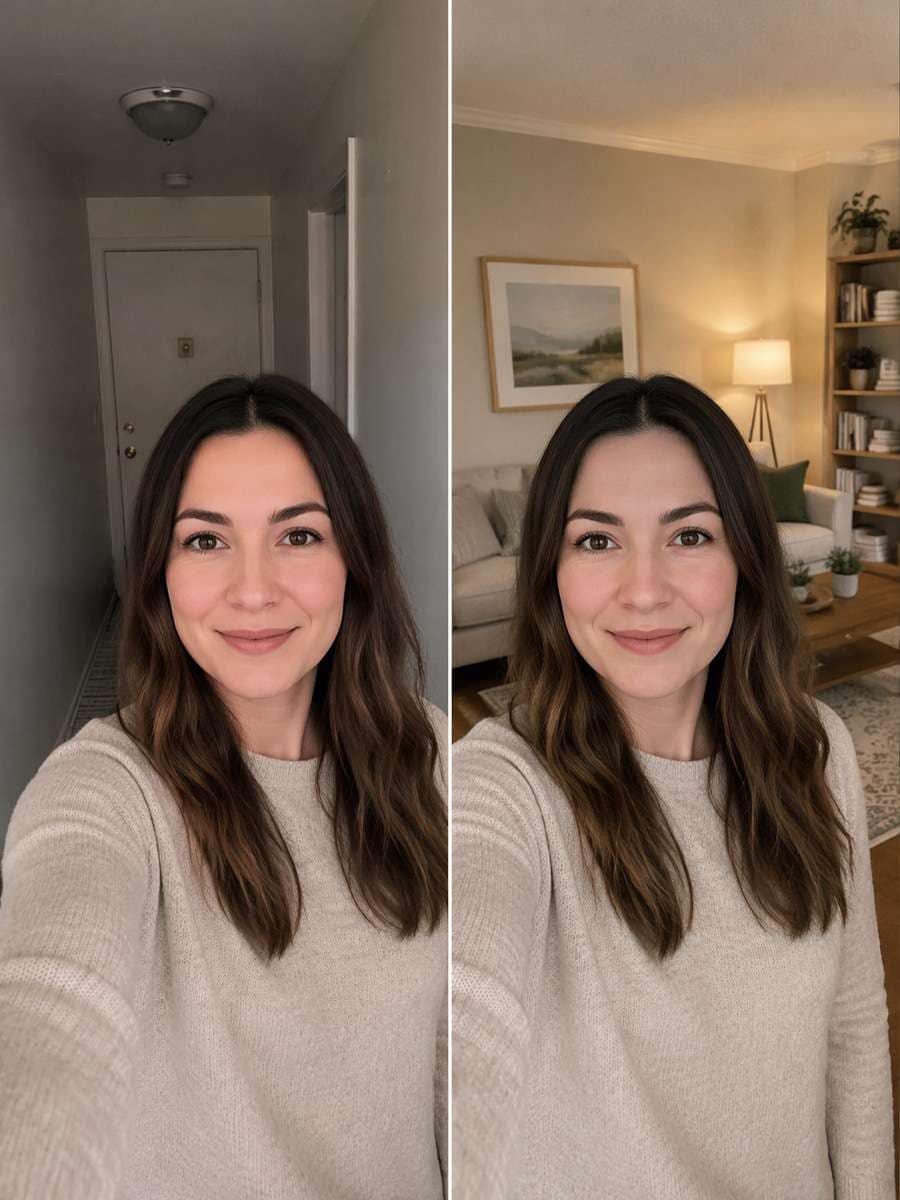
Natural Living Room
Edit my uploaded photo, not an invented person or object. Clean up a home portrait by replacing clutter with a quiet furnished living room. Keep the original subject, face if present, expression, pose, clothing, body proportions, and foreground details unchanged. Build the replacement environment with honest furniture scale, soft lamp light and original floor perspective. Retain the original camera height and framing, blend hair and object edges naturally, and make the new background agree with the subject light. Avoid duplicating chairs or hands. This should look like a photographed background replacement, not a sticker cutout.
What Makes a Background Swap Look Like a Real Photo?
You can change the scenery without changing the subject. The useful part of a prompt is not a list of places; it is how the new location interacts with the person or product already in frame.
Lock the Original Subject
Name the face, expression, hairstyle, clothing, body proportions and pose as details to keep. For product photos, preserve packaging dimensions, markings and labels.
Keep the original camera height and crop unless the new scene truly calls for a different format. Do not add family members, accessories or random props.
If the model reshapes hair or fingers, restart from the untouched original and ask for a background-only change.
Make the New Location Physically Believable
Specify whether the light is window daylight, direct flash, overcast shade or warm evening sun. Ask the background to cast a compatible shadow on the subject.
Check horizon height, object scale and surface contact. Beach scenes need sand shadows; office scenes need sensible furniture perspective.
Avoid placing raindrops, blurred lights, flowers or scenery on top of the person. The background must remain behind the subject.
Where Background-Change Prompts Are Most Useful
A background edit can solve a practical problem or create a scene that would be difficult to photograph again. The destination determines how subtle the change should be.
Profiles and Resumes
Choose clean gray, white or beige backdrops and keep the same face, expression and crop.
Lifestyle and Travel Posts
Use streets, beaches or cafe settings with light and perspective matched to the existing pose.
Occasion Photo Refreshes
Build birthday or garden backgrounds around an existing celebration portrait without inventing guests.
Small Business Product Photography
Replace distracting tabletops with grounded white or dark displays while keeping the original product shape and label.
Frequently Asked Questions About ChatGPT Photo Background Change Prompts
1. What is a good ChatGPT prompt to change a photo background?
Say exactly what to keep and what to change. Identify the new setting, light direction, camera perspective and original subject details to preserve. A precise white studio or cafe window request works better than asking for a beautiful background.
2. How do I change my photo background in ChatGPT without changing my face?
Use the uploaded image as the reference and request a background-only edit. Keep the original face, hairline, expression, body and clothes; inspect the result carefully because identity preservation is not guaranteed.
3. Why do AI background swaps look pasted on?
The most common problems are mismatched light, hard cutout edges, missing ground shadows and incorrect background scale. Refine those details individually.
4. Can I replace a product photo background with a prompt?
Yes. Describe the new surface and lighting, but preserve the shape, printed labels and product details. Recheck any text on the generated result before commercial use.
5. Can I change a portrait background to white or black?
Yes. A plain white studio background needs soft edge control and a floor shadow; a dark background needs enough rim light to preserve hair and shoulders.