25+ Gemini AI Red Background Prompt Ideas for Bold, Viral Portraits
Red is loud, but a Gemini AI red background prompt can make it feel expensive instead of messy. The difference is usually tiny: the shade of red, the way the light falls, and how much separation you give the subject from the backdrop. Sometimes you want glossy, pop-star energy; other times you want quiet, gallery-clean minimalism. Below are 25 prompts to paste, remix, and refine until the background hits exactly the mood you're chasing.
Stunning AI red background generated with Media.io - powered by
Nano Banana Pro.
How to Use Gemini AI Red Background Prompt in 3 Steps
Media.io makes this kind of red-backdrop look surprisingly straightforward. Use the steps below once, then keep experimenting by swapping outfits, lighting, and red shades.
1
Open the Media.io AI generator
Go to Media.io and navigate to the AI Photo Generator (or AI Image tool) from the main menu. Start a new creation so you can iterate quickly, comparing small changes in color, lighting, and framing without losing your best version.
2
Upload your photo and add a prompt
Upload a portrait (a clean, front-facing image works best), then choose one of the prompts below and paste it into the prompt box. If you're searching for a Gemini AI prompt for red background portrait results, keep the subject description consistent while changing only the backdrop details.
3
Generate, review, and download
Click Generate and review the first result for skin tone accuracy, edge separation, and how the red reads on your screen. Adjust one detail at a time (like "deep crimson" vs "bright scarlet"), then regenerate. When it looks right, download in your preferred size.
Best Gemini AI Red Background Prompt Ideas & Examples
Scarlet Studio Close-Up
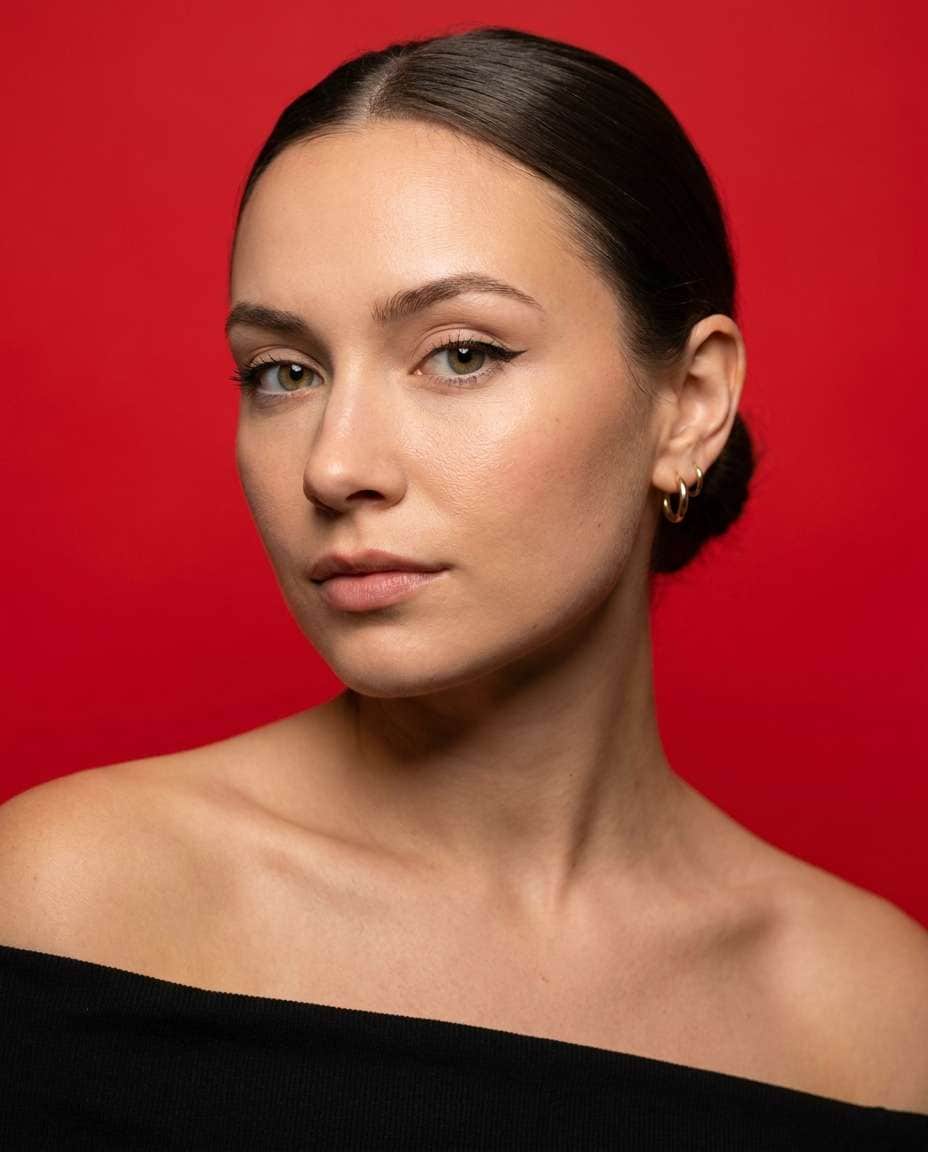
A confident woman in her mid-20s, sleek low bun, subtle winged eyeliner, wearing a black off-shoulder top and small gold hoops, seamless bright scarlet studio paper background, soft beauty dish key light with gentle fill, clean shadow under chin, sharp focus on eyes, shot on Sony A7IV, 85mm f/1.4, close-up framing, editorial beauty photography, natural skin texture, high-end color grading --ar 4:5
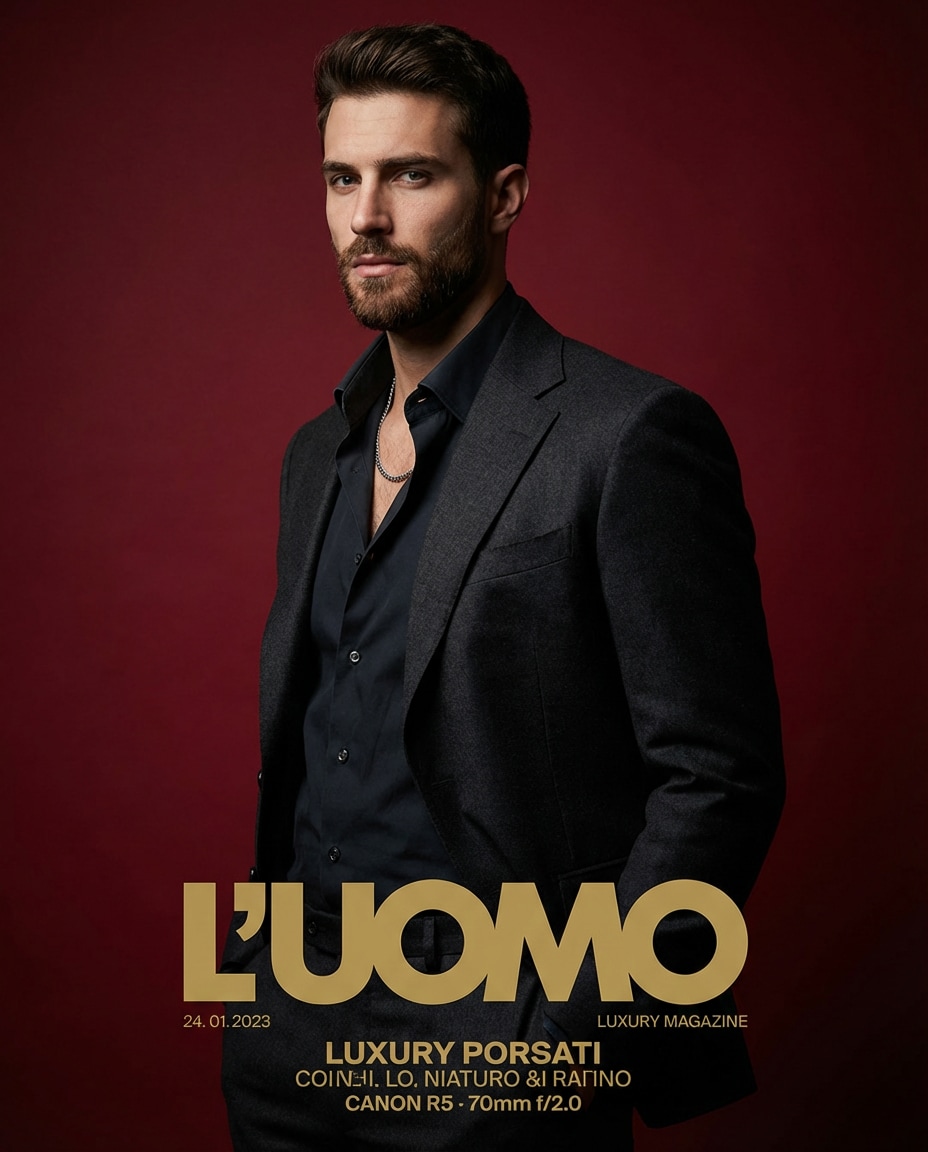
Deep Crimson Editorial
A stylish man in his late 20s wearing a charcoal suit with open collar and silver chain, standing three-quarters to camera, deep crimson matte backdrop with subtle gradient, dramatic Rembrandt lighting, crisp jawline shadows, shallow depth of field, Canon R5, 70mm, f/2.0, half-body portrait, luxury magazine cover vibe, photorealistic detail --ar 4:5
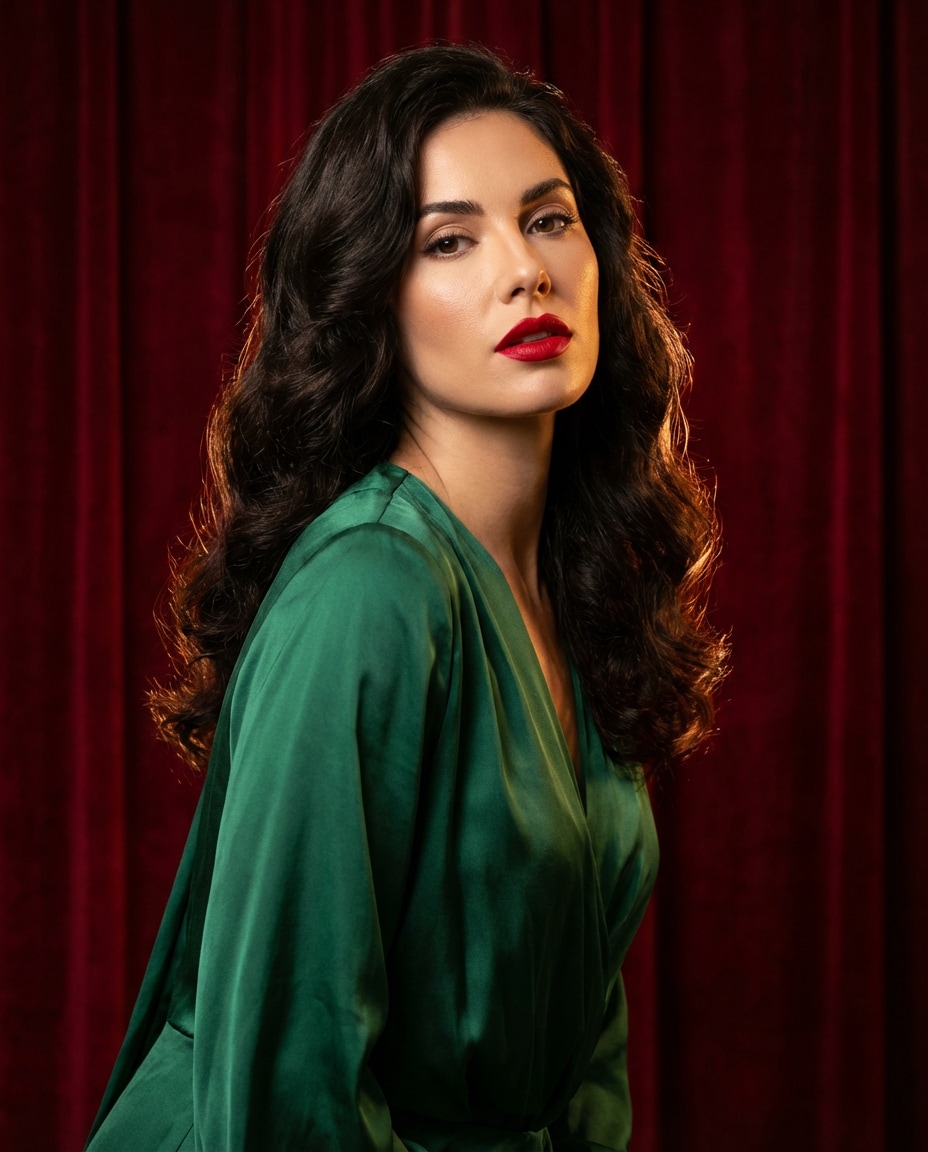
Red Velvet Glam
A glamorous woman with voluminous waves and bold red lipstick, wearing a satin emerald dress, posing against a rich red velvet curtain background, warm tungsten key light with soft rim light separating hair, cinematic contrast, Nikon Z8, 50mm f/1.8, mid-shot, high-fashion editorial, realistic fabric texture and pores --ar 4:5
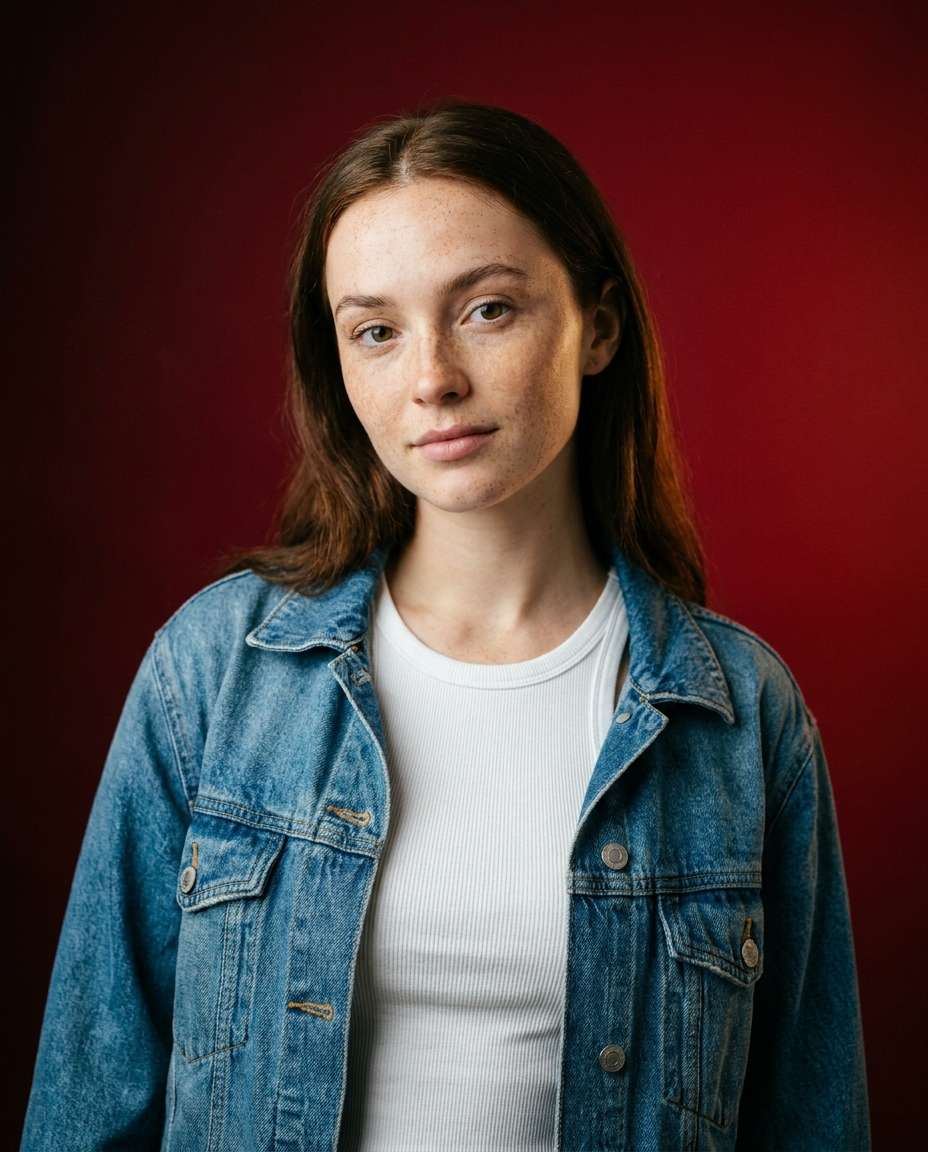
Cherry Gradient Backdrop
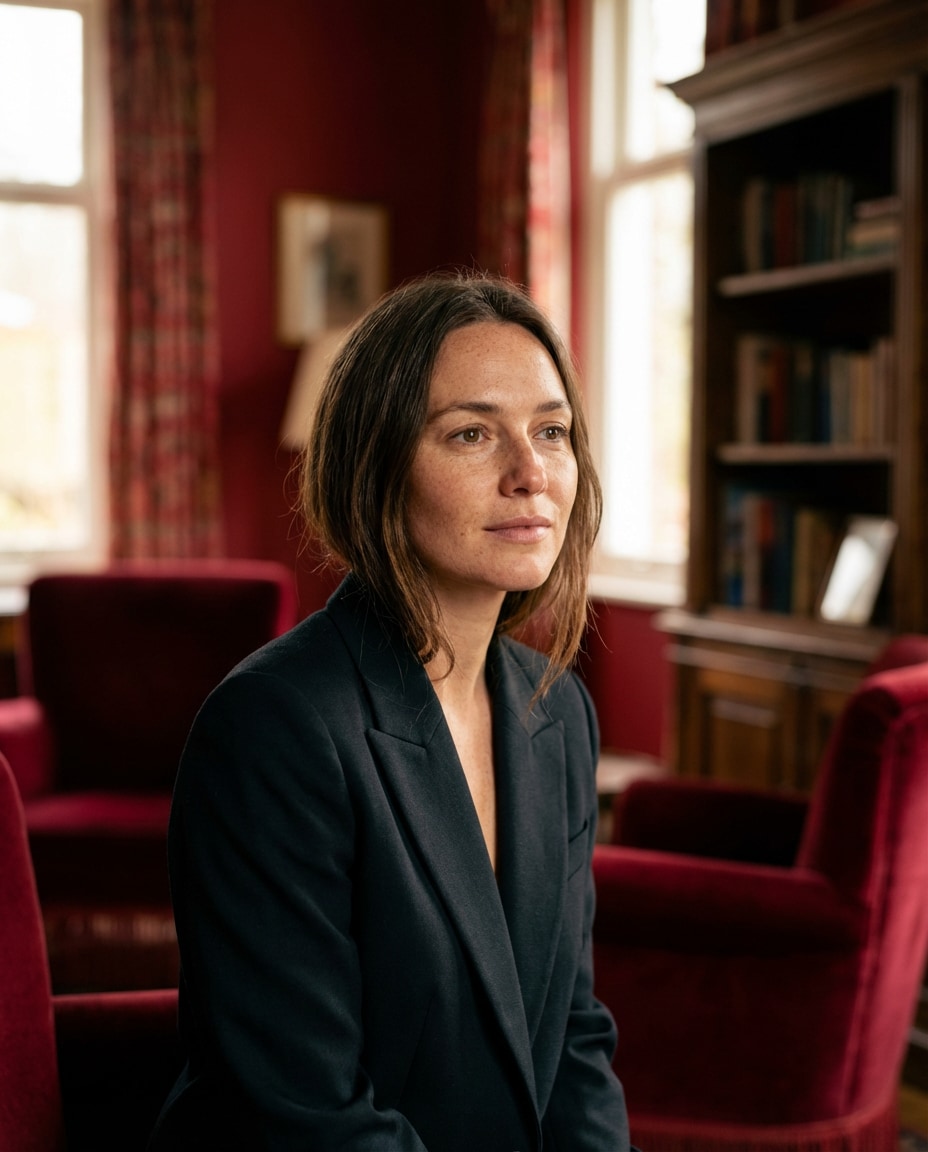
A young woman with freckles and natural makeup, white tank top and denim jacket, standing in front of a cherry red gradient backdrop fading to darker edges, soft window light look with subtle bounce fill, Fuji GFX100S, 80mm, f/2.8, half-body, clean modern portrait, photorealistic skin texture, minimal retouching feel --ar 4:5
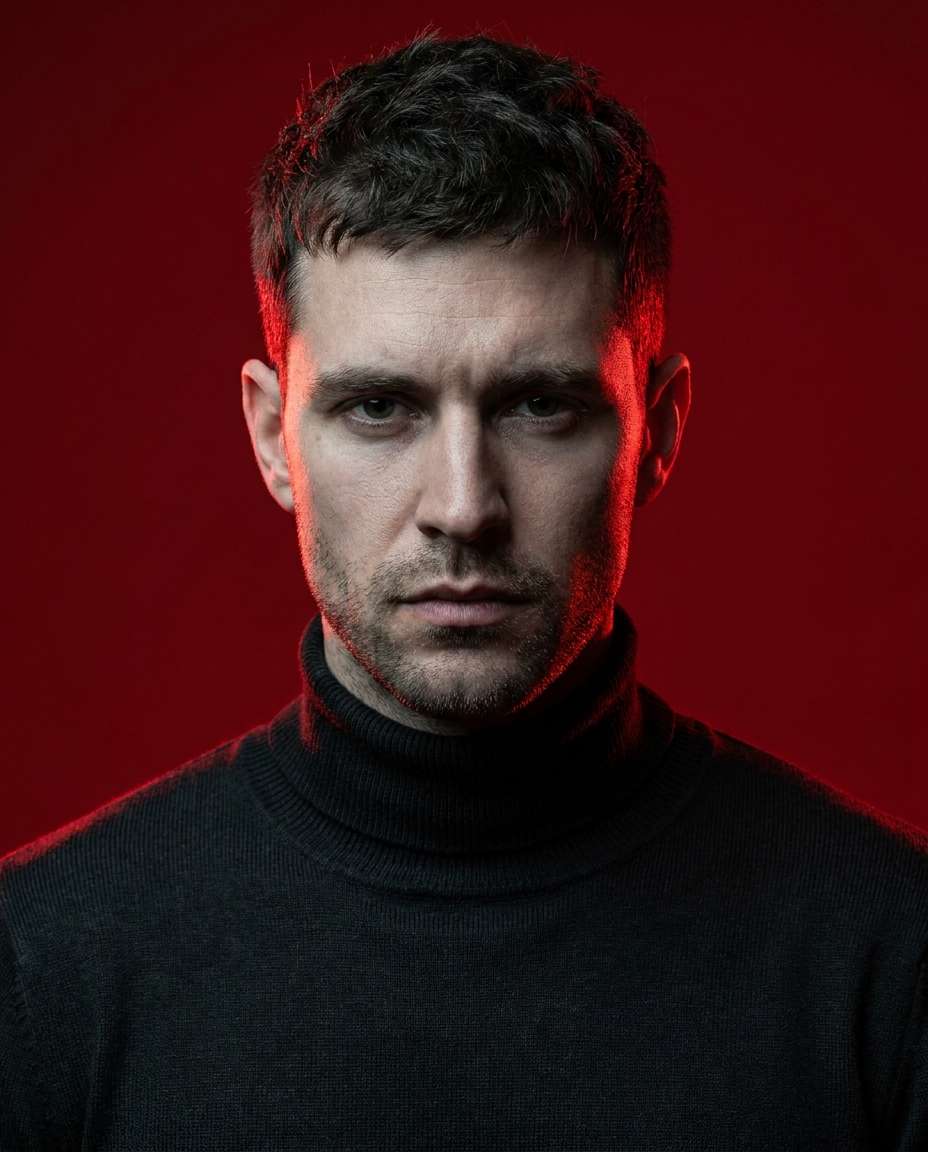
Red Gel Rim Light
A male model with short textured hair, black turtleneck, intense expression, solid red background with red gel rim lights on both shoulders creating separation, cool neutral key light on face, high contrast, Sony A1, 85mm f/1.4, tight head-and-shoulders crop, edgy editorial lighting, ultra-realistic detail --ar 4:5
Pop Star Spotlight
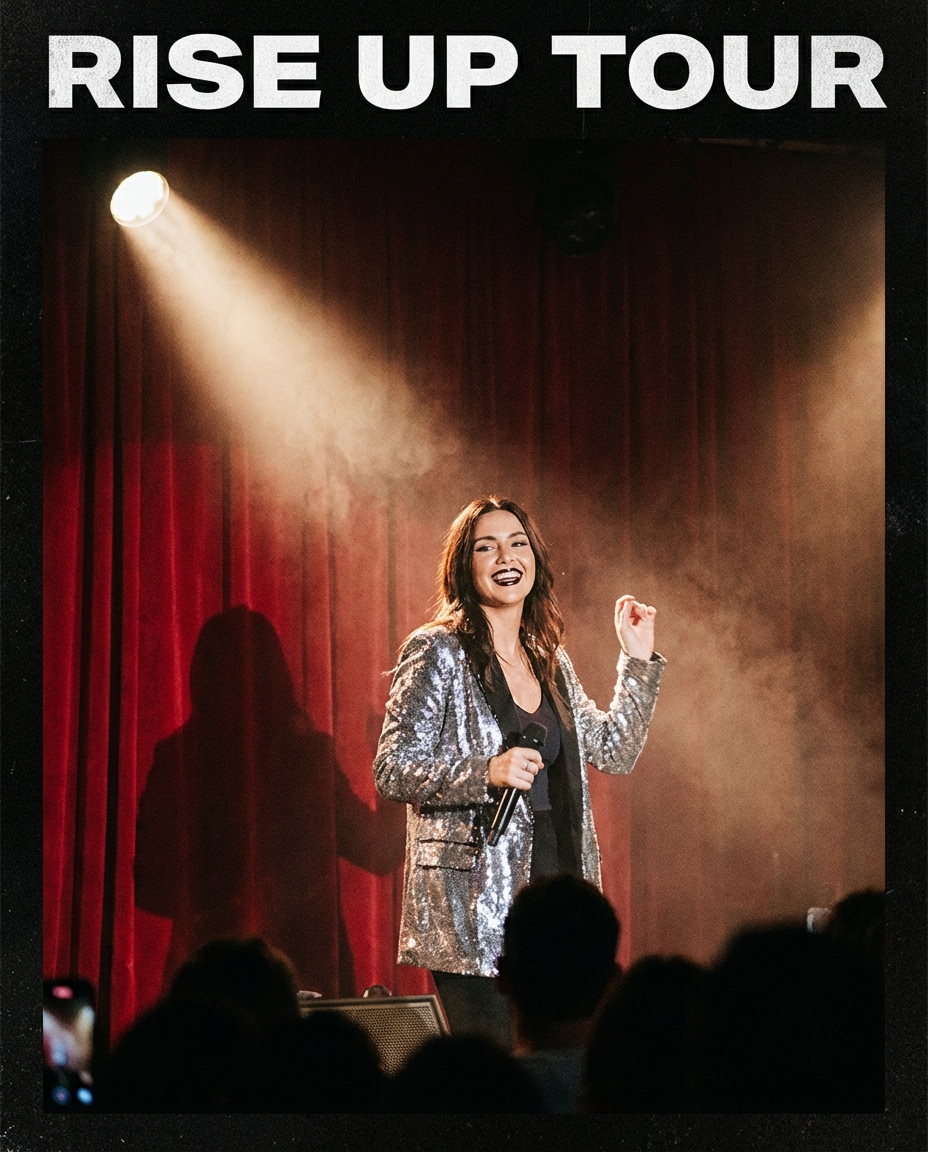
A pop-star inspired portrait of a woman wearing a silver sequin jacket and glossy lip, standing on a simple stage set with a vivid red backdrop, single hard spotlight creating a crisp shadow behind her, slight haze for depth, Canon R6, 35mm f/2, three-quarter body framing, energetic concert-poster vibe, photorealistic --ar 4:5
Minimal Red Wall
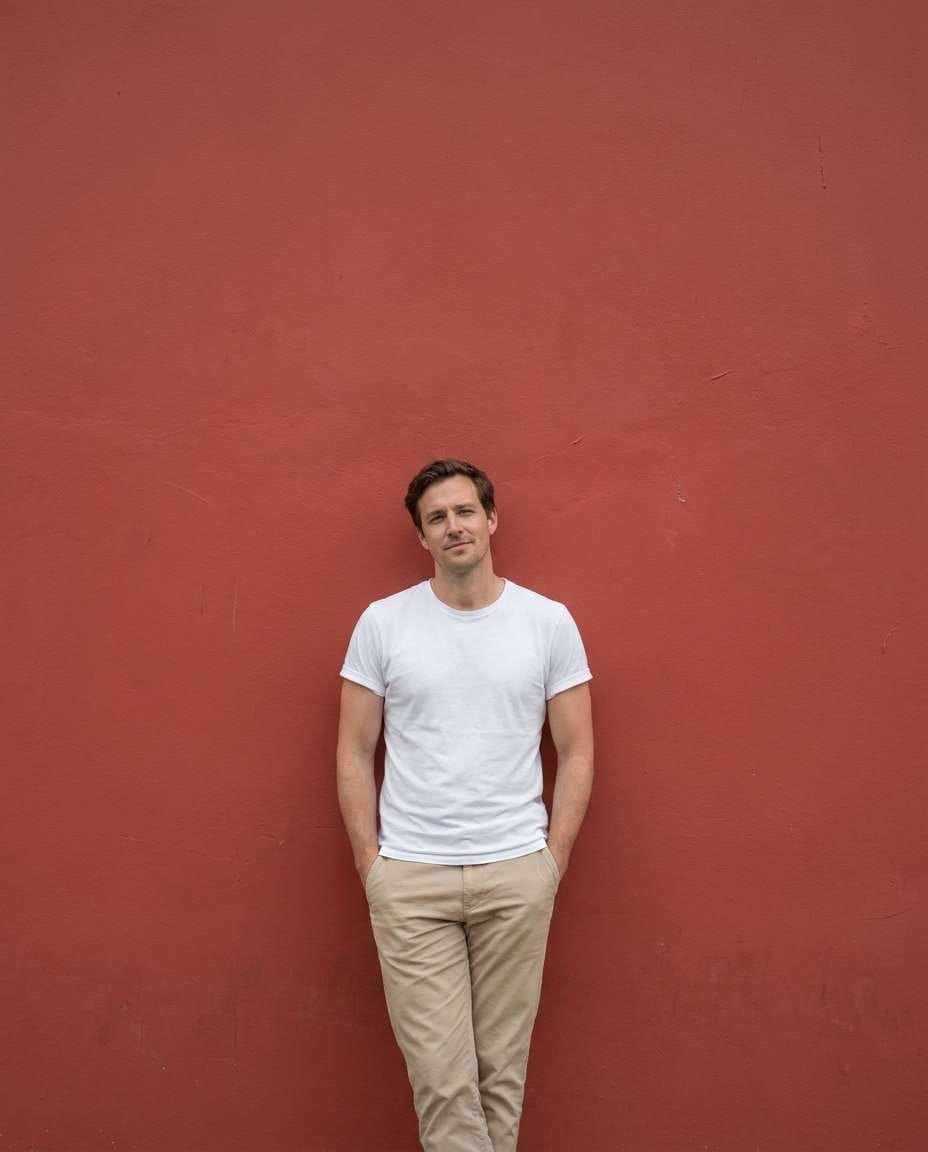
A calm, minimal portrait of a man in a white tee and beige trousers, leaning against a smooth matte red wall, soft overcast lighting, muted shadows, Leica SL2, 50mm f/2, full-body vertical composition, clean negative space, modern lifestyle photography, realistic texture on wall and skin --ar 4:5
Cinematic Crimson Smoke
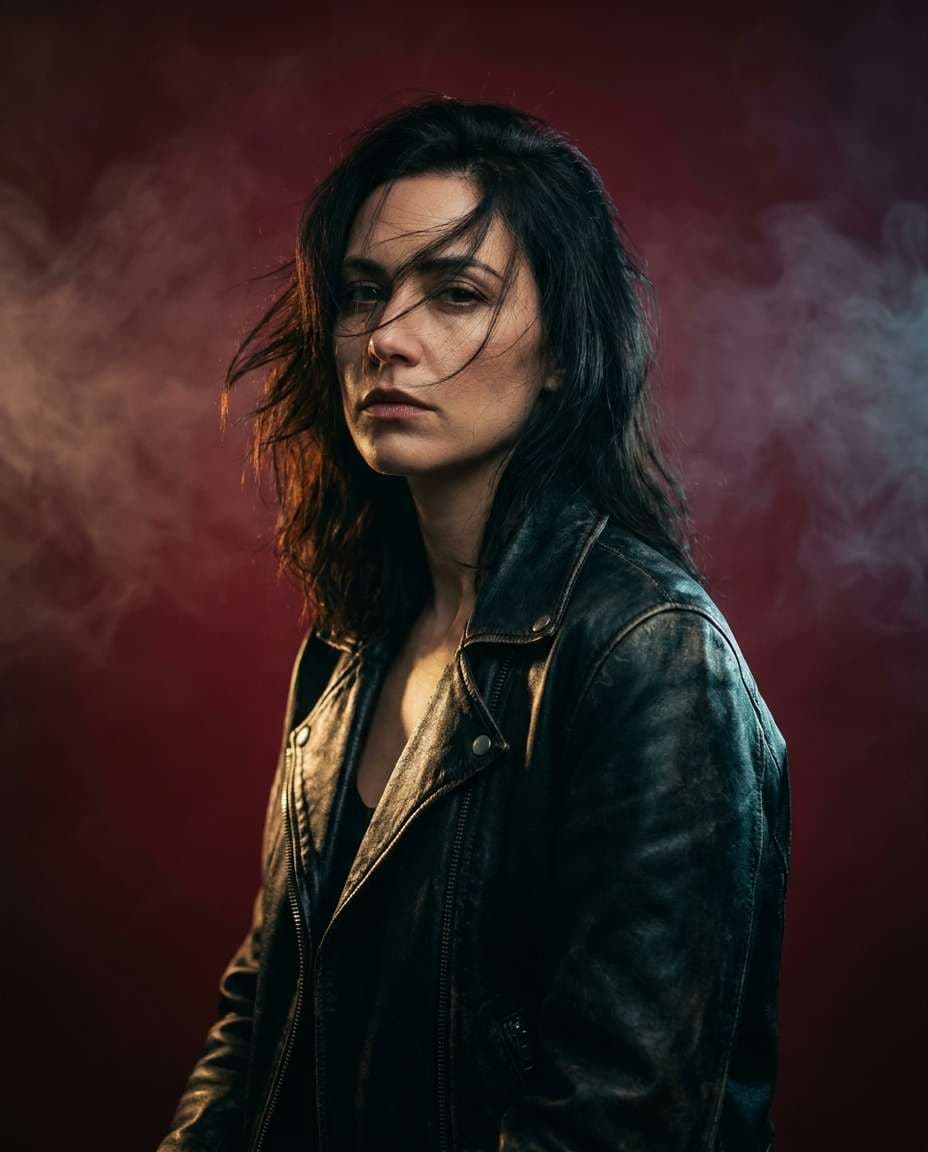
A dramatic portrait of a woman wearing a black leather jacket, hair slightly windblown, deep crimson background with faint smoke haze, strong side key light and subtle backlight, cinematic color grading, RED Komodo look, 50mm, f/1.8, half-body framing, intense mood, photorealistic detail --ar 4:5
Beauty Macro Red
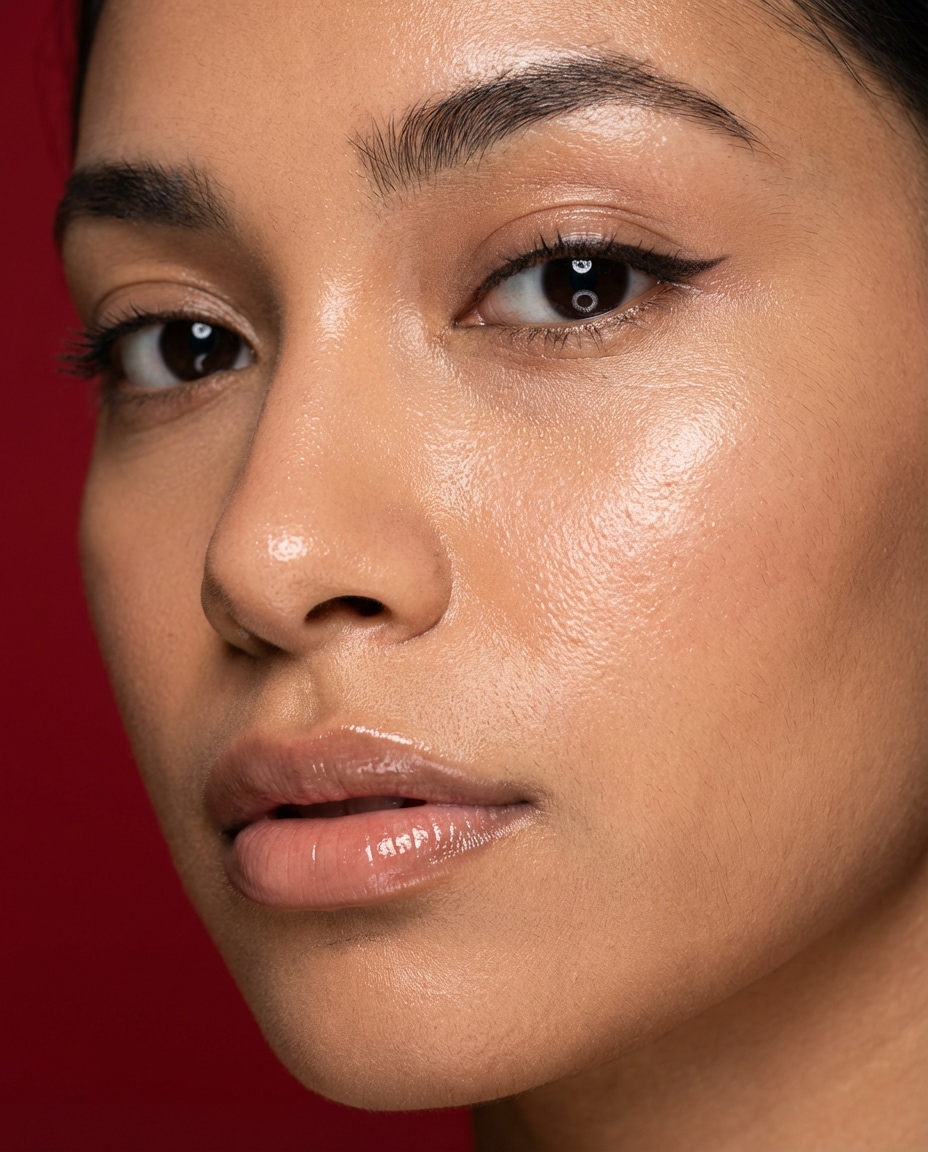
Extreme close-up beauty portrait of a woman with dewy skin, glossy nude lip, precise eyeliner, seamless rich red background, soft ring light reflection in eyes, high-resolution sharpness, Canon R5, 100mm macro, f/5.6, clean commercial beauty shot, realistic pores and fine hairs --ar 4:5
Streetwear Red Set
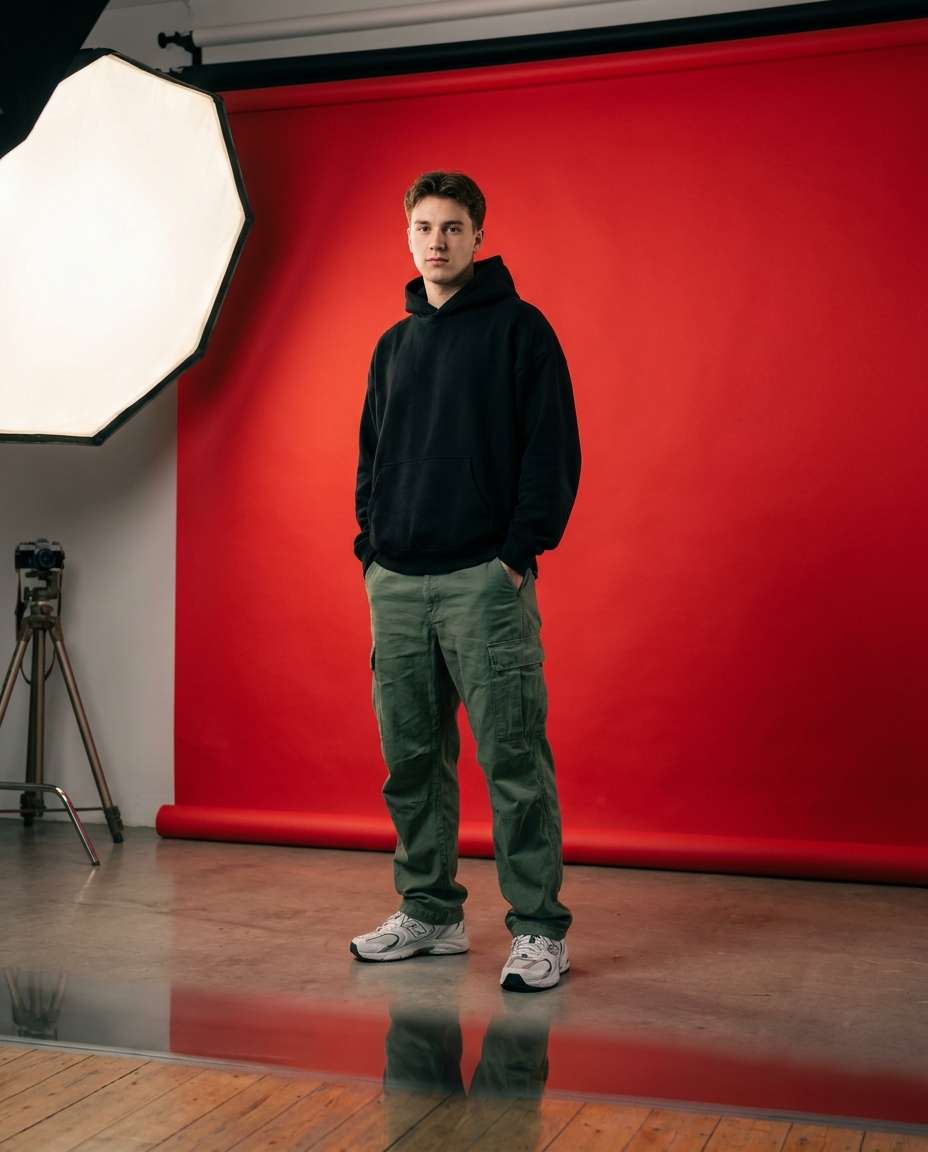
A young man wearing oversized black hoodie, cargo pants, and chunky sneakers, standing in a minimalist studio with a bold red cyclorama background, large softbox key light, subtle floor reflection, Sony A7IV, 35mm, f/2.8, full-body portrait, modern streetwear editorial, photorealistic --ar 4:5
Red Paper Seam
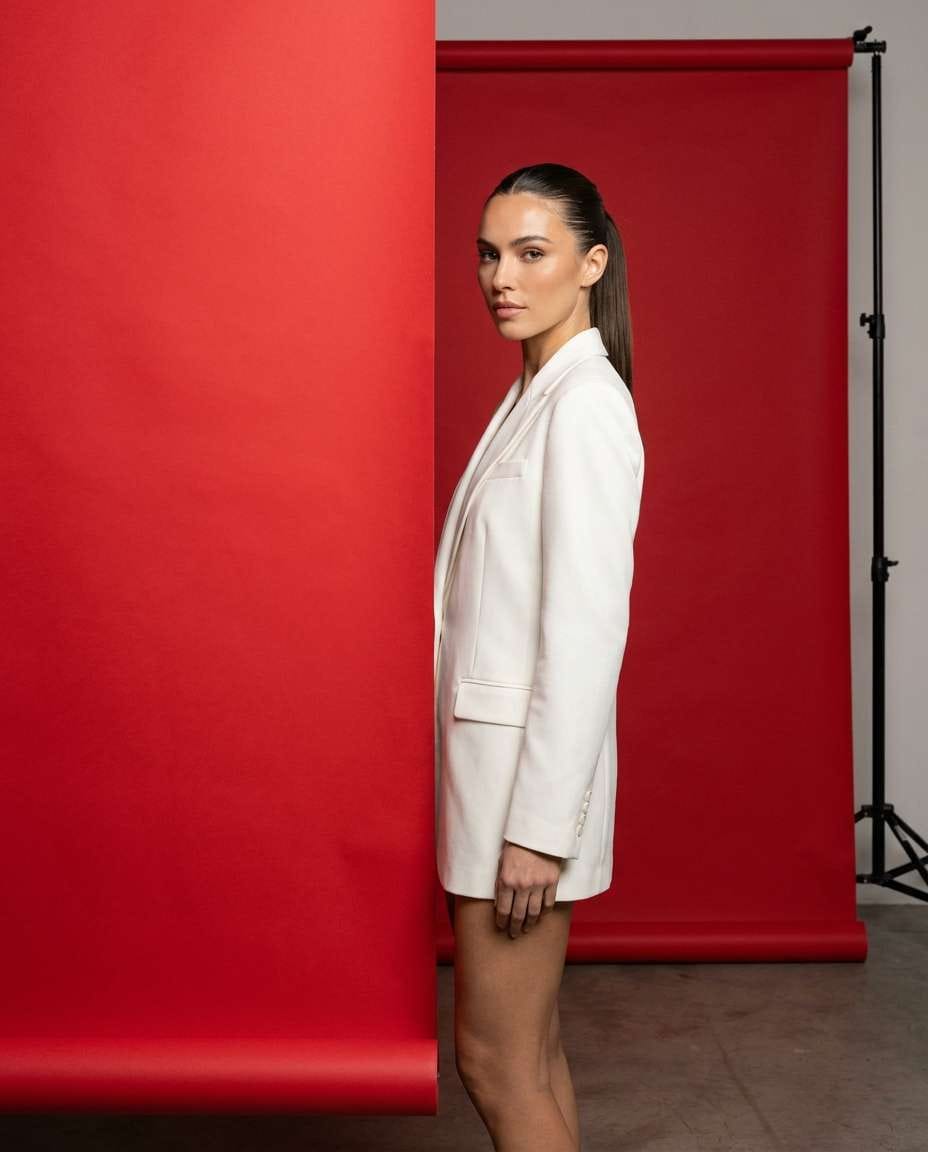
A fashion portrait of a woman in a white blazer and slick ponytail, standing near the visible seam of a red paper roll backdrop, studio strobe lighting with soft shadows, clean product-ad aesthetic, Nikon Z9, 85mm, f/4, half-body framing, high-end editorial realism --ar 4:5
Monochrome Red Look
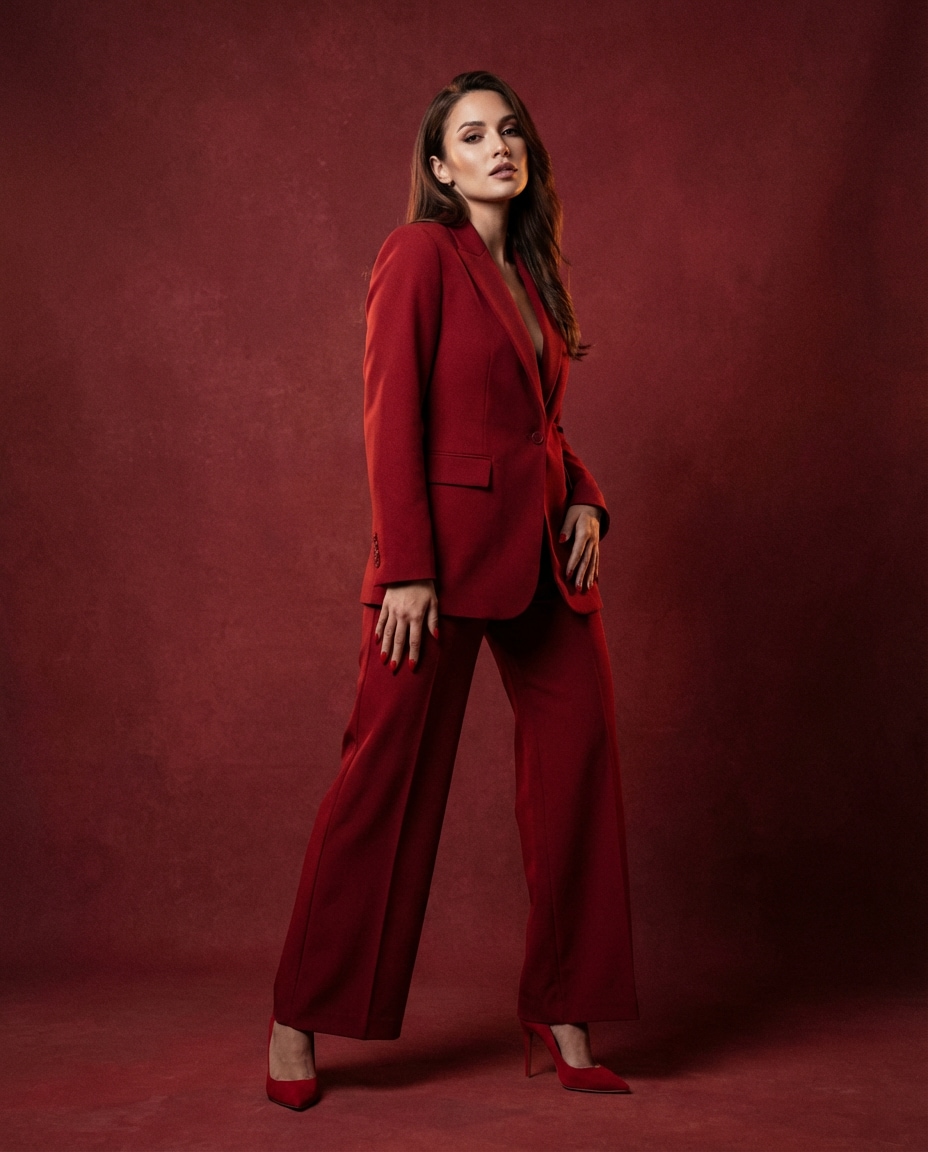
A stylish woman wearing a red suit, red heels, and red manicure, posed against a slightly darker red background for tone-on-tone separation, soft even studio lighting, subtle rim light, Canon R3, 70mm, f/2.8, three-quarter body framing, monochrome fashion editorial, photorealistic --ar 4:5
Red Backdrop Headshot
A clean corporate-style headshot of a man in a navy blazer and white shirt, friendly smile, solid muted red background, soft key light and gentle fill, no harsh shadows, Sony A7R V, 85mm f/2, tight headshot crop, sharp eyes, natural skin texture, professional realism --ar 4:5
Retro Flash Red
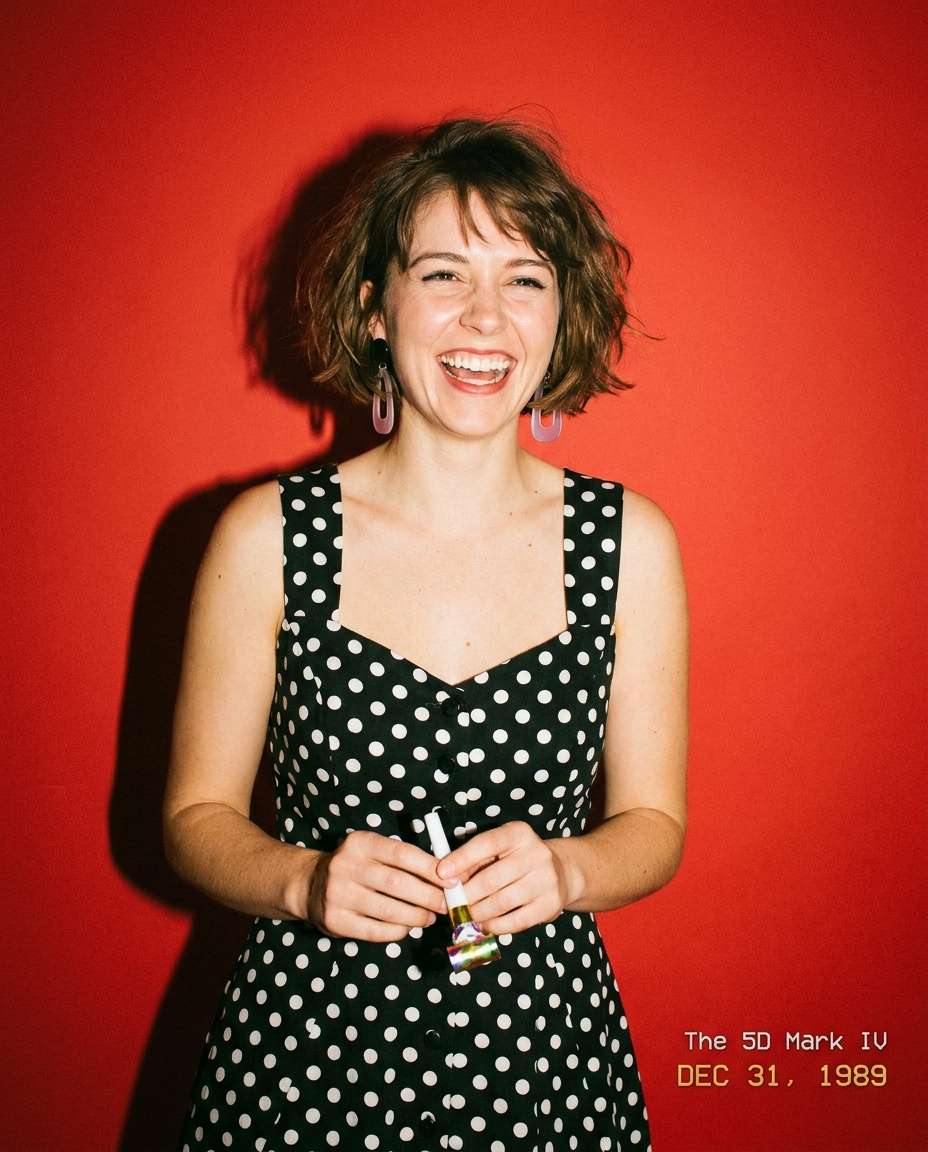
A playful portrait of a woman with a short bob haircut, wearing a vintage polka-dot dress, bright red background, direct on-camera flash for a retro party vibe, crisp shadow edges, slight film grain, Canon 5D Mark IV look, 35mm, f/4, half-body framing, photorealistic --ar 4:5
Luxury Red Satin
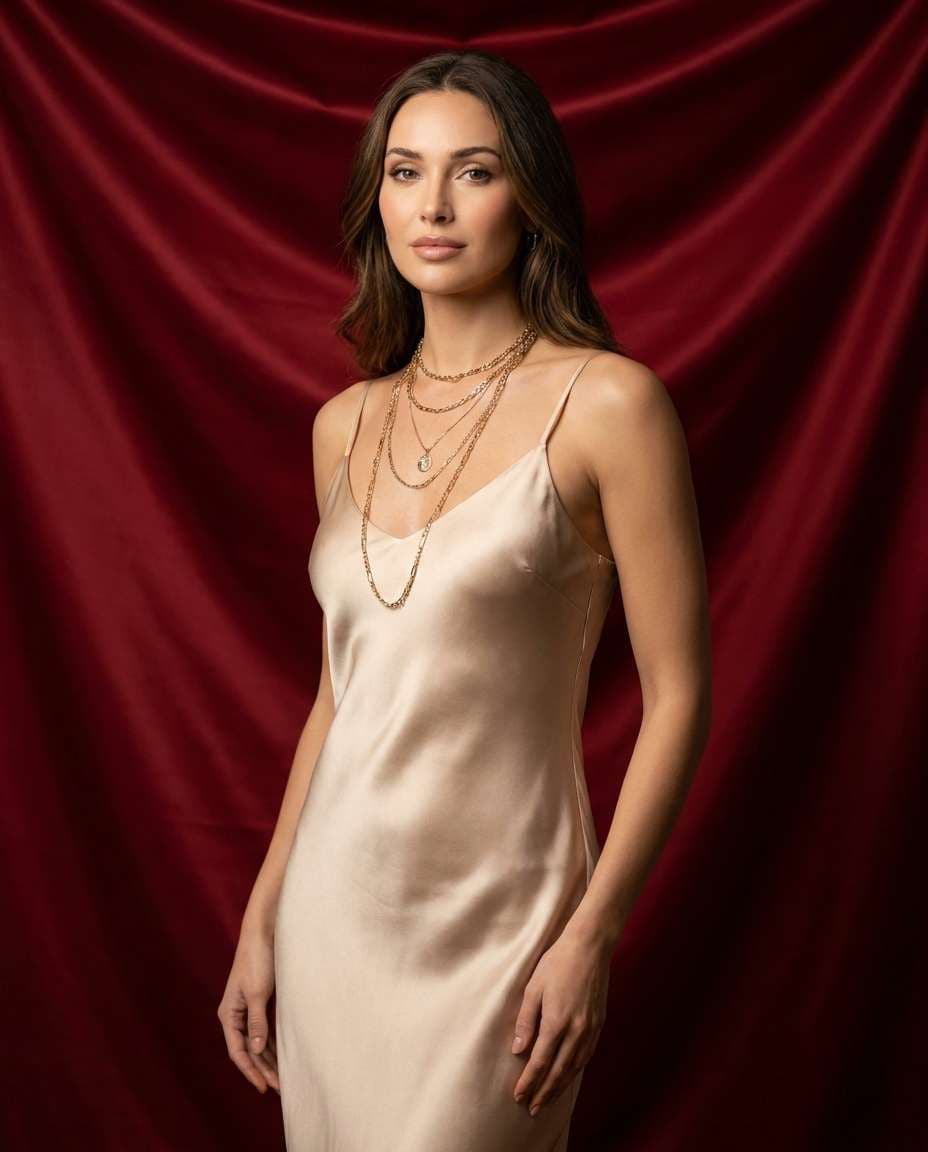
A high-end portrait of a woman in a champagne satin slip dress with layered gold necklaces, standing against a deep red satin drape background with gentle folds, soft warm key light, subtle specular highlights, Nikon Z8, 85mm f/1.8, half-body, luxury editorial grade, photorealistic --ar 4:5
Red Neon Edge
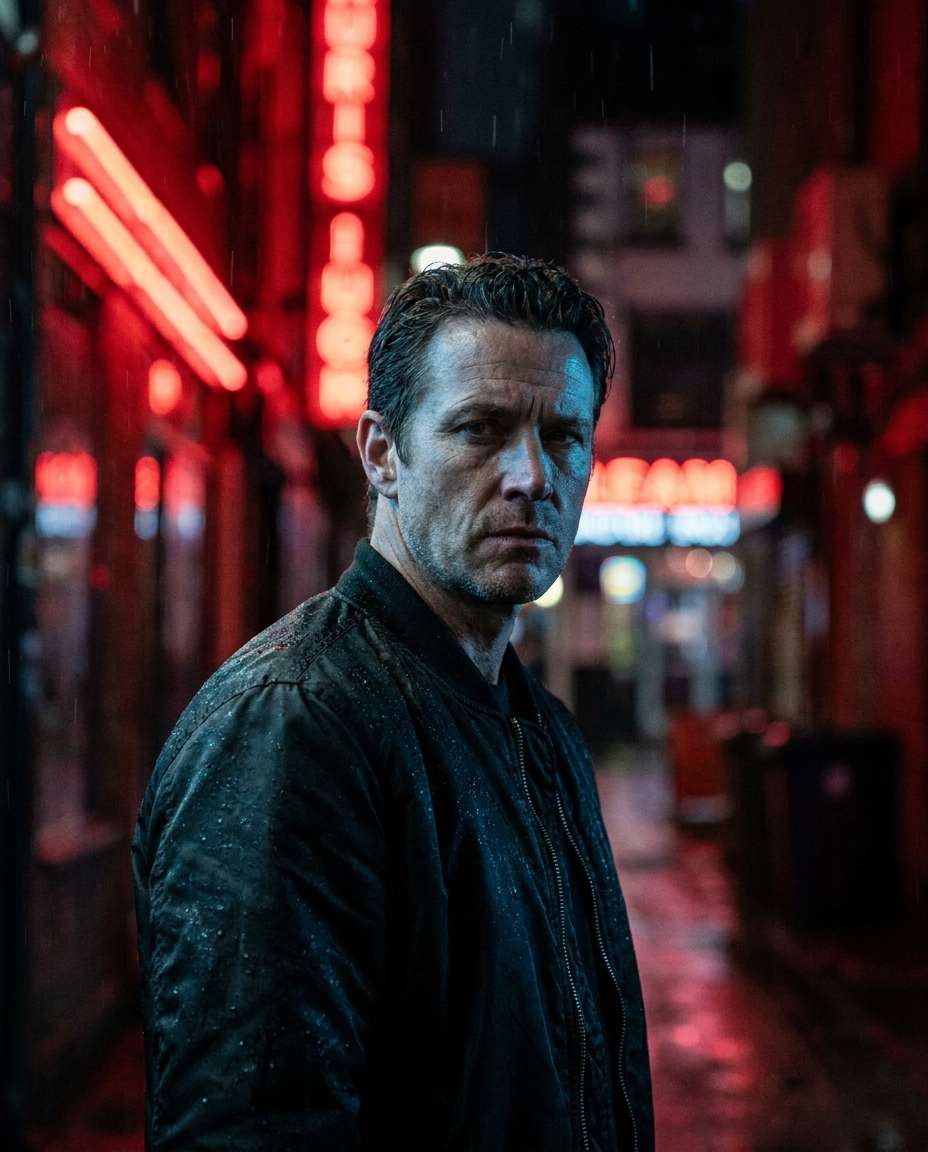
A moody portrait of a man in a black bomber jacket, red neon tube lights out of focus behind him creating a red-dominant background, cool key light on face, shallow depth of field, Sony A1, 50mm f/1.2, half-body, cinematic night vibe, ultra-realistic --ar 4:5
Fine Art Red Canvas
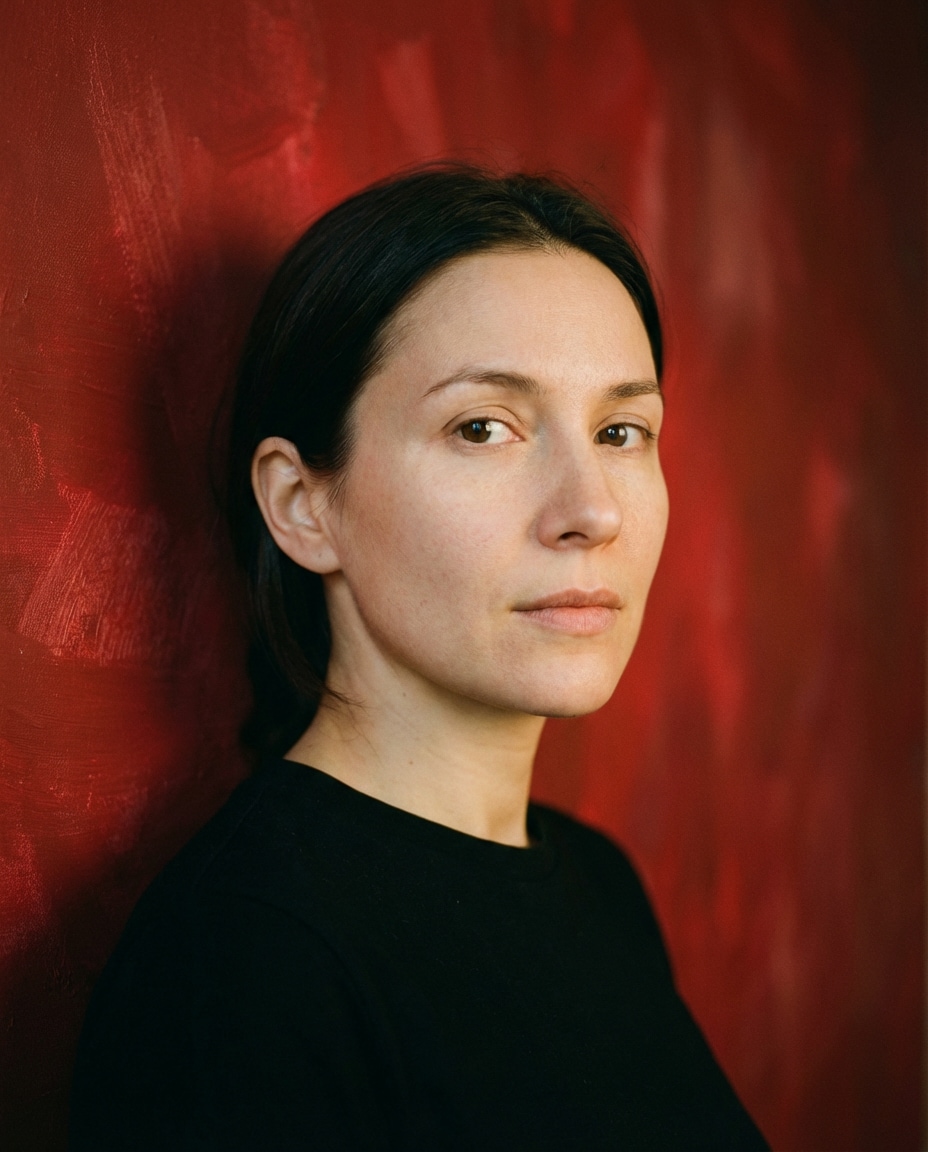
A serene portrait of a woman with minimal makeup, hair tucked behind ear, wearing a simple black dress, textured red painted-canvas background with subtle brush texture, soft directional light like a gallery setup, medium format look, Fuji GFX100S, 110mm, f/2, close-up, photorealistic detail --ar 4:5
Red Studio Bounce
A natural portrait of a man in a cream sweater, standing in front of a warm red backdrop, soft bounced light filling shadows evenly, gentle catchlights, Canon R5, 85mm f/1.8, head-and-shoulders framing, clean modern look, accurate skin tones, photorealistic --ar 4:5
High Contrast Red
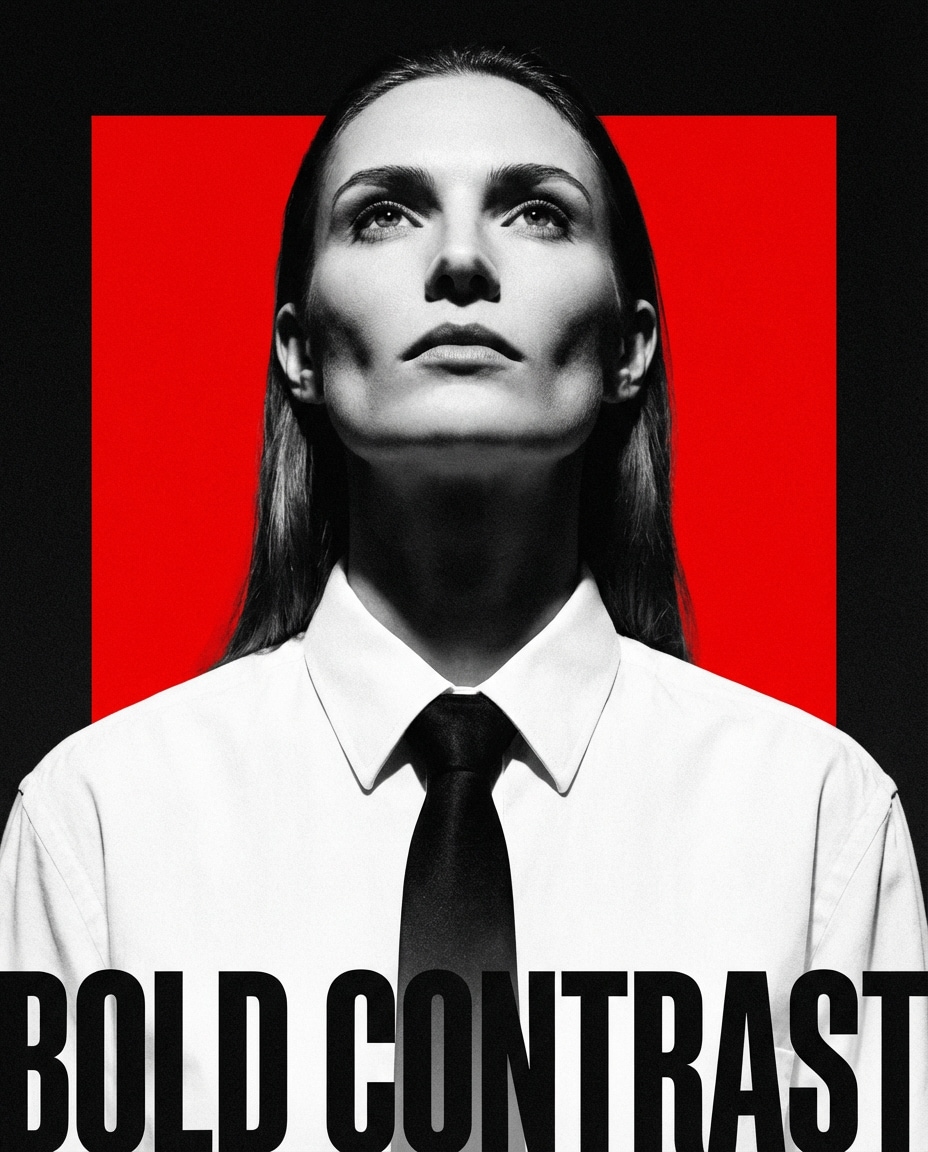
A dramatic black-and-white outfit portrait of a woman in a white shirt and black tie, vivid red background, hard key light from above creating sculpted cheekbones, crisp shadow falloff, Sony A7IV, 50mm, f/2.2, tight portrait crop, bold poster aesthetic, photorealistic --ar 4:5
Red Floral Accent
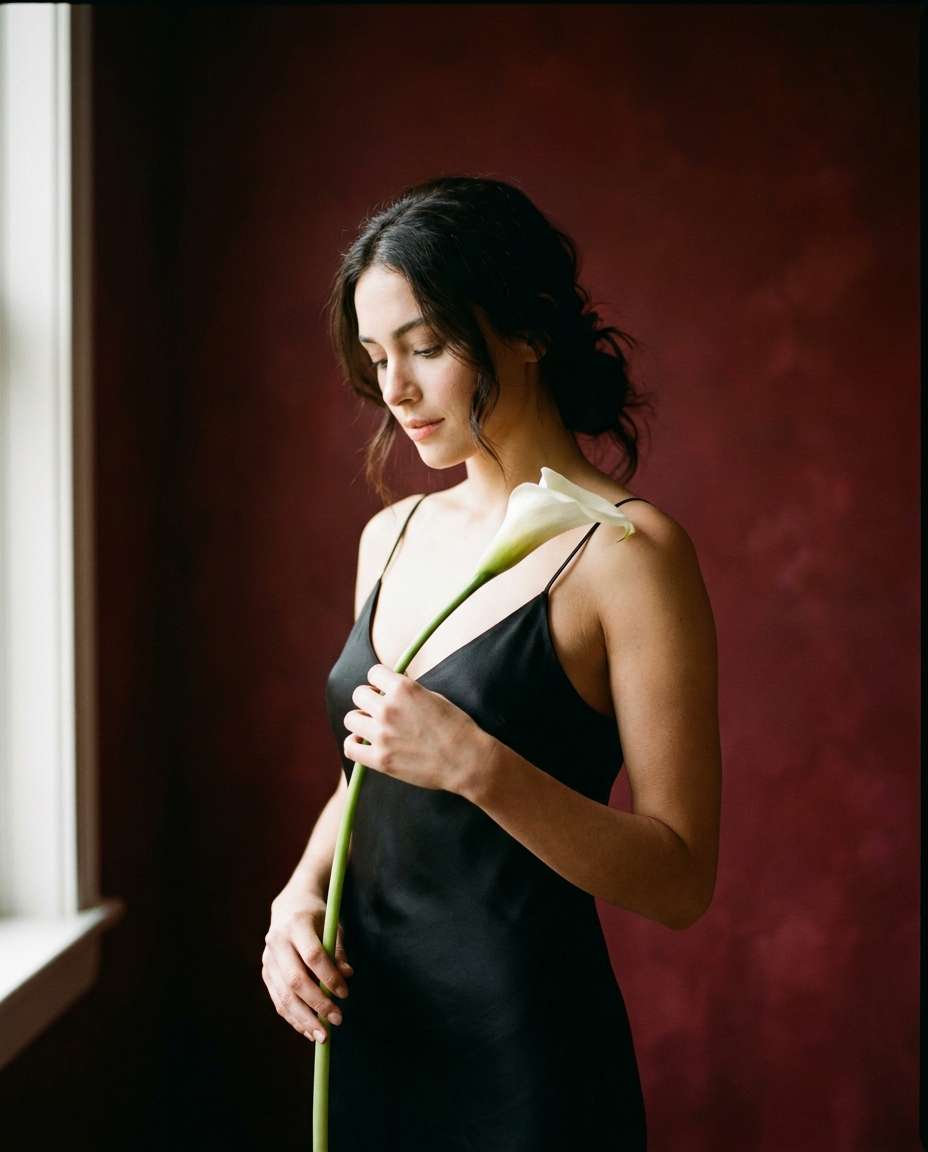
A romantic portrait of a woman holding a single white calla lily, wearing a black spaghetti-strap dress, deep red background with subtle vignette, soft window light, gentle highlight on flower, Nikon Z7 II, 85mm f/1.8, half-body framing, elegant editorial realism --ar 4:5
Red Backdrop Couple
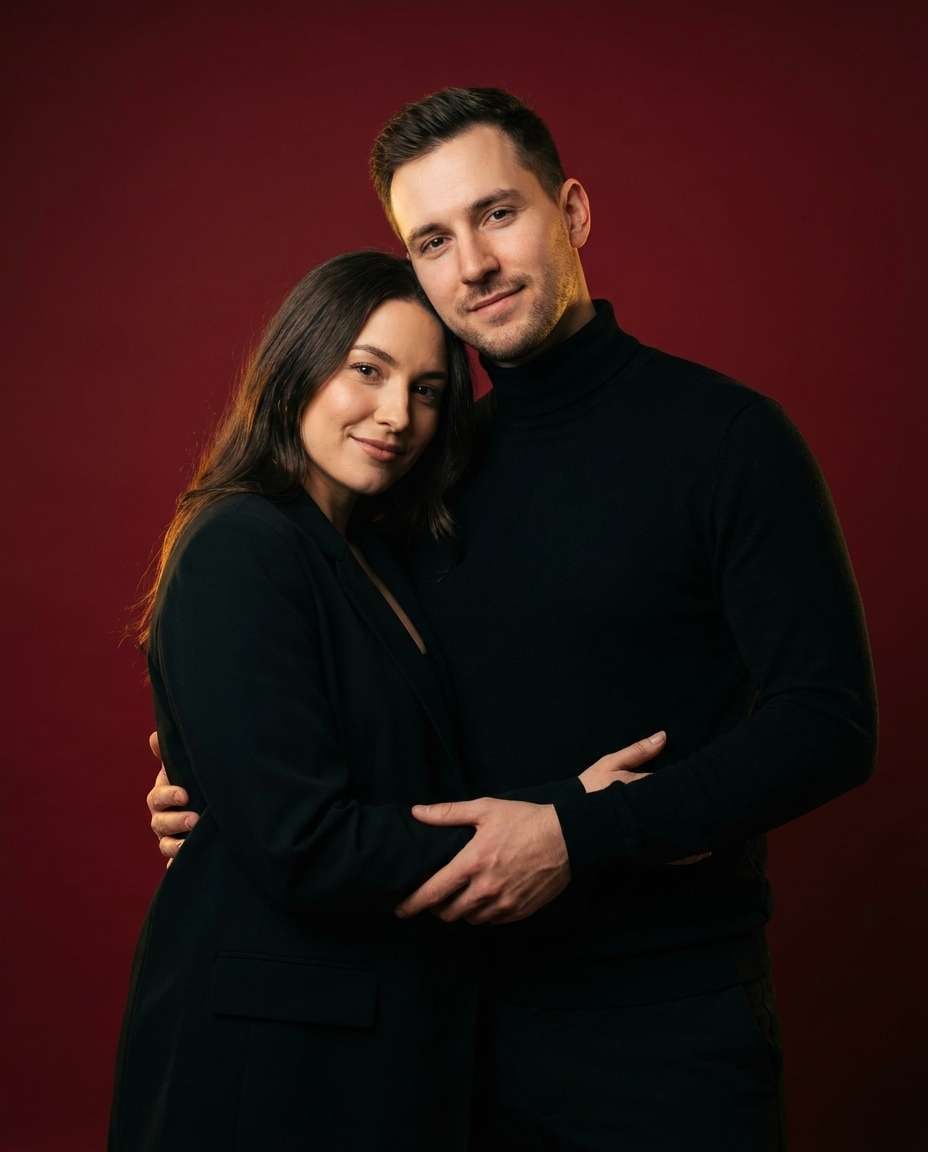
A stylish couple standing close together, both in black outfits, against a seamless rich red studio background, soft key light and subtle rim light outlining shoulders, intimate but modern pose, Canon R6 Mark II, 50mm f/1.8, half-body framing, editorial couple portrait, photorealistic detail --ar 4:5
Sportswear Red Punch
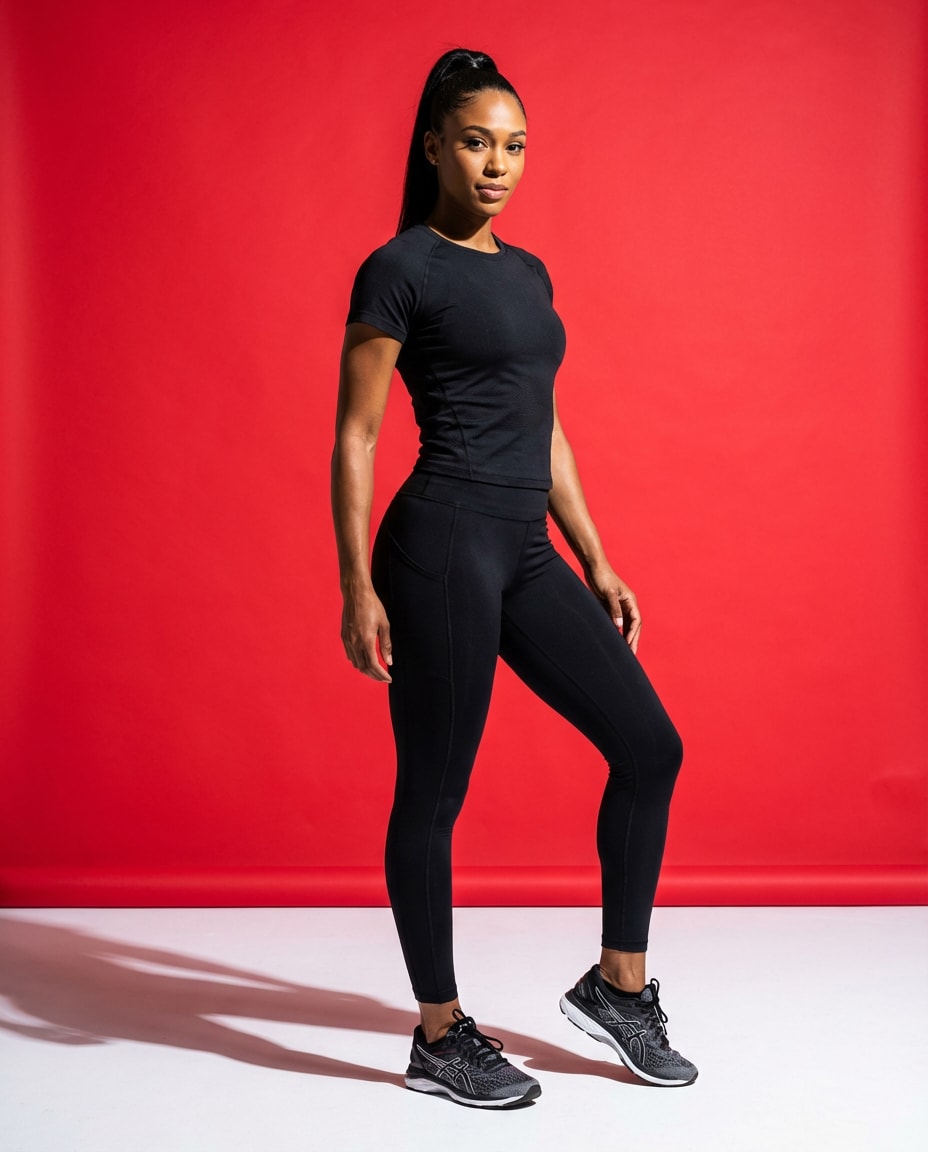
An athletic portrait of a woman in sleek black sportswear, high ponytail, confident stance, bright red studio background with slight floor shadow, punchy strobe lighting, sharp focus, Sony A9 II, 35mm, f/3.2, three-quarter body framing, campaign-style realism --ar 4:5
Red Backdrop Selfie
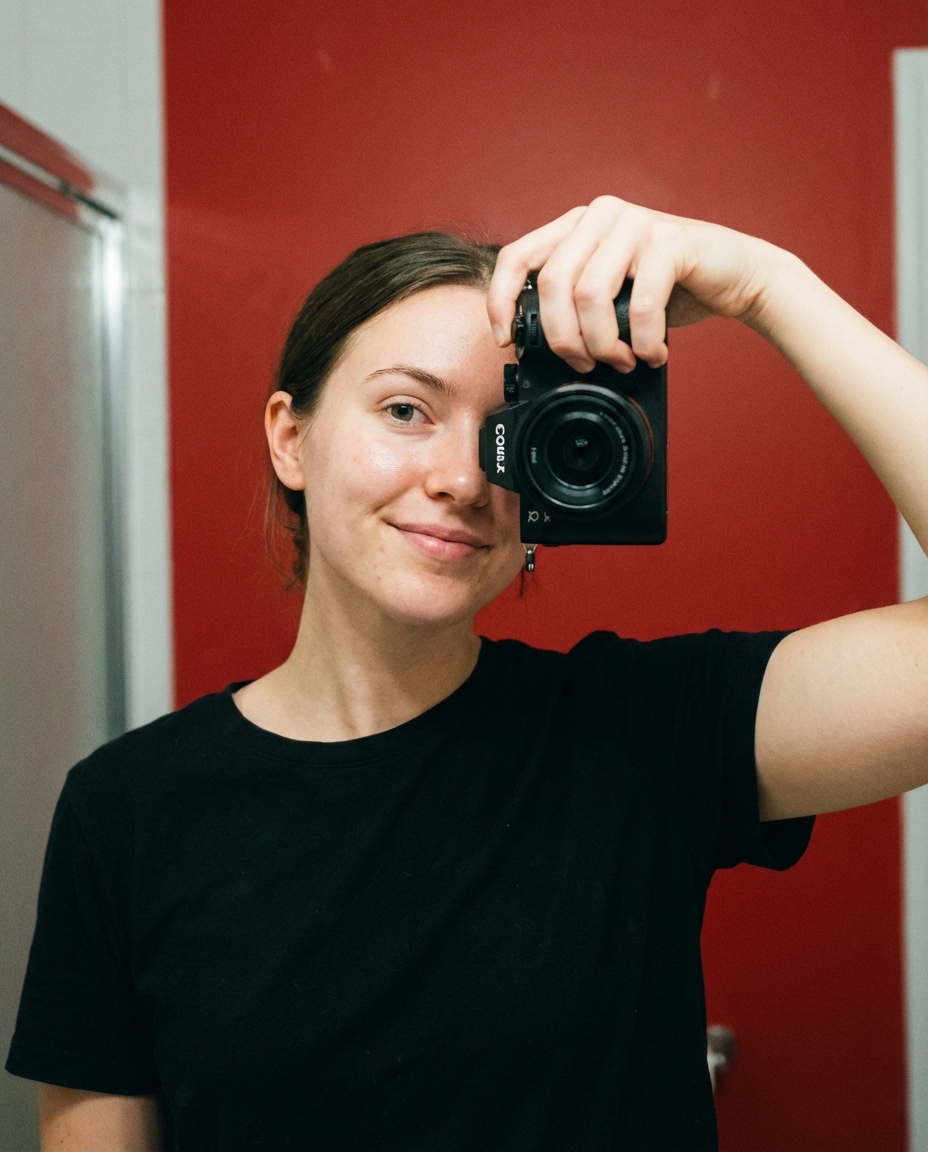
A realistic smartphone-style portrait of a young woman taking a mirrorless-looking selfie, wearing a simple black top, clean solid red background, soft front lighting, natural skin texture, subtle noise like a phone camera but high quality, 28mm equivalent, half-body framing, photorealistic --ar 4:5
Runway Red Spotlight
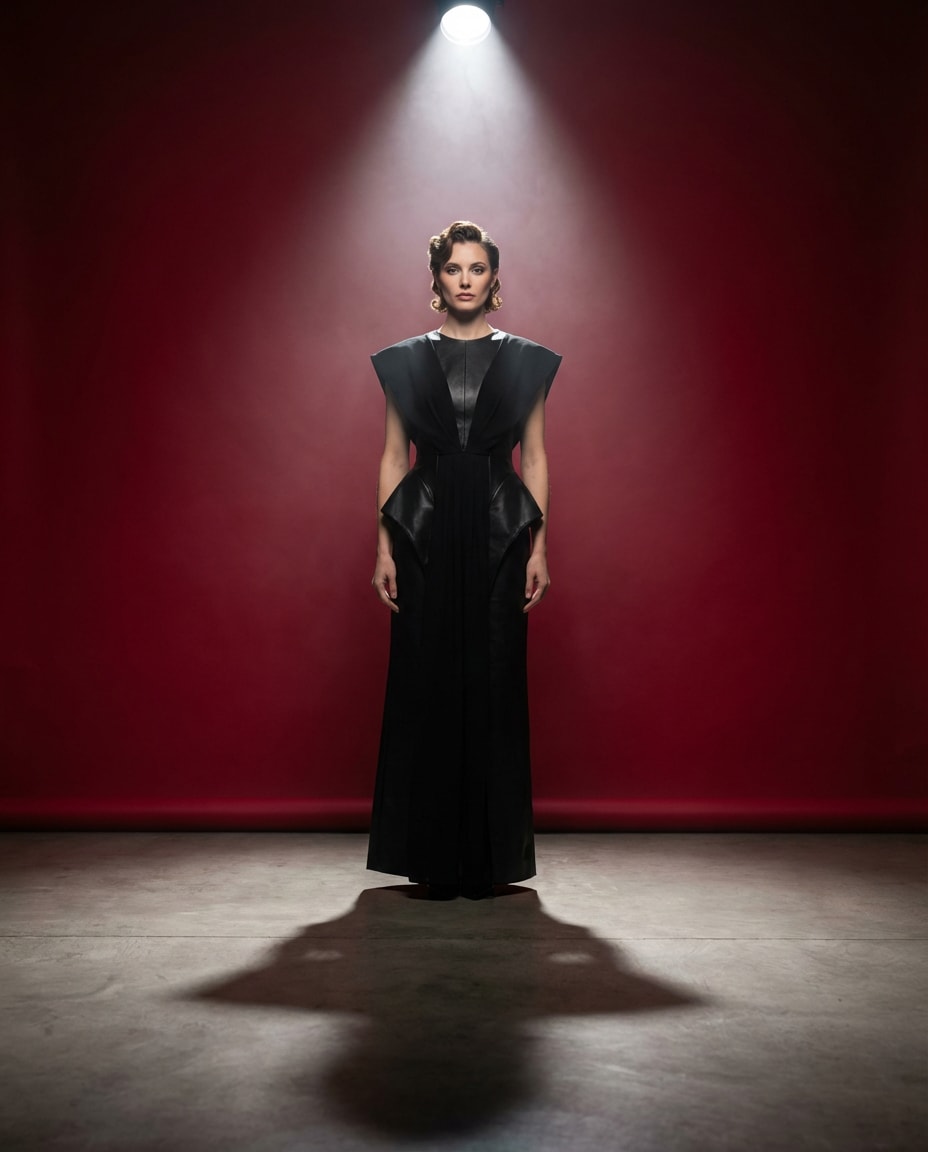
A high-fashion portrait of a woman in an avant-garde black dress, standing center frame on a minimal set with a vivid red backdrop, single top spotlight and faint haze, dramatic shadow on floor, shot on Sony A1, 35mm, f/2.8, full-body vertical composition, runway editorial realism --ar 4:5
How to Write Better Gemini AI Red Background Prompt
If your reds keep turning orange or muddy, it's usually a lighting problem, not a prompt problem. When you're testing how to make a red background photo in Gemini AI, lock your subject first, then adjust only the background material and the light temperature so you can see what actually changed.
Red background: shade (scarlet, crimson), material (paper, velvet), gradient/vignette
Lighting: key light type, fill level, rim light for separation
Framing: close-up, half-body, full-body, angle and pose
Realism cues: camera, lens, depth of field, natural skin texture
Prompt Tips That Make Red Look Expensive
Name the exact red: "deep crimson" reads more luxury than "bright red."
Add separation: ask for a subtle rim light so hair and shoulders don't blend into the backdrop.
Control shine: specify "matte paper backdrop" if your red looks plasticky or reflective.
Keep skin tones honest: request neutral key light and avoid overly warm fill that turns faces orange.
Use one change at a time: swap backdrop texture first, then adjust lighting, then adjust framing.
If edges look cut out, ask for "soft natural shadows on the background behind the subject."
Why Choose Media.io for Gemini AI Red Background Prompt
Dial in a clean, punchy red backdrop look on Media.io, then iterate fast until the portrait feels editorial and share-worthy.
Fast style iteration
Red backdrops are sensitive to tiny tweaks. Media.io makes it easy to regenerate variations while keeping the same face, pose, and framing, so you can test scarlet vs crimson, matte vs velvet, and softbox vs spotlight without restarting your whole setup.
Better subject separation
A strong red background can swallow hairlines and shoulders. With prompt-guided lighting and rim-light cues, Media.io helps you keep clean edges and natural shadows, so the subject stays crisp and dimensional instead of looking pasted onto a flat color.
Portrait-friendly controls
You can steer realism with camera and lighting language, then refine until skin tones look believable. This is especially useful when you want a Gemini AI prompt for red background portrait results that feel like studio photography, not a harsh color filter.
Download-ready outputs
Once you land the look, export high-quality images that hold up after cropping. Whether you need a close-up avatar or a full-body editorial frame, Media.io keeps the red backdrop consistent so your series looks intentional across multiple generations.
FAQs About
Gemini AI Red Background Prompt
1. What makes a good gemini ai red background prompt?
A good gemini ai red background prompt is specific about the red (scarlet vs crimson), the background material (paper, velvet, painted wall), and the lighting (soft key plus rim light for separation). If you only say "red background," the model may shift skin tones or flatten depth. Add framing and lens details for a more controlled result.
2. Why does my red background turn orange or muddy?
This usually happens when the lighting is described too warm or too vague. In your gemini ai red background prompt, ask for neutral key light (or specify daylight-balanced strobes) and a matte backdrop. If you're comparing best red backdrop prompts for Gemini AI selfies, keep your subject description identical and change only the red shade and lighting temperature.
3. Do I need to upload a photo, or can I generate from scratch?
You can do either. Uploading a photo helps keep identity and facial features consistent while you experiment with backdrop and lighting, which is ideal for a gemini ai red background prompt. Generating from scratch is great for mood boards and concept looks, but you may need a few iterations to match the face you want.
4. How do I get clean hair edges against a bright red backdrop?
In your gemini ai red background prompt, add separation cues: "subtle rim light," "soft backlight," and "natural shadow on the backdrop behind the subject." Avoid asking for overly strong blur, which can chew up hair detail. For headshots, specifying "85mm, shallow depth of field, sharp focus on eyes" often improves edge clarity.
5. Can I use a red background for professional headshots, or is it too loud?
You can, as long as it's muted and the lighting is soft. Try a darker crimson or brick red and keep wardrobe neutral (navy, charcoal, black). A gemini ai red background prompt can produce a clean studio look if you describe it like a headshot: even fill, gentle shadows, and accurate skin tones. If needed, test a Gemini AI studio red background headshot prompt style to keep it conservative.
Why Creators Love Media.io's Gemini AI Red Background Prompt?
Alex M.
Photographer
Ultra Realistic Results.
I used these red background prompts to create visuals that looked like real photography. The lighting, textures, and colors felt incredibly natural.
Maya J.
Designer
Perfect Lighting & Detail.
The prompts produced cinematic compositions and soft lighting, making every image feel like a professional shoot.
Jordan P.
Creator
Perfect for Social Media.
I used these prompts to create viral content. It's fast, easy, and consistently produces stunning visuals.