My Little Pony Test & Filter My Little Pony Test & AI Filter – Find Which Pony Character You Are
Take the viral My Little Pony test to discover which pony character matches your personality, then turn your result into a fun, share-ready AI image.
With Media.io, you can upload your selfie, apply a high-quality My Little Pony AI filter, and generate a 9:16 sticker-style photo inspired by the latest My Little Pony trend on TikTok.
No complicated setup or design skills needed. Simply choose your pony character, let AI add multiple animated-style stickers with different poses and expressions, and create a polished image that’s perfect for TikTok, Instagram Reels, and Stories. This is the easiest way to join the My Little Pony test filter trend and show everyone which My Little Pony character you are.
Create your little pony ai test & filter now →
Stunning AI creations generated with Media.io - powered by Nano Banana Pro.
How to Do My Little Pony Test Filter/Trend 3 Simple Steps
Follow these simple steps to take the My Little Pony test filter, turn your selfie into an AI sticker-style image, and join the viral My Little Pony trend on TikTok and Instagram.
1
Open the My Little Pony AI Generator
Start by opening Media.io’s AI image generator designed for viral photo effects.
This tool lets you create character-inspired images using advanced AI, no design skills required.
It’s fully online, so you can begin the My Little Pony test filter process in seconds.
2
Upload Your Photo and Choose a Prompt
Upload a clear selfie, then select a ready-made prompt from the My Little Pony prompt library below.
Each prompt is designed for a specific pony character, helping you recreate the popular My Little Pony AI filter look.
You can easily customize the text to match your test result and personality.
3
Generate and Save Your Image
Click generate and let AI add multiple pony-style stickers with different poses and expressions.
Your image will be created in a vertical 9:16 format, perfect for TikTok, Reels, and Stories.
Download your result and share it instantly to show everyone which My Little Pony character you are.
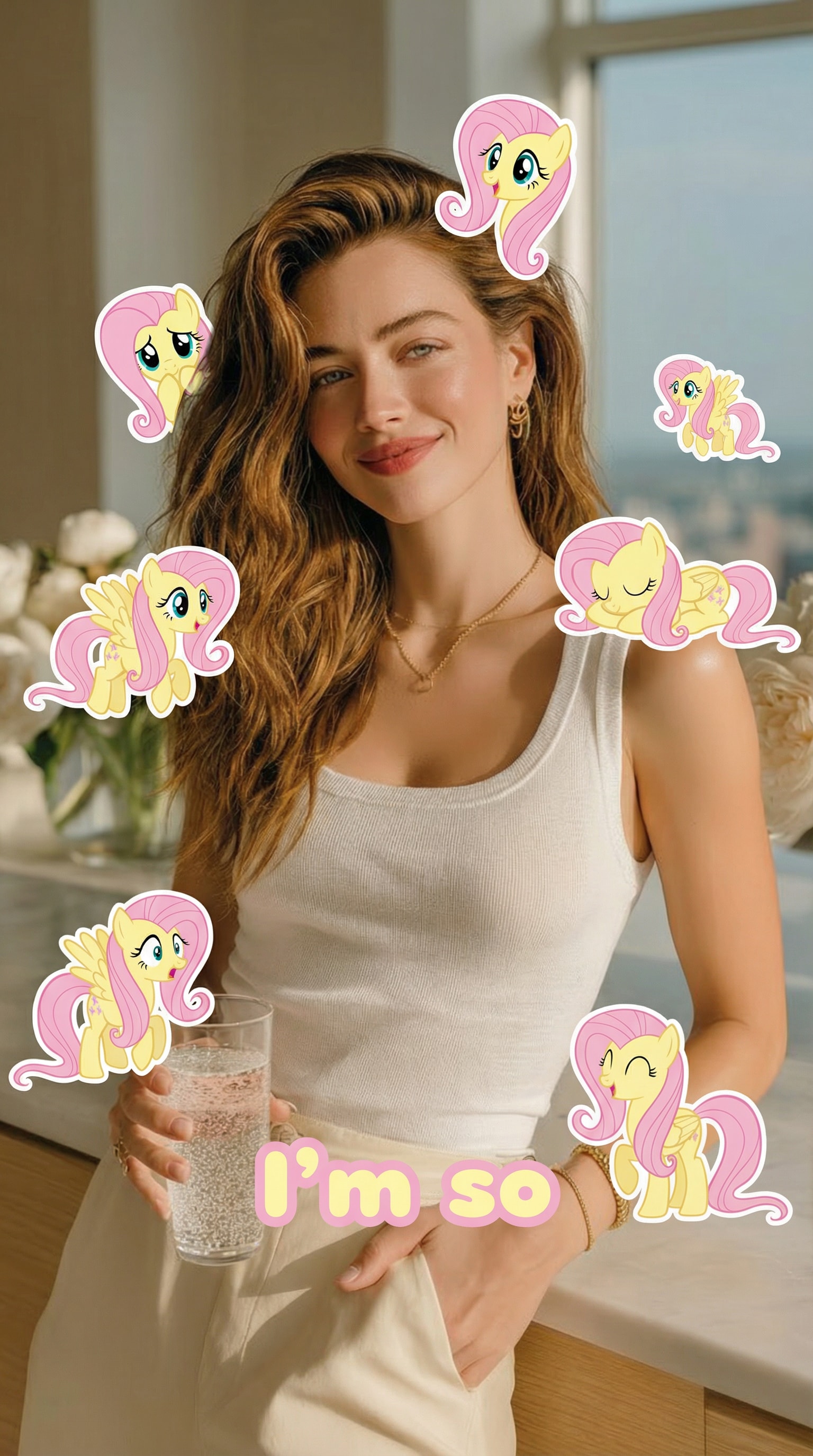
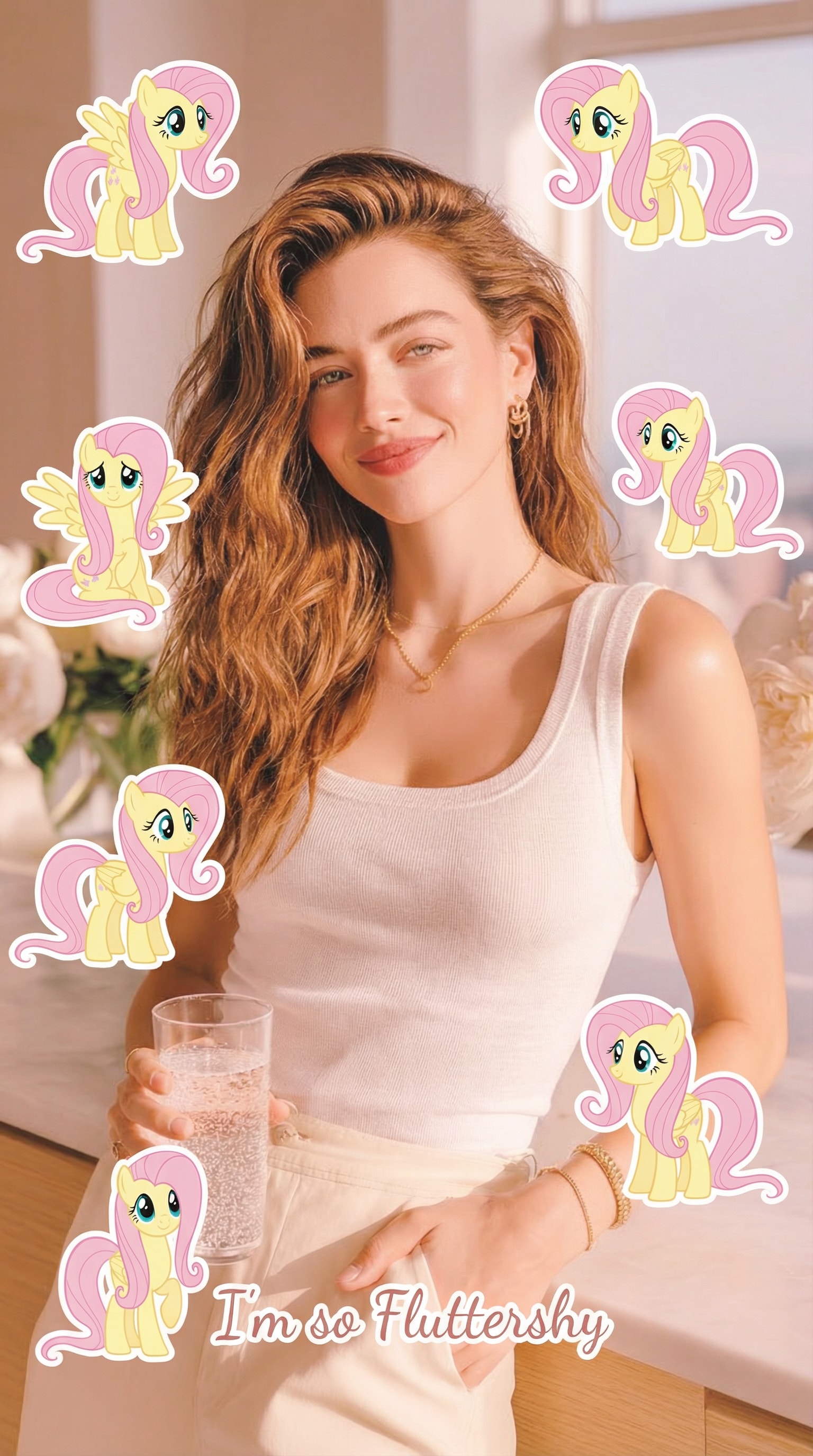
Fluttershy
Use the uploaded photo as the main reference and keep the person exactly the same.
Add 7 cute cartoon-style stickers of 【My Little Pony character: Fluttershy】 floating around the person.
Each pony sticker should have a different pose, facial expression, and size, inspired by the original My Little Pony animation style.
Make the stickers interact naturally with the scene (around the shoulders, hair, background, or hands), but do NOT cover the face, eyes, or phone.
Keep a clean and playful layout with enough spacing between each sticker so they don’t overlap.
Add the text “I’m so” in the lower center of the image, using a cute, simple font that matches the My Little Pony vibe.
Use a vertical 9:16 aspect ratio, bright colors, soft lighting, and a fun, cheerful mood.
The final image should look like a viral My Little Pony test filter made for TikTok.
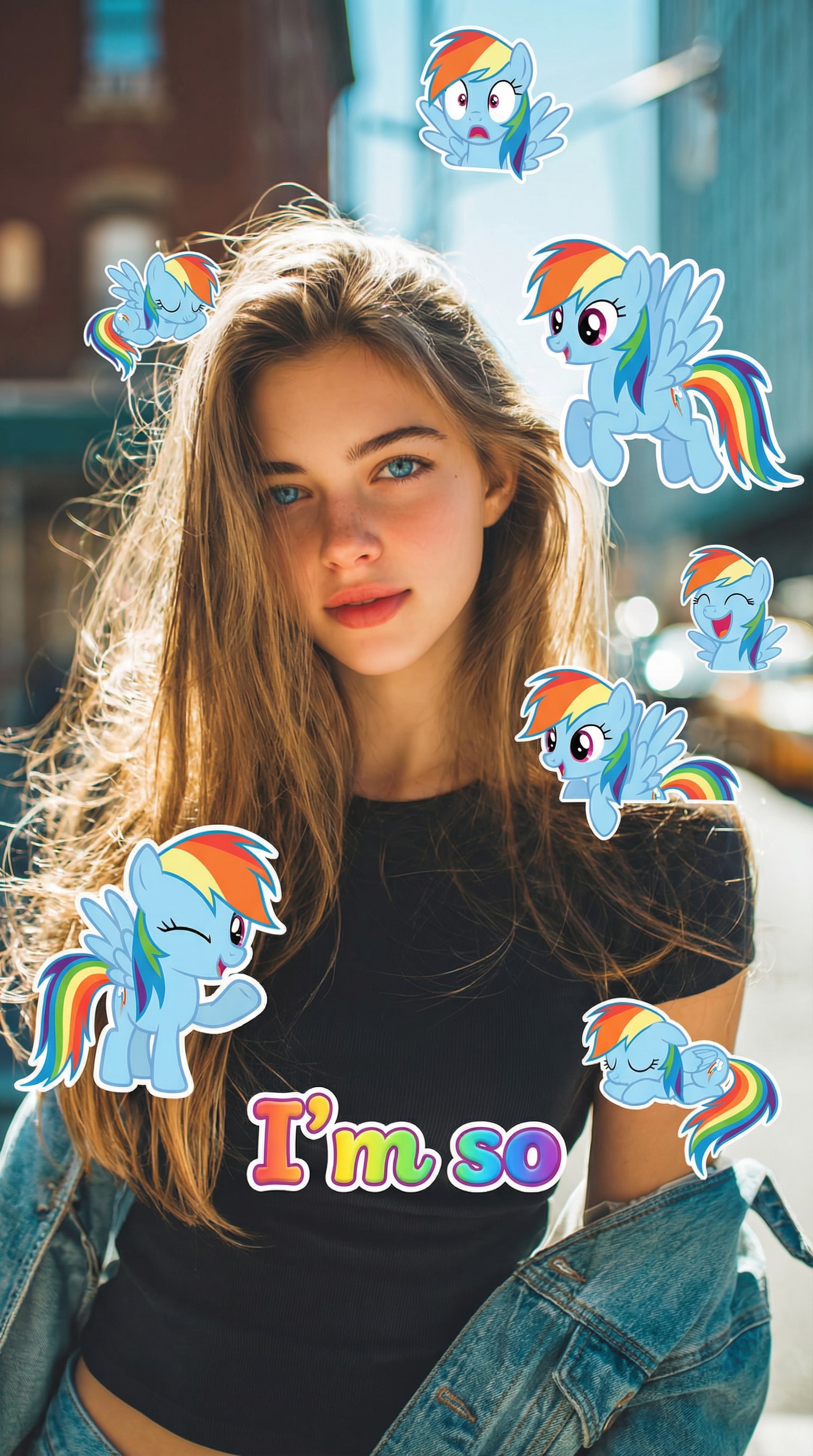
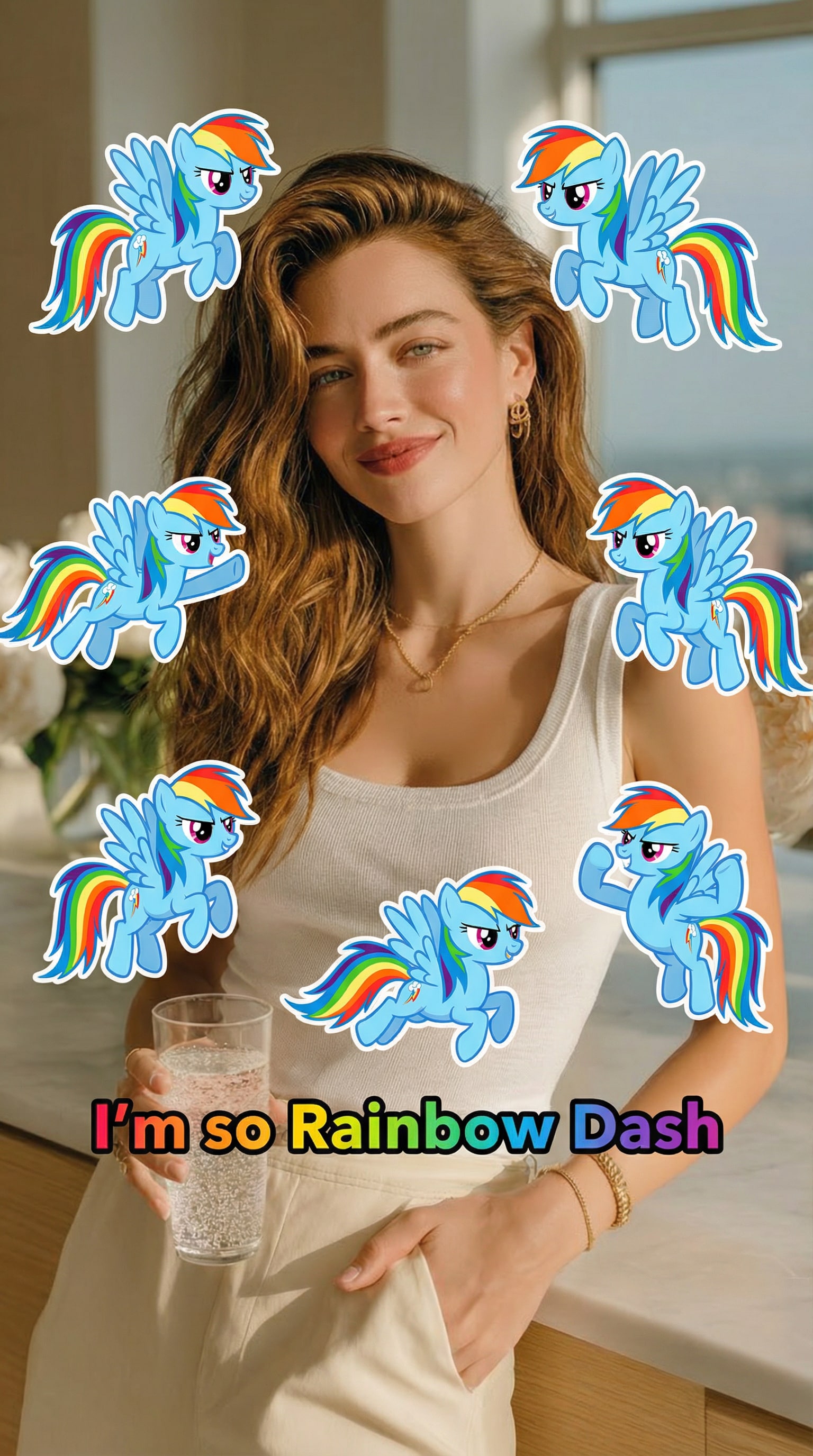
Rainbow Dash
Use the uploaded photo as the main reference and keep the person exactly the same.
Add 7 cute cartoon-style stickers of 【My Little Pony character: Rainbow Dash】 floating around the person.
Each pony sticker should have a different pose, facial expression, and size, inspired by the original My Little Pony animation style.
Make the stickers interact naturally with the scene (around the shoulders, hair, background, or hands), but do NOT cover the face, eyes, or phone.
Keep a clean and playful layout with enough spacing between each sticker so they don’t overlap.
Add the text “I’m so” in the lower center of the image, using a cute, simple font that matches the My Little Pony vibe.
Use a vertical 9:16 aspect ratio, bright colors, soft lighting, and a fun, cheerful mood.
The final image should look like a viral My Little Pony test filter made for TikTok.
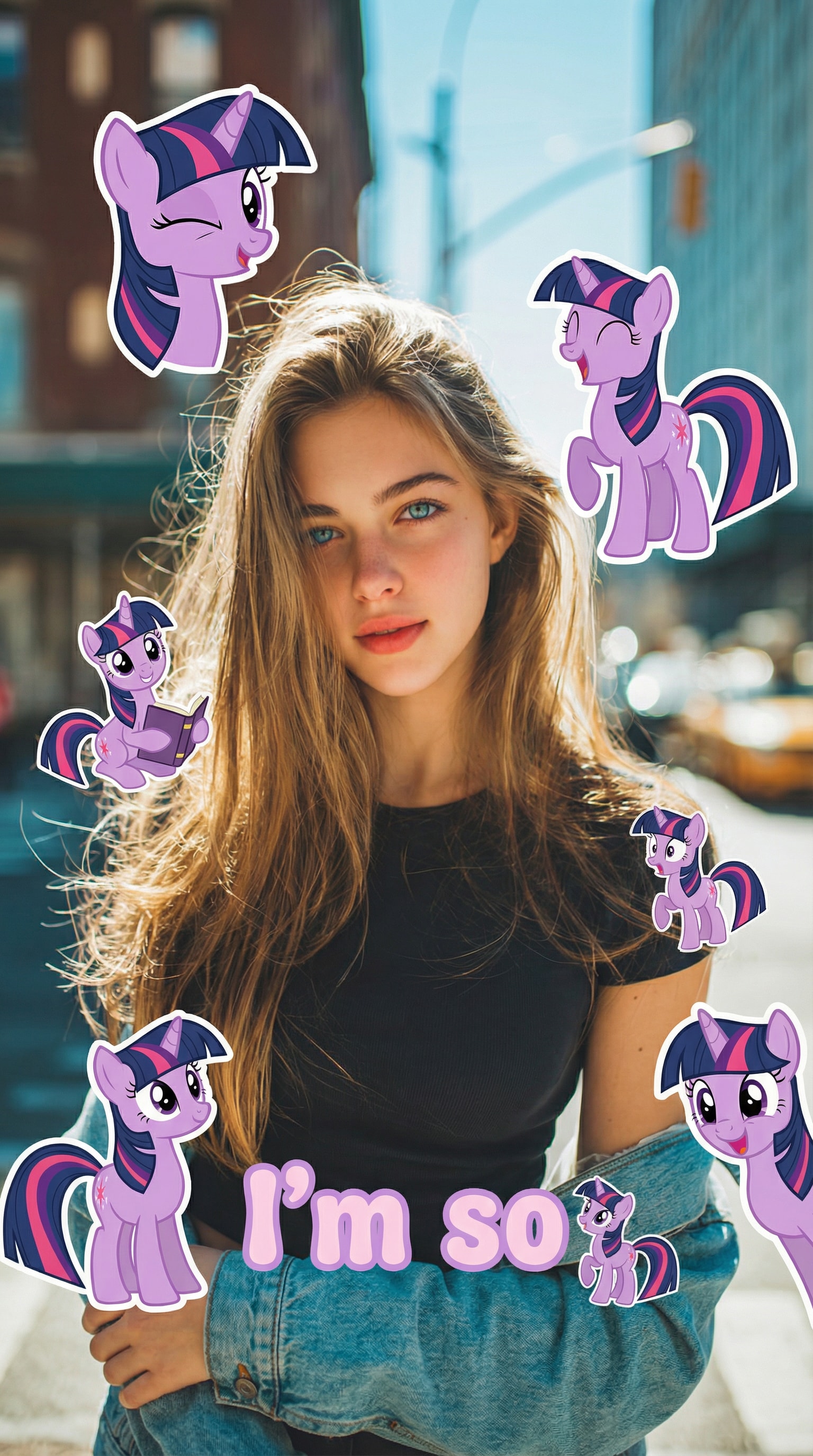
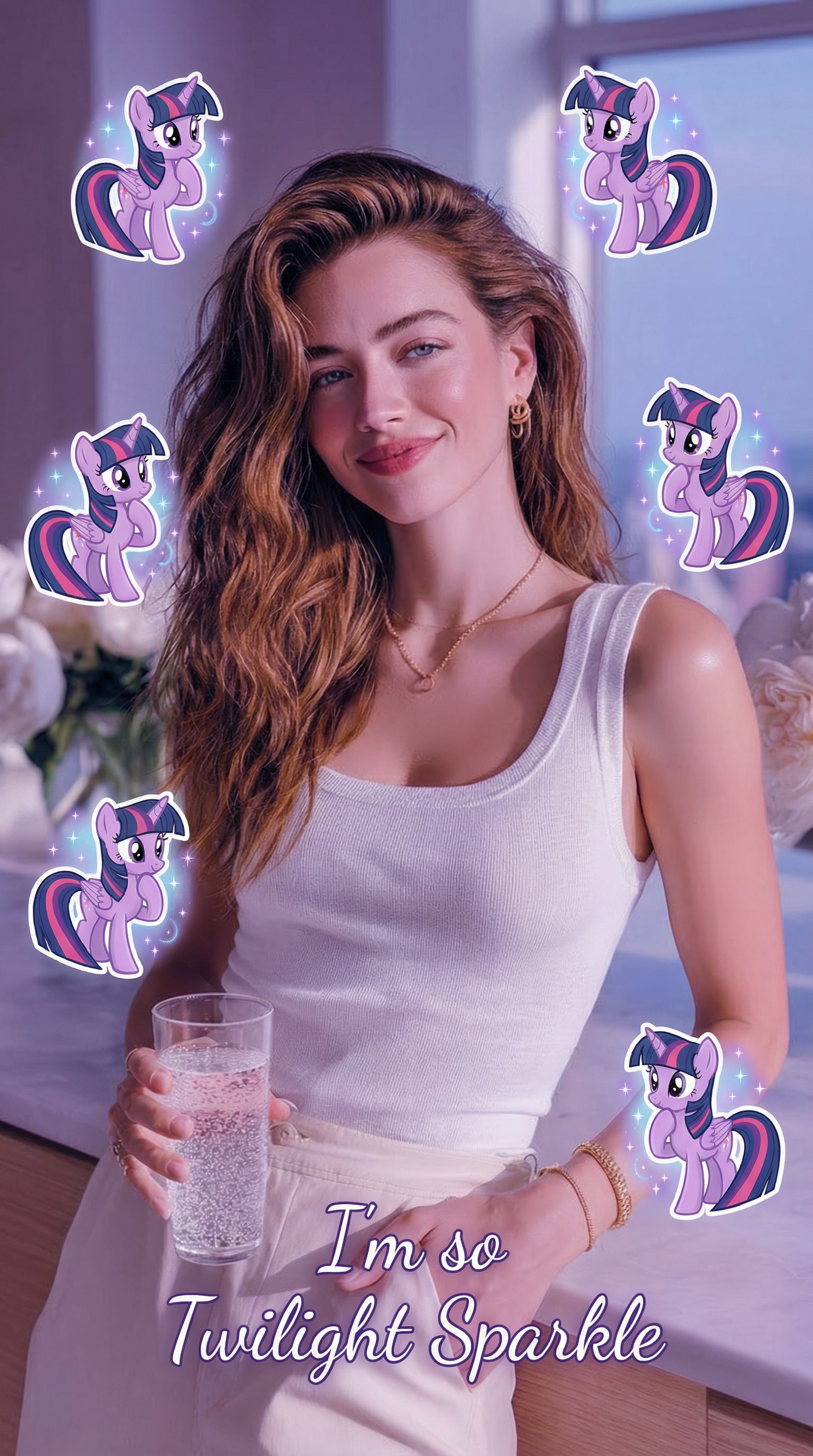
Twilight Sparkle
Use the uploaded photo as the main reference and keep the person exactly the same.
Add 7 cute cartoon-style stickers of 【My Little Pony character: Twilight Sparkle】 floating around the person.
Each pony sticker should have a different pose, facial expression, and size, inspired by the original My Little Pony animation style.
Make the stickers interact naturally with the scene (around the shoulders, hair, background, or hands), but do NOT cover the face, eyes, or phone.
Keep a clean and playful layout with enough spacing between each sticker so they don’t overlap.
Add the text “I’m so” in the lower center of the image, using a cute, simple font that matches the My Little Pony vibe.
Use a vertical 9:16 aspect ratio, bright colors, soft lighting, and a fun, cheerful mood.
The final image should look like a viral My Little Pony test filter made for TikTok.
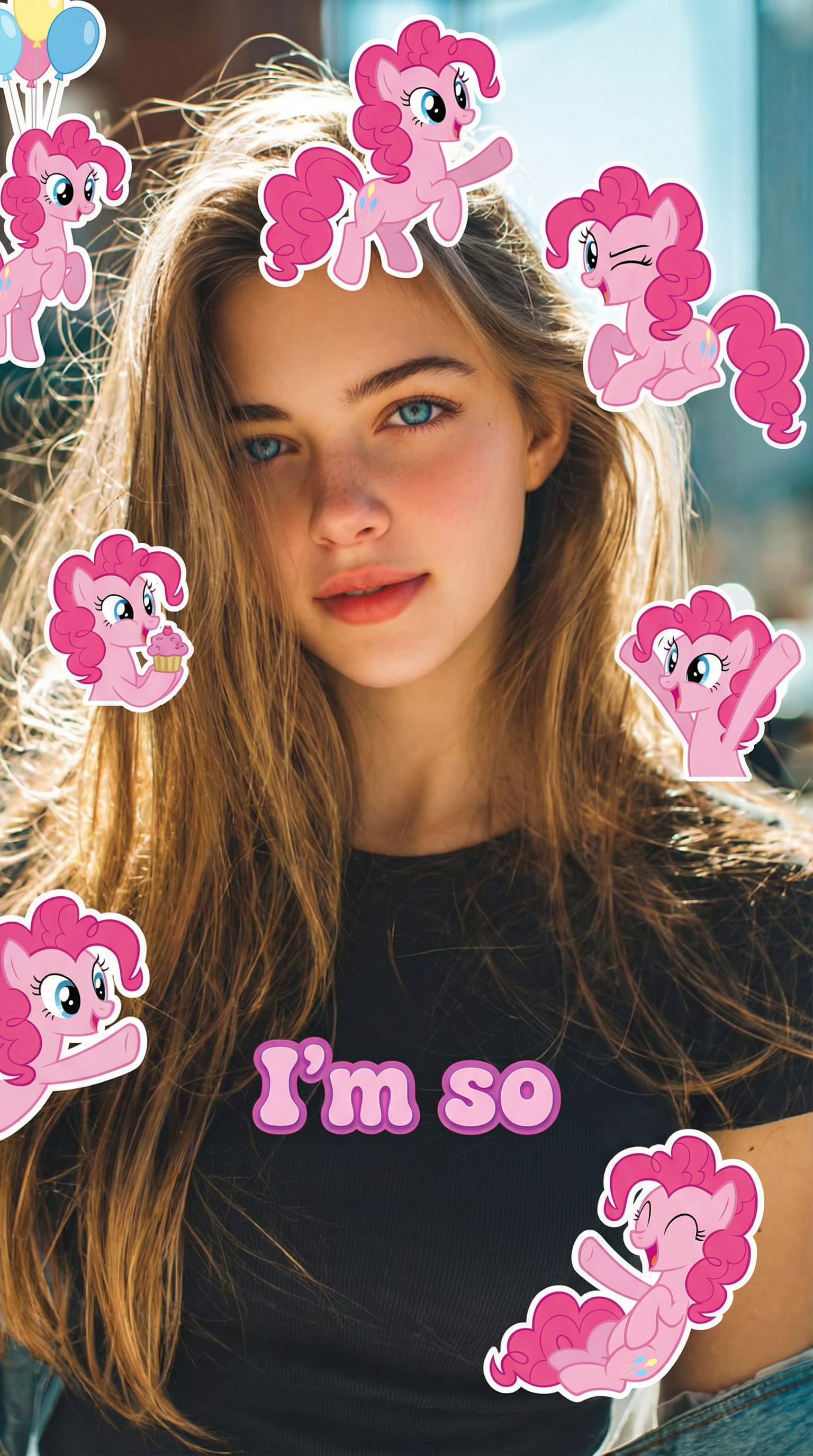
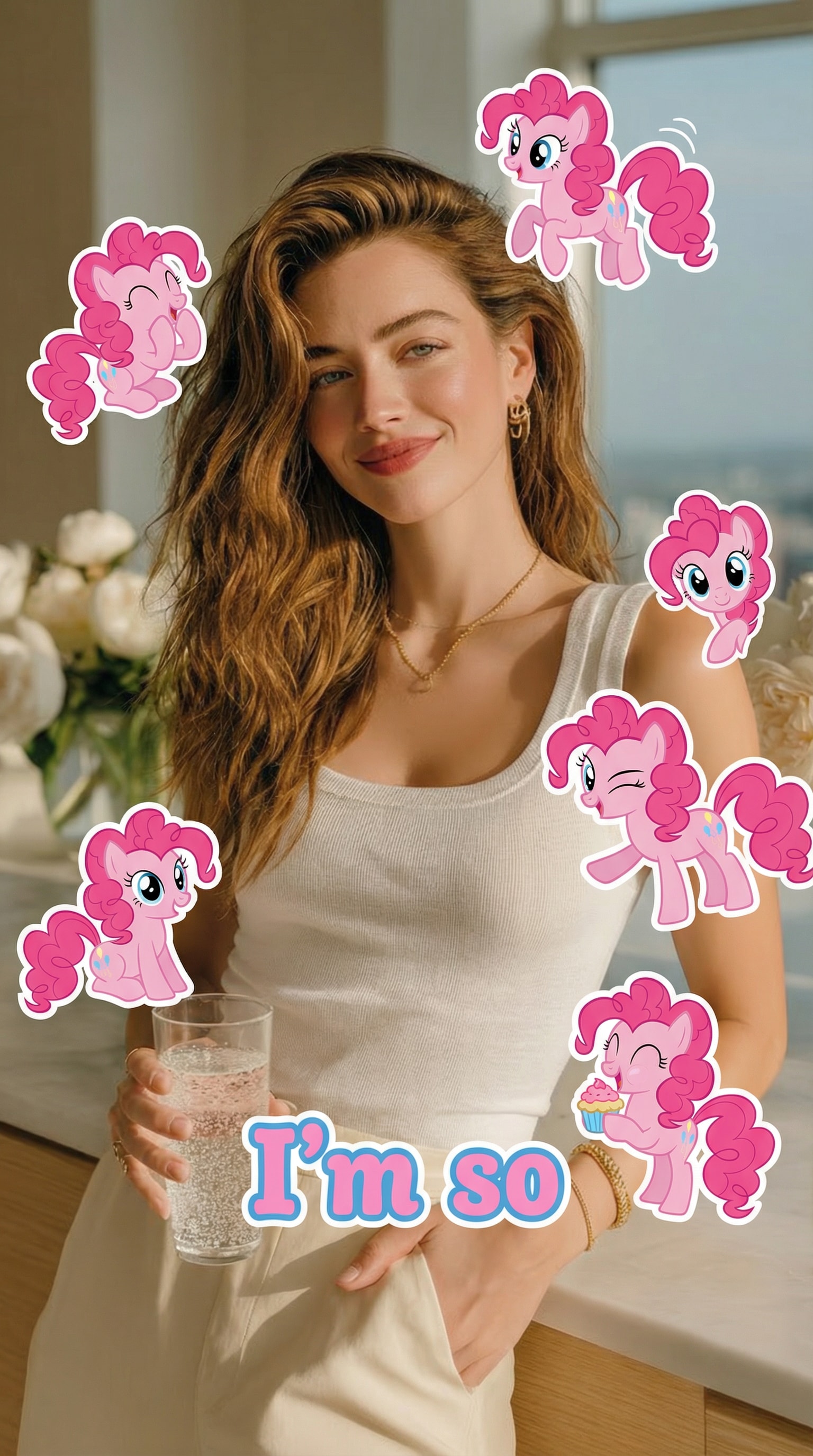
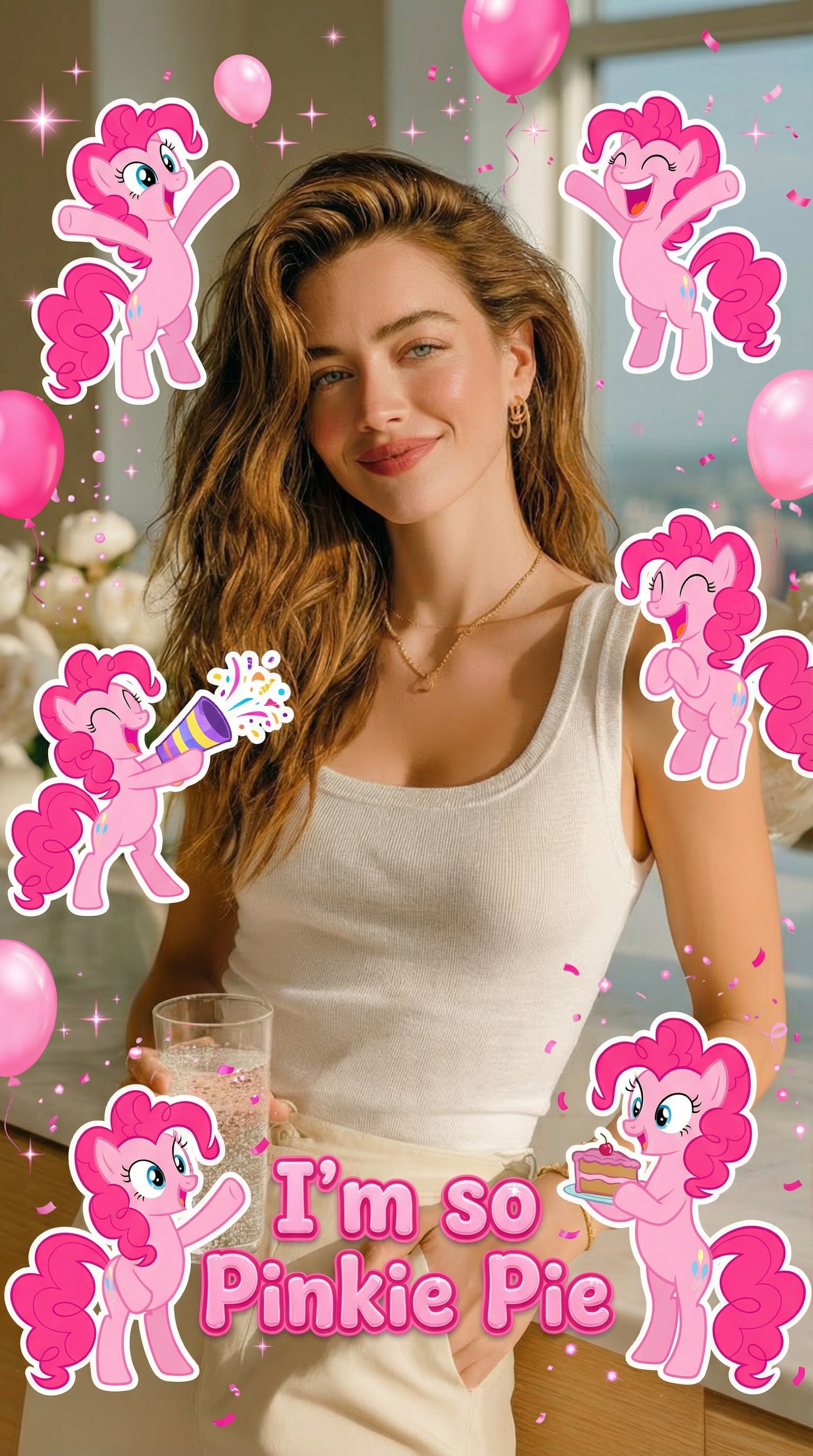
Pinkie Pie
Use the uploaded photo as the main reference and keep the person exactly the same.
Add 7 cute cartoon-style stickers of 【My Little Pony character: Pinkie Pie 】 floating around the person.
Each pony sticker should have a different pose, facial expression, and size, inspired by the original My Little Pony animation style.
Make the stickers interact naturally with the scene (around the shoulders, hair, background, or hands), but do NOT cover the face, eyes, or phone.
Keep a clean and playful layout with enough spacing between each sticker so they don’t overlap.
Add the text “I’m so” in the lower center of the image, using a cute, simple font that matches the My Little Pony vibe.
Use a vertical 9:16 aspect ratio, bright colors, soft lighting, and a fun, cheerful mood.
The final image should look like a viral My Little Pony test filter made for TikTok.
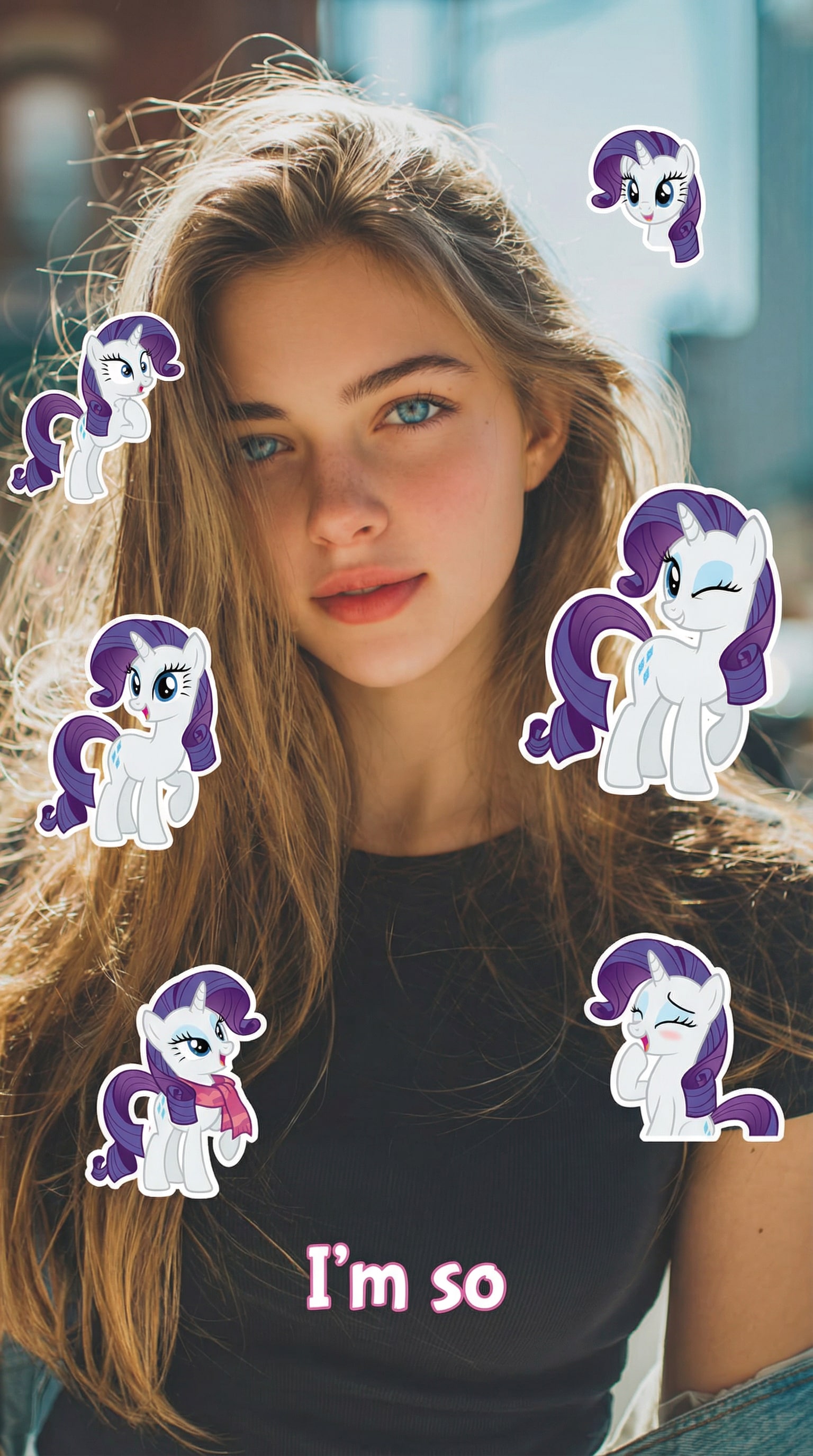
Rarity
Use the uploaded photo as the main reference and keep the person exactly the same.
Add 7 cute cartoon-style stickers of 【My Little Pony character: Rarity】 floating around the person.
Each pony sticker should have a different pose, facial expression, and size, inspired by the original My Little Pony animation style.
Make the stickers interact naturally with the scene (around the shoulders, hair, background, or hands), but do NOT cover the face, eyes, or phone.
Keep a clean and playful layout with enough spacing between each sticker so they don’t overlap.
Add the text “I’m so” in the lower center of the image, using a cute, simple font that matches the My Little Pony vibe.
Use a vertical 9:16 aspect ratio, bright colors, soft lighting, and a fun, cheerful mood.
The final image should look like a viral My Little Pony test filter made for TikTok.
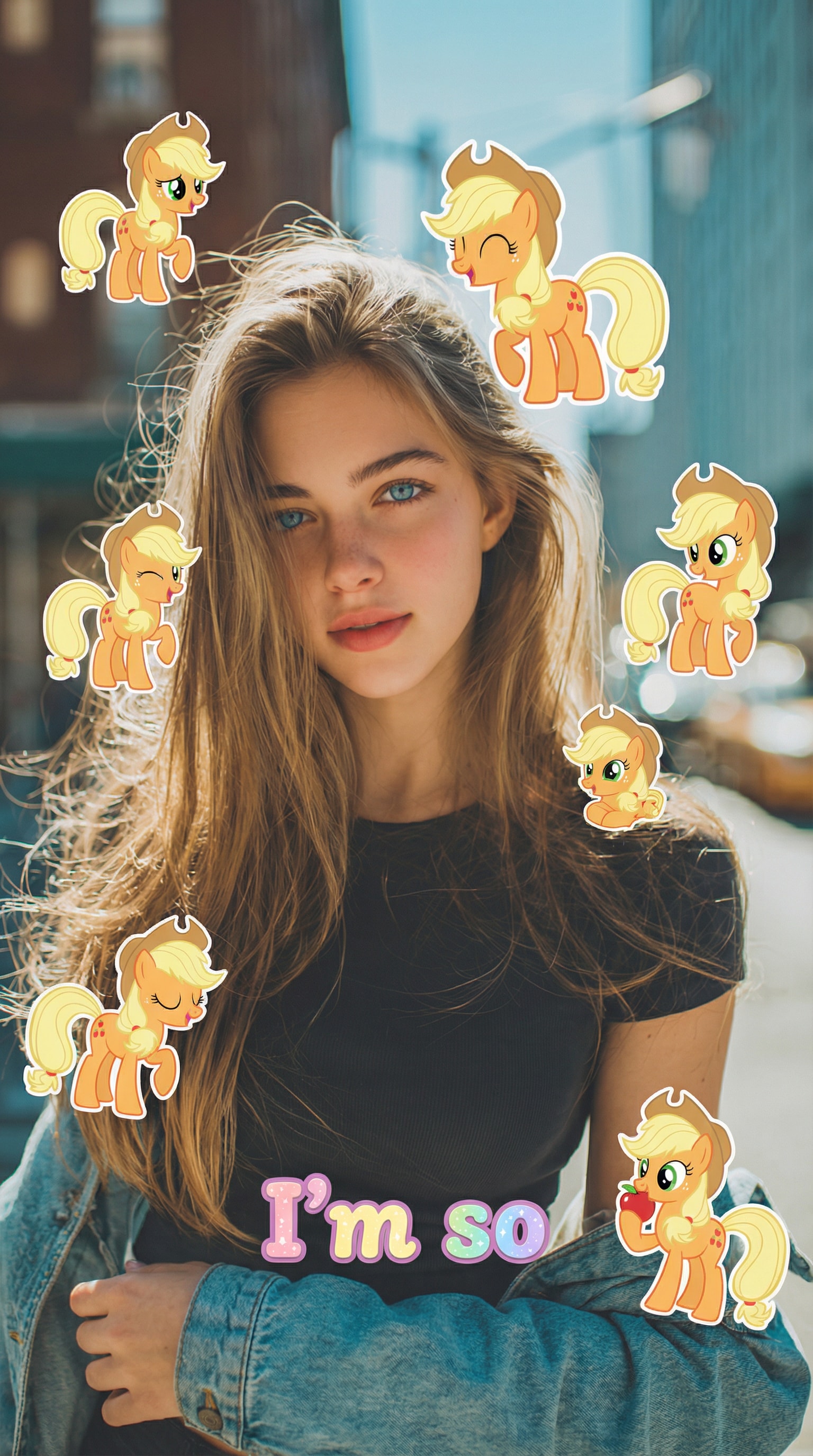
Applejack
Use the uploaded photo as the main reference and keep the person exactly the same.
Add 7 cute cartoon-style stickers of 【My Little Pony character: Applejack】 floating around the person.
Each pony sticker should have a different pose, facial expression, and size, inspired by the original My Little Pony animation style.
Make the stickers interact naturally with the scene (around the shoulders, hair, background, or hands), but do NOT cover the face, eyes, or phone.
Keep a clean and playful layout with enough spacing between each sticker so they don’t overlap.
Add the text “I’m so” in the lower center of the image, using a cute, simple font that matches the My Little Pony vibe.
Use a vertical 9:16 aspect ratio, bright colors, soft lighting, and a fun, cheerful mood.
The final image should look like a viral My Little Pony test filter made for TikTok.
Fluttershy
Use the uploaded photo as the main reference and keep the person exactly the same.
Add 7 cute cartoon-style stickers of 【My Little Pony character: Fluttershy】 floating around the person.
Each pony sticker should have a different pose, facial expression, and size, inspired by the original My Little Pony animation style.
Make the stickers interact naturally with the scene (around the shoulders, hair, background, or hands), but do NOT cover the face, eyes, or phone.
Keep a clean and playful layout with enough spacing between each sticker so they don’t overlap.
Add the text “I’m so” in the lower center of the image, using a cute, simple font that matches the My Little Pony vibe.
Use a vertical 9:16 aspect ratio, bright colors, soft lighting, and a fun, cheerful mood.
The final image should look like a viral My Little Pony test filter made for TikTok.
Pinkie Pie
Use the uploaded photo as the main reference and keep the person exactly the same.
Add 7 cute cartoon-style stickers of 【My Little Pony character: Pinkie Pie】 floating around the person.
Each pony sticker should have a different pose, facial expression, and size, inspired by the original My Little Pony animation style.
Make the stickers interact naturally with the scene (around the shoulders, hair, background, or hands), but do NOT cover the face, eyes, or phone.
Keep a clean and playful layout with enough spacing between each sticker so they don’t overlap.
Add the text “I’m so” in the lower center of the image, using a cute, simple font that matches the My Little Pony vibe.
Use a vertical 9:16 aspect ratio, bright colors, soft lighting, and a fun, cheerful mood.
The final image should look like a viral My Little Pony test filter made for TikTok.
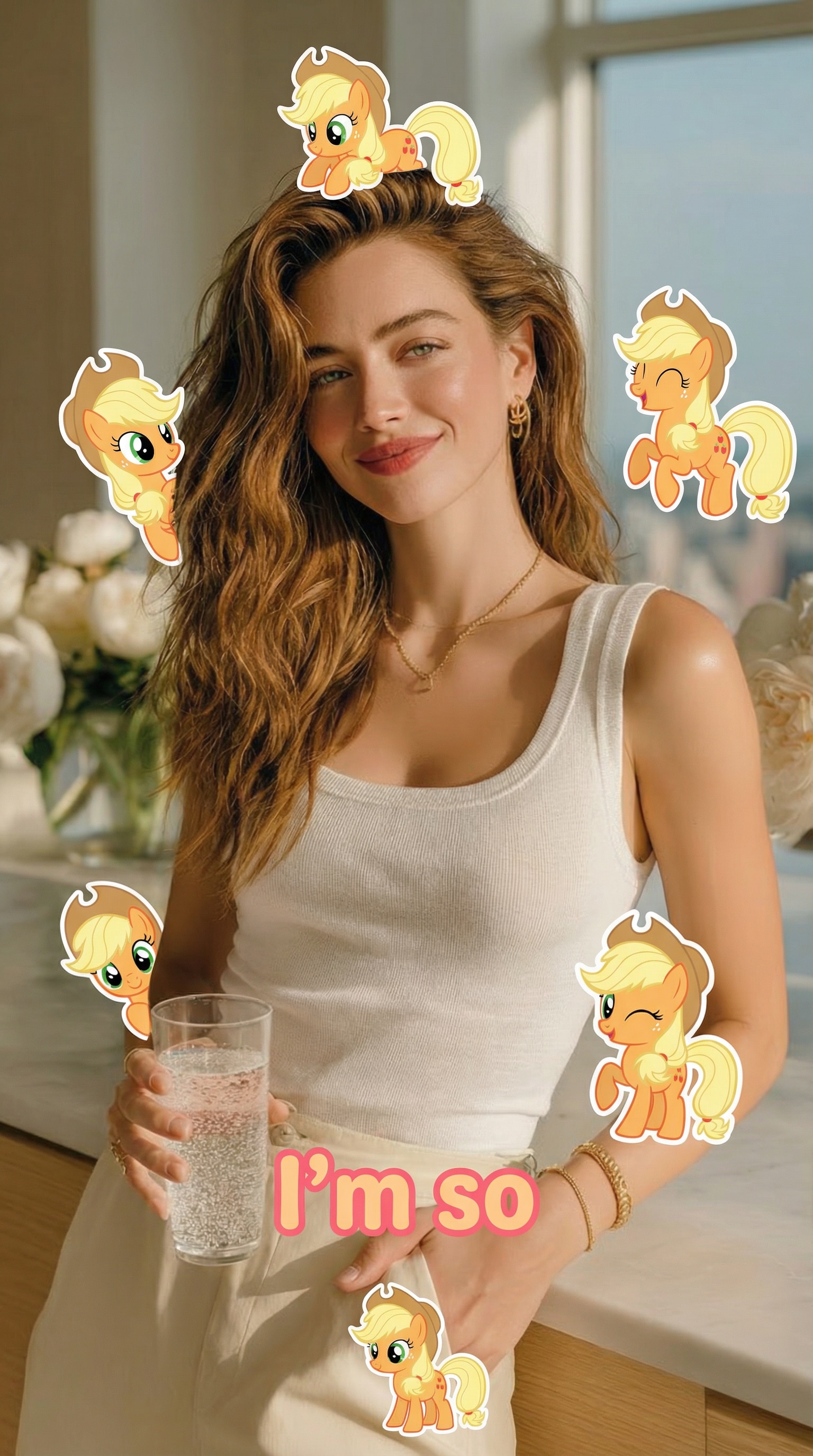
Applejack
Use the uploaded photo as the main reference and keep the person exactly the same.
Add 7 cute cartoon-style stickers of 【My Little Pony character: Applejack】 floating around the person.
Each pony sticker should have a different pose, facial expression, and size, inspired by the original My Little Pony animation style.
Make the stickers interact naturally with the scene (around the shoulders, hair, background, or hands), but do NOT cover the face, eyes, or phone.
Keep a clean and playful layout with enough spacing between each sticker so they don’t overlap.
Add the text “I’m so” in the lower center of the image, using a cute, simple font that matches the My Little Pony vibe.
Use a vertical 9:16 aspect ratio, bright colors, soft lighting, and a fun, cheerful mood.
The final image should look like a viral My Little Pony test filter made for TikTok.
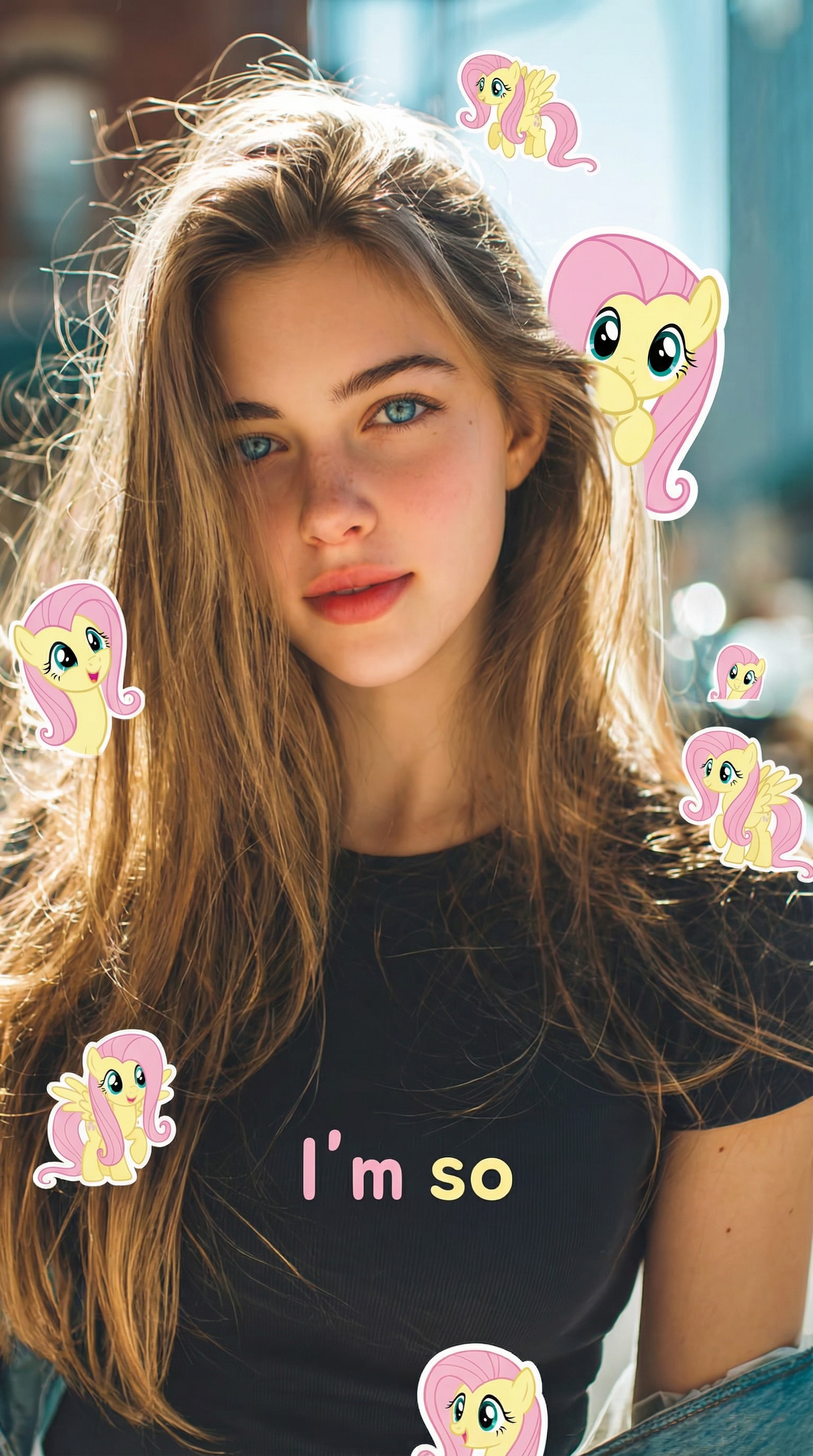
Fluttershy
Use the uploaded photo as the main reference and keep the person exactly the same.
Add 7 Fluttershy stickers from My Little Pony around the person, with gentle poses, shy smiles, soft eyes, and pastel tones.
The stickers should feel calm, sweet, and friendly, floating naturally without covering the face.
Use soft lighting, light pink and yellow colors, and a warm, cozy atmosphere.
Add the text “I’m so Fluttershy” in the lower center.
Aspect ratio 9:16, clean background, cute and comforting My Little Pony test filter style.
Rainbow Dash
Use the uploaded photo as the main reference and keep the person exactly the same.
Add 7 Rainbow Dash stickers with dynamic poses, confident expressions, and energetic movement.
Use bright rainbow colors, bold contrast, and a lively, sporty vibe.
Stickers should fly or float around the person without covering the face.
Add the text “I’m so Rainbow Dash” in the lower center.
Vertical 9:16 format, vibrant lighting, viral TikTok My Little Pony AI filter look.
Twilight Sparkle
Use the uploaded photo as the main reference and keep the person exactly the same.
Add 7 Twilight Sparkle stickers with thoughtful expressions, soft magical effects, and elegant poses.
Include subtle sparkles, light glow, and purple-blue color tones.
Keep the stickers evenly spaced and avoid covering the face.
Add the text “I’m so Twilight Sparkle” in the lower center.
Aspect ratio 9:16, clean and polished My Little Pony test filter aesthetic.
Pinkie Pie
Use the uploaded photo as the main reference and keep the person exactly the same.
Add 7 Pinkie Pie stickers with exaggerated poses, funny expressions, and playful energy.
Use bright pink colors, bouncy composition, and a joyful party vibe.
The stickers should feel random but balanced, without blocking the face.
Add the text “I’m so Pinkie Pie” in the lower center.
Vertical 9:16, colorful, chaotic-fun My Little Pony AI filter made for TikTok.
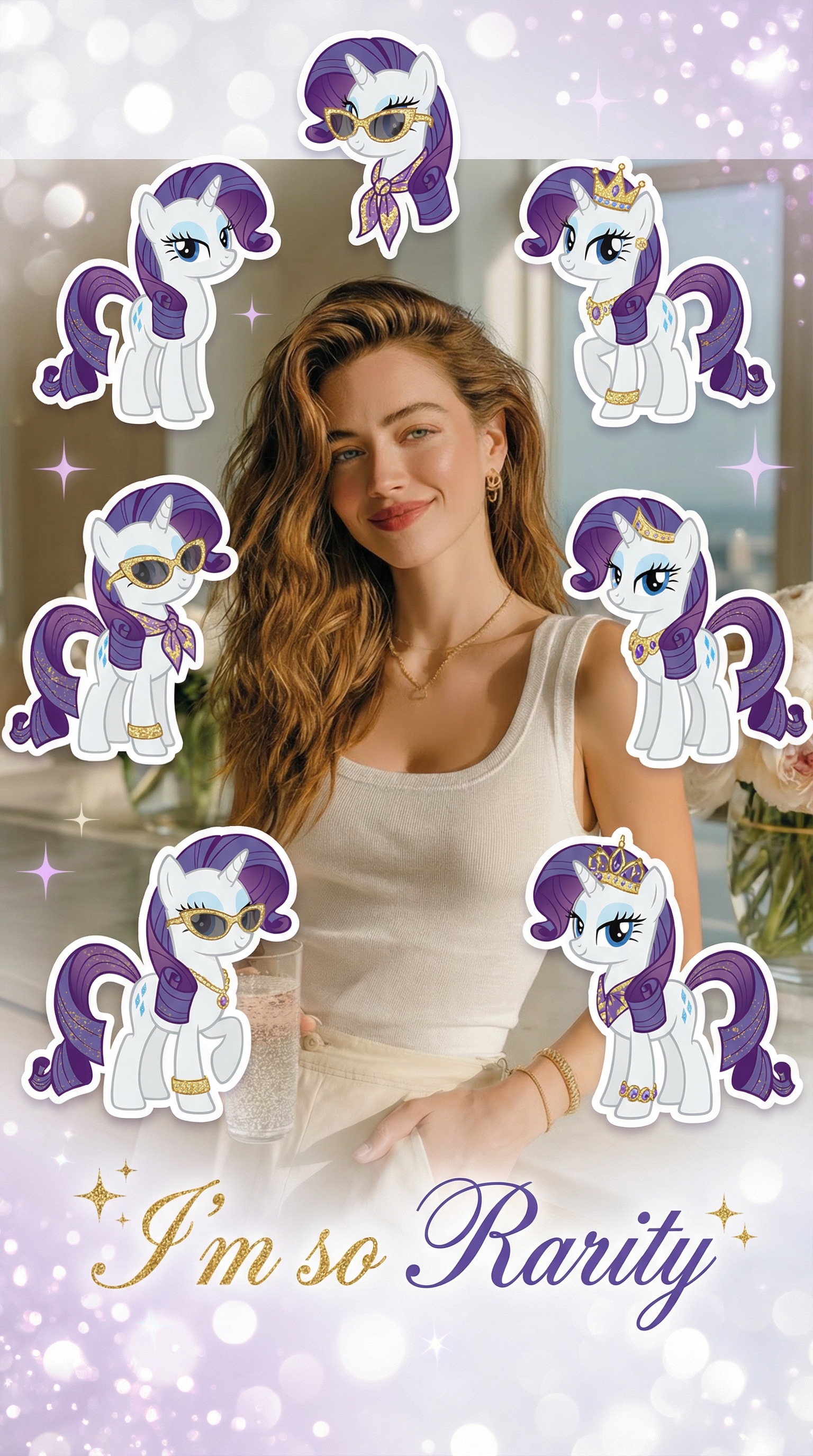
Rarity
Use the uploaded photo as the main reference and keep the person exactly the same.
Add 7 Rarity stickers with elegant poses, confident expressions, and stylish details.
Use soft white, purple, and sparkle accents for a fashionable, polished look.
Keep the layout clean and classy, avoiding any face obstruction.
Add the text “I’m so Rarity” in the lower center.
Aspect ratio 9:16, chic My Little Pony test filter style for social media.
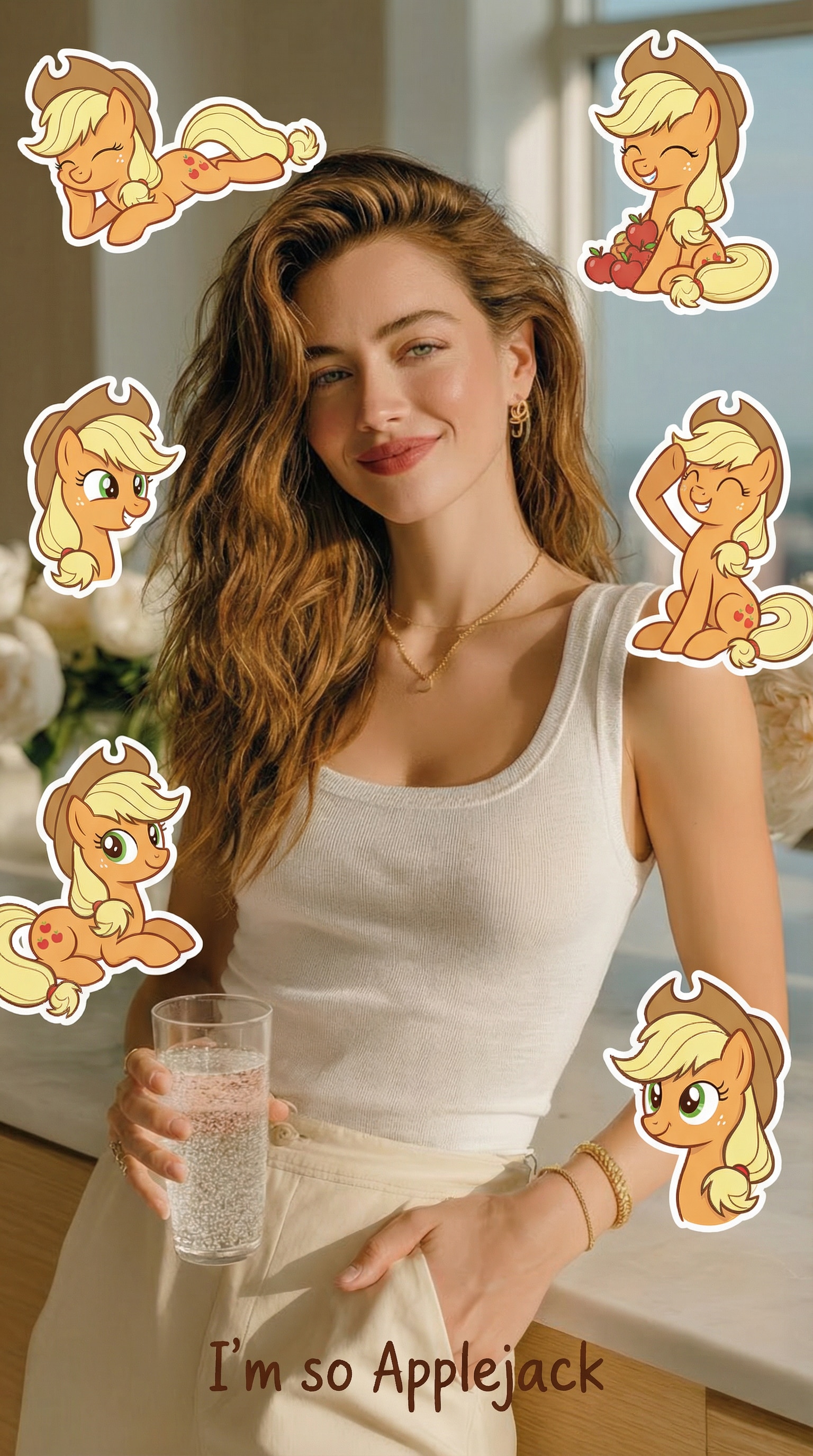
Applejack
Use the uploaded photo as the main reference and keep the person exactly the same.
Add 7 Applejack stickers with friendly smiles, relaxed poses, and warm expressions.
Use earthy tones, natural lighting, and a simple, honest visual style.
Stickers should float naturally around the person without covering the face.
Add the text “I’m so Applejack” in the lower center.
Vertical 9:16, cozy and approachable My Little Pony AI filter look.
Why the My Little Pony Test Filter Went Viral
The My Little Pony test filter isn’t just another cute effect—it combines personality testing, AI creativity, and social sharing into one simple experience that people love to try, save, and share.
Discover Your Pony Personality Instantly
People don’t just want a filter—they want to know which My Little Pony character they are.
By starting with a fun My Little Pony test, users feel an instant emotional connection to their result, whether it’s Fluttershy, Rainbow Dash, or Twilight Sparkle. This sense of identity is what makes the trend feel personal, not random.
Seeing your personality reflected through a familiar character turns curiosity into excitement—and gives users a reason to keep going and create something they actually care about.
Turn Test Results into a Shareable AI Image
A test result alone isn’t enough for social media. Users want something visual.
With Media.io’s My Little Pony AI filter, a simple selfie becomes a sticker-style image filled with pony characters, playful poses, and expressive details inspired by the original show.
The result feels crafted, not generic—perfect for people who want their My Little Pony test filter image to stand out instead of looking like a basic template.
Made for TikTok, Reels, and Stories
This trend exploded because it fits how people post today.
Images are generated in a vertical 9:16 format, optimized for TikTok, Instagram Reels, and Stories, so users don’t need to crop or edit anything after generating.
Whether you’re joining the My Little Pony trend for fun, reacting to your test result, or posting alongside friends, the final image is ready to share the moment it’s created.
No Design Skills, Just Your Photo and a Prompt
Most users aren’t designers—and they don’t want to be.
Media.io removes all the friction by letting anyone upload a photo, pick a ready-made prompt, and generate a polished My Little Pony AI filter image in seconds.
No apps to install, no complicated settings to learn. Just choose your character, generate your image, and show everyone which My Little Pony character you are.
FAQs About
My Little Pony Test Filter
1. What is the My Little Pony test filter?
The My Little Pony test filter is a viral AI photo effect inspired by the popular personality test trend.
Users first discover which My Little Pony character they are, then use an AI filter to turn their selfie into a fun, sticker-style image that matches their result.
It’s a creative way to combine personality testing, AI images, and social sharing in one experience.
2. How do I know which My Little Pony character I am?
Most users start by taking a My Little Pony test that matches their personality to a pony character like Fluttershy, Rainbow Dash, or Twilight Sparkle.
Once you know your result, you can choose the corresponding prompt on Media.io to create an AI image that reflects your character.
This makes the final image feel personal, not random.
3. Can I try the My Little Pony AI filter for free?
Yes. Media.io allows you to try the My Little Pony AI filter online for free, so you can explore the effect before deciding whether to upgrade.
Free users can test the feature and see how the AI generates sticker-style images from their photos.
Additional options and higher output limits are available for users who want more flexibility.
4. Is my photo safe when using the My Little Pony test filter?
Your privacy is taken seriously.
Media.io automatically removes uploaded and generated content within a short period, so your photos aren’t stored long-term.
This allows you to enjoy the My Little Pony test filter with confidence, without worrying about your personal images being kept indefinitely.
5. Can I use the generated images for any purpose?
Images created with the My Little Pony AI filter are mainly designed for personal enjoyment and social sharing.
If you plan to use generated content beyond casual or personal scenarios, it’s a good idea to make sure it aligns with your local guidelines and intended use.
Users are encouraged to review how and where they share their creations to ensure everything feels appropriate and comfortable.
What Users Are Saying About My Little Pony Test
Alex M.
Long-Distance Lover
Way cuter than I expected.
I took the My Little Pony test just for fun, but seeing my result turned into an AI sticker photo was a surprise. The pony character really matched my personality, and the stickers looked playful without covering my face.
Maya J.
Graphy Designer
It actually feels personal, not random.
I thought the My Little Pony AI filter would look generic, but the poses, expressions, and layout felt well designed. The result looked like something made specially for me, not just another template.
Jordan P.
Casual User
Posted it on TikTok and everyone asked how I did it.
After creating my image, I shared it as part of the My Little Pony trend. Friends started guessing which pony they were, and the post got way more engagement than I expected. Such a fun way to join the trend.