AI Christmas Tree Effect
Create a Viral AI Christmas Tree Effect from Your Photos in Seconds 🎅
Turn your selfies or portraits into a stunning AI Christmas Tree Generator masterpiece.
Upload multiple images and let Media.io’s AI automatically arrange your faces into a festive AI Portrait Christmas Tree — complete with lights, ribbons, and a magical holiday glow. Whether you want to make a fun AI Xmas Tree Effect, a romantic AI Wish Tree, or a trending Crush Tree, Media.io helps you create it all — fast, realistic, and ready to share on TikTok or Instagram.
🎁 Generate My Christmas Tree Now →
🎄 How It Works: Turn Photos into a Stunning AI Christmas Tree
Create your own AI Portrait Christmas Tree in just three simple steps. No editing skills needed — just upload your photos, pick your favorite prompt, and let Media.io’s AI Christmas Tree Generator do the magic.
Open the AI Christmas Tree Generator
Head to Media.io’s AI Christmas Tree Effect page. This smart online tool lets you instantly transform your photos into a festive tree collage. No downloads or sign-ups required — everything runs right in your browser.
Upload Photos & Choose a Prompt
Upload multiple selfies, portraits, or headshots — they’ll form the leaves of your AI Christmas Tree. Add a short prompt or select one from the Christmas Tree Prompt Library below for best results. Media.io’s AI will automatically understand your theme — from Crush Trees to Family Trees.
Generate & Save Your Portrait Tree
Click generate to let the AI arrange your photos into a perfectly shaped AI Xmas Wish Tree. Watch your portraits light up with glowing ribbons, ornaments, and snow sparkle. Once ready, download the image or share your viral creation on TikTok, Instagram, or with friends.
| Style | Christmas Tree Photo Prompt | Preview | Copy |
|---|---|---|---|
|
AI Crush Christmas Tree
|
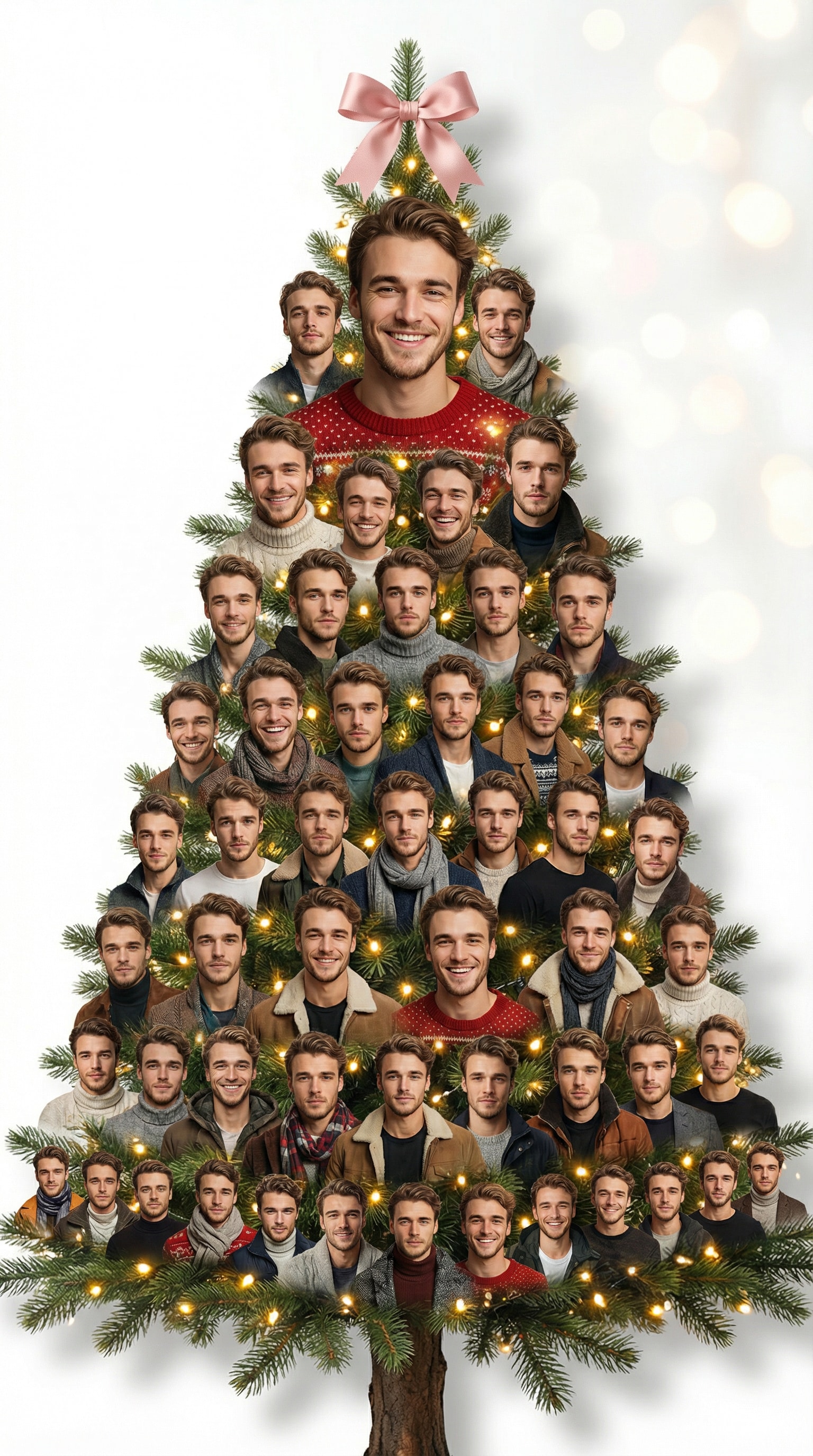
Create an AI Christmas tree made entirely of multiple portrait headshots of the same person, each showing different facial expressions, poses, and angles. All portraits should be cropped as clean bust or face-only cutouts with transparent backgrounds, arranged in layers forming a Christmas tree silhouette. Faces should not overlap too tightly—keep a natural stacked arrangement with visible spacing and balanced composition. Add realistic pine branches and warm golden fairy lights subtly wrapping around the tree. Place a pink ribbon bow on top. Background: plain white or light beige with soft festive glow. Style: ultra-realistic portrait collage, smooth edges, consistent lighting, cinematic clarity. text watermark, cropped forehead, distorted face, extra body parts, strong shadow, background clutter, text overlay, frame borders, low quality |
|
|
|
AI Crush Christmas Tree
|
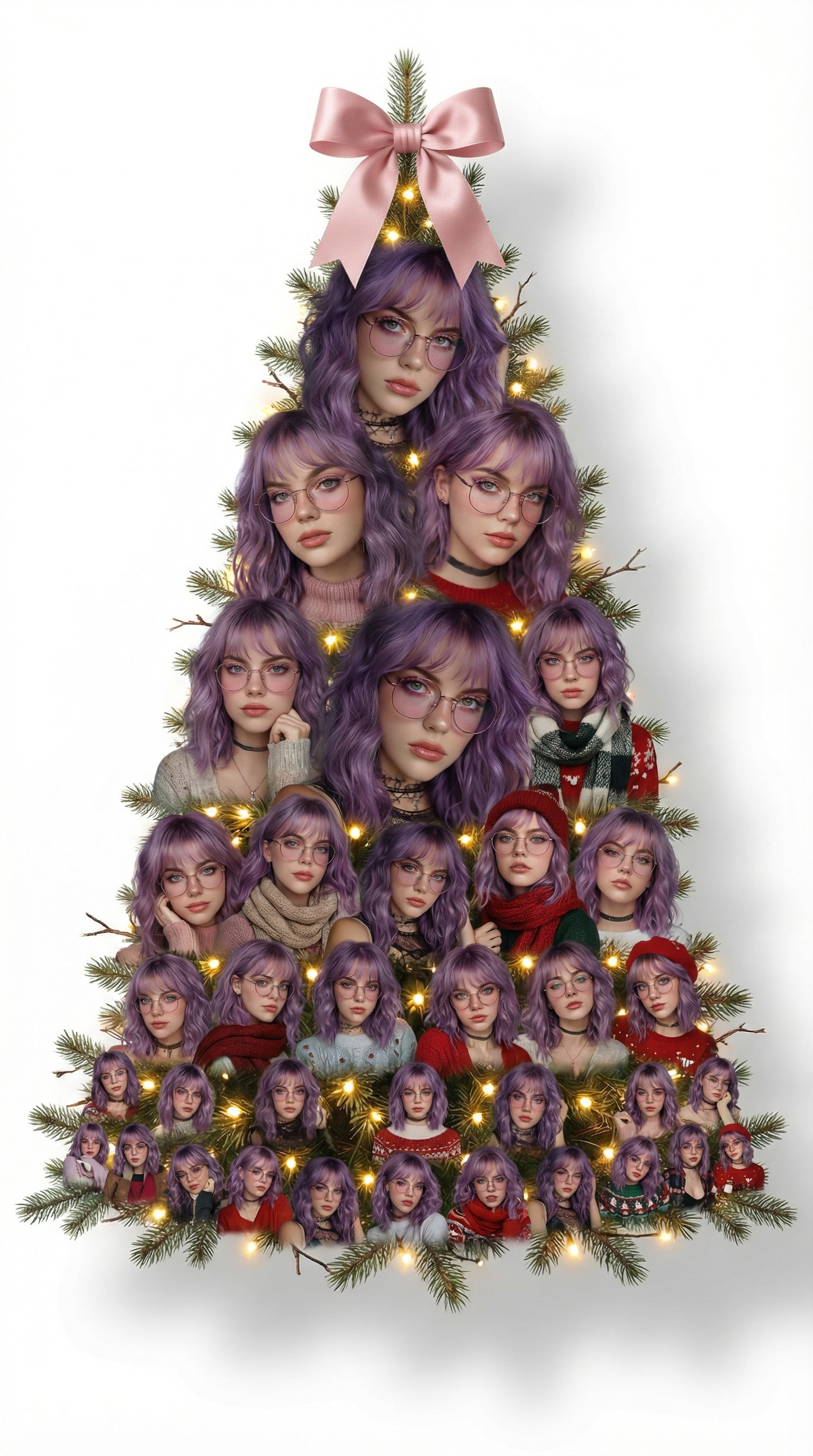
Create an AI Christmas tree made entirely of multiple portrait headshots of the same person, each showing different facial expressions, poses, and angles. All portraits should be cropped as clean bust or face-only cutouts with transparent backgrounds, arranged in layers forming a Christmas tree silhouette. Faces should not overlap too tightly—keep a natural stacked arrangement with visible spacing and balanced composition. Add realistic pine branches and warm golden fairy lights subtly wrapping around the tree. Place a pink ribbon bow on top. Background: plain white or light beige with soft festive glow. Style: ultra-realistic portrait collage, smooth edges, consistent lighting, cinematic clarity. text watermark, cropped forehead, distorted face, extra body parts, strong shadow, background clutter, text overlay, frame borders, low quality |
|
|
|
Couple Avatar Tree
|
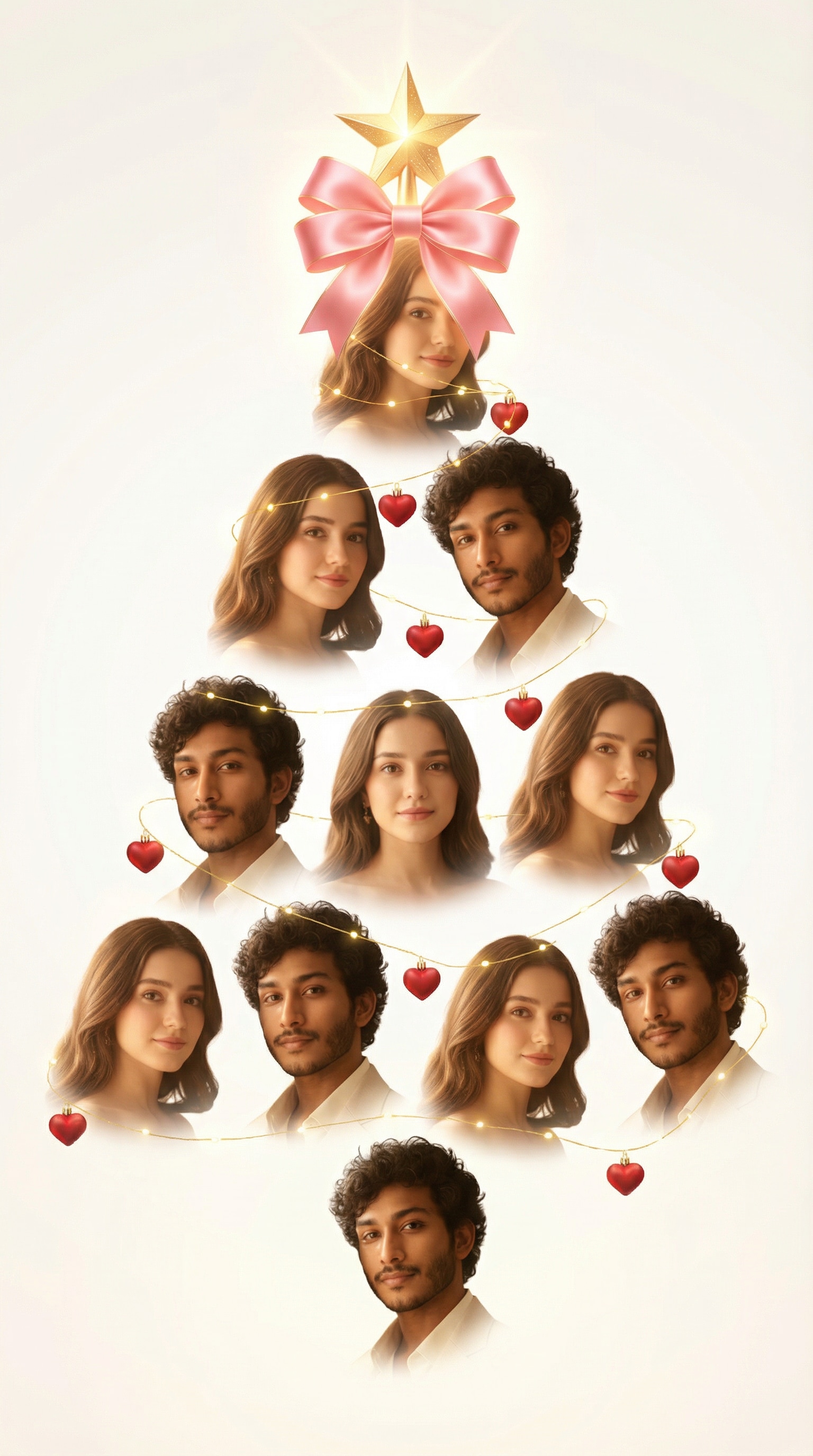
Generate a romantic Christmas tree made of portrait headshots of a man and a woman — cropped as clean face or bust cutouts with transparent backgrounds. Arrange both faces alternately in a Christmas tree shape with soft spacing between each photo. Add delicate golden lights, heart-shaped ornaments, and a glowing star or pink ribbon on top. Ensure lighting and tone are warm and consistent across all portraits. Background: soft white or ivory with gentle festive glow. Style: cinematic portrait collage, smooth edges, dreamy holiday atmosphere. full-body, blurred face, text watermark, harsh shadows, cropped face, background noise, framed photos, overlapping faces, low quality |
|
|
|
AI Pet Christmas Tree
|
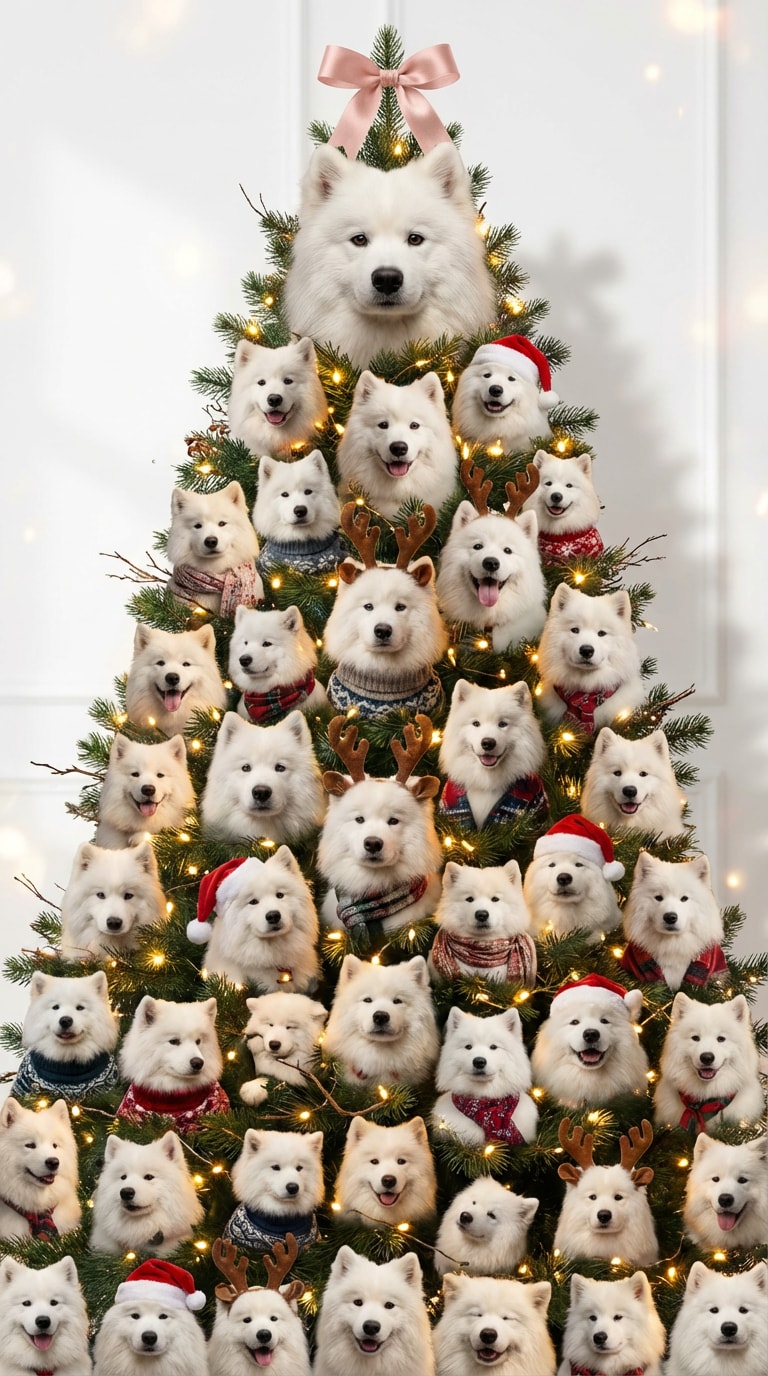
Create a full Christmas tree made of multiple portrait headshots of the same pet, each showing different moods, outfits, and poses. The portraits should seamlessly blend into the branches, replacing the tree leaves — forming a realistic tree silhouette made of faces. Keep the pine branches visible underneath with warm golden fairy lights shining between the portraits. Ensure the tree has a clear triangular shape, with one large headshot near the top and smaller ones toward the base for balance. Add a soft pink ribbon bow on the tree top. Background: clean white with subtle festive lighting and faint shadows for depth. Style: ultra-realistic portrait collage, cinematic lighting, consistent tone, natural shadows. frame borders, boxed photos, cropped heads, text watermark, missing tree shape, plain collage, floating faces, distorted proportions, background clutter, low quality |
|








FAQs About
AI Christmas Tree Generator
1. Is my data safe when using the AI Christmas Tree Generator?


Absolutely. Your photos are processed securely and automatically deleted within seven days of upload. Media.io does not store or share your images — every AI Christmas Tree Effect you create stays private and protected.
2. Can I try the AI Christmas Tree Effect for free?
Yes! You can explore the AI Christmas Tree Generator for free and preview your results instantly. It’s a great way to test different prompts and styles before choosing to download the full-resolution image.
3. What types of photos work best for the AI Portrait Christmas Tree?
Clear selfies or portrait headshots with good lighting deliver the best outcome. Avoid group photos or blurry images — the AI arranges individual faces to form a perfect Christmas tree shape with balanced spacing and glow.
4. Can I use my AI Christmas Tree creation for gifts, posts, or designs?
Of course — you’re free to download and share your portrait tree for personal, social, or creative use. For any commercial or promotional purpose, please ensure your final artwork meets local copyright and usage regulations.
5. Why is this effect trending on TikTok and Instagram?
Because it’s fun, fast, and totally unique! The AI Xmas Tree Effect turns your photos into a personalized holiday collage that looks straight out of a viral post. People love creating Crush Trees, Couple Trees, and Family Trees to celebrate the season in their own style.
Why Creators Love Media.io’s AI Christmas Tree Photo Generator?

Long-Distance Lover


Made my AI Christmas Tree go viral. I used the AI Christmas Tree Generator to turn a few selfies into a festive portrait tree. The result looked magical — glowing lights, perfect layering, and a dreamy Christmas glow that felt totally real. My friends couldn’t believe it was AI-made.

Graphy Designer
Better than a holiday card. I thought it would just look like a basic collage, but the AI Portrait Christmas Tree came out elegant and cinematic. Each photo blended naturally into the tree shape, and the warm lights made it feel like a real holiday decoration.

Casual User
Perfect TikTok surprise. I tried the trending AI Xmas Tree Effect with the Nano Banana Pro prompt and shared it on TikTok — everyone loved it! The glowing portrait tree got tons of reactions and instantly became the highlight of my holiday feed.



