





Hera AI: Motion Design You Can Still Edit After Generation

A generated ad might look polished until the team asks to move the headline and update a chart. Hera AI approaches that problem as an AI-native creative canvas: designers can create images, layouts and animation with multiple agents while retaining editable layers. The important comparison is not whether it produces any AI video, but whether its design-control workflow fits your approval process better than a straightforward scene or chart video maker.

Hera AI Creative Canvas Features for Design and Animation

Hera AI is a layer-editable creative canvas for generating images, design compositions and motion graphics with AI agents, allowing teams to adjust visual elements and animate brand-driven content within one workspace.

Core Feature Overview

AI-Native Canvas for Connected Design Work

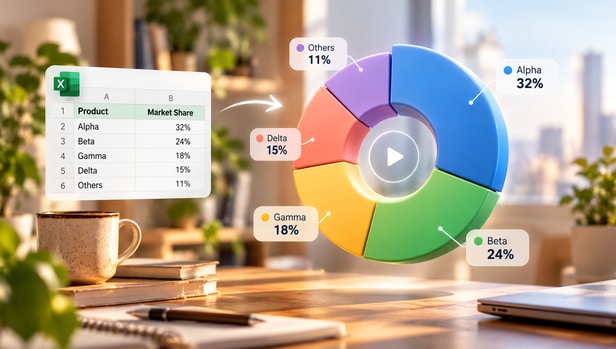
Hera starts from a reference or brief rather than forcing the creator through separate image, design and video products. The canvas is useful when a product launch begins with several style directions and ends with a motion asset. A campaign designer can compare a bold type treatment against a quieter editorial alternative while keeping the working material together. The tool is not simply an automatic slideshow maker; its value depends on whether you intend to move visual pieces around after the first result.

Illustrative Media.io visual, not a Hera AI product screenshot

Editable Layers for Generated Elements

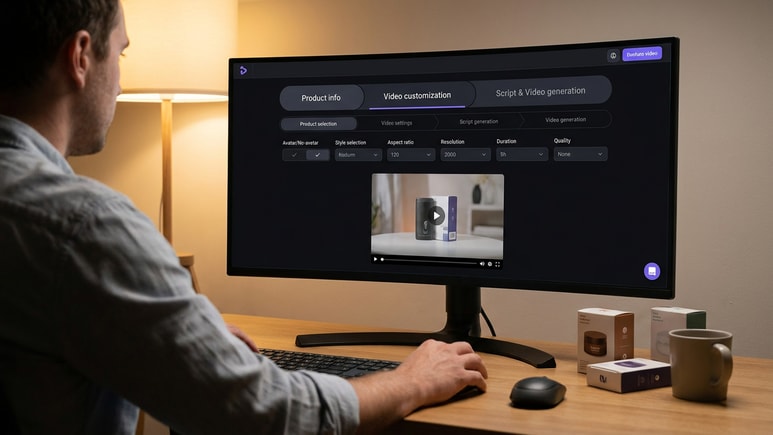
Hera makes editable layers central to its public product position. A social ad can have separate background, logo, headline and button elements rather than being locked into a flattened AI image. For brand teams, that may reduce the number of complete regenerations required when a legal line or offer changes. Layer editability is a workflow advantage, but precise file interchange, export formats and complex motion-curve support should be checked with the current product before committing a professional design system.

Illustrative Media.io visual, not a Hera AI product screenshot

Multiple AI Agents on One Creative Brief

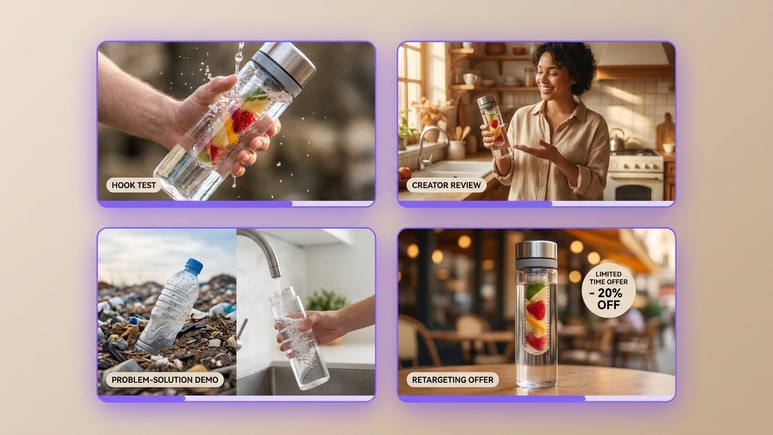
The homepage describes directing more than one AI agent at once. A designer might request several launch card concepts, review which typography and imagery work, then move forward with one editable direction. This changes the rhythm from one prompt followed by one output to a broader ideation workspace. The benefit is exploratory range; it does not make every draft brand-safe. Review readability, contrast and copy accuracy across each variation.

Illustrative Media.io visual, not a Hera AI product screenshot

Image-to-Design-to-Motion Workflow

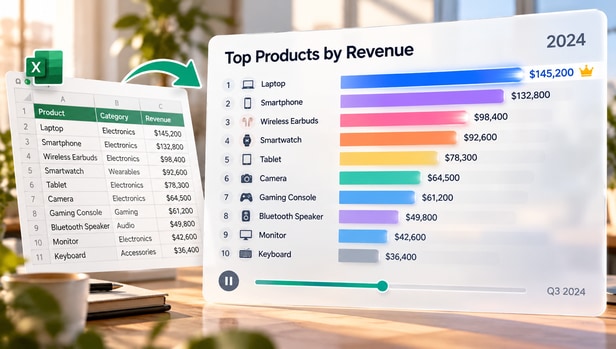
Hera presents image generation, graphic design and animation as connected stages. A data report might first become a clear stat card and then an animated chart reveal. Because motion is rooted in a design layout, its strongest use cases are branded explainers, UI motion and short marketing graphics rather than a multi-character drama. Confirm the particular animation controls and output requirements before promising a specific cinematic movement or frame-accurate animation.

Illustrative Media.io visual, not a Hera AI product screenshot

Brand Motion Kits and Reusable Assets

Hera publishes templates for reusable lower thirds, chart labels, overlays, product callouts and brand motion systems. An agency might use these starting structures for ten related social cuts that share colors and typography. Such patterns are editorial briefs and reusable design systems, not a guarantee of automated brand governance or automatic approval. Brand owners should specify safe margins, licensed assets, prohibited visual language and the required review checkpoints.

Illustrative Media.io visual, not a Hera AI product screenshot

Specific Templates for Launches and Data Stories

The templates library is more concrete than a generic inspiration gallery: it describes outcomes such as a 20-45 second launch video, a report summary, an overlay pack and a short ecommerce clip. A marketer can begin with one of these briefs to keep the message focused. Use the structure to state inputs, audience and call to action before creating motion. If a company needs a traditional nonlinear timeline for long recorded footage, a separate editor may still be necessary.

Illustrative Media.io visual, not a Hera AI product screenshot

How to Animate a Report Chart With Media.io

1
2
3
1
Prepare the data to animate

Select the approved chart, identify the headline insight and check units, axes and dates before converting it.

2
Create the animated visual

Use Media.io Animated Chart Maker to turn the supplied data or graphic into a concise motion-led explanation.

3
Verify the numbers and export

Compare the animation to the original dataset, keep labels readable and export the chart for an approved report video.

Illustrative Media.io creation step, not Hera AI interface screenshot

Hera AI Use Cases for Branded Motion and Visual Explanation

Hera is most relevant to designers who expect to revise text, layout and brand elements after AI generation. The use cases center on editable graphic communication rather than generic cinematic spectacle.

Product Hunt Launch Graphics

Build a short animated product reveal with editable title cards, logo placement and CTA frames ready for late copy approval.

Investor Dashboard Summary

Translate several verified metrics into animated stat cards, preserving scale, units and source labeling for the business audience. For a related Media.io workflow, see Data Visualization Maker.

Talking-Head Overlay Package

Design caption-safe lower thirds, quote cards and explanatory callouts that can sit over existing footage.

Mobile App UI Feature Reveal

Use screen mockups and motion labels to explain a new interaction without presenting an illustrative UI as a tested live recording.

Ecommerce Offer Variants

Adapt product claim cards, benefit icons and vertical offer frames across several channel-specific motion formats. For a related Media.io workflow, see Sales Report Video.

Reusable Agency Brand Motion

Establish shared typography, colors and transition ideas for an ongoing group of launch assets instead of independently prompting each export.

Hera AI Pricing, Export and Motion Design Tradeoffs

A flexible design canvas does not automatically replace a full editing or animation pipeline. Check exact output requirements and the current pricing before moving a brand system.

Animation Is Not a Whole Narrative Film

Hera focuses on layer-based design and motion graphics. It is not evidenced as a complete long-form actor-consistent film production system.

Precise Output and Interchange Need Verification

Public pages emphasize editable layers but do not provide a stable universal guarantee for AE project handoff, vector export or frame-accurate control.

No Confirmed Public Pricing Grid in Reviewed Pages

The homepage and template documentation do not establish a reliably verified credit and plan schedule. Confirm current access and team-seat terms before quoting a budget.

Agent Variations Need Brand Review

Parallel drafts may use different typography, imagery or claims. Teams should evaluate each composition against accessibility and brand standards.

Charts Must Retain Numerical Meaning

A beautiful infographic can distort a metric if labels, axes or units change. Treat published data as a fixed source when animating reports.

Existing Footage May Need Another Editor

For minute-by-minute interview cuts, multicam audio or dense transitions, check what Hera actually supports before replacing a dedicated video editing setup.

Hera AI vs Media.io: Editable Graphics or Animated Data Video?

Hera emphasizes iterative multi-agent design with editable layers. Media.io Animated Chart Maker is narrower: it focuses on turning specific data visuals into motion for a report or explanation.

Decision Factor Hera AI Media.io
Core workflow Strong Fit Strong fit
Generate and revise graphic design or animation on one canvas.
Animate a chart or structured data graphic for video communication.
Starting material Strong Fit Strong fit
Reference imagery, design brief, brand elements and prompts.
Approved data, chart and explanatory message.
Editability Strong Fit Strong fit
Layered visual elements are central to the product promise.
A task-based generated animation, not a general layered design board.
Creative exploration Strong Fit Strong fit
Explore concurrent AI agent drafts and iterate styles.
Focus on presenting one data-driven visual clearly.
Typical deliverable Strong Fit Strong fit
Brand motion kit, launch asset, overlay or product card.
Animated metrics for a presentation, report or summary.
Revision pressure Strong Fit Strong fit
Change copy, colors and positioning in the creative composition.
Recheck data labels and recreate the intended chart sequence as needed.
Pricing verificationPublic reviewed pages do not establish complete current plan terms.Verify current tool settings and account usage cost.
Primary risk A design can be attractive but inconsistent with brand rules. A chart can be attractive but factually misleading if numbers shift.
Who benefits A design team with frequent visual approvals and variants. Strong Fit Strong fit
A communicator who needs an accurate moving chart quickly.
Best for Hera AI

Choose Hera for Layered Brand Motion Design

Hera has an edge when the agency must keep headlines, logos, shapes and animation directions editable across many approval rounds.

  • Experiment with multiple design routes on one canvas.
  • Keep generated logos, backgrounds and text in adjustable layers.
  • Build a reusable overlay or lower-third system for social footage.
  • Plan consistent brand assets before exporting campaign variants.
  • Verify export and handoff formats against the team production stack.
Visit Hera AI
Best for Media.io

Choose Media.io for Animated Chart Videos

When the job is to communicate verified figures in motion, Media.io Animated Chart Maker provides a more direct path than establishing a complete editable brand design canvas.

  • Start with the original report chart and its exact values.
  • Identify the single message the animation must explain.
  • Keep labels, units and source dates legible for viewers.
  • Use the finished visual inside a product update or report recap.
Turn Charts into Videos With AI

Is Hera AI the Right Tool for Your Motion Graphics?

Our Take

Hera deserves attention when creative approval is the actual bottleneck. Rebuilding a design from scratch after every changed headline is frustrating; an AI-native layer-editable workspace is designed around that reality. The most useful test is whether the layers and exports preserve control through a real client review.

Public marketing pages show clear use-case templates for launches, overlays, chart animations and UI explainers. They do not conclusively establish every advanced motion control or current price. Run a realistic brand kit through the process and inspect readability before choosing a plan.

Choose Hera if you need editable design elements, concurrent draft exploration and ongoing brand motion systems. Choose Media.io Animated Chart Maker when you have approved business data and need a focused animated visual rather than a full creative canvas.

Hera AI FAQ: Features, Pricing and Media.io Alternatives

What does Hera AI actually create?
faq faq

Hera combines image, graphic design and animation generation on an AI-native canvas. Its product positioning emphasizes editable visual layers and multiple agents working on one design brief, rather than only returning a flattened AI video.

Yes. Hera publishes workflows for animated infographics, lower thirds, UI explainers, launch videos, overlay packs and social ads. The exact export and animation controls should be verified in the current product.

Editable layers are explicitly presented as a key differentiator on the official homepage. However, do not assume compatibility with every professional graphics file format without testing the required export.

It is a workspace where a creator can keep images, layout elements and animation ideas together, direct AI agents and compare revisions. This is different from an isolated text-to-video prompt box.

The researched product pages center on branded graphics, short-form motion and design workflows. They do not establish a comprehensive long-form film production system with narrative character continuity.

Yes. Its official templates library includes structures for product launches, data reports, ecommerce videos, app demos, onboarding, overlays and social video ads.

A complete, current public credit and seat schedule was not verified from the reviewed overview and use-case pages. Confirm plan access, team collaboration and render allowances on the live official checkout.

That depends on the task. Hera may be a useful design-led workflow for animated typography and graphic elements. Long source-footage editing, mixing or specialized delivery requirements may still warrant an editor.

Media.io Animated Chart Maker is a focused route for communicating data in motion. It is not presented as equivalent to Hera's layered, multi-agent creative canvas.

What Media.io Creators Say About Their Workflow

Media.io AI video generator user
Sarah L.

Content Creator

star star star star half star

Media.io makes it much easier to test different AI video styles without jumping between several platforms. I can start with a text prompt or image, compare model results, and then resize or polish the clip for social media in the same workspace.

Media.io AI video creator
John D.

Social Media Marketer

star star star star half star

I use Media.io to create quick product clips, ad concepts, and short-form videos from images. The biggest advantage is that generation does not feel like the final step - I can continue with music, captions, enhancement, and format conversion before publishing.

Media.io AI video editing user
Emily T.

Freelance Designer

star star star star half star

The workflow is approachable even when I am experimenting with unfamiliar AI models. I can animate artwork, try different motion prompts, preview the output, and prepare a cleaner final version without needing advanced video-editing experience.

Media.io Online Tools Quality Rating:
vote 4.7 (162,357 Votes)
media.io

AI Video Generator star

Easily generate videos from text or images

Generate