Home>Comparison>Animaker AI

Animaker AI Video Generator

Animaker AI Video Generator is best understood as an animation-first video maker: it helps teams turn scripts, templates, characters, and presentation ideas into explainer-style videos without starting from a blank timeline. It is a practical fit for training, classroom content, HR communication, product walkthroughs, and lightweight marketing explainers. Creators who also want script-to-video storytelling, AI character assets, image-to-video generation, URL-to-ad concepts, music video creation, or broader AI media finishing may still prefer a connected browser workspace such as Media.io.

Core Features of Animaker AI Video Generator

Animaker AI Video Generator is strongest when the project calls for structured animated storytelling rather than raw cinematic AI footage. The key decision points are template depth, character control, presentation pacing, script-to-video drafting, and whether the team needs additional AI media tools after the first animated cut.

Core Feature Overview

  • Animation Templates: Templates shorten the path from a blank idea to an explainer, training clip, or social animation with a recognizable structure.
  • Character Builder: Character tools matter when the video needs a recurring presenter, classroom persona, or branded cartoon cast.
  • Presentation Videos: Presentation video workflows help repurpose slides, talking points, or internal updates into a more visual format.
  • AI Script-to-Video: Script-to-video is useful for turning a written outline into a first animated draft that can be edited rather than built scene by scene.
Animation Templates in Animaker AI

Animaker's template-led approach is useful when speed and structure matter more than building a motion design system from scratch. A marketing assistant can start from an explainer, announcement, onboarding, or lesson-style layout, then adapt scenes, text, timing, and visual elements to the message. Media.io approaches template-style creation from a different angle: AI effects, preset video plays, image-to-video prompts, and model-driven creative styles can help users generate trend-led clips quickly, while Animaker remains stronger for structured cartoon explainers.

Animaker AI Animation Templates

Character Builder in Animaker AI

The character builder is one of Animaker's more distinctive strengths for education, HR, and brand storytelling. Teams can create presenter-style scenes with illustrated people, expressions, gestures, and role-based characters instead of relying only on stock footage. Media.io is a better fit when the character brief moves toward AI character creation, character asset consistency, face swap, image generation, or reusable visual assets for broader stories rather than a single animated explainer.

Animaker AI Character Builder

Presentation Videos in Animaker AI

Animaker can help turn slide-like information into a paced video with scenes, icons, characters, captions, and voiceover elements. That makes it relevant for internal training, product education, classroom recaps, and webinar follow-ups where the goal is clarity rather than dramatic AI visuals. Media.io can complement this when the presentation needs richer media finishing, such as video enhancer cleanup, object remover edits, AI text-to-image or image-to-image assets, music video cuts, or short social derivatives.

Animaker AI Presentation Videos

AI Script-to-Video in Animaker AI

Script-to-video is most valuable as a drafting shortcut: the user can start with a written idea, generate an initial structure, then refine visuals and narration. For repeatable explainer production, this can save planning time, especially when the script already has a clear audience and takeaway. Media.io has a dedicated AI Script to Video direction for turning scripts into story videos, with character setup, storyboard planning, reusable cast assets, and downstream tools such as video enhancer, object remover, and video extend. That makes Media.io more attractive when the goal is script to final story video, not only script to animated scenes.

Animaker AI AI Script-to-Video

How to Use Media.io AI Video Generator

1
2
3
1
Step 1: Open Media.io and Choose Your Input

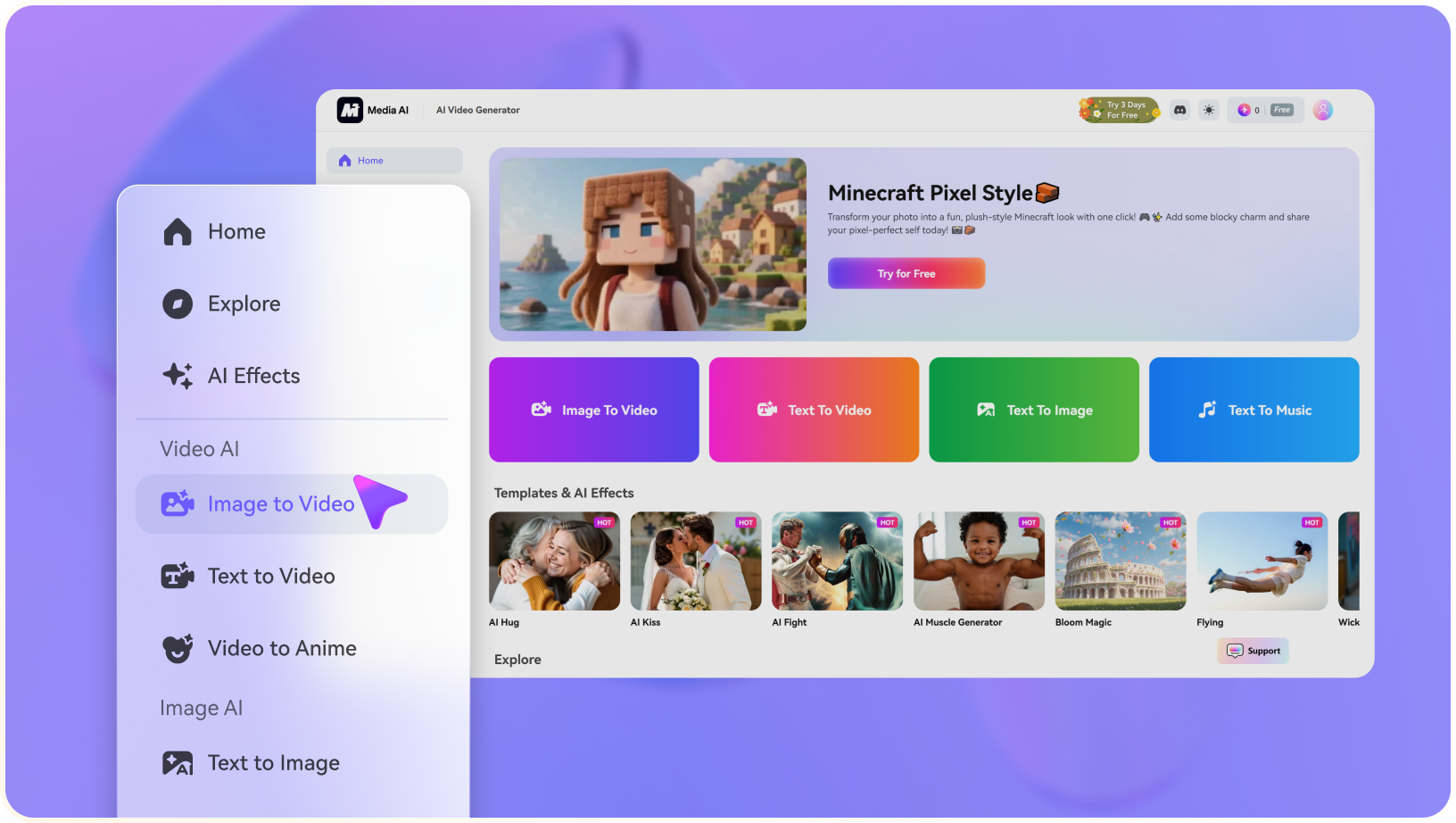
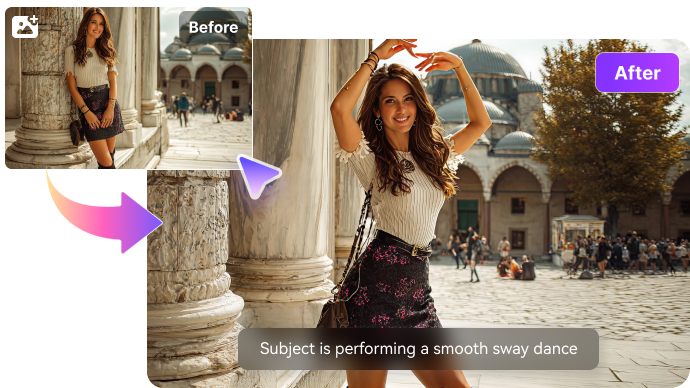
Launch Media.io AI Video Generator and choose whether to start from text or an image.

2
Step 2: Describe the Video or Upload a Reference

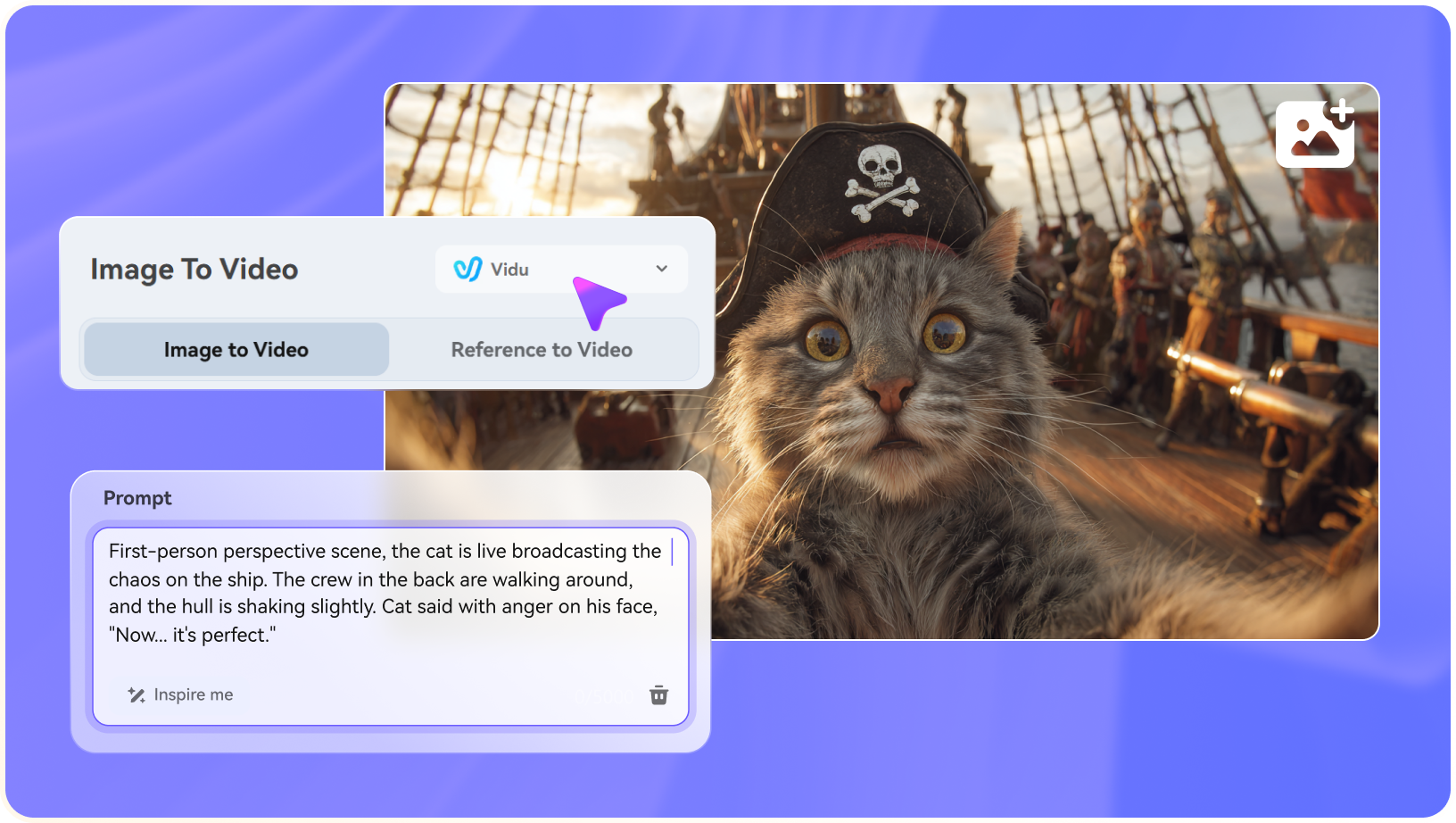
Enter a concise prompt, upload a source image when needed, and specify the motion, camera style, mood, or output goal.

3
Step 3: Generate, Preview, and Continue Editing

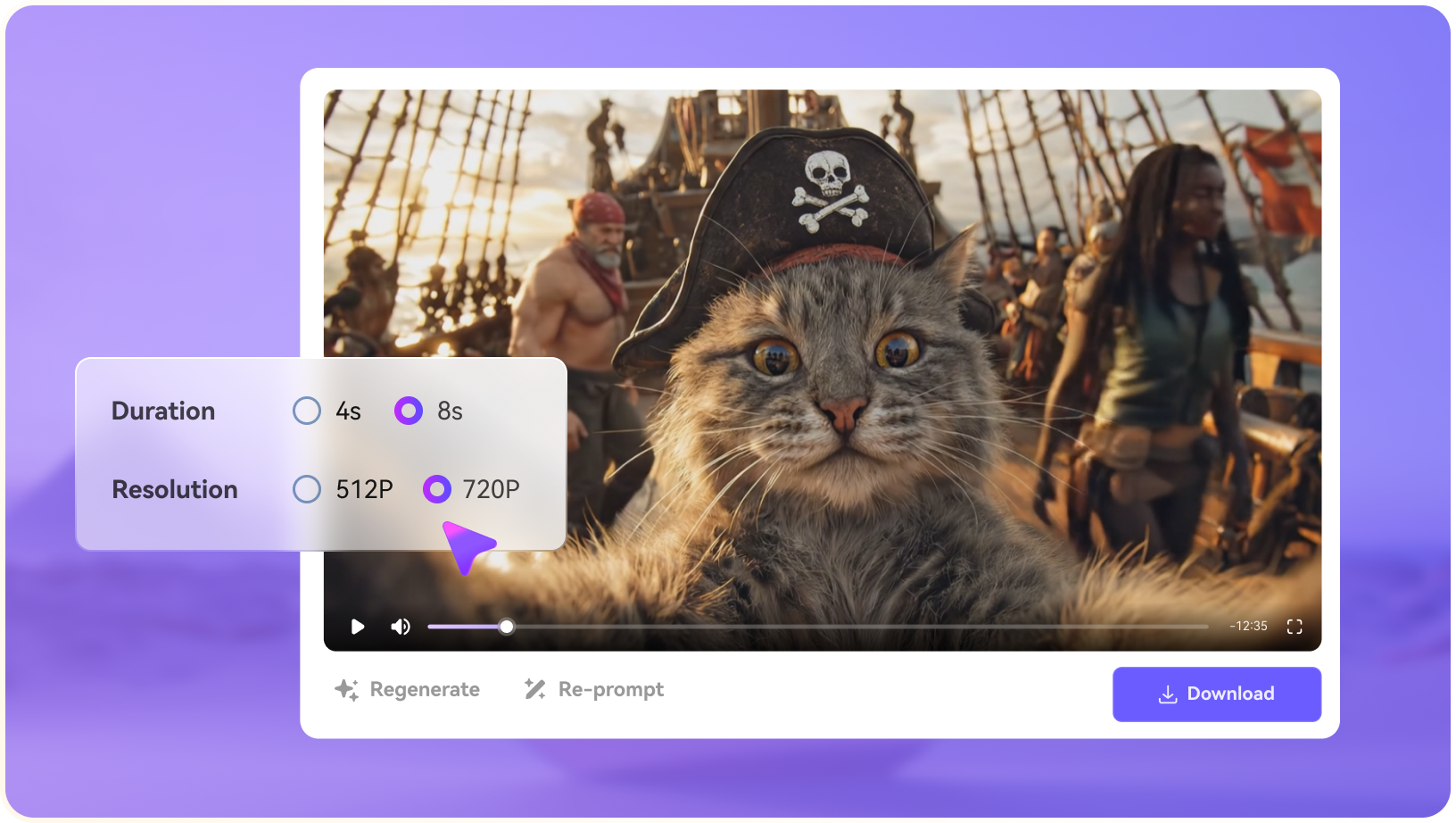
Generate the clip, preview the result, then continue with editing, enhancement, subtitles, music, resizing, or export.

step1 visit media.io
step2 choose a model and upload an image
step3 generate video from photo

Real-World Use Cases: Where Animaker AI Fits

Animaker AI is most convincing when the target output is an animated explainer, training asset, AI presentation video, or character-led story rather than a cinematic AI video clip.

Training and Onboarding Videos

HR and operations teams can turn policy updates, process walkthroughs, safety reminders, or software tutorials into animated lessons. Animaker's characters and scene templates help the content feel lighter than a slide deck, while reviewers can still adjust pacing, captions, and examples before publishing.

Classroom and Educational Explainers

Teachers, tutors, and course creators can explain abstract ideas with illustrated characters, icons, transitions, and short scenes. This is useful for micro-lessons, course intros, language learning examples, and recap videos where the instructor does not want to film every segment.

Marketing Explainers for Products or Services

Small teams can create product intros, feature explainers, SaaS walkthroughs, and campaign teasers when they need a polished animated style but do not have a motion designer on call. A script can become a first draft, then the team can refine calls to action, brand colors, and scene order.

Where Animaker AI Falls Short

The main tradeoffs are not that Animaker lacks value; they are about when a template-led animation tool stops being enough for final delivery.

Template Look Can Be Noticeable

Templates are efficient, but repeated layouts, icons, and character styles can make brand videos feel familiar unless the team customizes scenes carefully.

Less Natural for Cinematic AI Footage

Animaker is better known for animated explainers than for photorealistic image-to-video or model-driven cinematic generation.

Complex Edits Still Need Review

Longer explainers may require manual timing, narration cleanup, caption checks, and scene-by-scene polish before they feel production-ready.

Animaker AI vs Media.io: Which One Fits Your Workflow?

Media.io is a practical Animaker AI alternative when the brief shifts from template-based animated explainers to AI story video production. Its stronger fit is AI Script to Video planning, AI Character Generator assets, AI Text to Video and AI Image to Video generation, URL-to-ad concepts, AI music video ideas, and finishing tools such as video enhancer, object remover, and video extend.

Workflow Need Animaker AI Media.io
Animation TemplatesStrong Fit best fit
Strong for explainers, training videos, classroom scenes, and marketing intros where a ready-made animated structure saves production time.
Better when the project starts from AI effects, preset video plays, image-to-video prompts, or multi-model visual generation rather than a cartoon template.
Animated Character BuilderStrong Fit best fit
Useful for illustrated presenters, role-based scenes, and friendly education content that benefits from recurring cartoon characters.
More suitable when the brief needs AI character creation, character asset consistency, face swap options, generated visuals, or reusable story assets rather than cartoon scene assembly.
Script-to-Video DraftingCan speed up the first pass for explainer scripts by turning a written outline into scenes that can be edited.Strong Fit best fit
Has a dedicated script-to-video and AI story video direction for building a story outline, setting characters, creating a storyboard, and moving toward a finished story video.
AI Image-to-VideoNot the main reason most users choose Animaker; the product is more animation and template oriented.Strong Fit best fit
A stronger fit for animating source images, testing motion prompts, using leading video models, and continuing into browser-based video finishing.
Explainer and Training ContentStrong Fit best fit
Well suited to structured teaching, onboarding, and product education where clarity and repeatable layouts matter.
Helpful when explainers also need generated B-roll, image assets, AI sound effects, voice/music elements, or multiple social-ready derivatives.
Ads, MV, and Post-Generation EditingGood for arranging animated scenes, but final polish may still require checks for pacing, captions, exports, and brand consistency.Strong Fit best fit
Keeps more finishing tasks together, including URL-to-ad style concepts, AI music video creation, video enhancer, object remover, video extend, subtitles, resizing, and format conversion.
Best for Animated Explainers

Choose Animaker AI When You Need:

Animaker AI is better suited to teams that want a guided animation workspace for explainers, training content, and character-led communication.

  • Animated explainer templates for training, education, HR, and product walkthroughs
  • Cartoon characters, gestures, props, and scenes for friendly presenter-style videos
  • Slide-like information turned into a paced animated presentation or lesson
  • A script or outline that should become a structured animated draft quickly
  • A dedicated animation maker where template control matters more than AI model variety
Explore Animaker AI
Best for AI Story Video

Choose Media.io When You Need:

Media.io is stronger when the project moves beyond template animation and needs AI video generation, reusable assets, and finishing tools in the same browser workspace.

  • AI Script to Video creation with character setup, storyboard planning, and reusable cast assets
  • AI Character Generator assets, image generation, face swap, and reusable visual elements for stories
  • AI Text to Video and AI Image to Video generation powered by multiple leading creative models
  • URL-to-ad ideas, AI music video creation, AI sound effects, lyrics-to-song, or richer media assets
  • Video enhancer, object remover, video extend, subtitles, resizing, conversion, and export after generation
Create Story Video

Final Verdict

Our Take

Animaker AI Video Generator is a strong option for animated explainers, classroom videos, training content, and character-led presentations. It is most persuasive when a team wants a guided animation environment with reusable templates, illustrated scenes, and a faster path from script or slide outline to a first video draft.

Its limitations become clearer when the project needs cinematic AI footage, image-to-video experimentation, reusable AI character assets, URL-to-ad concepts, music video generation, or a broader set of finishing tools. Media.io is stronger when the goal is to move from script, character, or source media into a more complete story video and then continue with enhancement, object removal, video extension, subtitles, music, and export.

Bottom line: Choose Animaker for template-based animation, character-led explainers, and training videos. Choose Media.io when you want script-to-video storytelling, AI character assets, image-to-video generation, and a broader one-stop path from idea to finished media.

Animaker AI Video Generator FAQ

What is Animaker AI Video Generator best used for?
faqfaq

Animaker AI Video Generator is best suited to animated explainers, training videos, classroom content, product walkthroughs, and character-led presentations where templates and scenes speed up production.

Yes. Animaker can be approachable for non-designers because templates, characters, icons, and scene structures reduce the need to build every animation from scratch.

Animaker can help users move from a script or outline into an animated draft. If you want a more story-driven script-to-video workflow with character setup, storyboard planning, and broader finishing tools, Media.io Script to Video is also worth comparing.

Animaker is stronger for template-based animation and explainer-style videos. For AI image-to-video, cinematic motion, model-driven video generation, or broad media finishing, Media.io may be a better fit.

Character-led videos are one of Animaker's clearer use cases, especially for education, HR, onboarding, and friendly brand explainers. Media.io is more relevant when the brief needs AI character assets, character consistency, face swap, or generated image/video assets.

Commercial use depends on the current plan, assets, templates, music, stock content, and terms. Check Animaker's official licensing and plan details before publishing client or paid campaign work.

Watermark behavior can vary by plan and export option. Verify the current free and paid plan details on Animaker's official site before relying on a final export.

Media.io is a practical alternative when you need AI video generation plus script-to-video, image-to-video, AI character assets, video enhancer, object remover, video extend, subtitles, music, and browser-based export.

Choose Media.io when the project starts with generated media or existing footage and needs AI effects, script-to-story video, URL-to-ad ideas, music video creation, cleanup, conversion, or social-ready outputs more than template animation.

What Creators Say About Media.io AI Video Generator

Media.io user
Sarah L.

Content Creator

starstarstarstarstar

Media.io makes it easier to test different AI video styles without jumping between platforms.

Media.io user
John D.

Social Media Marketer

starstarstarstarstar

I can start with a prompt or image, then resize, caption, and polish the result before publishing.

Media.io user
Emily T.

Freelance Designer

starstarstarstarstar

The browser workflow is approachable when experimenting with unfamiliar AI video models.

Media.io Online Tools Quality Rating:
vote 4.7 (162,357 Votes)
media.io

AI Video Generator star

Easily generate videos from text or images

Generate