















Help Sound Effects Prompts: Screams, Whispers & Rescue Calls

Hear the difference between an urgent cry, a quiet plea, and a voice heard through a wall. Open a track for its sound-design prompt.

How to Generate Your Own
AI Help Sound Effect

Need a different delivery? Describe the voice and what happens around it: a breathless "help me" inside a tunnel, a restrained request for help over a radio, or an exaggerated shout for a comedy cut. Media.io lets you audition variations before bringing the selected sound into your edit.

1

Describe the Help Call

Start with an adult voice and the action: shouting, whispering, crying out or speaking through radio static. Add the words if they matter.

2

Choose Length & Takes

Select a short cue for a single cry or a longer clip for repeated calls. Generate several takes when you need to compare intensity.

3

Listen for Clarity

Preview each variation. If the voice sounds like a generic scream instead of the intended phrase, refine your prompt or use a recorded voice line.

4

Download & Mix

Download WAV when the result works. Trim silence, level the peaks and add just enough room reflection to match your footage.

Where Can You Use Help Voice Sound Effects?

A scream for help sound effect serves a different purpose from a barely audible request. Choose the voice that advances the story or lands the joke.

Rescue Scenes in Games

Rescue Scenes in Games

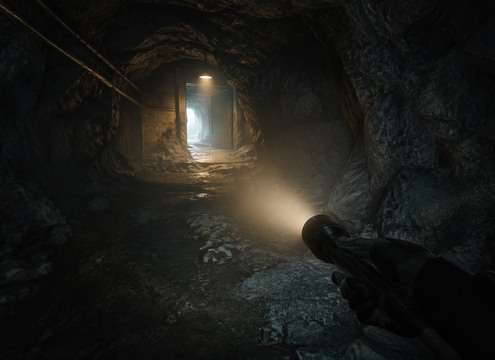
A call from a trapped character can guide players toward the right corridor or chamber. Use a distant shout first, then a clearer take as they approach.

Horror & Thriller Editing

Horror & Thriller Editing

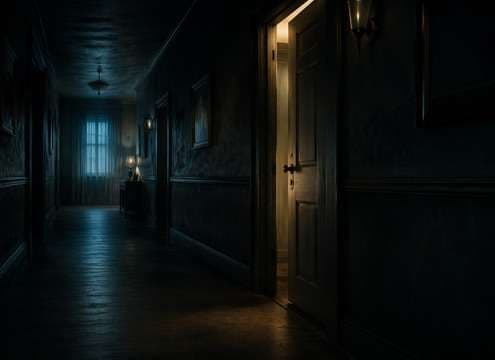
Let a whisper behind a door build tension before an open scream. Change the amount of reverb when the camera moves into the hallway.

Audio Drama & Fiction Podcasts

Audio Drama & Fiction Podcasts

Help me voice sound effects can establish a character off-mic without adding narration. Filter the call through a wall, radio or phone.

Meme & Reaction Videos

Meme & Reaction Videos

A quick comic cry for help works as a punchline before a hard cut. Keep the tail short so the next spoken line stays clear.

Escape Rooms & Interactive Audio

Escape Rooms & Interactive Audio

Use a muffled plea followed by a clearer voice to make a location-based clue. Space out the calls so players can understand directions.

Animation & Character Acting

Animation & Character Acting

A nervous whisper, a shouted appeal and a relieved request for assistance all communicate different character states without lengthy dialogue.

Narrative Short Films

Narrative Short Films

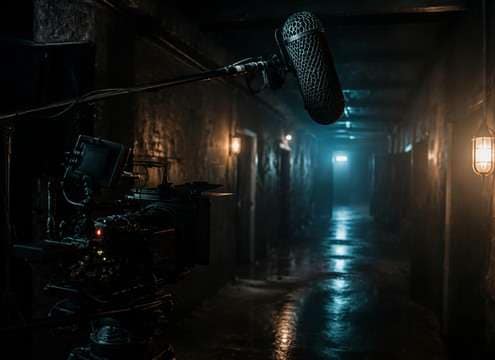
Choose a dry close-up cry for an on-camera actor and a distant call for an unseen character. Match the reflection to the location.

Training & Scenario Simulations

Training & Scenario Simulations

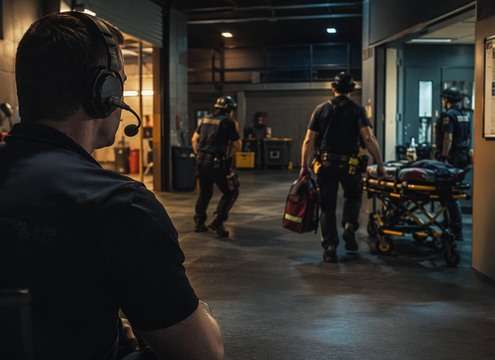
Fictional emergency scenarios benefit from legible, neutral distress calls that trainees can locate and respond to without excessive horror effects.

Why Use Media.io for an AI Help Sound Effects Generator?

With the right words, a short vocal cue can feel close, distant, comedic, or frightening. These AI help sound effects are starting points for shaping that performance and perspective.

Direct the Vocal Emotion

Direct the Vocal Emotion

Ask for panicked, trembling, whispered, exhausted or controlled delivery. Those changes affect what the listener understands about the person calling.

Place the Voice in the Scene

Place the Voice in the Scene

A plea behind wood sounds different from a cry across an open field. Name the barrier, distance and reverberation before adding background noise.

Build Clear Sound Layers

Build Clear Sound Layers

Keep a voice cue separate from wind, footsteps and alarm beds where possible, so speech does not disappear under effects.

Compare Multiple Takes

Compare Multiple Takes

Try several emotional intensities, then keep the delivery that matches the actor or in-game situation instead of the loudest result.

Preview and Export WAV

Preview and Export WAV

Listen for clipped syllables, unintelligible words and harsh peaks before downloading the selected WAV for editing.

Customize Short or Extended Cues

Customize Short or Extended Cues

Use a brief call for a cutaway and a longer two-call pattern for an off-screen rescue search; trim and fade in the edit.

How to Make a Help Call
Sound Believable

The most convincing help me sound effects do not necessarily sound the loudest. A whispered plea can be more unsettling than a scream; a distant yell can tell the audience where to look. Decide who is calling, where the listener stands, and what the surroundings do to the voice before adding dramatic processing.

What Makes a Call for Help Sound Real?

Speech, breath, and acoustics carry the story. A single "Help!" should have a plausible attack and an ending that matches the room. For a dedicated horror scream sound , prioritize raw intensity; for a rescue call, make the words and location intelligible.

  • Emotion before volume - A panicked voice has unstable breath and a fast onset; a controlled plea has clearer words and smaller pitch swings.
  • Distance changes the message - Faraway voices lose brightness and articulation. Use softer high frequencies before adding a long outdoor tail.
  • Barriers need filtering - A closed door or concrete wall should muffle consonants rather than simply making the voice quieter.
  • Syllables must survive the mix - A loud scream can be expressive but unintelligible. If exact "Help me" wording matters, use recorded dialogue or a dedicated voice model.
  • Keep reverb in perspective - A stairwell makes reflections obvious; an open field should not sound like a stone cathedral.

Choose the Right Help Sound for the Situation

There is no one-size-fits-all distress call. Use these scene-specific directions, then change the distance, emotion, or noise floor to suit the action. For comic timing, compare the meme sound effects library as well.

  • Panicked close shout - A sharp foreground "Help!" with a short tail works for a rapid danger reveal.
  • Distant rescue call - An off-screen "Help me!" in the woods needs distance roll-off and a little outdoor air.
  • Whispered plea - Near-mic breath and quiet delivery create tension without a jump scare.
  • Muffled through a wall - Low-pass filtering and small knocks can tell the listener the character is trapped.
  • Radio distress - Band-limited speech and interrupted static communicate a failing connection.
  • Exhausted request - Trembling breath and halting pacing suggest fatigue without adding excess drama.
  • Crowd emergency scene - Separate one foreground call from distant people so the audience can follow the action.
  • Comic reaction cry - A stylized, short "Help me!" with a dry cutoff works for meme edits without copying a viral recording.


Frequently Asked Questions About
Help Sound Effects

Answers about voice clarity, sound perspective, and choosing the right call for your scene.

Where can I find help sound effects for film, games, or short videos?

Start with the previews in this library and compare the exact moment you need: a sudden call, a faint plea, or a voice carrying across a wide outdoor space. Pick the sound that matches the character and perspective, then download the available audio after checking its usage terms. For a different setting, reuse the matching prompt and change the acoustic details.

Can an AI help sound effects generator make someone clearly say "Help me"?

An AI help sound effects generator can attempt a spoken cry, but speech is not always intelligible in sound-effects models. Specify the exact words, emotion, and whether you want a single voice or background noise. Listen before publishing. If every syllable must match a script, record a performer or use a dedicated speech tool and add environmental effects afterward.

Should I use a scream for help sound effect or a whispered plea?

A scream for help sound effect draws immediate attention in danger or chase scenes. A close whisper suggests concealment or exhaustion; a distant shout helps establish an unseen character or location. Listen for the attack of the voice, the amount of room echo, and whether the words remain understandable at the volume of the final mix.

What makes a good help sound effects prompt?

Useful help sound effects prompts describe who is calling, what they say, how urgently they speak, and where the listener is positioned. For example: "5 seconds, one frightened adult shouting Help! once from a concrete stairwell, brief hard-wall reflections, no music or other voices." For a different result, change one variable, such as distance or delivery, instead of adding unrelated effects.

How do I choose male or female help voice sound effects?

Choose the vocal character that fits your scene rather than assuming a particular gender must sound more frightened. A female help voice sound effect may need a shaky whisper, while a male voice may need a strained distant call, or vice versa. In either case, specify age range, delivery, breathing, distance, and room reflections rather than relying on voice type alone.

How can I create a distant distress call over a radio?

For a distress call sound effect, start with a clear, short plea and then introduce transmission texture. Specify a narrow radio bandwidth, light static, slight signal breakup, and pauses between phrases. Avoid piling on enough interference to obscure important words. A distant outdoor call needs air and environmental decay instead of radio filtering.

Which help me meme sound effect works for reaction edits?

A help me meme sound effect usually works best as one short, expressive vocal burst with an obvious start and a sharp cutoff. A breathless squeak can make a quick comic beat, while an exaggerated dramatic cry suits a longer reaction. Use an original recording or generated take rather than copying a recognizable viral clip without permission.

Can I use generated help sound effects in monetized videos or games?

That depends on the license and terms applicable to the audio you download or generate, including any plan-specific restrictions. Review those terms before using a clip in client work, a game, or a monetized video. AI generation alone does not establish unrestricted commercial rights. Keep a record of the source and version you selected.

More Sound Effects for
Different Creative Scenes

Explore voice reactions, panic cues, eerie ambience and emergency sounds that help place each call for help in a believable scene.

sound

Horror Scream Sound Effect

10+ free sounds
sound

Man Screaming Sound Effect

10+ free sounds
sound

Woman Screaming Sound Effect

10+ free sounds
sound

People Screaming Sound Effects

10+ free sounds
sound

Man Shouting Sound Effects

10+ free sounds
sound

Whisper Sound Effects

10+ free sounds
sound

Woman Crying Sound Effect

10+ free sounds
sound

Heavy Breathing Sound Effects

10+ free sounds
sound

Heartbeat Sound Effect

10+ free sounds
sound

Police Radio Chatter Sound Effects

10+ free sounds
sound

Radio Static Sound Effect

10+ free sounds
sound

Police Siren Sound Effects

10+ free sounds
sound

Meme Sound Effect

10+ free sounds
sound

Nooo Sound Effect

10+ free sounds
sound

Scary Jumpscare Sound Effects

10+ free sounds
sound

All Sound Effects

Browse the full library
media.io

AI Video Generator star

Easily generate videos from text or images

Generate