
















Game Over Sound Effects Prompts for Arcade & RPG Endings

From compact chip-style melodies to cinematic mission failure, these sounds tell players the current run has ended. Choose an ending that belongs to your game world.

How to Create Game Over
Sound Effects in Four Steps

Describe the genre, sound palette and sense of finality. A retro platformer may need three simple falling notes, while an RPG defeat could use a lower, sustained phrase.

1

Open the AI Sound Effects Generator

Visit the Media.io AI Sound Effects Generator to create an original sound from a text description.

2

Enter a Sound Effect Prompt

Describe the sound you want. Example prompt: Original retro square-wave three-note minor-key descending game over jingle, short clean chip synth, no recognizable game theme. Adjust its source or acoustic detail to fit your scene.

3

Choose Duration and Generate

Select 5s, 10s, 20s or 40s, then choose 1, 2, 3 or 4 sounds to generate. Click Generate to create your variations.

4

Preview and Download

Ask whether a player could mistake the cue for another failed action. Preview the end tail beneath the actual game-over screen, then download the best-matched variation. Preview the result, then download and save your chosen sound effect.

Signal the Last Life: Where to Use the Sounds

A mobile puzzle, an arcade cabinet and a boss-fight defeat do not share the same emotional ending. Their sound should fit the game loop.

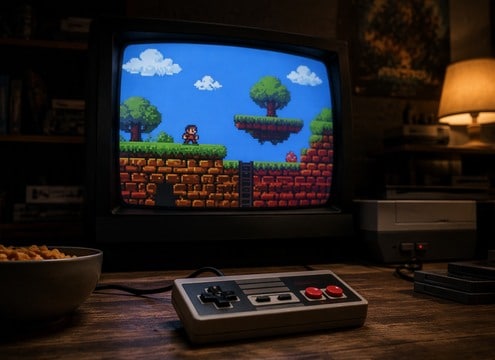
Retro platformer scene for game over audio

Retro platformer

A falling chip tune confirms the final character life is gone.

Arcade cabinet scene for game over audio

Arcade cabinet

A bold analog defeat buzzer rolls out of a vintage machine.

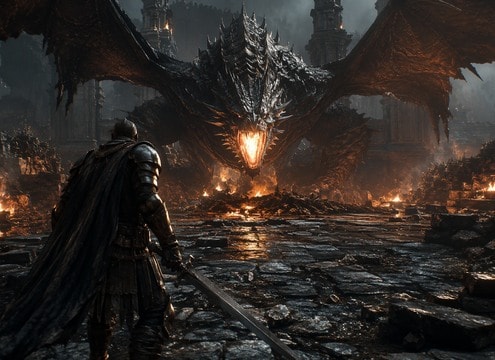
RPG party wipe scene for game over audio

RPG party wipe

A melancholy minor chord leaves space for a narrative loss.

Boss defeat retry scene for game over audio

Boss defeat retry

A compact dramatic sting marks failure before immediate restart.

Mobile casual game scene for game over audio

Mobile casual game

A friendly two-tone descending chime avoids punishing players.

Speedrun stream scene for game over audio

Speedrun stream

A dry short fail ending leaves a streamer reaction audible.

Sci-fi mission loss scene for game over audio

Sci-fi mission loss

A synthetic console powers down into a muted alarm tail.

Puzzle time-out scene for game over audio

Puzzle time-out

A timer terminates with a distinct final low tone.

Give the Player a Clear End State

A game-over cue must communicate finality, style and the possibility of what happens next without overstaying its welcome.

Compare Classic 8-Bit Game Over and Arcade Cabinet Defeat

Use Simple Motifs for Retro Games

Short chip-style descending phrases feel at home in an 8-bit platformer. Original note patterns help avoid imitating a famous game soundtrack.

Set the Space for Retro platformer

Let RPG Defeat Carry Weight

A party wipe may need a slower, darker phrase than an arcade miss. Give the end screen time to register before the retry menu appears.

Describe RPG Party Defeat Precisely

Keep Mobile Endings Compact

Short puzzle sessions often call for an economical cue. Long music can frustrate someone who wants to restart immediately.

Find the Beat in Arcade cabinet

Make Timer Expiry Distinct

A final timer tone explains why the run stopped. Keep it audibly different from a low-health warning or routine countdown beep.

Balance Mobile Puzzle End

Match Tech Worlds with Synthetic Texture

Sci-fi mission failure can use pulsing electronics and a restrained shutdown tone. Avoid making every defeat sound like a real-world emergency alarm.

Refine Sci-Fi Mission Failed

Plan the Transition to Continue

Leave a clean ending or short decay so the next continue prompt is easy to hear. An endless tail can muddy the menu.

What Makes a Game
Over Cue Feel Final?

Game audio uses a hierarchy of feedback. Small mistakes are frequent and short, while game-over signals happen at a major transition. Choose a sound whose melody, length and tail communicate that the run is over, not merely that a button press failed.

Build a Distinct Sonic Identity

For a retro game, a few original square-wave notes may be enough. An orchestral adventure might need a darker harmonic gesture. Keep the defeat sound related to the soundtrack but not identical to a successful checkpoint.

  • Classic 8-Bit Game Over - Original retro square-wave three-note minor-key descending game over jingle, short clean chip synth, no recognizable game theme.
  • Arcade Cabinet Defeat - Vintage arcade buzzer tremolo sinks in pitch and shuts off with an analog pop, isolated.
  • RPG Party Defeat - Brief solemn orchestral-like low string chord with a slow soft tail, fictional fantasy game over scene no melody.
  • Last Life Gone - Three fast descending 8-bit beeps then a short flat terminal tone, crisp unambiguous UI state.
  • Mobile Puzzle End - Gentle two-note descending marimba-like digital chime and a tiny final tap, not scary.

Design for Retry Flow

Play the cue at the moment the final life or timer expires, then listen through the transition to the score and continue screen. If the end cue delays the next choice, shorten it or allow a clean fade.

  • Retro platformer - A falling chip tune confirms the final character life is gone.
  • Arcade cabinet - A bold analog defeat buzzer rolls out of a vintage machine.
  • RPG party wipe - A melancholy minor chord leaves space for a narrative loss.
  • Boss defeat retry - A compact dramatic sting marks failure before immediate restart.
  • Mobile casual game - A friendly two-tone descending chime avoids punishing players.
  • Speedrun stream - A dry short fail ending leaves a streamer reaction audible.
  • Sci-fi mission loss - A synthetic console powers down into a muted alarm tail.
  • Puzzle time-out - A timer terminates with a distinct final low tone.

FAQs About Game-Over
Sound Effects

Answers about final-state feedback, retro timbres and matching the sound to the restart screen.

What is a classic 8-bit game over sound?

It is often a brief descending chip-synth melody or buzzer that signals the last life or a failed round. The exact pitches vary between games.

How is game over different from a fail sound effect?

Game over signals an end state. Fail sounds can occur repeatedly during normal play and may need to be much shorter.

Can I create an original arcade game over jingle?

Describe a square-wave or triangle-wave palette, note count, mood and duration. Avoid naming a famous game or asking for its exact melody.

What works for an RPG defeat screen?

A subdued chord, low sustained tone or tiny melodic fragment can give a story-driven loss more emotional weight than a buzzer.

Should a game over sound loop?

Usually the initial end cue plays once, while any background menu ambience can loop separately. Avoid an audible reset in a looping texture.

Can a game-over sound be just one short note?

Yes, especially in quick mobile games. It needs a distinct pitch or texture so players do not confuse it with a minor error.

When should the continue or retry sound start?

After the end-state cue is recognizable, usually at the menu transition. Leave enough separation for both signals to be understood.

More Sound Effects for
Retro platformer and Beyond

Compare wrong-answer buzzers, countdown cues and retro interface tones to build a consistent game feedback system.

sound

Game Show Sound Effects

10+ free sounds
sound

Game Sound Effects

10+ free sounds
sound

Correct Buzzer Sound Effects

10+ free sounds
sound

Arcade Explosion Sound Effects

10+ free sounds
sound

AI Wrong Buzzer Sound Effects

10+ free sounds
sound

Right Buzzer Sound Effects

10+ free sounds
sound

Basketball Buzzer Sound Effects

10+ free sounds
sound

Buzzer Sound Effects

10+ free sounds
sound

Power Up Sound Effects

10+ free sounds
sound

Incorrect Buzzer Sound Effects

10+ free sounds
sound

Tire Screech Sound Effect

10+ free sounds
sound

Rewind Sound Effects

10+ free sounds
sound

Police Sound Effects

10+ free sounds
sound

Belch Sound Effects

10+ free sounds
sound

Car Crash Sound Effects

10+ free sounds
sound

All Sound Effects

Browse the full library
media.io

AI Video Generator star

Easily generate videos from text or images

Generate