Home>Comparison>Artbreeder

Artbreeder Image Mixing and Character Creation Review

A concept artist may want to explore the space between several character faces rather than issue a completely new prompt every time. Artbreeder makes image mixing part of the creative process: Splicer branches variations, Composer combines references and Collage arranges visual elements. Its public gallery and remix culture also make discovery different from a private image editor. The important decision is whether you need exploratory image breeding or a more direct edit-and-export workflow.

Artbreeder Features for Character Creation and Image Mixing

Artbreeder is a collaborative image creation platform built around Splicer image variation, Mixer image blends, Composer reference-controlled generation, Collage composition and a community of shared remixes.

Core Feature Overview

Splicer and Gene-Like Controls

Blend and branch existing image traits into new character directions through an interactive variation process. For character face exploration, mix portrait traits into several candidate characters for a story or indie game. For the character face exploration brief, check details against the original before publication.

Illustrative Media.io workflow graphic, not a Artbreeder interface screenshot

Mixer and Reference Blending

Combine several visual inputs into a concept, then compare which parts of the references survive. For fantasy landscape iteration, blend multiple landscape moods to define a world before illustration production. Decide in advance which details must remain faithful for fantasy landscape iteration.

Illustrative Media.io workflow graphic, not a Artbreeder interface screenshot

Composer for Precise Guidance

Mix text and image references in a more directed canvas for composition-led generation. For collaborative concept session, use a shared remix as a starting point for a team ideation workshop. For collaborative concept session, the visual is a preview rather than proof of a physical outcome.

Illustrative Media.io workflow graphic, not a Artbreeder interface screenshot

Collage Arrangement

Build a scene from shapes, image fragments and prompts before generating a fuller visual. For moodboard fusion, combine references from different artistic directions into one visual exploration. Compare controlled changes to the source before finalizing moodboard fusion.

Illustrative Media.io workflow graphic, not a Artbreeder interface screenshot

Prompter and Additional Tools

Access a broader tool library that includes prompt-to-image creation and specialized experimental modes where available. For creature design study, branch distinctive hybrid concepts without writing each variation as an isolated prompt. Confirm license and export permissions for creature design study before delivery.

Illustrative Media.io workflow graphic, not a Artbreeder interface screenshot

Community Remix and Discovery

Explore creator-shared branches, remix parties and public image experiments for inspiration and collaboration. For album cover experiments, iterate unusual compositions and colors to decide a final direction for commissioned artwork. Test a representative sample of album cover experiments outputs before scaling.
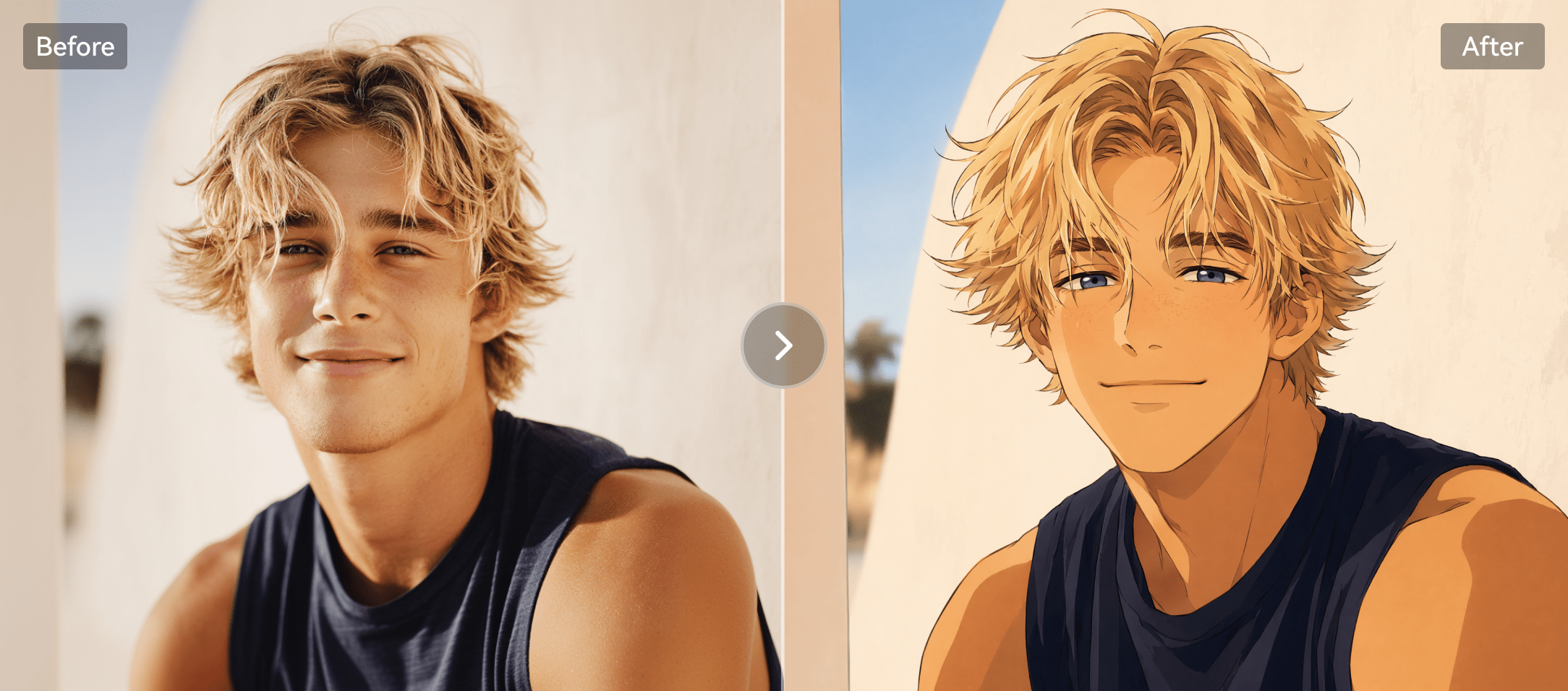
Illustrative Media.io workflow graphic, not a Artbreeder interface screenshot

How to Create Character Image Variations Online

1
2
3
1
Upload Your Character Image

Upload a character photo or design reference you own or have permission to edit, then describe the variations you want to create.

2
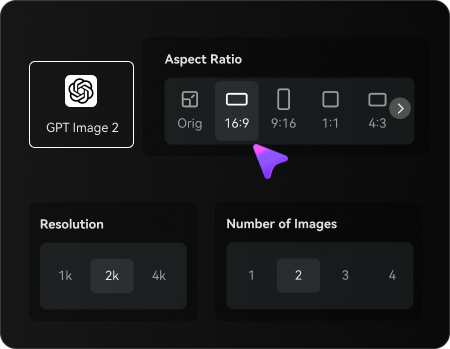
Set Your Image Options

Choose an AI model, adjust the aspect ratio and resolution, and select the number of character variations to generate.

3
Generate and Refine Your Character Variations

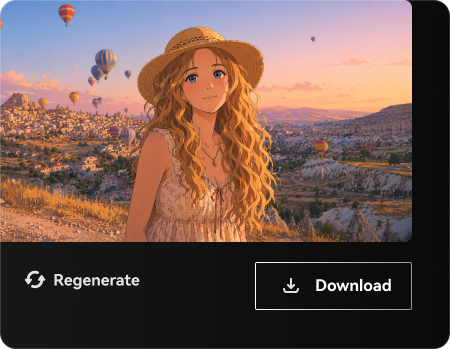
Generate multiple character images, review facial features and recognizable details, then refine or regenerate your preferred results before downloading.

Illustrative Media.io workflow graphic, not a Artbreeder interface screenshot

Best Use Cases for Artbreeder

Explore Artbreeder in real projects such as character face exploration, collaborative concept session and album cover experiments. Each has a different input, output and quality check.

Character Face Exploration

Mix portrait traits into several candidate characters for a story or indie game.

Fantasy Landscape Iteration

Blend multiple landscape moods to define a world before illustration production. A related Media.io resource for this specific scenario is Art Deco Portrait; this explores fantasy landscape iteration as a related image task, not the full Artbreeder product workflow.

Collaborative Concept Session

Use a shared remix as a starting point for a team ideation workshop.

Moodboard Fusion

Combine references from different artistic directions into one visual exploration.

Creature Design Study

Branch distinctive hybrid concepts without writing each variation as an isolated prompt. A related Media.io resource for this specific scenario is Image To Image AI; this explores creature design study as a related image task, not the full Artbreeder product workflow.

Album Cover Experiments

Iterate unusual compositions and colors to decide a final direction for commissioned artwork.

Artbreeder Pricing, Remix Rights and Credit Limits

Artbreeder has distinct tradeoffs for fantasy landscape iteration: evaluate exploration is less deterministic, credits vary by tool and the current usage terms before investing.

Exploration Is Less Deterministic

Image mixing may not preserve exact details needed for an approved product photograph.

Public Sharing Needs Attention

Community and remix features mean creators should check privacy settings before uploading sensitive references.

Credits Vary By Tool

Plans provide different credit allowances; tools like Composer and upscaling have distinct credit rules.

Licenses And Collaboration

Check rights for source images and confirm how generated artwork may be used commercially.

Historical Tools May Change

Official updates have announced consolidation or retirement plans for some legacy tools; verify the live menu.

High Resolution Has Limits

Plan level and tool choice affect download resolution and speed, especially for large output requirements.

Artbreeder vs Media.io: Features, Pricing and Audience

Choose Artbreeder when branching variations, image blending and participatory discovery are integral to making a character or concept. Choose Media.io when the task is to edit a supplied photo, generate a targeted visual or produce a related video without building a remix tree. The deciding factor for character face exploration is whether you need splicer and gene-like controls or direct prompt-based photo transformations and export-ready image editing.

Decision Factor Artbreeder Media.io
Primary job remixable portraits, mixed-image compositions and collaborative generative exploration direct prompt-based photo transformations and export-ready image editing
Distinctive workflow Blend and branch existing image traits into new character directions through an interactive variation process. Media.io supports image transformation for character face exploration without claiming the same specialist workflow.
Reference inputs Combine several visual inputs into a concept, then compare which parts of the references survive. Use an uploaded image and an edit prompt for fantasy landscape iteration; confirm fidelity manually.
Creative control Mix text and image references in a more directed canvas for composition-led generation. Iterate image treatments for collaborative concept session rather than assuming feature parity.
Editing depth Build a scene from shapes, image fragments and prompts before generating a fuller visual. Artbreeder includes collage arrangement for moodboard fusion; Media.io instead supports direct prompt-based photo transformations and export-ready image editing.
Production workflow Access a broader tool library that includes prompt-to-image creation and specialized experimental modes where available. Media.io is useful for direct prompt-based photo transformations and export-ready image editing where the specialized interface is unnecessary.
Pricing and quotasArtbreeder offers free exploration and paid credit plans. The official price page differentiates annual credit packages and premium benefits; do not compare headline credits across tools without checking their per-action costs.Media.io budgets for character face exploration should compare image creation attempts against the distinct Artbreeder plan or credit system.
Risk and rights Plan level and tool choice affect download resolution and speed, especially for large output requirements. Media.io outputs for album cover experiments also require licensed source images and human review.
Best-fit users Choose Artbreeder when branching variations, image blending and participatory discovery are integral to making a character or concept. Choose Media.io when the task is to edit a supplied photo, generate a targeted visual or produce a related video without building a remix tree.
Best for Artbreeder

Choose Artbreeder If You Need:

Choose Artbreeder when branching variations, image blending and participatory discovery are integral to making a character or concept. The leading character face exploration tasks include:

  • Character Face Exploration: Mix portrait traits into several candidate characters for a story or indie game.
  • Fantasy Landscape Iteration: Blend multiple landscape moods to define a world before illustration production.
  • Collaborative Concept Session: Use a shared remix as a starting point for a team ideation workshop.
  • Moodboard Fusion: Combine references from different artistic directions into one visual exploration.
  • Creature Design Study: Branch distinctive hybrid concepts without writing each variation as an isolated prompt.
Explore Image Enhancement
Media.io for Collaborative Concept Session

Choose Media.io for Collaborative Concept Session:

Choose Media.io when the task is to edit a supplied photo, generate a targeted visual or produce a related video without building a remix tree. For the collaborative concept session brief, related image-creation tasks include:

  • Fantasy Landscape Iteration: Choose Media.io when the task is to edit a supplied photo, generate a targeted visual or produce a related video without building a remix tree. For character face exploration, compare the practical outcome with splicer and gene-like controls rather than assuming identical capabilities.
  • Collaborative Concept Session: Choose Media.io when the task is to edit a supplied photo, generate a targeted visual or produce a related video without building a remix tree. For fantasy landscape iteration, compare the practical outcome with mixer and reference blending rather than assuming identical capabilities.
    • Creature Design Study: Choose Media.io when the task is to edit a supplied photo, generate a targeted visual or produce a related video without building a remix tree.
  • Moodboard Fusion: Choose Media.io when the task is to edit a supplied photo, generate a targeted visual or produce a related video without building a remix tree. For collaborative concept session, compare the practical outcome with composer for precise guidance rather than assuming identical capabilities.
  • Creature Design Study: Choose Media.io when the task is to edit a supplied photo, generate a targeted visual or produce a related video without building a remix tree. For moodboard fusion, compare the practical outcome with collage arrangement rather than assuming identical capabilities.
Create Visual Concepts With Media.io

Is Artbreeder Worth It? Final Verdict

Our Take

Artbreeder is most relevant when remixable portraits, mixed-image compositions and collaborative generative exploration is the actual deliverable. Blend and branch existing image traits into new character directions through an interactive variation process. For a team preparing character face exploration, that specialist capability can justify a pilot.

Artbreeder offers free exploration and paid credit plans. The official price page differentiates annual credit packages and premium benefits; do not compare headline credits across tools without checking their per-action costs. Plans provide different credit allowances; tools like Composer and upscaling have distinct credit rules. For album cover experiments, record the cost of usable outputs before increasing volume.

Choose Artbreeder when branching variations, image blending and participatory discovery are integral to making a character or concept. Choose Media.io when the task is to edit a supplied photo, generate a targeted visual or produce a related video without building a remix tree. Validate a sample project, image rights and current plan details before scaling.

Artbreeder FAQ: Features, Pricing and Alternatives

What is Artbreeder mainly used for?
faq faq

Artbreeder is a collaborative image creation platform built around Splicer image variation, Mixer image blends, Composer reference-controlled generation, Collage composition and a community of shared remixes.

Blend and branch existing image traits into new character directions through an interactive variation process.

Combine several visual inputs into a concept, then compare which parts of the references survive. Blend multiple landscape moods to define a world before illustration production.

Mix text and image references in a more directed canvas for composition-led generation. Build a scene from shapes, image fragments and prompts before generating a fuller visual.

Artbreeder offers free exploration and paid credit plans. The official price page differentiates annual credit packages and premium benefits; do not compare headline credits across tools without checking their per-action costs.

Artbreeder offers free exploration and paid credit plans. The official price page differentiates annual credit packages and premium benefits; do not compare headline credits across tools without checking their per-action costs. Image mixing may not preserve exact details needed for an approved product photograph.

Community and remix features mean creators should check privacy settings before uploading sensitive references. Plans provide different credit allowances; tools like Composer and upscaling have distinct credit rules.

Choose Artbreeder when branching variations, image blending and participatory discovery are integral to making a character or concept. Choose Media.io when the task is to edit a supplied photo, generate a targeted visual or produce a related video without building a remix tree.

Choose Artbreeder when branching variations, image blending and participatory discovery are integral to making a character or concept. Plan level and tool choice affect download resolution and speed, especially for large output requirements.

What Media.io Creators Say About Their Workflow

Media.io AI video generator user
Sarah L.

Content Creator

star star star star half star

Media.io makes it much easier to test different AI video styles without jumping between several platforms. I can start with a text prompt or image, compare model results, and then resize or polish the clip for social media in the same workspace.

Media.io AI video creator
John D.

Social Media Marketer

star star star star half star

I use Media.io to create quick product clips, ad concepts, and short-form videos from images. The biggest advantage is that generation does not feel like the final step - I can continue with music, captions, enhancement, and format conversion before publishing.

Media.io AI video editing user
Emily T.

Freelance Designer

star star star star half star

The workflow is approachable even when I am experimenting with unfamiliar AI models. I can animate artwork, try different motion prompts, preview the output, and prepare a cleaner final version without needing advanced video-editing experience.

Media.io Online Tools Quality Rating:
vote 4.7 (162,357 Votes)
media.io

AI Video Generator star

Easily generate videos from text or images

Generate