Add Christmas Background to Photo Online
Transform Any Photo into a Festive Holiday Scene
Turn ordinary snapshots into magical holiday memories with AI-powered background replacement.
With Media.io’s Christmas Background Editor, you can instantly add snowy streets, cozy fireplaces, glowing Christmas trees, or Santa’s workshop behind any person or scene — no design skills needed. Just upload, choose a festive backdrop, and let Nano Banana Pro blend everything naturally with perfect lighting and perspective.
Add Christmas Background to Photo Online Now →
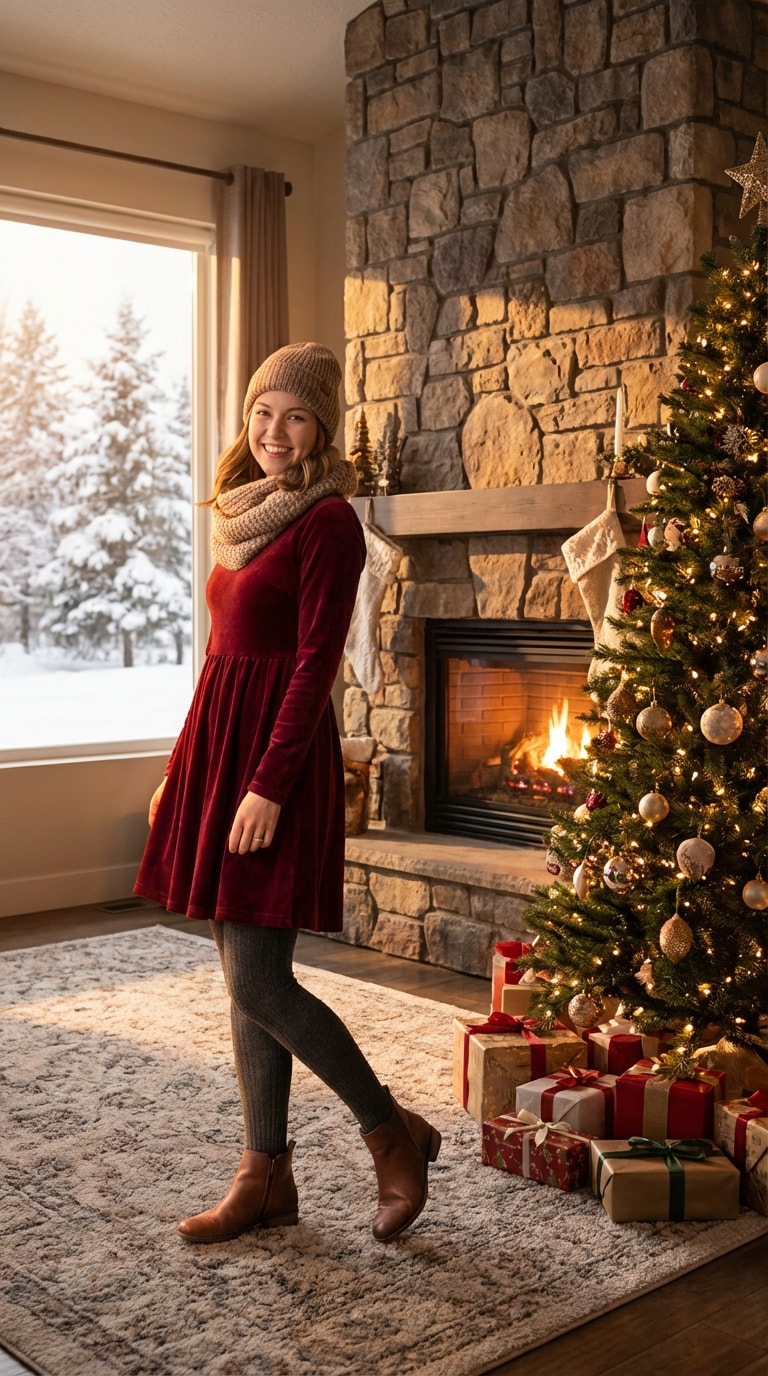
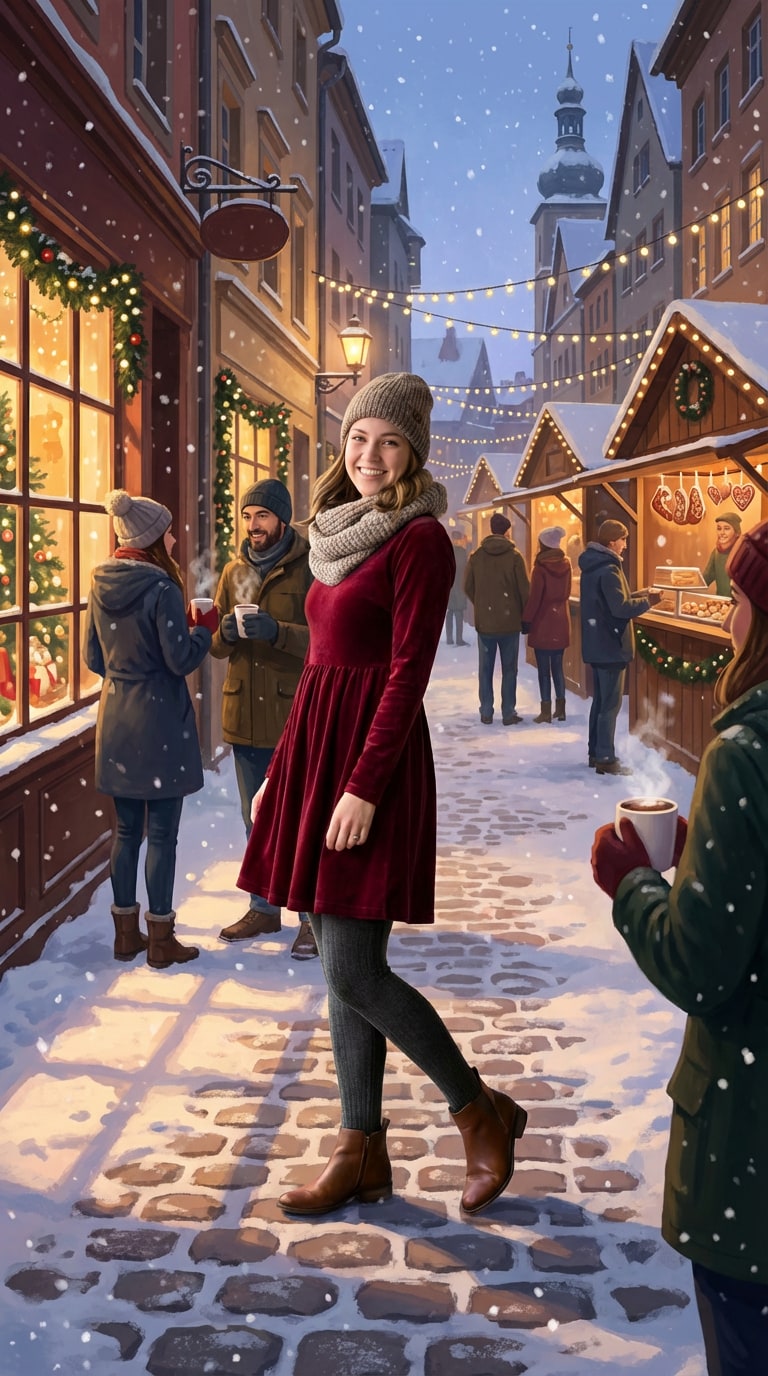
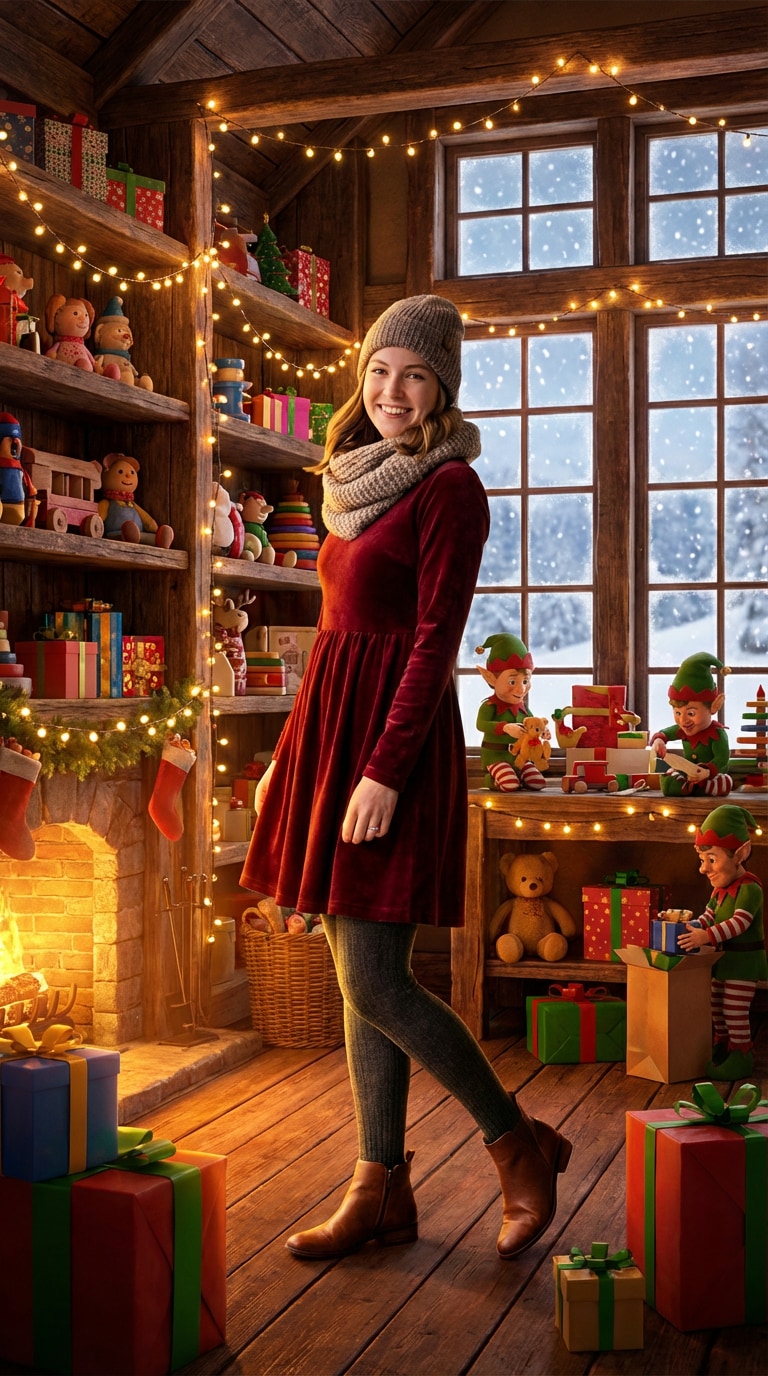
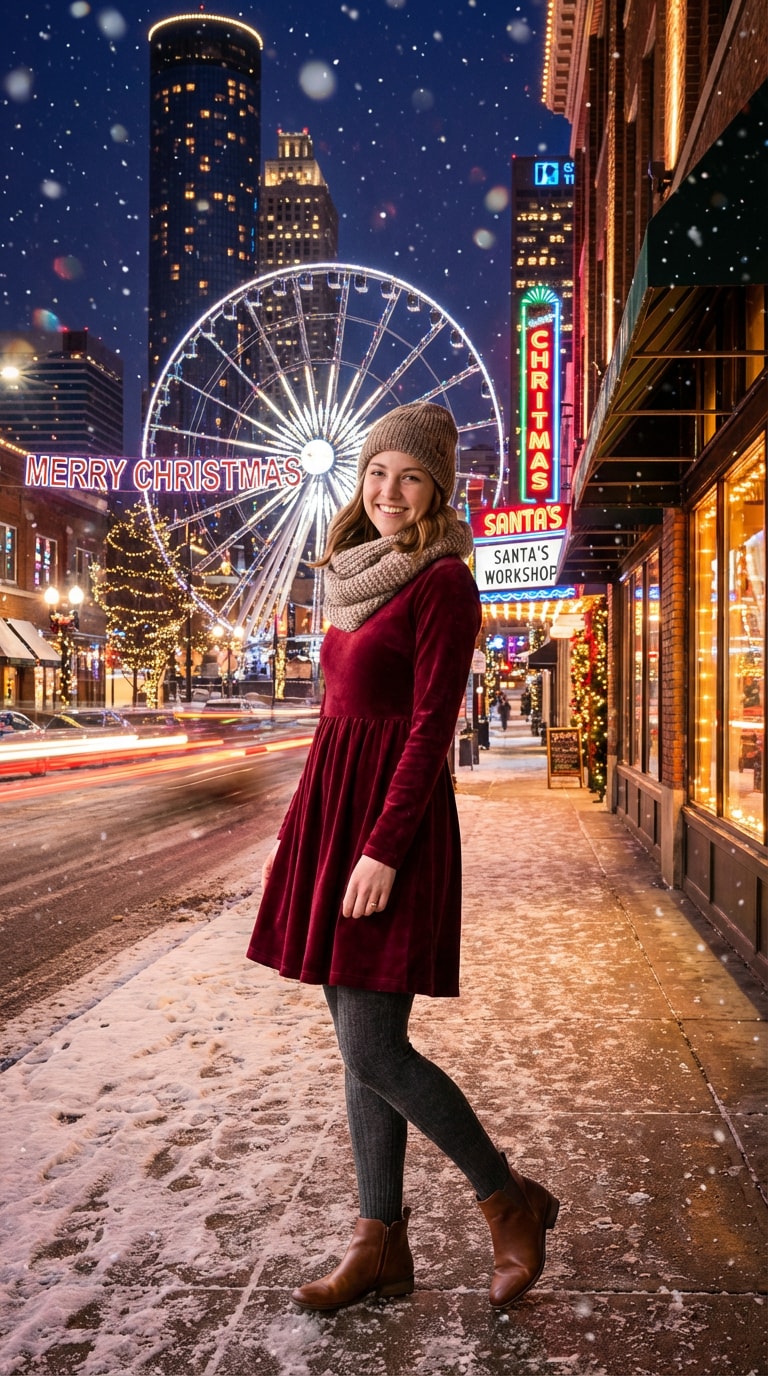
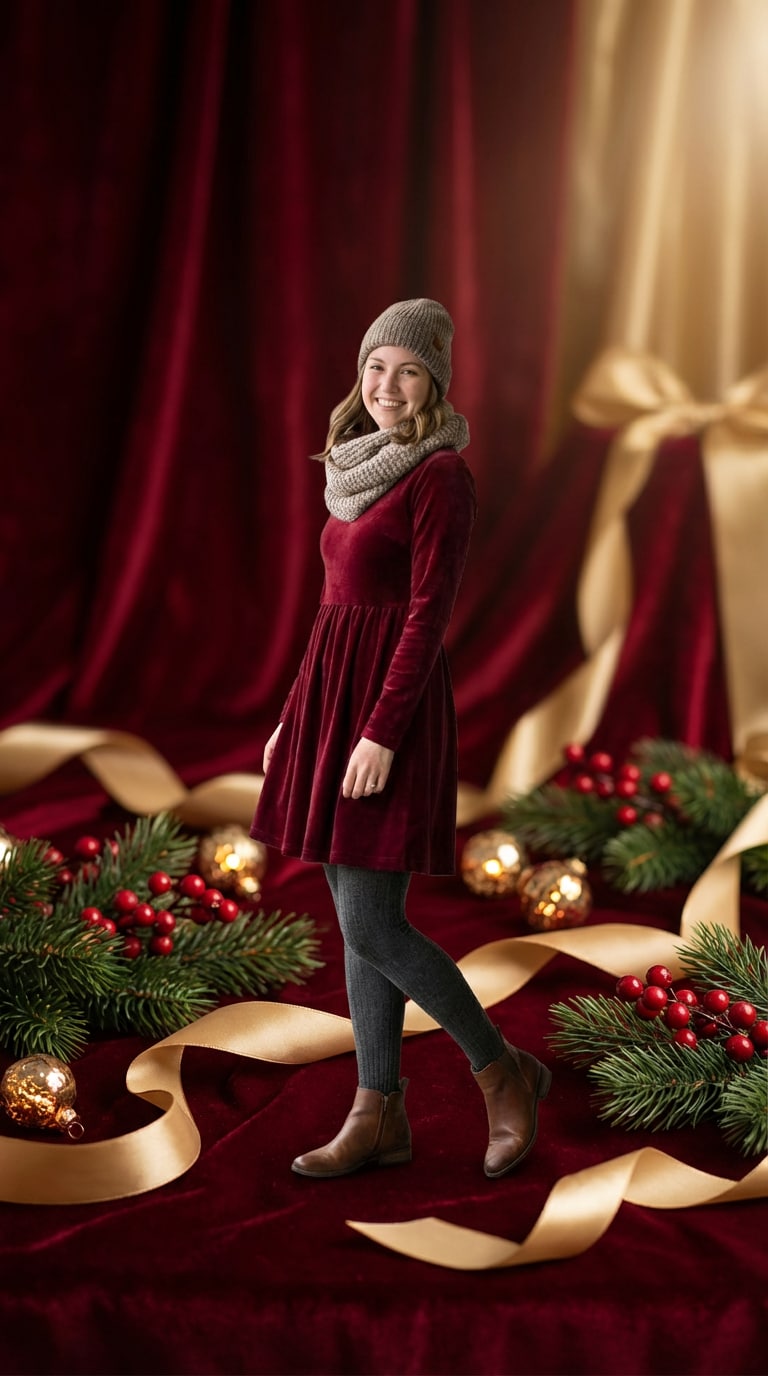
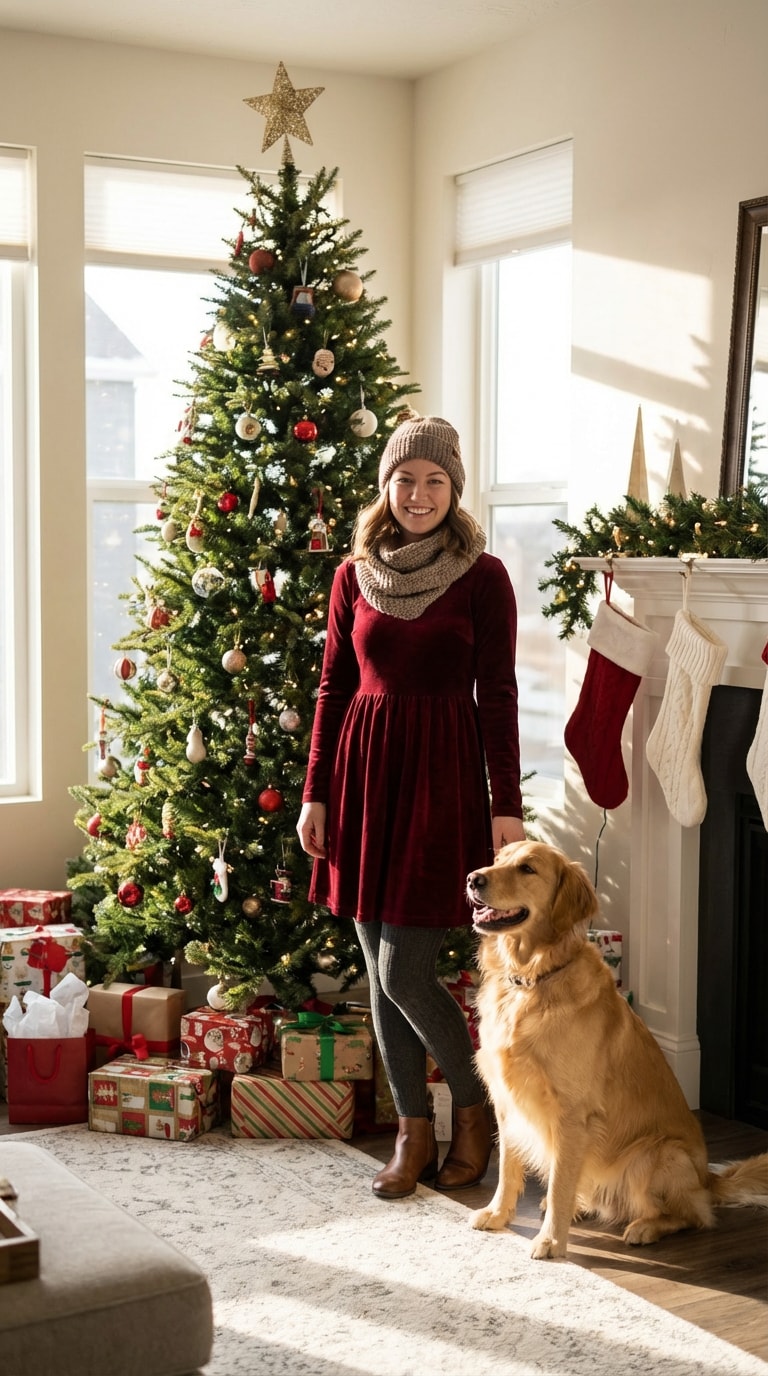
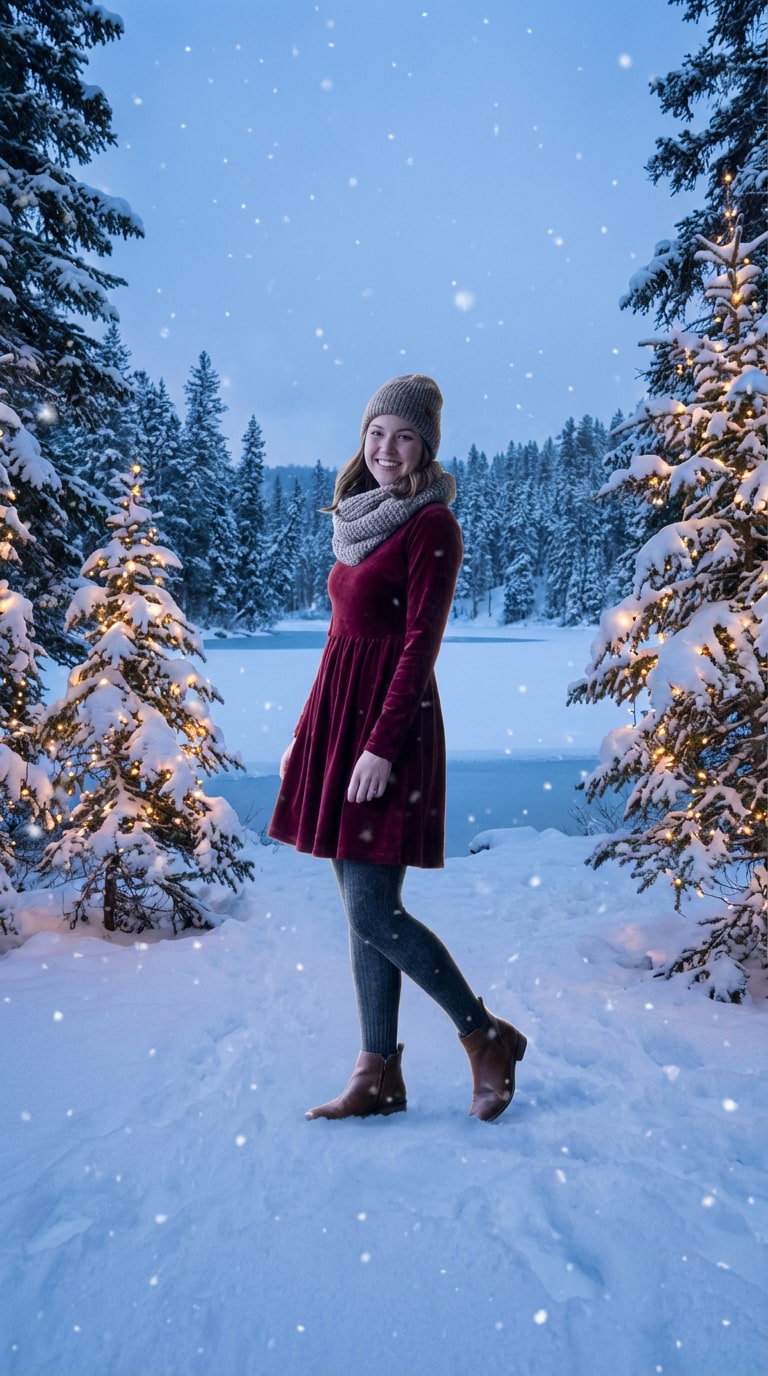
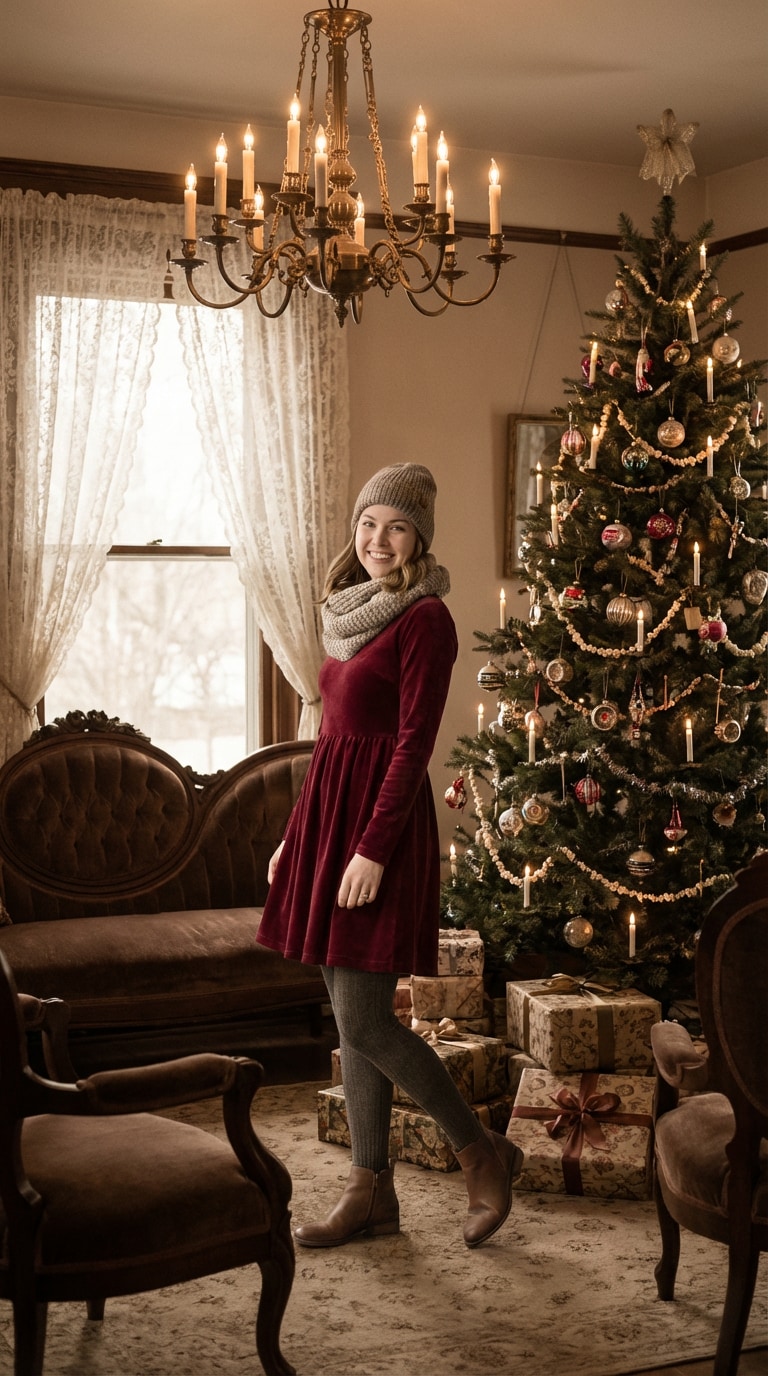
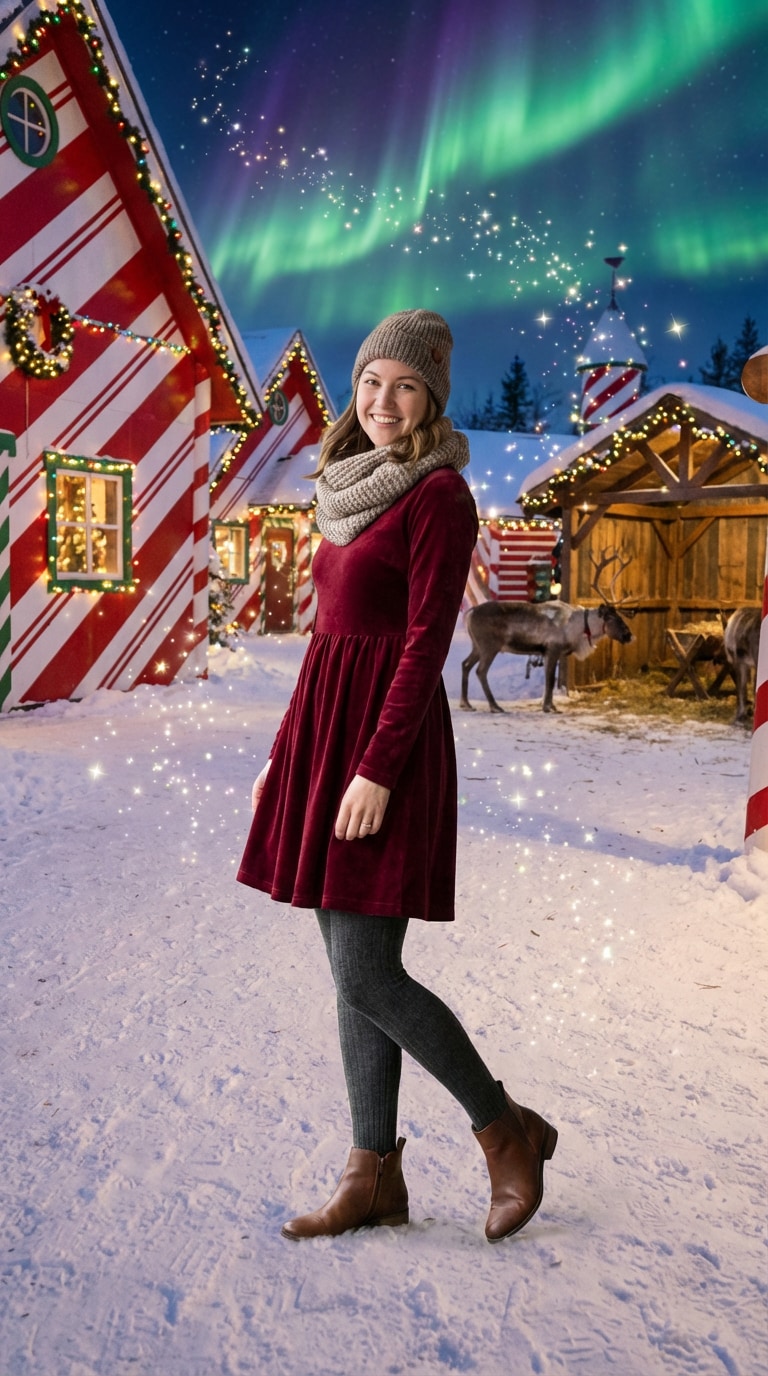
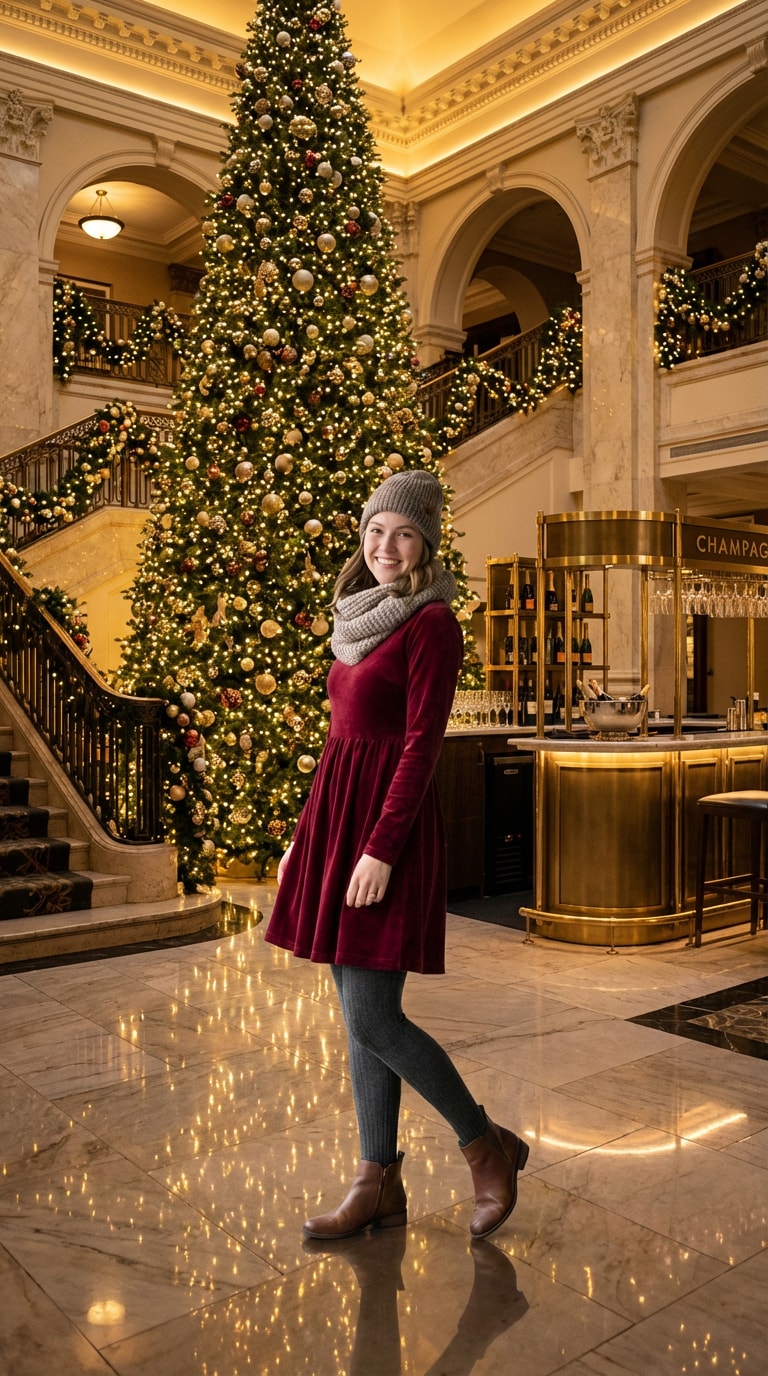
Festive holiday scenes created with Media.io — powered by Nano Banana Pro.
How to Add a Christmas Background to Your Photo with AI
Effortlessly transform any photo into a holiday masterpiece in seconds. No photo editing experience required — just three simple steps.
Open Media.io Christmas Background Editor
Visit the AI Christmas Background tool in your browser — no downloads, no watermarks. Works instantly on any device.
Upload One Photo & Add a Background Prompt
Upload a single photo of your subject — it could be a person, pet, or product. Then either choose a ready-made Christmas prompt from our library below, or write your own (e.g., “snowy Christmas market with warm lights”). Nano Banana Pro will handle the rest.
Generate & Download Your Holiday Photo
Click Generate, and Nano Banana Pro automatically removes the original background and blends your subject into the Christmas scene with realistic lighting, shadows, and depth. Download in high resolution — perfect for cards, social media, or printing.
| Christmas Scene | Nano Banana Pro Background Prompt | Copy |
|---|---|---|
|
Cozy Indoor Christmas
|
Replace the background with a warm, cozy Christmas living room: glowing fireplace, decorated tree with lights, wrapped gifts under the tree, soft carpet, and snow visible through the window. Keep the subject lighting natural and consistent with indoor golden hour. |
|
|
Snowy Christmas Street
|
Place the subject on a snowy European Christmas street at dusk: cobblestones, festive shop windows with warm lights, falling snow, Christmas market stalls in the background, and people holding hot cocoa. Match the subject's shadows to ambient street lighting. |
|
|
Santa's Workshop Fantasy
|
Transform the background into a magical Santa's workshop: wooden shelves filled with toys, twinkling fairy lights, elves working in the distance, soft snow outside large windows, and a warm golden glow. Ensure the subject appears naturally lit by the workshop ambiance. |
|
|
Fairy Tale Christmas Wonderland
|
Replace the background with a magical fairy tale Christmas scene: enchanted gingerbread houses with candy cane columns, giant lollipops and colorful wrapped candies scattered around, sparkling fairy dust in the air, whimsical pastel-colored trees decorated with oversized ornaments, soft dreamy lighting with rainbow bokeh, and a fantasy sugar-plum world atmosphere. Keep the subject naturally lit with a gentle magical glow. |
|
|
Festive Product Display
|
Replace the background with a premium Christmas product showcase: dark red velvet fabric, gold ribbons, scattered pine branches with red berries, soft directional lighting highlighting the product, and shallow depth of field. Perfect for e-commerce holiday campaigns. |
|
|
Christmas Morning with Pet
|
Set the scene in a sunlit Christmas morning living room: presents under a tree, stockings on the fireplace, a dog or cat sitting beside the subject, soft natural light from large windows, and a warm, joyful atmosphere. Blend the pet and subject seamlessly into the festive setting. |
|
|
Winter Wonderland Outdoors
|
Change the background to a magical winter forest: snow-covered pine trees, gentle snowfall, soft blue twilight, fairy lights wrapped around trees, and a frozen lake in the distance. Maintain natural cold-toned lighting on the subject with subtle rim light from the snow. |
|
|
Vintage Christmas Parlor
|
Replace with a Victorian-era Christmas parlor: antique furniture, traditional decorations, candlelit chandelier, old-fashioned wrapped presents, lace curtains, and warm sepia tones. Create nostalgic atmosphere with soft, diffused lighting reminiscent of early 1900s photography. |
|
|
North Pole Village
|
Transport the subject to Santa's North Pole village: colorful candy-cane striped buildings, snow-covered rooftops, Christmas lights everywhere, reindeer in the background, northern lights in the sky, and magical sparkles in the air. Blend the subject with the fantastical, vibrant lighting. |
|
|
Luxury Christmas Hotel Lobby
|
Set the background as an upscale hotel lobby decorated for Christmas: grand Christmas tree reaching the ceiling, marble floors reflecting lights, elegant garlands, champagne bar in the background, and sophisticated warm lighting. Perfect for professional holiday portraits with premium feel. |








Perfect for Every Holiday Moment You Want to Celebrate
From family portraits to product promotions, Media.io’s AI Christmas Background Editor helps you create warm, festive, and professional-looking images in seconds — powered by Nano Banana Pro.

Create Heartfelt Holiday Cards
Turn a simple family selfie into a personalized Christmas card with glowing lights, falling snow, or a cozy fireplace. No design skills needed — just upload and generate.

Elevate Social Media Posts
Make your Instagram, TikTok, or Facebook posts stand out with festive backdrops. Whether it’s a pet in a Santa hat or a couple under mistletoe, our AI makes it look authentically captured.

Design Festive Wallpapers
Create custom Christmas phone or desktop wallpapers using your own photos. Add snowflakes, Christmas trees, or glowing lanterns — all in perfect resolution.

Boost Holiday Product Marketing
E-commerce brands: instantly place your products against elegant Christmas backdrops — gift boxes, wrapped presents, or winter markets — to increase seasonal engagement and sales.
FAQs About
Adding Christmas Backgrounds with AI
1. Is this tool free to use?


Yes! You can add Christmas backgrounds to photos online for free with no watermarks. For higher resolution or batch processing, premium plans are available.
2. Do I need to remove the background myself?
No — Nano Banana Pro automatically detects and removes your original background, then seamlessly blends your subject into the festive scene with natural lighting and shadows.
3. Can I use the result for commercial purposes?
Yes, you can use generated images for marketing, social media, e-commerce, and printed materials. Just ensure you own or have rights to the input photos.
4. What image formats are supported?
We support JPG, PNG, WEBP, and HEIC. For best results, use clear, well-lit photos with a visible subject.
5. How is this different from other Christmas background tools?
Built on Nano Banana Pro, Media.io doesn’t just paste — it intelligently matches perspective, lighting, and depth to create photorealistic composites that look like they were shot on location.
Why Users Love Media.io’s Nano Banana Pro for Holiday Editing?

Holiday Card Designer


My family thought I hired a photographer! I added a snowy background to our living room photo, and it looked like we took it in Lapland. Everyone asked for the “location.” So real!

E-commerce Seller
Holiday sales jumped 40%! I added festive Christmas backgrounds to all my product shots in one afternoon. Customers loved the seasonal vibe — no extra photoshoot needed.

Mom & Content Creator
My TikTok went viral! I turned my dog’s photo into a “Santa’s helper” scene — people couldn’t believe it wasn’t real. All thanks to the AI blending!



