| Primary objective |
Choose Trainn when your actual software interface is the source of truth and tutorial maintenance, delivery and learner tracking are part of the purchase. |
For one-off educational clips, release announcements and visual explanations, Media.io can help create supporting video without requiring a full customer-learning infrastructure. It does not replace Trainn's academy or learner analytics. |
| Starting assets |
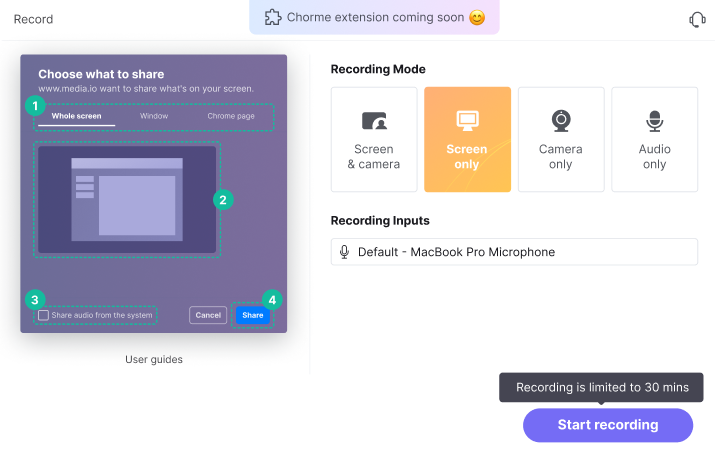
An editing agent turns a recorded app workflow into a polished product demo with contextual emphasis. Record a real checkout, dashboard or setup process before letting the editing agent identify the meaningful actions. |
Outline one product task with its goal, key steps and a short script. Use real, authorized screenshots where a UI must be exact. |
| Creative controls |
Support teams often need a 90-second demonstration alongside a searchable checklist. Trainn combines video and guide production around the same recorded workflow. The guide should be checked when UI labels change, since the recording captures a specific product state rather than a timeless process. |
Create a training promo for onboarding email or social channels. |
| Revision workflow |
A changed navigation menu should not force a complete tutorial reshoot. Trainn separates recorded actions into clips, supports replacing an old segment and updates the accompanying narration. This is especially relevant for SaaS products with frequent UI releases and recurring onboarding documentation. |
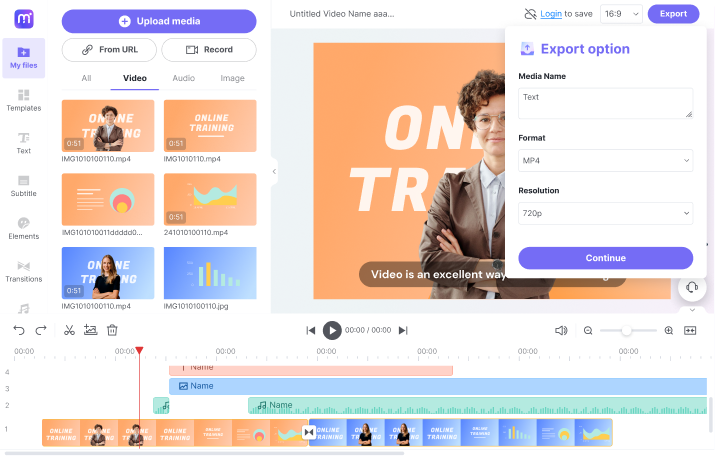
Check every screen label, reorder steps for comprehension and export a short explainer for a help article or launch announcement. |
| Delivery and use |
The distribution layer is a major reason to choose Trainn. A customer-success team can place help next to a feature, collect tutorials in a searchable knowledge hub and run structured courses through an academy. These training systems should not be confused with a generic media-file export or AI cinematic video creation. |
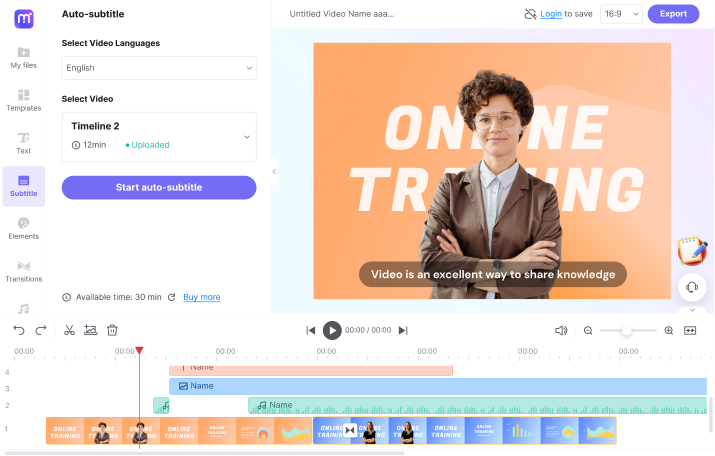
Finish supplementary footage and add narration to an existing lesson. |
| Pricing and allowances |
Creator $19/month and Launch $2,400/year are listed on the official pricing page; seats, video-guide quotas and feature access vary by tier. |
The comparison recommends a one-off scripted training explainer rather than a hosted customer academy. Review the Make a Training Video tool for its own credit terms and required input files. |
| Relevant limitations | Trainn is strongest when you can capture the actual interface; it is not built to hallucinate a new app experience from text alone. A branded academy and learner tracking may add cost and operational scope beyond a few exported videos. | Keep real product screenshots separate from illustrative AI scenes. |
| Ideal audience |
A SaaS customer-success team maintaining an in-app help center is a stronger Trainn fit; a marketer producing a standalone feature explainer is closer to Media.io. |
For one-off educational clips, release announcements and visual explanations, Media.io can help create supporting video without requiring a full customer-learning infrastructure. It does not replace Trainn's academy or learner analytics. |
| Purchase decision |
Build an in-app product guide from an authentic screen recording. Run searchable help collections or a branded customer academy. |
Turn a short how-to script into a visual explainer. Finish supplementary footage and add narration to an existing lesson. |