Home>Comparison>Supawork AI

Supawork AI Review: Face Swap, Video and the Coin Costs

A face-swap meme, a professional headshot and a short image-to-video clip call for different editing tools. Supawork AI collects those visual jobs in a broader AI workspace that also offers writing and study utilities. That convenience raises a practical question: does one account make creative production simpler when each effect has its own quality and coin requirements? This review separates its face tools from general image and video generation, explains the public pay-as-you-go pricing, and shows when Media.io's more focused workflows may be preferable.

Core Feature Overview: What Makes Supawork AI Different

Supawork mixes visual editing, AI motion and noncreative utilities in one account. Its standout creative paths include portrait tools, single or multiple face replacement, lip sync and short generated videos, but capabilities and charges vary by mode.

Core Feature Overview

Portrait and Face-Swap Effects

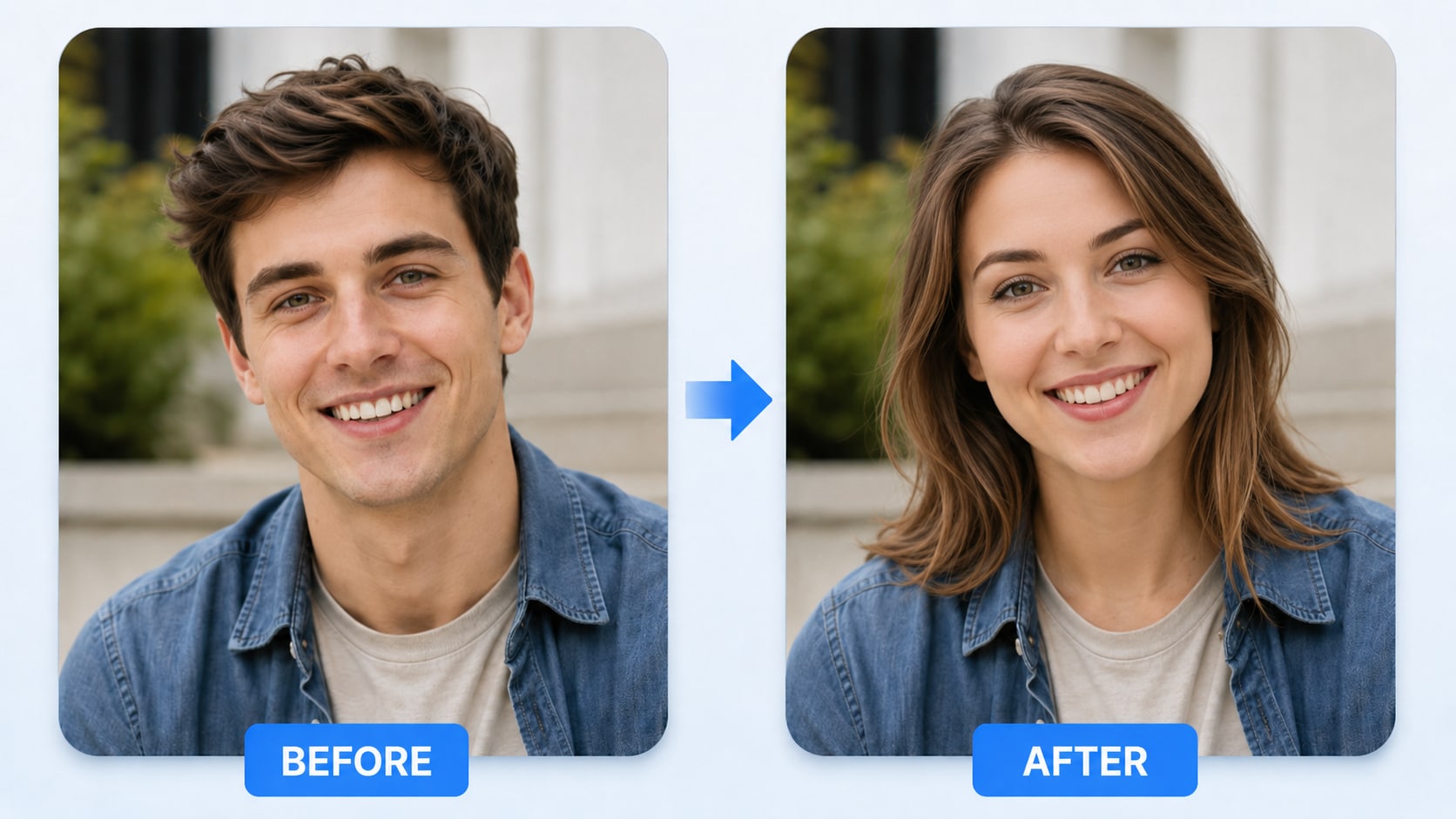
Supawork promotes face replacement for photos and videos, including separate modes for one person and several. For an approved portrait edit, compare original and result for nose, jawline and skin tone; in group footage, confirm every detected subject before choosing a replacement. The tool is designed for entertainment and creator workflows, but consent is essential whenever an identifiable real person appears.

Illustrative Media.io creation workflow graphic, not a Supawork AI product screenshot

Image-to-Video and Text-to-Video

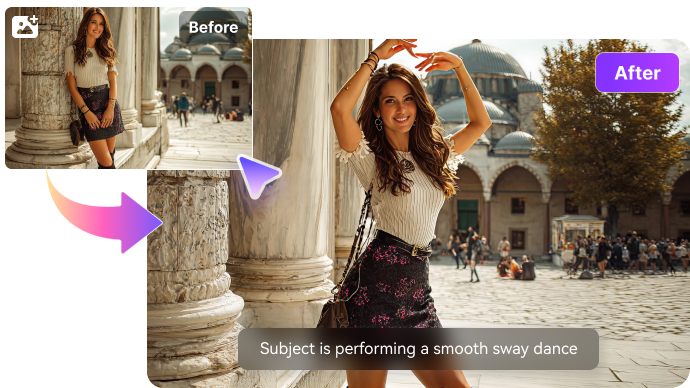
The Supawork navigation lists both image-to-video and text-to-video creation, allowing users to animate existing stills or generate a short scene from a prompt. Those inputs pose different checks: an animation should retain the uploaded person's identity, while a new shot should match its intended brief. The platform also lists current model names, but model-specific costs and limits must be verified at generation time.

Illustrative Media.io creation workflow graphic, not a Supawork AI product screenshot

Talking Clips and AI Lip Sync

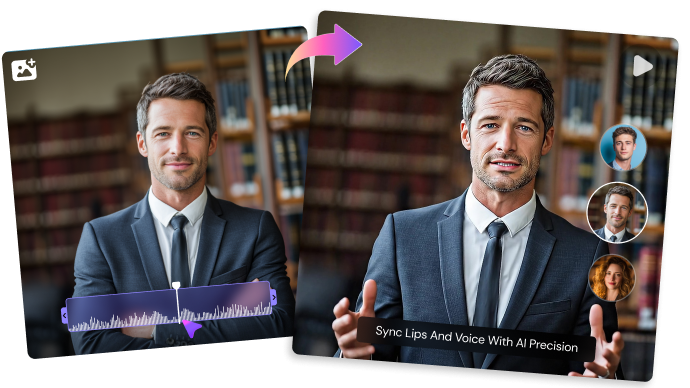
Supawork includes an AI lip-sync tool that can match audio or a script to a face. This is useful for consented fictional characters or localized creator clips, but moving mouths and side-facing scenes deserve careful testing. Recordings need the speaker's permission; a synchronized mouth is not proof of accurate pronunciation or appropriate disclosure.

Illustrative Media.io creation workflow graphic, not a Supawork AI product screenshot

Professional Headshots and AI Portraits

Supawork's AI headshot generator targets profile photos, resumes and personal branding. It can change style and background quickly, but the result should still represent the real applicant or creator fairly. An employer-facing photo may be expected to resemble the subject, so avoid misleading facial changes and review any edits to clothing or environment.

Illustrative Media.io creation workflow graphic, not a Supawork AI product screenshot

Image Editing and Creative Generation

Its Image to Image, Text to Image and AI Photo Editor functions support concept artwork and prompt-guided edits beyond simple face replacement. For an ad composite, make preserved elements explicit and compare the original image to the AI result. A broad tool collection is convenient, but some jobs may require more detailed region selection or a dedicated finishing editor.

Illustrative Media.io creation workflow graphic, not a Supawork AI product screenshot

Coin Packs Versus Task-Level Costs

Supawork's current pricing page presents pay-as-you-go packages, including $9.99 for 400 coins, $14.99 for 800, $37.99 for 3,000 and $89.99 for 8,000. It says purchased coins do not expire. That is not the same as unlimited face swaps or unlimited videos: different tools consume coins based on compute demand. Estimate your usual mix of headshots, image generations and motion clips before buying the largest pack.
Illustrative Media.io creation workflow graphic, not a Supawork AI product screenshot

How to Make an Approved Face Swap with Media.io

1
2
3
1
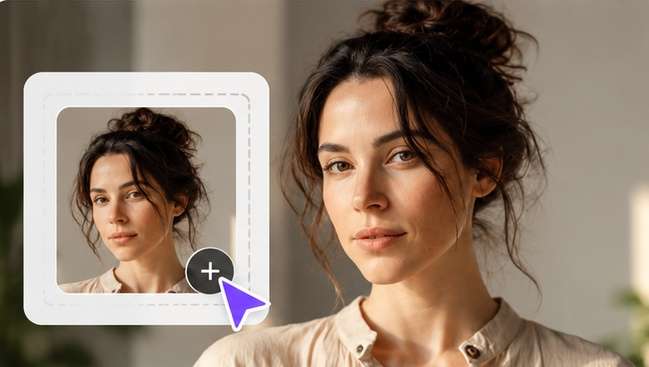
Step 1: Select Your Portrait

Use a clear source image of yourself.

2
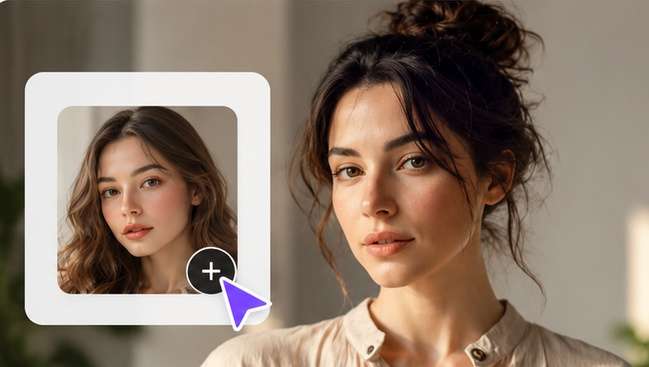
Step 2: Upload the Intended Face

Choose the intended face and generate an initial result.

3
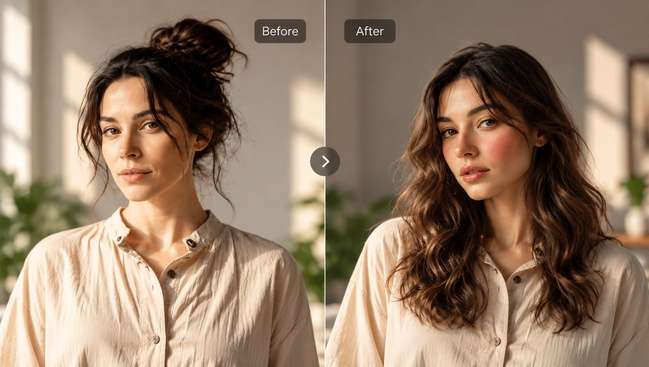
Step 3: Generate, Verify Identity and Details

Tap on Generate to see the result. Inspect expression, hairlines and context before sharing.

Illustrative Media.io creation workflow graphic, not a Supawork AI product screenshot

Six Practical Uses for Supawork AI

An all-in-one workspace is best evaluated through individual jobs, from a headshot to a lip-synced short, with different consent and coin requirements.

A LinkedIn Profile Refresh

A job applicant needs a cleaner headshot with natural lighting. Use the portrait tool, but compare face shape and styling with a real current photo so the result remains representative.

A Consented Group Photo Edit

Friends make a themed collage for a private party. Select the correct people in a multi-face workflow and avoid using anyone's likeness without agreement.

Animating a Product Illustration

A creator has a finished illustration and wants a few seconds of movement. The image-to-video path can add motion; check object shape, text and background continuity.

A Fictional Talking Character

An illustrator wants a character to speak a prepared line. Lip sync can save frame-by-frame animation, but the team still checks audio rights and mouth alignment.

Short Video Concepts for Social Posts

A creator experiments with a prompt-driven video idea. Test one scene before buying a large coin pack, because model-specific compute can change cost.

Photo Editing Alongside Other Tasks

A student or freelancer uses Supawork for an image edit and occasional writing or research tools. The broad workspace may be convenient, but specialist finishing quality still has to be judged per job.

What to Check Before Buying Supawork AI

Supawork covers many AI tasks; the key purchase questions are the real coin cost, video-mode limits, data permissions and whether a general workspace offers enough finishing control.

Free Does Not Mean Every Mode Is Free

Supawork advertises accessible tools, but some AI generation and premium face/video modes consume coins. Check the cost displayed by the selected tool rather than assuming a free entry page means unlimited exports.

Pay-As-You-Go Packs Are Not Subscriptions

The published pricing emphasizes coin purchases with balances that do not expire. The same page includes some generic subscription FAQ wording, so confirm the active checkout and account terms for the product you use.

Face Swaps Need Consent and Context

A believable replacement can mislead an audience or impersonate another person. Use approved photos, label material when appropriate and avoid placing someone into deceptive or intimate content.

Short Clips Can Hide Motion Errors

A lip-sync or moving-face preview may appear clean on a still frame but jitter during speech, turns or occlusions. Inspect the final rendered clip rather than the preview thumbnail alone.

Headshot Edits Can Change Identity

Retouching, relighting and background changes may make a profile photo look more polished while moving away from the real subject. Compare eyes, facial proportions and hair with the source before using it professionally.

Not Every Utility Forms One Editing Timeline

Supawork also offers academic, writing and resume utilities. The breadth of the account does not prove that a complex story video can be fully assembled and fine-edited within one creative project.

Supawork AI vs Media.io: Features, Costs and Workflow Fit

Supawork offers a general AI workspace and pay-as-you-go coin packs. Media.io is more focused on media work. Compare your chosen portrait or video task, not the number of utilities listed in a navigation menu.

Decision Factor Supawork AI Media.io
Face and portrait swap Dedicated photo and video face-swap modes Specialized face-swap and portrait effects
Professional headshots AI headshot generator with prompt-based styling Headshot and face-editor routes for selected tasks
Talking portrait clips Lip-sync tool for approved talking subjects AI Lip Sync and Talking Avatar workflows
Image-to-video animation Image-led short video generation Image to Video with selected motion models
Text-driven generation Video and image prompt tools in a general workspace Video and image generation with task-specific modes
Coin cost model Non-expiring pay-as-you-go coin packs advertised Usage depends on model and feature selected
Cross-domain utilitiesAlso includes resume, study and writing toolsPrimarily creative image/video/audio production
Advanced finishing Verify mode-specific controls and export steps Dedicated enhancement, effects and editing workflows
Best user Occasional visual edits plus general AI utilities Creators focusing on a defined media production task
Best for Supawork AI Projects

Choose Supawork AI If You Need:

Choose Supawork if you occasionally switch among face-swap memes, portraits, short generated clips and noncreative AI tasks, and prefer buying a coin pack rather than evaluating a separate creative product for every experiment.

  • Face Swap and Photo Editing: Face swap belongs to Supawork's creative toolkit.
  • Image to Video and Text to Video: Its navigation exposes both image-led and prompt-led motion.
  • Lip Sync for Talking Clips: AI lip sync can match a recorded speech track to a portrait or avatar.
  • Professional Headshot Tools: The AI headshot workflow serves profiles, resumes and social identities.
  • Plan selection: Supawork offers credit-based tool access and some free entry points. Its official developer documentation quotes video face-swap API charges per second, with enhancement priced differently; do not apply API rates to the web editor without verification.
Visit Supawork AI
Best for Connected Creation

Choose Media.io If You Need:

Choose Media.io if the priority is a clear media task, such as producing a specific face effect, animating a photo, matching lip sync or polishing a video. Compare selected tools head to head; neither brand should be assumed to have identical daily quotas or credit consumption.

  • Verify the precise Media.io face-editing workflow rather than promising identical swap controls.
  • Try an appropriate image-to-video or text-to-video tool for motion shots.
    • Voice and lip-sync needs may warrant a specialized media tool.
  • Use image enhancement and portrait-specific editing only with authorized photos.
  • Final production: for the wider creation and finishing pipeline that follows, and use permissioned sources in both environments.
Explore Media.io AI Tools

Final Verdict: Who Should Use Supawork AI?

Our Take

Supawork is a broad AI workspace with creative capabilities that extend from face swaps and headshots to video generation, lip sync and image editing. That breadth is useful for exploratory creators who want several utilities in one account.

Its public pricing is centered on pay-as-you-go coin packs and says purchased coins do not expire. The important budget question is not simply how many coins a pack contains, but which chosen visual operations spend them and whether that price changes with model, duration or export.

Choose Supawork for mixed occasional tasks and quick experimentation. Consider Media.io for a more directed photo, video or audio workflow with related finishing tools. Review likeness permissions and test a representative clip before deciding on larger-volume face or motion work.

Supawork AI Frequently Asked Questions

What is Supawork AI used for?
faq faq

Supawork is a multi-purpose AI workspace. Its creative options include face swap, professional headshots, image-to-video, text-to-video, AI photo editing and lip sync, alongside writing, resume and study utilities.

Yes. Its site markets video face replacement as well as photo effects. Mode-specific file limits and multiple-person options can differ, so inspect the active tool interface before uploading footage.

The official site advertises an AI Professional Headshot Generator for resumes, portfolios and personal profiles. Compare the result to the real subject to ensure it does not misrepresent identity.

Yes, it lists an AI Lip Sync workflow for aligning speech with a talking subject. Quality can vary with audio, angle and mouth visibility; check the complete video before publishing.

The official pricing page lists pay-as-you-go packs including $9.99 for 400 coins, $14.99 for 800, $37.99 for 3,000 and $89.99 for 8,000. Confirm live checkout in case prices change.
Supawork's pricing FAQ says purchased coins remain valid indefinitely. This describes purchased balances, not necessarily promotional or free credits, so check your account's terms.

Several tools promote free access or trials, but more demanding image and video generations can consume coins. Check the displayed usage for each selected model and output duration.

Only use recognizable faces with appropriate permission. Consent, truthful context and platform disclosures matter even if a tool can produce a convincing replacement.

Supawork fits mixed creative and everyday AI utilities. Media.io is more focused on media generation, effects and finishing. Compare the exact task, consent needs and final export rather than a generic feature count.

What Media.io Creators Say About Their Workflow

Media.io AI video generator user
Sarah L.

Content Creator

star star star star half star

Media.io makes it much easier to test different AI video styles without jumping between several platforms. I can start with a text prompt or image, compare model results, and then resize or polish the clip for social media in the same workspace.

Media.io AI video creator
John D.

Social Media Marketer

star star star star half star

I use Media.io to create quick product clips, ad concepts, and short-form videos from images. The biggest advantage is that generation does not feel like the final step - I can continue with music, captions, enhancement, and format conversion before publishing.

Media.io AI video editing user
Emily T.

Freelance Designer

star star star star half star

The workflow is approachable even when I am experimenting with unfamiliar AI models. I can animate artwork, try different motion prompts, preview the output, and prepare a cleaner final version without needing advanced video-editing experience.

Media.io Online Tools Quality Rating:
vote 4.7 (162,357 Votes)
media.io

AI Video Generator star

Easily generate videos from text or images

Generate