Home>Comparison>Mage.Space

Mage.Space Review: Is Its Model Studio Worth the Cost?

If you want precise control over a character's style, one preset image generator may feel limiting. Mage.Space offers LoRAs, inpainting, multiple model families, character references and image-to-video creation. But its pricing mixes unlimited usage on selected membership models with monthly Gems for premium options, while the developer API is billed separately. This review unpacks those cost layers, the difference between creative controls and ready-made videos, and when Media.io is a more practical choice for a short, complete creative job.

Core Feature Overview: What Makes Mage.Space Different

Mage stands out through controllable model selection, LoRAs and reusable characters, plus premium video paths. The important purchase decision is which generations are unlimited and which draw down Gems.

Core Feature Overview

Multiple Image Models and Styles

Mage lets creators move among base models for stylized and realistic visuals. Its published membership matrix lists image families and premium access by tier. Rather than chase the longest model roster, choose two suitable options for the same subject and compare prompt adherence, background accuracy and the revisions needed to deliver the final frame.

Illustrative Media.io creation workflow graphic, not a Mage.Space product screenshot

LoRAs, Inpainting and Refinement

Membership descriptions include LoRAs, textual inversions, inpainting and refinement, with higher tiers supporting more simultaneous LoRAs. These controls matter for a designed aesthetic or an image family that must stay consistent over time. The value is in targeted editing, not simply generating more unrelated pictures.

Illustrative Media.io creation workflow graphic, not a Mage.Space product screenshot

Consistent Characters and References

Mage describes a character system that can be referenced in subsequent generations, and developer docs describe saved character handles. This is useful for a comic series, catalog figure or recurring spokesperson concept. Repeat the same reference across several poses, then inspect details rather than trusting a single attractive demonstration.

Illustrative Media.io creation workflow graphic, not a Mage.Space product screenshot

Video Creation from Text or Images

Premium tiers unlock increasingly advanced video modes; the official API catalog lists text-to-video, image-to-video, frame-based and reference-video models. Clip duration, resolution and model choice determine generation cost. For a storyboard, test a single shot and its alternatives before allocating a larger Gem budget.

Illustrative Media.io creation workflow graphic, not a Mage.Space product screenshot

Separate Developer API and MCP Paths

Mage also operates image, video and audio generation through REST and MCP integrations. Official developer documentation states that API generations use Gems with no mandatory API subscription and do not inherit unlimited membership generation. This distinction matters to an agency moving from manual experimentation to an automated production pipeline.

Illustrative Media.io creation workflow graphic, not a Mage.Space product screenshot

Four Membership Tiers and Gems

Mage lists Basic $10 monthly, Pro $30, Pro Plus $60 and Max $200, each combining selected unlimited generation with a monthly Gem allotment. Features such as premium video models, 4K enhancement and custom model imports belong to higher levels. Check both the tier and the Gem cost for the exact model you plan to run.

Illustrative Media.io creation workflow graphic, not a Mage.Space product screenshot

How to Create an AI Image from Text with Media.io

1
2
3
1
Step 1: Choose Text to Image

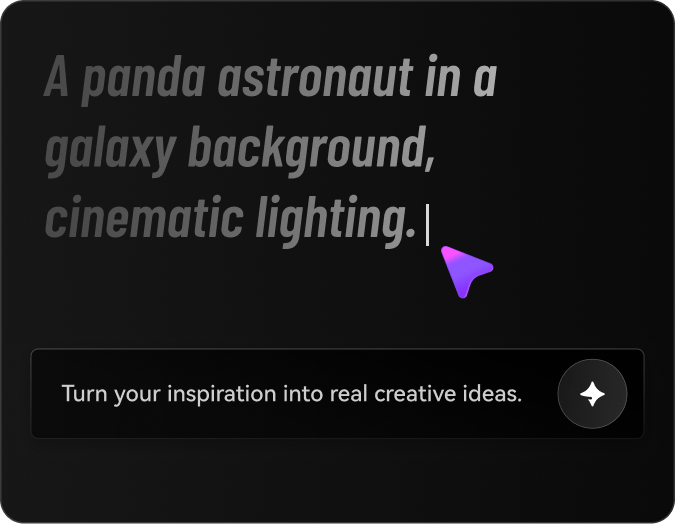
Open Text to Image and describe the subject, style, colors, and composition you want to create.

2
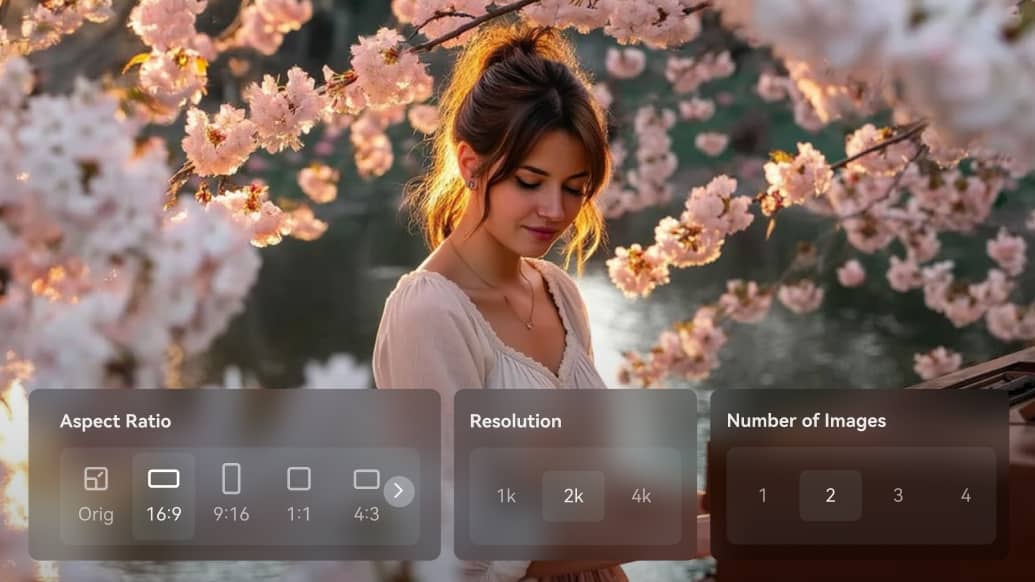
Step 2: Adjust Your Image Settings

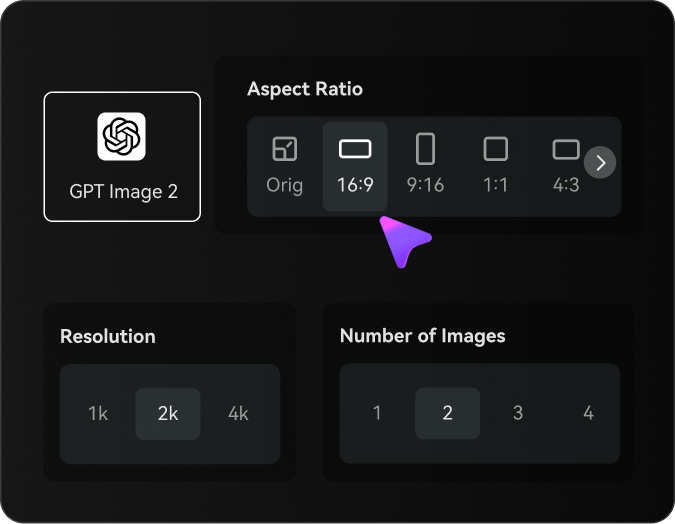
Choose your AI model, aspect ratio, resolution, and number of images to generate.

3
Step 3: Generate and refine

Inspect the result and use image editing or enhancer tools when details need repair.

Illustrative Media.io creation workflow graphic, not a Mage.Space product screenshot

Six Practical Uses for Mage.Space

Model controls matter when a creator needs a family of related assets, not just one striking image. These examples contrast art direction with real delivery constraints.

An Illustrated Character Series

Use saved references and LoRA-guided style to produce the same fictional character in successive compositions, with a reviewer checking identity and wardrobe continuity.

Visual Product Mood Boards

Compare several image families for a proposed campaign before committing to a preferred color palette and photographic treatment.

Selective Image Cleanup

Use inpainting to repair one inaccurate object without regenerating an entire product scene. Inspect edges and logos after the edit.

A Short Animated Key Art Clip

Turn a finished still into a video sample. Compare motion from different supported models before buying extra premium renders.

Agency Automation Prototype

Call the Mage API for a fixed number of sample assets and calculate Gem spending separately from manual-app membership benefits.

Higher-Resolution Art Delivery

Determine whether the desired 2K or 4K enhancement is included at the chosen tier, then check details in the exported picture rather than a preview.

What to Check Before Buying Mage.Space

Unlimited membership access and premium model use are not interchangeable. Mage is flexible, but its account economics require close attention.

Unlimited Applies to Selected Settings

A membership may advertise unlimited generations while limiting the set of models and options available without Gems. Check the exact model rather than assuming every premium render is included.

API Work Is Charged Separately

Mage says API and MCP creations are paid in Gems and do not inherit unlimited in-app membership generation. An agency automation budget needs its own unit economics.

Custom Models Need Higher Tiers

The official matrix places checkpoint and custom LoRA imports on Pro Plus and above. A custom illustration pipeline may not fit an entry plan.

Premium Video Can Consume Gems Quickly

Advanced video models, resolution and duration may increase Gem cost. Price a repeatable five-shot sequence including failures and revisions.

Complex Controls Increase Setup Time

LoRAs, references and inpainting offer useful creative leverage but also require decisions about weights, styles and composition. They are not a substitute for a script or complete edit.

Character Consistency Requires Human Review

Reference handles and LoRAs help repeat an aesthetic but cannot guarantee identical faces or clothing across every output. Test a small series first.

Mage.Space vs Media.io: Features, Costs and Workflow Fit

Mage appeals to creators who want direct model and LoRA control. Media.io offers more task-defined generation and finishing; their subscription logic is not equivalent.

Decision Factor Mage.Space Media.io
Primary workflow Model-rich image and video generation studio Task-based generation and finishing tools
Visual customization LoRAs, inpainting, reference controls Image editing and model tools; control varies by task
Consistent characters Saved references and supported model features Choose reference-aware workflows and verify output
Premium video Membership tiers and Gem-priced model access Model or scenario-specific AI video tools
Subscription price Basic $10, Pro $30, Pro Plus $60, Max $200 listed Evaluate tool or model charges separately
Developer automation REST API and MCP; Gem-based usage No identical Mage API entitlement implied
Upscaling2K and 4K options on eligible tiersDedicated image or video enhancement tools
Complete ad or story Requires creator-led multi-shot composition Script-to-video and AI ad workflows for defined tasks
Best buyer fit Model experimenters, artists and API builders Creators who want an end-to-end production outcome
Best for Mage.Space Projects

Choose Mage.Space If You Need:

Choose Mage.Space if LoRA work, repeatable visual style, model control and developer integration are central to your production process. Budget premium Gems separately from the membership.

  • Custom Characters by Handle: Mage lets a creator save a character and reference it with an @handle in images or video.
  • Mage Image Models and Editing Apps: The platform offers image models plus focused apps such as inpaint, refine and character builder.
  • Plum, Cherry and Video Models: Mage operates its own video families and additional models, each with different frame/reference inputs.
  • Image-to-Video and Motion Transfer: Motion Control and reference-led video are useful when the action matters as much as character appearance.
  • Plan selection: Mage currently describes limited daily free generations (10 per day in an August 2026 update) and paid tiers that include Basic, Pro, Pro Plus and Max. Unlimited privileges are model- and plan-specific, and Gems can apply to other tasks.
Visit Mage.Space
Best for Connected Creation

Choose Media.io If You Need:

Choose Media.io if you want to turn an idea or reference image into a specific video, ad or edited asset without spending as much time managing low-level model settings.

  • Media.io can support image variation; it does not replicate Mage character handles.
  • Choose a specific image model or editor, not an assumed Mage preset.
    • Separate video generation from Mage-specific Cherry/Plum naming.
  • Use an image-to-video flow for motion based on a chosen reference.
  • Final production: when image-to-image refinement must feed other Media.io creative workflows; do not treat the two platforms as having identical model libraries.
Explore Media.io AI Tools

Final Verdict: Who Should Use Mage.Space?

Our Take

Mage offers unusual depth for creators who know exactly how they want to control images and model options. References, LoRAs, inpainting and an API make it more than a prompt box.

Its pricing is layered: selected unlimited in-app generations, monthly Gems and a separate API/MCP consumption model. A buyer who ignores the distinction can underestimate the cost of video or automation.

Choose Mage for model-centric experimentation and character pipelines; choose Media.io for more directed story, image-to-video and post-generation workflows. Compare one finished deliverable, not merely the number of available models.

Mage.Space Frequently Asked Questions

What is Mage.Space best for?
faq faq

Mage combines multiple image and video models with LoRAs, inpainting, reference characters and developer integrations. It is most valuable for creators seeking hands-on control.

Model and free access can change. Review the current logged-in offer and distinguish any free trials from the paid membership entitlements.

The published membership page lists Basic at $10 per month with selected unlimited base models and 500 monthly Gems. Reconfirm current pricing before subscribing.

The official page lists Pro at $30 per month, additional model options, video generation on eligible settings, 2K enhancement and 1,500 monthly Gems.

Yes. The site and API catalog describe text-to-video and image-to-video models. Access, duration, resolution and cost differ by model and plan.

Gems are a currency for eligible premium generations. The plan includes a monthly allowance, while API and MCP calls charge Gems separately according to the requested model and settings.

No. The official developer page says API creations use Gems without inheriting in-app unlimited membership generation.

The membership matrix lists custom checkpoint and LoRA import on Pro Plus and higher plans. Check supported formats and the current account entitlement.

Media.io may be preferable when the result is a finished ad, short narrative or edited video instead of a custom model experiment requiring multiple generation controls.

What Media.io Creators Say About Their Workflow

Media.io AI video generator user
Sarah L.

Content Creator

star star star star half star

Media.io makes it much easier to test different AI video styles without jumping between several platforms. I can start with a text prompt or image, compare model results, and then resize or polish the clip for social media in the same workspace.

Media.io AI video creator
John D.

Social Media Marketer

star star star star half star

I use Media.io to create quick product clips, ad concepts, and short-form videos from images. The biggest advantage is that generation does not feel like the final step - I can continue with music, captions, enhancement, and format conversion before publishing.

Media.io AI video editing user
Emily T.

Freelance Designer

star star star star half star

The workflow is approachable even when I am experimenting with unfamiliar AI models. I can animate artwork, try different motion prompts, preview the output, and prepare a cleaner final version without needing advanced video-editing experience.

Media.io Online Tools Quality Rating:
vote 4.7 (162,357 Votes)
media.io

AI Video Generator star

Easily generate videos from text or images

Generate