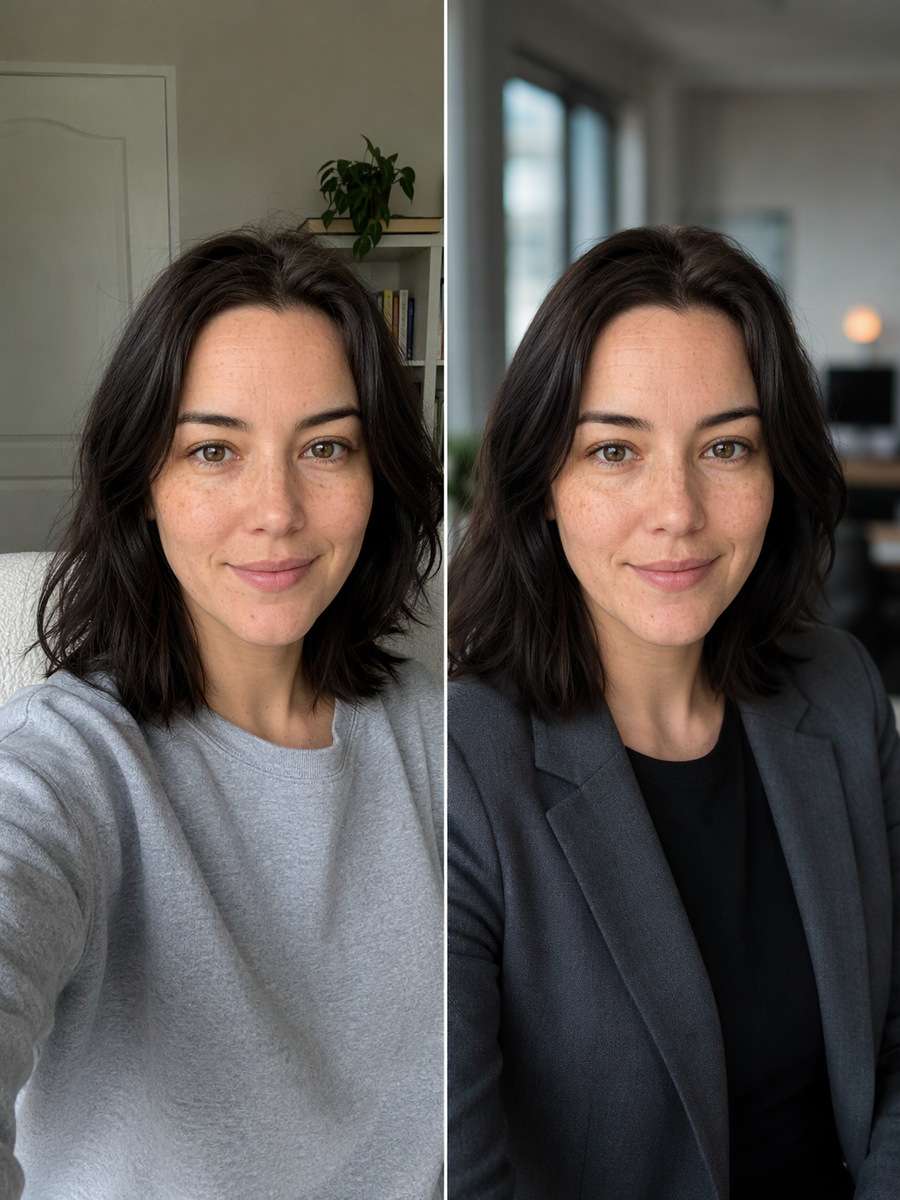
Home>AI Prompts>25 ChatGPT Prompts to Edit Photos Without Changing Your Face
25 ChatGPT Prompts to Edit Photos Without Changing Your Face
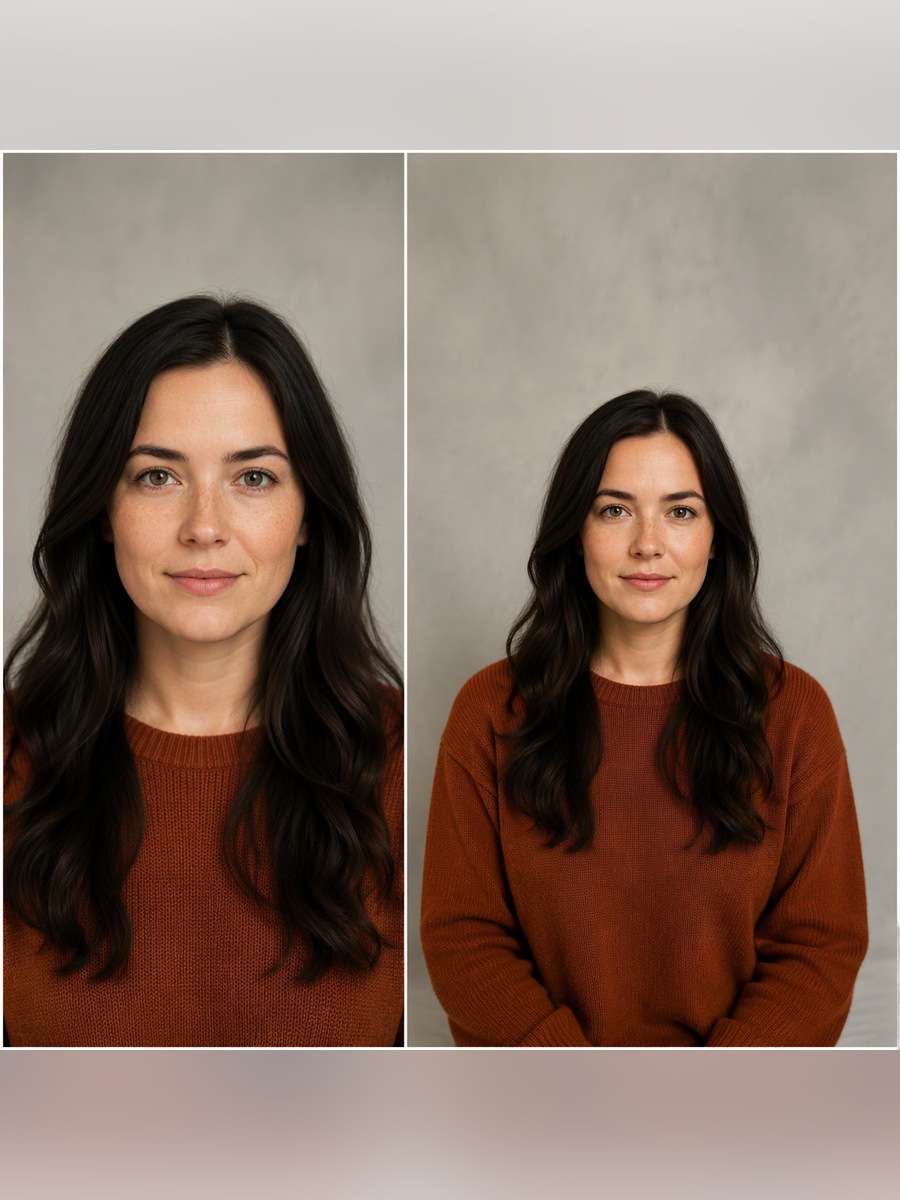
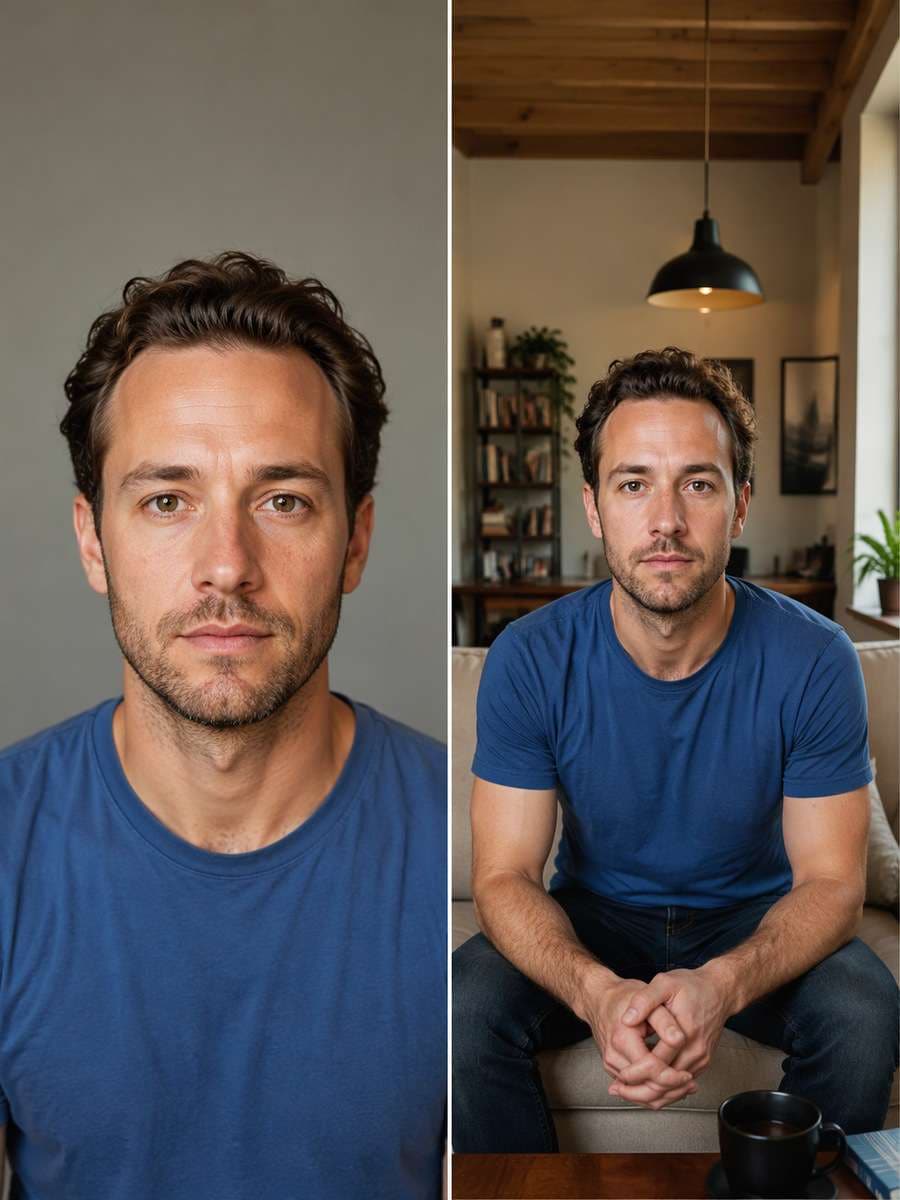
Want a polished photo without losing the features that make you recognizable? This chatgpt prompt for photo editing without changing face collection gives you 25 ready-to-copy instructions for real uploaded photos, from a cleaner headshot and new outfit to better light, background swaps and restoration. Each prompt states what to change and what to protect: your eyes, nose, lips, face shape, expression and age. No AI edit can guarantee a perfectly identical face, so compare the result with the source before using or sharing it.
Stunning AI pet memorial photo generated with Media.io - powered by
Nano Banana Pro.
How to Edit a Photo Without Changing Your Face Using AI Prompts
The safest approach is to make one targeted edit while treating your original portrait as the identity reference, not a loose inspiration image.
1
Upload Your Original Photo
Open Media.io Image to Image and upload a clear portrait with the complete face visible. Use the original photo rather than an already heavily filtered image; sharp eyes, hairline and natural skin detail provide useful reference points.
2
Copy a Prompt That Specifies What Must Stay
Choose one task below, such as a new background or wardrobe change. Paste the prompt and retain its face-preservation clause. Name the intended edit precisely instead of asking the AI to make the person "more attractive" or "completely different."
3
Compare the Face and Refine Only the Edit
After generation, compare the eyes, nose, jawline, smile, hairline and any distinctive marks with the source. If the likeness drifts, try a narrower request and ask to restore the original facial features before downloading.
25 ChatGPT Photo Editing Prompts to Keep the Same Face
Professional Headshot From a Selfie
Use my uploaded selfie as the source image. Replace the casual backdrop with a softly blurred modern office and change my top to a well-fitted charcoal blazer over a plain shirt. Keep my actual facial anatomy, eye spacing, nose, lips, jawline, smile, skin texture, hairline and age recognizable. Match the new jacket to the existing shoulders and light direction. Do not retouch, beautify or redraw my face. Frame a natural head-and-shoulders professional portrait.
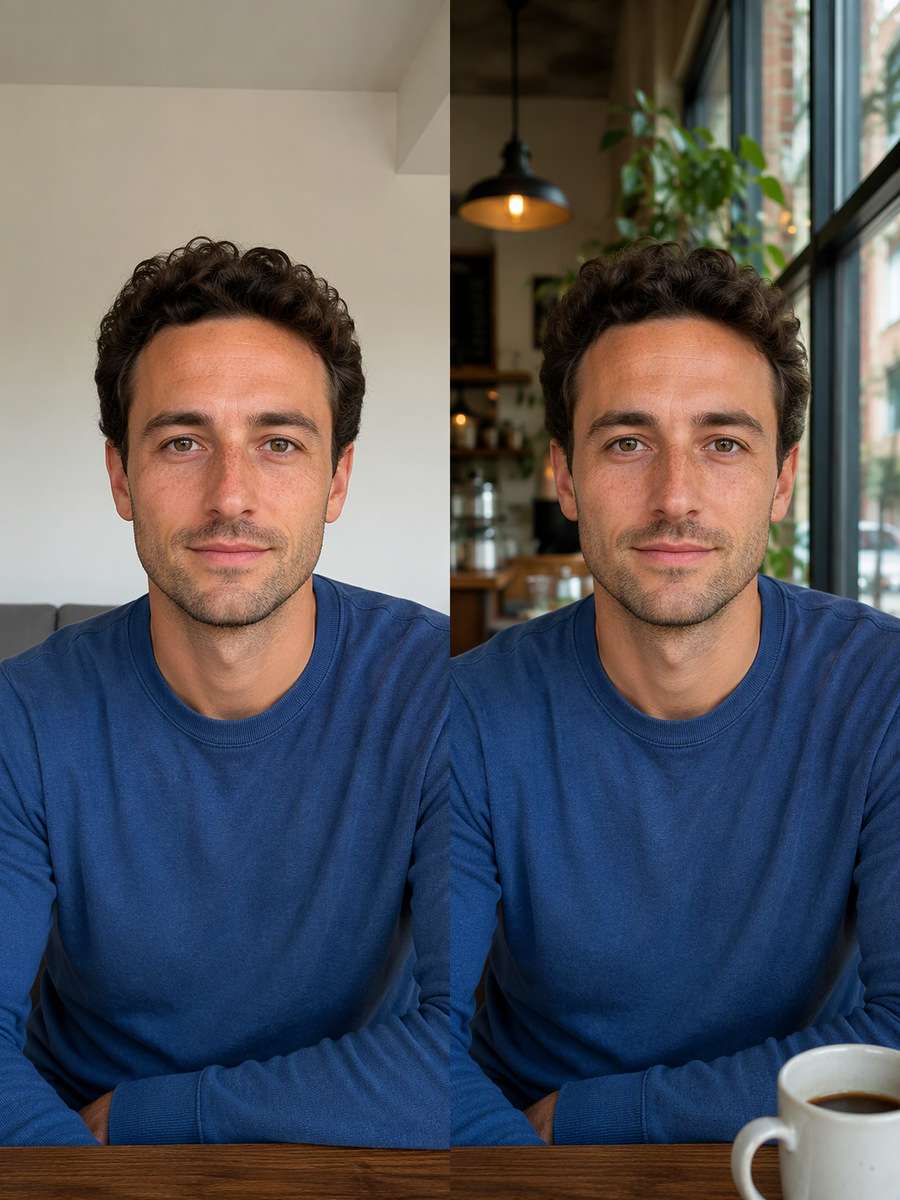
Cafe Window Background Swap
Edit only the environment behind the person in the uploaded portrait. Move the backdrop to a bright corner cafe with large windows, blurred patrons far behind and warm wood details. Preserve the original person pixel-for-pixel where possible: face, expression, hairstyle, skin color, clothing, pose and hands. Use realistic edge blending around hair and shoulders, and match background perspective to the original camera angle. Do not invent a different face or move the head.
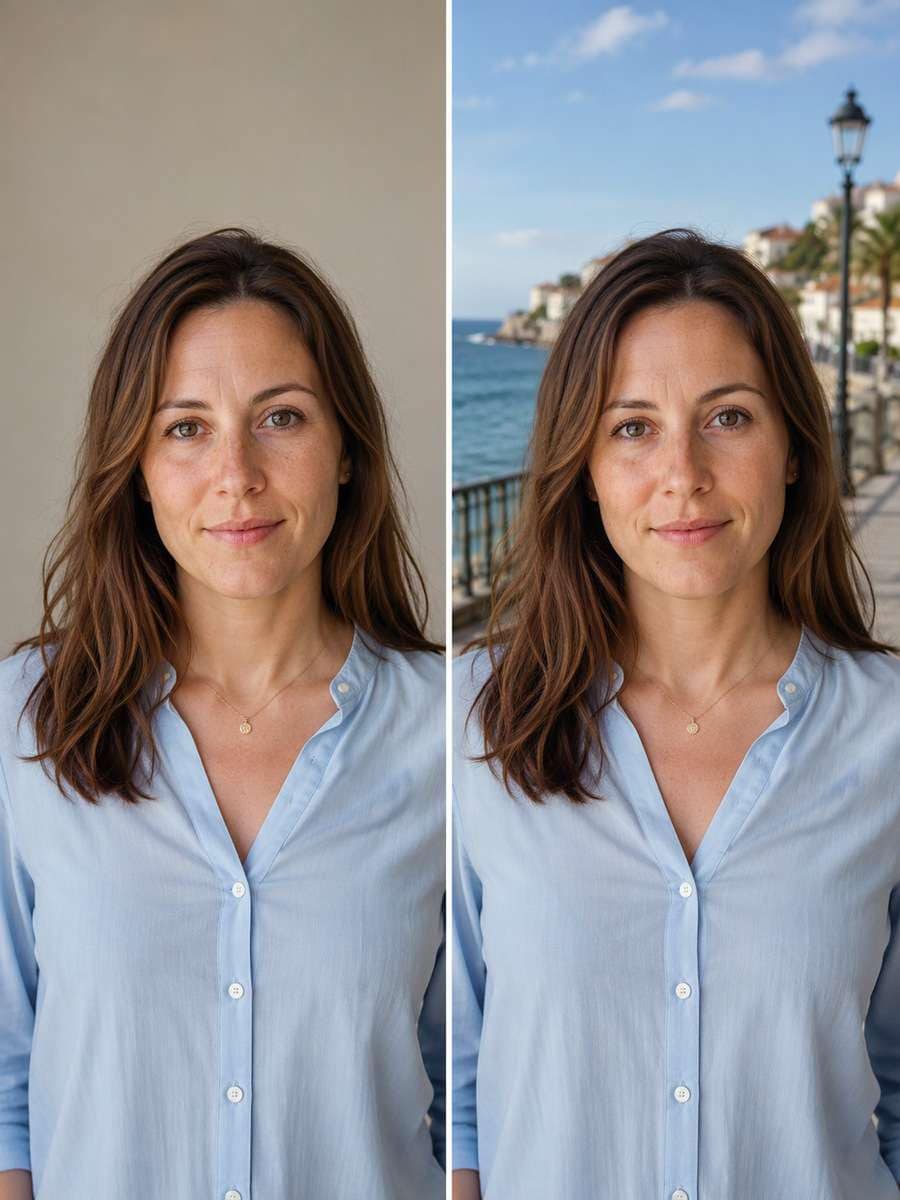
Seaside Holiday Photo Background
Keep the person from my uploaded photo exactly recognizable and replace the background with a quiet Mediterranean coastal promenade. Maintain eye shape, nose bridge, lips, hairline, freckles, facial expression and original outfit. Match the sea horizon to the camera height and make the outdoor sunlight believable against the subject. Do not alter the shape of the head or add sunglasses that cover the face. Give me a relaxed travel picture without changing who is in it.
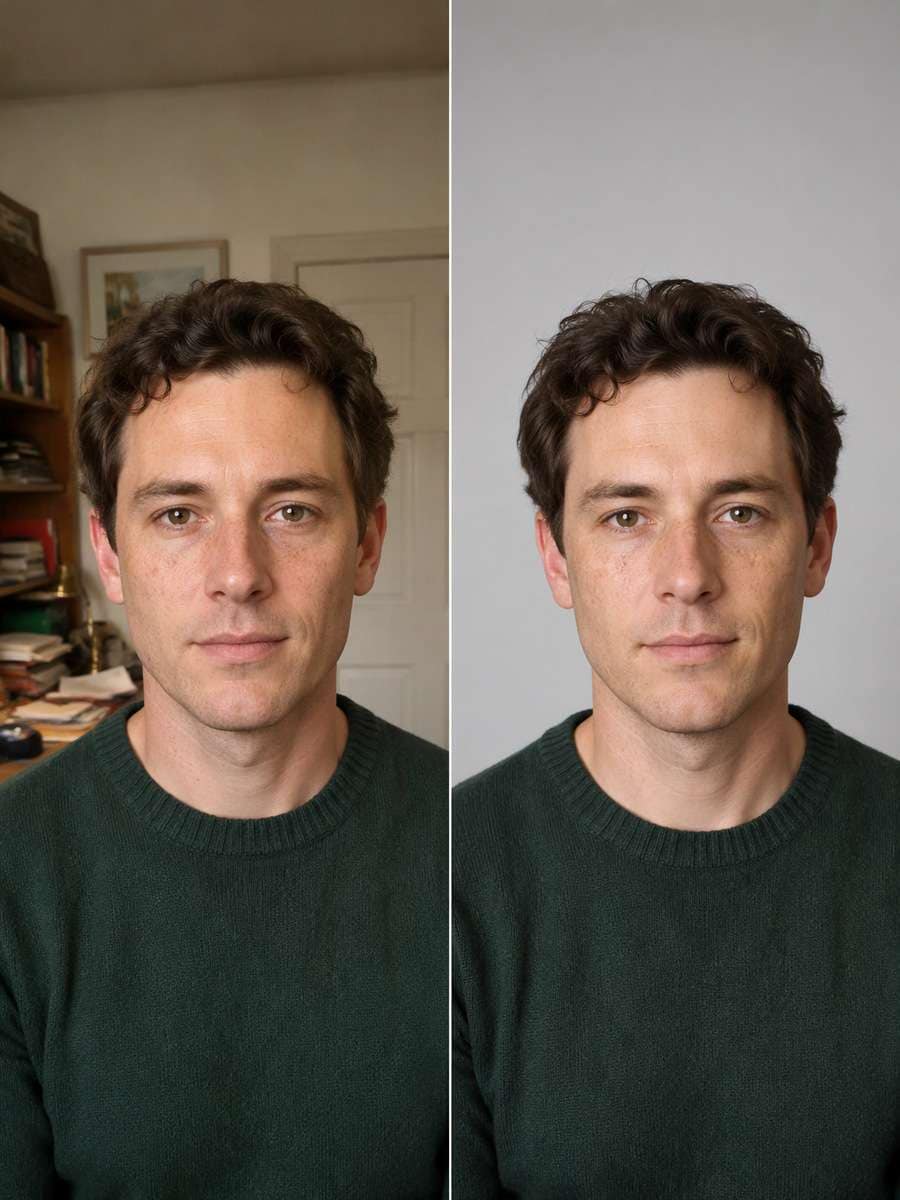
Clean Light-Gray Studio Backdrop
Remove the distracting background from this uploaded portrait and replace it with a smooth light-gray studio backdrop, leaving soft natural shadow behind the shoulders. Preserve my exact eye spacing, nose width, lip shape, jaw, hair texture, skin markings, age and expression. Keep the original shirt and head angle. Maintain natural skin detail rather than applying beauty smoothing. Make the finished image crisp, even and useful for a profile, without changing my face.
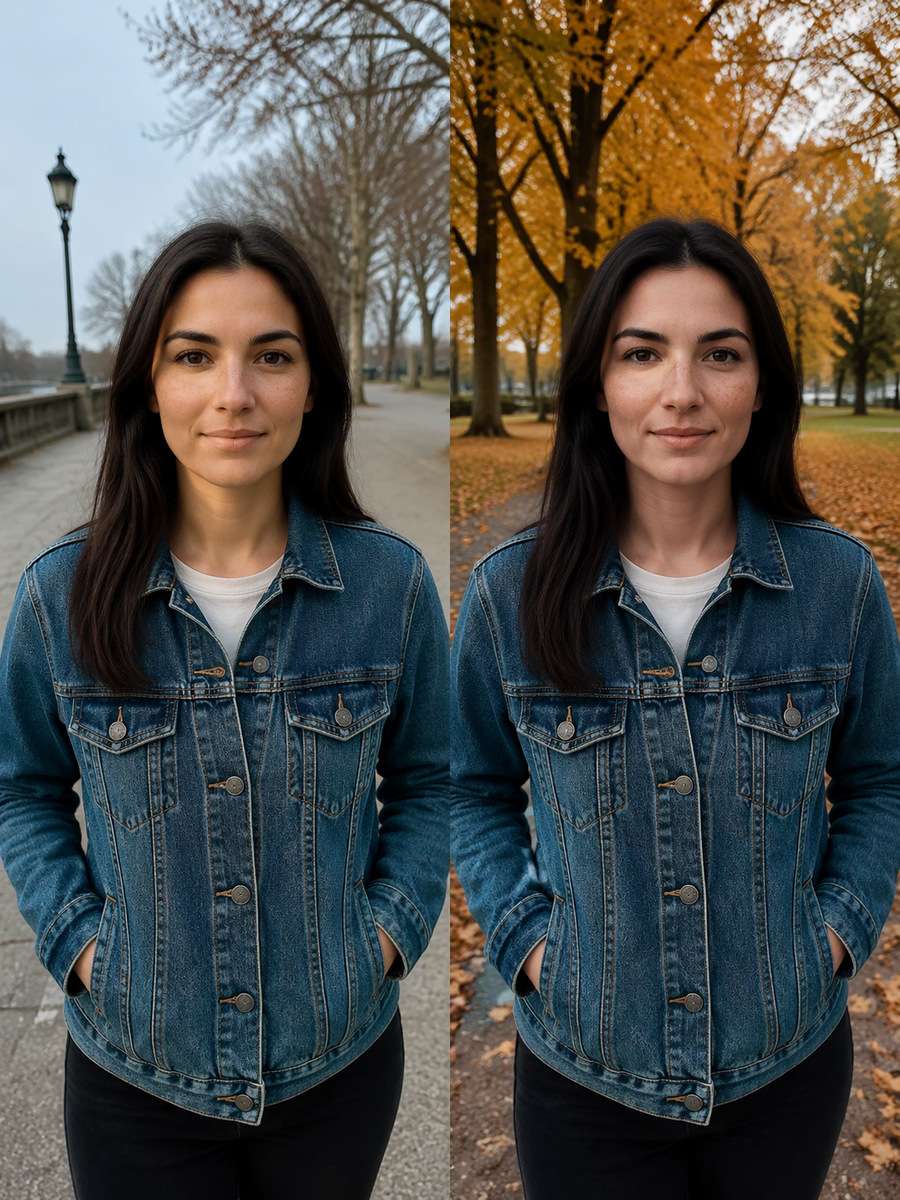
Autumn Park Portrait Setting
Change the setting of my photo to a park path lined with copper and amber autumn leaves. Keep the source person in the same position and preserve the full face, expression, haircut, clothing, skin tone and body proportions. Let the background carry the seasonal change, with mild leaf bokeh and soft overcast light. Do not paint new facial features, reshape the smile or crop the head. The final image should feel like a believable seasonal portrait rather than a face replacement.
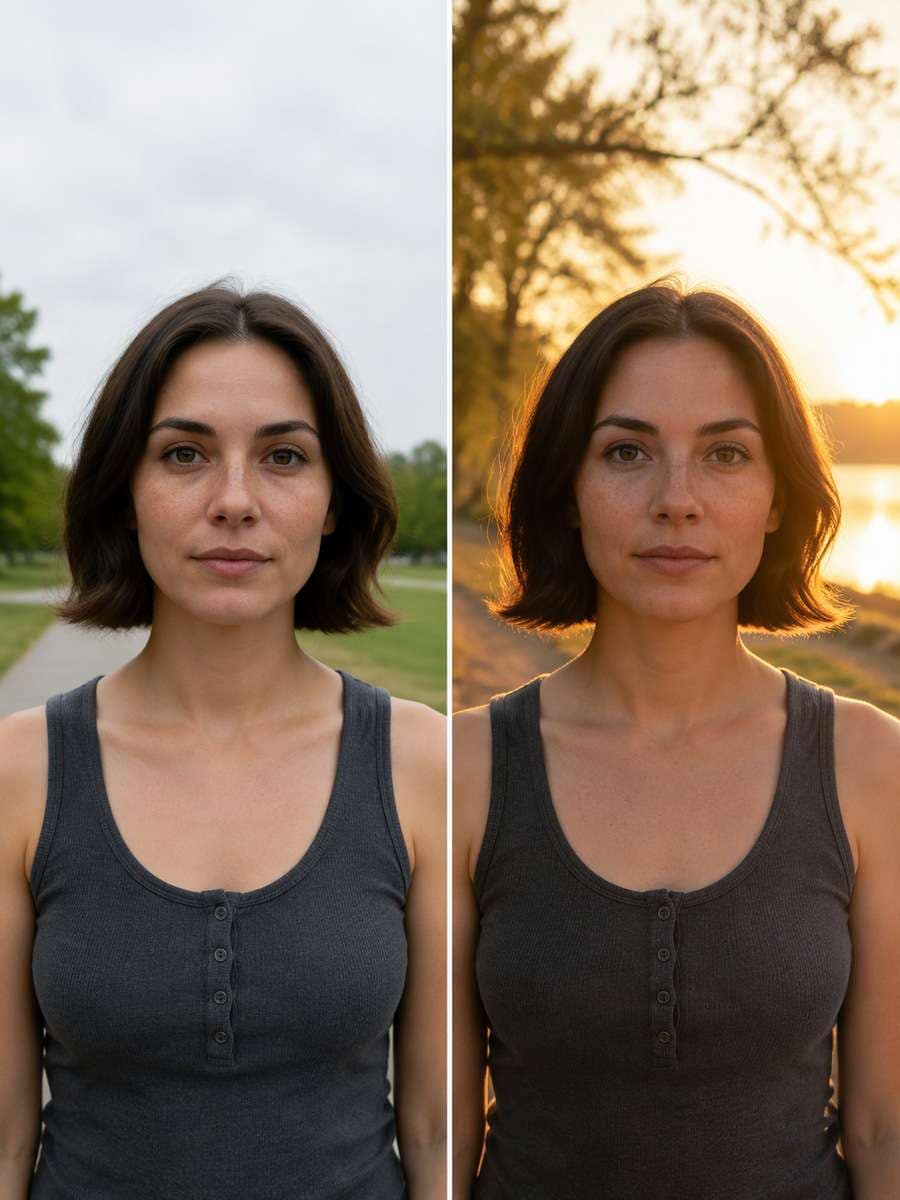
Golden Hour Light Without Face Retouch
Relight the uploaded outdoor portrait to look as though it was photographed during warm golden hour, using gentle edge light and peach highlights in the existing background. Preserve every facial feature, expression line, freckle, skin texture and hairstyle; do not alter face shape or apply glamour retouching. Retain the same location, outfit and pose. Make highlights and shadows follow one consistent low sun direction, with enough exposure to keep both eyes clearly visible.
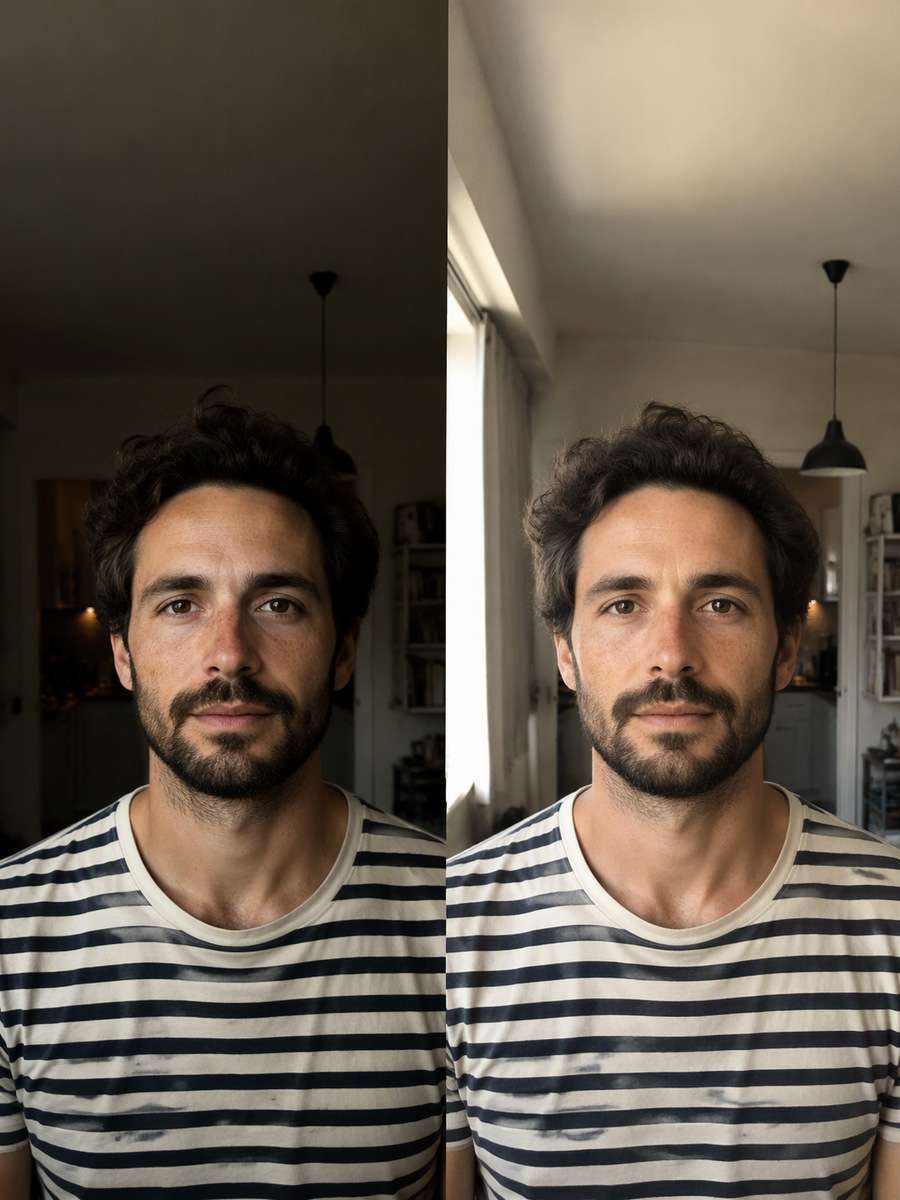
Soft Window-Light Portrait Fix
Improve the lighting in the attached indoor portrait by adding the look of soft daylight from a nearby window. Reduce harsh ceiling-light shadows on the background and shirt, but keep the person's face, facial proportions, expression, age, hairline and natural skin details faithful to the original. Do not erase smile lines, change eye shape or add makeup. Preserve the camera angle and clothing, and retain gentle dimensional shadows so the edit looks like better photography, not a new person.
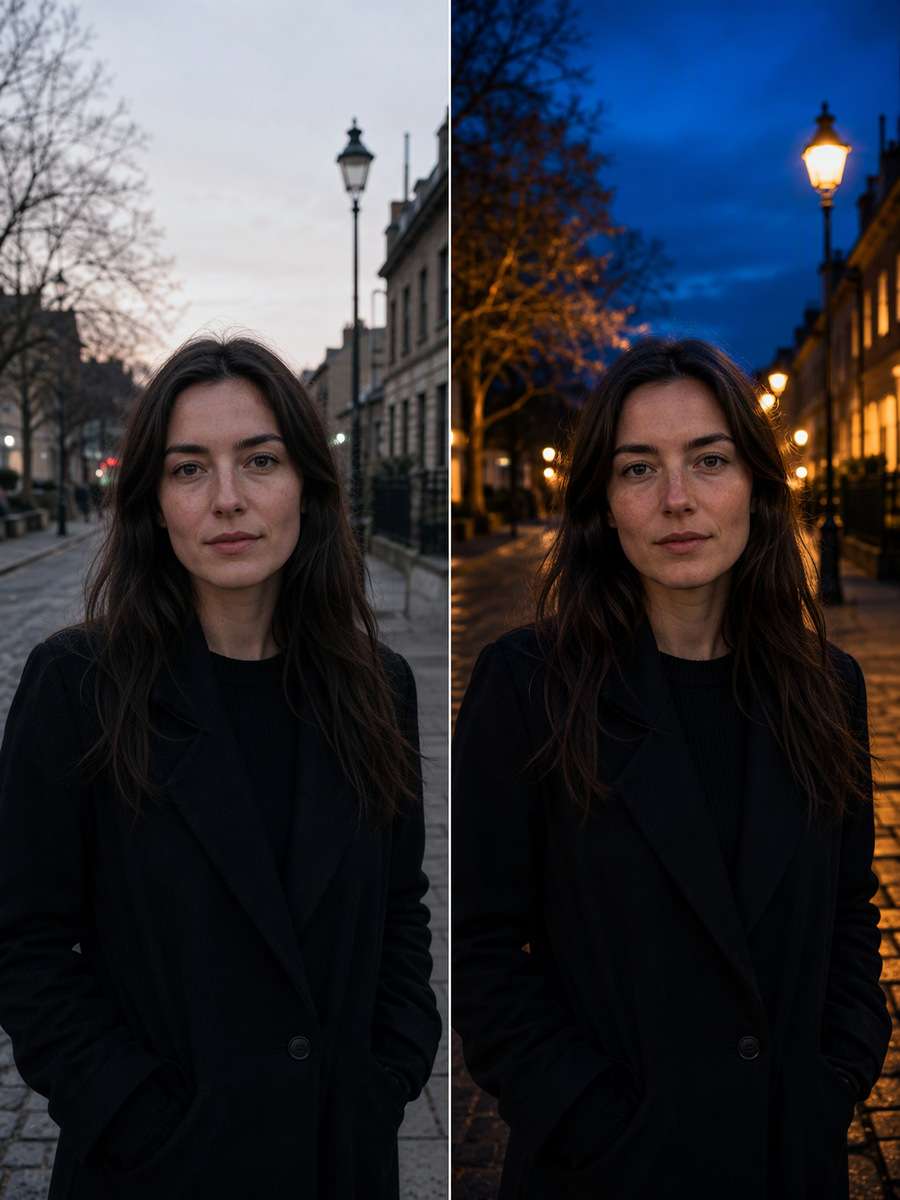
Blue-Hour Street Portrait Mood
Give this existing street portrait a subtle cinematic blue-hour treatment. Shift the sky and distant city lights toward deep blue and warm amber, keeping the original adult subject's face, eyes, nose, lips, skin texture and expression unchanged. Maintain the same hairstyle, posture and jacket. Add realistic reflected light to the clothing and environment, but do not sculpt the face or exaggerate shadows around the eyes. Keep the portrait recognizably the same photo with a stronger evening atmosphere.
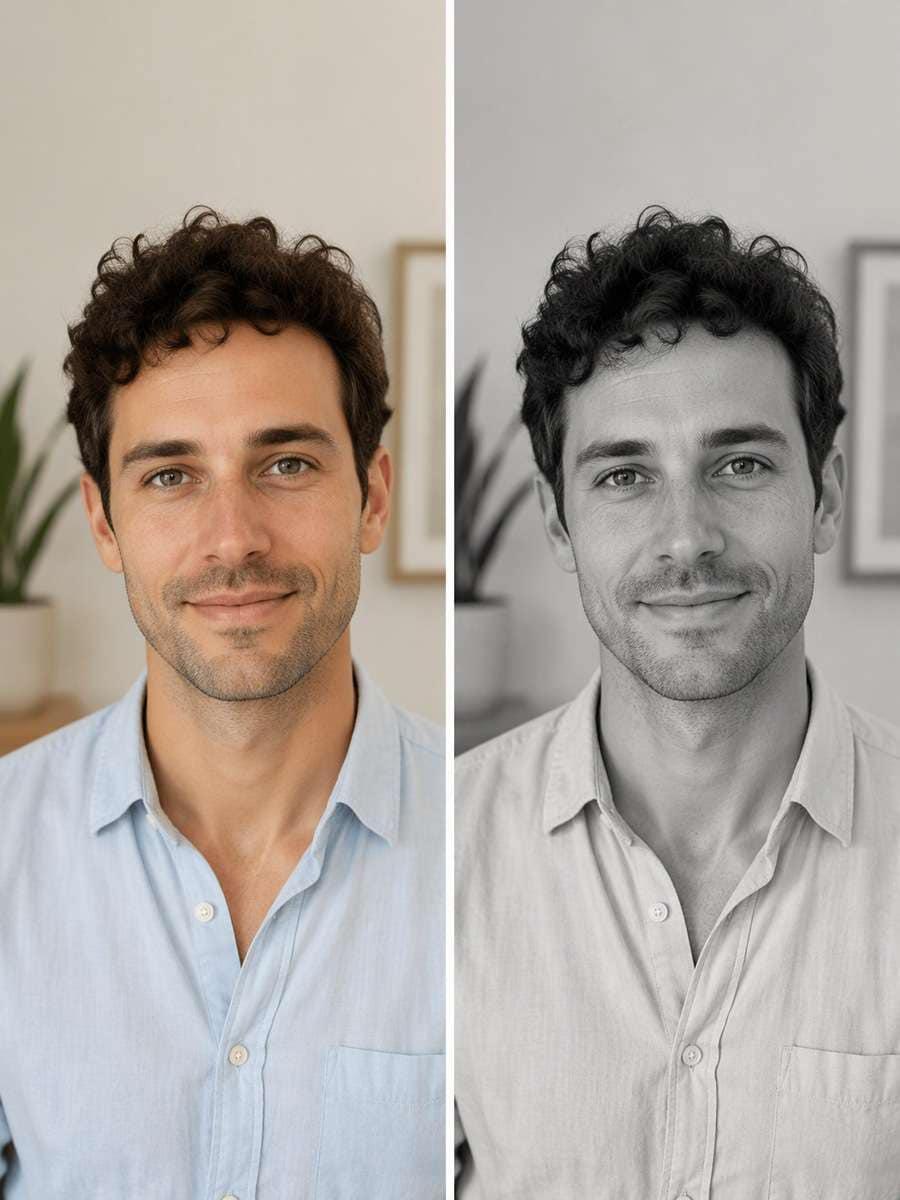
Timeless Black-and-White Conversion
Convert the attached color portrait into a refined black-and-white photograph with gentle midtone contrast and visible fabric detail. Do not change the person, gaze, expression, facial structure, age, hairline, smile or pose. Keep skin texture natural and do not add artificial wrinkles or erase defining marks. Preserve the original composition and background objects while translating them into balanced grayscale. The result should look like a careful monochrome print of the same photograph.
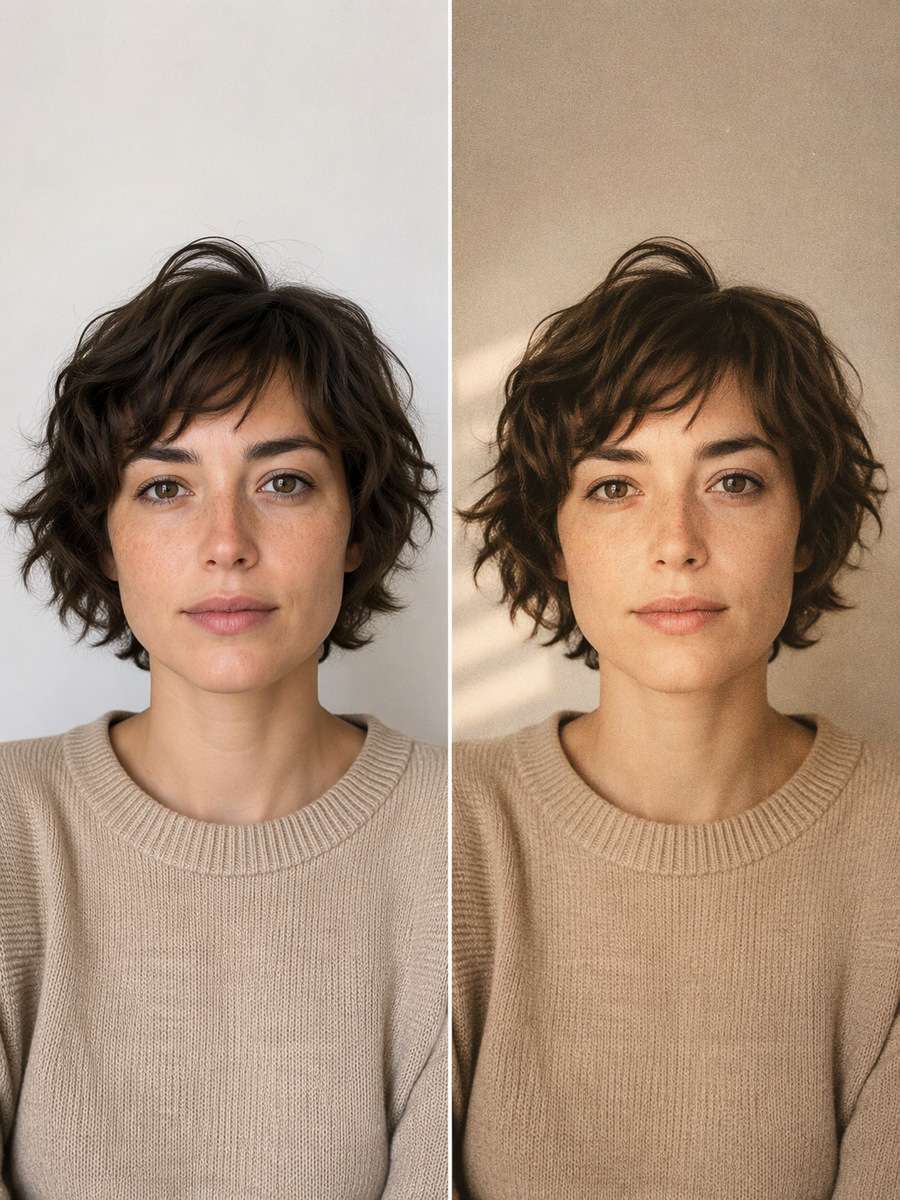
Subtle 35mm Film Color Grade
Apply an understated 35mm film treatment to my uploaded portrait: warm highlights, slightly muted greens, soft grain and gentle contrast. Keep the face, skin texture, freckles, hair and facial proportions exactly as depicted in the source. Do not change the person's expression, age, clothing or location. The grain should sit naturally across the image without hiding details around the eyes. Make this look like the original photo developed on film, not a different model or a face filter.
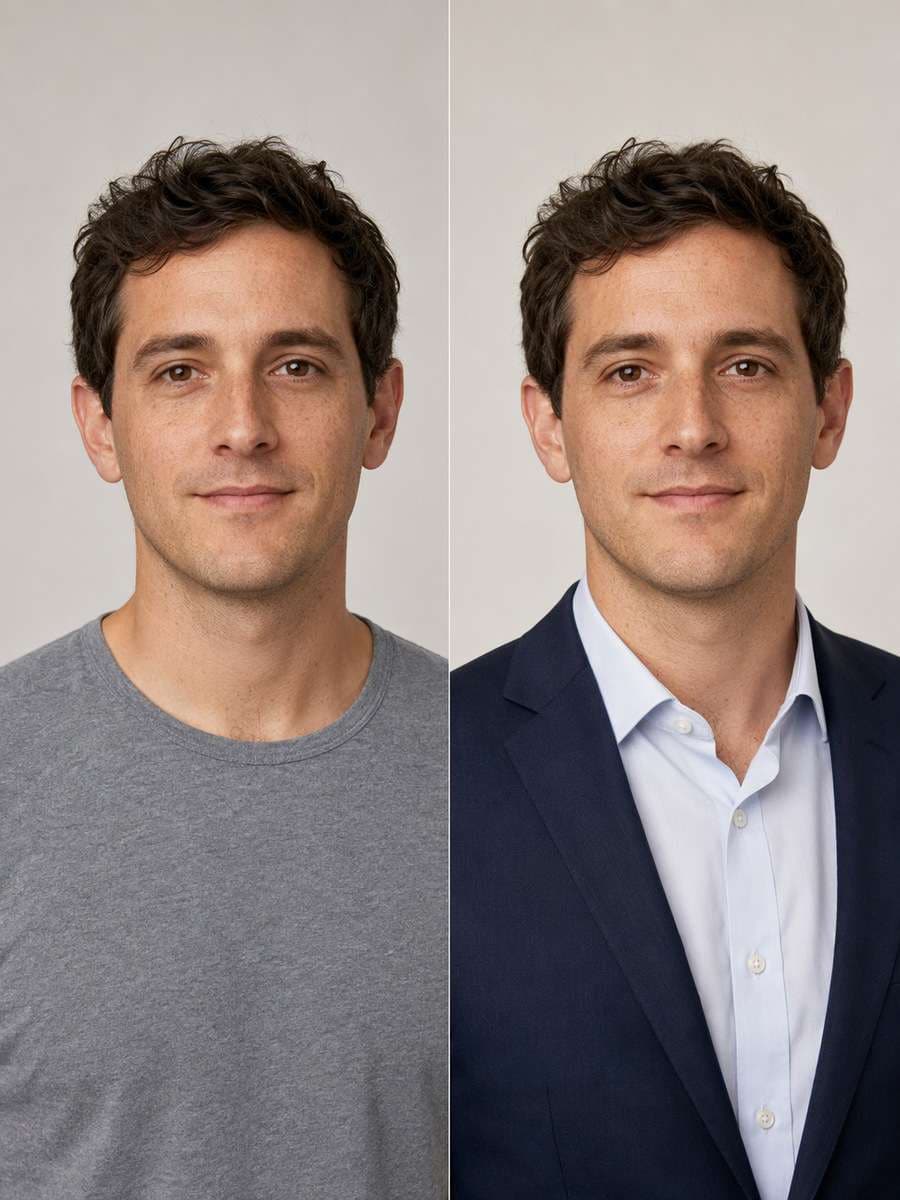
Navy Blazer Outfit Replacement
On this uploaded portrait, replace only the visible upper-body outfit with a tailored navy blazer and an off-white shirt. Keep the original face, hairstyle, expression, skin color, age, neck position and shoulder anatomy unchanged. Use realistic lapels, buttons, seam alignment and natural fabric folds. Match the new outfit to the source light and pose, and leave the existing background intact. Do not smooth my skin or reshape the jaw; this is a clothing edit, not a face makeover.
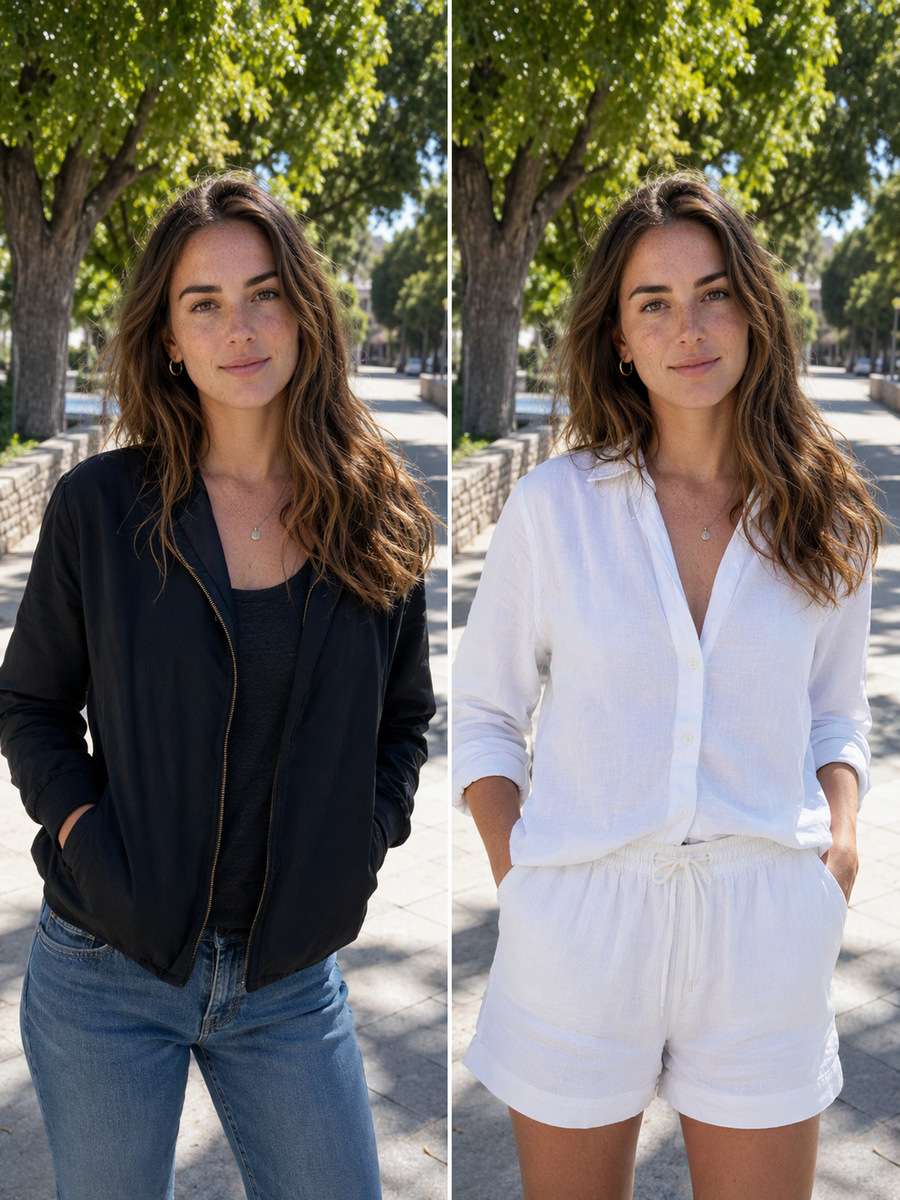
White Linen Summer Outfit
Redress the person in my uploaded vacation photo in a breathable white linen button-down and relaxed neutral trousers. Preserve the original face, face shape, hairstyle, eyes, mouth, expression and age without beautifying or changing identity. Keep the beachside path and pose the same. Render believable linen weave, open collar, sleeve folds and shadows, and keep fabric brightness under control so texture remains visible. Do not change the subject into a new person just because the clothing becomes more polished.
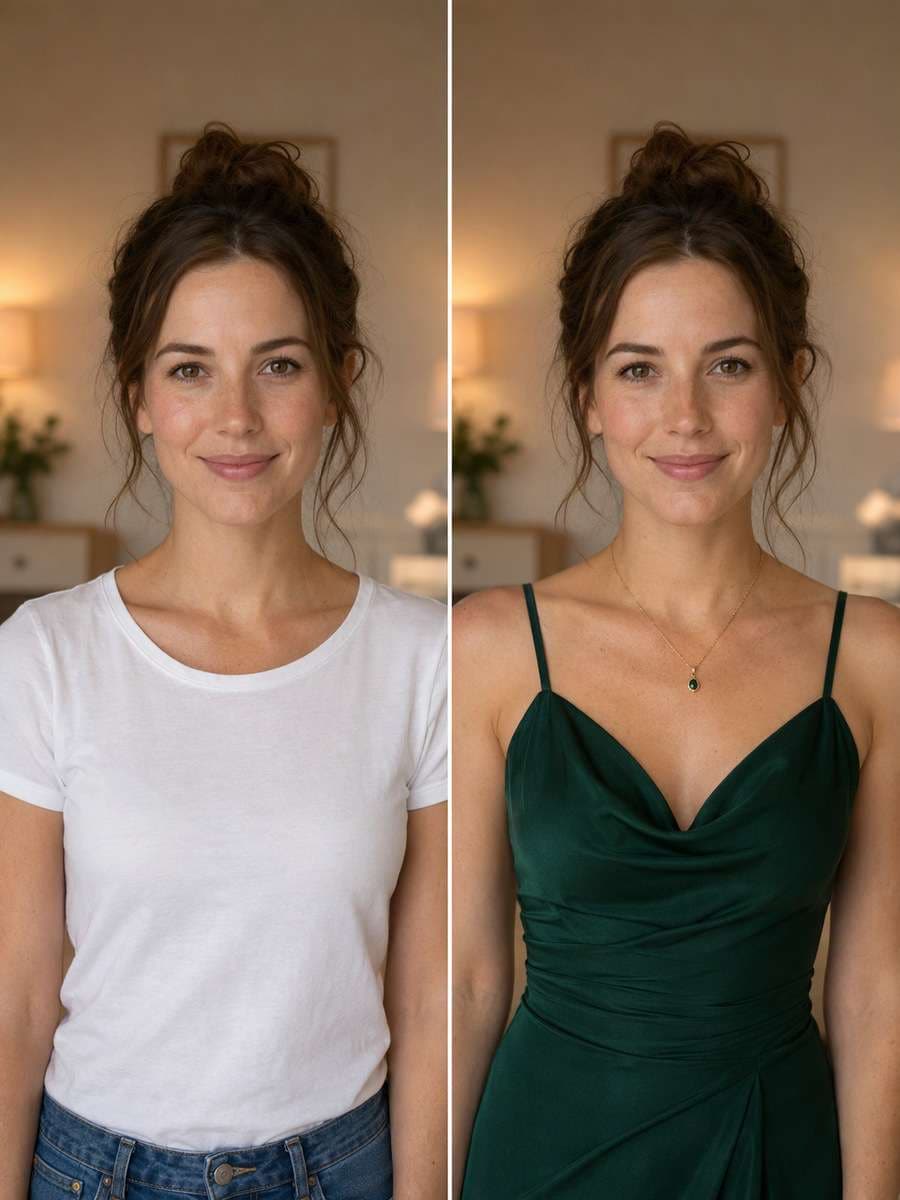
Evening Event Wardrobe Upgrade
Edit the clothes in this uploaded adult portrait into elegant evening attire suitable for a gallery opening, such as a deep emerald dress or a refined dark suit that fits the source subject. Leave the original face, age, eyes, lips, hairstyle and expression as they are. Keep the same position and background, and show realistic tailoring, tasteful fabric texture and natural arm placement. No face slimming, skin smoothing, makeup changes or new facial features. Make the outfit the only obvious transformation.
Winter Coat Street-Style Edit
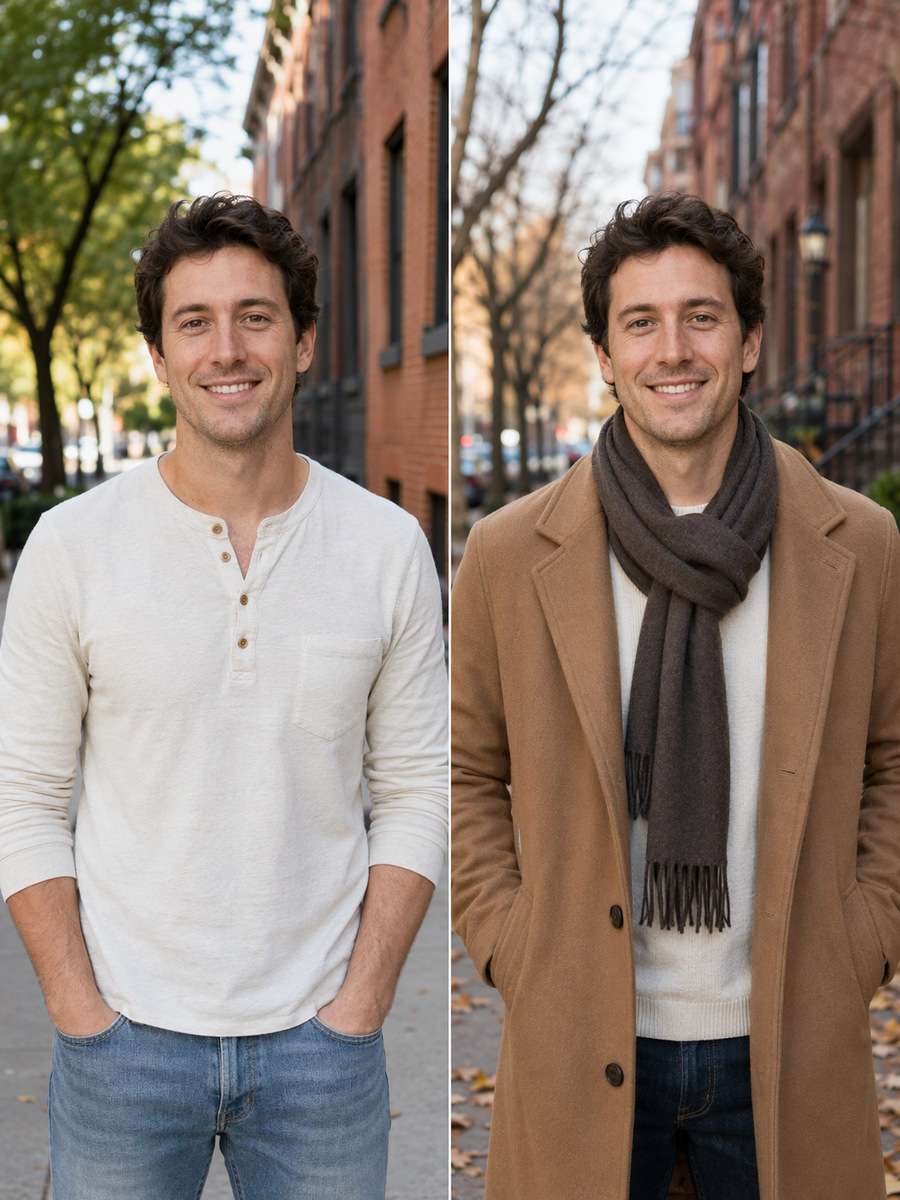
Turn the clothing in my outdoor portrait into practical winter streetwear: a long camel wool coat, textured scarf and simple gloves where visible. Preserve my face exactly, including the expression, hairline, eye shape, nose, lips, jaw and natural skin texture. Keep the original camera angle and street setting, adjusting only fabric, layering and plausible winter light. Do not cover the face with a high scarf or change its size. Make the coat drape naturally around the shoulders and arms.
Change Shirt Color, Keep Everything Else
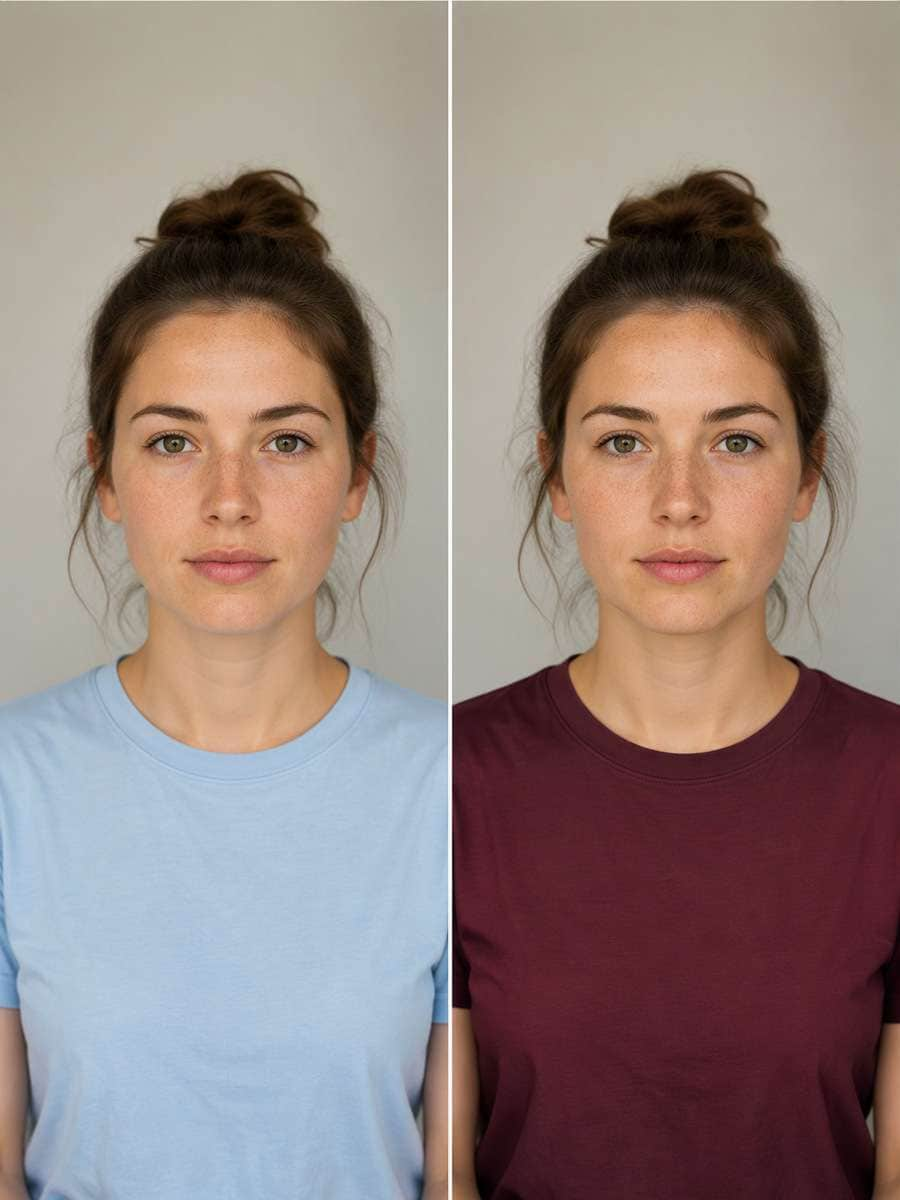
Change the shirt in my uploaded portrait from its current color to a rich muted burgundy, without changing the garment's design or fit. Do not edit the face, expression, eyes, nose, mouth, hairstyle, skin tone, hands or background. Preserve the shirt's existing seams, texture, shadows and folds, and recolor only the garment fabric. Avoid color spill onto hair, skin or teeth. I want the same photograph with one carefully controlled wardrobe color change.
Remove a Background Photobomber
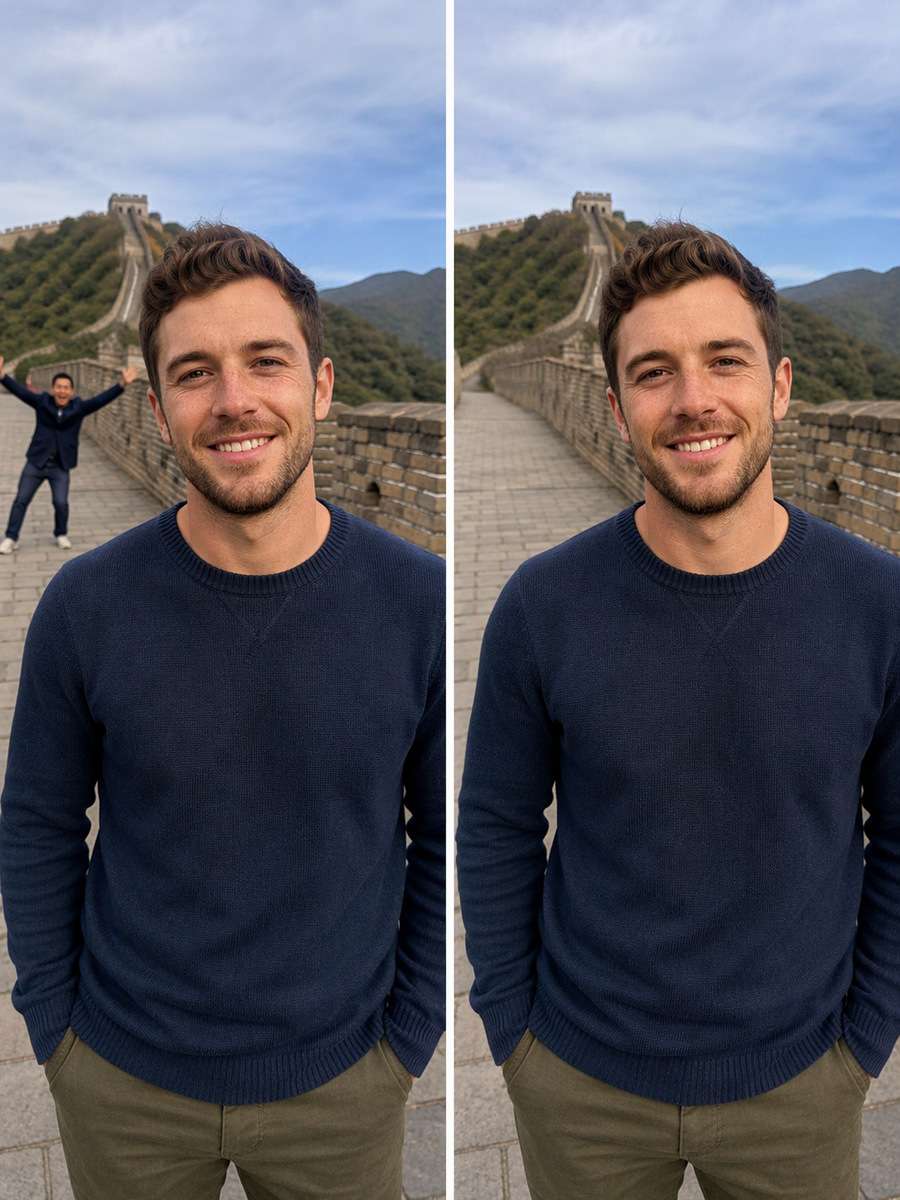
Remove the unrelated person standing behind me in the uploaded travel photo while keeping me and the rest of the scene intact. Do not modify my face, expression, hair, skin texture, outfit, pose or body proportions. Reconstruct the missing section of wall or pavement naturally, with correct texture, shadows and perspective. Do not invent extra limbs or duplicate background objects. Leave enough room around my full head and shoulders, and keep the finished image authentic to the original moment.
Clean Up Distracting Wires and Signs
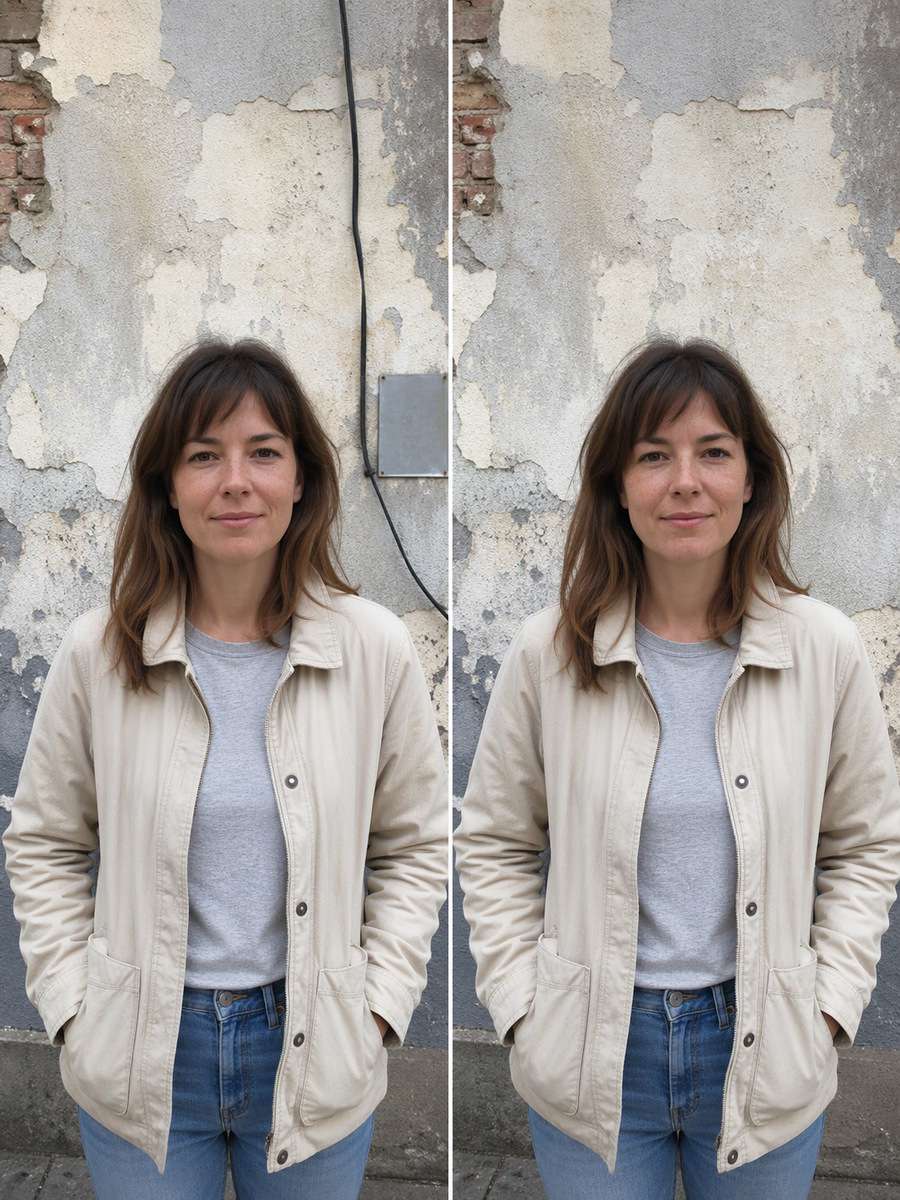
Edit the uploaded outdoor portrait by removing the dangling cable and small distracting sign in the distant background. Keep the photographed person completely unchanged: same eyes, mouth, face outline, hairstyle, expression, clothing and stance. Repair the wall and sky where the objects were removed using coherent texture and natural perspective. Avoid altering the lighting on the face or shifting the camera crop. The goal is a cleaner composition, not a recreated portrait.
Fix Window Glare Away From the Face
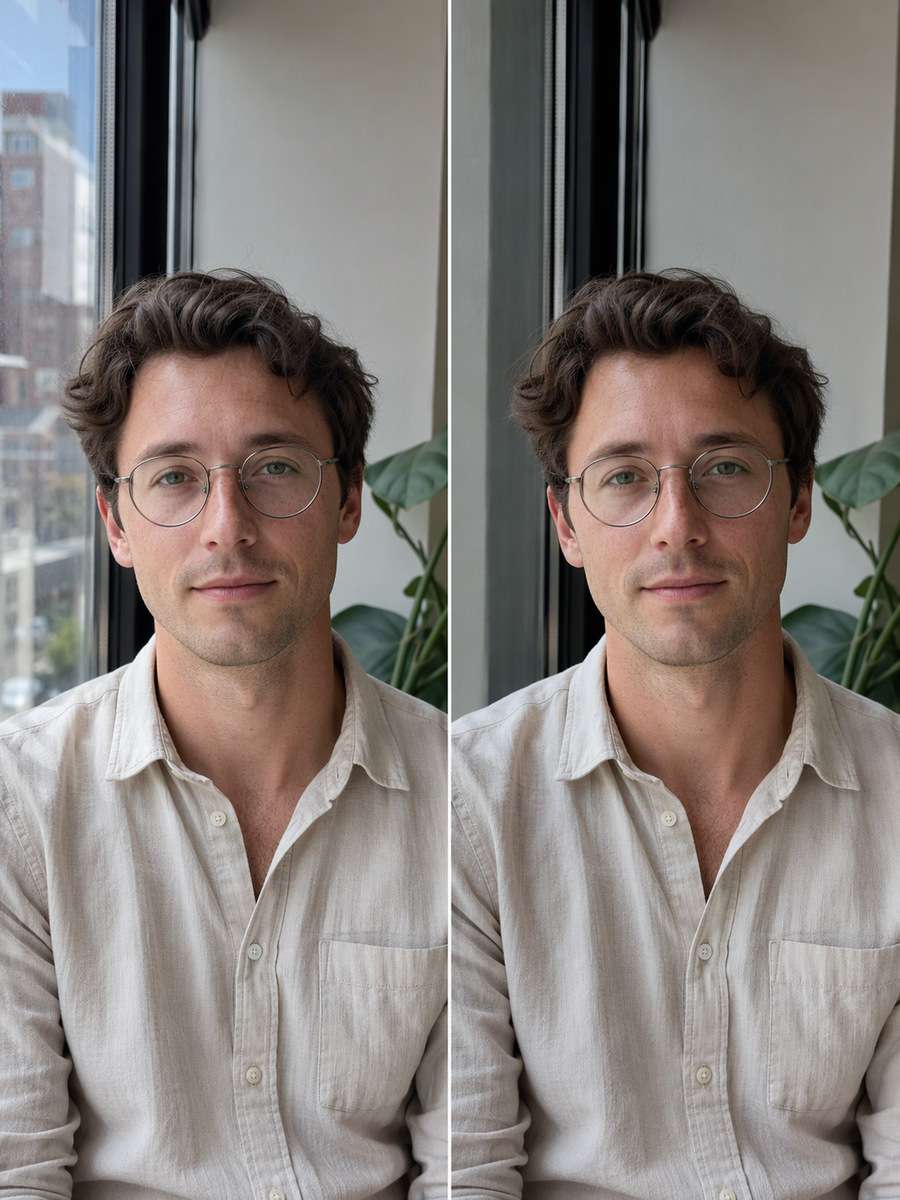
Reduce distracting reflections in the glass window behind the subject in my uploaded indoor photo. Keep the person's original face, hairstyle, expression, glasses if present, skin tone, outfit and posture unchanged. Make the window look cleaner while retaining believable outdoor reflections and light direction. Do not remove or shift eyeglass frames, and do not sharpen or retouch facial features. The edit should improve the surrounding glass area only, leaving the subject as photographed.
Restore a Faded Family Portrait
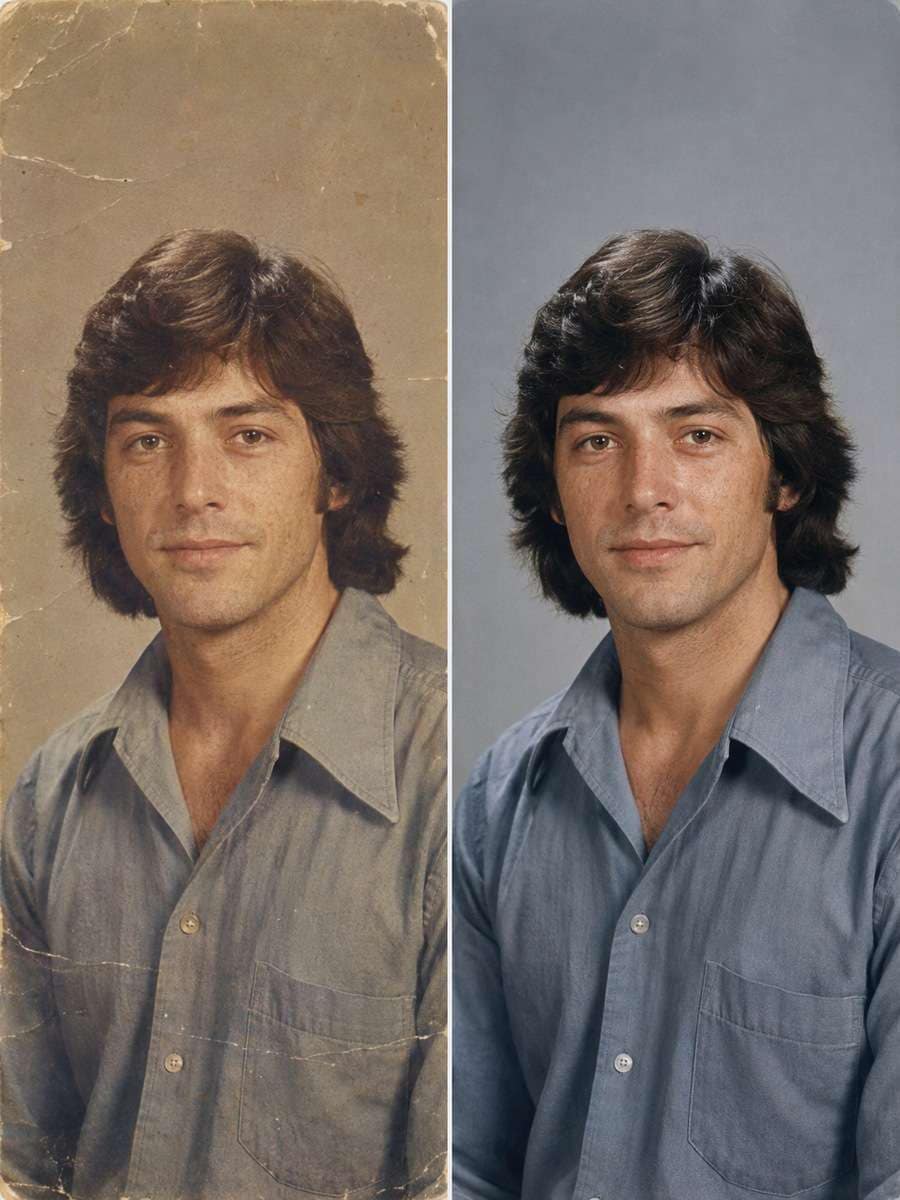
Carefully restore this faded personal portrait by reducing scratches, dust specks and washed-out color in the original print. Keep the exact person, age at the time of the photograph, facial structure, hairstyle, expression and distinctive marks. Do not modernize the face, make the person younger, add teeth or invent missing features. Restore clothing and background only as supported by visible details, leaving original film character and gentle grain. This should feel like a respectful restoration of the same image.
Reduce Harsh Phone-Flash Lighting
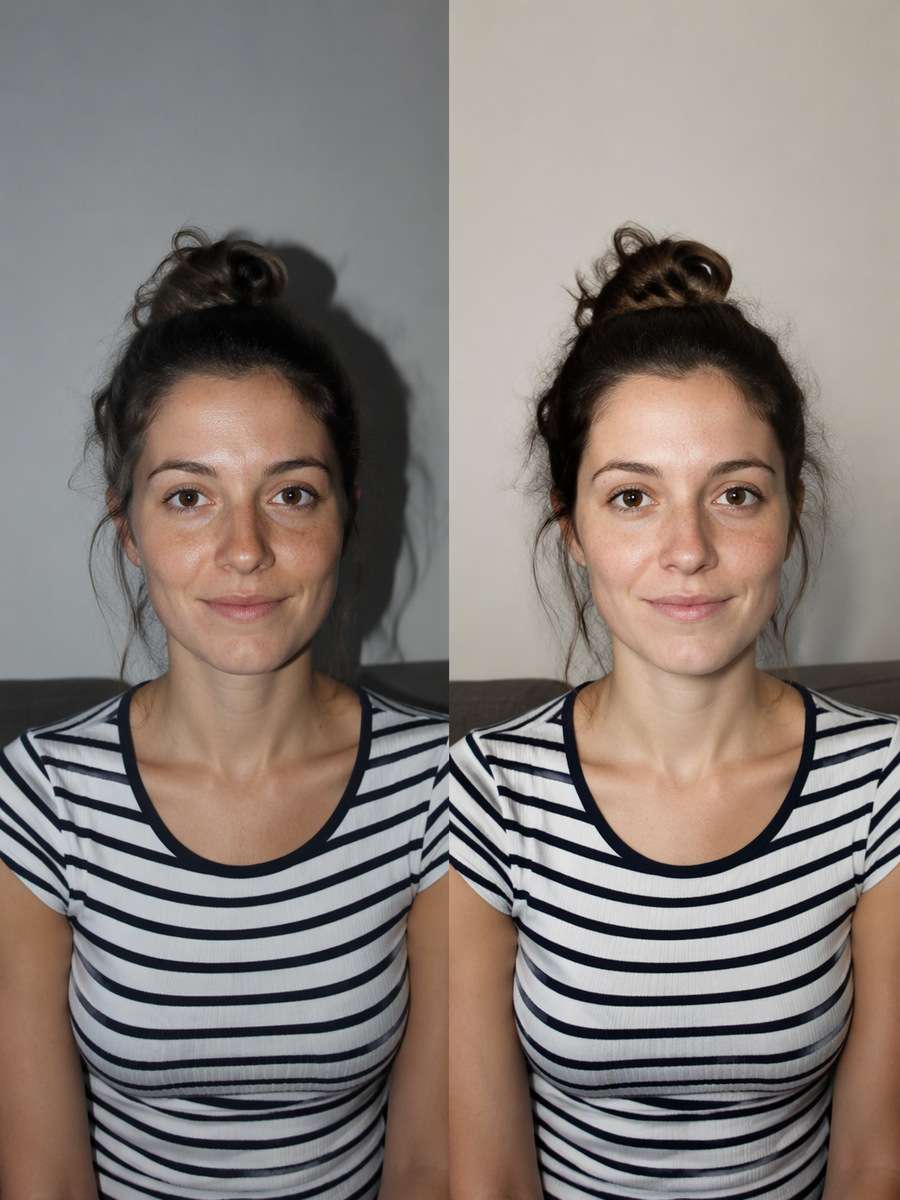
Soften the hard frontal flash in this uploaded indoor snapshot while preserving the person and their exact facial features. Balance exposure on the wall and clothes, reduce blown highlights and recover natural detail around the background. Keep the eyes, nose, mouth, skin texture, expression, hairstyle and camera position the same. Do not create a new beauty-lighting face or erase pores. The final result should look like the same candid photo with more controlled flash and color.
Natural Low-Light Noise Reduction
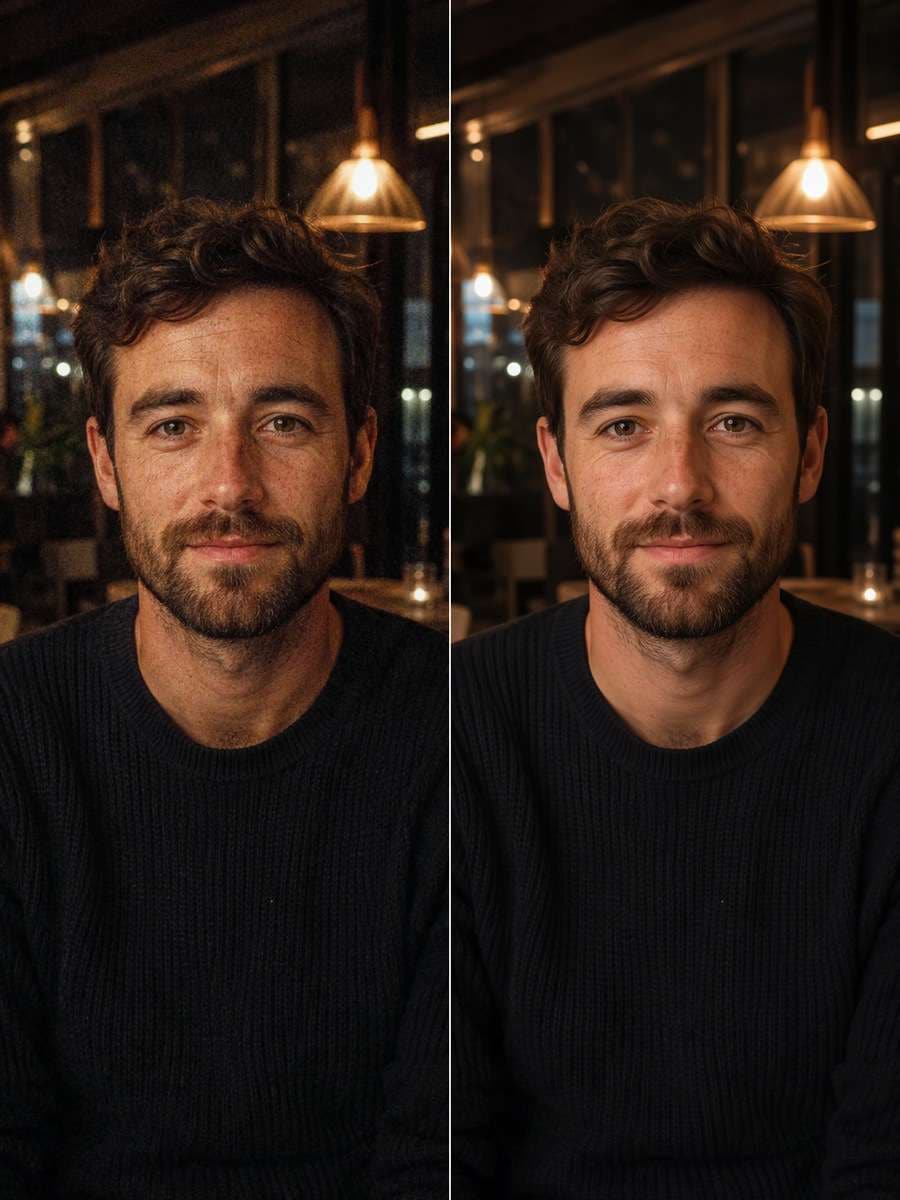
Clean up visible color noise and muddy shadows in this uploaded evening portrait without changing the person's face. Preserve the natural eye shape, mouth, beard or hair detail, expression, skin texture and existing age lines. Improve sharpness moderately and avoid plastic smoothing, reconstructed facial features or artificial skin. Keep the real background and warm ambient light, along with the original crop. This is a restrained photo-quality enhancement, not a portrait makeover.
Square Profile Photo With Breathing Room
Adapt this uploaded vertical portrait for a square profile-photo crop by extending the background as needed rather than zooming into the face. Keep my complete head, hairstyle, forehead, chin, shoulders and facial identity visible. Do not change the expression, eye shape, nose, lips, skin tone or shirt. Rebuild only the extra background using matching color and depth. Make the square layout balanced, leaving safe space around the head for circular avatar cropping.
Vertical Social Portrait Canvas Expansion
Extend the canvas of this portrait to a vertical 9:16 social-story layout without stretching or replacing the person. Keep my entire face, hairline, expression, original proportions, outfit and pose unchanged. Continue the existing room or outdoor setting naturally above and below the photo, adding plausible walls, floor or scenery without new subjects. Keep the person centered with clear headroom and room for later graphic text, but do not put text into the image itself.
Birthday Decor Around the Same Portrait
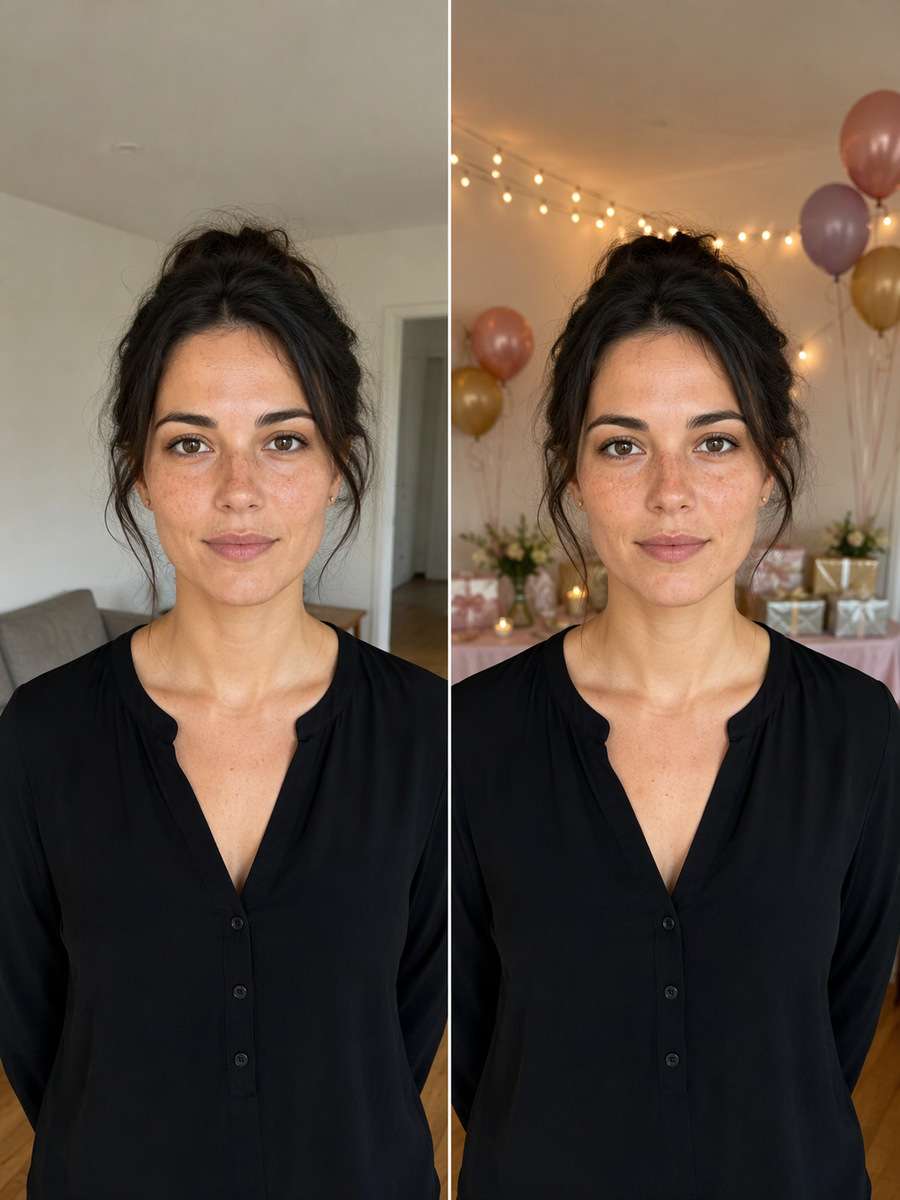
Add tasteful birthday details to the scene around the person in my uploaded photo: soft balloons in the distance, subtle warm party lights and a small undecorated gift table. Keep their original age, facial structure, expression, hairstyle, skin texture, outfit and body position intact. Do not add a party hat that hides the hairline or change the birthday person's face. Make the atmosphere celebratory and natural, with decorations placed behind or beside the subject instead of overlapping the face.
Wedding Guest Photo Scene Refresh
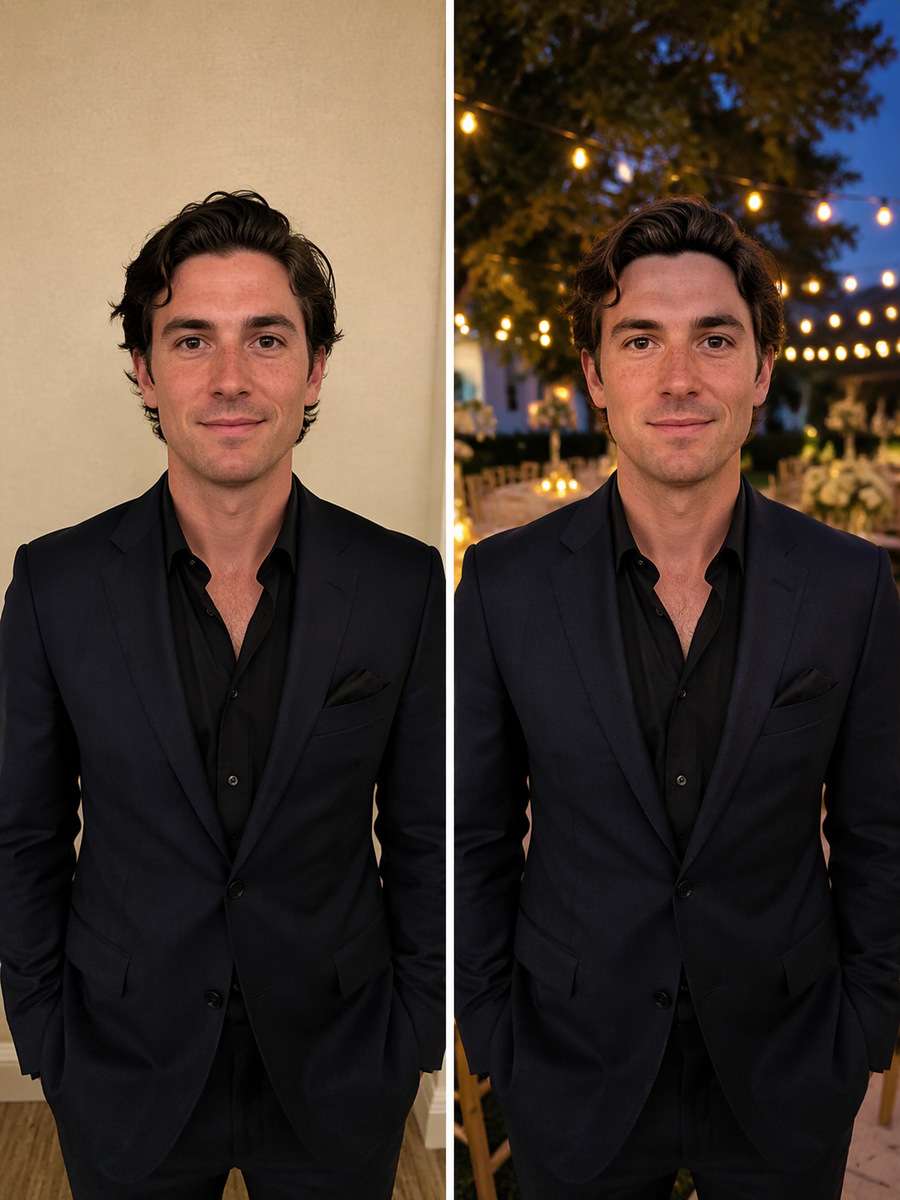
Turn the background of my uploaded dressed-up portrait into an elegant outdoor wedding reception with soft garden lights, tables and flowering greenery. Keep the person exactly as pictured, with the same face, expression, hairstyle, outfit, jewelry, age and body proportions. Blend the reception scene to the existing lens perspective and light direction, while keeping the subject in the foreground. Do not add a bride, groom or romantic partner, and do not fabricate a wedding ceremony. The result should look like a styled guest portrait.
The Face-Preservation Formula That Makes Photo Edits More Reliable
An AI photo editing prompt without changing face works best as a narrow editing brief. State the single intended change, name the features you want preserved and explain which surrounding details may be adjusted. A prompt alone cannot lock facial pixels, but it gives the editor a clear boundary.
Describe the edit zone and the identity anchors
Start with the allowed change: "Replace only the background," "change only the jacket," or "soften the existing lighting."
State facial anchors: the same eye shape and spacing, nose, lips, jawline, hairline, age, expression and defining marks.
Specify what is outside the edit zone. Keep the pose, hands, body proportions and camera crop when those details are not part of the task.
For a background change, request believable perspective and matching shadows rather than a brand-new portrait.
Correct face drift with a smaller second request
Compare the original and output side by side at the same viewing size, starting with eyes, smile and face outline.
If the face changes, reattach or reuse the original photo and say: "Restore the original facial structure; modify only the requested background or outfit."
Avoid combining age change, makeup, hair replacement, heavy beauty filters and background swaps in a single pass if likeness is the priority.
Check fingers, clothing edges, glasses reflections and hair outlines as well as the face before publishing the result.
Use the Same-Face Prompts for Photos You Actually Need
Choose an edit based on where the picture will appear, not just on a visual effect. Professional, social and personal photos need different kinds of restraint.
Professional Profiles
Make a casual selfie look more suitable for a work bio by changing clothing and backdrop while retaining a believable, recognizable face.
Travel and Social Posts
Try a new setting, warm light or seasonal backdrop for a familiar photo without making your features look like another person.
Outfit Inspiration
Preview a blazer, summer linen or formal outfit on your original portrait, with the same head angle and expression.
Photo Cleanup and Keepsakes
Remove background distractions, improve low-light shots or restore faded prints without inventing someone new in the image.
FAQs About ChatGPT Photo Editing Prompts Without Changing Your Face
1. What is the best ChatGPT prompt for photo editing without changing face?
Start with a targeted request such as: "Edit only the background in my uploaded photo. Preserve my original eyes, nose, lips, jawline, facial expression, age, hairline and skin texture. Do not reshape or beautify the face. Match the new scene to the original perspective and lighting." Replace "background" with the edit you actually want.
2. Can ChatGPT or an AI editor keep my face exactly the same?
An uploaded reference and explicit preservation instructions can help keep a person recognizable, but generative edits may still change facial details. There is no guaranteed face lock in a text prompt alone. Compare the result with the original, and make a smaller corrective edit if the likeness drifts.
3. How can I change a photo background without changing my face?
Ask the editor to replace only the environment and preserve the entire foreground subject, including face, hair, clothes, pose and hands. Specify the target location and require matched lighting, perspective and natural edges around the hair.
4. Can I change my clothes in a photo and keep the same face?
Yes, you can request a wardrobe-only edit. Name the clothing you want and ask the model to leave the head, expression, hairstyle, age and skin texture untouched. Review shoulders, collars and the face carefully after generation.
5. What should I do if the edited image looks like a different person?
Use the original photo again as the reference. Remove unnecessary changes from the prompt, restate which facial features must remain, and regenerate a single localized edit. If exact identity fidelity is essential, verify the image manually or use a conventional editor with precise masking and control.
Turn your photos into a viral Tiny Desk concert. Put yourself and your friends in the spotlight!
Create My AI Concert
Ozil Goal AI Video
Turn your image into the scorer—chip the keeper, dodge sliding defenders, and calmly finish the iconic goal.
Score the Ozil Goal →
Your Story, Your Movie!
From rainy love stories and chilling mysteries to magical adventures and heartwarming family tales, turn your imagination into cinematic AI story videos with just a few clicks!