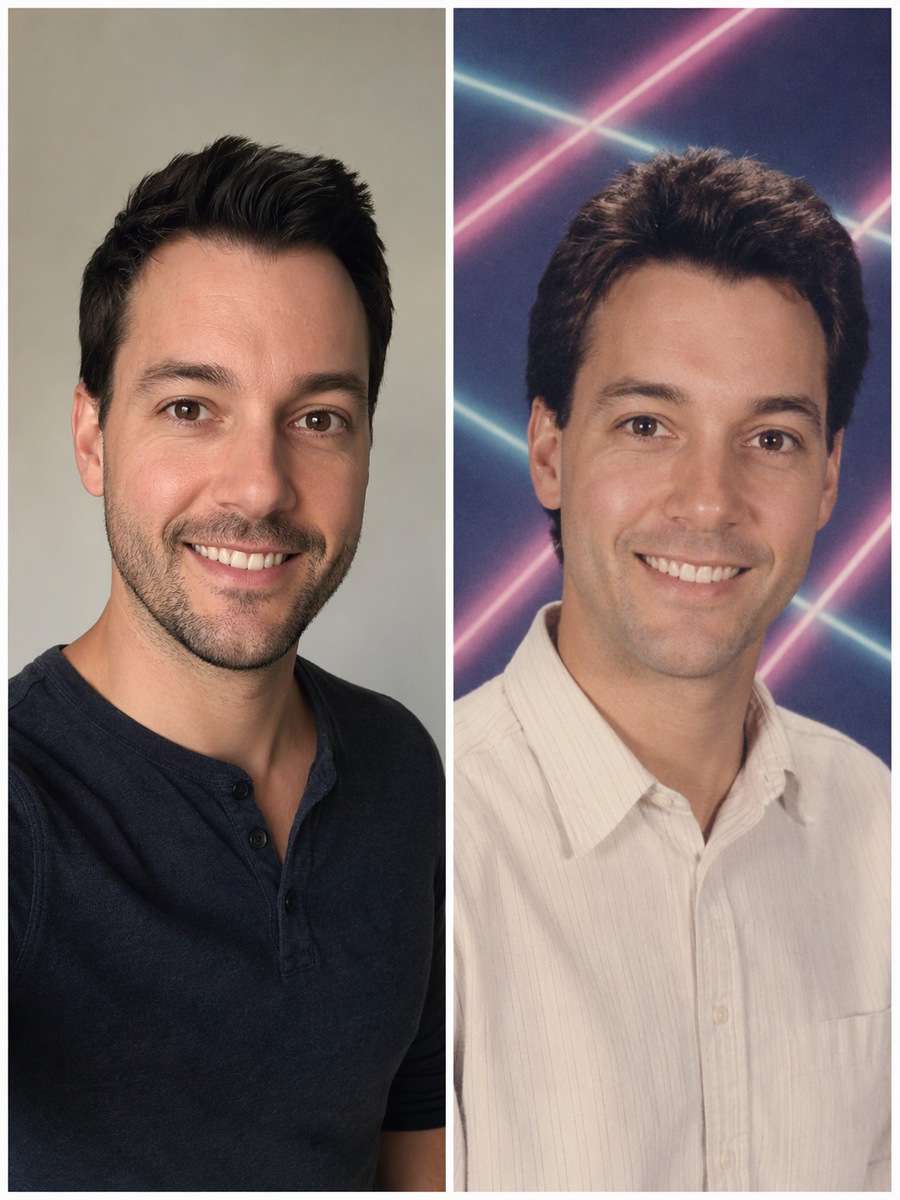
Home>AI Prompts>25 Yearbook Photo Prompts for ChatGPT Retro Portraits
25 Yearbook Photo Prompts for ChatGPT Retro Portraits
The nostalgia of a yearbook portrait lives in small details: muslin backdrops, photo-day flash, dated sweaters and slightly imperfect prints. These ChatGPT Yearbook Photo Prompts turn an uploaded picture into believable 80s, 90s and Y2K school portrait styles without replacing the person. Try a classic headshot, campus candid, athletics photo or picture-package double exposure.
Explore nostalgic yearbook photo looks from studio laser backdrops to Y2K school portraits with Media.io - powered by ChatGPT.
How to Make a Retro Yearbook Photo from Your Selfie
Choose an era first. Ask for the lighting, print texture and clothing that actually belong together.
1
Upload One Clear Portrait
Use a face-visible selfie with even light; the vintage style should change around your recognizable features.
2
Pick a Decade and Photo-Day Set
Select an 80s muslin backdrop, 90s laser studio, Y2K flash or environmental yearbook supplement photo.
3
Compare Face and Era Details
Check that you are still recognizable, the hands and glasses match and the background has the right degree of old print softness.
25 ChatGPT Yearbook Photo Prompts Ideas to Copy and Try
Early 1990s Laser Backdrop
Use my uploaded portrait as the identity reference. Restyle the source portrait as an early 1990s studio yearbook headshot with a teal-magenta laser backdrop, softly feathered hair, a plain collared shirt and slightly over-bright studio fill. Preserve real face geometry, age and natural teeth. Preserve the source person's current recognizable face, apparent age, hairline and expression; change only the era-inspired wardrobe, lighting, backdrop and print treatment. Use realistic dated studio-print texture, not a heavy digital beauty filter. Do not add fake student names, school logos or credentials.
1980s Blue Muslin Studio
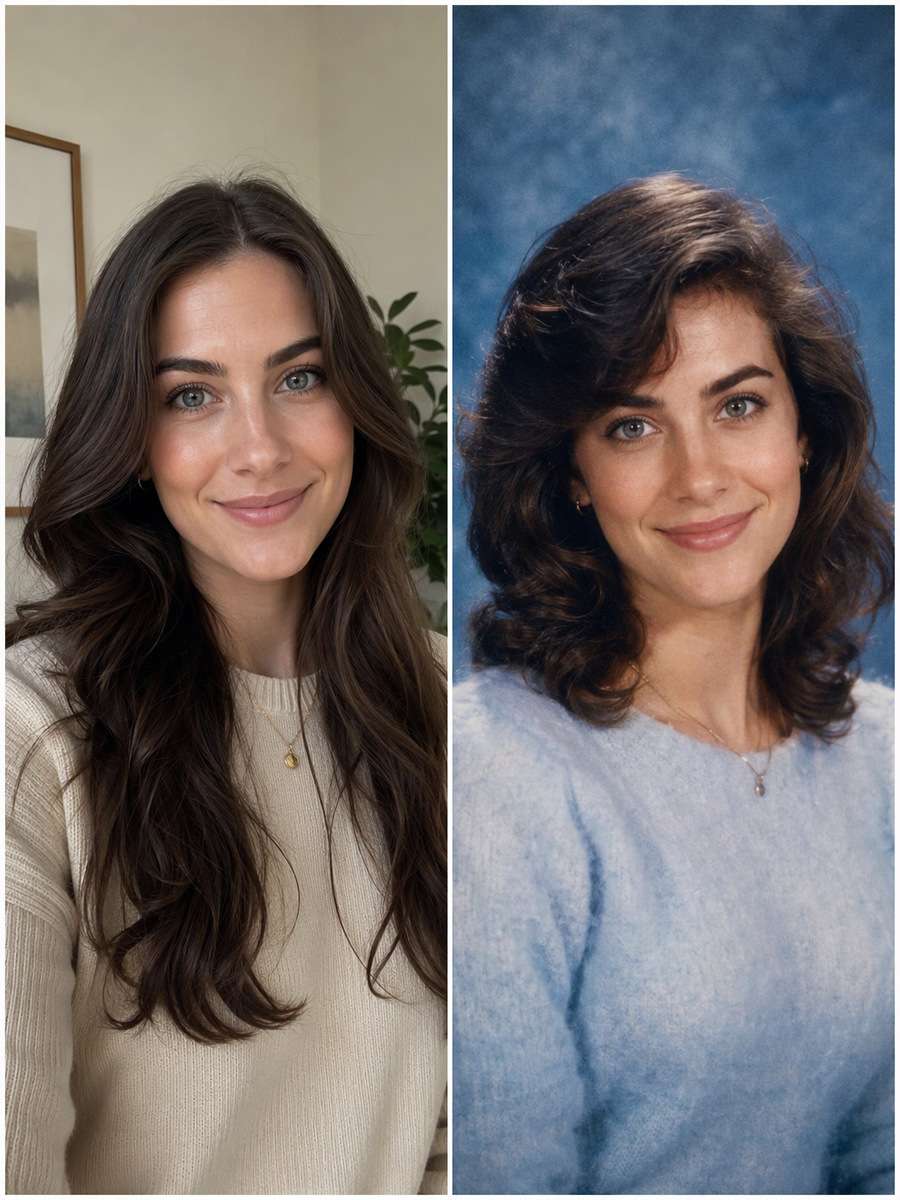
Edit my uploaded portrait rather than inventing a new person or pet. Use a classic 1980s blue muslin backdrop, brushed-light sweater, side-parted hair and soft lens diffusion. Keep the same person's distinct eyebrows and eye color rather than generating a generic teen. Preserve the source person's current recognizable face, apparent age, hairline and expression; change only the era-inspired wardrobe, lighting, backdrop and print treatment. Use realistic dated studio-print texture, not a heavy digital beauty filter. Do not add fake student names, school logos or credentials.
Y2K Digicam School Portrait
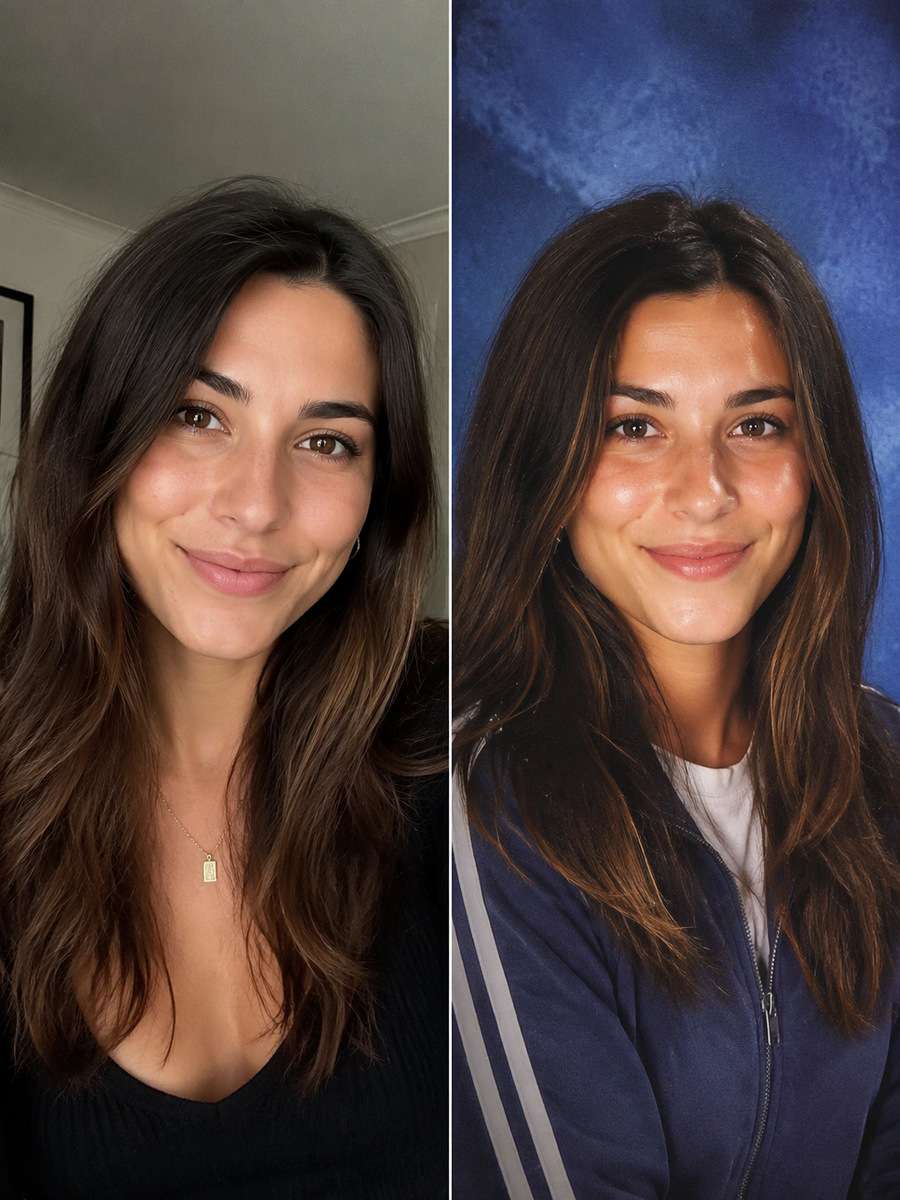
Start with my uploaded portrait; build the finished image around this actual reference. Recreate an early-2000s yearbook-style digital portrait with tiny flash catchlights, frosted blue background and a casual zip jacket. Slight compression texture is welcome, but keep the source face realistic. Preserve the source person's current recognizable face, apparent age, hairline and expression; change only the era-inspired wardrobe, lighting, backdrop and print treatment. Use realistic dated studio-print texture, not a heavy digital beauty filter. Do not add fake student names, school logos or credentials.
1970s Earth-Tone Yearbook
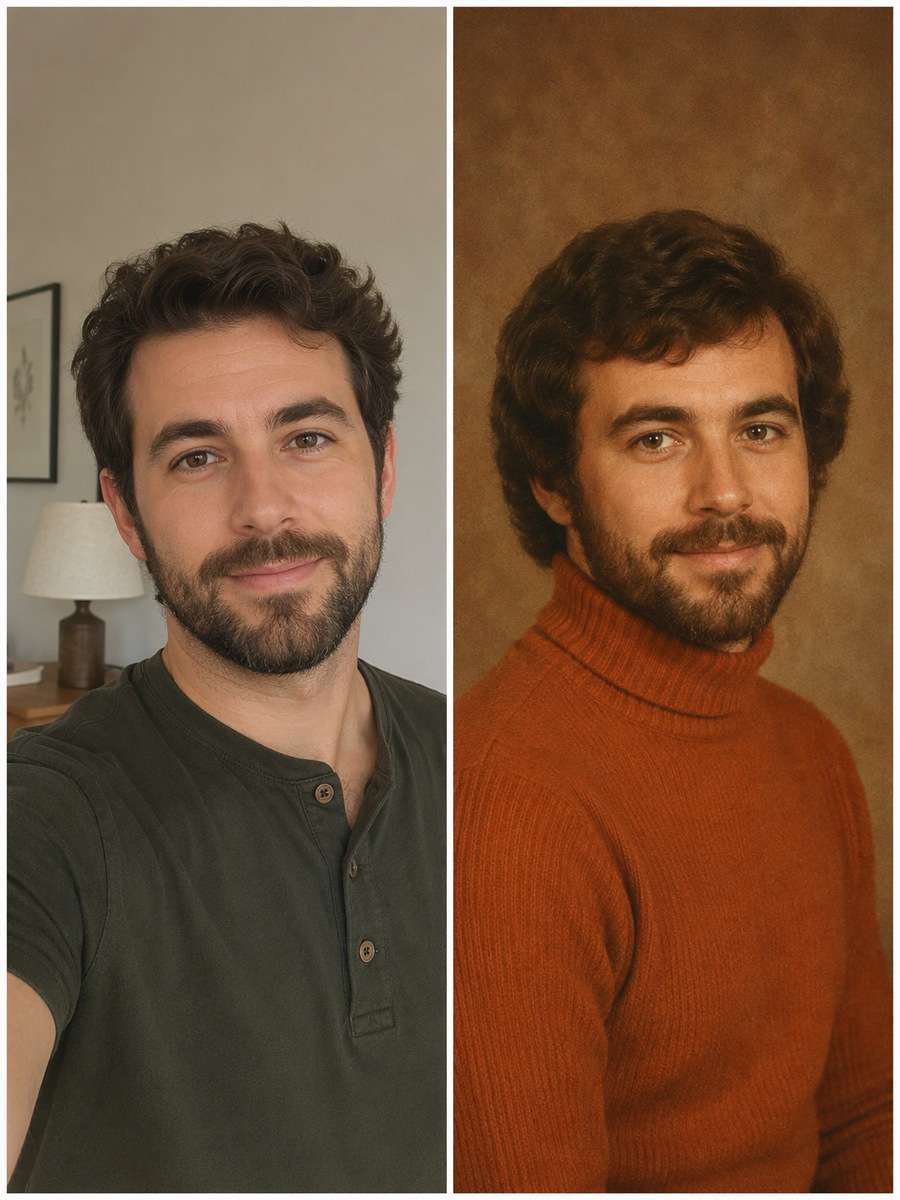
Keep the recognizable subject from my uploaded portrait. Give the photo a warm late-1970s school portrait look: burnt-orange sweater, mottled brown studio canvas, subtle film grain and a modest side-facing pose. Avoid aggressive retro aging. Preserve the source person's current recognizable face, apparent age, hairline and expression; change only the era-inspired wardrobe, lighting, backdrop and print treatment. Use realistic dated studio-print texture, not a heavy digital beauty filter. Do not add fake student names, school logos or credentials.
1990s Denim School Day
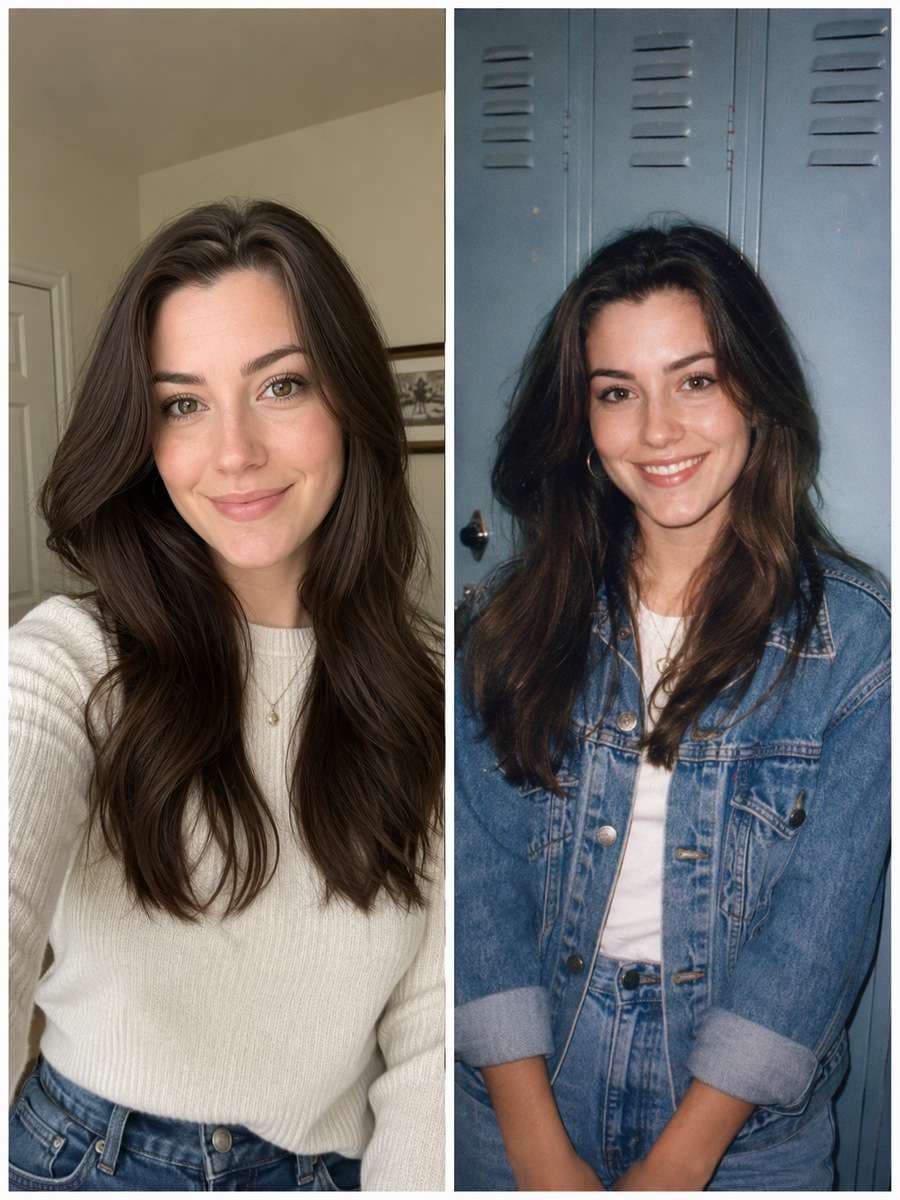
Using my uploaded portrait, create the following specific photo edit. Make a candid 1990s yearbook supplement photo against school lockers, denim jacket and soft flash, with a natural smile. Preserve subject age and do not add fictional classmates. Preserve the source person's current recognizable face, apparent age, hairline and expression; change only the era-inspired wardrobe, lighting, backdrop and print treatment. Use realistic dated studio-print texture, not a heavy digital beauty filter. Do not add fake student names, school logos or credentials.
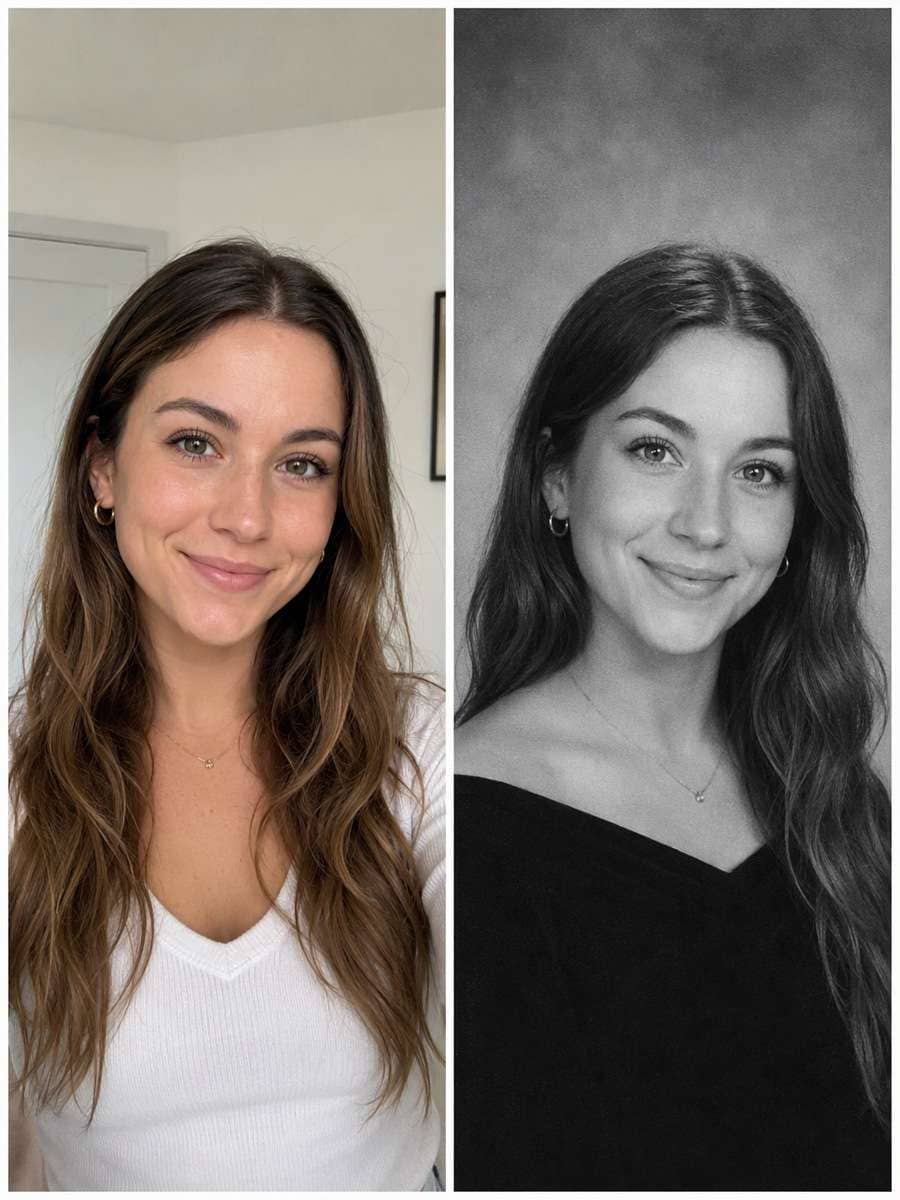
Black-and-White Senior Headshot
Use my uploaded portrait as the identity reference. Convert the uploaded portrait to a matte black-and-white school headshot with a quiet gray backdrop and slight silver-grain texture. Keep clear detail in eyes and hair, not high-fashion glamour light. Preserve the source person's current recognizable face, apparent age, hairline and expression; change only the era-inspired wardrobe, lighting, backdrop and print treatment. Use realistic dated studio-print texture, not a heavy digital beauty filter. Do not add fake student names, school logos or credentials.
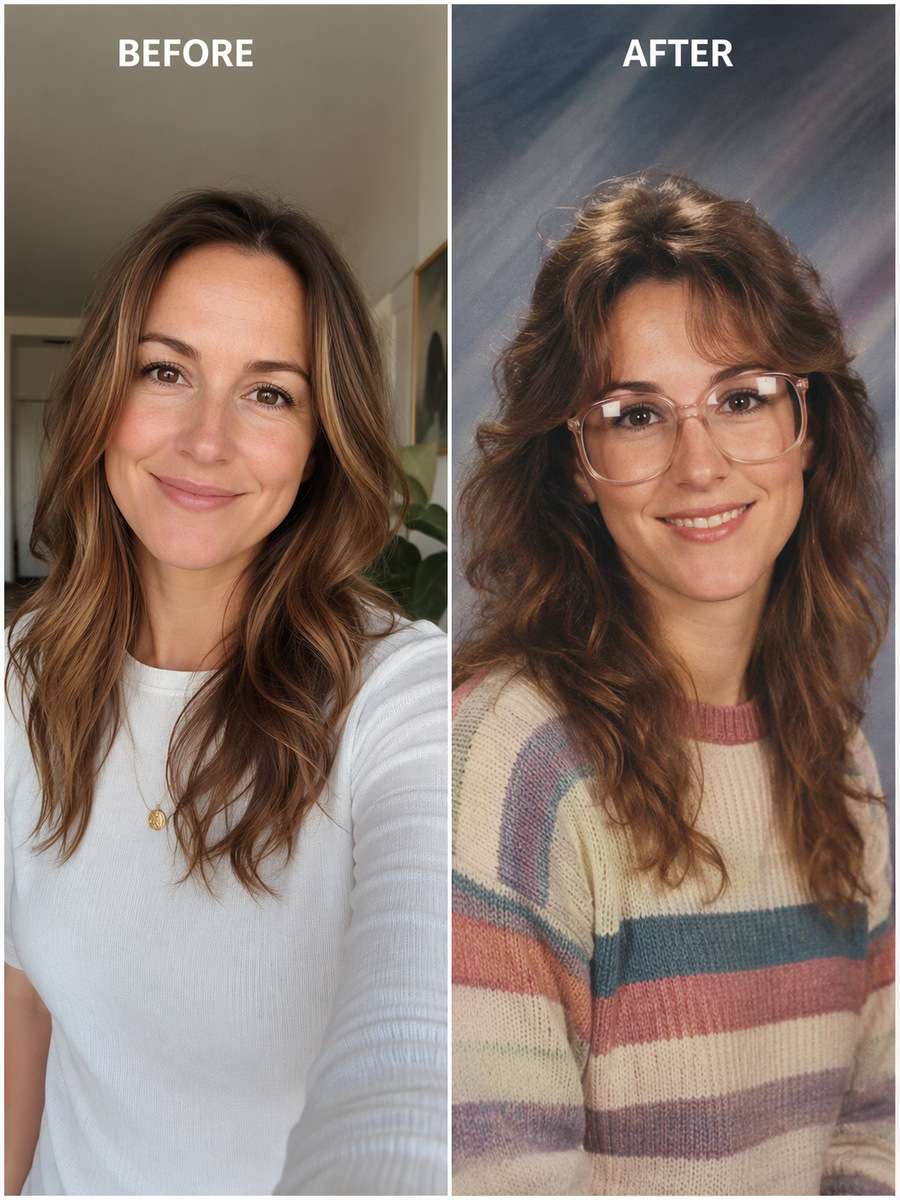
Picture-Day Glasses Reflection
Edit my uploaded portrait rather than inventing a new person or pet. Style as a late-1980s picture-day portrait with period glasses only if the source person already wears glasses, subtle reflected studio lights and a striped knit. Keep lenses and eyes aligned. Preserve the source person's current recognizable face, apparent age, hairline and expression; change only the era-inspired wardrobe, lighting, backdrop and print treatment. Use realistic dated studio-print texture, not a heavy digital beauty filter. Do not add fake student names, school logos or credentials.
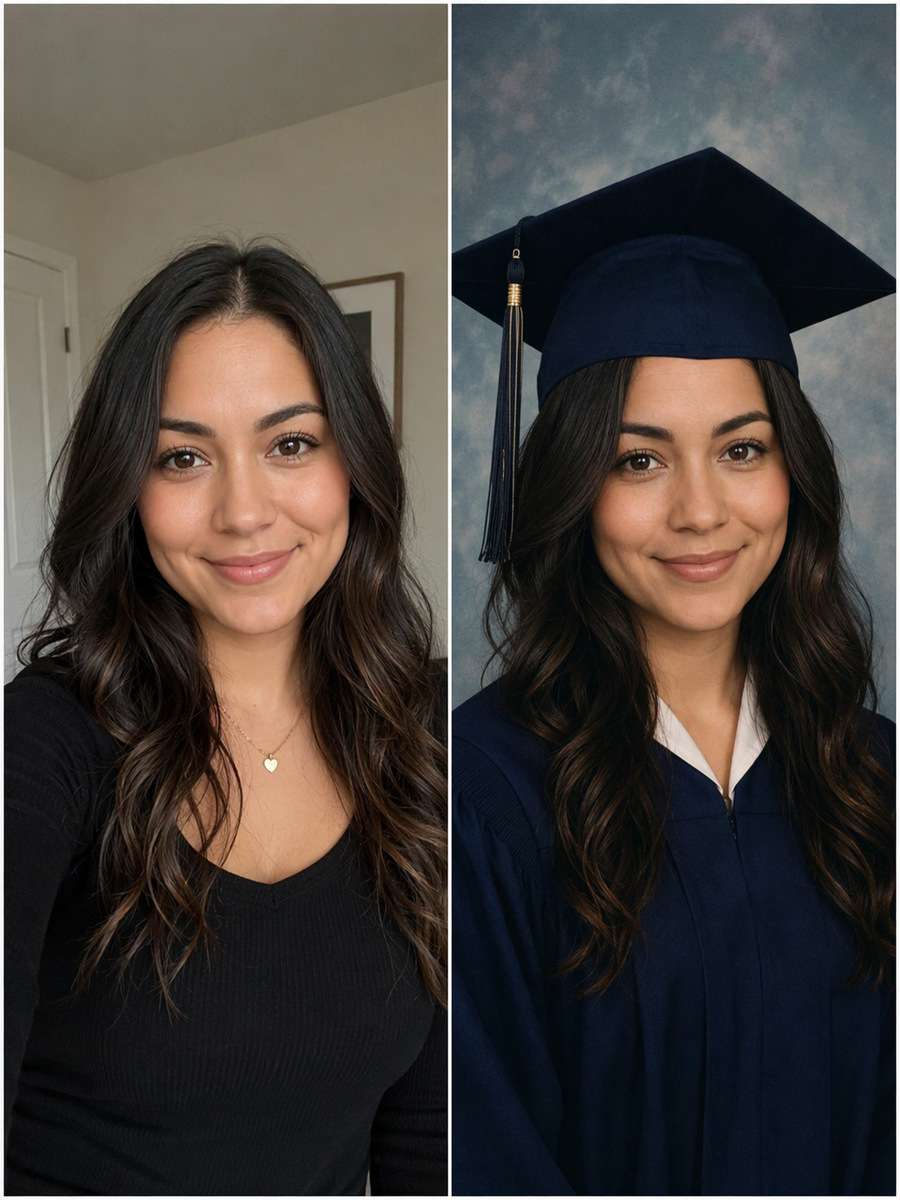
1990s Graduation Cap
Start with my uploaded portrait; build the finished image around this actual reference. Show a school yearbook-style cap-and-gown portrait with simple paper backdrop and flat controlled studio lighting. Preserve the subject's apparent age and face, avoiding claims of a real graduation event. Preserve the source person's current recognizable face, apparent age, hairline and expression; change only the era-inspired wardrobe, lighting, backdrop and print treatment. Use realistic dated studio-print texture, not a heavy digital beauty filter. Do not add fake student names, school logos or credentials.
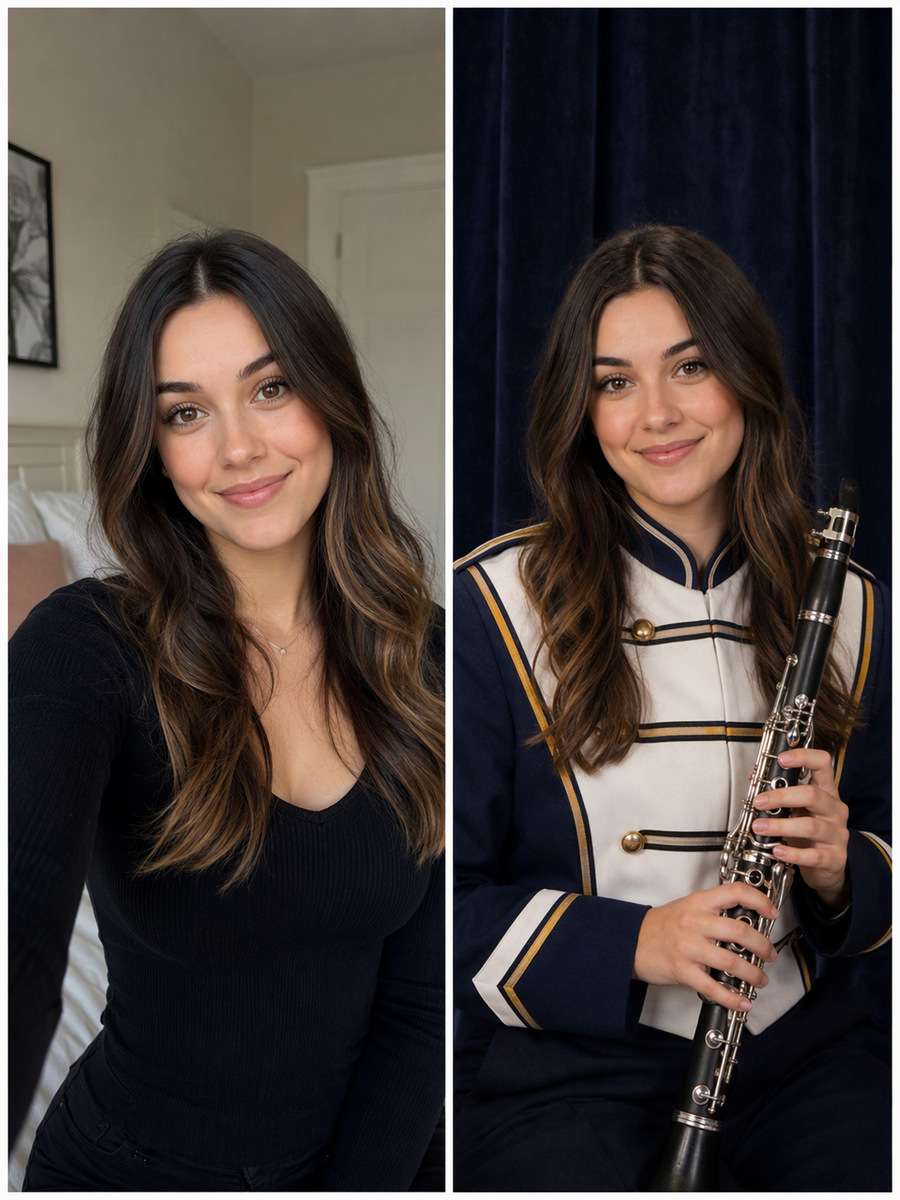
School Band Portrait
Keep the recognizable subject from my uploaded portrait. Restyle the source as a school band photo against a dark velvet curtain holding a musical instrument only if consistent with the original image or specifically requested. Maintain correct finger placement and instrument scale. Preserve the source person's current recognizable face, apparent age, hairline and expression; change only the era-inspired wardrobe, lighting, backdrop and print treatment. Use realistic dated studio-print texture, not a heavy digital beauty filter. Do not add fake student names, school logos or credentials.
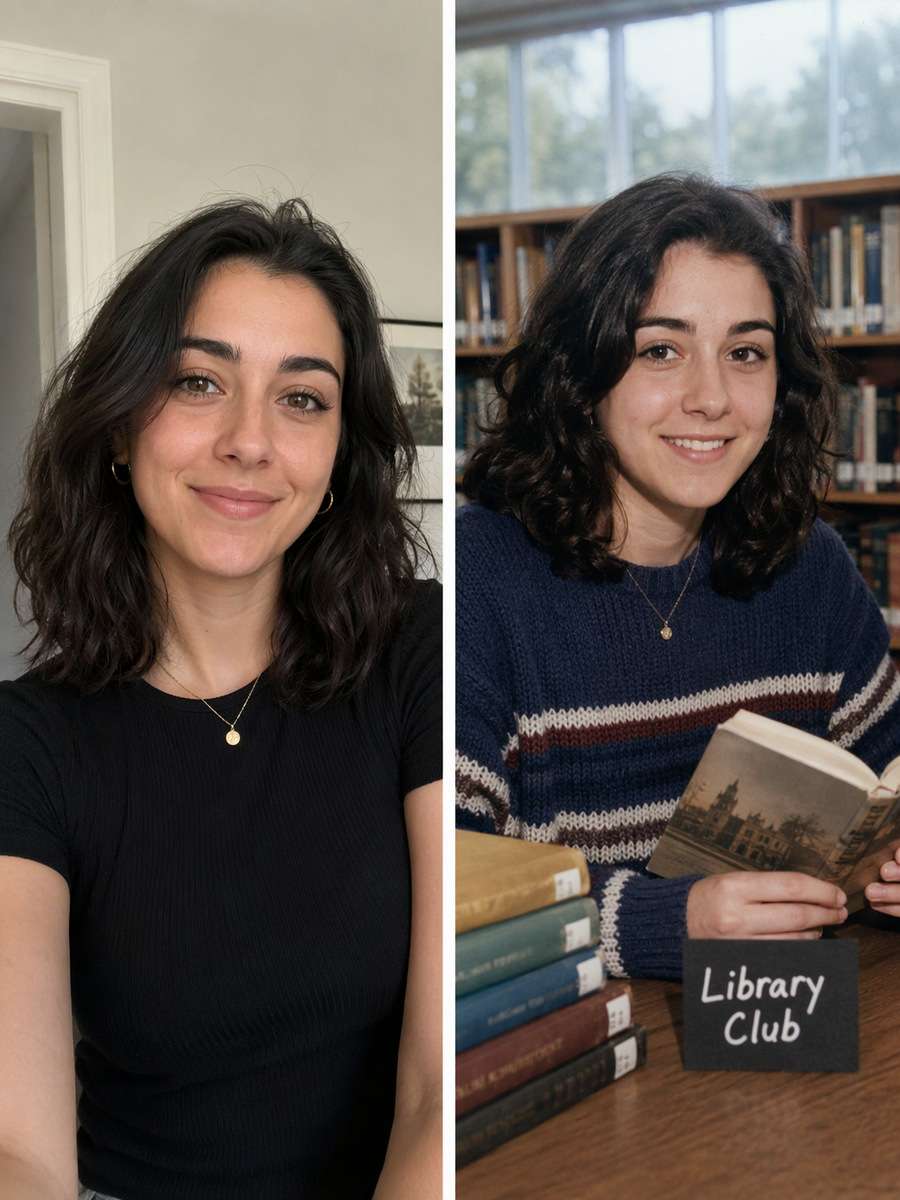
Library Club Yearbook
Using my uploaded portrait, create the following specific photo edit. Create a yearbook club-feature portrait in a school library with stacks of books, low-key natural light and an honest slightly awkward grin. Frame as a candid portrait rather than a formal graduation shoot. Preserve the source person's current recognizable face, apparent age, hairline and expression; change only the era-inspired wardrobe, lighting, backdrop and print treatment. Use realistic dated studio-print texture, not a heavy digital beauty filter. Do not add fake student names, school logos or credentials.
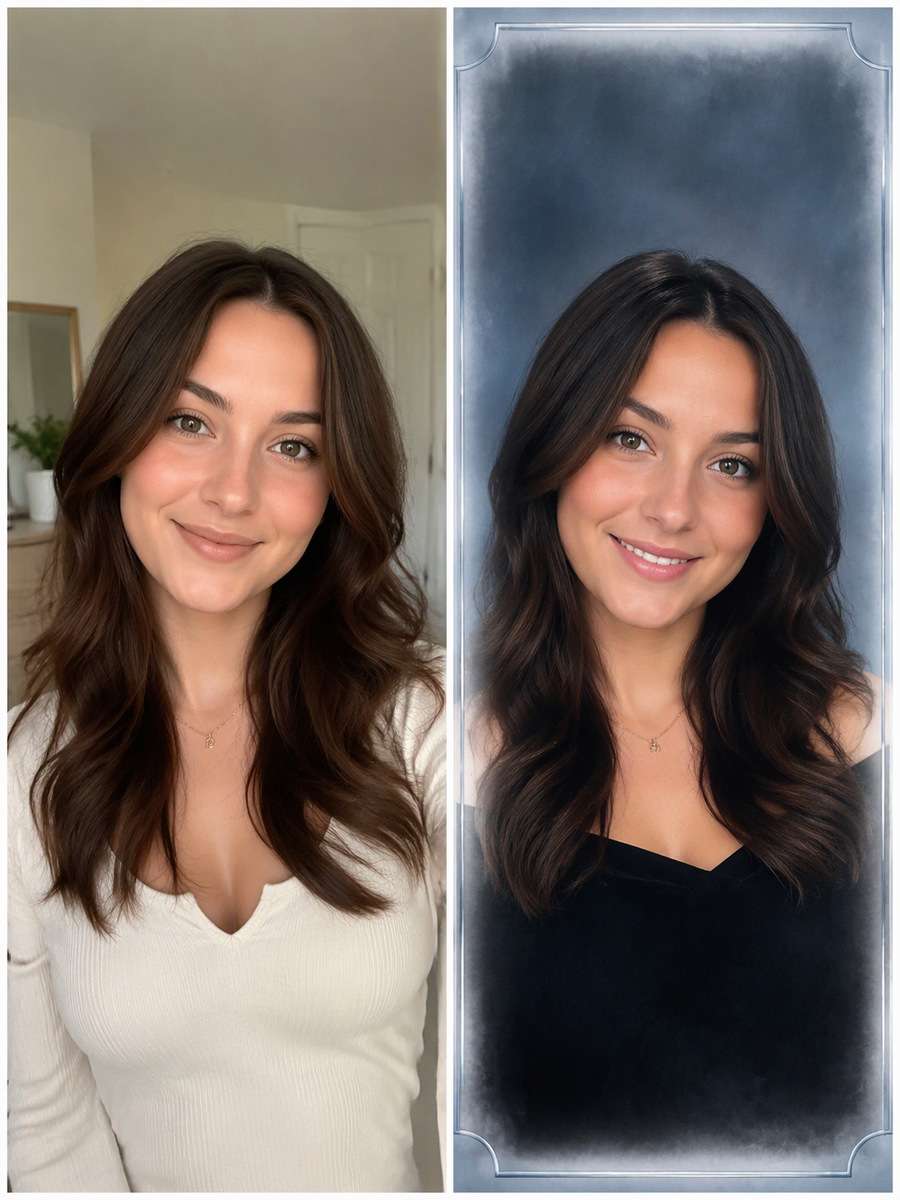
2000s Frosted Photo Border
Use my uploaded portrait as the identity reference. Add a subtle frosted white vignette and faint silver-blue 2000s design edge around the source portrait; make the full image resemble an actual school portrait package. Leave school names and dates blank. Preserve the source person's current recognizable face, apparent age, hairline and expression; change only the era-inspired wardrobe, lighting, backdrop and print treatment. Use realistic dated studio-print texture, not a heavy digital beauty filter. Do not add fake student names, school logos or credentials.
1990s Class Photo Crop
Edit my uploaded portrait rather than inventing a new person or pet. Create a cropped solo yearbook portrait with that authentic off-center shoulder angle, neutral background and slight photo-print softness. Do not turn a single source person into a fabricated class group. Preserve the source person's current recognizable face, apparent age, hairline and expression; change only the era-inspired wardrobe, lighting, backdrop and print treatment. Use realistic dated studio-print texture, not a heavy digital beauty filter. Do not add fake student names, school logos or credentials.
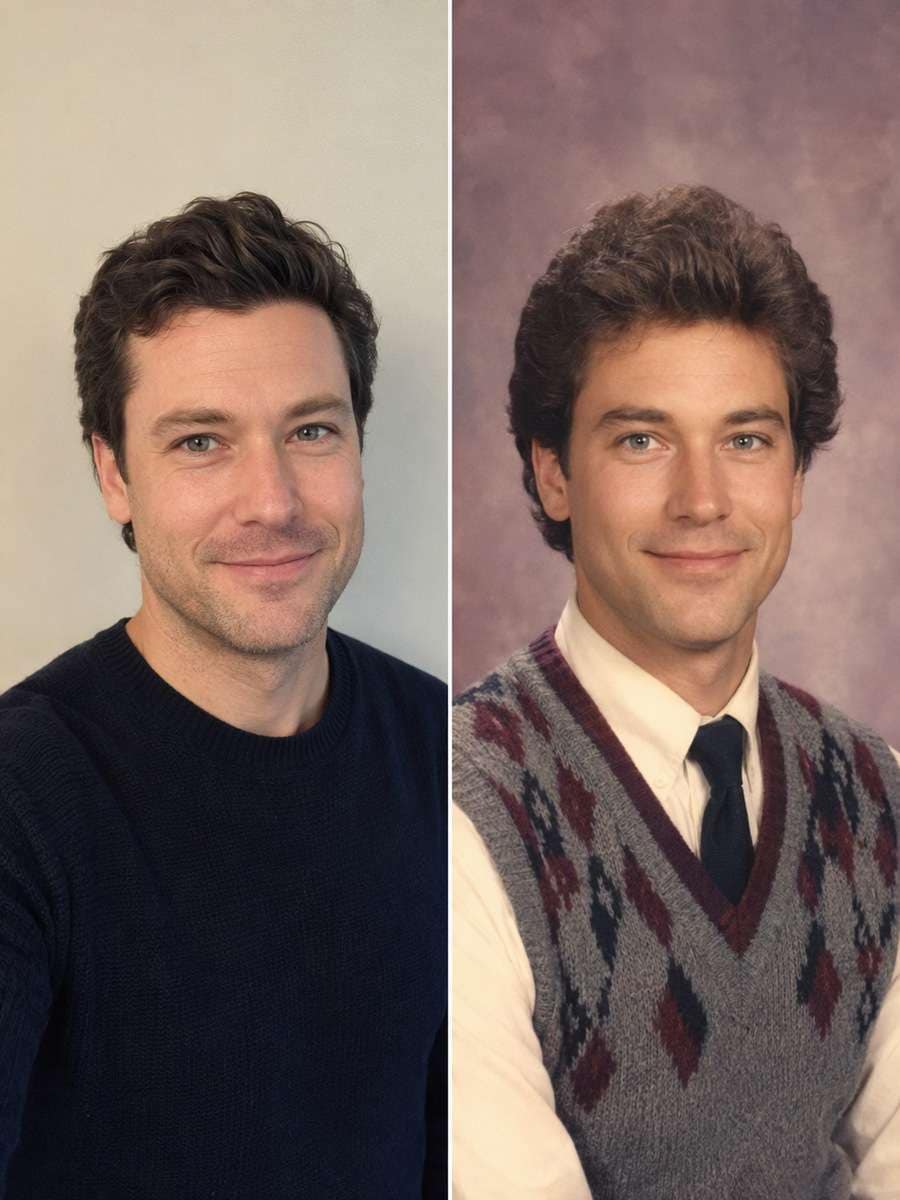
1980s Sweater Vest
Start with my uploaded portrait; build the finished image around this actual reference. Use a vintage sweater vest, button-down shirt, pale mauve studio canvas and slight hair volume in a friendly yearbook pose. Facial proportions must match the reference without becoming a caricature. Preserve the source person's current recognizable face, apparent age, hairline and expression; change only the era-inspired wardrobe, lighting, backdrop and print treatment. Use realistic dated studio-print texture, not a heavy digital beauty filter. Do not add fake student names, school logos or credentials.
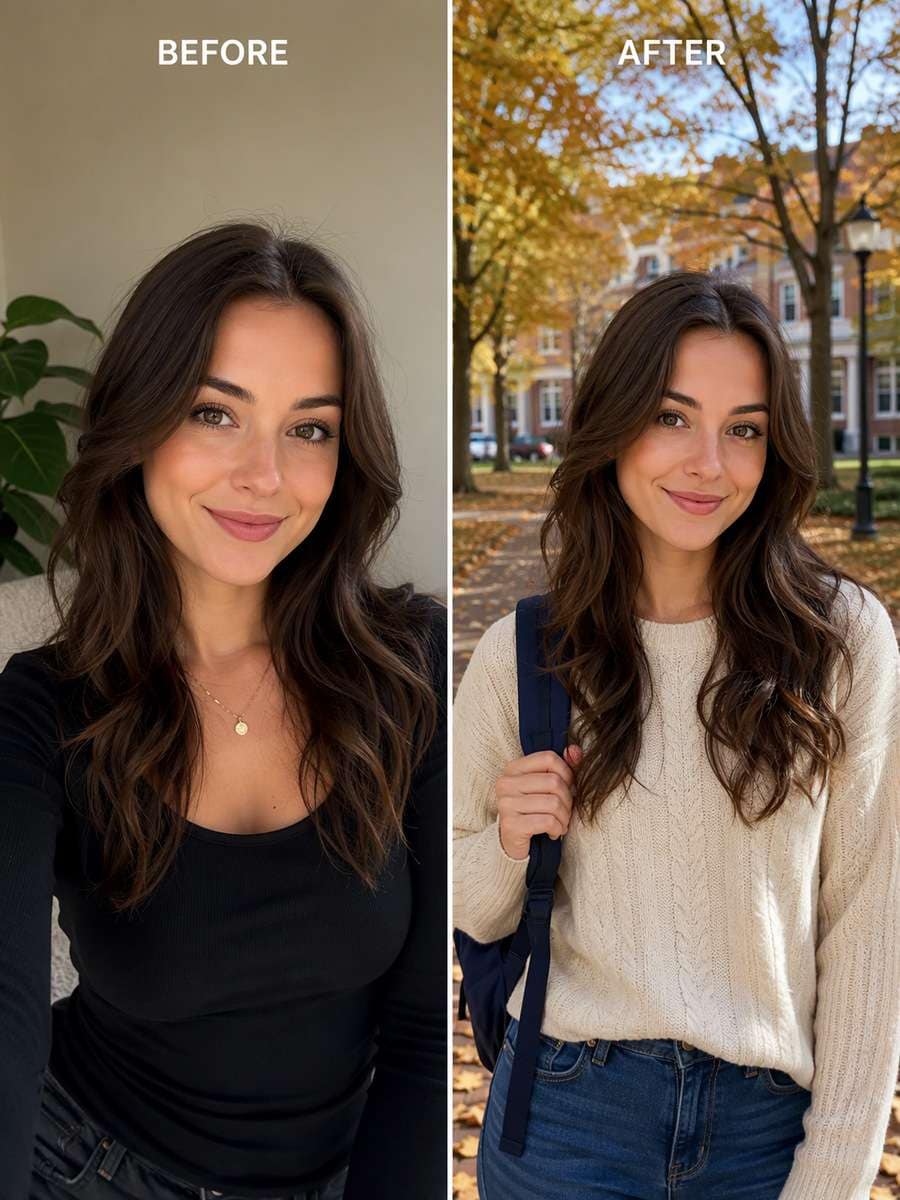
Autumn Campus Yearbook
Keep the recognizable subject from my uploaded portrait. Make a yearbook environmental portrait on a tree-lined campus walkway with autumn leaves, backpack strap and gentle daylight. Keep a real school-day mood rather than a fashion campaign. Preserve the source person's current recognizable face, apparent age, hairline and expression; change only the era-inspired wardrobe, lighting, backdrop and print treatment. Use realistic dated studio-print texture, not a heavy digital beauty filter. Do not add fake student names, school logos or credentials.
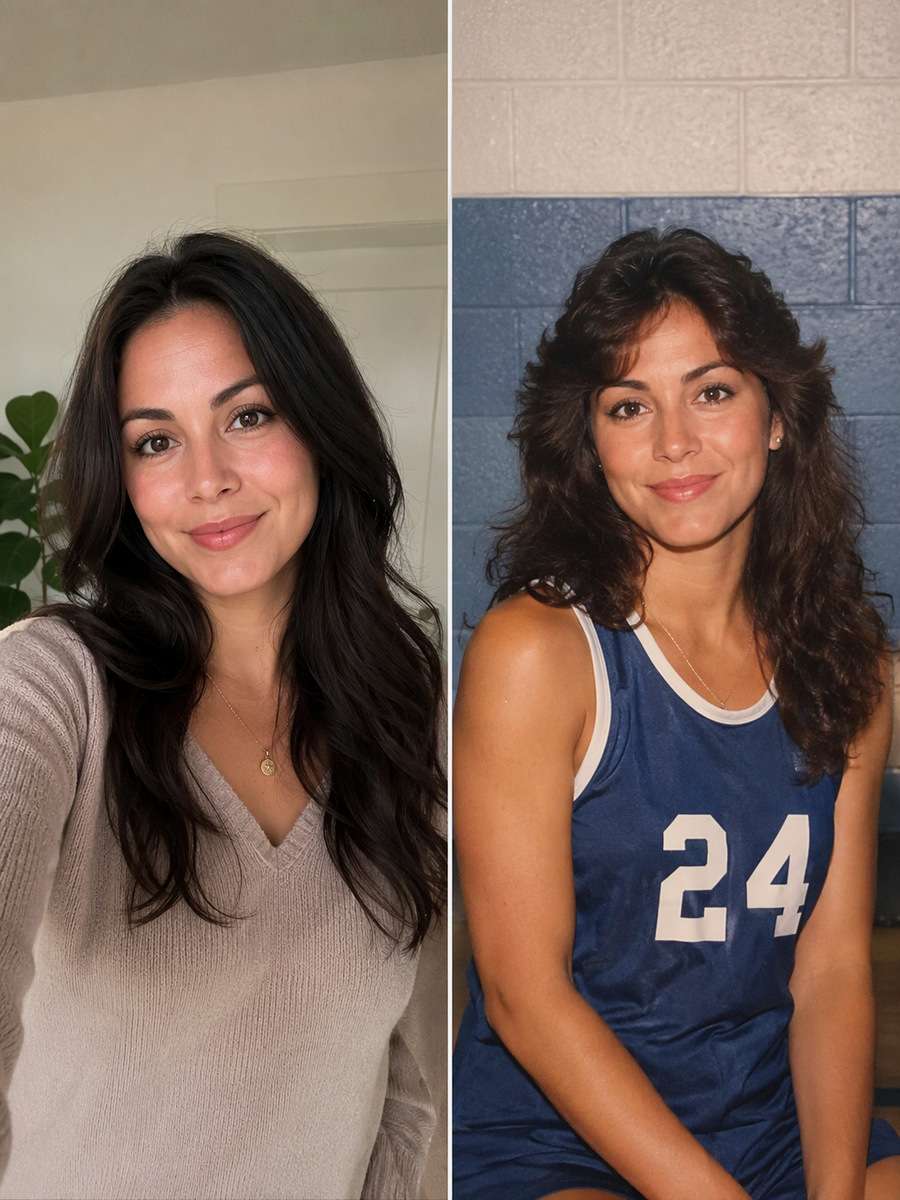
Athletics Team Portrait
Using my uploaded portrait, create the following specific photo edit. Present the source person in a school athletics team-photo aesthetic with a plain sports jersey, simple gym wall and direct flash. Avoid changing visible body type or inventing team logos. Preserve the source person's current recognizable face, apparent age, hairline and expression; change only the era-inspired wardrobe, lighting, backdrop and print treatment. Use realistic dated studio-print texture, not a heavy digital beauty filter. Do not add fake student names, school logos or credentials.
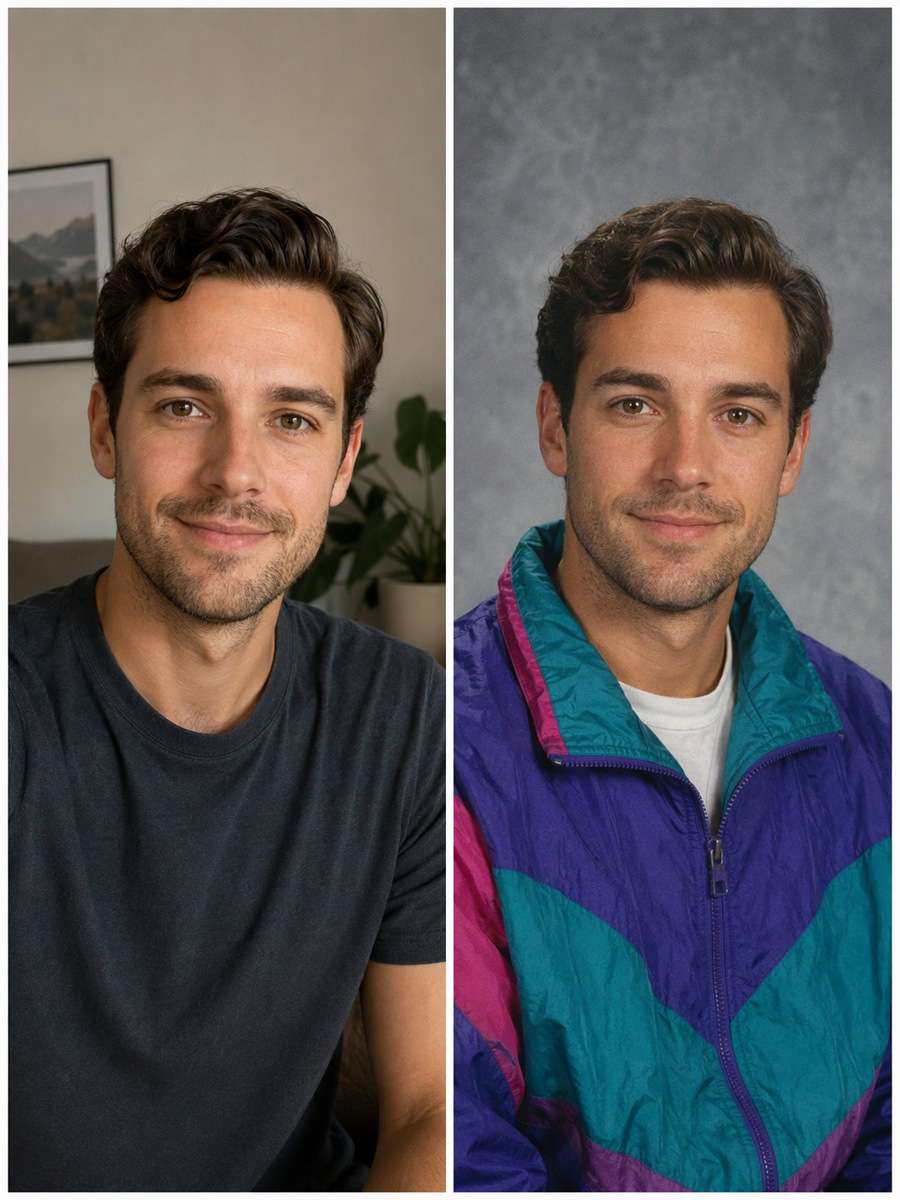
Colorful 1990s Windbreaker
Use my uploaded portrait as the identity reference. Restyle with a bright 1990s windbreaker, paper-gray backdrop and straightforward chin-up pose. Preserve facial identity while letting the wardrobe carry the decade. Preserve the source person's current recognizable face, apparent age, hairline and expression; change only the era-inspired wardrobe, lighting, backdrop and print treatment. Use realistic dated studio-print texture, not a heavy digital beauty filter. Do not add fake student names, school logos or credentials.
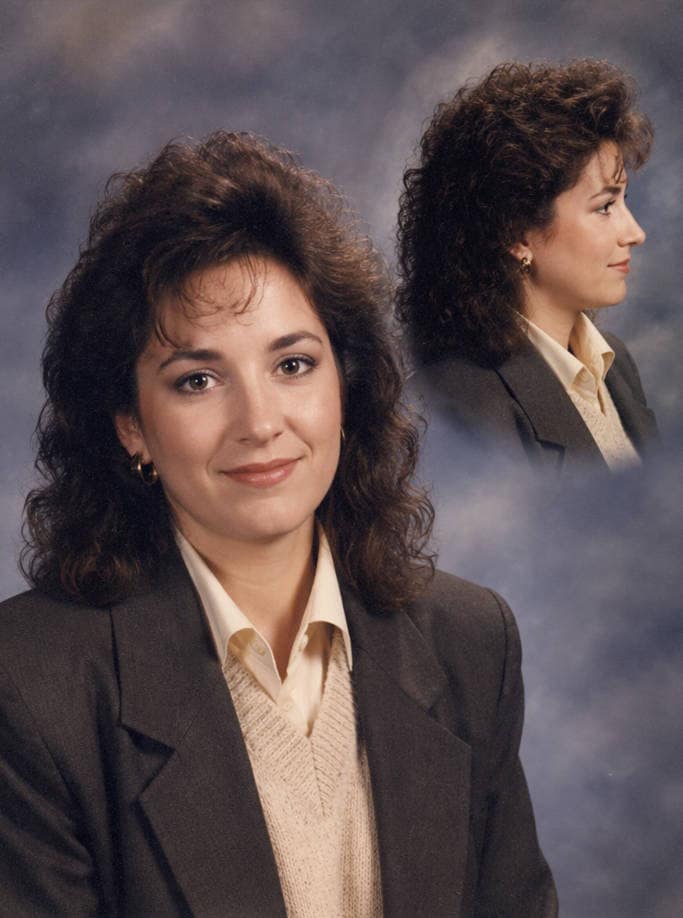
Dramatic 1980s Profile
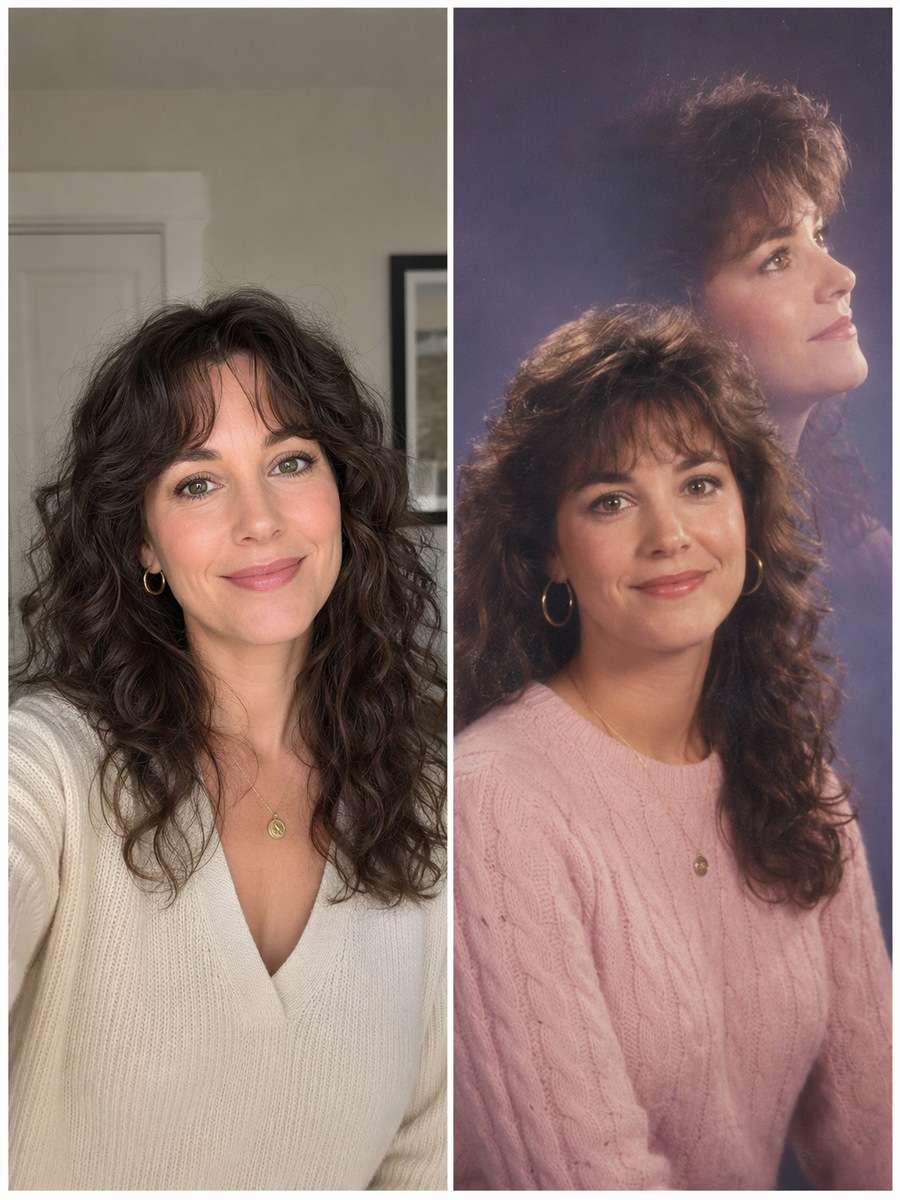
Edit my uploaded portrait rather than inventing a new person or pet. Make a 1980s yearbook package side-profile inset alongside the main front view, set against a soft blue-gray cloudy background. The two faces must clearly be the same person. Preserve the source person's current recognizable face, apparent age, hairline and expression; change only the era-inspired wardrobe, lighting, backdrop and print treatment. Use realistic dated studio-print texture, not a heavy digital beauty filter. Do not add fake student names, school logos or credentials.
1990s Outdoor Senior Steps
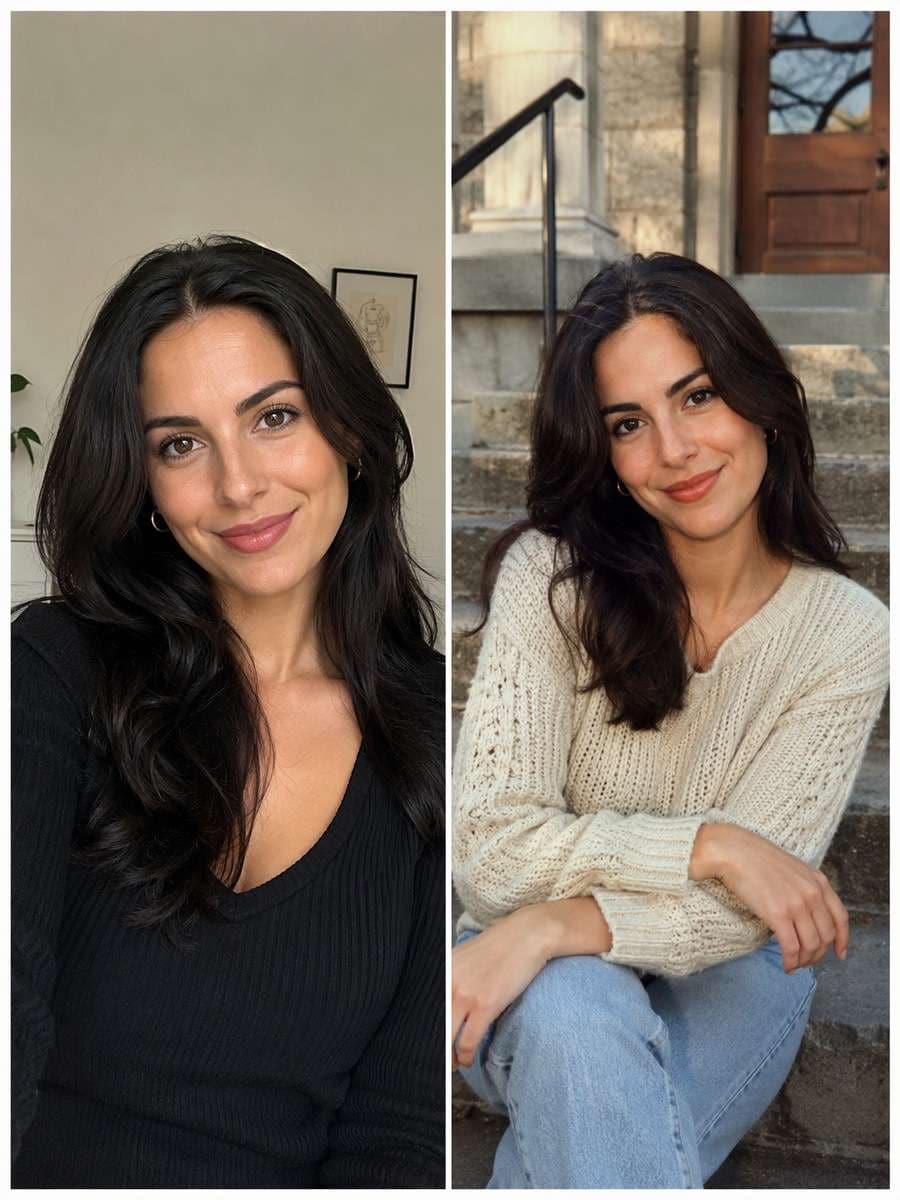
Start with my uploaded portrait; build the finished image around this actual reference. Place the original subject on school steps with a stone facade, textured knit top and late-afternoon diffused light, framed like a campus portrait insert. Keep age consistent and natural hair movement. Preserve the source person's current recognizable face, apparent age, hairline and expression; change only the era-inspired wardrobe, lighting, backdrop and print treatment. Use realistic dated studio-print texture, not a heavy digital beauty filter. Do not add fake student names, school logos or credentials.
Film Contact Sheet Yearbook
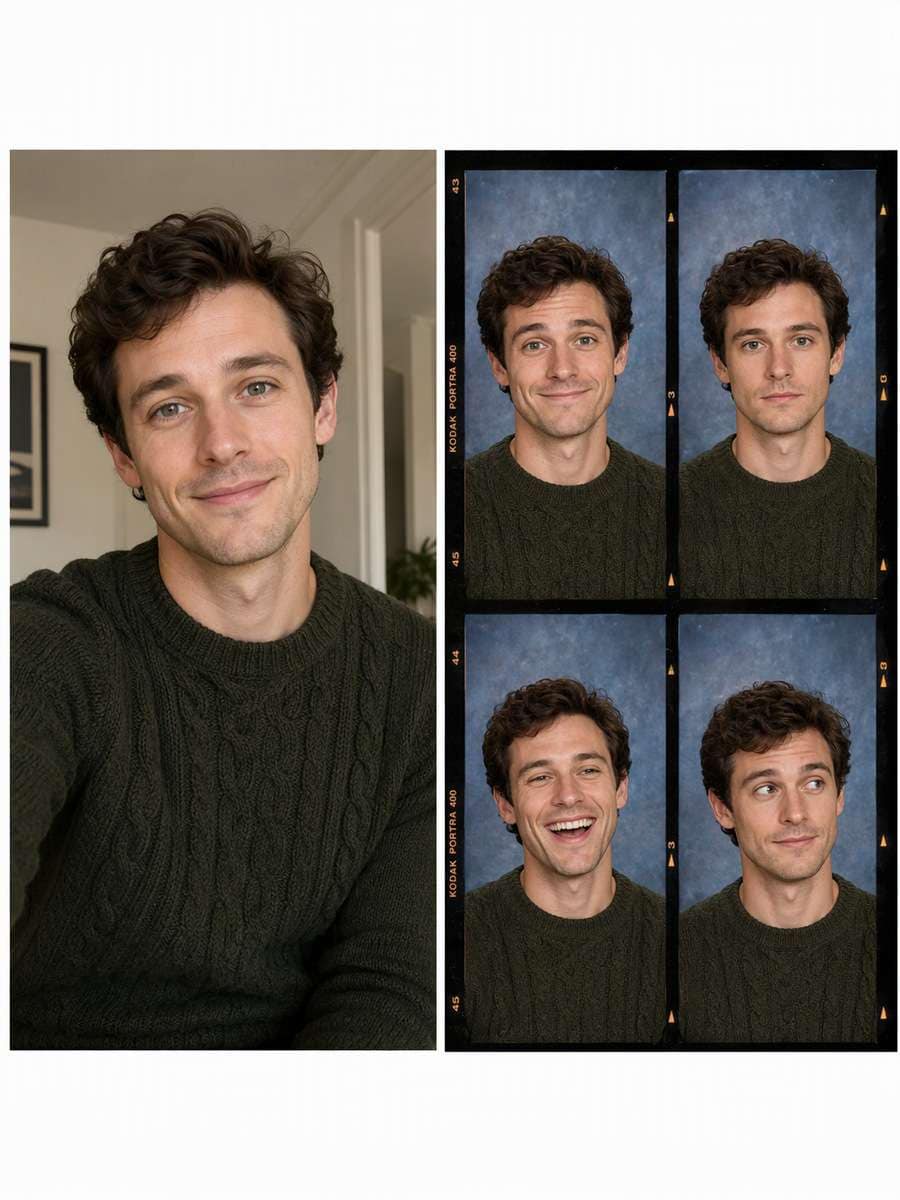
Keep the recognizable subject from my uploaded portrait. Produce a four-frame analog contact sheet of the same person's picture-day expressions: nervous smile, neutral, laughing and side glance. Preserve identity and consistent sweater across frames. Preserve the source person's current recognizable face, apparent age, hairline and expression; change only the era-inspired wardrobe, lighting, backdrop and print treatment. Use realistic dated studio-print texture, not a heavy digital beauty filter. Do not add fake student names, school logos or credentials.
Classroom Window Portrait
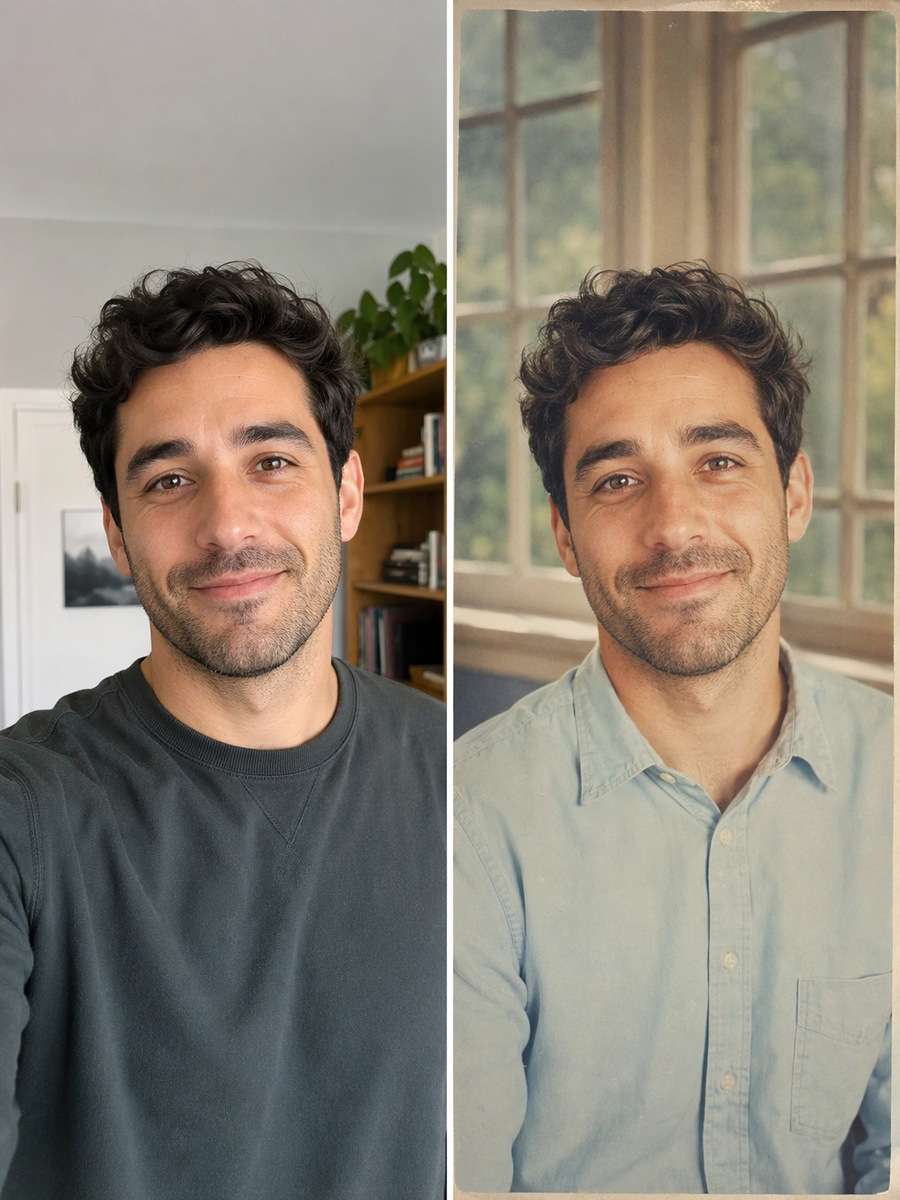
Using my uploaded portrait, create the following specific photo edit. Give the selfie a clean school classroom window-light background, muted pastel shirt and slightly faded print tones, showing only the original person. Avoid chalkboard gibberish or invented school seals. Preserve the source person's current recognizable face, apparent age, hairline and expression; change only the era-inspired wardrobe, lighting, backdrop and print treatment. Use realistic dated studio-print texture, not a heavy digital beauty filter. Do not add fake student names, school logos or credentials.
Y2K Sports Letter Jacket
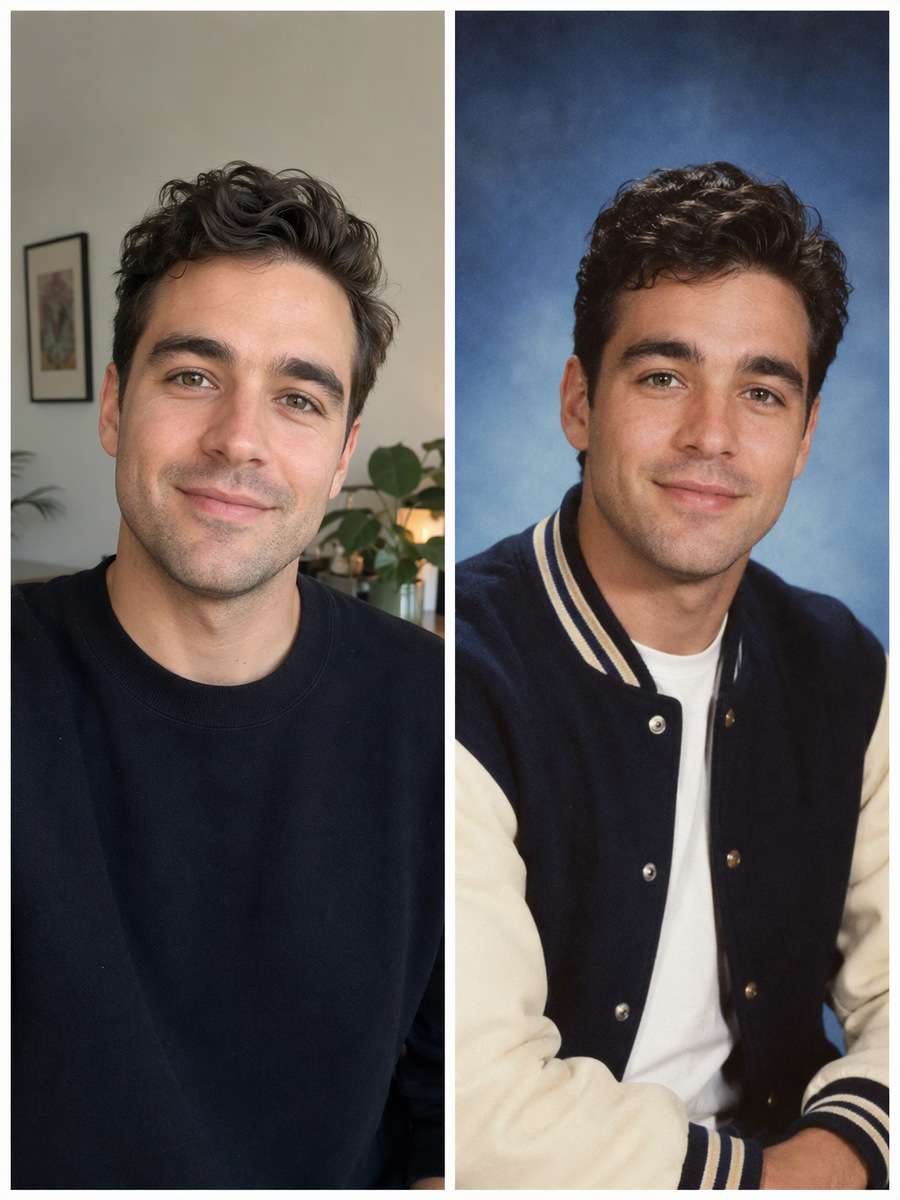
Use my uploaded portrait as the identity reference. Reimagine a 2000s school portrait with a generic varsity-style jacket, simple blue studio gradient and crisp early digital camera flash. No institutional name or protected emblem. Preserve the source person's current recognizable face, apparent age, hairline and expression; change only the era-inspired wardrobe, lighting, backdrop and print treatment. Use realistic dated studio-print texture, not a heavy digital beauty filter. Do not add fake student names, school logos or credentials.
1990s Arts Club Snapshot
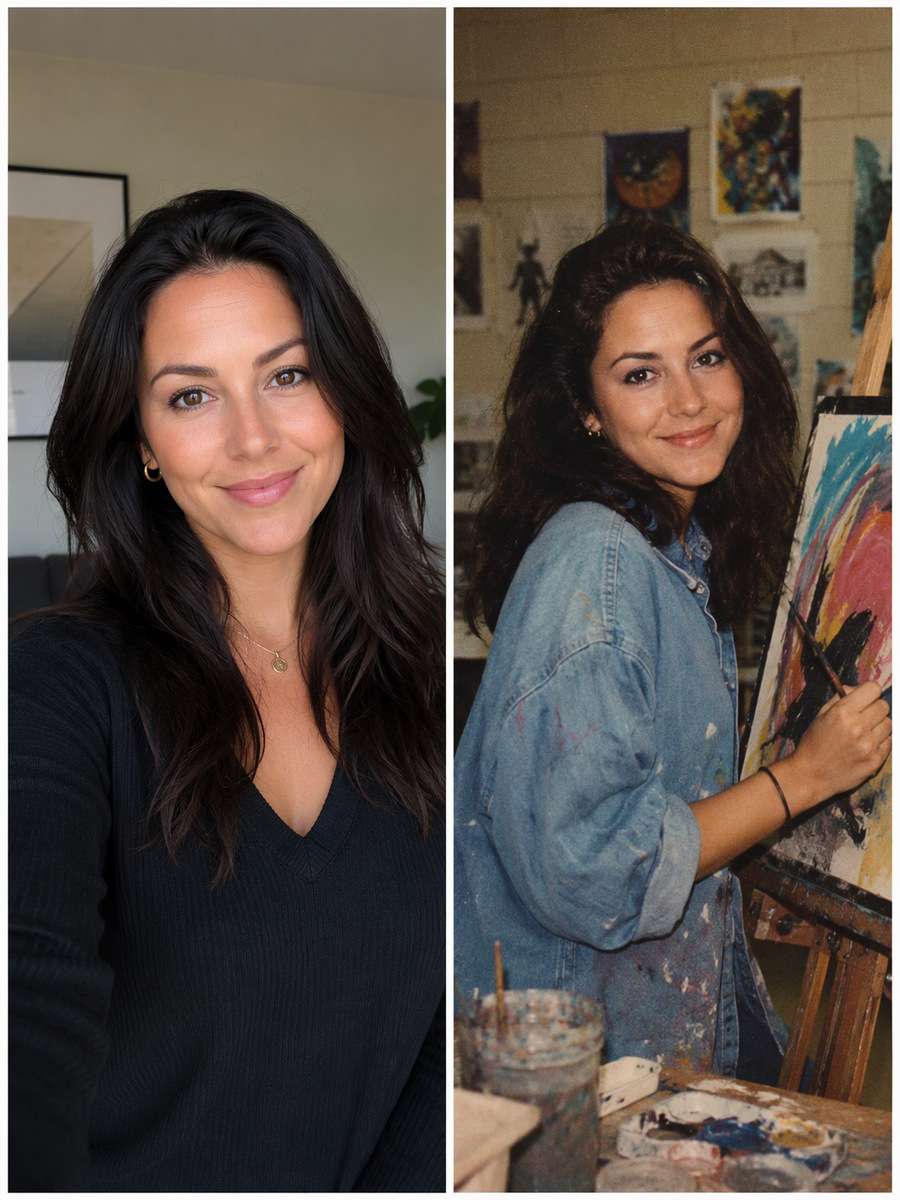
Edit my uploaded portrait rather than inventing a new person or pet. Place the subject at an easel in a school art room with a half-finished abstract painting and faded color-negative grain. Keep a yearbook documentary feel, not a polished art advertisement. Preserve the source person's current recognizable face, apparent age, hairline and expression; change only the era-inspired wardrobe, lighting, backdrop and print treatment. Use realistic dated studio-print texture, not a heavy digital beauty filter. Do not add fake student names, school logos or credentials.
1980s Double-Exposure Cameo
Start with my uploaded portrait; build the finished image around this actual reference. Create an intentionally nostalgic portrait package with a main front-facing photograph and a softly blended side profile in the corner. Make both images the same person with matching hair and face. Preserve the source person's current recognizable face, apparent age, hairline and expression; change only the era-inspired wardrobe, lighting, backdrop and print treatment. Use realistic dated studio-print texture, not a heavy digital beauty filter. Do not add fake student names, school logos or credentials.
School Newspaper Editor Portrait
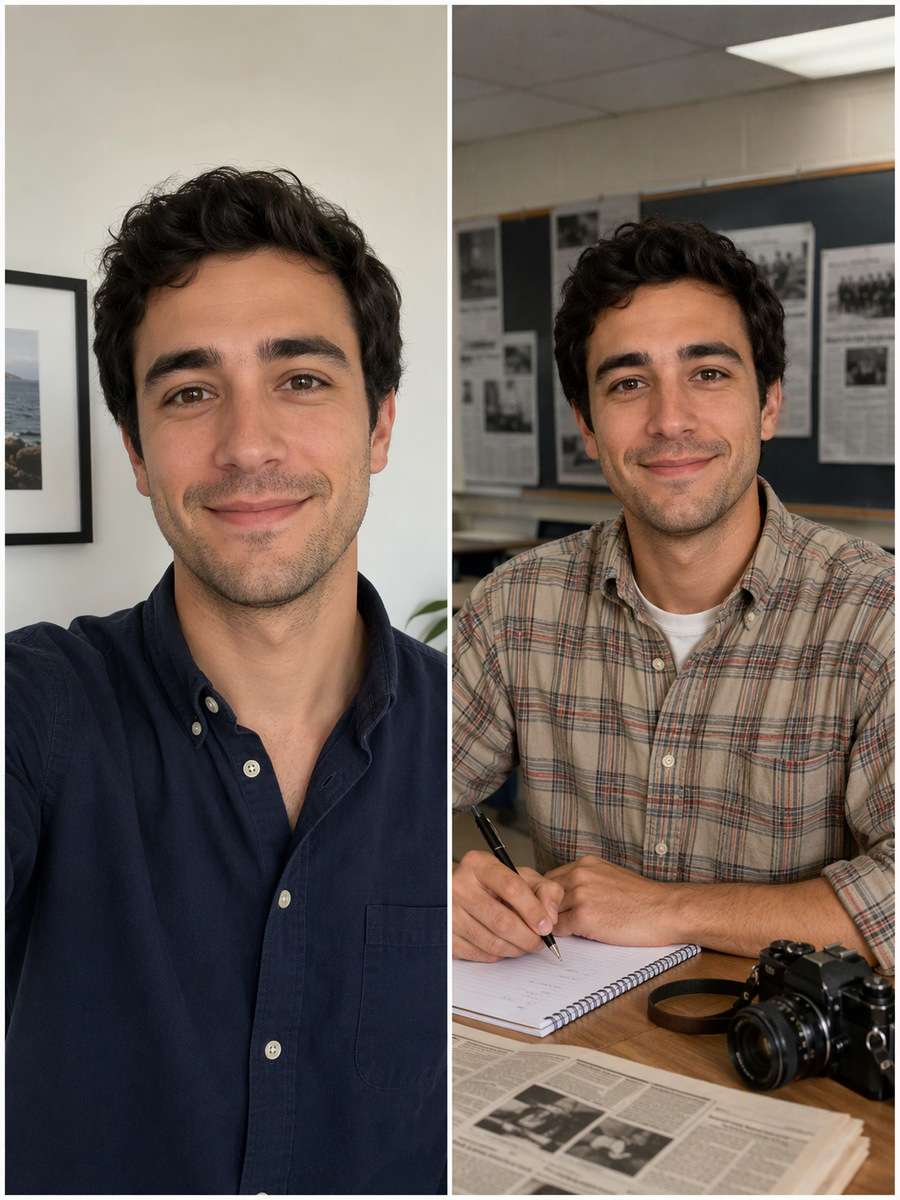
Keep the recognizable subject from my uploaded portrait. Stage the same person in a school newsroom yearbook feature with a notebook and camera on a desk, neat casual shirt and fluorescent classroom light. Leave newspaper words unreadable or blank. Preserve the source person's current recognizable face, apparent age, hairline and expression; change only the era-inspired wardrobe, lighting, backdrop and print treatment. Use realistic dated studio-print texture, not a heavy digital beauty filter. Do not add fake student names, school logos or credentials.
Yearbook Cover-Ready Portrait
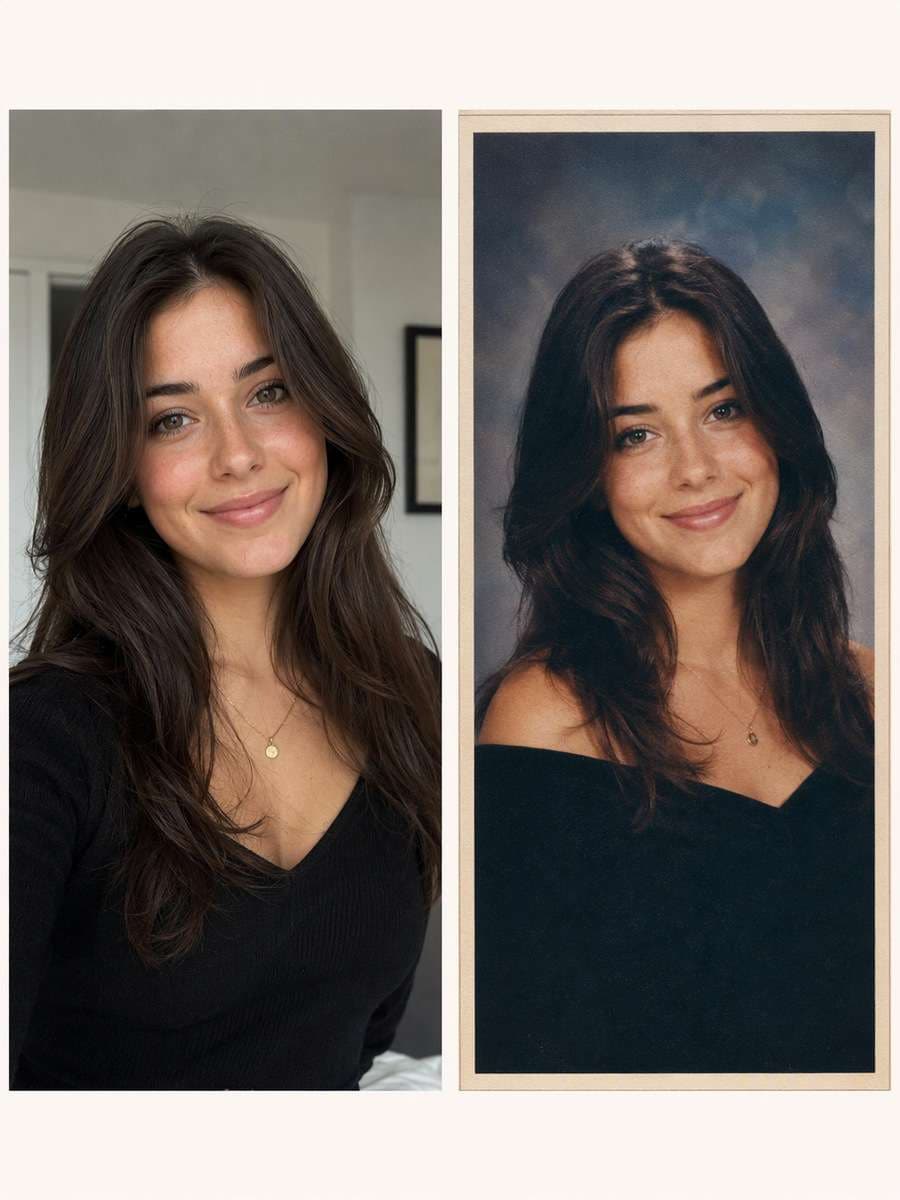
Using my uploaded portrait, create the following specific photo edit. Make a clean formal portrait with small matte-print border, subdued vintage color and open margin for a real name or graduation year to be added afterward. No fake school credentials or random letters. Preserve the source person's current recognizable face, apparent age, hairline and expression; change only the era-inspired wardrobe, lighting, backdrop and print treatment. Use realistic dated studio-print texture, not a heavy digital beauty filter. Do not add fake student names, school logos or credentials.
How to Make a Yearbook Edit Look Like a Real Photo Print
The familiar school-photo effect is not just a color filter. Props, staging and printing artifacts carry the decade.
Match the Decade to the Technique
The 1980s often suggest clouded muslin backdrops and direct studio fill.
Early 1990s laser backdrops work best when the face remains the focus.
Y2K camera flash and slight digital texture should not replace facial detail.
Use subtle grain, mild fade and print borders instead of heavy artificial scratches.
Keep the Reference Portrait Honest
Do not invent an actual school name, class rank or graduation credential.
Keep the person's apparent age unless they explicitly ask for an age transformation.
If glasses are present, preserve frame shape and realistic lens reflections.
A two-view cameo must show the same hair, ears and facial profile in both views.
Yearbook Photo Styles for Digital Memories
These edits work for nostalgic social posts or personal memory projects without implying a real historical record.
90s Nostalgia Post
Choose a laser studio backdrop or faded windbreaker portrait for an unmistakable period look.
Throwback Profile Photo
Use a clean single-person picture-day headshot that remains readable in a small crop.
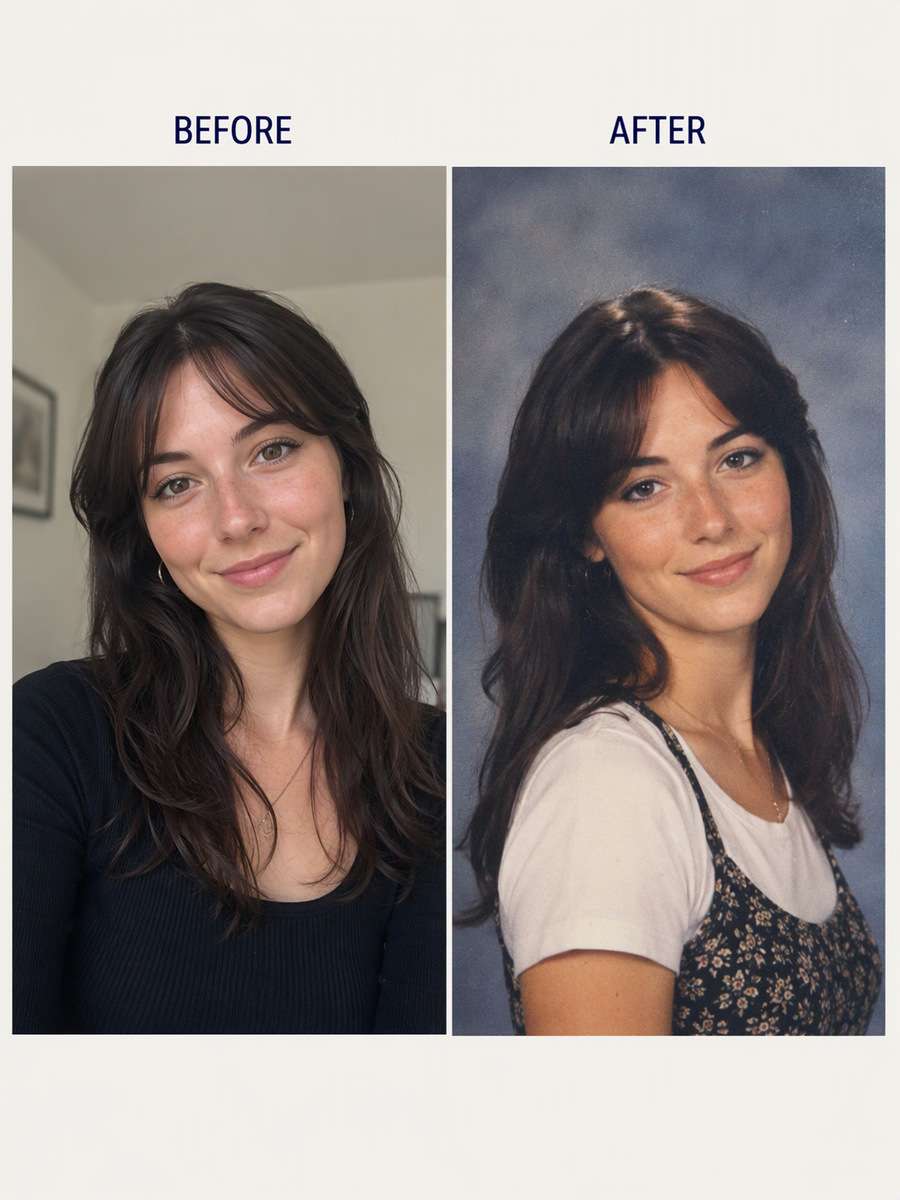
Before-and-After Collage
Pair a regular selfie with a school photo style while keeping the face consistent.
Creative Reunion Design
Make a yearbook-inspired image with blank space for accurate names added later.
Frequently Asked Questions About ChatGPT Yearbook Photo Prompts
1. How do I get the 90s yearbook photo effect in ChatGPT?
Ask for a specific 1990s studio backdrop, period sweater or denim styling, soft direct lighting and subtle photo-print grain, using your uploaded face as the reference.
2. What is the difference between 80s and 90s yearbook prompts?
1980s prompts often emphasize muslin backgrounds, brushed hair and sweaters. Early 1990s prompts may use laser designs, windbreakers and cooler studio effects.
3. Will my selfie still look like me?
Identity instructions help, but AI can alter features. Compare face shape, eye color, hairline and expression before using the result.
4. Can I make a yearbook photo without changing my age?
Yes. Ask for the era's lighting, clothing and backdrop while preserving your current apparent age and facial features.
5. Can I add a school name to the picture?
For reliable wording, leave an empty caption area and add the real name or year manually. Avoid generating fake institutional marks.