Image to Image
Nano Banana Pro
Upload Image
0 / 9
Click or drag to upload, or choose from My History
No ideas? Generate an image first >
Support upload format: jpg, png, jpeg.
Prompt
0/2000
Aspect Ratio
Auto
9:16
16:9
1:1
4:3
3:4
3:2
2:3
21:9
Resolution
1K
2K
4K
Unlimited Banana Pro
Number of Images
1
2
3
4
Public Visibility
All
Image
Video
Audio
Generate List
The generated results will be kept for 7 days. Please save them in time.
ai_video_generatorUnlock your creative potential and experience the magic of Media AI right away!

Black and White Photo Generator for Cinematic, Vintage, Sharp Monochrome Edits

Turn any color image into a striking monochrome photo with Media.io’s AI black and white photo generator. Upload portraits, wedding shots, street scenes, or old photos, then apply rich contrast, film grain, and tonal depth online in just a few clicks.

Create My Black and White Photo

Type your idea -> AI designs it. Free to try.

Explore our curated collection of black and white photo generator styles.

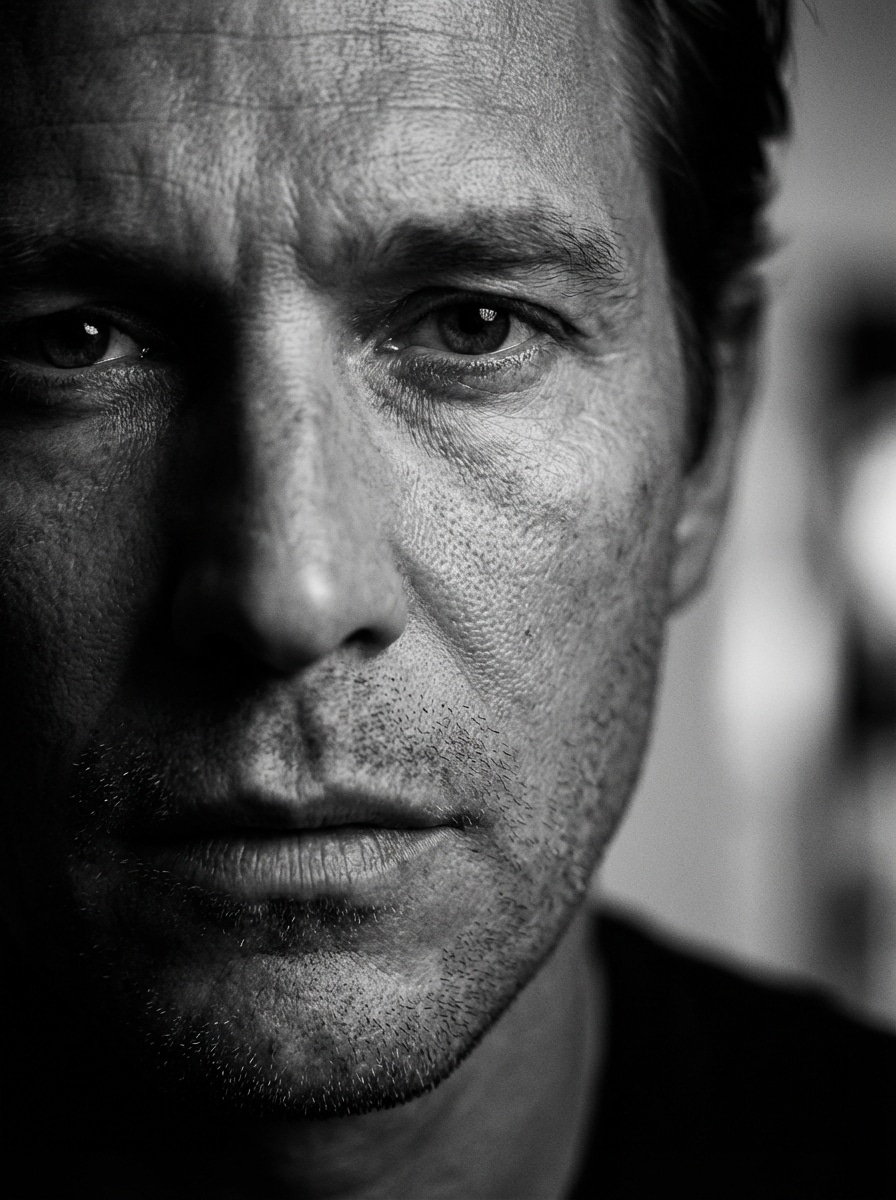
Cinematic Monochrome Portrait

Cinematic Monochrome Portrait

Use the uploaded image as the subject and transform it into a cinematic black and white portrait with rich contrast, deep shadows, bright catchlights in the eyes, realistic skin texture, soft background falloff, and dramatic editorial lighting for a polished, high-end monochrome look.
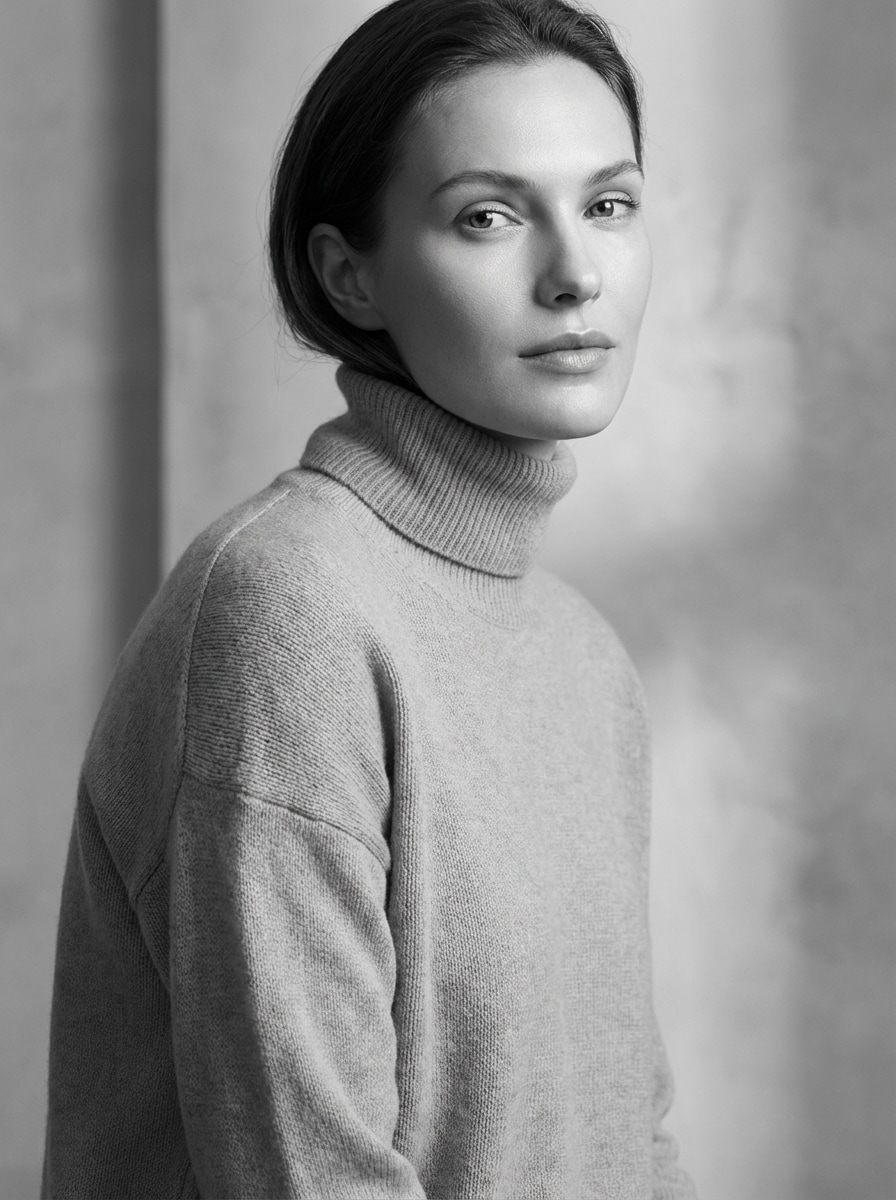
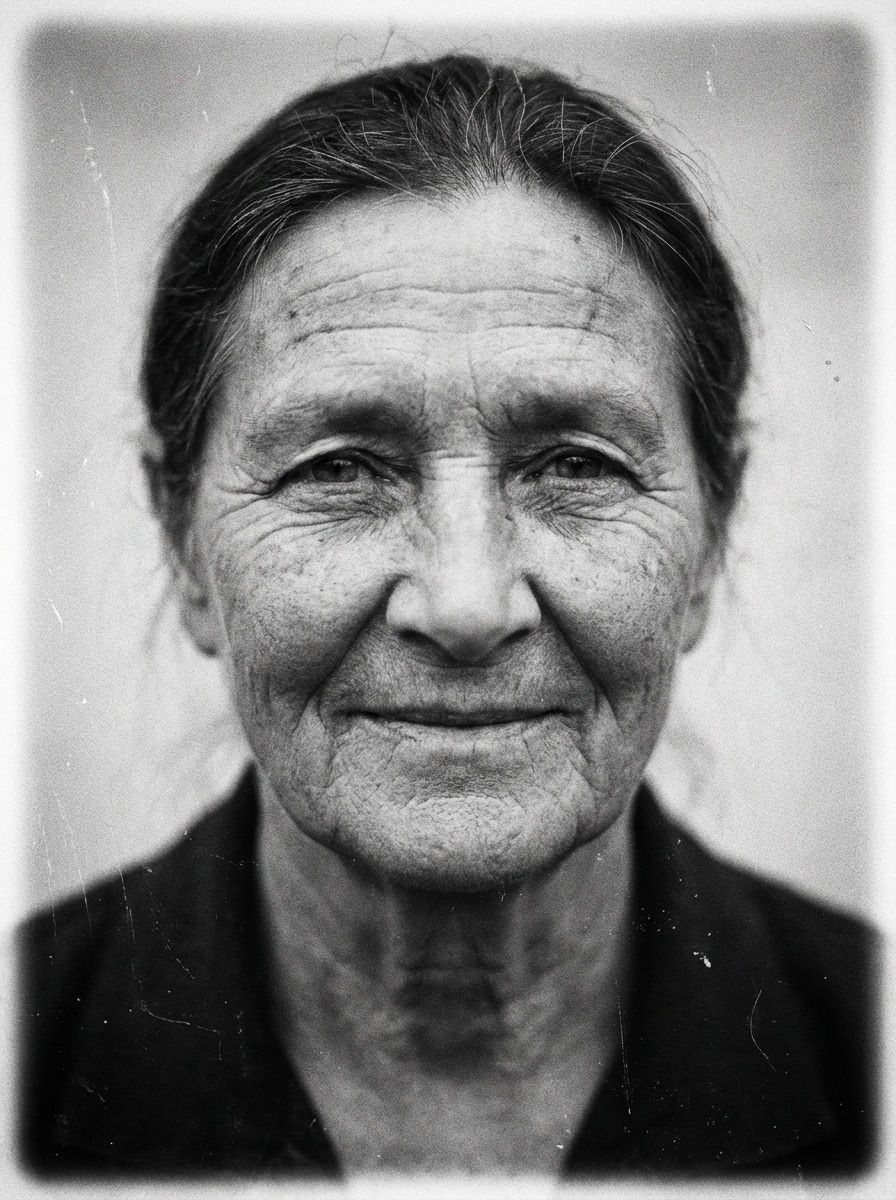
Soft Editorial Black and White

Soft Editorial Black and White

Use the uploaded image as the subject and convert it into a soft editorial black and white portrait with balanced grayscale tones, flattering face detail, smooth transitions between light and shadow, clean subject separation, subtle texture, and elegant magazine-style lighting with a refined monochrome finish.

Vintage Film Monochrome

Vintage Film Monochrome

Use the uploaded image as the subject and turn it into a vintage black and white film photo with authentic grain, softened contrast, subtle vignette, faded highlights, classic analog texture, and a timeless nostalgic mood that feels like a carefully scanned archival print.

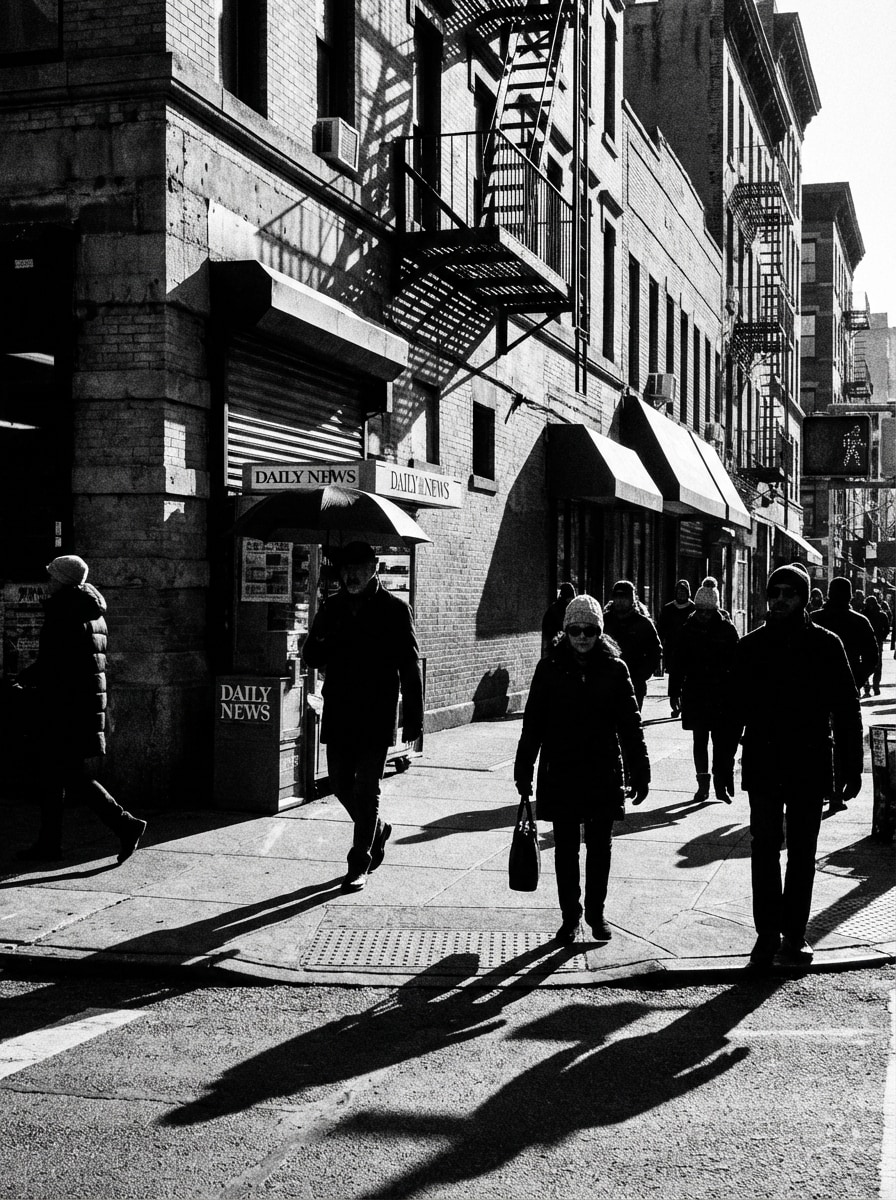
High-Contrast Street Photography

High-Contrast Street Photography

Use the uploaded image as the subject and restyle it into a bold black and white street photography image with crisp edges, deep blacks, bright highlights, visible urban texture, documentary realism, and a high-energy contrast profile that makes the scene feel dynamic and raw.

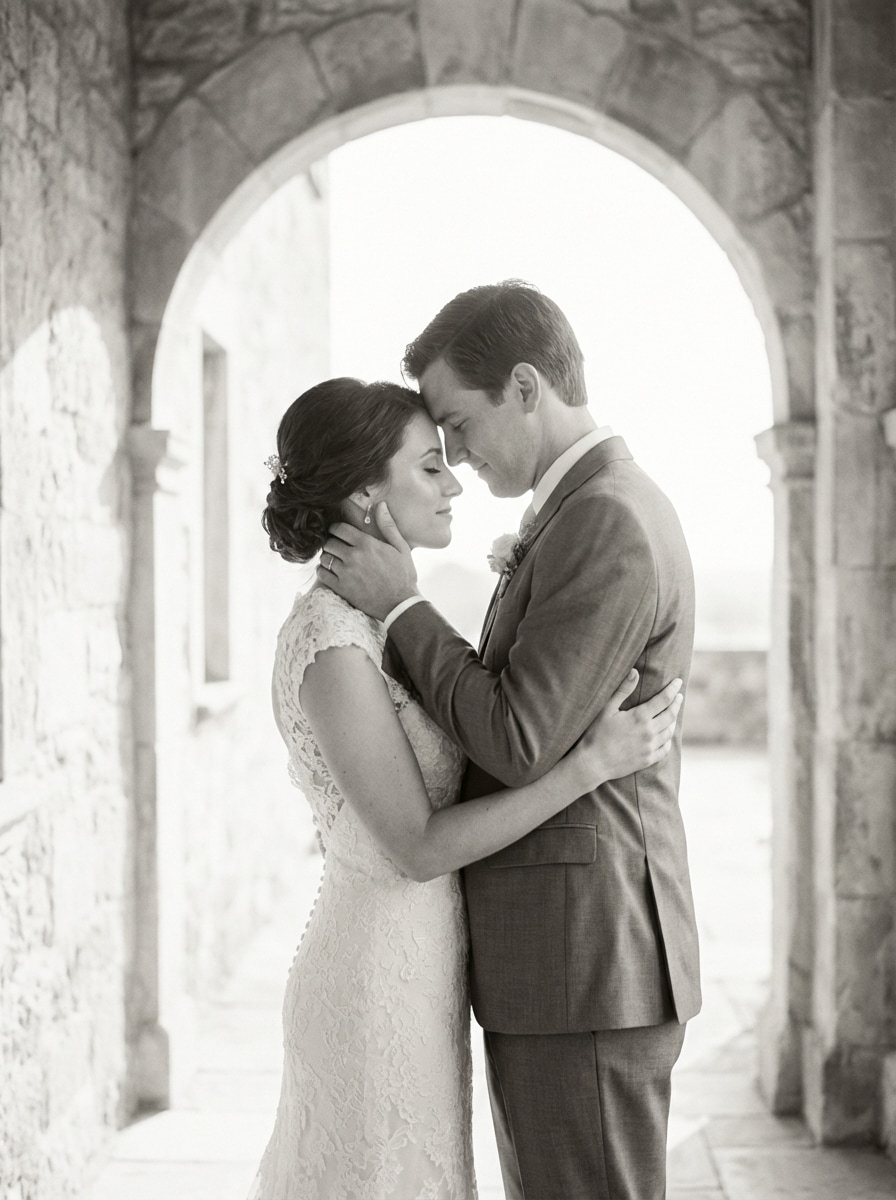
Wedding Black and White

Wedding Black and White

Use the uploaded image as the subject and transform it into an elegant black and white wedding photo with soft contrast, luminous whites, delicate fabric detail, flattering grayscale skin tones, gentle background blur, and a timeless romantic atmosphere suitable for albums and framed prints.

Why Use Media.io for Black and White Photo Generation

AI-Powered Monochrome Style Transfer

Go beyond a flat grayscale filter. Upload a photo and apply cinematic, vintage, portrait, or high-contrast black and white looks with AI-guided tonal depth and cleaner visual results.

Flexible Uploads and Creative Control

Upload JPG, PNG, or JPEG images, then refine your black and white conversion with supported aspect ratios, multiple outputs, and AI image-to-image models built for style transformation.

High-Resolution Export Options

Create black and white photos in 1K, 2K, or 4K resolution for social posts, portfolios, prints, or client delivery while keeping details sharp and the monochrome finish polished.

Private, Browser-Based Workflow

Use Media.io on Windows, Mac, iPhone, or Android without installing software. Uploaded images are automatically deleted after 7 days for stronger privacy and convenience.

How to Use the Black and White Photo Generator

1
2
3
1
Open Media.io Black and White Photo Generator

Go to AI Image to Image Generator and open the Black and White Photo Generator under AI -> Image to Image. This online tool runs in your browser, so you can convert color photos into monochrome images without downloading desktop software.

2
Upload Your Photo and Set the Style

Upload a JPG, PNG, or JPEG image, then enter a detailed prompt such as "Use the uploaded image as the subject and transform it into a cinematic black and white portrait with rich contrast, subtle film grain, and dramatic lighting." Adjust aspect ratio, resolution, or image count if needed.

3
Generate, Refine & Download

Click Generate. Review the black and white result, tweak your prompt or settings for a softer, vintage, or higher-contrast look, then download your finished image in high resolution for sharing, printing, or portfolio use.

Step 1
Step 2
Step 3

Unlock the Potential of Black And White Photo Generator

Discover how creators and professionals are using our AI-powered Black And White Photo Generator to transform their creative workflows and bring unique ideas to life.

Upgrade Portraits for Social and Editorial Posts

Turn selfies, creator portraits, and profile photos into polished monochrome visuals with stronger mood and cleaner contrast. A black and white photo generator is ideal for Instagram carousels, personal branding, and modern editorial-style content.

Create Timeless Wedding and Event Memories

Convert color wedding shots, engagement photos, and emotional event moments into elegant black and white images that feel classic and premium. The look works especially well for albums, framed prints, and cinematic before-and-after reveals.

Restore Atmosphere in Old Photos and Street Scenes

Give scanned memories, documentary shots, or city photography a more intentional monochrome treatment. Instead of basic desaturation, use AI-enhanced tonal control to add depth, grain, and a more authentic black and white image filter online.

What Users Say About This Black and White Photo Generator

user
Lena Morris

Portrait Photographer

star star star star star

"Better than a basic grayscale filter" I tested several tools to convert color photos to black and white online, and Media.io gave me the most natural skin tones and shadow detail. The cinematic monochrome styles feel much more polished than standard one-click desaturation.

user
Andre Patel

Content Creator

star star star star star

"Fast results on mobile" I use this black and white filter on my phone for reels and before-after posts. The workflow is quick, the previews are clean, and I like that I can upload an image and get a stronger editorial look in minutes.

user
Sophie Delacourt

Wedding Blogger

star star star star star

"Perfect for romantic monochrome edits" The wedding black and white effect is gorgeous. It keeps dress details, soft highlights, and that timeless feel couples love. I’ve used it for blog features, mood boards, and social previews.

user
Marcus Hill

Street Photography Hobbyist

star star star star star

"Great contrast and texture" For street scenes, I want deep blacks and sharp geometry without losing detail. This tool gives me a bold documentary-style black and white image that looks intentional, not flat. It’s easy to refine and export.

Black and White Photo Generator FAQs

1. Is this black and white photo generator free to use?

Yes, Media.io offers free access with 3 credits per day, so you can try the black and white photo generator online before upgrading. Free exports may include a watermark. For more credits and watermark-free high-resolution downloads, check the pricing page. Free users get 3 credits per day. For more, users can subscribe to a plan on the pricing page.

Open Media.io’s image-to-image tool in your browser, upload a JPG, PNG, or JPEG photo, then enter a prompt describing the black and white style you want, such as cinematic, vintage, or soft editorial. Generate the image, review the result, and download your monochrome version. Media.io is a web-based tool that works on any device with a browser (Windows, Mac, iOS, Android). This helps you create black and white photo generator results more consistently.

Yes, Media.io supports 1K, 2K, and 4K resolution options, so your converted black and white image can keep strong detail for social posts, portfolios, and print use. Paid subscribers can also download watermark-free high-resolution files via the pricing page. Free users get 3 credits per day. For more, users can subscribe to a plan on the pricing page.

Yes. Media.io is web-based and works on any device with a browser, including iPhone, Android, Windows, and Mac. That means you can use this black and white image filter online on your phone without installing extra software. Media.io is a web-based tool that works on any device with a browser (Windows, Mac, iOS, Android). This helps you create black and white photo generator results more consistently.

Yes, it works well for portraits, selfies, wedding photos, and older images you want to restyle in monochrome. Because Media.io supports image-to-image generation from a reference upload, you can guide the result toward softer editorial tones, vintage film looks, or stronger contrast depending on the image. This helps you create black and white photo generator results more consistently.

The process is designed to be fast: upload your image, choose your prompt and settings, then generate. Exact speed can vary depending on your selected model, resolution, and image count, but the workflow is built for quick browser-based black and white photo conversion. Free users may have watermarks. Paid subscribers can download watermark-free high-resolution images. This helps you create black and white photo generator results more consistently. Upgrade to a paid plan on the pricing page for more credits and watermark-free high-resolution downloads.

Media.io Online AI Tools Quality Rating:
vote 4.7 (162,357 Votes)